受掘金大佬"不如摸鱼去"的启发,我也试试 Gemini 3做一下手势+粒子交互, 确实学到了不少东西,在这里简单的分享下。 github地址:掌间星河:github.com/huijieya/Ge...
javascript
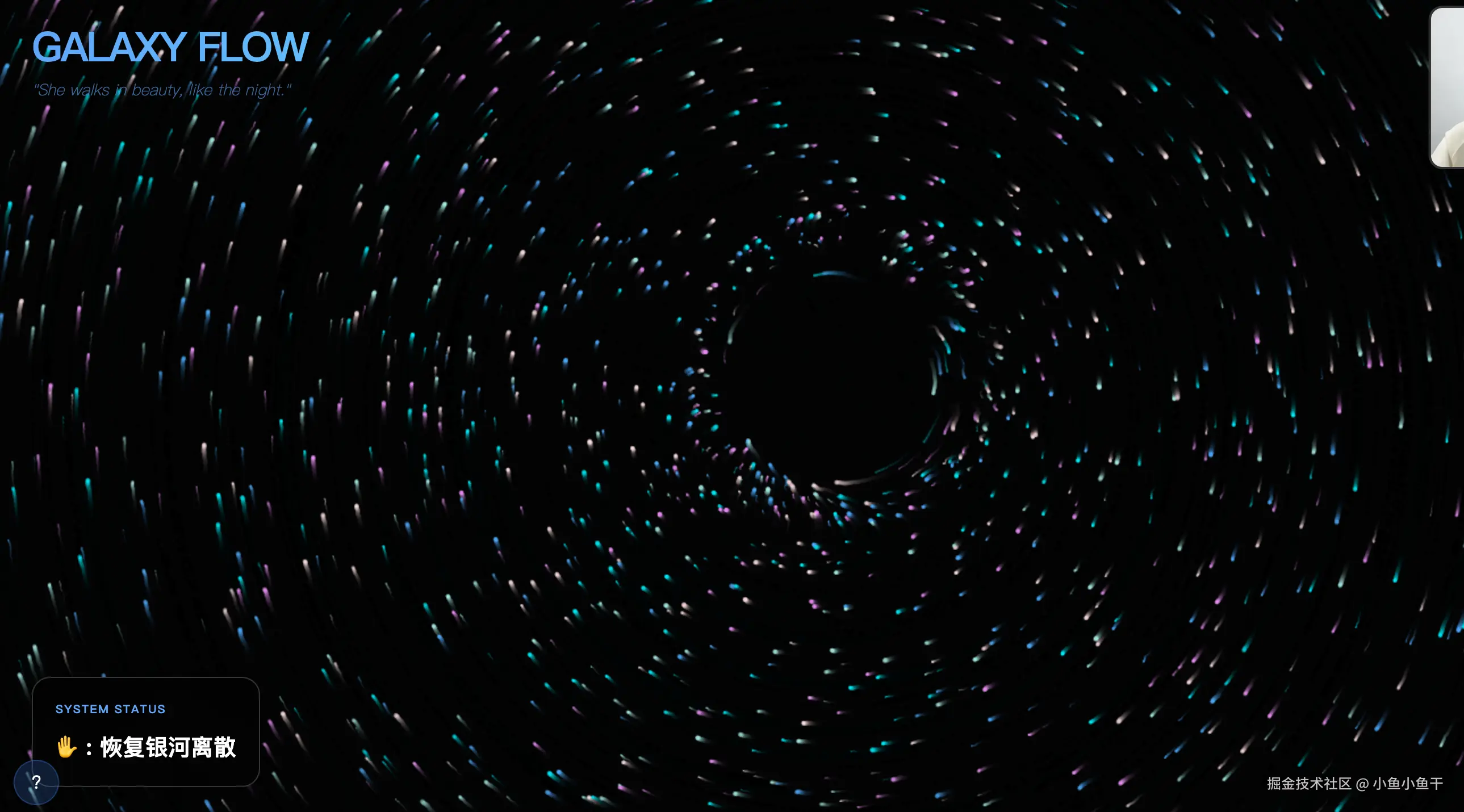

基于原生h5、浏览器、PC摄像头实现手势控制粒子特效交互的逻辑,粒子默认离散,类似银河系分布缓慢移动,同时有5种手势:

手势1: 握拳,握拳后粒子聚拢显示爱心的形状

手势2: 展开手掌并挥手,展开手掌挥手后粒子从当前状态恢复到离散状态

手势3: 👆 比 1 :只有食指伸直,其他 3 根弯曲,此时粒子聚拢显示第一句话:春来夏往

手势4: ✌ 比 2 :只有食指和中指伸直,其他 2 根弯曲手此时粒子聚拢显示第二句话: 秋收冬藏

手势5: 👌 比 3 :只有中指、无名指、小指伸直,食指弯曲,此时粒子聚拢显示第三句话:我们来日方长
效果展示
源码地址
掌间星河:github.com/huijieya/Ge...
源码分析
手势识别流程
1. 手部检测初始化
typescript
// HandTracker.tsx 中初始化 MediaPipe Hands
const hands = new (window as any).Hands({
  locateFile: (file: string) => `https://cdn.jsdelivr.net/npm/@mediapipe/hands/${file}`
});

hands.setOptions({
  maxNumHands: 1,           // 最多检测一只手
  modelComplexity: 1,       // 模型复杂度
  minDetectionConfidence: 0.7,  // 最小检测置信度
  minTrackingConfidence: 0.7    // 最小跟踪置信度
});
2. 手部关键点获取
MediaPipe 会检测手部的21个关键点(landmarks),每个关键点包含 x, y, z 坐标:
- 指尖: 4(拇指), 8(食指), 12(中指), 16(无名指), 20(小指)
- 指关节: 用于判断手指是否伸直
3. 手势分类逻辑
typescript
// gestureLogic.ts 中的 classifyGesture 函数
const isExtended = (tipIdx: number, mcpIdx: number) => landmarks[tipIdx].y < landmarks[mcpIdx].y;

// 判断各手指是否伸直
const indexExt = isExtended(8, 5);   // 食指
const middleExt = isExtended(12, 9); // 中指
const ringExt = isExtended(16, 13);  // 无名指
const pinkyExt = isExtended(20, 17); // 小指

// 根据手指状态识别不同手势
if (!indexExt && !middleExt && !ringExt && !pinkyExt) {
  return GestureType.HEART; // 握拳 - 显示爱心
}
if (indexExt && middleExt && ringExt && pinkyExt) {
  return GestureType.GALAXY; // 手掌展开 - 银河状态
}
// ... 其他手势判断
粒子绘制机制
1. 粒子系统初始化
typescript
// ParticleCanvas.tsx 中初始化粒子
useEffect(() => {
  const particles: Particle[] = [];
  for (let i = 0; i < PARTICLE_COUNT; i++) {
    particles.push({
      x: Math.random() * window.innerWidth,     // 随机初始位置
      y: Math.random() * window.innerHeight,
      targetX: Math.random() * window.innerWidth, // 目标位置
      targetY: Math.random() * window.innerHeight,
      vx: 0,                                    // 速度
      vy: 0,
      size: Math.random() * 1.5 + 0.5,          // 大小
      color: COLORS[Math.floor(Math.random() * COLORS.length)], // 颜色
      alpha: Math.random() * 0.4 + 0.4,         // 透明度
    });
  }
  particlesRef.current = particles;
}, []);
2. 形状生成算法
typescript
const getShapePoints = (type: GestureType, width: number, height: number): Point[] => {
  const centerX = width / 2;
  const centerY = height / 2;

  switch (type) {
    case GestureType.HEART:
      // 心形方程参数化生成点
      // x = 16sin³(t)
      // y = 13cos(t) - 5cos(2t) - 2cos(3t) - cos(4t)

    case GestureType.TEXT_1/2/3:
      // 使用 Canvas 绘制文字并提取像素点

    case GestureType.GALAXY:
    default:
      // 螺旋银河形状
      const angle = Math.random() * Math.PI * 2;
      const r = Math.pow(Math.random(), 0.7) * maxRadius;
      const spiralFactor = 2.0;
      const offset = r * (spiralFactor / maxRadius) * 5;
      points.push({
        x: centerX + Math.cos(angle + offset) * r,
        y: centerY + Math.sin(angle + offset) * r
      });
  }
}
3. 粒子动画更新
typescript
// 粒子运动和渲染循环
const render = () => {
  // 半透明背景覆盖产生拖尾效果
  ctx.fillStyle = 'rgba(0, 0, 0, 0.18)';
  ctx.fillRect(0, 0, canvas.width, canvas.height);

  particlesRef.current.forEach((p) => {
    // 平滑插值移动到目标位置
    p.x += (tx - p.x) * LERP_FACTOR;
    p.y += (ty - p.y) * LERP_FACTOR;

    // 手势交互影响粒子位置
    if (hPos && canInteract) {
      const dx = p.x - hPos.x;
      const dy = p.y - hPos.y;
      const distSq = dx * dx + dy * dy;
      if (distSq < INTERACTION_RADIUS * INTERACTION_RADIUS) {
        // 排斥力计算
        const dist = Math.sqrt(distSq);
        const force = (1 - dist / INTERACTION_RADIUS) * INTERACTION_STRENGTH;
        p.x += dx * force;
        p.y += dy * force;
      }
    }

    // 添加随机扰动使粒子更生动
    p.x += (Math.random() - 0.5) * 0.6;
    p.y += (Math.random() - 0.5) * 0.6;

    // 绘制粒子
    ctx.fillStyle = p.color;
    ctx.globalAlpha = p.alpha;
    ctx.beginPath();
    ctx.arc(p.x, p.y, p.size, 0, Math.PI * 2);
    ctx.fill();
  });

  animationRef.current = requestAnimationFrame(render);
};
4. 银河旋转效果
typescript
// 银河状态下的旋转动画
galaxyAngleRef.current += GALAXY_ROTATION_SPEED;
const cosA = Math.cos(galaxyAngleRef.current);
const sinA = Math.sin(galaxyAngleRef.current);

// 对每个粒子应用旋转变换
const dx = p.targetX - cx;
const dy = p.targetY - cy;
tx = cx + dx * cosA - dy * sinA;
ty = cy + dx * sinA + dy * cosA;