类型
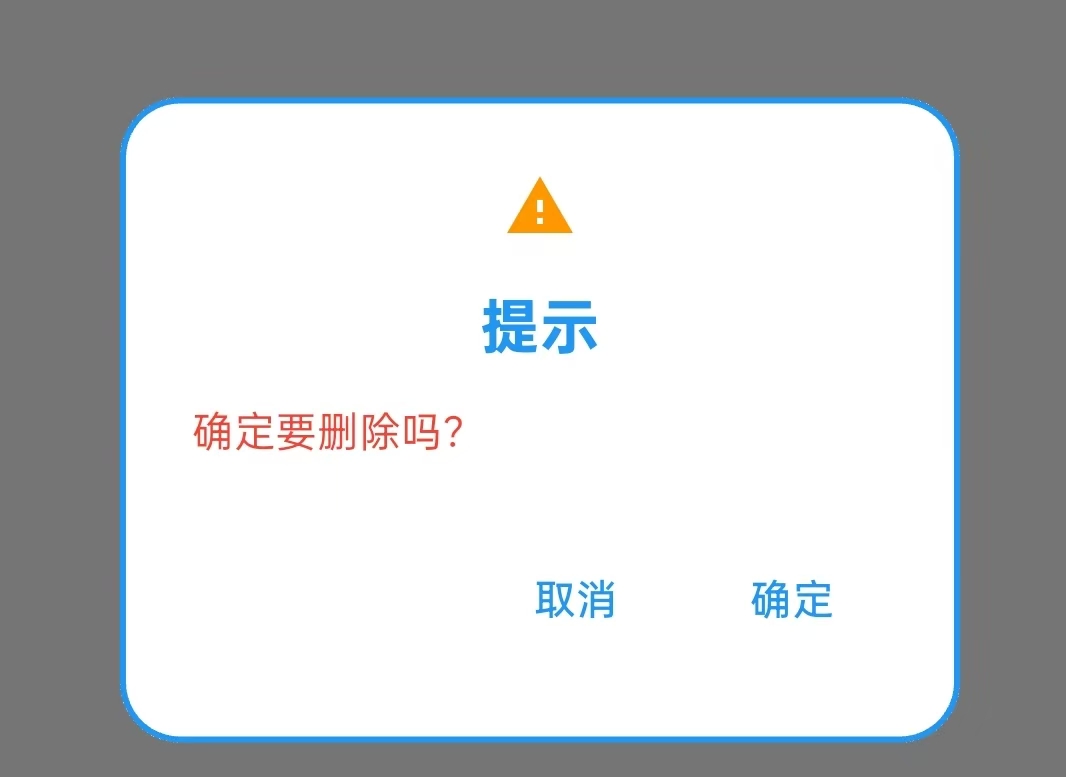
AlertDialog 最常用
效果图
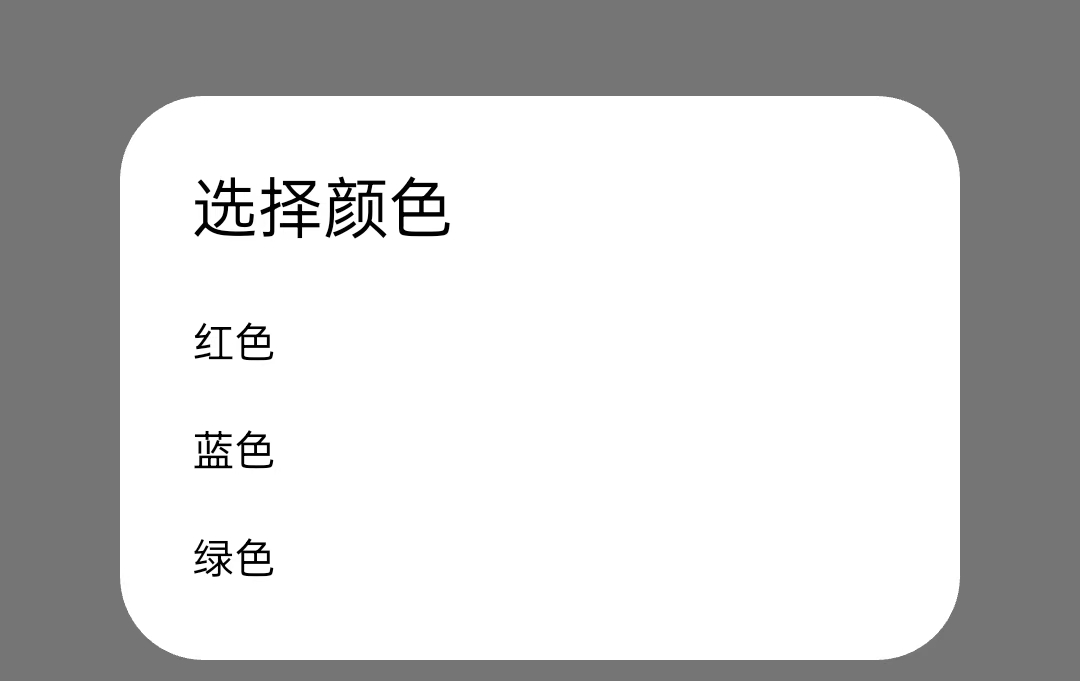
SimpleDialog 多个选项供用户选择
效果图
(1)
(2)
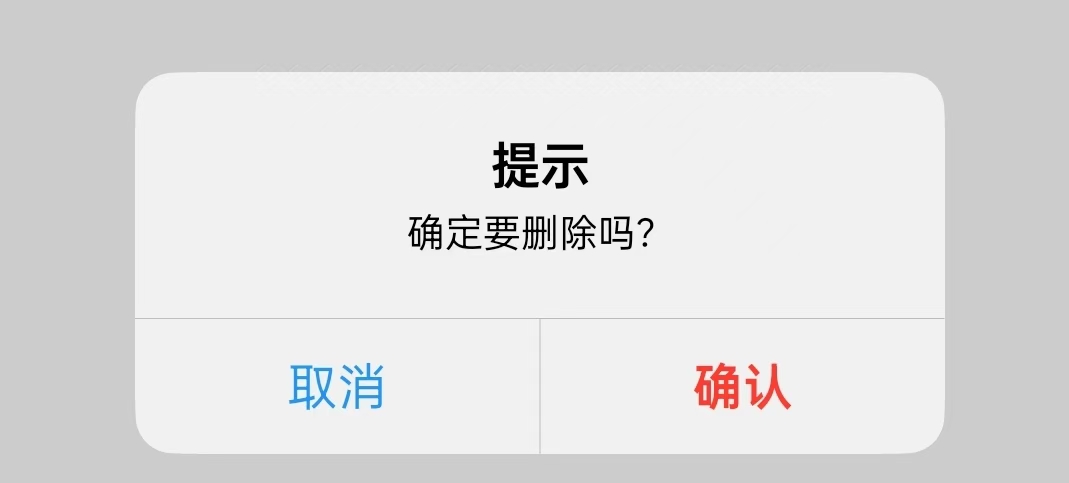
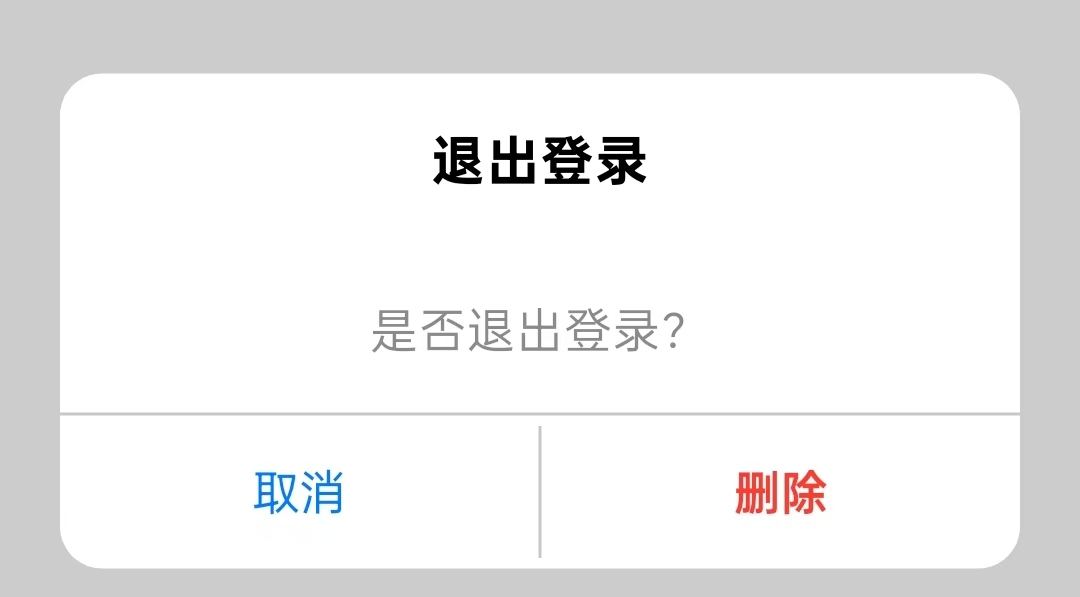
Cupertino ios原生风格对话框
效果图
Dialog 完全自定义内容
效果图
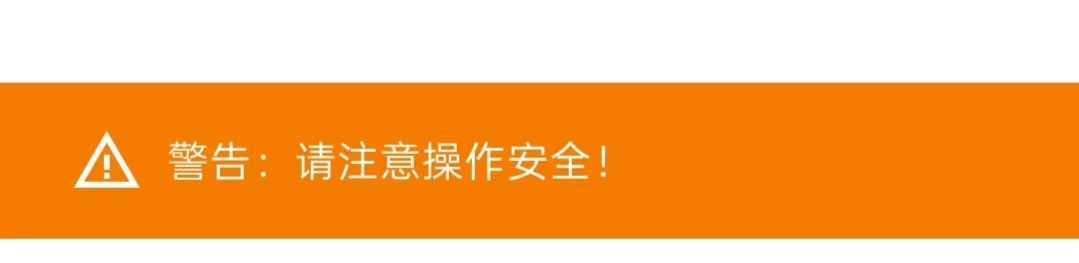
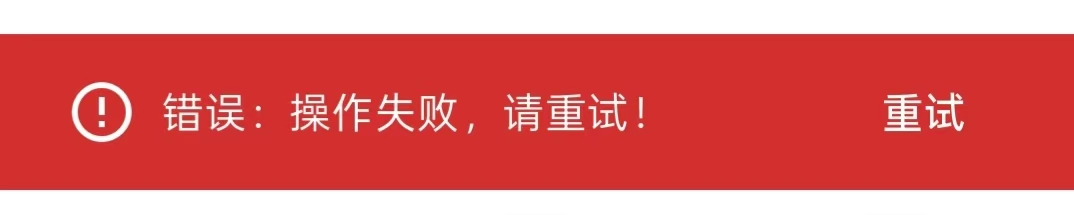
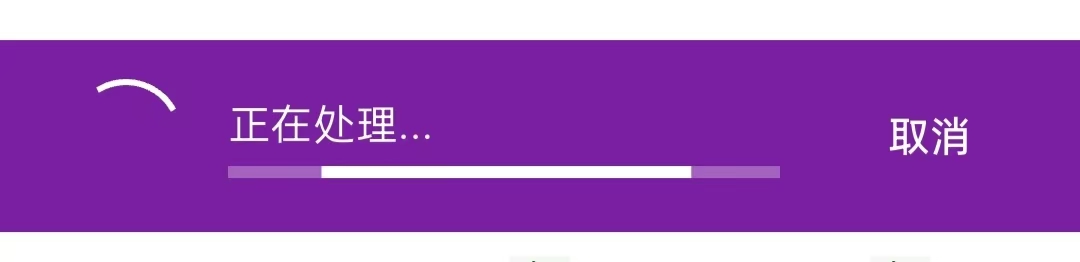
SnackBar 底部短暂显示,无交互
效果图

BottomSheet 底部弹出
AlertDialog
Dart
Future<void> showSimpleDialog(BuildContext context) async {
    return showDialog(
      context: context,  //通过参数传入 context
      builder: (context) {
        return AlertDialog(

          icon: Icon(Icons.warning, color: Colors.orange), //图标

          title: Text('提示'), //主标题
          titleTextStyle: TextStyle( //主标题文字样式
            color: Colors.blue,
            fontSize: 20,
            fontWeight: FontWeight.bold,
          ),


          content: Text('确定要删除吗?'),//副标题
          contentTextStyle: TextStyle(color: Colors.red),


          backgroundColor: Colors.white,//背景颜色

          elevation: 10, // 阴影深度

          shape: RoundedRectangleBorder(
            borderRadius: BorderRadius.circular(20),
            side: BorderSide(color: Colors.blue, width: 2), //边距
          ),

          actions: [ //两个按钮
            TextButton(
              onPressed: () => Navigator.pop(context),
              child: Text('取消'),
            ),
            TextButton(
              onPressed: () {
                // TODO: 在这里添加删除逻辑
                Navigator.pop(context);
              },
              child: Text('确定'),
            ),
          ],
        );
      },
    );
  }
SimpleDialog(1)
Dart
Future<void> showSimpleDialog(BuildContext context) async {
    return showDialog(
      context: context,
      builder: (context) {
        return SimpleDialog(
          //标题
          title: Text('选择颜色'),

          //选项
          children: [
            SimpleDialogOption(
              onPressed: () {
                Navigator.pop(context, Colors.red);
              },
              child: Text('红色'),
            ),
            SimpleDialogOption(
              onPressed: () {
                Navigator.pop(context, Colors.blue);
              },
              child: Text('蓝色'),
            ),
            SimpleDialogOption(
              onPressed: () {
                Navigator.pop(context, Colors.green);
              },
              child: Text('绿色'),
            ),
          ],
        );
      },
    );
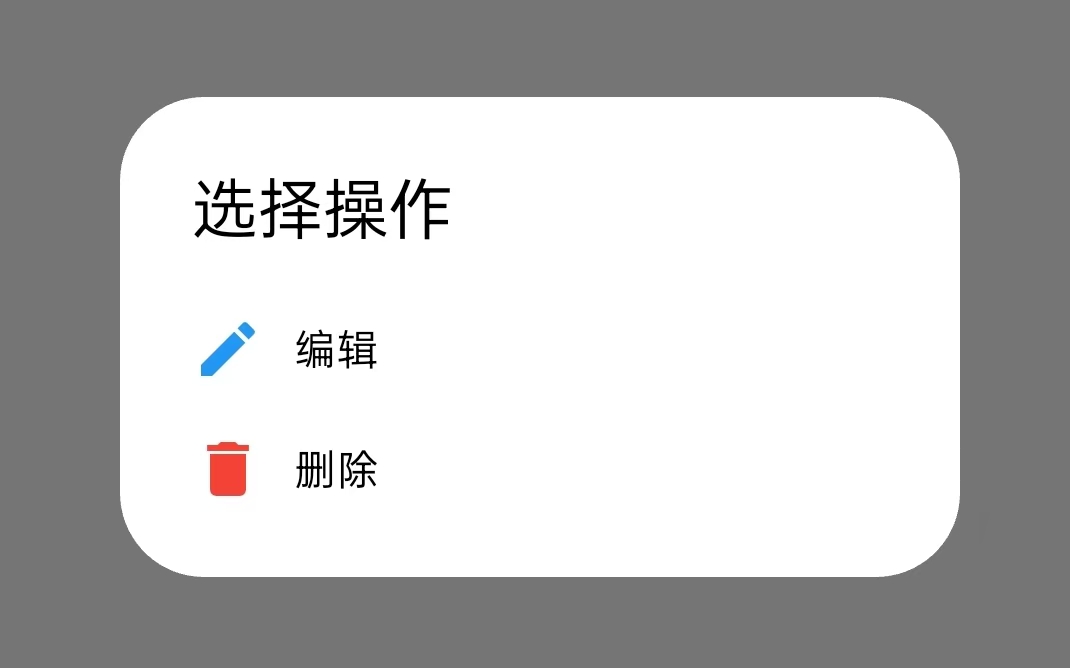
SimpleDialog(2)
Dart
 Future<void> showSimpleDialog(BuildContext context) async {
    return showDialog(
      context: context,
      builder: (context) {
        return SimpleDialog(

          title: Text('选择操作'),

          children: [

            SimpleDialogOption(
              onPressed: () => Navigator.pop(context, 'edit'),
              child: Row(
                children: [
                  Icon(Icons.edit, color: Colors.blue),
                  SizedBox(width: 10),
                  Text('编辑'),
                ],
              ),
            ),

            SimpleDialogOption(
              onPressed: () => Navigator.pop(context, 'delete'),
              child: Row(
                children: [
                  Icon(Icons.delete, color: Colors.red),
                  SizedBox(width: 10),
                  Text('删除'),
                ],
              ),
            ),
          ],
        );
      },
    );

  }
Dialog
Dart
  Future<void> showSimpleDialog(BuildContext context) async {
    return showDialog(
      context: context,
      builder: (context) {
        return Dialog( //自定义对话框
          child: Container(
            padding: EdgeInsets.all(20),
            width: 300,
            height: 400,
            child: Column(
              mainAxisSize: MainAxisSize.min,
              children: [

                Text('自定义对话框', style: TextStyle(fontSize: 20)), //标题
                SizedBox(height: 20),

                //选项
                Expanded(
                  child: ListView(
                    children: [
                      ListTile(title: Text('选项1')),
                      ListTile(title: Text('选项2')),
                      ListTile(title: Text('选项3')),
                    ],
                  ),
                ),

                //按钮
                Row(
                  mainAxisAlignment: MainAxisAlignment.end,
                  children: [
                    TextButton(
                      onPressed: () => Navigator.pop(context),
                      child: Text('取消'),
                    ),
                    TextButton(
                      onPressed: () => Navigator.pop(context),
                      child: Text('确定'),
                    ),
                  ],
                ),
              ],
            ),
          ),
        );
      },
    );

  }
Cupertino
Dart
 Future<void> showSimpleDialog(BuildContext context) async {
    return showCupertinoDialog(//Flutter 提供的显示 iOS 风格对话框的方法
      context: context,//构建上下文,用于在 widget 树中定位
      builder: (context) => Container(
        margin: EdgeInsets.all(20),//外边距
        child: Material( // 混合Material组件
          color: Colors.transparent,
          child: Column(
            mainAxisAlignment: MainAxisAlignment.center,
            children: [

              //自定义对话框内容
              ClipRRect( //对话框主题容器,
                borderRadius: BorderRadius.circular(14),//圆角效果
                child: Container(
                  color: CupertinoColors.systemBackground,
                  child: Column(
                    mainAxisAlignment: MainAxisAlignment.center,
                    children: [

                      //标题区域
                      Container(
                        padding: const EdgeInsets.all(16),
                        child: const Text(
                          "退出登录",
                          style: TextStyle(
                            fontSize: 18,
                            fontWeight: FontWeight.bold,
                            color: CupertinoColors.label,
                          ),
                        ),
                      ),

                      //内容区域
                      Container(
                        padding: const EdgeInsets.all(16),
                        child: const Text(
                          "是否退出登录?",
                          style: TextStyle(
                            fontSize: 16,
                            color: CupertinoColors.secondaryLabel,
                          ),
                          textAlign:TextAlign.center,//文本居中对齐
                        ),
                      ),

                      //分割线
                      Container(
                        height: 1,
                        color: CupertinoColors.separator, //系统分隔线颜色
                      ),

                      //按钮
                      Row(
                        children: [

                          //取消按钮
                          Expanded(//让按钮平均分配可用宽度
                            child: CupertinoButton(//iOS 风格按钮
                              onPressed: () => Navigator.pop(context),
                              child: const Text(
                                "取消",
                                style: TextStyle(
                                  color: CupertinoColors.systemBlue,
                                  fontSize: 16,
                                ),
                              ),
                            ),
                          ),

                          //垂直分割线
                          Container(
                            width: 1,
                            height: 44,
                            color: CupertinoColors.separator,
                          ),

                          //删除按钮
                          Expanded(
                            child: CupertinoButton(
                              onPressed: (){
                                Navigator.pop(context);
                                //这里加入具体的删除方法
                              },
                              child: const Text(
                                "删除",
                                style: TextStyle(
                                  color: CupertinoColors.systemRed,
                                  fontSize: 16,
                                  fontWeight: FontWeight.w600,
                                ),
                              ),
                            ),
                          ),
                        ],
                      ),
                    ],
                  ),
                ),
              ),

            ],
          ),
        ),
      ),
    );

  }
SnackBar
Dart
 @override
  Widget build(BuildContext context) {
    return Scaffold(
      body: Container(
        width: 100,
        height: 100,
        margin: EdgeInsets.only(left: 50,top: 50),
        child: GestureDetector(
          onTap: (){
            showSimpleDialog(context);
          },
          child: Text("点击唤醒对话框"),
        )
      )
    );
  }


  Future<void> showSimpleDialog(BuildContext context) async {
    return showDialog<void>(
      context: context,
      builder: (BuildContext dialogContext) {
        return StatefulBuilder(
          builder: (context, setState) {
            return AlertDialog(
              title: Text('选择SnackBar类型'),
              content: Column(
                mainAxisSize: MainAxisSize.min,
                children: [


                  ListTile(
                    leading: Icon(Icons.info, color: Colors.blue),
                    title: Text('信息提示'),
                    subtitle: Text('黑色背景,简单信息'),
                    onTap: () {
                      Navigator.pop(dialogContext);
                      _showInfoSnackBar(context);
                    },
                  ),

                  ListTile(
                    leading: Icon(Icons.warning, color: Colors.orange),
                    title: Text('警告提示'),
                    subtitle: Text('橙色背景,警告信息'),
                    onTap: () {
                      Navigator.pop(dialogContext);
                      _showWarningSnackBar(context);
                    },
                  ),
                  ListTile(
                    leading: Icon(Icons.error, color: Colors.red),
                    title: Text('错误提示'),
                    subtitle: Text('红色背景,错误信息'),
                    onTap: () {
                      Navigator.pop(dialogContext);
                      _showErrorSnackBar(context);
                    },
                  ),
                  ListTile(
                    leading: Icon(Icons.download, color: Colors.purple),
                    title: Text('加载提示'),
                    subtitle: Text('带进度条,可取消'),
                    onTap: () {
                      Navigator.pop(dialogContext);
                      _showLoadingSnackBar(context);
                    },
                  ),
                ],
              ),
              actions: [
                TextButton(
                  onPressed: () => Navigator.pop(dialogContext),
                  child: Text('关闭'),
                ),
              ],
            );
          },
        );
      },
    );
  }

  // ================信息提示SnackBar======================
  void _showInfoSnackBar(BuildContext context) {
    ScaffoldMessenger.of(context).showSnackBar(
      SnackBar(
        content: Text('这是一条普通信息提示'),//内容
        duration: Duration(seconds: 2),//显示时长
      ),
    );
  }

  // ======================警告提示SnackBar================
  void _showWarningSnackBar(BuildContext context) {
    ScaffoldMessenger.of(context).showSnackBar(
      SnackBar(
        content: Row(
          children: [
            Icon(Icons.warning_amber, color: Colors.white), //图标
            SizedBox(width: 8),
            Expanded(child: Text('警告:请注意操作安全!')), //文本
          ],
        ),
        backgroundColor: Colors.orange[700], //背景颜色
        duration: Duration(seconds: 3), //显示时长
      ),
    );
  }

  //=====================错误提示SnackBar=============================
  void _showErrorSnackBar(BuildContext context) {
    ScaffoldMessenger.of(context).showSnackBar(
      SnackBar(
        content: Row(
          children: [
            Icon(Icons.error_outline, color: Colors.white),
            SizedBox(width: 8),
            Expanded(child: Text('错误:操作失败,请重试!')),
          ],
        ),
        backgroundColor: Colors.red[700], //背景颜色
        duration: Duration(seconds: 3), //时长

        action: SnackBarAction( //操作按钮
          label: '重试',
          textColor: Colors.white,
          onPressed: () {
            // 执行重试操作
            _showInfoSnackBar(context);
          },
        ),
      ),
    );
  }

  //========================加载提示SnackBar==================================
  void _showLoadingSnackBar(BuildContext context) {
    final snackBar = SnackBar(
      content: Row(
        children: [
          CircularProgressIndicator(
            valueColor: AlwaysStoppedAnimation<Color>(Colors.white),
            strokeWidth: 2,
          ),
          SizedBox(width: 16),
          Expanded(
            child: Column(
              crossAxisAlignment: CrossAxisAlignment.start,
              mainAxisSize: MainAxisSize.min,
              children: [
                Text('正在处理...', style: TextStyle(fontSize: 14)),
                SizedBox(height: 4),
                LinearProgressIndicator(
                  backgroundColor: Colors.white.withOpacity(0.3),
                  valueColor: AlwaysStoppedAnimation<Color>(Colors.white),
                ),
              ],
            ),
          ),
        ],
      ),
      backgroundColor: Colors.purple[700],
      duration: Duration(seconds: 5),
      action: SnackBarAction(
        label: '取消',
        onPressed: () {
          ScaffoldMessenger.of(context).hideCurrentSnackBar();
          ScaffoldMessenger.of(context).showSnackBar(
            SnackBar(
              content: Text('操作已取消'),
              duration: Duration(seconds: 1),
            ),
          );
        },
      ),
    );

    ScaffoldMessenger.of(context).showSnackBar(snackBar);
  }
BottomSheet
Dart
......