安卓原生开发工具,一性性成生所有类型图标。

批量生成/替换启动图标(你说的"一次性全部完成"的工具)

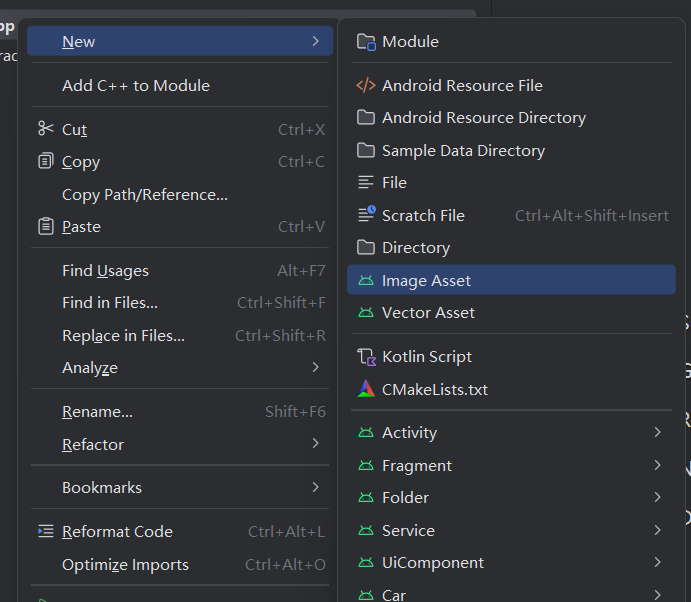
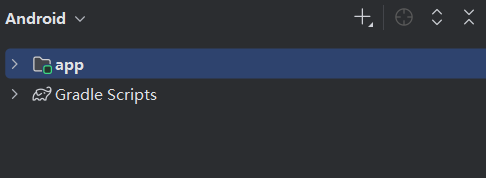
  • Android Studio:在左侧 Project(建议切到 Android 视图)→ 右键 app 或 app/src/main/res
  • 选择 New → Image Asset
  • Icon Type 选 Launcher Icons (Adaptive and Legacy)
  • Foreground Layer 选 Image → 选择你准备好的图标文件(建议 1024×1024 PNG)
  • Background Layer 选颜色或图片(按你的设计)
  • 名称保持默认 ic_launcher,并勾选生成 Round(通常默认就会)
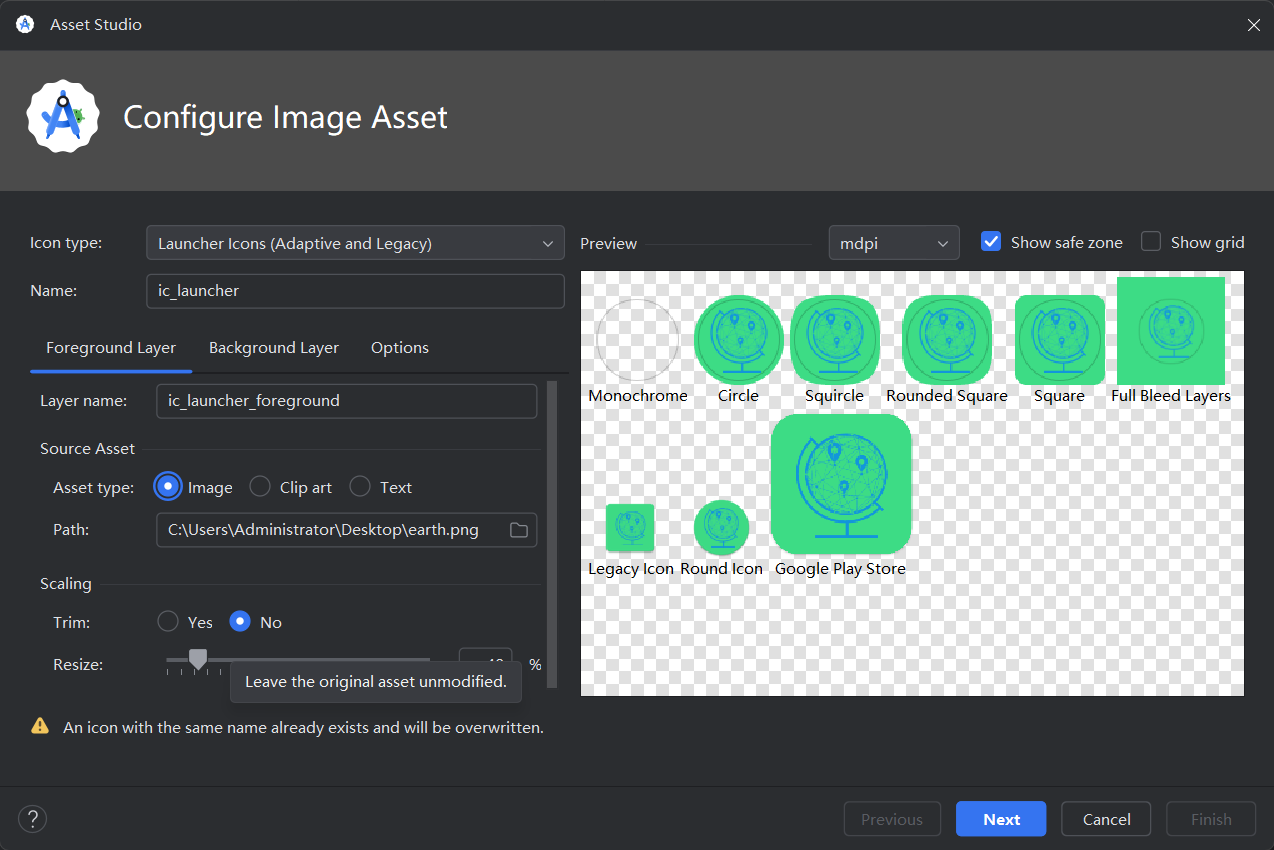
  • Next → Finish(会自动覆盖并生成所有 mipmap-* 尺寸资源)
  • 重新 Run/安装验证桌面图标与启动图标是否正确显示

就这些

相关推荐
火柴就是我22 分钟前
让我们实现一个更好看的内部阴影按钮
android·flutter
砖厂小工7 小时前
用 GLM + OpenClaw 打造你的 AI PR Review Agent — 让龙虾帮你审代码
android·github
张拭心8 小时前
春节后,有些公司明确要求 AI 经验了
android·前端·人工智能
张拭心8 小时前
Android 17 来了!新特性介绍与适配建议
android·前端
Kapaseker10 小时前
Compose 进阶—巧用 GraphicsLayer
android·kotlin
黄林晴10 小时前
Android17 为什么重写 MessageQueue
android
阿巴斯甜1 天前
Android 报错:Zip file '/Users/lyy/develop/repoAndroidLapp/l-app-android-ble/app/bu
android
Kapaseker1 天前
实战 Compose 中的 IntrinsicSize
android·kotlin
xq95271 天前
Andorid Google 登录接入文档
android
黄林晴1 天前
告别 Modifier 地狱,Compose 样式系统要变天了
android·android jetpack