那么cdp 有没有办法被检测呢?(这是极简的一篇)
这里让ai给出了一个代码
python
import time
from DrissionPage import Chromium

# 连接浏览器
browser = Chromium()
tab = browser.latest_tab
tab.get('https://www.baidu.com')

# 修改后的JS代码 - 关键是最后要同步返回结果
# 纯同步检测版本(去掉端口扫描)
js = """
var aa=function(){
    const result = {
        isBot: false,
        riskLevel: 'LOW',
        suspiciousCount: 0,
        detections: {}
    };

    // 1. WebDriver检测
    const webDriver = {
        'navigator.webdriver': navigator.webdriver === true,
        'document.$cdc_*': !!(document.$cdc_asdjflasutopfhvcZLmcfl_ ||
                              document.$chrome_asyncScriptInfo),
        '__webdriver_*': !!(window.__webdriver_evaluate ||
                           window.__selenium_evaluate ||
                           window.__webdriver_script_function),
        'callPhantom': typeof window.callPhantom === 'function',
        '_phantom': typeof window._phantom !== 'undefined',
        '__nightmare': typeof window.__nightmare !== 'undefined',
    };

    // 2. Chrome自动化检测
    const chromeAuto = {
        'chrome.runtime异常': (() => {
            if (!window.chrome || !window.chrome.runtime) return false;
            try {
                window.chrome.runtime.sendMessage('test');
                return false;
            } catch (e) {
                return e.message.includes('Extension');
            }
        })(),
        'chrome.loadTimes': typeof window.chrome?.loadTimes === 'function',
        'chrome.csi': typeof window.chrome?.csi === 'function',
        'plugins为空': navigator.plugins.length === 0,
        'languages异常': navigator.languages.length === 0,
        'headless UA': /HeadlessChrome/i.test(navigator.userAgent),
        'window尺寸为0': window.outerWidth === 0 || window.outerHeight === 0,
    };

    // 3. 高级特征检测
    const advanced = {
        'Function.toString被修改': (() => {
            const testFunc = function test() {};
            const str = Function.prototype.toString.call(testFunc);
            return !str.includes('test');
        })(),
        'CDP全局污染': ['__coverage__', '__playwright', '__puppeteer_evaluation_script__']
            .some(marker => marker in window),
        'webdriver descriptor被修改': (() => {
            const desc = Object.getOwnPropertyDescriptor(Navigator.prototype, 'webdriver');
            return desc && desc.get !== undefined;
        })(),
        'permissions异常': (() => {
            try {
                const desc = Object.getOwnPropertyDescriptor(Permissions.prototype, 'query');
                return desc && desc.value.toString() === 'function query() { [native code] }';
            } catch {
                return false;
            }
        })(),
    };

    // 4. 计算可疑项
    let suspiciousCount = 0;
    suspiciousCount += Object.values(webDriver).filter(v => v).length;
    suspiciousCount += Object.values(chromeAuto).filter(v => v).length;
    suspiciousCount += Object.values(advanced).filter(v => v).length;

    // 5. 判断风险等级
    let riskLevel = 'LOW';
    if (suspiciousCount >= 10) riskLevel = 'CRITICAL';
    else if (suspiciousCount >= 5) riskLevel = 'HIGH';
    else if (suspiciousCount >= 2) riskLevel = 'MEDIUM';

    result.isBot = suspiciousCount >= 2;
    result.riskLevel = riskLevel;
    result.suspiciousCount = suspiciousCount;
    result.detections = {
        webDriver,
        chromeAuto,
        advanced
    };

    return result;
};
return aa();
"""

# 执行JS并获取结果
print('🔍 开始检测CDP特征...\n')
result = tab.run_js(js)
print(result)
# 格式化输出
print('=' * 70)
print(' ' * 25 + 'CDP检测报告')
print('=' * 70)

# 主要结果
if result['isBot']:
    print(f"🤖 检测结果: {'是机器人 ❌':>30}")
else:
    print(f"🤖 检测结果: {'正常浏览器 ✅':>30}")

print(f"⚠️  风险等级: {result['riskLevel']:>30}")
print(f"🎯 可疑项数: {result['suspiciousCount']:>30}")
print('=' * 70)

# 详细检测项
detections = result['detections']

print('\n【WebDriver 特征检测】')
print('-' * 70)
for key, value in detections['webDriver'].items():
    status = '🔴 检测到' if value else '🟢 未检测'
    print(f"  {status:<12} {key}")

print('\n【Chrome 自动化特征】')
print('-' * 70)
for key, value in detections['chromeAuto'].items():
    status = '🔴 检测到' if value else '🟢 未检测'
    print(f"  {status:<12} {key}")

print('\n【高级特征检测】')
print('-' * 70)
for key, value in detections['advanced'].items():
    status = '🔴 检测到' if value else '🟢 未检测'
    print(f"  {status:<12} {key}")

print('\n' + '=' * 70)

# 给出建议
if result['isBot']:
    print('\n⚠️  警告: 检测到自动化控制特征!')
    print('\n💡 改进建议:')

    if detections['webDriver']['navigator.webdriver']:
        print('  • 使用 --disable-blink-features=AutomationControlled')

    if detections['chromeAuto']['plugins为空']:
        print('  • 添加fake plugins配置')

    if detections['chromeAuto']['headless UA']:
        print('  • 使用正常的User-Agent')

    if detections['advanced']['webdriver descriptor被修改']:
        print('  • 使用stealth.js插件')
else:
    print('\n✅ 未检测到明显的自动化特征,伪装良好!')

print('\n' + '=' * 70)
time.sleep(5)
运行结果:
python
======================================================================
                         CDP检测报告
======================================================================
🤖 检测结果:                         是机器人 ❌
⚠️  风险等级:                         MEDIUM
🎯 可疑项数:                              4
======================================================================

【WebDriver 特征检测】
----------------------------------------------------------------------
  🟢 未检测        navigator.webdriver
  🟢 未检测        document.$cdc_*
  🟢 未检测        __webdriver_*
  🟢 未检测        callPhantom
  🟢 未检测        _phantom
  🟢 未检测        __nightmare

【Chrome 自动化特征】
----------------------------------------------------------------------
  🟢 未检测        chrome.runtime异常
  🔴 检测到        chrome.loadTimes
  🔴 检测到        chrome.csi
  🟢 未检测        plugins为空
  🟢 未检测        languages异常
  🟢 未检测        headless UA
  🟢 未检测        window尺寸为0

【高级特征检测】
----------------------------------------------------------------------
  🟢 未检测        Function.toString被修改
  🟢 未检测        CDP全局污染
  🔴 检测到        webdriver descriptor被修改
  🔴 检测到        permissions异常

======================================================================

⚠️  警告: 检测到自动化控制特征!
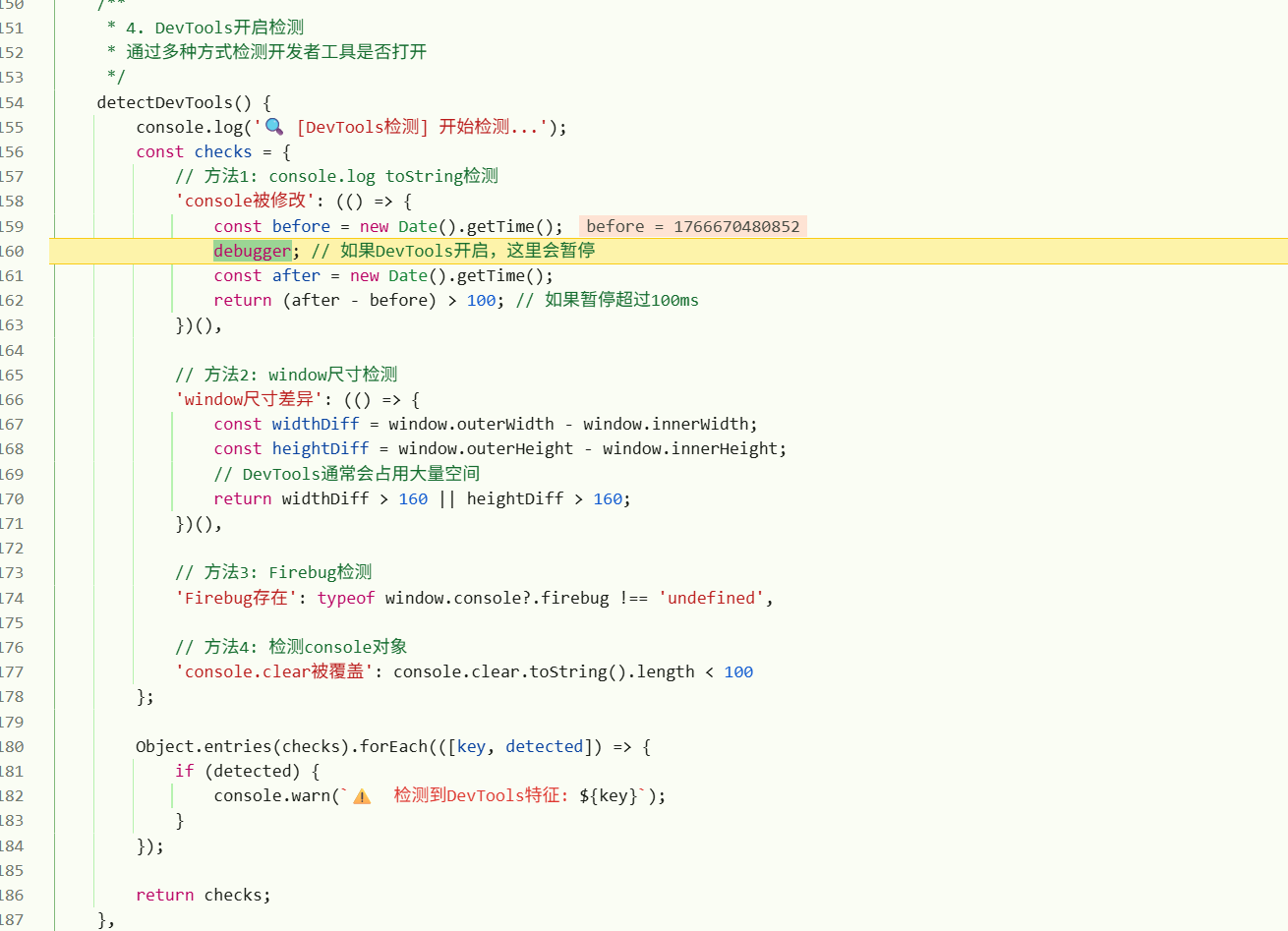
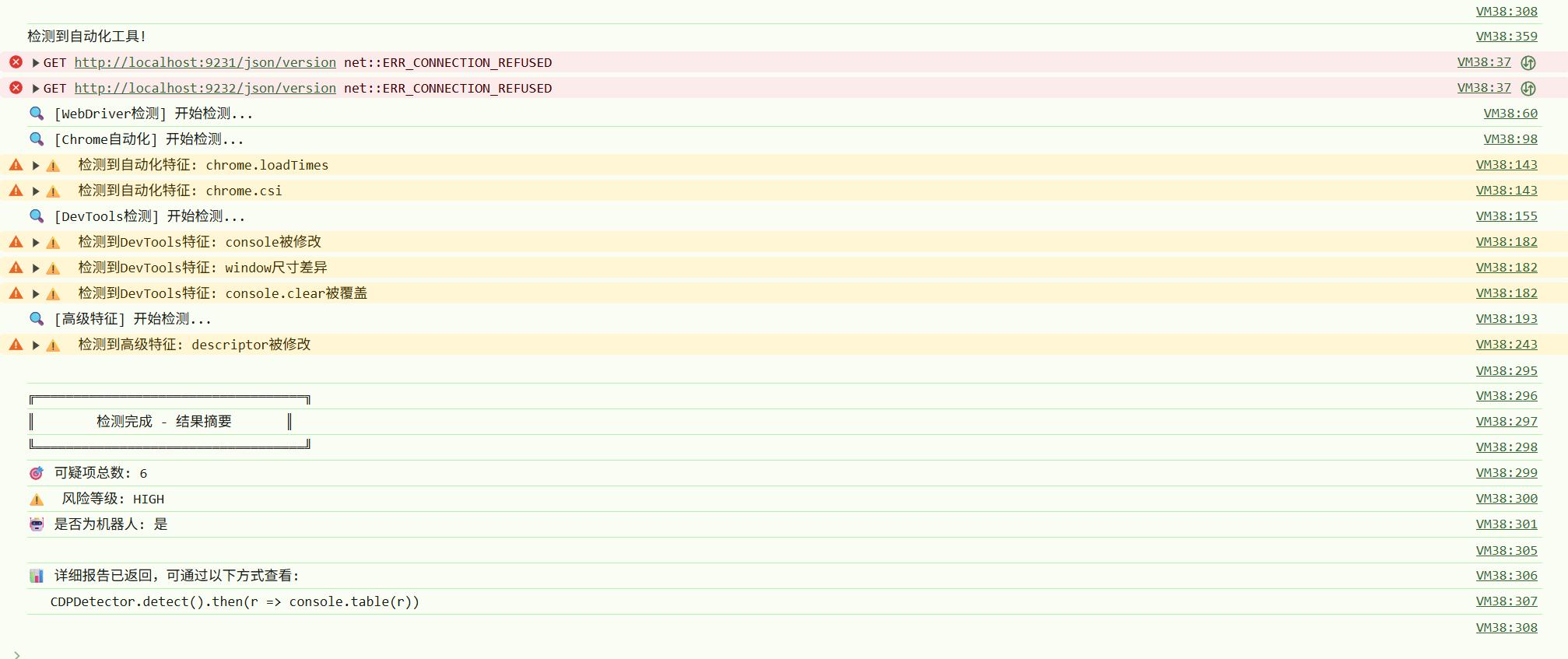
打开浏览器9222 后运行js ,检测截图如下:
解法的话待后面再开新坑 <-_-!>
更多文章,敬请关注gzh:零基础爬虫第一天