欢迎大家加入开源鸿蒙跨平台开发者社区,一起共建开源鸿蒙跨平台生态。
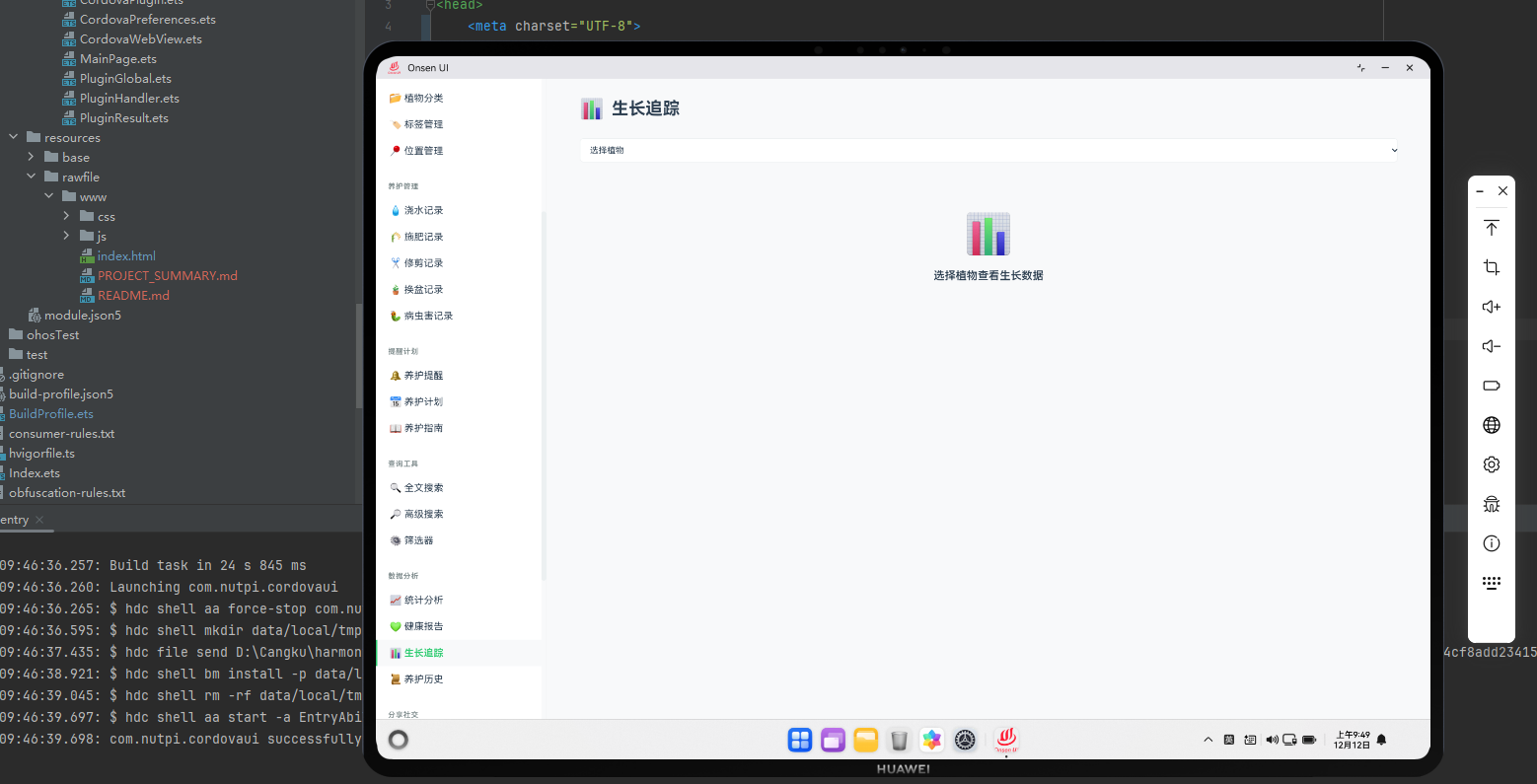
生长追踪系统概述
生长追踪系统记录和分析植物的生长过程。在Cordova框架与OpenHarmony系统的结合下,我们需要实现一个完整的生长追踪系统,包括生长数据记录、可视化和预测功能。
生长数据模型
javascript
class GrowthRecord {
    constructor(plantId, height, leafCount, stemDiameter, notes) {
        this.id = 'growth_' + Date.now();
        this.plantId = plantId;
        this.date = new Date();
        this.height = height; // 厘米
        this.leafCount = leafCount;
        this.stemDiameter = stemDiameter; // 毫米
        this.notes = notes;
        this.photoUrl = null;
    }
}

class GrowthTracker {
    constructor() {
        this.records = [];
        this.loadFromStorage();
    }

    addGrowthRecord(plantId, height, leafCount, stemDiameter, notes) {
        const record = new GrowthRecord(plantId, height, leafCount, stemDiameter, notes);
        this.records.push(record);
        this.saveToStorage();
        return record;
    }

    getGrowthRecords(plantId) {
        return this.records.filter(r => r.plantId === plantId)
            .sort((a, b) => new Date(a.date) - new Date(b.date));
    }

    calculateGrowthRate(plantId, days = 30) {
        const records = this.getGrowthRecords(plantId);
        const cutoffDate = new Date();
        cutoffDate.setDate(cutoffDate.getDate() - days);

        const recentRecords = records.filter(r => new Date(r.date) > cutoffDate);
        if (recentRecords.length < 2) return null;

        const firstRecord = recentRecords[0];
        const lastRecord = recentRecords[recentRecords.length - 1];

        const heightGrowth = lastRecord.height - firstRecord.height;
        const leafGrowth = lastRecord.leafCount - firstRecord.leafCount;

        return {
            heightGrowth: heightGrowth,
            leafGrowth: leafGrowth,
            daysElapsed: days
        };
    }
}
这个生长追踪数据模型定义了GrowthRecord和GrowthTracker类。
与OpenHarmony的集成
javascript
function recordGrowthWithPhoto(plantId, height, leafCount, stemDiameter, notes) {
    cordova.exec(
        function(photoData) {
            console.log("照片已获取");

            const record = growthTracker.addGrowthRecord(plantId, height, leafCount, stemDiameter, notes);
            record.photoUrl = photoData;

            growthTracker.saveToStorage();
            showToast('生长记录已保存');
        },
        function(error) {
            console.error("获取照片失败:", error);

            // 即使没有照片也保存记录
            growthTracker.addGrowthRecord(plantId, height, leafCount, stemDiameter, notes);
        },
        "CameraPlugin",
        "getPicture",
        [{
            quality: 80,
            targetWidth: 800,
            targetHeight: 800
        }]
    );
}
这段代码展示了如何与OpenHarmony的相机服务集成,记录生长照片。
生长记录展示
javascript
function renderGrowthRecords(plantId) {
    const plant = plants.find(p => p.id === plantId);
    const records = growthTracker.getGrowthRecords(plantId);

    const container = document.getElementById('page-container');
    container.innerHTML = `
        <div class="growth-tracking">
            <h2>${plant.name} 的生长追踪</h2>
            <button onclick="showAddGrowthRecordDialog('${plantId}')">
                📏 添加生长记录
            </button>
        </div>
    `;

    if (records.length === 0) {
        container.innerHTML += '<p class="empty-message">还没有生长记录</p>';
        return;
    }

    const recordsList = document.createElement('div');
    recordsList.className = 'records-list';

    records.forEach(record => {
        const recordItem = document.createElement('div');
        recordItem.className = 'record-item';

        recordItem.innerHTML = `
            <div class="record-info">
                <p class="record-date">${record.date.toLocaleString('zh-CN')}</p>
                <p>📏 高度: ${record.height}cm</p>
                <p>🍃 叶片数: ${record.leafCount}</p>
                <p>📊 茎径: ${record.stemDiameter}mm</p>
                ${record.notes ? `<p>备注: ${record.notes}</p>` : ''}
            </div>
            ${record.photoUrl ? `
                <div class="record-photo">
                    <img src="${record.photoUrl}" alt="生长照片">
                </div>
            ` : ''}
        `;

        recordsList.appendChild(recordItem);
    });

    container.appendChild(recordsList);
}
这个函数负责渲染生长记录列表。
生长分析
javascript
class GrowthAnalysis {
    constructor(plantId) {
        this.plantId = plantId;
        this.records = growthTracker.getGrowthRecords(plantId);
    }

    getHeightGrowthTrend() {
        return this.records.map(r => ({
            date: r.date,
            height: r.height
        }));
    }

    getLeafGrowthTrend() {
        return this.records.map(r => ({
            date: r.date,
            leafCount: r.leafCount
        }));
    }

    predictFutureHeight(daysAhead = 30) {
        if (this.records.length < 2) return null;

        const firstRecord = this.records[0];
        const lastRecord = this.records[this.records.length - 1];

        const daysPassed = (lastRecord.date - firstRecord.date) / (24 * 60 * 60 * 1000);
        const heightGrowth = lastRecord.height - firstRecord.height;
        const growthRate = heightGrowth / daysPassed;

        return lastRecord.height + (growthRate * daysAhead);
    }

    getGrowthPhase() {
        if (this.records.length < 2) return 'unknown';

        const recentRecords = this.records.slice(-7);
        const avgGrowth = recentRecords.reduce((sum, r, i) => {
            if (i === 0) return 0;
            return sum + (r.height - recentRecords[i-1].height);
        }, 0) / (recentRecords.length - 1);

        if (avgGrowth > 1) return 'rapid';
        if (avgGrowth > 0.3) return 'normal';
        if (avgGrowth > 0) return 'slow';
        return 'stagnant';
    }
}

function renderGrowthAnalysis(plantId) {
    const analysis = new GrowthAnalysis(plantId);

    const container = document.createElement('div');
    container.className = 'growth-analysis';
    container.innerHTML = `
        <h3>生长分析</h3>
        <p>生长阶段: ${analysis.getGrowthPhase()}</p>
        <p>预测30天后高度: ${analysis.predictFutureHeight()?.toFixed(1) || 'N/A'}cm</p>
    `;

    return container;
}
这段代码实现了生长分析功能,包括趋势分析和预测。
生长对比
javascript
function compareGrowth(plantIds) {
    const container = document.getElementById('page-container');
    container.innerHTML = '<div class="growth-comparison"><h2>生长对比</h2></div>';

    const comparisonTable = document.createElement('table');
    comparisonTable.className = 'comparison-table';

    const headerRow = document.createElement('tr');
    headerRow.innerHTML = '<th>植物</th><th>当前高度</th><th>叶片数</th><th>生长阶段</th>';
    comparisonTable.appendChild(headerRow);

    plantIds.forEach(plantId => {
        const plant = plants.find(p => p.id === plantId);
        const records = growthTracker.getGrowthRecords(plantId);

        if (records.length > 0) {
            const lastRecord = records[records.length - 1];
            const analysis = new GrowthAnalysis(plantId);

            const row = document.createElement('tr');
            row.innerHTML = `
                <td>${plant.name}</td>
                <td>${lastRecord.height}cm</td>
                <td>${lastRecord.leafCount}</td>
                <td>${analysis.getGrowthPhase()}</td>
            `;
            comparisonTable.appendChild(row);
        }
    });

    container.querySelector('.growth-comparison').appendChild(comparisonTable);
}
这段代码实现了多个植物的生长对比功能。
总结
生长追踪系统为用户提供了记录和分析植物生长过程的功能。通过记录生长数据和提供分析预测,我们可以帮助用户了解植物的生长情况。