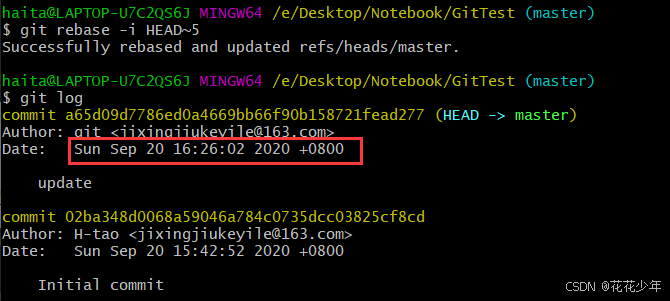
一、参考资料
二、commit message
Note:"写 commit message 像写邮件标题,让人一眼看懂做了什么。"
commit 格式
bash
<type>(<scope>): <subject>

<body>  (可选)
<footer>(可选)
简单示例:
bash
git commit -m "[feat](camera): add recording status API"

git commit -m "[fix](shm): resolve null pointer when recordStatus not found"

git commit -m "[docs](readme): update build instructions"
type 类型
| 类型 | 说明 |
|---|---|
feat |
新功能 |
fix |
Bug 修复 |
docs |
文档变更 |
style |
代码格式(无逻辑变动) |
refactor |
重构 |
test |
测试相关 |
chore |
杂项(构建、依赖、配置) |
多行commit(交互式)
方式一
bash
# 多个-m标志来创建"多行提交"
git commit -m "[fix]: (1) xxx." -m "[fix]: (2) xxx."

# 双引号"",换行
git commit -m "[fix]: (1) xxx.
[fix]: (2) xxx.
"
方式二
bash
git commit会打开默认编辑器(如 vim),按下面格式写:
bash
[feat](recording): add duration_time field to JSON response

- calculate duration from shared memory timestamp
- return 0 when status is 'close'

Closes #123
保存退出即可。
三、修改commit信息
git高级浅入之当我们需要修改某次commit信息 - 林璡 - 博客园
1. 修改最近一次commit(合并最近一次commit)
修改commit:
bash
git commit --amend弹出nano编辑器,修改完毕后,按【ctrl+x】退出,按住大写字母【Y】,按【Enter】回车,保存并退出。
2. 修改特定历史commit
step1:启动交互式rebase。
bash
git rebase -i HEAD~n将 n 替换为需要回溯的提交数。例如,HEAD~3 表示最近 3 次提交。
step2:选择要修改的commit。
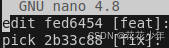
在打开的列表中,将目标commit前面的 pick 改为 edit,按【ctrl+x】退出,按住大写字母【Y】,按【Enter】回车,保存并退出。
step3:修改提交。
编辑commit信息,按【ctrl+x】退出,按住大写字母【Y】,按【Enter】回车,保存并退出。
bash
git commit --amendstep4:继续rebase。
bash
git rebase --continue3. 合并多个commit(rebase方式)
rebase时合并多个commit为一个commit,应该如何处理? - 知乎
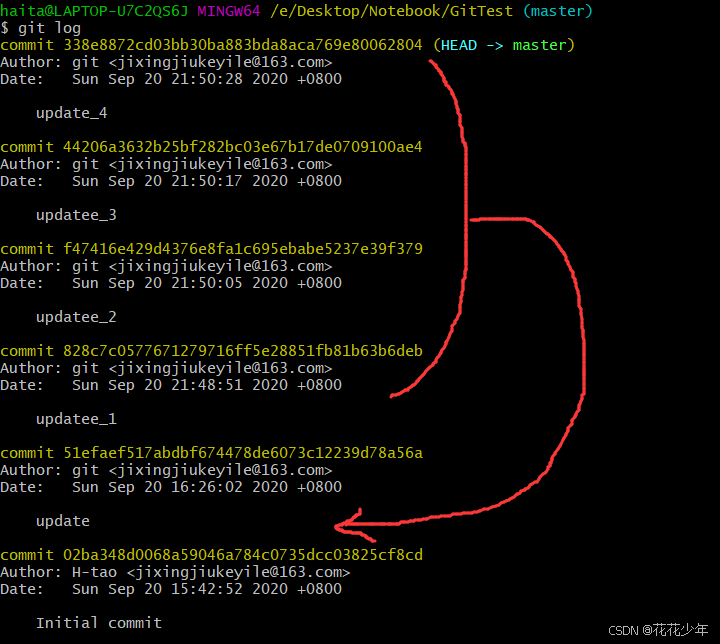
查看log
如果想合并最近5个commit为1个(旧的在前,新的在后)。
启动交互式rebase
bash
git rebase -i HEAD~5
# 或者
git rebase -i 51efaef517abdbf674478de6073c12239d78a56a # 倒数第五个的commid id
在打开的列表中,将前4个commit前面的pick修改为 fixup,保留第5个 pick。按【ctrl+x】退出,按住大写字母【Y】,按【Enter】回车,保存并退出。
- pick:使用commit。
- reword:使用commit,修改commit信息。
- squash:使用commit,将commit信息合入上一个commit。
- fixup:使用commit,丢弃commit信息。
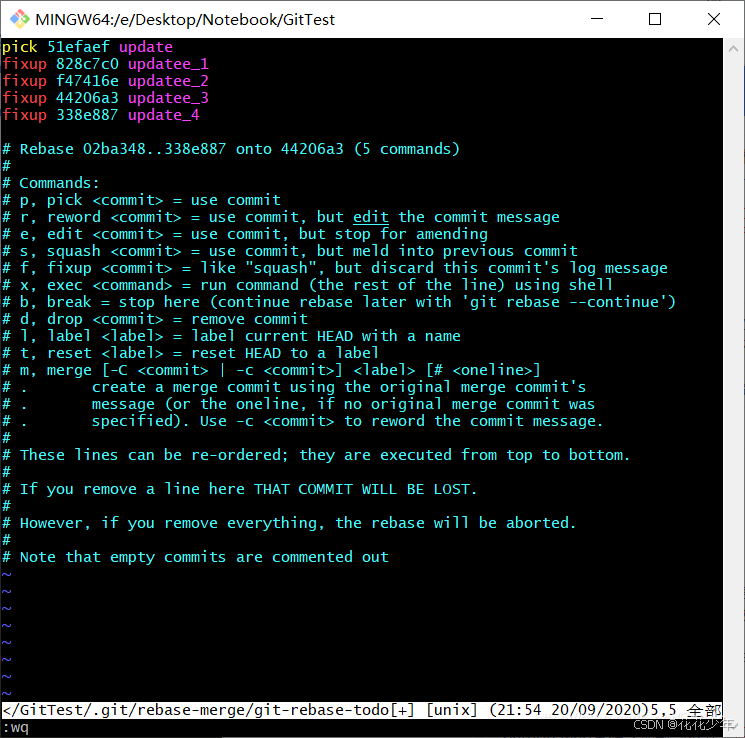
操作完之后,发现commit都合并成一个: