Vue + springboot实现拼图人机验证
接上个文章,我们扩展拼图人机验证功能。
一、实现方法
功能实现
- 前端请求后端返回拼图验证码
- 后端随机选择图片,随机扣图片的部分分为背景与图块
- 将抠图的位置信息保存在redis中,并且将两类图片返回
- 前端获得图片资源,将用户的拼图结果发给后端进行对比
- 后端返回对比结果(这里也可以加上imageToken在登录时使用,更规范安全)
进阶(防脚本)
- 后端抠图时扣两个不同位置的(一个真的一个假的),可以有效防止。
具体实现方式:
抠图时,redis只记录其中一个,且只保留这一个洞的拼图图片,返回给前端。
- 轨迹校验
具体实现方式:
前端记录拼图的滑动轨迹,返回给后端校验人机。
二、实现依赖
<dependency>
    <groupId>cn.hutool</groupId>
    <artifactId>hutool-all</artifactId>
    <version>5.8.25</version>
</dependency>
三、后端实现
抠图:
@GetMapping("/puzzle")

public Map<String, Object> puzzle() throws IOException {


    // 选择背景图

    String[] bgList = {"static/bg1.png", "static/bg2.png", "static/bg3.jpg"};

    String bgPath = bgList[ThreadLocalRandom.current().nextInt(bgList.length)];


    InputStream is = Thread.currentThread()

            .getContextClassLoader()

            .getResourceAsStream(bgPath);


    if (is == null) {

        throw new RuntimeException("未找到图片资源:" + bgPath);

    }


    BufferedImage bgOriginal = ImageIO.read(is);


    // 缩放到前端显示大小

    BufferedImage bg = new BufferedImage(

            BG_WIDTH,

            BG_HEIGHT,

            BufferedImage.TYPE_INT_ARGB

    );


    Graphics2D gResize = bg.createGraphics();

    gResize.drawImage(bgOriginal, 0, 0, BG_WIDTH, BG_HEIGHT, null);

    gResize.dispose();


    // 真的位置


    int realX = ThreadLocalRandom.current()

            .nextInt(60, BG_WIDTH - BLOCK_SIZE - 20);

    int realY = ThreadLocalRandom.current()

            .nextInt(20, BG_HEIGHT - BLOCK_SIZE - 20);


    // 生成假洞位置


    int fakeX;

    int fakeY;

    do {

        fakeX = ThreadLocalRandom.current()

                .nextInt(60, BG_WIDTH - BLOCK_SIZE - 20);

        fakeY = ThreadLocalRandom.current()

                .nextInt(20, BG_HEIGHT - BLOCK_SIZE - 20);

    } while (Math.abs(fakeX - realX) < BLOCK_SIZE

            && Math.abs(fakeY - realY) < BLOCK_SIZE);


    // 背景图挖两个洞(真 + 假)


    BufferedImage bgHole = new BufferedImage(

            BG_WIDTH,

            BG_HEIGHT,

            BufferedImage.TYPE_INT_ARGB

    );


    Graphics2D g = bgHole.createGraphics();

    g.drawImage(bg, 0, 0, null);


    // 开启透明抠除模式

    g.setComposite(AlphaComposite.Clear);


    // 真洞

    g.fillRect(realX, realY, BLOCK_SIZE, BLOCK_SIZE);


    // 假洞

    g.fillRect(fakeX, fakeY, BLOCK_SIZE, BLOCK_SIZE);


    g.dispose();


    // 生成真洞对应的拼图块

    BufferedImage block = new BufferedImage(

            BLOCK_SIZE,

            BLOCK_SIZE,

            BufferedImage.TYPE_INT_ARGB

    );


    Graphics2D g2 = block.createGraphics();

    g2.drawImage(bg, -realX, -realY, null);

    g2.dispose();


    // 保存图片

    String captchaId = UUID.randomUUID().toString();


    String bgFile = CAPTCHA_TEMP_DIR + captchaId + "_bg.png";

    String blockFile = CAPTCHA_TEMP_DIR + captchaId + "_block.png";


    ImageIO.write(bgHole, "png", new File(bgFile));

    ImageIO.write(block, "png", new File(blockFile));


    // Redis 保存真的


    redisTemplate.opsForValue().set(

            "captcha:" + captchaId,

            String.valueOf(realX),

            2,

            TimeUnit.MINUTES

    );


    // 返回前端

    return Map.of(

            "captchaId", captchaId,

            "bgUrl", fileurl + "/imageCaptcha/image?file=" + captchaId + "_bg.png",

            "blockUrl", fileurl + "/imageCaptcha/image?file=" + captchaId + "_block.png",

            "blockY", realY

    );

}
校验:
    @PostMapping("/verify")

    public Result<?> verify(@RequestBody CaptchaVerifyVO dto) {


        if (dto.getCaptchaId() == null || dto.getCaptchaId().length() > 64) {

            return Result.error("250","参数非法");

        }


        String key = "captcha:" + dto.getCaptchaId();

        String realX = redisTemplate.opsForValue().get(key);

        if (realX == null) {

            return Result.error("250","验证码已过期");

        }


        int moveX = dto.getMoveX();

        int targetX = Integer.parseInt(realX);


        boolean positionOk = Math.abs(moveX - targetX) <= 5;

        boolean trackOk = checkTrack(dto.getTrack());


        if (!positionOk || !trackOk) {

            return Result.error("250","验证失败");

        }


        redisTemplate.delete(key);

//        // 生成令牌

//        String token = UUID.randomUUID().toString();

//        redisTemplate.opsForValue().set(

//                "captcha:token:" + token,

//                "1",

//                5,

//                TimeUnit.MINUTES

//        );


        return Result.success();

    }
轨迹检查方法
// 检查轨迹

    private boolean checkTrack(List<TrackPoint> track) {

        if (track == null || track.size() < 8) return false;


        int forward = 0;

        int backward = 0;


        for (int i = 1; i < track.size(); i++) {

            int diff = track.get(i).getX() - track.get(i - 1).getX();

            if (diff > 0) forward++;

            if (diff < 0) backward++;

        }


        // 大部分向前

        if (forward < track.size() * 0.6) return false;


        // 少量回拉

        if (backward > track.size() * 0.3) return false;


        return true;

    }
图片获取:
@GetMapping("/image")

public void getImage(@RequestParam String file, HttpServletResponse response) throws IOException {

    File f = new File(CAPTCHA_TEMP_DIR + file);

    if(!f.exists()) throw new RuntimeException("图片不存在");

    response.setContentType("image/png");

    try(FileInputStream fis = new FileInputStream(f)) {

        fis.transferTo(response.getOutputStream());

    }

}- 前端实现
子组件
<template>

  <div class="captcha-container">

    <div class="captcha-bg">

      <img :src="bgImage" class="bg-img" />

      <div

          class="block-img"

          :style="{

          left: blockLeft + 'px',

          top: blockY + 'px',

          width: blockSize + 'px',

          height: blockSize + 'px',

          backgroundImage: 'url(' + blockImage + ')'

        }"

          @mousedown.prevent="startDrag"

          @touchstart.prevent="startDrag"

      ></div>

    </div>


    <div class="slider-bar">

      <div

          class="slider-tip"

          v-show="!dragging"

      >

        滑动完成人机校验

      </div>

      <div

          class="slider-btn"

          :style="{ left: blockLeft + 'px', width: blockSize + 'px' }"

          @mousedown.prevent="startDrag"

          @touchstart.prevent="startDrag"

      >

        ➤

      </div>

    </div>


    <button class="refresh-btn" @click="refreshCaptcha">刷新验证码</button>

  </div>

</template>
加载图片:
// 加载验证码

async function loadCaptcha() {

  try {

    const res = await request.get("/imageCaptcha/puzzle");

    captchaId.value = res.data.captchaId;

    bgImage.value = res.data.bgUrl;

    blockImage.value = res.data.blockUrl;

    blockY.value = res.data.blockY;

    blockLeft.value = 0;

  } catch (err) {

    console.error("加载验证码失败", err);

  }

}
起始拖动:
function startDrag(e) {

  dragging = true;


  // 记录拖动起始点

  startX = e.type.includes("mouse")

      ? e.clientX

      : e.touches[0].clientX;


  // 记录拖动前滑块位置

  initialLeft = blockLeft.value;


  // 每次拖动开始时,清空轨迹

  track.value = [];


  // 初始化时间戳

  lastRecordTime = Date.now();


  document.addEventListener("mousemove", onDrag);

  document.addEventListener("mouseup", endDrag);

  document.addEventListener("touchmove", onDrag);

  document.addEventListener("touchend", endDrag);

}
拖动时:
function onDrag(e) {

  if (!dragging) return;


  // 当前鼠标 坐标

  const currentX = e.type.includes("mouse")

      ? e.clientX

      : e.touches[0].clientX;


  // 位移

  const deltaX = currentX - startX;


  // 计算新的滑块位置

  const newLeft = Math.max(

      0,

      Math.min(BG_WIDTH - BLOCK_SIZE, initialLeft + deltaX)

  );


  // 更新滑块位置

  blockLeft.value = newLeft;


  // 轨迹采集

  const now = Date.now();


  // 每 20ms 记录一次,模拟真人拖动

  if (now - lastRecordTime >= 20) {

    track.value.push({

      x: Math.round(newLeft), // 当前滑块

      t: now                  // 时间戳

    });

    lastRecordTime = now;

  }

}
结束拖动:
async function endDrag() {

  if (!dragging) return;

  dragging = false;


  document.removeEventListener("mousemove", onDrag);

  document.removeEventListener("mouseup", endDrag);

  document.removeEventListener("touchmove", onDrag);

  document.removeEventListener("touchend", endDrag);

// 提交验证

  try {

    const res = await request.post("/imageCaptcha/verify", {

      captchaId: captchaId.value,


      // 最终滑块位置

      moveX: Math.round(blockLeft.value),


      // 提交轨迹数组

      track: track.value

    });


    if (res.data.code === "200") {

      ElMessage.success('校验成功')

      // 验证成功,通知父组件

      emit("success");

    } else {

      ElMessage.error('校验失败')

      emit("error")

    }


  } catch (err) {

    alert("验证失败,请重试!");

    blockLeft.value = 0;

    await loadCaptcha();

  }

}
父组件
<div v-if="showCaptcha" class="captcha-mask">

  <!-- 拼图验证码 -->

  <CaptchaSlider

      v-if="showCaptcha"

      ref="slider"

      @success="onCaptchaSuccess"

      @error="onCaptchaError"

  />

</div>


// 验证成功

const onCaptchaSuccess = () => {

  showCaptcha.value = false

  doLogin()  //这里是登录逻辑

}


const onCaptchaError = () => {

  showCaptcha.value = false

}
四、注意
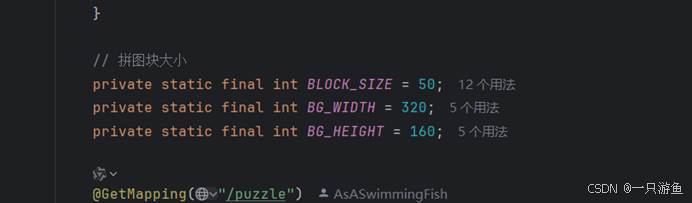
后端生成的拼图的大小要和前端的一样,否则会出现错位的问题。