Flutter 内存管理深度解析:十年老兵的实战心得
写在前面
从 Java 到 iOS 原生,再到现在主力用 Flutter,我在移动端摸爬滚打了十年。说实话,Flutter 的内存管理在我看来是相对友好的------有 GC、有 DevTools、有完善的生命周期。但正因为"友好",很多开发者反而忽视了它,直到线上出问题才追悔莫及。
今天这篇文章,我想把这些年在 Flutter 内存方面的认知体系完整地梳理一遍。不讲那些教科书式的东西,只说实战中真正有用的。
一、先把内存模型搞清楚
1.1 Flutter 内存的三层结构
很多人以为 Flutter 内存就是 Dart 堆内存,这是第一个认知误区。 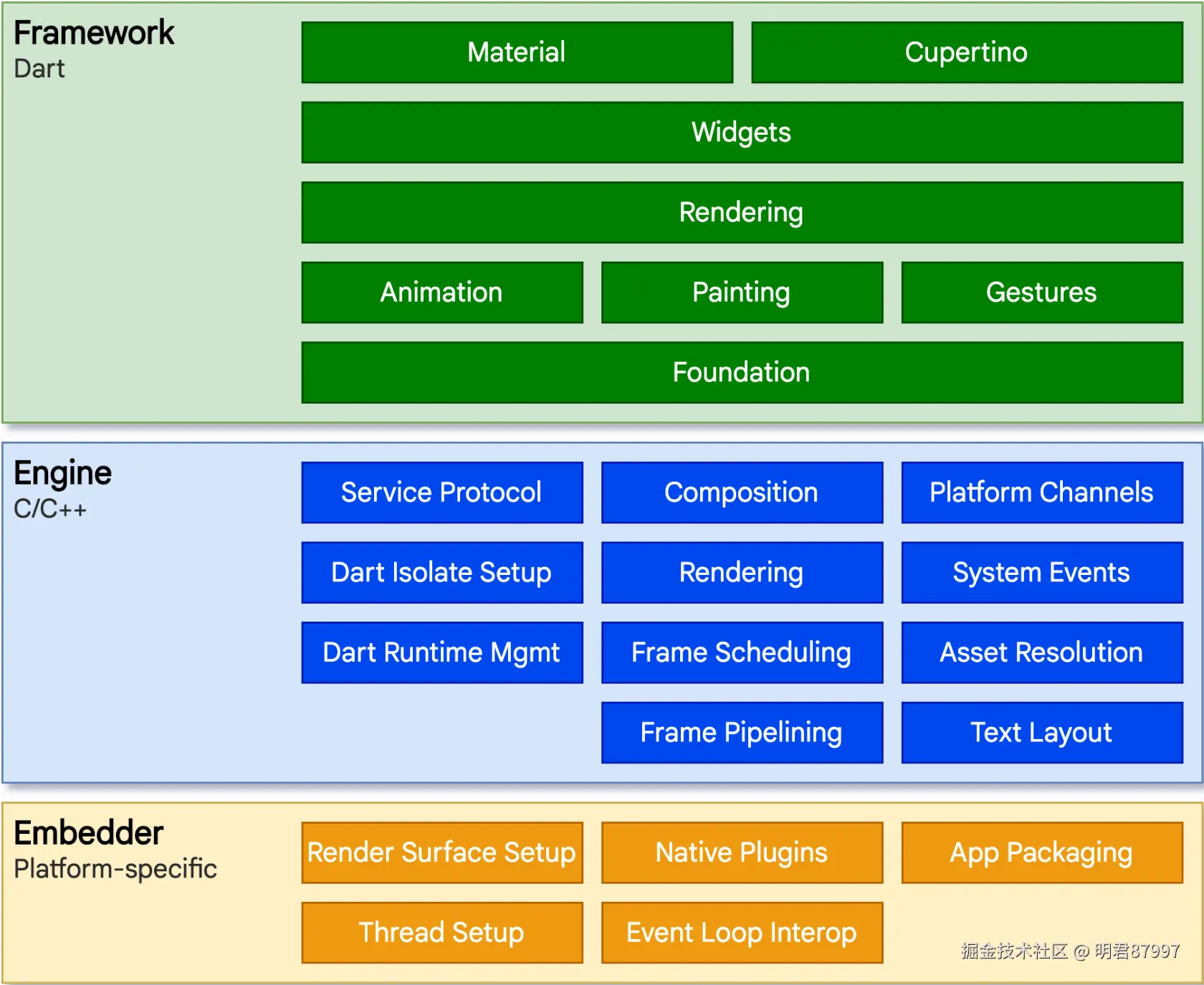
java
┌─────────────────────────────────────────────────────┐
│                    Flutter App                      │
├─────────────────────────────────────────────────────┤
│  Layer 1: Dart VM Memory                            │
│  ├── New Space (新生代,~16MB)                      │
│  │   └── Scavenger GC,毫秒级,频繁触发             │
│  └── Old Space (老年代,动态扩展)                   │
│      └── Mark-Sweep-Compact GC,相对耗时            │
├─────────────────────────────────────────────────────┤
│  Layer 2: Engine Native Memory                      │
│  ├── Skia 渲染缓存 (Layer Tree, Picture Cache)     │
│  ├── 图片解码缓冲区 (这是真正的大头!)              │
│  ├── 字体光栅化缓存                                 │
│  └── Platform Channel 数据缓冲                      │
├─────────────────────────────────────────────────────┤
│  Layer 3: GPU Memory (显存)                         │
│  ├── 纹理 (Textures)                               │
│  ├── 帧缓冲 (Frame Buffers)                        │
│  └── 着色器编译缓存                                  │
└─────────────────────────────────────────────────────┘关键认知:Dart 堆内存在 DevTools 里能看到,但 Native Memory 和 GPU Memory 往往是隐形杀手。我见过太多案例,Dart Heap 才 50MB,但 App 总内存已经 500MB+,问题全出在图片和 Skia 缓存上。
1.2 Dart GC 的真实行为
Dart 使用的是分代式垃圾回收,但具体细节很多文章讲得不清楚:
dart
// 新生代 GC (Scavenge)
// - 采用复制算法,Eden -> Survivor
// - 触发条件:新生代满了(约16MB)
// - 耗时:通常 < 2ms
// - 特点:Stop-the-world,但时间短

// 老年代 GC (Mark-Sweep-Compact)
// - 标记-清除-压缩
// - 触发条件:老年代增长到阈值,或显式调用
// - 耗时:几十到几百毫秒不等
// - 特点:增量式标记,减少卡顿
实战经验 :如果你的 App 有明显的周期性卡顿(比如每隔几秒掉几帧),很可能是老年代 GC 在作怪。解决方案不是调 GC 参数(Dart 不让你调),而是减少对象分配和存活周期。
1.3 内存分配的成本
这个点很多人没概念。在 Dart 里创建对象不是免费的:
dart
// 看似无害的代码,实际上在疯狂分配内存
Widget build(BuildContext context) {
  return Container(
    padding: EdgeInsets.all(16),           // 每次 build 创建新对象
    margin: EdgeInsets.symmetric(horizontal: 8), // 又一个
    decoration: BoxDecoration(              // 又一个
      color: Colors.white,
      borderRadius: BorderRadius.circular(8), // 又一个
      boxShadow: [                          // List 对象
        BoxShadow(                          // 又一个
          color: Colors.black.withOpacity(0.1), // Color 对象
          blurRadius: 4,
          offset: Offset(0, 2),             // 又一个
        ),
      ],
    ),
    child: Text(
      'Hello',
      style: TextStyle(fontSize: 16),       // 又一个
    ),
  );
}
一个简单的 Widget,一次 build 就创建了 10+ 个对象。如果这个 Widget 在列表里被频繁重建...
dart
// 正确做法:尽可能使用 const
Widget build(BuildContext context) {
  return Container(
    padding: const EdgeInsets.all(16),
    margin: const EdgeInsets.symmetric(horizontal: 8),
    decoration: const BoxDecoration(
      color: Colors.white,
      borderRadius: BorderRadius.all(Radius.circular(8)),
      boxShadow: [
        BoxShadow(
          color: Color(0x1A000000), // 直接用色值,可以 const
          blurRadius: 4,
          offset: Offset(0, 2),
        ),
      ],
    ),
    child: const Text(
      'Hello',
      style: TextStyle(fontSize: 16),
    ),
  );
}
const 的本质 :编译时常量,整个 App 生命周期内只存在一份实例。这不只是"优化",而是数量级的差别。
二、那些年我踩过的内存坑
2.1 闭包引用链 ------ 最隐蔽的泄漏
这是我见过最多、也最难排查的问题:
dart
class _SearchPageState extends State<SearchPage> {
  final TextEditingController _controller = TextEditingController();
  List<SearchResult> _results = [];

  void _onSearch() {
    // 问题代码:闭包持有了 this
    ApiService.search(_controller.text).then((results) {
      // 这个闭包持有了 _SearchPageState 实例
      // 如果网络请求还没返回,用户就退出了页面
      // State 对象就无法被回收
      setState(() {
        _results = results;
      });
    });
  }

  @override
  void dispose() {
    _controller.dispose();
    super.dispose();
  }
}正确做法有三种:
dart
// 方案1:mounted 检查(最简单)
void _onSearch() {
  ApiService.search(_controller.text).then((results) {
    if (!mounted) return;
    setState(() => _results = results);
  });
}

// 方案2:使用 CancelableOperation(推荐)
CancelableOperation<List<SearchResult>>? _searchOperation;

void _onSearch() {
  _searchOperation?.cancel();
  _searchOperation = CancelableOperation.fromFuture(
    ApiService.search(_controller.text),
  );
  _searchOperation!.value.then((results) {
    setState(() => _results = results);
  });
}

@override
void dispose() {
  _searchOperation?.cancel();
  _controller.dispose();
  super.dispose();
}

// 方案3:弱引用回调(复杂场景)
void _onSearch() {
  final weakThis = WeakReference(this);
  ApiService.search(_controller.text).then((results) {
    weakThis.target?._updateResults(results);
  });
}
2.2 GetX 的 Worker 陷阱
用 GetX 的同学注意了,Worker 是个内存泄漏高发区:
dart
class MyController extends GetxController {
  final someObservable = 0.obs;

  @override
  void onInit() {
    super.onInit();

    // ❌ 问题:ever 创建的 Worker 如果引用了外部大对象...
    ever(someObservable, (value) {
      // 假设这里引用了一个大的数据列表
      processBigData(bigDataList);
    });

    // ❌ 问题:debounce 里的闭包持有 Controller
    debounce(someObservable, (value) {
      // ...
    }, time: Duration(seconds: 2));
  }
}
GetX 的 Worker 在 Controller 销毁时会自动清理,但前提是你正确使用了 GetX 的生命周期 。如果你手动创建 Controller 实例而不是通过 Get.put,那就需要手动处理。
2.3 图片 ------ 永远的大户
我参与过的几乎每个 Flutter 项目,内存问题最终都指向图片。
dart
// 一张 4000x3000 的图片,解码后占用内存:
// 4000 * 3000 * 4 bytes (RGBA) = 48MB
// 是的,一张图就是 48MB

// 而且 Flutter 默认会缓存解码后的图片
// 默认缓存:1000张 或 100MB(看 Flutter 版本)我的图片优化策略:
dart
// 1. 始终指定 cacheWidth/cacheHeight
Image.network(
  imageUrl,
  cacheWidth: (MediaQuery.of(context).size.width *
               MediaQuery.of(context).devicePixelRatio).toInt(),
)

// 2. 封装一个统一的图片组件
class OptimizedImage extends StatelessWidget {
  final String url;
  final double? width;
  final double? height;

  const OptimizedImage({
    required this.url,
    this.width,
    this.height,
  });

  @override
  Widget build(BuildContext context) {
    final pixelRatio = MediaQuery.of(context).devicePixelRatio;
    return Image.network(
      url,
      width: width,
      height: height,
      cacheWidth: width != null ? (width! * pixelRatio).toInt() : null,
      cacheHeight: height != null ? (height! * pixelRatio).toInt() : null,
      fit: BoxFit.cover,
      errorBuilder: (_, __, ___) => const Icon(Icons.error),
    );
  }
}

// 3. 页面退出时主动清理(慎用,看场景)
@override
void dispose() {
  // 只在确实需要时使用,比如图片浏览页
  PaintingBinding.instance.imageCache.clearLiveImages();
  super.dispose();
}

// 4. 全局配置缓存上限
void main() {
  // 在 main 里配置
  PaintingBinding.instance.imageCache.maximumSize = 100; // 张数
  PaintingBinding.instance.imageCache.maximumSizeBytes = 50 * 1024 * 1024; // 50MB
  runApp(MyApp());
}
2.4 列表滚动时的内存震荡
用 ListView.builder 不代表万事大吉:
dart
// ❌ 看起来没问题,实际有隐患
ListView.builder(
  itemCount: items.length,
  itemBuilder: (context, index) {
    final item = items[index];
    return ListTile(
      leading: Image.network(item.imageUrl), // 每个 item 一张图
      title: Text(item.title),
    );
  },
)
当用户快速滚动时,Flutter 会快速创建和销毁 Widget。问题是:
- 图片请求还没完成,Widget 就销毁了
- 新的 Widget 创建,又发起新的图片请求
- 内存里堆积了大量"孤儿"图片请求
解决方案:
dart
// 使用 cached_network_image 或类似库
// 它们会处理请求取消和缓存策略
CachedNetworkImage(
  imageUrl: item.imageUrl,
  memCacheWidth: 100, // 缩略图尺寸
  fadeInDuration: Duration.zero, // 快速滚动时不要动画
)

// 或者自己实现取消逻辑
class _ImageItemState extends State<ImageItem> {
  CancelableOperation? _imageLoad;

  @override
  void initState() {
    super.initState();
    _loadImage();
  }

  @override
  void dispose() {
    _imageLoad?.cancel(); // 关键!
    super.dispose();
  }
}
2.5 全局单例的隐患
dart
// 常见的"偷懒"写法
class DataCache {
  static final DataCache _instance = DataCache._();
  static DataCache get instance => _instance;
  DataCache._();

  final Map<String, dynamic> _cache = {};

  void set(String key, dynamic value) {
    _cache[key] = value; // 只进不出,内存只增不减
  }
}我的原则:
- 单例持有的数据必须有清理策略
- 用 LRU 或定时清理
- 考虑用 WeakReference(Dart 2.17+)
dart
class DataCache {
  static final DataCache _instance = DataCache._();
  static DataCache get instance => _instance;
  DataCache._();

  // 使用支持 LRU 淘汰的数据结构
  final _cache = LinkedHashMap<String, dynamic>();
  static const int _maxSize = 100;

  void set(String key, dynamic value) {
    if (_cache.length >= _maxSize) {
      _cache.remove(_cache.keys.first); // 移除最老的
    }
    _cache[key] = value;
  }
}
三、内存分析实战流程
3.1 我的排查流程
markdown
1. 复现问题
   └── 找到内存增长的操作路径

2. 定位层级
   ├── DevTools Memory 看 Dart Heap
   ├── Android Profiler / Xcode 看 Native Memory
   └── 对比判断问题在哪层

3. 抓取快照
   ├── 操作前 Snapshot A
   ├── 执行可疑操作
   ├── 操作后 Snapshot B
   └── Diff 两个快照

4. 分析对象
   ├── 哪些对象数量异常
   ├── 追溯引用链 (Retaining Path)
   └── 定位到代码

5. 修复验证
   └── 修复后重复上述流程
3.2 DevTools 的高级用法
很多人只会点 GC 和 Snapshot,其实还有更强大的功能:
dart
// 1. 代码中打标记
import 'dart:developer' as developer;

void someCriticalFunction() {
  developer.Timeline.startSync('CriticalOperation');
  // ... 执行操作
  developer.Timeline.finishSync();
}

// 2. 自定义内存统计事件
developer.postEvent('memory_check', {
  'location': 'after_image_load',
  'cache_size': imageCache.currentSizeBytes,
});

// 3. 在 release 模式收集信息(谨慎使用)
import 'package:flutter/foundation.dart';

class MemoryMonitor {
  static void reportLeak(String location, int bytes) {
    if (kReleaseMode) {
      // 上报到你的监控系统
      Analytics.report('memory_leak', {
        'location': location,
        'bytes': bytes,
      });
    }
  }
}
3.3 线上监控方案
DevTools 只能调试时用,线上怎么办?
dart
// 简单的内存监控方案
class MemoryWatcher {
  static Timer? _timer;
  static int _lastRss = 0;

  static void start() {
    _timer = Timer.periodic(Duration(minutes: 1), (_) {
      _checkMemory();
    });
  }

  static void _checkMemory() {
    final currentRss = ProcessInfo.currentRss;
    final delta = currentRss - _lastRss;

    // 内存增长过快告警
    if (delta > 50 * 1024 * 1024) { // 1分钟增长 50MB
      _reportAbnormal(currentRss, delta);
    }

    // 总内存过高告警
    if (currentRss > 500 * 1024 * 1024) { // 超过 500MB
      _reportHigh(currentRss);
    }

    _lastRss = currentRss;
  }

  static void _reportAbnormal(int rss, int delta) {
    // 上报 + 主动清理缓存
    PaintingBinding.instance.imageCache.clear();
  }
}
四、架构层面的内存设计
4.1 页面状态的生命周期管理
我推荐这种分层设计:
dart
// 瞬态数据:随 Widget 生死
class _PageState extends State<Page> {
  int _counter = 0; // 页面关了就没了
}

// 页面级缓存:可恢复,但有生命周期
class PageController extends GetxController {
  List<Item> items = [];

  @override
  void onClose() {
    items.clear(); // 显式清理
    super.onClose();
  }
}

// 会话级缓存:整个 App 运行期间
class SessionCache {
  static final userProfile = Rxn<UserProfile>();

  static void clear() {
    userProfile.value = null;
  }
}

// 持久化:写入磁盘,不占内存
class LocalStorage {
  static Future<void> saveData(String key, dynamic data) async {
    await SharedPreferences.getInstance()
      ..setString(key, jsonEncode(data));
  }
}
4.2 大数据量的处理策略
dart
// ❌ 一次性加载全部数据
final allItems = await api.getAllItems(); // 可能有几万条
setState(() => _items = allItems);

// ✅ 分页 + 虚拟化
class _ListState extends State<ItemList> {
  final List<Item> _items = [];
  int _page = 0;
  bool _hasMore = true;

  Future<void> _loadMore() async {
    if (!_hasMore) return;

    final newItems = await api.getItems(page: _page, size: 20);
    _items.addAll(newItems);
    _page++;
    _hasMore = newItems.length == 20;

    // 内存保护:超过阈值就清理头部
    if (_items.length > 200) {
      _items.removeRange(0, 100);
    }

    setState(() {});
  }
}
4.3 我常用的 dispose 模板
dart
mixin AutoDisposeMixin<T extends StatefulWidget> on State<T> {
  final List<StreamSubscription> _subscriptions = [];
  final List<Timer> _timers = [];
  final List<ChangeNotifier> _notifiers = [];

  void autoDisposeStream(StreamSubscription sub) {
    _subscriptions.add(sub);
  }

  void autoDisposeTimer(Timer timer) {
    _timers.add(timer);
  }

  void autoDisposeNotifier(ChangeNotifier notifier) {
    _notifiers.add(notifier);
  }

  @override
  void dispose() {
    for (final sub in _subscriptions) {
      sub.cancel();
    }
    for (final timer in _timers) {
      timer.cancel();
    }
    for (final notifier in _notifiers) {
      notifier.dispose();
    }
    super.dispose();
  }
}

// 使用
class _MyPageState extends State<MyPage> with AutoDisposeMixin {
  @override
  void initState() {
    super.initState();

    autoDisposeStream(
      someStream.listen((data) => setState(() {})),
    );

    autoDisposeTimer(
      Timer.periodic(Duration(seconds: 1), (_) {}),
    );

    final controller = TextEditingController();
    autoDisposeNotifier(controller);
  }
}
五、最后的心得
写了这么多,总结几个核心观点:
1. 内存问题 80% 出在图片
不管项目大小,先把图片管好。统一封装、控制尺寸、限制缓存。
2. dispose 不是万能的
dispose 只能处理你显式创建的资源。闭包引用、异步回调、全局注册------这些才是真正的坑。
3. const 是最廉价的优化
几乎不需要任何成本,收益却很大。我会在 Code Review 时专门检查这个。
4. 监控比优化更重要
线上出问题时,你需要的是数据,不是猜测。建立内存监控体系,比写优化代码更有价值。
5. 保持简单
很多内存问题,本质上是架构问题------状态管理混乱、数据流复杂、生命周期不清晰。与其补救,不如一开始就设计好。
写到这里,想起十年前刚入行时,为了排查一个 Activity 泄漏,整整看了三天 MAT 分析报告。现在工具好多了,但核心思维是一样的:理解原理,掌握工具,建立规范。
希望这篇文章对你有帮助。有问题欢迎交流。