运行环境为:Win11,HBuilder X 4.24。
一、解决"npm install better-scroll"报错解决办法
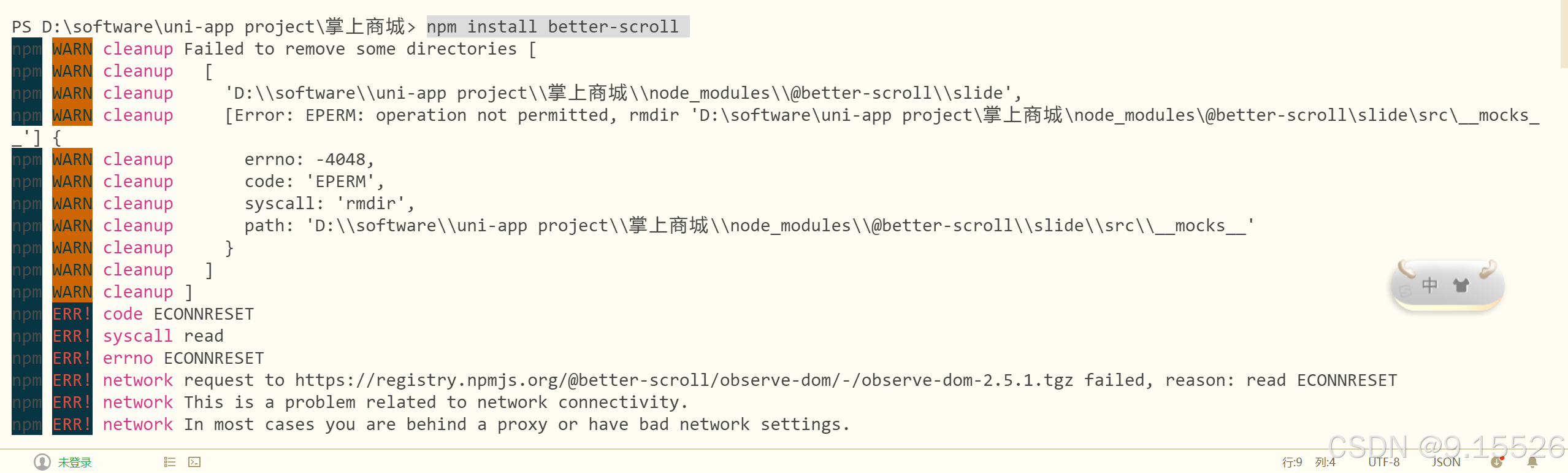
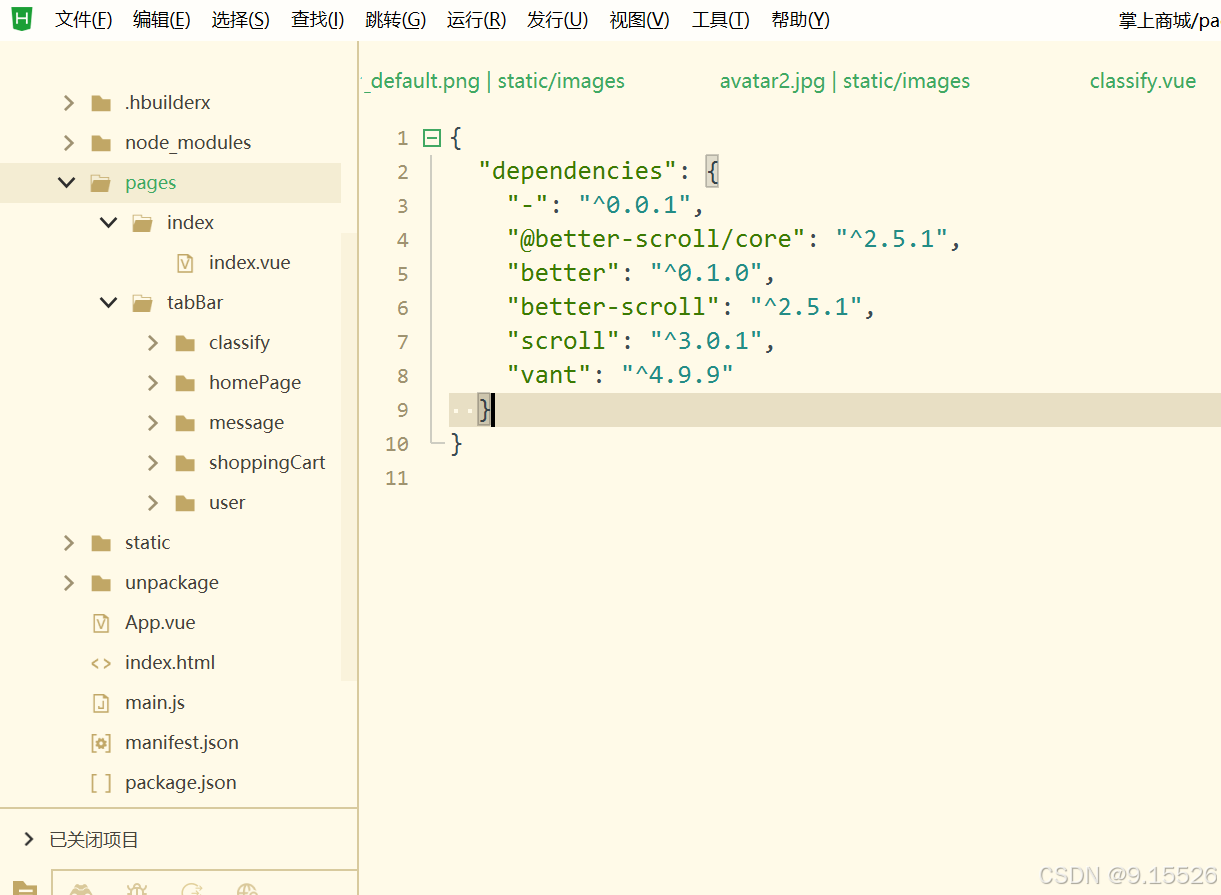
在校园移动开发课程中,对分类页面进行设计使用到"better-scroll",①、实现商城分类页面垂直滚动列表;②、实现水平滚动
classify.vue:
html
<template>
  <view class="categories">
    <view class="menu-wrapper" ref="menuWrapper">
      <scroll-view class="menu" scroll-y :scroll-with-animation="true" :style="{ height: menuWrapperHeight + 'px' }">
        <view
          v-for="(item, index) in categories"
          :key="index"
          class="menu-item"
          :class="{ current: currentIndex === index }"
          @click="selectMenu(index)"
        >
          <text>{{ item.name }}</text>
        </view>
      </scroll-view>
    </view>
    <view class="goods-wrapper" ref="goodsWrapper">
      <scroll-view
        class="goods"
        scroll-y
        :scroll-with-animation="true"
        :scroll-into-view="'goods-' + currentView"
        :style="{ height: goodsWrapperHeight + 'px' }"
        @scroll="onGoodsScroll"
      >
        <view v-for="(item, index) in categories" :key="index" :id="'goods-' + index" class="goods-group">
          <view class="group-title">{{ item.name }}</view>
          <goods-list :goods="item.goods"></goods-list>
        </view>
      </scroll-view>
    </view>
  </view>
</template>

<script>
import BScroll from 'better-scroll';
import GoodsList from '../classify/goods-list.vue';

export default {
  components: {
    GoodsList,
  },
  data() {
    return {
      categories: [], // Your category data
      currentIndex: 0,
      currentView: 0,
      menuWrapperHeight: 0,
      goodsWrapperHeight: 0,
      scrollY: 0,
      listHeight: [],
    };
  },
  async created() {
    // Fetch category and product data from API (replace with your actual API call)
    await this.fetchData();
    this.calculateHeight();
  },
  mounted() {
    this.$nextTick(() => {
      this._initScroll();
      this._calculateListHeight();
    });
  },
  methods: {
    async fetchData() {
      // Simulate API call (replace with your actual API)
      const res = await new Promise((resolve) => {
        setTimeout(() => {
          resolve({
            code: 200,
            data: [
              {
                name: '潮流女装',
                goods: [
                  {
                    id: 1,
                    name: '羽绒服',
                    img: '/static/images/menu1.png',
                    price: 299,
                  },
                  {
                    id: 2,
                    name: '毛呢大衣',
                    img: '/static/images/menu1.png',
                    price: 399,
                  },
                  {
                    id: 3,
                    name: '连衣裙',
                    img: '/static/images/menu1.png',
                    price: 199,
                  },
                ],
              },
              {
                name: '食品',
                goods: [
                  {
                    id: 4,
                    name: '休闲零食',
                    img: '/static/images/menu1.png',
                    price: 29,
                  },
                  {
                    id: 5,
                    name: '生鲜果蔬',
                    img: '/static/images/menu1.png',
                    price: 9,
                  },
                  {
                    id: 6,
                    name: '饮料汽水',
                    img: '/static/images/menu1.png',
                    price: 5,
                  },
                  {
                    id: 7,
                    name: '四季茗茶',
                    img: '/static/images/menu1.png',
                    price: 59,
                  },
                  {
                    id: 8,
                    name: '粮油调味',
                    img: '/static/images/menu1.png',
                    price: 19,
                  },
                ],
              },
              {
                name: '珠宝配饰',
                goods: [
                  {
                    id: 9,
                    name: '时尚饰品',
                    img: '/static/images/menu1.png',
                    price: 99,
                  },
                  {
                    id: 10,
                    name: '品质手表',
                    img: '/static/images/menu1.png',
                    price: 1999,
                  },
                  {
                    id: 11,
                    name: 'DIY饰品',
                    img: '/static/images/menu1.png',
                    price: 199,
                  },
                ],
              },
              {
                name: '日用百货',
                goods: [],
              },
              {
                name: '手机数码',
                goods: [],
              },
              {
                name: '户外运动',
                goods: [],
              },
            ],
          });
        }, 500);
      });

      if (res.code === 200) {
        this.categories = res.data;
      }
    },
    calculateHeight() {
      // Calculate heights for better-scroll
      uni.getSystemInfo({
        success: (res) => {
          // Calculate height excluding tab bar (adjust 50 if your tab bar has a different height)
          this.menuWrapperHeight = res.windowHeight;
          this.goodsWrapperHeight = res.windowHeight;
        },
      });
    },
    _initScroll() {
      this.menuScroll = new BScroll(this.$refs.menuWrapper, {
        click: true,
      });

      this.goodsScroll = new BScroll(this.$refs.goodsWrapper, {
        probeType: 3, // Important for tracking scroll position
        click: true,
      });

      this.goodsScroll.on('scroll', (pos) => {
        this.scrollY = Math.abs(Math.round(pos.y));
        this._calculateCurrentIndex();
      });
    },
    _calculateListHeight() {
      const list = this.$refs.goodsWrapper.querySelectorAll('.goods-group');
      let height = 0;
      this.listHeight.push(height);

      for (let i = 0; i < list.length; i++) {
        height += list[i].clientHeight;
        this.listHeight.push(height);
      }
    },
    _calculateCurrentIndex() {
      for (let i = 0; i < this.listHeight.length - 1; i++) {
        if (this.scrollY >= this.listHeight[i] && this.scrollY < this.listHeight[i + 1]) {
          this.currentIndex = i;
          return;
        }
      }
      this.currentIndex = this.listHeight.length - 2;
    },
    selectMenu(index) {
      this.currentIndex = index;
      this.currentView = index;
      this.goodsScroll.scrollToElement(document.getElementById('goods-' + index), 300);
    },
    onGoodsScroll(e) {
        this.scrollY = Math.abs(e.detail.scrollTop);
        this._calculateCurrentIndex();
    },
  },
};
</script>

<style scoped>
.categories {
  display: flex;
  height: 100vh;
}

.menu-wrapper {
  width: 200rpx;
  background: #f5f5f5;
}

.menu-item {
  padding: 30rpx;
  text-align: center;
  border-bottom: 1px solid #eee;
}

.menu-item.current {
  background: #fff;
  color: #ff6600;
}

.goods-wrapper {
  flex: 1;
}

.goods-group {
  padding: 20rpx;
}

.group-title {
  font-size: 32rpx;
  margin-bottom: 20rpx;
}
</style>
goods-list.vue:
html
<template>
  <view class="goods-list">
    <view v-for="item in goods" :key="item.id" class="goods-item" @click="gotoDetail(item)">
      <image :src="item.img" mode="aspectFit"></image>
      <view class="info">
        <text class="name">{{ item.name }}</text>
        <text class="price">¥{{ item.price }}</text>
      </view>
    </view>
  </view>
</template>

<script>
export default {
  props: {
    goods: {
      type: Array,
      default: () => [],
    },
  },
  methods: {
    gotoDetail(item) {
      console.log('Go to details of:', item);
    },
  },
};
</script>

<style scoped>
.goods-list {
  display: flex;
  flex-wrap: wrap;
}

.goods-item {
  width: 50%;
  display: flex;
  flex-direction: column;
  align-items: center;
  padding: 20rpx;
  box-sizing: border-box;
}

.goods-item image {
  width: 200rpx;
  height: 200rpx;
}

.info {
  text-align: center;
}

.name {
  font-size: 28rpx;
  margin-bottom: 10rpx;
}

.price {
  color: #ff6600;
  font-size: 30rpx;
}
</style>
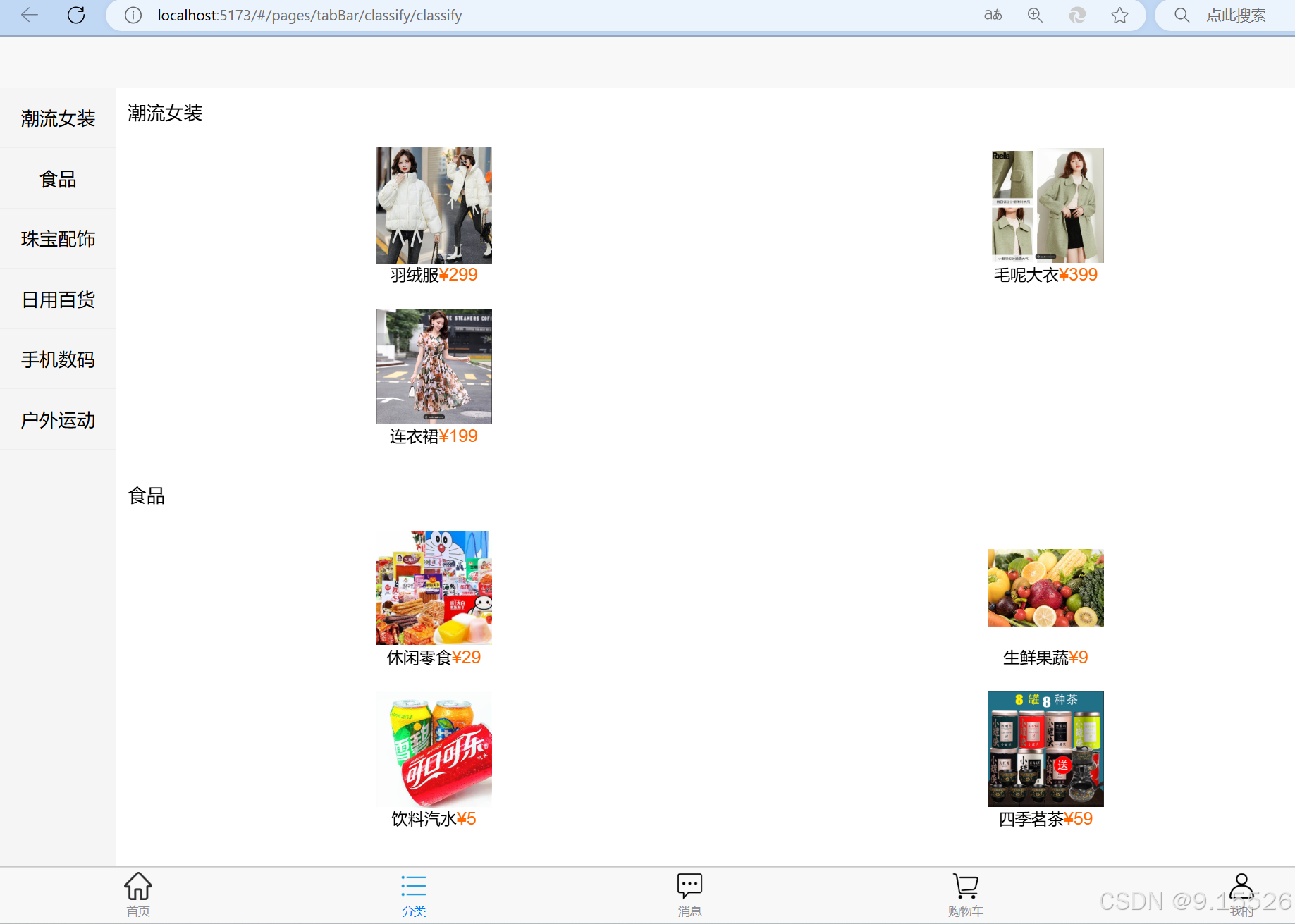
实现结果:
 针对多次下载不上:主要问题为网络下载问题-可以来回切换网络。操作一次后还是不易下载。可以重启电脑再次尝试,最终尝试成功。