vxe-table 个性化列自定义列弹出层修改高度、修改最大高度不自动适应表格高度的方法
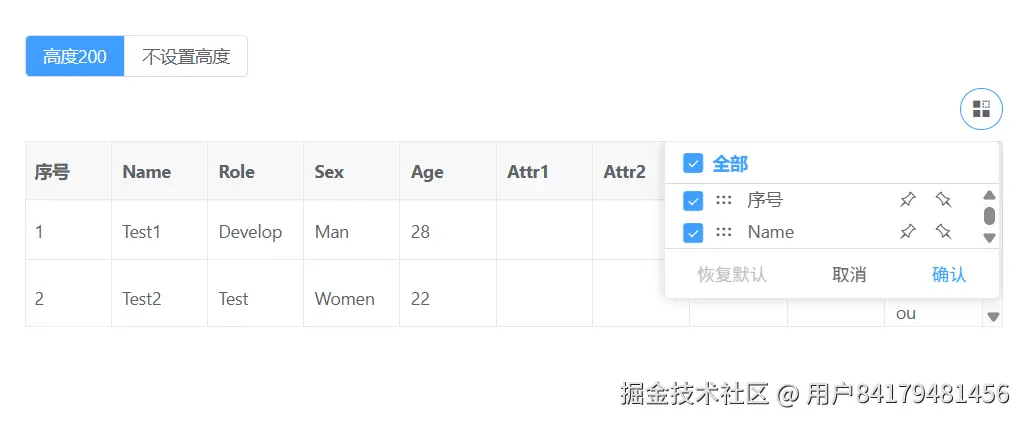
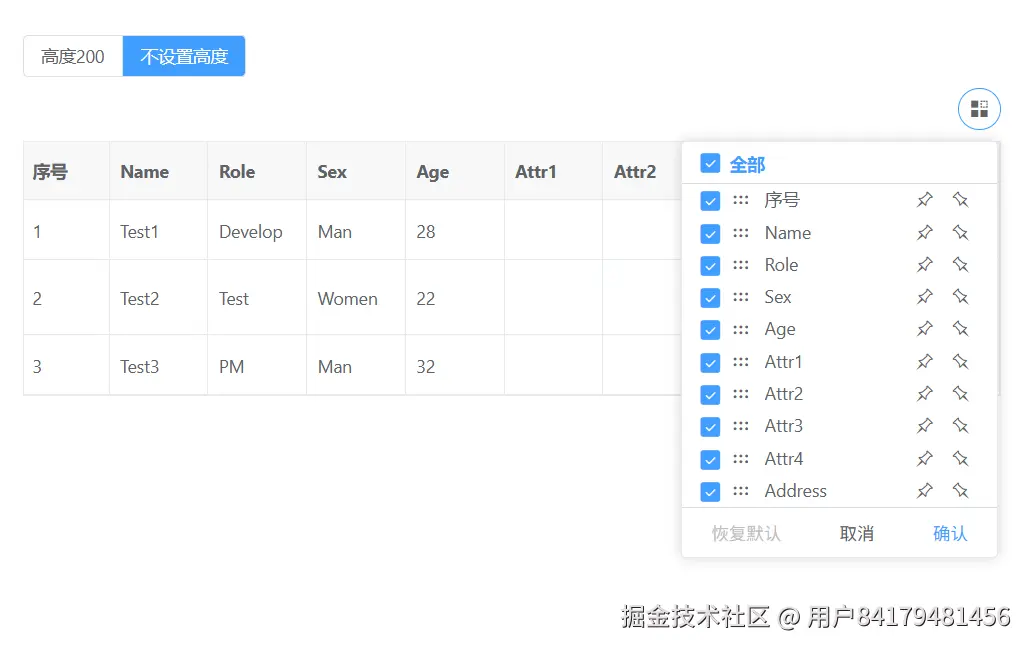
默认情况下,在表格设置高度或最小高度的情况下个性化列弹出层默认内部模式(自适应表格高度),表格多高就最大多高;未设置高度情况下默认外部模式(不跟随表格高度)
自适应高度时
当 custom-config.poupuOptions.mode='auto' 时,且同时设置高度时
不设置高度时
html
<template>
  <div>
    <vxe-radio-group v-model="gridOptions.height">
      <vxe-radio-button checked-value="200" content="高度200"></vxe-radio-button>
      <vxe-radio-button checked-value="" content="不设置高度"></vxe-radio-button>
    </vxe-radio-group>
    <vxe-grid v-bind="gridOptions"></vxe-grid>
  </div>
</template>

<script setup>
import { reactive } from 'vue'

const gridOptions = reactive({
  border: true,
  height: '',
  columnConfig: {
    resizable: true
  },
  toolbarConfig: {
    custom: true
  },
  columns: [
    { type: 'seq', width: 70 },
    { field: 'name', title: 'Name' },
    { field: 'role', title: 'Role' },
    { field: 'sex', title: 'Sex' },
    { field: 'age', title: 'Age' },
    { field: 'attr1', title: 'Attr1' },
    { field: 'attr2', title: 'Attr2' },
    { field: 'attr3', title: 'Attr3' },
    { field: 'attr4', title: 'Attr4' },
    { field: 'address', title: 'Address' }
  ],
  data: [
    { id: 10001, name: 'Test1', role: 'Develop', sex: 'Man', age: 28, address: 'test abc' },
    { id: 10002, name: 'Test2', role: 'Test', sex: 'Women', age: 22, address: 'Guangzhou' },
    { id: 10003, name: 'Test3', role: 'PM', sex: 'Man', age: 32, address: 'Shanghai' }
  ]
})
</script>
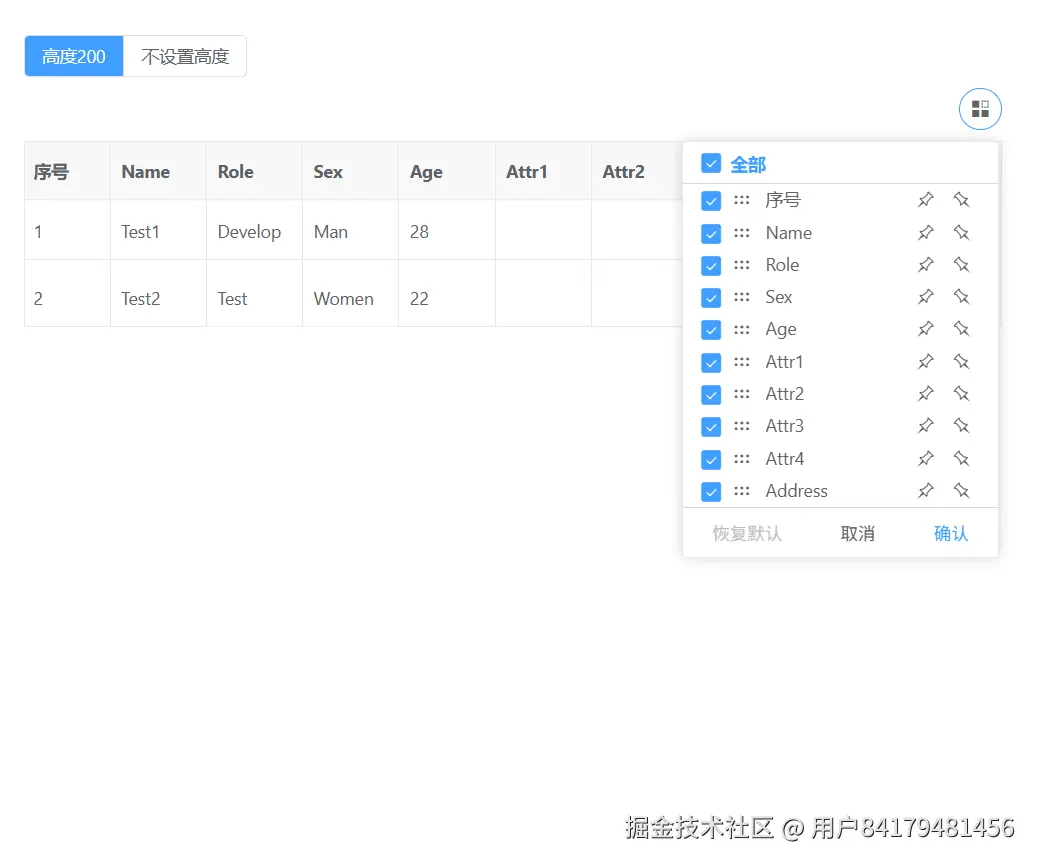
强制渲染弹出层为外部模式
强制渲染弹出层为外部模式,可以通过 custom-config.poupuOptions.mode='outside' 来设置,不管有没有设置高度都能超出表格显示,再配置 maxHeight 自定义最大高度
html
<template>
  <div>
    <vxe-radio-group v-model="gridOptions.height">
      <vxe-radio-button checked-value="200" content="高度200"></vxe-radio-button>
      <vxe-radio-button checked-value="" content="不设置高度"></vxe-radio-button>
    </vxe-radio-group>
    <vxe-grid v-bind="gridOptions"></vxe-grid>
  </div>
</template>

<script setup>
import { reactive } from 'vue'

const gridOptions = reactive({
  border: true,
  height: '',
  columnConfig: {
    resizable: true
  },
  customConfig: {
    popupOptions: {
      mode: 'outside'
    }
  },
  toolbarConfig: {
    custom: true
  },
  columns: [
    { type: 'seq', width: 70 },
    { field: 'name', title: 'Name' },
    { field: 'role', title: 'Role' },
    { field: 'sex', title: 'Sex' },
    { field: 'age', title: 'Age' },
    { field: 'attr1', title: 'Attr1' },
    { field: 'attr2', title: 'Attr2' },
    { field: 'attr3', title: 'Attr3' },
    { field: 'attr4', title: 'Attr4' },
    { field: 'address', title: 'Address' }
  ],
  data: [
    { id: 10001, name: 'Test1', role: 'Develop', sex: 'Man', age: 28, address: 'test abc' },
    { id: 10002, name: 'Test2', role: 'Test', sex: 'Women', age: 22, address: 'Guangzhou' },
    { id: 10003, name: 'Test3', role: 'PM', sex: 'Man', age: 32, address: 'Shanghai' }
  ]
})
</script>