话不多说上效果图

主要讲一下这3个图表
第一个图表ai弄出来的用canvas,原理就是写死宽度然后去计算每个数据显示的位置
javascript
<template>
	<view class="chart-container">
		<!-- 2592rpx -->
		<canvas canvas-id="lineChart" id="lineChart" :style="{ width: '3552rpx', height: '100rpx' }" ref="chartCanvas"
			v-if="chartData.length>0"></canvas>
	</view>
</template>

<script setup>
	import {
		nextTick,
		onMounted,
		ref
	} from 'vue'

	const chartCanvas = ref(null);

	const chartData = ref([])

	function drawChart() {
	  const canvas = uni.createSelectorQuery().select('#lineChart')

	  canvas.boundingClientRect((res) => {
	    if (!res) return

	    const ctx = uni.createCanvasContext('lineChart')

	    // 设置画布尺寸
	    const canvasWidth = res.width
	    const canvasHeight = res.height
	    const padding = {
	      top: 15,
	      right: 35,
	      bottom: 0,
	      left: 35
	    };
	    const graphWidth = canvasWidth - padding.left - padding.right;
	    const graphHeight = canvasHeight - padding.top - padding.bottom;
	    // 计算每个点的间距
	    const pointSpacing = graphWidth / 23 // 24个点之间有23个间隔
	    console.log(pointSpacing, "计算每个点的间距")

	    // 第一步:绘制折线(在绘制圆点之前)
	    ctx.setStrokeStyle('#FF6B35')
	    ctx.setLineWidth(2)
	    ctx.beginPath()
	    for (let i = 0; i < 24; i++) {
	      // 计算X坐标 (考虑左边距48rpx)
	      const x = 48 + i * pointSpacing
	      // 将数据值映射到画布高度 (留出上下边距)
	      const y = graphHeight - (chartData.value[i] / 100) * graphHeight

	      // 绘制连线
	      if (i === 0) {
	        ctx.moveTo(x, y)
	      } else {
	        ctx.lineTo(x, y)
	      }
	    }
	    ctx.stroke() // 绘制折线

	    // 第二步:绘制圆点和数值标签
	    for (let i = 0; i < 24; i++) {
	      // 计算X坐标 (考虑左边距48rpx)
	      const x = 48 + i * pointSpacing
	      // 将数据值映射到画布高度 (留出上下边距)
	      const y = graphHeight - (chartData.value[i] / 100) * graphHeight

	      // 绘制白色圆点,带#ff7f50描边
	      const radius = 4; // 8像素直径的圆,半径为4
	      ctx.beginPath();
	      ctx.arc(x, y, radius, 0, 2 * Math.PI); // 绘制圆
	      ctx.setFillStyle('#ffffff'); // 设置填充颜色为白色
	      ctx.fill(); // 填充圆

	      // 绘制描边
	      ctx.beginPath();
	      ctx.arc(x, y, radius, 0, 2 * Math.PI); // 重新开始路径
	      ctx.setStrokeStyle('#ff7f50'); // 设置描边颜色
	      ctx.setLineWidth(2); // 设置描边宽度为2像素
	      ctx.stroke(); // 绘制描边

	      // 在圆点上方绘制数值文本
	      // ctx.setFontSize(12) // 设置字体大小
	      ctx.setFillStyle('#232110') // 设置字体颜色
	      ctx.font='bold 14px sans-serif'; // 设置字体颜色
	      ctx.setTextAlign('center') // 文本水平居中对齐
	      ctx.setTextBaseline('bottom') // 文本底部对齐,这样文字会在指定y位置的上方
	      ctx.fillText(chartData.value[i].toString() + "°", x, y - 10) // 在圆点上方10像素位置绘制数值
	    }

	    ctx.draw()
	  }).exec()
	}
	// onMounted(() => {
	// 	drawChart();
	// })
	const chartDataFun = (e) => {
		chartData.value = e.map(item => item.temperature);
		nextTick(() => {
			console.log(chartData.value)
			drawChart();
		})
	}
	defineExpose({
		chartDataFun
	})
</script>

<style scoped lang="scss">
	.chart-container {
		display: flex;
		flex-direction: column;
		width: 3552rpx;
	}

	/* .x-axis {
  display: flex;
  width: 2592rpx;
  height: 40rpx;
}

.x-item {
	margin-left: 40rpx;
  width: 108rpx;
  border-left: 1px solid #e0e0e0;
  position: relative;
} */

	/* 第一个元素添加左边距 */
	/* .x-item:first-child {
  margin-left: 40rpx;
} */
</style>
第二个图表也是同理然后第二个图表是有提示框的用到定位
javascript
<template>
	<view class="chart-containerTrend">
		<!-- 2592rpx -->
		<canvas canvas-id="lineChartTrend" id="lineChartTrend" :style="{ width: '2880rpx', height: '140rpx' }"
			ref="chartCanvas" v-if="chartData.length>0"></canvas>
	</view>
</template>

<script setup>
	import {
		nextTick,
		onMounted,
		ref
	} from 'vue'

	const chartCanvas = ref(null);
	const chartData = ref([])
	const canvasWidth = ref();
	const canvasHeight = ref();

	function drawChart() {
		const canvas = uni.createSelectorQuery().select('#lineChartTrend')

		canvas.boundingClientRect((res) => {
			if (!res) return

			const ctx = uni.createCanvasContext('lineChartTrend')

			// 设置画布尺寸
			canvasWidth.value = res.width
			canvasHeight.value = res.height
			const padding = {
				top: 15,
				right: 35,
				bottom: 0,
				left: 35
			};
			const graphWidth = canvasWidth.value - padding.left - padding.right;
			const graphHeight = canvasHeight.value - padding.top - padding.bottom;
			// 计算每个点的间距
			const pointSpacing = graphWidth / 23 // 24个点之间有23个间隔
			console.log(pointSpacing, "计算每个点的间距")
			// 加载点图片
			const pointImage = '/static/canvasDian.png'

			// 绘制折线
			ctx.setStrokeStyle('#FF6B35')
			ctx.setLineWidth(2)
			ctx.beginPath()
			// 绘制路径和点
			for (let i = 0; i < 24; i++) {
				// 计算X坐标 (考虑左边距40rpx)
				const x = 24 + i * pointSpacing
				// const x =  i * pointSpacing
				// let x = 48 + xList[i] * i

				// 将数据值映射到画布高度 (留出上下边距)
				const y = graphHeight - (chartData.value[i] / 100) * graphHeight

				// 绘制连线
				if (i === 0) {
					ctx.moveTo(x, y)
				} else {
					ctx.lineTo(x, y)
				}
				// // 绘制点图片
				// if (pointImage) {
				// 	ctx.drawImage(pointImage, x - 6, y - 6, 12, 12)
				// }
			}
			handleTouchStart(0)
			ctx.stroke()
			ctx.draw()
		}).exec()
	}
	const emit = defineEmits(['touchStartClick']);
	// 处理点击事件
	function handleTouchStart(index) {
		const padding = {
			top:15,
			right: 35,
			bottom: 0,
			left: 35
		};
		const graphWidth = canvasWidth.value - padding.left - padding.right;
		const pointSpacing = graphWidth / 23

		const x = 24 + index * pointSpacing
		const y = (canvasHeight.value - padding.top - padding.bottom) - (chartData.value[index] / 100) * (canvasHeight.value - padding.top - padding.bottom);
		emit('touchStartClick',{x,y,index })
		return {x,y };
	}
	// onMounted(() => {
	// 	drawChart();
	// })
	const chartDataFun = (e) => {
		chartData.value = e.map(item => item.temperature);
		nextTick(() => {
			console.log(chartData.value)
			drawChart();
		})
	}
	defineExpose({
		chartDataFun,
		handleTouchStart
	})
</script>

<style scoped lang="scss">
	.chart-containerTrend {
		display: flex;
		flex-direction: column;
		width: 2880rpx;
	}

	/* .x-axis {
  display: flex;
  width: 2592rpx;
  height: 40rpx;
}

.x-item {
	margin-left: 40rpx;
  width: 108rpx;
  border-left: 1px solid #e0e0e0;
  position: relative;
} */

	/* 第一个元素添加左边距 */
	/* .x-item:first-child {
  margin-left: 40rpx;
} */
</style>
提示框代码
javascript
<view class="twentyFourTrendBoxSctollCanvas">
						<template v-if="hourTrendIndex!=-1">
							<view class="twentyFourTrendBoxSctollTips" :style="{
						  left: hourTrendIndex==0?`calc(${tooltipPosition.x}px - 20rpx)`:hourTrendIndex==23?`calc(${tooltipPosition.x}px - 110rpx)`:`calc(${tooltipPosition.x}px - 100rpx)`,
						  top: `calc(${tooltipPosition.y}px - 60rpx)`,
						  position: 'absolute',
						  zIndex: 1000
						}">
								{{trendTips}}
							</view>
							<view class="twentyFourTrendBoxSctollTipsImg" :style="{
						  left: `calc(${tooltipPosition.x}px - 36rpx)`,
						  top: `calc(${tooltipPosition.y}px - 60rpx)`,
						  position: 'absolute',
						  zIndex: 1000
						}">
								<image src="/static/xian.png" mode="aspectFit"></image>
							</view>
						</template>
						<!-- 画布折线图待定 -->
						<weatherTrendCanvas ref="weatherTrendCanvasRef" @touchStartClick="setTooltipPosition"></weatherTrendCanvas>
					</view>
<script setup>
const trendTips = ref('');
    // 提示框状态
	const tooltipPosition = ref({
		x: 0,
		y: 0
	})
	// 设置当前天气趋势图的点击
	const hourTrendFun = (index) => {
		if (hourTrendIndex.value == index) {
			hourTrendIndex.value = ''
		} else {
			hourTrendIndex.value = index
		}
		nextTick(async () => {
			let tipsItem = await weatherTrendCanvasRef.value.handleTouchStart(index);
			console.log(tipsItem)
			tooltipPosition.value = tipsItem;
		})
	}
	// 拿到当前点击的天气趋势图是那个,设置弹窗内容
	watch(() => hourTrendIndex.value, (newVal) => {
		const nowDate = new Date();
		const day = nowDate.getDate();
		const trendItem = twentyFourTrendList.value[hourTrendIndex.value];
		const hour1 = Number(trendItem.time.split(':')[0]);
		trendTips.value = day + '日' + hour1 + '时' + trendItem.temperature + getWeatherIconByType(trendItem.weather)
			.name;
		console.log(trendTips.value)
	})
</script>
<style lang="scss" scoped>
.twentyFourTrendBoxSctoll {
			position: relative;

			.twentyFourTrendBoxSctollTips {
				position: absolute;
				background: #FF6B35;
				border-radius: 8rpx 8rpx 8rpx 8rpx;
				font-family: PingFang SC, PingFang SC;
				font-weight: 400;
				font-size: 24rpx;
				color: #FFFFFF;
				line-height: 36rpx;
				text-align: justify;
				font-style: normal;
				text-transform: none;
				padding: 4rpx 8rpx;
			}

			.twentyFourTrendBoxSctollTipsImg {
				position: absolute;

				image {
					width: 70rpx;
					height: 170rpx;
				}
			}
</style>
24小时趋势图的柱状图是用的秋云图表
插件市场
https://ext.dcloud.net.cn/plugin?id=271
官方文档
导入插件在js_sdk的u-charts里面的config-ucharts.js文件的formatter下面去配置
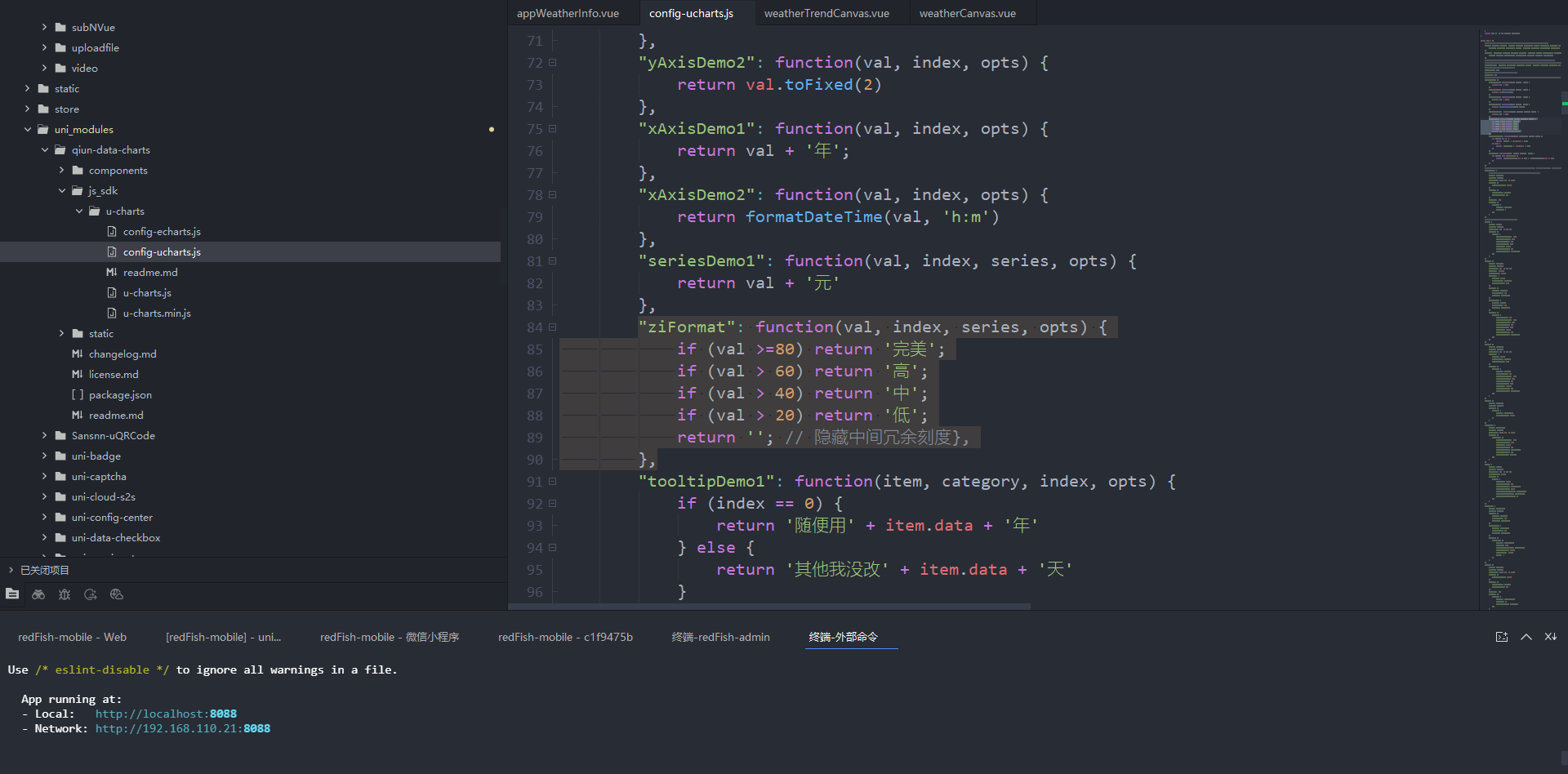
代码
javascript
"ziFormat": function(val, index, series, opts) {
			if (val >=80) return '完美';
			if (val > 60) return '高';
			if (val > 40) return '中';
			if (val > 20) return '低';
			return ''; // 隐藏中间冗余刻度},
		},
图表代码
javascript
<template>
	<view class="charts-box">
		<qiun-data-charts type="column" :opts="opts" :chartData="chartData" :ontouch="true" />
	</view>
</template>

<script setup>
	import {
		ref,
		nextTick
	} from "vue"
	import {
		onLoad,
	} from "@dcloudio/uni-app"
	const chartData = ref({});
	const opts = ref({
		timing: "easeOut",
		duration: 1000,
		rotate: false,
		rotateLock: false,
		color: ["#f89954"],
		padding: [15, 15, 0, 5],
		fontSize: 13,
		fontColor: "#666666",
		dataLabel: false,
		dataPointShape: true,
		dataPointShapeType: "solid",
		touchMoveLimit: 60,
		enableScroll: true,
		enableMarkLine: false,
		legend: {
			show: false,
		},
		xAxis: {
			disableGrid: true,
			disabled: false,
			axisLine: true,
			axisLineColor: "#CCCCCC",
			calibration: false,
			fontColor: "#666666",
			fontSize: 13,
			lineHeight: 20,
			marginTop: 0,
			rotateLabel: false,
			rotateAngle: 45,
			itemCount: 5,
			boundaryGap: "center",
			splitNumber: 5,
			gridColor: "#CCCCCC",
			gridType: "solid",
			dashLength: 4,
			gridEval: 1,
			scrollShow: false,
			scrollAlign: "left",
			scrollColor: "#A6A6A6",
			scrollBackgroundColor: "#EFEBEF",
			title: "",
			titleFontSize: 13,
			titleOffsetY: 0,
			titleOffsetX: 0,
			titleFontColor: "#666666",
			format: "",
			labelCount:6
		},
		yAxis: {
			data: [{
				min: 0,
				max: 100,
				// 自定义刻度标签映射
				format: 'ziFormat',
			}],

			disabled: false,
			disableGrid: false,
			splitNumber: 4,
			gridType: "solid",
			dashLength: 8,
			gridColor: "#CCCCCC",
			padding: 10,
			showTitle: false
		},
		extra: {
			column: {
				type: "group",
				width: 30,
				activeBgColor: "#000000",
				activeBgOpacity: 0.08,
				seriesGap: 2,
				categoryGap: 3,
				barBorderCircle: false,
				linearType: "none",
				linearOpacity: 1,
				colorStop: 0,
				meterBorder: 1,
				meterFillColor: "#FFFFFF",
				labelPosition: "outside"
			},
			tooltip: {
				showBox: true,
				showArrow: true,
				showCategory: false,
				borderWidth: 0,
				borderRadius: 0,
				borderColor: "#000000",
				borderOpacity: 0.7,
				bgColor: "#000000",
				bgOpacity: 0.7,
				gridType: "solid",
				dashLength: 4,
				gridColor: "#CCCCCC",
				boxPadding: 3,
				fontSize: 13,
				lineHeight: 20,
				fontColor: "#FFFFFF",
				legendShow: true,
				legendShape: "auto",
				splitLine: true,
				horizentalLine: false,
				xAxisLabel: false,
				yAxisLabel: false,
				labelBgColor: "#FFFFFF",
				labelBgOpacity: 0.7,
				labelFontColor: "#666666"
			},
			markLine: {
				type: "solid",
				dashLength: 4,
				data: []
			}
		}
	});

	const getServerData = () => {
		//模拟从服务器获取数据时的延时
		setTimeout(() => {
			//模拟服务器返回数据,如果数据格式和标准格式不同,需自行按下面的格式拼接
			let res = {
				categories: ["2017","2018", "2019", "2020", "2021", "2022", "2023", "2024", "2025", "2026", "2027"],
				series: [{
						name: "目标值",
						data: [0,15, 25, 35, 45, 55, 65,75,85,95,100]
					},
				]
			};
			chartData.value = JSON.parse(JSON.stringify(res));
		}, 500);
	};
	onLoad(() => {
		console.log("开始初始化了")
		nextTick(() => {
			getServerData();
		})
	})
</script>

<style scoped>
	/* 请根据实际需求修改父元素尺寸,组件自动识别宽高 */
	.charts-box {
		width: 100%;
		height: 300px;
	}
</style>
完整代码
javascript
<template>
<view class="appWeatherPage" :style="{
backgroundImage:`url(${config.cos}appWeatherInfoImg/weatherBjImg/${getWeatherBjByType(weatherTypeNum).icon})`
}">
<!-- 头部 -->
<rf-navbar :transparency="nav_barBg" :background="[]" :customize="true" :ceiling="false">
<view class="nabarBox">
<view class="nabarBoxLeft" @click="goBack">
<image :src="config.cos + 'rf-icon-back-white.png'" mode="scaleToFill" class="back-icon" />
</view>
<view class="nabarBoxRight" @tap="chooseAddress">
<view class="nabarBoxRightTitle">{{defaultAddress.provinceName}}{{defaultAddress.cityName}}{{defaultAddress.areaName}}</view>
<view class="nabarBoxRightIcon">
<image class="back-icon" :src="config.cos+`appWeatherInfoImg/citySel.png`"></image>
</view>
</view>
</view>
</rf-navbar>
<!-- 周几和当前选择 -->
<scroll-view :scroll-x="true">
<view class="weekBox">
<template v-for="(item,index) in weekList" :key="index">
<view class="weekBoxOne" :style="{
backgroundImage:weekSel==index?`url(${config.cos}appWeatherInfoImg/weatherBjImg/${getWeatherBjByType(weatherTypeNum).iconColor})`:`url(${config.cos}appWeatherInfoImg/weekBj.png)`
}" @click="weekSel=index">
<view class="weekBoxOneText">
{{item.text}}
</view>
<view class="weekBoxOneTime">
{{item.date}}
</view>
</view>
</template>
</view>
</scroll-view>
<!-- 大气温 -->
<view class="temperatureBox">
<view class="temperatureBoxOne">
<view class="temperatureBoxOneOne">30°</view>
<view class="temperatureBoxOneTwo">
<view class="temperatureBoxOneTwoOne">°</view>
<view class="temperatureBoxOneTwoTwo">多云 24°/34°</view>
</view>
</view>
<view class="temperatureBoxTwo">
<view class="temperatureBoxTwoOne" :style="{
backgroundColor:getWeatherBjByType(weatherTypeNum).color
}">
水温26.7°c
</view>
<view class="temperatureBoxTwoTwo" :style="{
backgroundColor:getWeatherBjByType(weatherTypeNum).color
}">
能见度24.7公里
</view>
</view>
</view>
<!-- 每小时的相关参数 -->
<view class="hourTypeBox">
<view class="hourTypeBoxTop">
<view class="hourTypeBoxTopTitle">
<text>明天</text><text>1月15日</text>
</view>
<view class="hourTypeBoxTopAnn">
<view class="hourTypeBoxTopAnnImg">
<image mode="scaleToFill" :src="config.cos +`appWeatherInfoImg/dq.png`"
style="width: 20rpx;height: 20rpx;"></image>
</view>
<view class="hourTypeBoxTopAnnText">当前</view>
</view>
</view>
<view class="hourTypeBoxBtm">
<view class="hourTypeBoxBtmLeft">
<view class="hourTypeBoxBtmLeftFor" v-for="(item,index) in twentyFourList" :key="index"
:class="item.type">
{{item.name}}
</view>
</view>
<view class="hourTypeBoxBtmRight">
<scroll-view :scroll-x="true">
<view class="hourTypeBoxBtmRightBox">
<!-- 画布 -->
<view class="hourTypeBoxBtmRightBoxCanvas">
<weatherCanvas ref="weatherCanvasRef"></weatherCanvas>
</view>
<!-- 循环 -->
<view class="hourTypeBoxBtmRightBoxFor" :style="{
background:hourTypeIndex==index?'linear-gradient( 180deg, rgba(255,225,215,0.5) 0%, rgba(255,234,215,0.2) 100%)':'#fff'
}" @click="hourTypeFun(index)" v-for="(item,index) in twentyFourDataList" :key="index">
<view class="hourTypeBoxBtmRightBoxForItem" v-for="(itemA,itemKey) in item"
:class="itemKey">
<template v-if="itemKey=='weather'">
<view class="hourTypeBoxBtmRightBoxForItemWeather">
<view class="hourTypeBoxBtmRightBoxForItemWeatherImg">
<image
:src="config.cos +`appWeatherInfoImg/weatherimg/${getWeatherIconByType(itemA).icon}`">
</image>
</view>
<view class="hourTypeBoxBtmRightBoxForItemWeatherText">
{{getWeatherIconByType(itemA).name}}
</view>
</view>
</template>
<template v-else-if="itemKey=='temperature'">
</template>
<template v-else>
{{itemA}}
</template>
</view>
</view>
</view>
</scroll-view>
</view>
</view>
</view>
<!-- 24小时趋势图 -->
<view class="twentyFourTrendBox">
<view class="twentyFourTrendBoxTitle">
<text>24小时趋势图</text>
</view>
<view class="twentyFourTrendBoxSctoll">
<scroll-view :scroll-x="true">
<view class="twentyFourTrendBoxSctollCanvas">
<template v-if="hourTrendIndex!=-1">
<view class="twentyFourTrendBoxSctollTips" :style="{
left: hourTrendIndex==0?`calc(${tooltipPosition.x}px - 20rpx)`:hourTrendIndex==23?`calc(${tooltipPosition.x}px - 110rpx)`:`calc(${tooltipPosition.x}px - 100rpx)`,
top: `calc(${tooltipPosition.y}px - 60rpx)`,
position: 'absolute',
zIndex: 1000
}">
{{trendTips}}
</view>
<view class="twentyFourTrendBoxSctollTipsImg" :style="{
left: `calc(${tooltipPosition.x}px - 36rpx)`,
top: `calc(${tooltipPosition.y}px - 60rpx)`,
position: 'absolute',
zIndex: 1000
}">
<image src="/static/xian.png" mode="aspectFit"></image>
</view>
</template>
<!-- 画布折线图待定 -->
<weatherTrendCanvas ref="weatherTrendCanvasRef" @touchStartClick="setTooltipPosition"></weatherTrendCanvas>
</view>
<view class="twentyFourTrendBoxSctollBox">
<view class="twentyFourTrendBoxSctollBoxFor" v-for="(item,index) in twentyFourTrendList"
:key="index" :style="{
background:hourTrendIndex==index?'linear-gradient( 0deg, rgba(255, 252, 250,0.5) 0%, rgba(255, 226, 216) 100%)':'#fff'
}" @click="hourTrendFun(index)">
<view class="twentyFourTrendBoxSctollBoxForOne">
{{item.temperature}}°
</view>
<view class="twentyFourTrendBoxSctollBoxForTwo">
<view class="twentyFourTrendBoxSctollBoxForTwoImg">
<image
:src="config.cos +`appWeatherInfoImg/weatherimg/${getWeatherIconByType(item.weather).icon}`">
</image>
</view>
<view class="twentyFourTrendBoxSctollBoxForTwoText">
{{getWeatherIconByType(item.weather).name}}
</view>
</view>
<view class="twentyFourTrendBoxSctollBoxForThree">{{item.quality}}</view>
<view class="twentyFourTrendBoxSctollBoxForFour">{{item.time}}</view>
</view>
</view>
</scroll-view>
</view>
<view class="twentyFourTrendBoxAnn">
<u-subsection mode="button" :list="trendTypeList" :current="trendTypeCurrent" bg-color="#F4F4F5"
active-color="#fff" inactive-color="#969B9C"></u-subsection>
</view>
</view>
<!-- 相关参数 -->
<view class="trendTypeBox">
<view class="trendTypeBoxLeft">
<view class="trendTypeBoxLeftOne">
<view class="trendTypeBoxLeftOneOne">
<view class="trendTypeBoxLeftOneOneOne">东南风</view>
<view class="trendTypeBoxLeftOneOneTwo">3级</view>
</view>
<view class="trendTypeBoxLeftOneTwo">
<image :src="config.cos +`appWeatherInfoImg/weatherTypeImg/dnf.png`"></image>
</view>
</view>
<view class="trendTypeBoxLeftOne">
<view class="trendTypeBoxLeftOneOne">
<view class="trendTypeBoxLeftOneOneOne">06:24日出</view>
<view class="trendTypeBoxLeftOneOneOne">17:54日落</view>
</view>
<view class="trendTypeBoxLeftOneTwo">
<image :src="config.cos +`appWeatherInfoImg/weatherTypeImg/rcrl.png`"></image>
</view>
</view>
</view>
<view class="trendTypeBoxRight">
<view class="trendTypeBoxRightBox">
<view class="trendTypeBoxRightFor" v-for="(item,index) in trendTypeArray" :key="index">
<view class="trendTypeBoxRightForImg">
<image :src="config.cos +`appWeatherInfoImg/weatherTypeImg/${item.icon}`"></image>
</view>
<view class="trendTypeBoxRightForText">{{item.text}}</view>
<view class="trendTypeBoxRightForValue">{{item.value}}{{item.suffix}}</view>
</view>
</view>
</view>
</view>
<!-- 钓鱼指数 -->
<view class="fishingIndexBox">
<view class="fishingIndexBoxOne">
<view class="fishingIndexBoxOneTop">
<view class="fishingIndexBoxOneTopLeft">
<text>钓鱼指数</text>
</view>
<view class="fishingIndexBoxOneTopRight" @click="showFilterPopup">
<view class="fishingIndexBoxOneTopRightOne">{{filterPopupItem?.fishName||'鲢鱼'}}</view>
<view class="fishingIndexBoxOneTopRightTwo">
<image :src="config.cos +'appWeatherInfoImg/xiajt.png'"></image>
</view>
</view>
</view>
<view class="fishingIndexBoxOneBtm">
<view class="fishingIndexBoxOneBtmTop">
<view class="fishingIndexBoxOneBtmTopImg">
<!-- 放图指定的图 -->
<view class="fishingIndexBoxOneBtmTopImgBj">
<image :src="config.cos +`appWeatherInfoImg/fishingIndexImg/bj1.png`"></image>
<!-- 箭头 旋转度数是-90-90 -->
<view class="fishingIndexBoxOneBtmTopImgYuan" :style="fishingIndexPositionFun(fishingIndexNumber)">
<image
:src="config.cos +`appWeatherInfoImg/fishingIndexImg/${getClosestFishingIndex(fishingIndexNumber).icon}`">
</image>
</view>
</view>
</view>
<view class="fishingIndexBoxOneBtmTopCen">
<!-- 箭头 旋转度数是-90-90 -->
<!-- :style="{
transform:`rotate(${getRotationAngle(50)-90}deg)`
}" -->
<view class="fishingIndexBoxOneBtmTopCenJt" :style="{
transform:`rotate(${getRotationAngle(fishingIndexPositionFun(fishingIndexNumber).type)-90}deg)`
}">
<image :src="config.cos +'appWeatherInfoImg/zsjt.png'"></image>
</view>
<view class="fishingIndexBoxOneBtmTopCenYuan">
<view class="fishingIndexBoxOneBtmTopCenYuanOne">{{fishingIndexNumber}}</view>
<view class="fishingIndexBoxOneBtmTopCenYuanTwo">合格</view>
</view>
</view>
</view>
<!-- <view class="fishingIndexBoxOneBtmBtm">
<view class="fishingIndexBoxOneBtmBtmLeft">不建议</view>
<view class="fishingIndexBoxOneBtmBtmRight">合适</view>
</view> -->
</view>
</view>
<!-- 24小时趋势图 -->
<view class="fishingIndexBoxTwo">
<view class="fishingIndexBoxTwoTitle">
<text>24小时趋势图</text>
</view>
<view class="fishingIndexBoxTwoCharts">
<!-- 图表 -->
<uchartsColumnVue ref="uchartsColumnVueRef"></uchartsColumnVue>
</view>
</view>
</view>
<view style="height: 24rpx;"></view>
<filterPopupVue ref="filterPopupVueRef" @submitFiler="submitFilerFun"></filterPopupVue>
<rf-pickerAddress :default-value="defaultAddress" ref="rfPickerAddRef" @confirm="confirmAddress" />
</view>
</template>
<script setup>
import {
nextTick,
ref,
watch
} from "vue"
import {
onPageScroll,
onLoad
} from "@dcloudio/uni-app"
import config from '@/common/config'
// 秋云图表
import uchartsColumnVue from './appWeather/uchartsColumn.vue';
import filterPopupVue from './appWeather/filterPopup.vue';
import weatherCanvas from './appWeather/weatherCanvas.vue';
import weatherTrendCanvas from './appWeather/weatherTrendCanvas.vue';
import {
//天气类型函数
getWeatherIconByType,
// 获取当前日期往后6天
get7DaysArray,
//获取当前钓鱼指数的图标
getClosestFishingIndex,
// 圆圈应该旋转的度数
getRotationAngle,
fishingIndexPositionFun,
getWeatherBjByType
} from './appWeather/weatherType.js';
const uchartsColumnVueRef = ref(null);
const filterPopupVueRef = ref(null);
const weatherCanvasRef = ref(null);
const weatherTrendCanvasRef = ref(null);
const nav_barBg = ref(0);
// 天气背景
const weatherTypeNum = ref(6);
const weekList = ref([])
const weekSel = ref(0);
// 天气类型选中的下标
const hourTypeIndex = ref(-1);
// 趋势图选中下标
const hourTrendIndex = ref(-1);
// 设置钓鱼指数分数
const fishingIndexNumber = ref(96);
const twentyFourList = ref([{
name: '小时',
type: 'time'
}, {
name: '天气',
type: 'weather'
}, {
name: '气温',
type: 'temperature'
}, {
name: '体感',
type: 'somatosensory'
}, {
name: '气压',
type: 'atmosphericPressure'
}, {
name: '降水',
type: 'precipitation'
}, {
name: '概率',
type: 'probability'
}, {
name: '湿度',
type: 'humidity'
}, {
name: '风速',
type: 'windSpeed'
}, {
name: '风向',
type: 'windDirection'
}, {
name: 'AQI',
type: 'AQI'
}]);
// 天气参数详情
const twentyFourDataList = ref([])
const twentyFourDataListFun = () => {
for (let i = 0; i < 24; i++) {
twentyFourDataList.value.push({
time: i + ':00',
weather: 1,
temperature: Math.floor(Math.random() * (30 - 4 + 1)) + 4,
somatosensory: '27°',
atmosphericPressure: '847',
precipitation: '0',
probability: '0',
humidity: '0',
windSpeed: '3',
windDirection: '西北风一级',
AQI: '轻度'
}, )
};
nextTick(() => {
weatherCanvasRef.value.chartDataFun(twentyFourDataList.value)
})
}
// 气温列表给图表的
const temperatureDataList = ref(['27', '27', '27', '27']);
// 24小时趋势图
const twentyFourTrendList = ref([])
const twentyFourTrendListFun = () => {
for (let i = 0; i < 24; i++) {
twentyFourTrendList.value.push({
temperature: (Math.floor(Math.random() * (30 - 4 + 1)) + 4),
weather: 1,
quality: '优',
time: i + ':00'
})
};
nextTick(async() => {
await weatherTrendCanvasRef.value.chartDataFun(twentyFourTrendList.value);
})
}
// 24小时趋势图状态
const trendTypeList = ref([{
name: '气温',
type: 1
}, {
name: '降水量',
type: 2
}, {
name: '温度',
type: 3
}, {
name: '风速',
type: 4
}, {
name: '气压',
type: 5
}, {
name: '水温',
type: 6
}, ]);
// 趋势图状态选择
const trendTypeCurrent = ref(1);
// 状态列表
const trendTypeArray = ref([{
icon: 'sd.png',
text: '湿度',
platform: 'sd',
value: '58',
suffix: '%'
},
{
icon: 'tigan.png',
text: '体感',
platform: 'rigan',
value: '36',
suffix: '°'
},
{
icon: 'zwx.png',
text: '紫外线',
platform: 'zwx',
value: '2',
suffix: 'uv'
},
{
icon: 'sd.png',
text: '气压',
platform: 'qy',
value: '1019',
suffix: 'hPa'
},
]);
// 选中的鱼
const filterPopupItem = ref({});
const filterPopupIndex = ref(0);
const fishPopupIndexTwo = ref(0);
// 显示渔获筛选
const showFilterPopup = () => {
filterPopupVueRef.value.openFiler(filterPopupIndex.value, fishPopupIndexTwo.value);
}
// 提交过来的筛选
const submitFilerFun = (data) => {
filterPopupItem.value = data.fishItem;
filterPopupIndex.value = data.fishIndex;
fishPopupIndexTwo.value = data.fishIndexTwo;
console.log(data)
}
// 设置当前天气类型的点击
const hourTypeFun = (index) => {
if (hourTypeIndex.value == index) {
hourTypeIndex.value = '-1'
} else {
hourTypeIndex.value = index
}
}
// 提示框状态
const tooltipPosition = ref({
x: 0,
y: 0
})
// 设置当前天气趋势图的点击
const hourTrendFun = (index) => {
if (hourTrendIndex.value == index) {
hourTrendIndex.value = ''
} else {
hourTrendIndex.value = index
}
nextTick(async () => {
let tipsItem = await weatherTrendCanvasRef.value.handleTouchStart(index);
console.log(tipsItem)
tooltipPosition.value = tipsItem;
})
}
const setTooltipPosition=(e)=>{
console.log(e)
tooltipPosition.value = e;
hourTrendIndex.value = e.index
}
const trendTips = ref('');
// 拿到当前点击的天气趋势图是那个,设置弹窗内容
watch(() => hourTrendIndex.value, (newVal) => {
const nowDate = new Date();
const day = nowDate.getDate();
const trendItem = twentyFourTrendList.value[hourTrendIndex.value];
const hour1 = Number(trendItem.time.split(':')[0]);
trendTips.value = day + '日' + hour1 + '时' + trendItem.temperature + getWeatherIconByType(trendItem.weather)
.name;
console.log(trendTips.value)
})
// 返回上一级
const goBack=()=>{
uni.navigateBack();
}
const defaultAddress = ref({
provinceName: '四川省',
cityName: '成都市',
areaName: '金牛区'
});
// 地址选择
const rfPickerAddRef=ref(null);
const chooseAddress = () => {
rfPickerAddRef.value.setDefaultValues(defaultAddress.value);
rfPickerAddRef.value?.open()
// isShowAiFish.value = true
}
const confirmAddress = (e) => {
console.log('!!!!!!! confirmAddress 被触发了 !!!!!!!', e);
if (e?.province?.provinceName) {
defaultAddress.value.provinceName = e?.province?.provinceName
}
if (e?.city?.cityName) {
defaultAddress.value.cityName = e?.city?.cityName
}
if (e?.area?.areName) {
defaultAddress.value.areaName = e?.area?.areName
}
// if (e?.area?.regionId) {
// areCodeId.value = e?.area?.regionId
// changeCityWeather(e?.area?.regionId)
// changeCityIndicator(e?.area?.regionId)
// }
}
onPageScroll((e) => {
const maxScroll = 70;
let alpha = e.scrollTop / maxScroll;
if (alpha > 1) alpha = 1;
nav_barBg.value = alpha;
// color.value = alpha >= 0.9 ? [0, 0, 0] : [255, 255, 255];
})
onLoad((info) => {
// console.log(JSON.parse(info.weatherData))
weekList.value = get7DaysArray();
twentyFourDataListFun();
twentyFourTrendListFun();
})
</script>
<style scoped lang="scss">
page {
background: #F6FDFD;
min-height: 100vh;
background-attachment: fixed;
}
::v-deep {
.u-subsection--button__bar {
background-color: #F89954 !important;
}
}
.appWeatherPage {
width: 100%;
height: 1004rpx;
// background-image: url(@/static/imgsappWeatherInfoImg/dyBj.png);
background-position: center;
background-size: cover;
background-repeat: no-repeat;
}
.back-icon {
width: 24rpx;
height: 48rpx;
}
.nabarBox {
display: flex;
align-items: center;
justify-content: space-between;
width: 100%;
padding: 0 20rpx;
.nabarBoxLeft {
flex: 1;
}
.nabarBoxRight {
display: flex;
align-items: center;
.nabarBoxRightTitle {
color: #FFFFFF;
}
.nabarBoxRightIcon {
display: flex;
align-items: center;
justify-content: center;
margin-left: 12rpx;
image {
width: 32rpx;
height: 32rpx;
}
}
}
}
.weekBox {
padding: 40rpx 24rpx;
display: inline-flex;
// .weekBoxSel {
// background-image: url(@/static/imgsappWeatherInfoImg/weekBjSel.png) !important;
// }
.weekBoxOne:not(:last-child) {
margin-right: 40rpx;
}
.weekBoxOne {
// flex: 1;
width: 96rpx;
height: 120rpx;
// background-image: url(@/static/imgsappWeatherInfoImg/weekBj.png);
background-position: center;
background-size: cover;
background-repeat: no-repeat;
display: flex;
align-items: center;
justify-content: center;
flex-direction: column;
.weekBoxOneText {
font-family: PingFang SC, PingFang SC;
font-weight: 400;
font-size: 26rpx;
color: #FFFFFF;
line-height: 36rpx;
text-align: center;
font-style: normal;
text-transform: none;
margin-bottom: 12rpx;
}
.weekBoxOneTime {
font-family: PingFang SC, PingFang SC;
font-weight: 400;
font-size: 28rpx;
color: #FFFFFF;
line-height: 40rpx;
text-align: center;
font-style: normal;
text-transform: none;
}
}
}
.temperatureBox {
padding: 0 40rpx 40rpx;
.temperatureBoxOne {
display: flex;
align-items: center;
justify-content: center;
.temperatureBoxOneOne {
font-family: Alibaba PuHuiTi 3.0, Alibaba PuHuiTi 30;
font-weight: 700;
font-size: 144rpx;
color: #FFFFFF;
line-height: 202rpx;
text-align: left;
font-style: normal;
text-transform: none;
}
.temperatureBoxOneTwo {
.temperatureBoxOneTwoOne {
opacity: 0;
}
.temperatureBoxOneTwoTwo {
margin-left: -40rpx;
margin-top: 40rpx;
font-family: PingFang SC, PingFang SC;
font-weight: 400;
font-size: 32rpx;
color: #FFFFFF;
line-height: 44rpx;
text-align: left;
font-style: normal;
text-transform: none;
}
}
}
.temperatureBoxTwo {
display: flex;
align-items: center;
justify-content: center;
.temperatureBoxTwoOne {
padding: 10rpx 32rpx;
background: #56A0EB;
border-radius: 532rpx;
font-family: PingFang SC, PingFang SC;
font-weight: 400;
font-size: 24rpx;
color: #FFFFFF;
line-height: 36rpx;
text-align: left;
font-style: normal;
text-transform: none;
}
.temperatureBoxTwoTwo {
@extend .temperatureBoxTwoOne;
margin-left: 16rpx;
}
}
}
.hourTypeBox {
background: #FFFFFF;
box-shadow: 0rpx 4rpx 20rpx 0rpx rgba(104, 109, 110, 0.1);
border-radius: 16rpx 16rpx 16rpx 16rpx;
margin: 0 24rpx 24rpx;
padding: 24rpx;
.hourTypeBoxTop {
display: flex;
padding: 16rpx 0;
margin-bottom: 16rpx;
border-bottom: 2rpx solid #f5f6f9;
.hourTypeBoxTopTitle {
font-family: PingFang SC, PingFang SC;
font-weight: 400;
font-size: 28rpx;
color: #1F2021;
line-height: 40rpx;
text-align: left;
font-style: normal;
text-transform: none;
flex: 1;
>text:nth-of-type(2) {
margin-left: 8rpx;
}
}
.hourTypeBoxTopAnn {
display: flex;
.hourTypeBoxTopAnnImg {
margin-right: 8rpx;
display: flex;
align-items: center;
justify-content: center;
image {
width: 28rpx;
height: 28rpx;
}
}
.hourTypeBoxTopAnnText {
font-family: PingFang SC, PingFang SC;
font-weight: 400;
font-size: 24rpx;
color: #969B9C;
line-height: 34rpx;
text-align: left;
font-style: normal;
text-transform: none;
}
}
}
.hourTypeBoxBtm {
display: flex;
.hourTypeBoxBtmLeft {
width: 140rpx;
padding: 0 20rpx;
background: #F4F4F5;
border-radius: 8rpx 8rpx 8rpx 8rpx;
.temperature {
height: 120rpx !important;
}
.hourTypeBoxBtmLeftFor {
height: 80rpx;
display: flex;
align-items: center;
justify-content: center;
margin-top: 28rpx;
}
}
.hourTypeBoxBtmRight {
width: calc(100% - 140rpx);
.hourTypeBoxBtmRightBox {
display: inline-flex;
position: relative;
.hourTypeBoxBtmRightBoxCanvas {
position: absolute;
top: 270rpx;
left: 0;
// background-color: green;
width: 3552rpx;
height: 120rpx;
z-index: 0;
display: flex;
}
.hourTypeBoxBtmRightBoxFor {
width: 108rpx;
margin-left: 40rpx;
.temperature {
height: 120rpx !important;
align-items: start !important;
justify-content: center;
}
.AQI {
width: 108rpx;
height: 36rpx;
font-family: PingFang SC, PingFang SC;
font-weight: 400;
font-size: 24rpx;
color: #FF6B35;
font-family: PingFang SC, PingFang SC;
font-weight: 400;
font-size: 24rpx;
color: #FF6B35;
line-height: 36rpx;
text-align: center;
font-style: normal;
text-transform: none;
background: #FFE7DF;
border-radius: 8rpx 8rpx 8rpx 8rpx;
}
.hourTypeBoxBtmRightBoxForItem {
display: flex;
align-items: center;
justify-content: center;
text-align: center;
height: 80rpx;
margin-top: 28rpx;
.hourTypeBoxBtmRightBoxForItemWeather {
.hourTypeBoxBtmRightBoxForItemWeatherImg {
margin-bottom: 4rpx;
image {
width: 56rpx;
height: 56rpx;
}
}
.hourTypeBoxBtmRightBoxForItemWeatherText {
font-family: PingFang SC, PingFang SC;
font-weight: 400;
font-size: 24rpx;
color: #232110;
line-height: 36rpx;
text-align: center;
font-style: normal;
text-transform: none;
}
}
}
}
}
}
}
}
.twentyFourTrendBox {
background: #FFFFFF;
box-shadow: 0rpx 4rpx 20rpx 0rpx rgba(104, 109, 110, 0.1);
border-radius: 16rpx 16rpx 16rpx 16rpx;
margin: 0 24rpx 24rpx;
padding: 24rpx;
.twentyFourTrendBoxTitle {
font-family: PingFang SC, PingFang SC;
font-weight: 400;
font-size: 28rpx;
color: #1F2021;
line-height: 40rpx;
text-align: left;
font-style: normal;
text-transform: none;
margin-bottom: 20rpx;
}
.twentyFourTrendBoxSctoll {
position: relative;
.twentyFourTrendBoxSctollTips {
position: absolute;
background: #FF6B35;
border-radius: 8rpx 8rpx 8rpx 8rpx;
font-family: PingFang SC, PingFang SC;
font-weight: 400;
font-size: 24rpx;
color: #FFFFFF;
line-height: 36rpx;
text-align: justify;
font-style: normal;
text-transform: none;
padding: 4rpx 8rpx;
}
.twentyFourTrendBoxSctollTipsImg {
position: absolute;
image {
width: 70rpx;
height: 170rpx;
}
}
.twentyFourTrendBoxSctollCanvas {
height: 150rpx;
position: absolute;
top: 0;
left: 0;
}
.twentyFourTrendBoxSctollBox {
display: inline-flex;
.twentyFourTrendBoxSctollBoxFor:not(:last-child) {
margin-right: 40rpx;
}
.twentyFourTrendBoxSctollBoxFor {
padding-top: 170rpx;
width: 80rpx;
display: flex;
flex-direction: column;
justify-content: center;
align-items: center;
.twentyFourTrendBoxSctollBoxForOne {
font-family: PingFang SC, PingFang SC;
font-weight: 500;
font-size: 28rpx;
color: #232110;
line-height: 40rpx;
text-align: center;
font-style: normal;
text-transform: none;
margin-top: 10rpx;
}
.twentyFourTrendBoxSctollBoxForTwo {
margin-top: 10rpx;
.twentyFourTrendBoxSctollBoxForTwoImg {
display: flex;
align-items: center;
justify-content: center;
image {
width: 56rpx;
height: 56rpx;
}
}
.twentyFourTrendBoxSctollBoxForTwoText {
margin-top: 10rpx;
font-family: PingFang SC, PingFang SC;
font-weight: 400;
font-size: 24rpx;
color: #232110;
line-height: 36rpx;
text-align: center;
font-style: normal;
text-transform: none;
}
}
.twentyFourTrendBoxSctollBoxForThree {
margin-top: 10rpx;
width: 70rpx;
height: 38rpx;
background: rgba(232, 232, 234, 0.5);
border-radius: 8rpx 8rpx 8rpx 8rpx;
font-family: PingFang SC, PingFang SC;
font-weight: 400;
font-size: 22rpx;
color: #767676;
line-height: 30rpx;
text-align: center;
font-style: normal;
text-transform: none;
display: flex;
align-items: center;
justify-content: center;
}
.twentyFourTrendBoxSctollBoxForFour {
margin-top: 10rpx;
font-family: PingFang SC, PingFang SC;
font-weight: 400;
font-size: 22rpx;
color: #686D6E;
line-height: 30rpx;
text-align: center;
font-style: normal;
text-transform: none;
}
}
}
}
.twentyFourTrendBoxAnn {
margin-top: 32rpx;
padding: 12rpx 16rpx;
background: #F4F4F5;
border-radius: 16rpx 16rpx 16rpx 16rpx;
width: 100%;
}
}
.trendTypeBox {
display: flex;
align-items: center;
margin: 0 24rpx 24rpx;
.trendTypeBoxLeft {
width: 45%;
margin-right: 16rpx;
height: 360rpx;
&One {
display: flex;
align-items: center;
justify-content: space-between;
background: #FCFCFC;
box-shadow: 0rpx 4rpx 20rpx 0rpx rgba(104, 109, 110, 0.1);
border-radius: 8rpx 8rpx 8rpx 8rpx;
margin-bottom: 16rpx;
padding: 34rpx 28rpx;
height: 172rpx;
box-sizing: border-box;
&One {
&One {
font-family: PingFang SC, PingFang SC;
font-weight: 400;
font-size: 24rpx;
color: #686D6E;
line-height: 36rpx;
text-align: center;
font-style: normal;
text-transform: none;
margin-bottom: 8rpx;
}
&Two {
font-family: PingFang SC, PingFang SC;
font-weight: 400;
font-size: 24rpx;
color: #232110;
line-height: 36rpx;
text-align: center;
font-style: normal;
text-transform: none;
}
}
&Two {
image {
width: 112rpx;
height: 112rpx;
}
}
}
}
.trendTypeBoxRight {
background: #FCFCFC;
box-shadow: 0rpx 4rpx 20rpx 0rpx rgba(104, 109, 110, 0.1);
border-radius: 8rpx 8rpx 8rpx 8rpx;
padding: 34rpx 24rpx 0;
flex: 1;
box-sizing: border-box;
height: 360rpx;
&Box {
display: flex;
align-items: center;
justify-content: center;
flex-direction: column;
}
&For:not(:last-child) {
border-bottom: 2rpx solid #F5F6F9;
margin-bottom: 34rpx;
padding-bottom: 12rpx;
}
&For {
display: flex;
align-items: center;
justify-content: center;
width: 100%;
&Img {
margin-right: 8rpx;
display: flex;
align-items: center;
justify-content: center;
image {
width: 36rpx;
height: 36rpx;
}
}
&Text {
flex: 1;
font-family: PingFang SC, PingFang SC;
font-weight: 400;
font-size: 24rpx;
color: #686D6E;
line-height: 36rpx;
text-align: left;
font-style: normal;
text-transform: none;
}
&Value {
font-family: PingFang SC, PingFang SC;
font-weight: 400;
font-size: 24rpx;
color: #232110;
line-height: 36rpx;
text-align: right;
font-style: normal;
text-transform: none;
}
}
}
}
.fishingIndexBox {
background: #FFFFFF;
box-shadow: 0rpx 4rpx 20rpx 0rpx rgba(104, 109, 110, 0.1);
border-radius: 16rpx 16rpx 16rpx 16rpx;
margin: 0 24rpx 24rpx;
padding: 32rpx 24rpx;
// width: 100%;
box-sizing: border-box;
.fishingIndexBoxOne {
margin-bottom: 64rpx;
&Top {
display: flex;
align-items: center;
justify-content: space-between;
margin-bottom: 24rpx;
&Left {
font-family: PingFang SC, PingFang SC;
font-weight: 400;
font-size: 28rpx;
color: #1F2021;
line-height: 40rpx;
text-align: left;
font-style: normal;
text-transform: none;
flex: 1;
}
&Right {
// width: 124rpx;
padding: 8rpx 16rpx;
height: 48rpx;
background: rgba(232, 232, 234, 0.5);
border-radius: 8rpx 8rpx 8rpx 8rpx;
display: flex;
align-items: center;
justify-content: center;
&One {
display: flex;
align-items: center;
justify-content: center;
}
&Two {
margin-left: 8rpx;
display: flex;
align-items: center;
justify-content: center;
image {
width: 40rpx;
height: 40rpx;
}
}
}
}
&Btm {
position: relative;
&Top {
&Img {
width: 380rpx;
margin: 0 auto;
&Bj {
width: 380rpx;
height: 224rpx;
position: relative;
image {
width: 100%;
height: 100%;
}
.fishingIndexBoxOneBtmTopImgYuan {
position: absolute;
top: 0;
left: 0;
width: 168rpx;
height: 168rpx;
image {
width: 168rpx;
height: 168rpx;
}
}
}
}
&Cen {
&Jt {
position: absolute;
top: calc(50% - 40rpx);
left: calc(50% - 17rpx);
transform-origin: bottom;
image {
width: 34rpx;
height: 84rpx;
}
}
&Yuan {
position: absolute;
top: calc(50%);
left: calc(50% - 52rpx);
width: 104rpx;
height: 104rpx;
background: #FFFFFF;
box-shadow: 0rpx 6rpx 28rpx 0rpx rgba(104, 109, 110, 0.2);
border-radius: 100%;
display: flex;
align-items: center;
justify-content: center;
flex-direction: column;
&One {
font-family: Alibaba PuHuiTi 3.0, Alibaba PuHuiTi 30;
font-weight: 900;
font-size: 36rpx;
color: #1F2021;
line-height: 50rpx;
text-align: left;
font-style: normal;
text-transform: none;
margin-bottom: 6rpx;
}
&Two {
font-family: Alibaba PuHuiTi 3.0, Alibaba PuHuiTi 30;
font-weight: 400;
font-size: 20rpx;
color: #686D6E;
line-height: 28rpx;
text-align: justify;
font-style: normal;
text-transform: none;
}
}
}
}
&Btm {
margin: 24rpx auto;
display: flex;
align-items: center;
justify-content: space-between;
&Left {
font-family: PingFang SC, PingFang SC;
font-weight: 400;
font-size: 28rpx;
color: #1F2021;
line-height: 40rpx;
text-align: justify;
font-style: normal;
text-transform: none;
}
&Right {
font-family: PingFang SC, PingFang SC;
font-weight: 400;
font-size: 28rpx;
color: #1F2021;
line-height: 40rpx;
text-align: justify;
font-style: normal;
text-transform: none;
}
}
}
}
.fishingIndexBoxTwo {
width: 100%;
.fishingIndexBoxTwoTitle {
font-family: PingFang SC, PingFang SC;
font-weight: 400;
font-size: 28rpx;
color: #1F2021;
line-height: 40rpx;
text-align: left;
font-style: normal;
text-transform: none;
margin-bottom: 48rpx;
}
.fishingIndexBoxTwoCharts {
width: 100%;
}
}
}
</style>