环境
jquery 3.7.1
jQuery Validation 1.21.0
示例
基本案例
html
<!doctype html>
<html lang="en">
<head>
    <meta charset="UTF-8">
    <meta name="viewport" content="width=device-width, initial-scale=1">
    <title>Document</title>
    <style>
        .error{
            color:red;
        }
    </style>
</head>
<body>
<form class="cmxform" id="commentForm" method="get" action="">
    <fieldset>
        <legend>输入您的名字,邮箱,URL,备注。</legend>
        <p>
            <label for="cname">Name (必需, 最小两个字母)</label>
            <input id="cname" name="name" minlength="2" type="text" required>
        </p>
        <p>
            <label for="cemail">E-Mail (必需)</label>
            <input id="cemail" type="email" name="email" required>
        </p>
        <p>
            <label for="curl">URL (可选)</label>
            <input id="curl" type="url" name="url">
        </p>
        <p>
            <label for="ccomment">备注 (必需)</label>
            <textarea id="ccomment" name="comment" required></textarea>
        </p>
        <p>
            <input class="submit" type="submit" value="Submit">
        </p>
    </fieldset>
</form>
<script src="js/jquery.js"></script>
<script src="js/jquery.validate.js"></script>
<script src="js/messages_zh.js"></script>
<script>
    $.validator.setDefaults({
        //监听默认提交事件
        submitHandler: function() {
            alert("提交事件!");
        }
    });
    $(function () {
        $("#commentForm").validate();
    });
</script>
</body>
</html>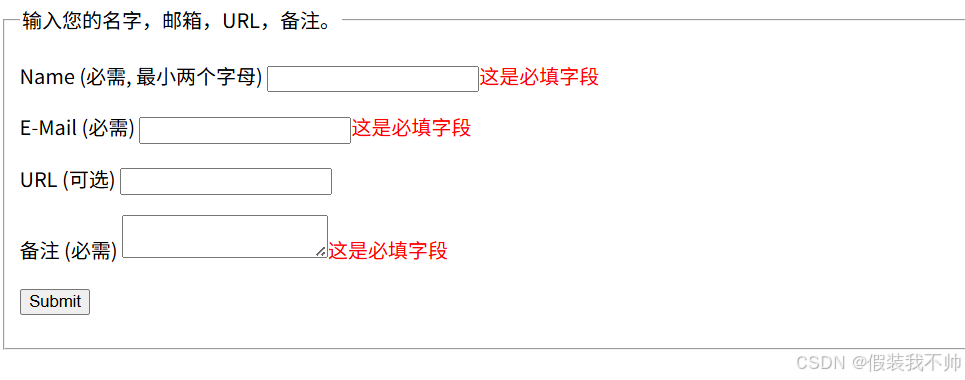
按照要求提交好
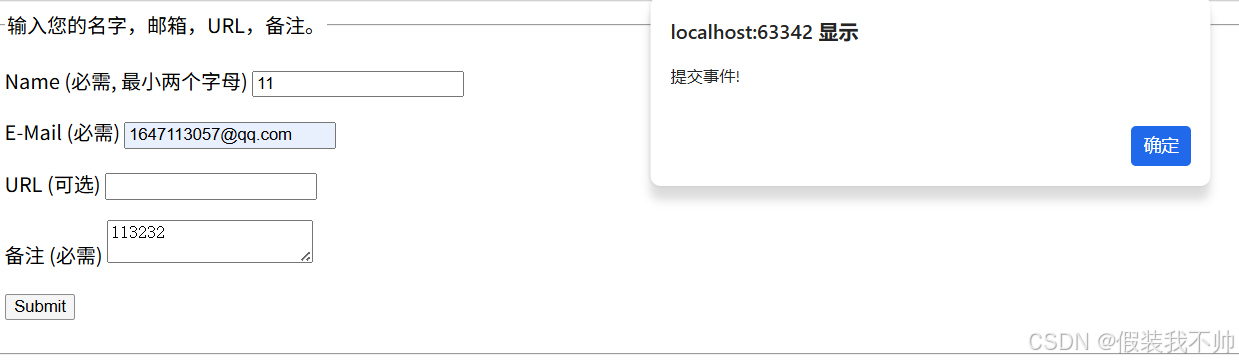
使用js实现校验
html
<!doctype html>
<html lang="en">
<head>
    <meta charset="UTF-8">
    <meta name="viewport" content="width=device-width, initial-scale=1">
    <title>Document</title>
    <style>
        .error{
            color:red;
        }
    </style>
</head>
<body>
<form class="cmxform" id="signupForm" method="get" action="">
    <fieldset>
        <legend>验证完整的表单</legend>
        <p>
            <label for="firstname">名字</label>
            <input id="firstname" name="firstname" type="text">
        </p>
        <p>
            <label for="lastname">姓氏</label>
            <input id="lastname" name="lastname" type="text">
        </p>
        <p>
            <label for="username">用户名</label>
            <input id="username" name="username" type="text">
        </p>
        <p>
            <label for="password">密码</label>
            <input id="password" name="password" type="password">
        </p>
        <p>
            <label for="confirm_password">验证密码</label>
            <input id="confirm_password" name="confirm_password" type="password">
        </p>
        <p>
            <label for="email">Email</label>
            <input id="email" name="email" type="email">
        </p>
        <p>
            <label for="agree">请同意我们的声明</label>
            <input type="checkbox" class="checkbox" id="agree" name="agree">
        </p>
        <p>
            <label for="newsletter">我乐意接收新信息</label>
            <input type="checkbox" class="checkbox" id="newsletter" name="newsletter">
        </p>
        <fieldset id="newsletter_topics">
            <legend>主题 (至少选择两个) - 注意:如果没有勾选"我乐意接收新信息"以下选项会隐藏,但我们这里作为演示让它可见</legend>
            <label for="topic_marketflash">
                <input type="checkbox" id="topic_marketflash" value="marketflash" name="topic[]">Marketflash
            </label>
            <label for="topic_fuzz">
                <input type="checkbox" id="topic_fuzz" value="fuzz" name="topic[]">Latest fuzz
            </label>
            <label for="topic_digester">
                <input type="checkbox" id="topic_digester" value="digester" name="topic[]">Mailing list digester
            </label>
            <label for="topic" class="error" style="display:none">至少选择两个</label>
        </fieldset>
        <p>
            <input class="submit" type="submit" value="提交">
        </p>
    </fieldset>
</form>
<script src="js/jquery.js"></script>
<script src="js/jquery.validate.js"></script>
<script src="js/messages_zh.js"></script>
<script>
    $.validator.setDefaults({
        //监听默认提交事件
        submitHandler: function() {
            alert("提交事件!");
        }
    });
    $(function () {
        $("#signupForm").validate({
            rules: {
                firstname: "required",
                lastname: "required",
                username: {
                    required: true,
                    minlength: 2
                },
                password: {
                    required: true,
                    minlength: 5
                },
                confirm_password: {
                    required: true,
                    minlength: 5,
                    equalTo: "#password"
                },
                email: {
                    required: true,
                    email: true
                },
                "topic[]": {
                    required: "#newsletter:checked",
                    minlength: 2
                },
                agree: "required"
            },
            messages: {
                firstname: "请输入您的名字",
                lastname: "请输入您的姓氏",
                username: {
                    required: "请输入用户名",
                    minlength: "用户名必需由两个字母组成"
                },
                password: {
                    required: "请输入密码",
                    minlength: "密码长度不能小于 5 个字母"
                },
                confirm_password: {
                    required: "请输入密码",
                    minlength: "密码长度不能小于 5 个字母",
                    equalTo: "两次密码输入不一致"
                },
                email: "请输入一个正确的邮箱",
                agree: "请接受我们的声明",
                topic: "请选择两个主题"
            }
        });
    });
</script>
</body>
</html>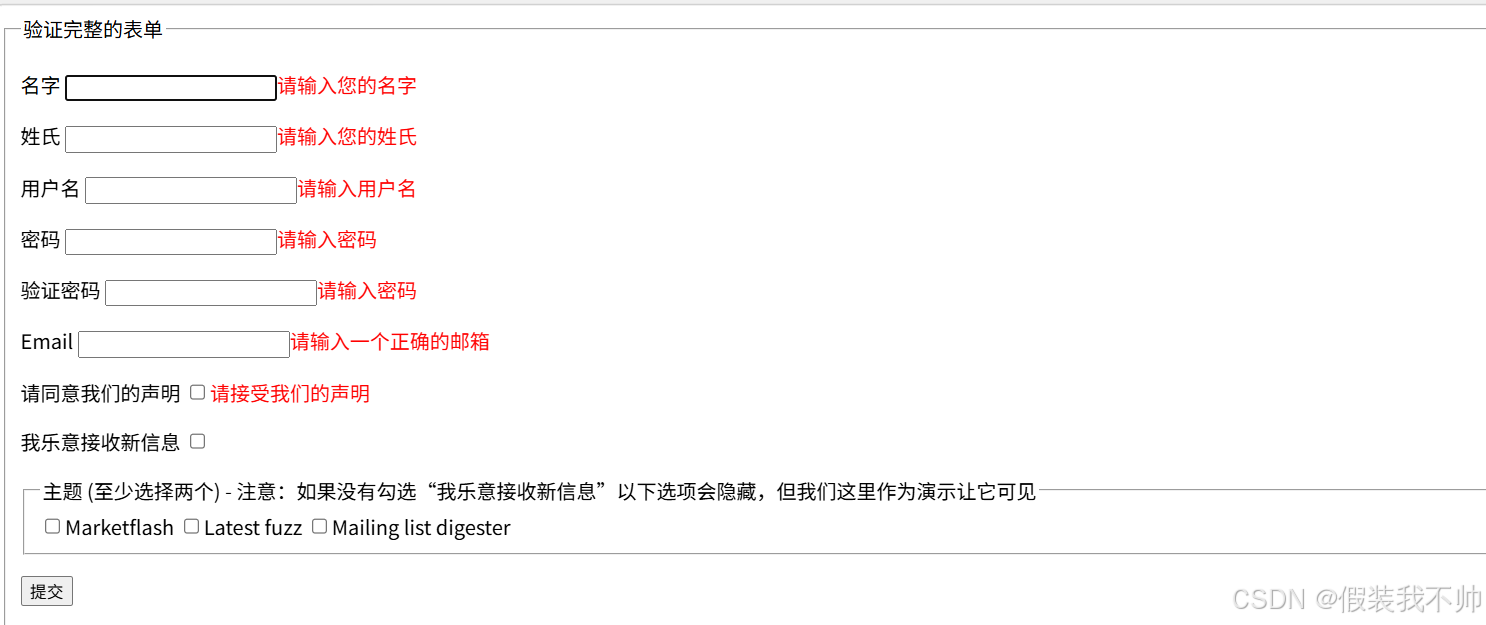
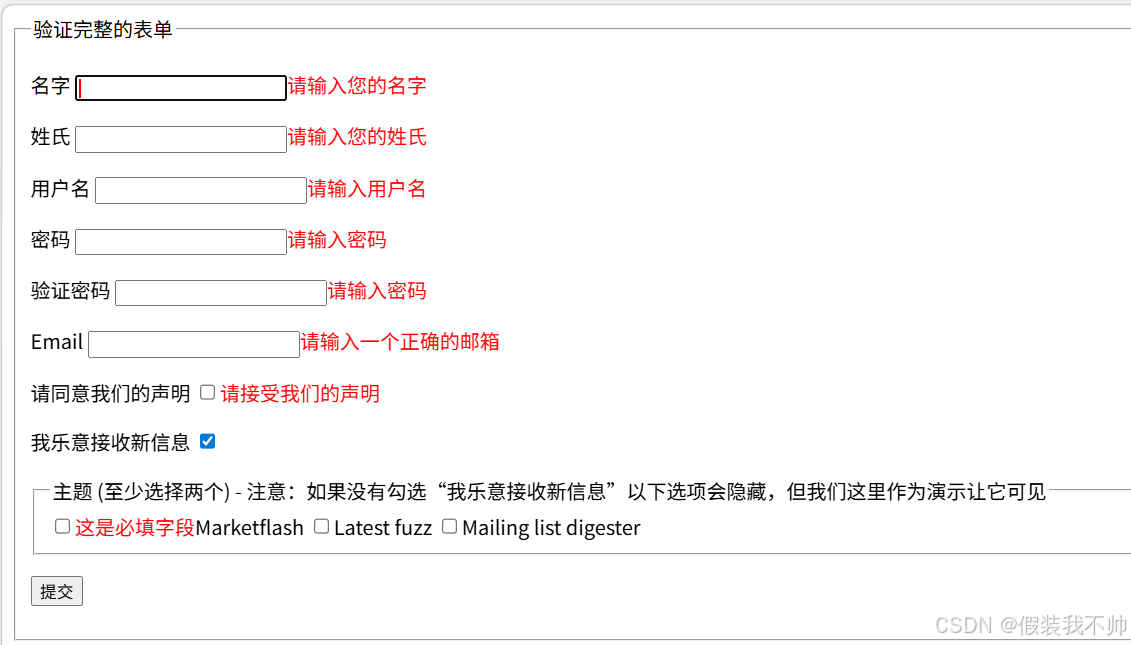
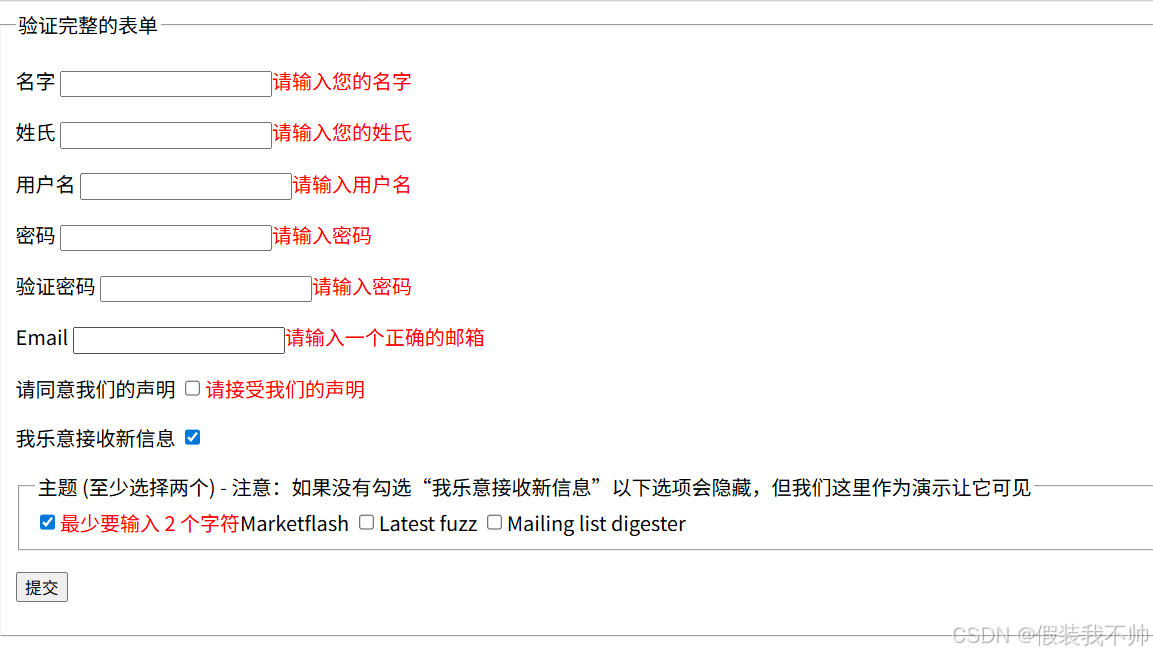
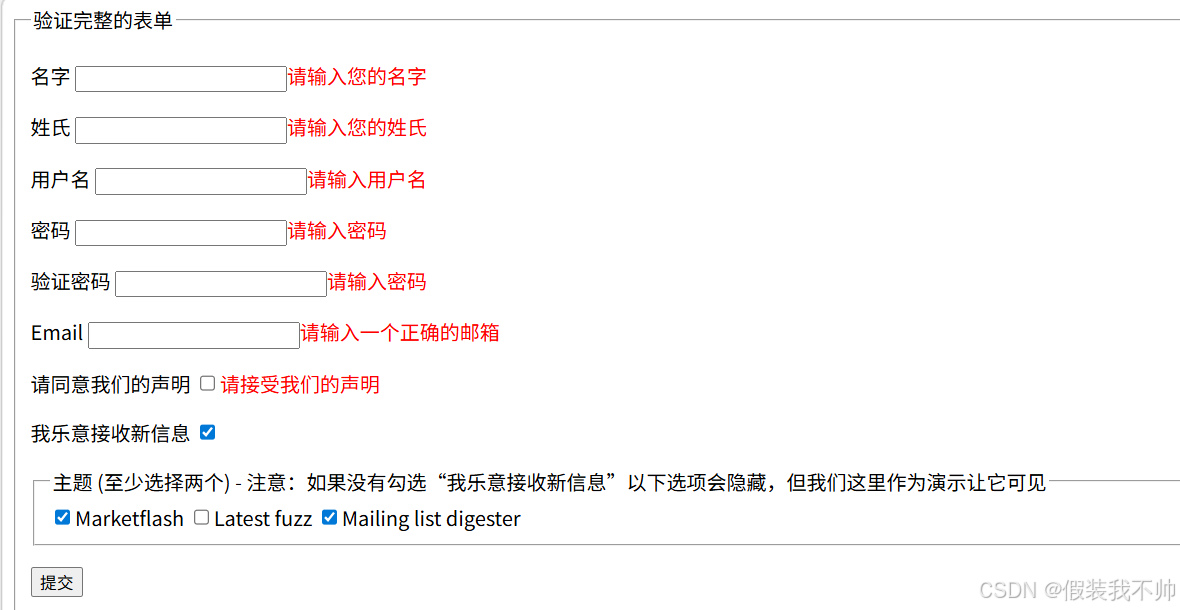
required: "#aa:checked" 表达式的值为真,则需要验证。
注册案例
html
<!DOCTYPE html>
<html lang="en">

<head>
    <meta charset="UTF-8">
    <meta name="viewport" content="width=device-width, initial-scale=1.0">
    <title>Document</title>
    <style>
        /* 简单样式优化 */
        .register-form {
            width: 400px;
            margin: 50px auto;
            padding: 30px;
            border: 1px solid #eee;
            border-radius: 8px;
            box-shadow: 0 0 10px rgba(0, 0, 0, 0.05);
        }

        .form-item {
            margin-bottom: 20px;
        }

        label {
            display: block;
            margin-bottom: 8px;
            font-weight: 500;
            color: #333;
        }

        input[type="text"],
        input[type="password"] {
            width: 100%;
            padding: 10px;
            border: 1px solid #ddd;
            border-radius: 4px;
            box-sizing: border-box;
            font-size: 14px;
        }

        input[type="checkbox"] {
            margin-right: 8px;
        }

        .submit-btn {
            width: 100%;
            padding: 12px;
            background-color: #007bff;
            color: #fff;
            border: none;
            border-radius: 4px;
            cursor: pointer;
            font-size: 16px;
        }

        .submit-btn:hover {
            background-color: #0056b3;
        }

        /* 校验错误提示样式 */
        span.error {
            color: #dc3545;
            font-size: 12px;
            margin-top: 5px;
            display: block;
        }

        /* 专门为checkbox错误提示补充样式(可选,优化布局) */
        .checkbox-error {
            margin-top: 5px;
            margin-left: 22px;
            /* 对齐checkbox内容,更美观 */
        }
    </style>
</head>

<body>
    <form class="register-form" id="registerForm">
        <div class="form-item">
            <label for="phone">手机号</label>
            <input type="text" id="phone" name="phone" placeholder="请输入11位手机号">
        </div>

        <div class="form-item">
            <label for="password">设置密码</label>
            <input type="password" id="password" name="password" placeholder="请设置8-20位复杂密码">
        </div>

        <div class="form-item">
            <label for="confirmPassword">确认密码</label>
            <input type="password" id="confirmPassword" name="confirmPassword" placeholder="请再次输入密码">
        </div>

        <div class="form-item" id="agreeProtocolWrapper">
            <div style="display:flex;align-items:center;">
                <input type="checkbox" id="agreeProtocol" name="agreeProtocol">
                <label for="agreeProtocol" style="display: inline;margin-bottom: 2px;">我已阅读并同意《用户隐私协议》和《服务条款》</label>
            </div>
        </div>

        <div class="form-item">
            <button type="submit" class="submit-btn">提交注册</button>
        </div>
    </form>

    <script src="js/jquery.js"></script>
    <script src="js/jquery.validate.js"></script>
    <script src="js/messages_zh.js"></script>
    <script>
        $(function () {
            // 自定义密码复杂度校验方法
            $.validator.addMethod("passwordComplex", function (value, element) {
                var passwordReg = /^(?=.*\d)(?=.*[A-Z])(?=.*[a-z])(?=.*[^a-zA-Z0-9])[\w\W]{8,20}$/;
                return this.optional(element) || passwordReg.test(value);
            }, "密码格式不符合要求(8-20位,包含数字、大写字母、小写字母、特殊字符)");
            $.validator.addMethod("isMobile", function (value, element) {
                var length = value.length;
                return this.optional(element) || (length == 11 && /^1[345789]\d{9}$/.test(value));
            }, "请填写正确的手机号码");
            // 配置jQuery Validation校验规则
            $("#registerForm").validate({
                //就不开启提交表单了,不过不会触发submitHandler
                //debug: true,
                // 核心:全局修改错误提示元素的类名(替换默认的 error)
                //errorClass: "input-error",
                // 可选:全局修改表单元素校验通过时的类名
                //validClass: "input-valid",
                // 校验规则
                rules: {
                    phone: {
                        required: true,
                        rangelength: [11, 11],
                        isMobile: true
                    },
                    password: {
                        required: true,
                        rangelength: [8, 20],
                        passwordComplex: true
                    },
                    confirmPassword: {
                        required: true,
                        equalTo: "#password"
                    },
                    agreeProtocol: {
                        required: true
                    }
                },
                // 自定义校验提示信息
                messages: {
                    phone: {
                        required: "请输入手机号",
                        rangelength: "手机号必须为11位数字",
                    },
                    password: {
                        required: "请设置密码",
                        rangelength: "密码长度必须在8-20位之间"
                    },
                    confirmPassword: {
                        required: "请再次输入密码",
                        equalTo: "两次输入的密码不一致"
                    },
                    agreeProtocol: {
                        required: "必须勾选同意隐私协议才能继续注册"
                    }
                },
                // 可选配置:提升用户体验
                focusInvalid: false,
                errorElement: "span",
                // 核心:自定义错误信息放置位置(解决checkbox错行问题)
                errorPlacement: function (error, element) {
                    // 判断当前校验的元素是否是隐私协议checkbox(通过name属性)
                    if (element.attr("name") === "agreeProtocol") {
                        error.insertAfter($(element).parent());
                    } else {
                        // 其他表单元素(手机号、密码等)保持默认放置位置(元素后面)
                        error.insertAfter(element);
                    }
                },
                onfocusout: function (element) {
                    var targetFields = ["phone", "password", "confirmPassword"];
                    var currentFieldName = element.name;
                    if (targetFields.includes(currentFieldName)) {
                        $(element).valid();
                    }
                },
                // 表单校验通过后的回调
                submitHandler: function (form) {
                    //alert("注册表单校验通过,即将提交数据!");
                    let isManelForm = false;
                    if (isManelForm) {
                        // 手动提交表单
                        form.submit();
                    } else {
                        //ajax提交表单
                        console.log($(form).serialize());
                        //防止重复提交
                        $(form).find(":submit").prop("disabled", true);
                        $.ajax({
                            url: "/register",
                            type: "POST",
                            data: $(form).serialize(),
                            success: function (data) {
                                //成功之后的处理
                            },
                            error: function (error) {
                                alert('网络繁忙,请重试');
                            },
                            complete: function () {
                                $(form).find(":submit").prop("disabled", false);
                            }
                        });
                        return false;
                    }
                }
            });
        });
    </script>
</body>

</html>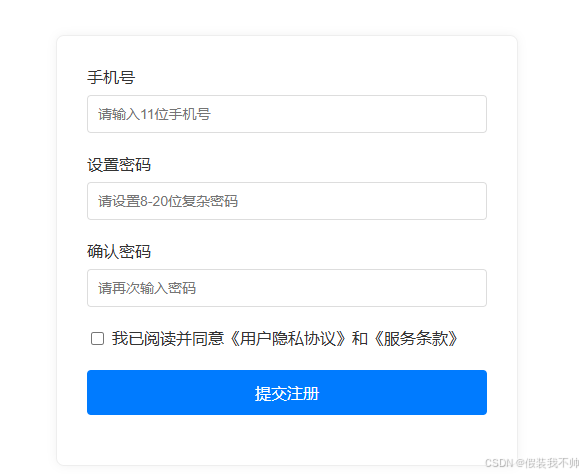
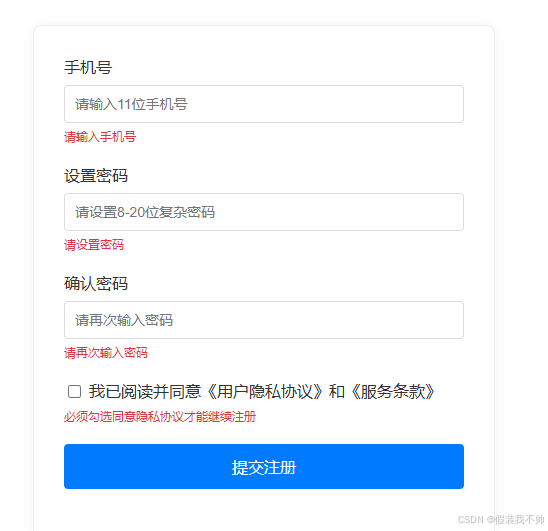
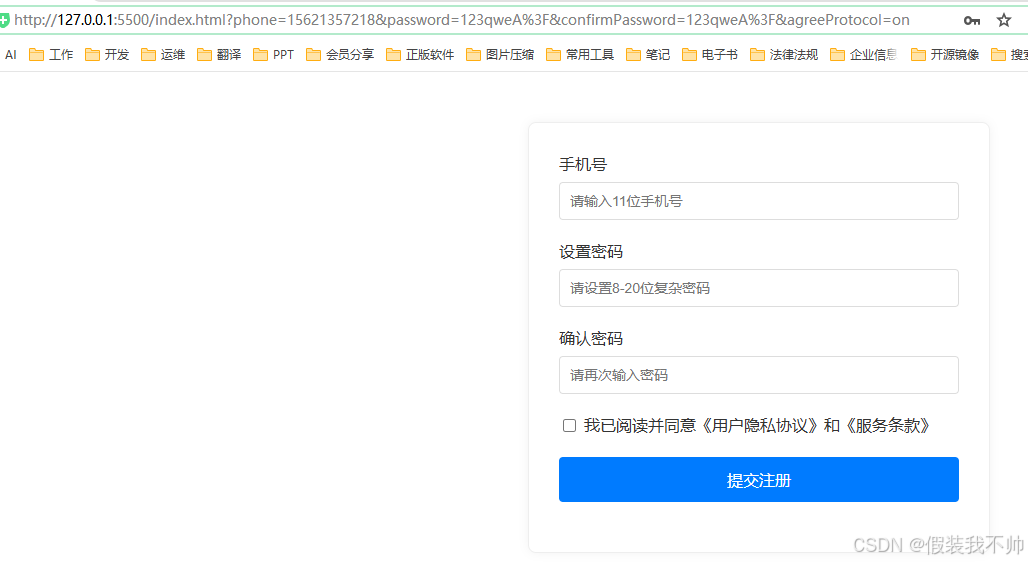
ajax提交
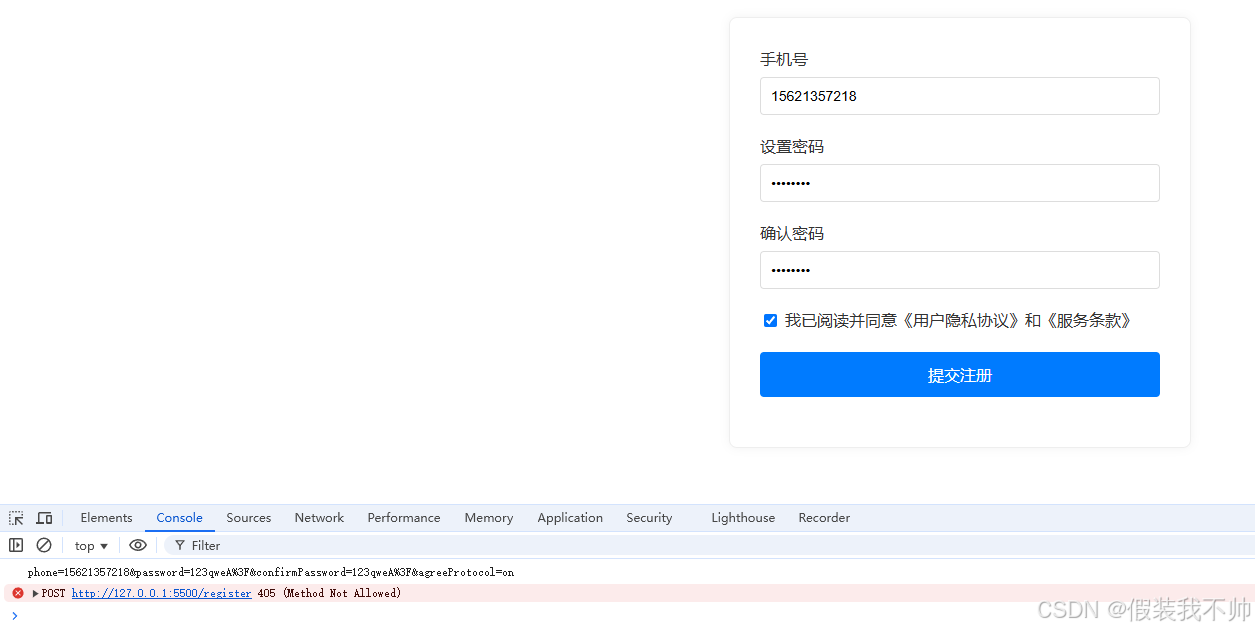
form表单提交