一、需求来源
最近需要实现弹窗,动画方向分为:
- 从屏幕顶部滑动到屏幕内,top->Center。
- 从屏幕底部滑动到屏幕内,bottom->Center。
- 从屏幕左侧滑动到屏幕内,left->Center。
- 从屏幕右侧滑动到屏幕内,right->Center。
- 直接显示在屏幕中间,Center->Center。
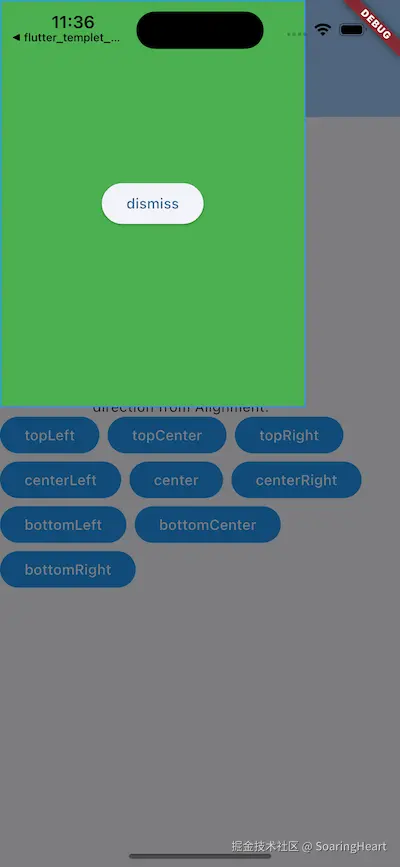
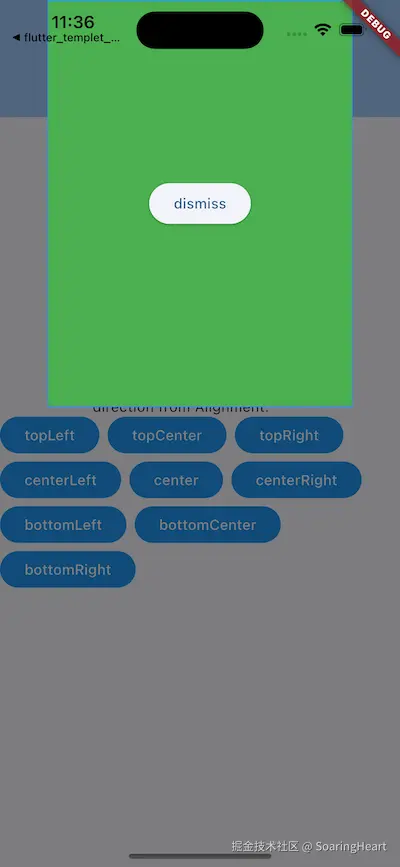
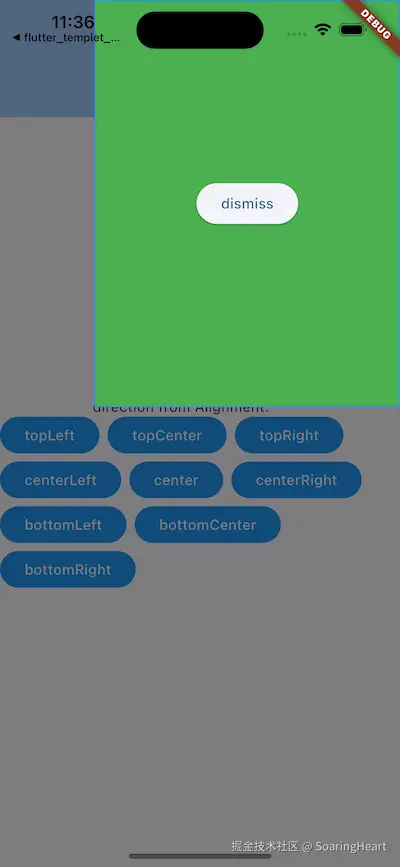
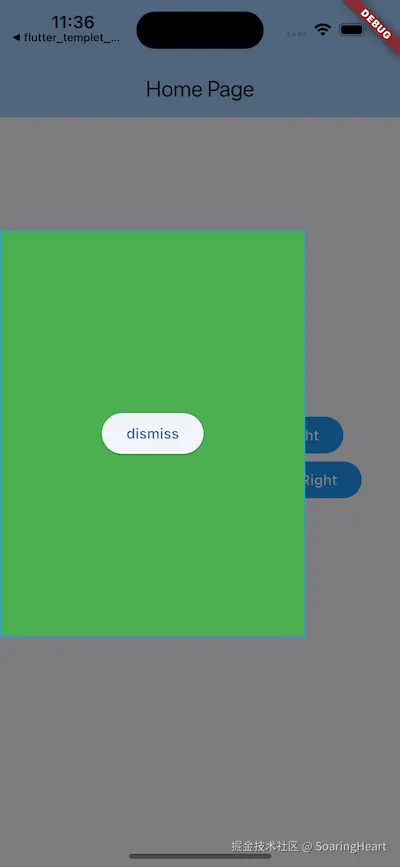
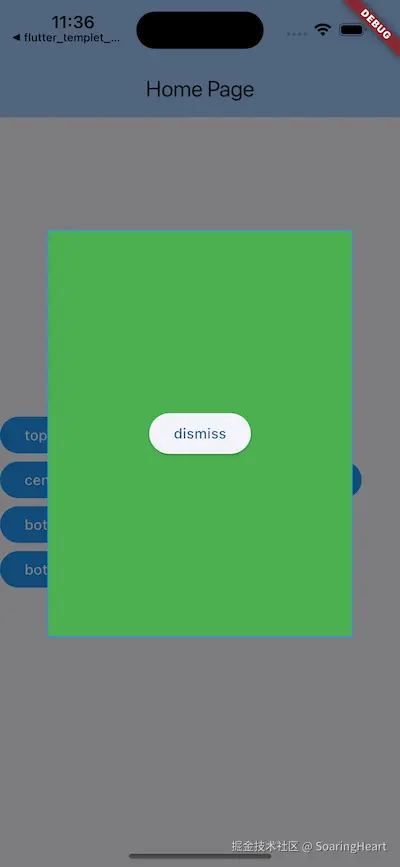
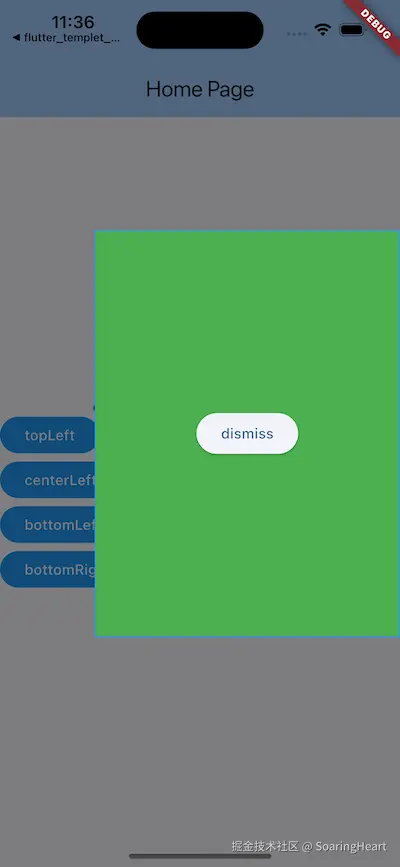
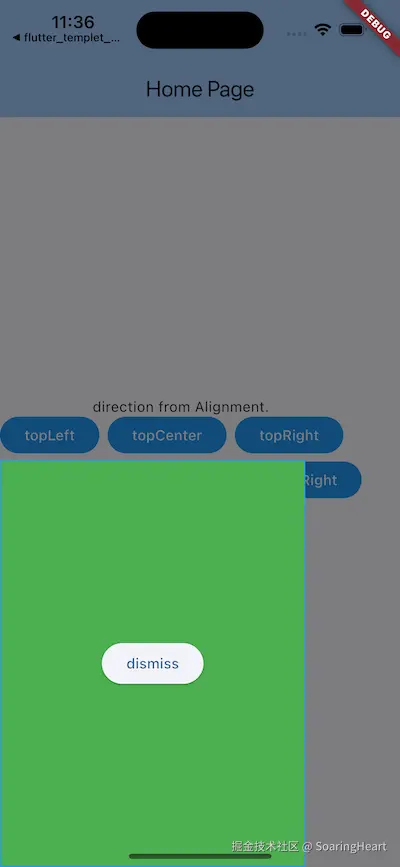
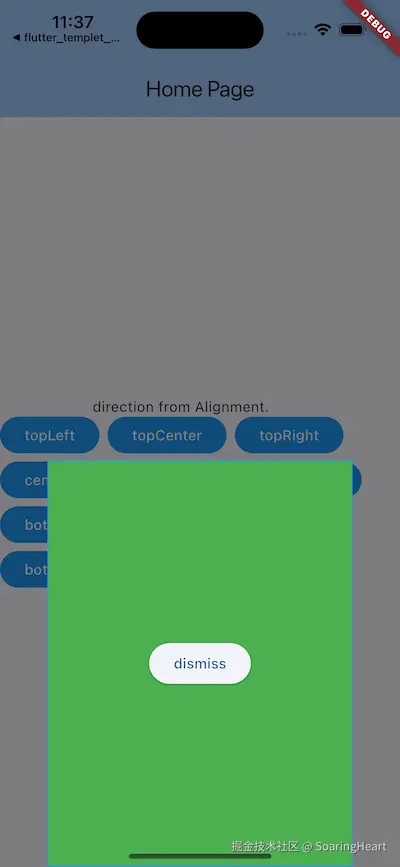
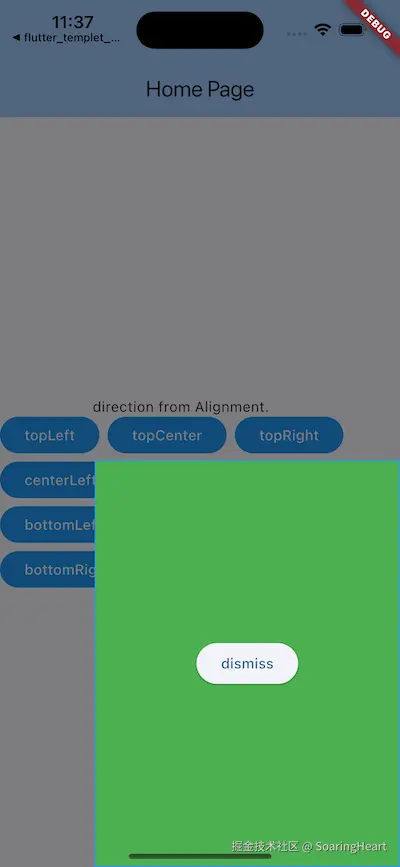
最终实现以 Alignment 参数为动画方向,弹窗内容高度和宽度自定义,实现从哪个方向弹出就从哪个方向消失的高自由度。彻底突破了 ModalBottomSheet 的方向显示。 效果图如下:
二、使用示例
less
import 'package:flutter/material.dart';
import 'package:n_slide_popup/n_slide_popup.dart';

void main() {
  runApp(const MyApp());
}

class MyApp extends StatelessWidget {
  const MyApp({super.key});

  // This widget is the root of your application.
  @override
  Widget build(BuildContext context) {
    return MaterialApp(
      title: 'Flutter Demo',
      theme: ThemeData(
        colorScheme: ColorScheme.fromSeed(seedColor: Colors.blue),
        useMaterial3: true,
      ),
      home: const MyHomePage(title: 'Home Page'),
    );
  }
}

class MyHomePage extends StatefulWidget {
  const MyHomePage({super.key, required this.title});

  final String title;

  @override
  State<MyHomePage> createState() => _MyHomePageState();
}

class _MyHomePageState extends State<MyHomePage> {
  List<Alignment> alignments = [    Alignment.topLeft,    Alignment.topCenter,    Alignment.topRight,    Alignment.centerLeft,    Alignment.center,    Alignment.centerRight,    Alignment.bottomLeft,    Alignment.bottomCenter,    Alignment.bottomRight,  ];

  var alignment = Alignment.center;

  @override
  Widget build(BuildContext context) {
    return Scaffold(
      appBar: AppBar(
        backgroundColor: Theme.of(context).colorScheme.inversePrimary,
        title: Text(widget.title),
      ),
      body: Column(
        mainAxisAlignment: MainAxisAlignment.center,
        children: <Widget>[
          const Text("direction from Alignment."),
          Wrap(
            spacing: 8,
            runSpacing: 8,
            children: [
              ...alignments.map((e) {
                var name = e.toString().split('.')[1];
                return ElevatedButton(
                  style: ElevatedButton.styleFrom(
                    backgroundColor: Colors.blue,
                    elevation: 0,
                    tapTargetSize: MaterialTapTargetSize.shrinkWrap,
                    minimumSize: const Size(64, 36),
                  ),
                  onPressed: () {
                    alignment = e;
                    debugPrint("$alignment ${alignment.x} ${alignment.y}");
                    onPopupRoute();
                  },
                  child: Text(
                    name,
                    style: TextStyle(color: Colors.white),
                  ),
                );
              }),
            ],
          )
        ],
      ),
    );
  }

  Future<void> onPopupRoute() async {
    final route = NSlidePopupRoute(
      from: alignment,
      builder: (_) {
        return buildPopupView(alignment: alignment, argsDismiss: {"b": "88"});
      },
    );
    final result = await Navigator.of(context).push(route);
    print(["result", result.runtimeType, result]);
  }

  Widget buildPopupView({required Alignment alignment, Map<String, dynamic>? argsDismiss}) {
    return Align(
      alignment: alignment,
      child: Container(
        width: 300,
        height: 400,
        alignment: Alignment.center,
        decoration: BoxDecoration(
          color: Colors.green,
          border: Border.all(color: Colors.blue),
          borderRadius: BorderRadius.all(Radius.circular(0)),
        ),
        child: ElevatedButton(
          onPressed: () {
            Navigator.of(context).pop(argsDismiss);
          },
          child: Text("dismiss"),
        ),
      ),
    );
  }
}
三、源码
php
//
//  NSlidePopupRoute.dart
//  n_slide_popup
//
//  Created by shang on 2025/12/27.
//  Copyright © 2025/12/27 shang. All rights reserved.
//


import 'package:flutter/material.dart';

/// 最新滑入弹窗
class NSlidePopupRoute<T> extends PopupRoute<T> {
  NSlidePopupRoute({
    super.settings,
    required this.builder,
    this.from = Alignment.bottomCenter,
    this.barrierColor = const Color(0x80000000),
    this.barrierDismissible = true,
    this.duration = const Duration(milliseconds: 300),
    this.barrierLabel,
    this.curve = Curves.easeOutCubic,
  });

  final WidgetBuilder builder;

  /// 从哪个方向进入(推荐:topCenter / bottomCenter / centerLeft / centerRight)
  final Alignment from;

  final Duration duration;

  final Curve curve;

  @override
  final bool barrierDismissible;

  @override
  final Color barrierColor;

  @override
  final String? barrierLabel;

  @override
  Duration get transitionDuration => duration;

  // 展示
  static Future<T?> show<T>({
    required BuildContext context,
    required WidgetBuilder builder,
    Alignment from = Alignment.bottomCenter,
    Duration duration = const Duration(milliseconds: 300),
    Curve curve = Curves.easeOutCubic,
    Color barrierColor = const Color(0x80000000),
    bool barrierDismissible = true,
    String? barrierLabel,
    bool useRootNavigator = true,
    RouteSettings? routeSettings,
  }) {
    return Navigator.of(context, rootNavigator: useRootNavigator).push(
      NSlidePopupRoute<T>(
        builder: builder,
        from: from,
        duration: duration,
        curve: curve,
        barrierColor: barrierColor,
        barrierDismissible: barrierDismissible,
        barrierLabel: barrierLabel,
        settings: routeSettings,
      ),
    );
  }

  @override
  Widget buildPage(
    BuildContext context,
    Animation<double> animation,
    Animation<double> secondaryAnimation,
  ) {
    // 直接返回背景和内容,不应用动画
    return Material(
      color: barrierColor,
      child: const SizedBox.expand(), // 只负责背景
    );
  }

  @override
  Widget buildTransitions(
    BuildContext context,
    Animation<double> animation,
    Animation<double> secondaryAnimation,
    Widget child,
  ) {
    final content = builder(context);

    // ⭐ 中心弹窗:Fade
    if (from == Alignment.center) {
      return FadeTransition(
        opacity: animation.drive(
          CurveTween(curve: Curves.easeOut),
        ),
        child: content,
      );
    }

    // ⭐ 其余方向:Slide
    return FadeTransition(
      opacity: animation,
      child: SlideTransition(
        position: animation.drive(
          Tween<Offset>(
            begin: _alignmentToOffset(from),
            end: Offset.zero,
          ).chain(
            CurveTween(curve: curve),
          ),
        ),
        child: content,
      ),
    );
  }

  /// Alignment → Offset(关键点)
  Offset _alignmentToOffset(Alignment alignment) {
    return Offset(
      alignment.x.sign,
      alignment.y.sign,
    );
  }
}
最后、总结
- NSlidePopupRoute 代码实现极简,没有过多的底层封装,是为了追求极致的自由度。
- 当 alignment == Alignment.center 时,它是 Dialog弹窗。
- 从顶部滑出时,它可以是顶部通知 Toast。
- 从底部滑出时,它可以是 ModalBottomSheet,SnackBar。