我使用vben5进行前端代码开发时,有一个需求,每次切换语言时,我都要求项目要重新刷新一遍,这样才能进行后端的语言切换也好,前端国际化的展示也好,我都需要实现这个功能。
我之前一直都是在apps/web-and/src/locales/index.ts文件中进行语言的切换,但是,我发现在这个文件中进行语言切换时,每次切换国际化之后都不起作用。后来发现是切换语言的时候又刷新了页面,所有导致切换好的语言又被重置了,所以,我发现不能再这个文件中进行切换,我们应该在。
packages\effects\layouts\src\widgets\language-toggle.vue
我们应该在这个文件中进行国际化语言的切换才对。
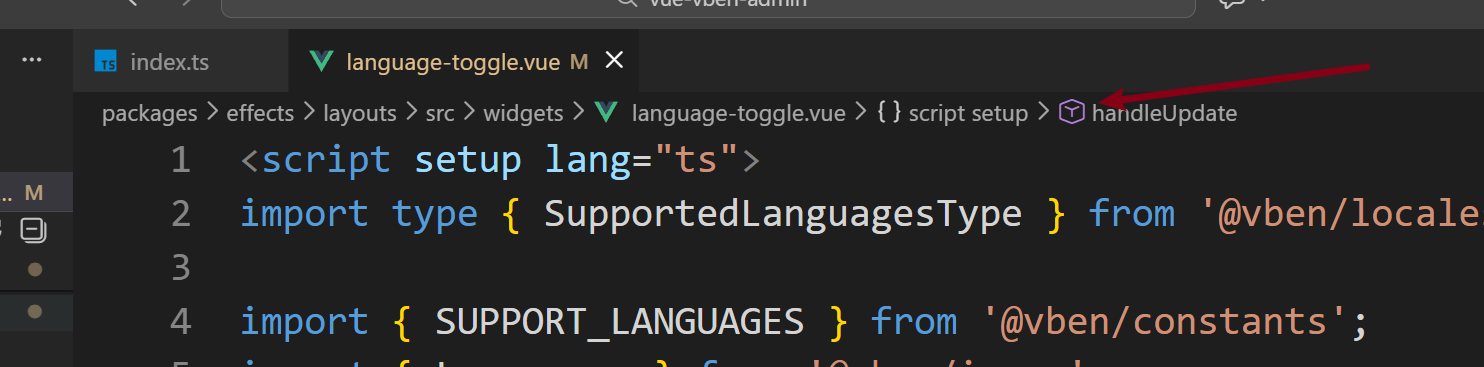
相应的修改代码如下:
<script setup lang="ts">
import type { SupportedLanguagesType } from '@vben/locales';

import { SUPPORT_LANGUAGES } from '@vben/constants';
import { Languages } from '@vben/icons';
import { loadLocaleMessages } from '@vben/locales';
import { preferences, updatePreferences } from '@vben/preferences';

import { VbenDropdownRadioMenu, VbenIconButton } from '@vben-core/shadcn-ui';
import { nextTick, ref } from 'vue';

defineOptions({
  name: 'LanguageToggle',
});

// 添加加载状态,防止重复点击
const loading = ref(false);

async function handleUpdate(value: string | undefined) {
  if (!value) {
    console.warn('接收到空值,跳过语言切换');
    return;
  }

  const locale = value as SupportedLanguagesType;

  // 如果正在加载或者已经是当前语言,则跳过
  if (loading.value || preferences.app.locale === locale) {
    return;
  }


  try {
    loading.value = true;

    // 1. 更新偏好设置
    updatePreferences({
      app: {
        locale,
      },
    });

    // 2. 加载语言包
    await loadLocaleMessages(locale);

    // 3. 等待下一个tick确保DOM更新完成
    await nextTick();

    // 4. 刷新页面以重新加载所有组件
    // 这里使用setTimeout是为了确保所有的状态更新和DOM更新都已完成
    setTimeout(() => {
      window.location.reload();
    }, 100);
      console.log('国际化手动切换成功', value);
  } catch (error) {
    console.error('切换语言失败:', error);
    // 如果切换失败,恢复原来的语言设置
    updatePreferences({
      app: {
        locale: preferences.app.locale,
      },
    });
  } finally {

    loading.value = false;
  }
}
</script>

<template>
  <div>
    <VbenDropdownRadioMenu
      :menus="SUPPORT_LANGUAGES"
      :model-value="preferences.app.locale"
      :disabled="loading"
      @update:model-value="handleUpdate"
    >
      <VbenIconButton
        class="hover:animate-[shrink_0.3s_ease-in-out]"
        :disabled="loading"
      >
        <Languages class="text-foreground size-4" />
        <!-- 添加加载指示器 -->
        <span
          v-if="loading"
          class="absolute top-0 right-0 w-2 h-2 bg-primary rounded-full animate-ping"
        ></span>
      </VbenIconButton>
    </VbenDropdownRadioMenu>
  </div>
</template>