官方网址:
https://github.com/RoboSense-LiDAR/rslidar_sdk/blob/main/README_CN.md
参考文章:
一、下载驱动包以及配置依赖
1.1下载github包
使用git clone
bash
mkdir -p RS_Helios_32/src
cd RS_Helios_32/src
git clone https://github.com/RoboSense-LiDAR/rslidar_sdk.git
cd rslidar_sdk
git submodule init
git submodule update
直接下载
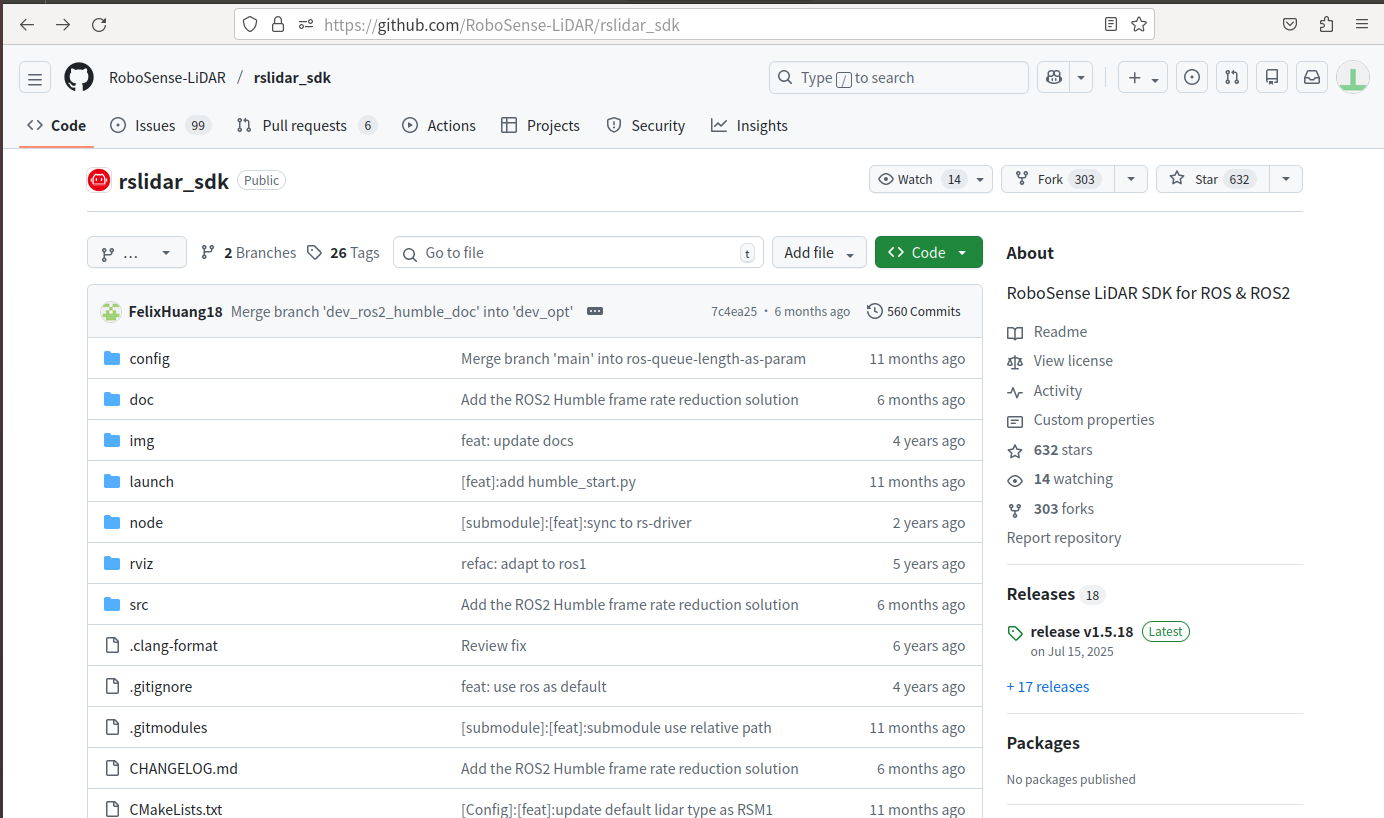
点击右侧releases选择版本
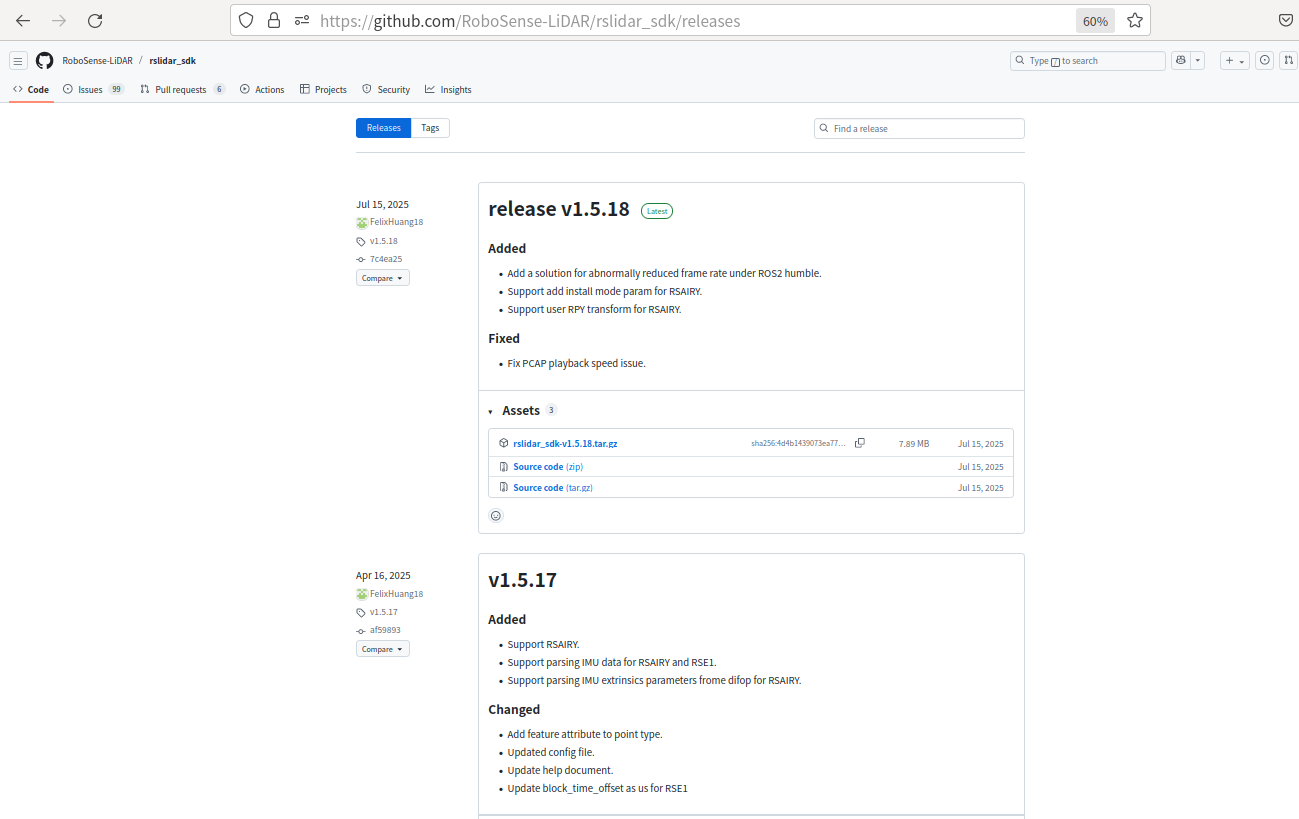
将下载好的压缩包解压到RS_Helios_32/src文件夹下;请下载 rslidar_sdk.tar.gz 压缩包,不要下载Source code。因为Source code压缩包内不包含子模块rs_driver的代码
1.2、安装依赖
1.2.1 ROS
1.2.2 Yaml (若已安装ROS desktop-full, 可跳过)
1.2.3libpcap
bash
sudo apt-get install -y libpcap-dev二、配置雷达类型、话题、参数等
参考官网:
https://github.com/RoboSense-LiDAR/rslidar_sdk/blob/main/doc/intro/02_parameter_intro_CN.md
2.1打开rslidar_sdk文件夹下的CMakeLists.txt文件,将变量POINT_TYPE改为XYZIRT
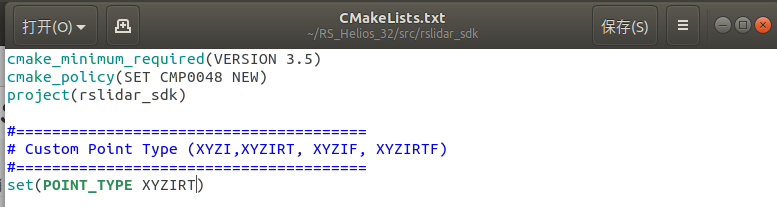
坐标XYZ;强度I;线束编号R;T时间戳;回波次数F
2.2打开rslidar_sdk/config/config.yaml文件
- rslidar_sdk读取配置文件
config.yaml,得到所有的参数。 - config.yaml遵循YAML格式。修改config.yaml之后,请确保每行开头的缩进仍保持一致!
- config.yaml包括两部分:common部分 和 lidar部分
修改send_packet_ros为true,lidar_type为RS32
cpp
common:
  msg_source: 1                         # 0: not use Lidar
                                        # 1: packet message comes from online Lidar
                                        # 2: packet message comes from ROS or ROS2
                                        # 3: packet message comes from Pcap file
  send_packet_ros: true                # true: Send packets through ROS or ROS2(Used to record packet)
  send_point_cloud_ros: true            # true: Send point cloud through ROS or ROS2
lidar:
  - driver:
      lidar_type: RS32             #  LiDAR type - RS16, RS32, RSBP, RSAIRY, RSHELIOS, RSHELIOS_16P, RS128, RS80, RS48, RSP128, RSP80, RSP48,
                                   #               RSM1, RSM1_JUMBO, RSM2, RSM3, RSE1, RSMX.

      msop_port: 6699              #  Msop port of lidar
      difop_port: 7788             #  Difop port of lidar
      imu_port: 0                  #  IMU port of lidar(only for RSAIRY, RSE1), 0 means no imu.
                                   #  If you want to use IMU, please first set ENABLE_IMU_DATA_PARSE to ON in CMakeLists.txt
      user_layer_bytes: 0          #  Bytes of user layer. thers is no user layer if it is 0
      tail_layer_bytes: 0          #  Bytes of tail layer. thers is no tail layer if it is 0


      min_distance: 0.2            #  Minimum distance of point cloud
      max_distance: 200            #  Maximum distance of point cloud
      use_lidar_clock: true        #  true--Use the lidar clock as the message timestamp
                                   #  false-- Use the system clock as the timestamp
      dense_points: false          #  true: discard NAN points; false: reserve NAN points

      ts_first_point: true         #  true: time-stamp point cloud with the first point; false: with the last point;
                                   #  these parameters are used from mechanical lidar

      start_angle: 0               #  Start angle of point cloud
      end_angle: 360               #  End angle of point cloud

                                   #  When msg_source is 3, the following parameters will be used
      pcap_repeat: true            #  true: The pcap bag will repeat play
      pcap_rate: 1.0               #  Rate to read the pcap file
      pcap_path: /home/robosense/lidar.pcap #The path of pcap file

    ros:
      ros_frame_id: rslidar                           #Frame id of packet message and point cloud message
      ros_recv_packet_topic: /rslidar_packets          #Topic used to receive lidar packets from ROS
      ros_send_packet_topic: /rslidar_packets          #Topic used to send lidar packets through ROS
      ros_send_imu_data_topic: /rslidar_imu_data         #Topic used to send imu data through ROS
      ros_send_point_cloud_topic: /rslidar_points      #Topic used to send point cloud through ROS
      ros_queue_length: 100                            #Topic QoS history depth
其余参数解释:
msg_source
1 -- 连接在线雷达。更多使用细节,请参考连接在线雷达并发送点云到ROS。
2 -- 离线解析ROS/ROS2的Packet包。更多使用细节,请参考 录制ROS数据包然后播放它。
3 -- 离线解析PCAP包。更多使用细节,请参考离线解析PCAP包并发送点云到ROS。
send_packet_ros
true -- 雷达Packet消息将通过ROS/ROS2发出
*雷达ROS packet消息为速腾聚创自定义ROS消息,用户使用ROS/ROS2 echo命令不能查看消息的具体内容。这个功能用于录制ROS/ROS2的Packet包,更多使用细节,请参考msg_source=2的情况。
send_point_cloud_ros
- true -- 雷达点云消息将通过ROS/ROS2发出
点云消息的类型为ROS官方定义的点云类型sensor_msgs/PointCloud2, 用户可以使用Rviz直接查看点云。用户可以录制ROS/ROS2的点云包,但点云包的体积非常大,所以不建议这么做。更好的方式是录制Packet包,请参考send_packet_ros=true的情况。
lidar_type
支持的雷达型号在rslidar_sdk的README文件中列出。
msop_port, difop_port, imu_port
接收MSOP/DIFOP/IMU Packet的msop端口号、difop端口号、 Imu端口号。 若收不到消息,请优先确认这些参数是否配置正确。
user_layer_bytes, tail_layer_bytes
用户自定义层和尾部层的字节数。默认为0。
min_distance, max_distance
点云的最小距离和最大距离。这个设置是软件屏蔽,会将区域外的点设置为NAN点,不会减小每帧点云的体积。
use_lidar_clock
- true -- 使用雷达时间作为消息时间戳。
- false -- 使用电脑主机时间作为消息时间戳。
dense_points
输出的点云中是否剔除NAN points。默认值为false。
- true 为剔除,
- false为不剔除。
ts_first_point
默认值为false。点云的时间戳是否第一个点的时间。true使用第一个点的时间,false使用第一个点的时间。
start_angle, end_angle
点云消息的起始角度和结束角度。这个设置是软件屏蔽,将区域外的点设置为NAN点,不会减小每帧点云的体积。 start_angle和end_angle的范围是0~360°,起始角可以大于结束角.
pcap_path
pcap包的路径。当 msg_source=3 时有效。
pcap_rate
pcap包播放的倍率。当 msg_source=3 时有效。
pcap_repeat
pcap包是否重复播放。当 msg_source=3 时有效。
三、编译
3.1、回到工作空间RS_Helios_32目录下,编译
bash
catkin_make
source devel/setup.bash
roslaunch rslidar_sdk start.launch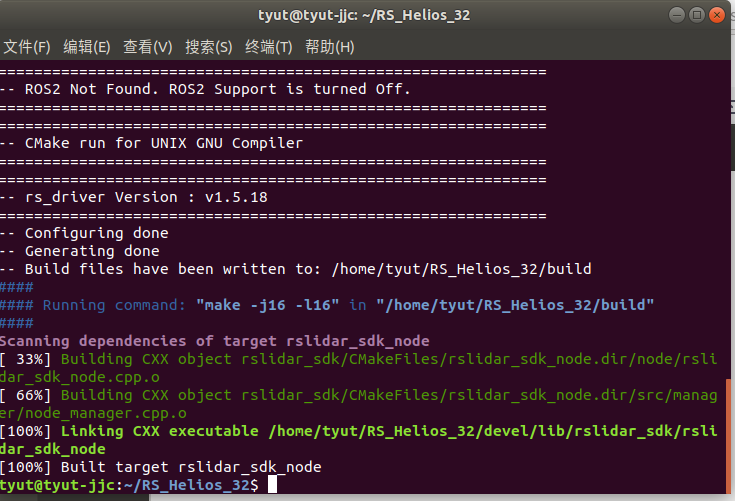
四、配置雷达IP(实物不在,暂不做演示)
参考:
点云类型:
https://github.com/RoboSense-LiDAR/rslidar_sdk/blob/main/doc/howto/05_how_to_change_point_type_CN.md