文章目录
-
-
- Explanation:
- [Steps to Resolve:](#Steps to Resolve:)
-
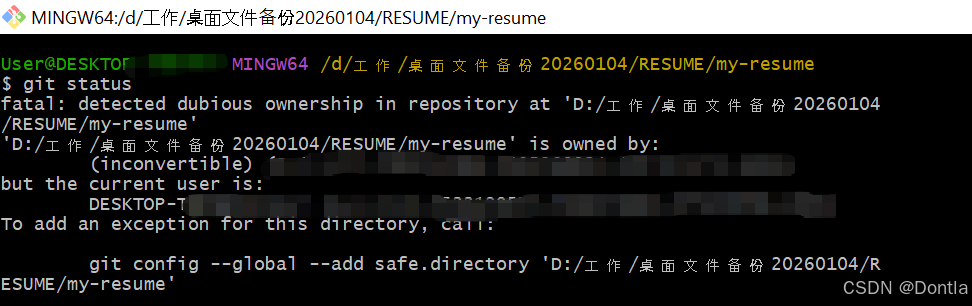
The problem in the image is that Git is detecting a "dubious ownership" in the repository located at 'D:/工作 /桌面文件备份 20260104/RESUME/my-resume'. This typically occurs when the directory ownership or permissions are not consistent with the current user's permissions.
Explanation:
-
Detected Dubious Ownership: Git is warning that the repository is owned by a different user or has inconsistent permissions.
-
Current User vs. Repository Owner: The repository is owned by a user with a different SID (Security Identifier) than the current user trying to access it.
-
Solution Suggestion : Git suggests adding an exception for this directory by running the command:
bashgit config --global --add safe.directory 'D:/工作 /桌面文件备份 20260104/RESUME/my-resume'
Steps to Resolve:
-
Run the Suggested Command: Execute the command provided by Git to add the directory as a safe directory.
bashgit config --global --add safe.directory 'D:/工作/桌面文件备份20260104/RESUME/my-resume'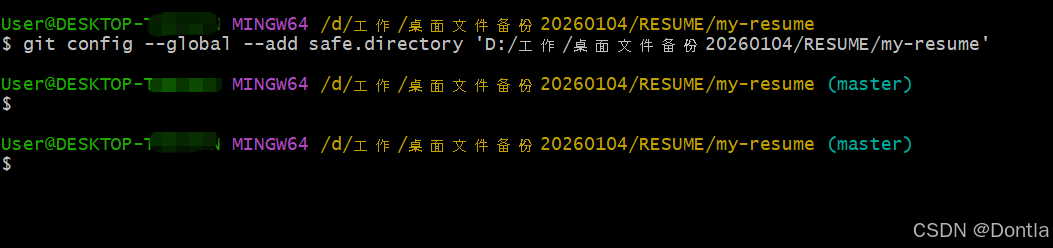
-
Check Permissions: Ensure that the current user has the necessary permissions to access and modify the directory.
-
Retry the Operation : After adding the directory as safe, retry the
git statuscommand to see if the issue is resolved.
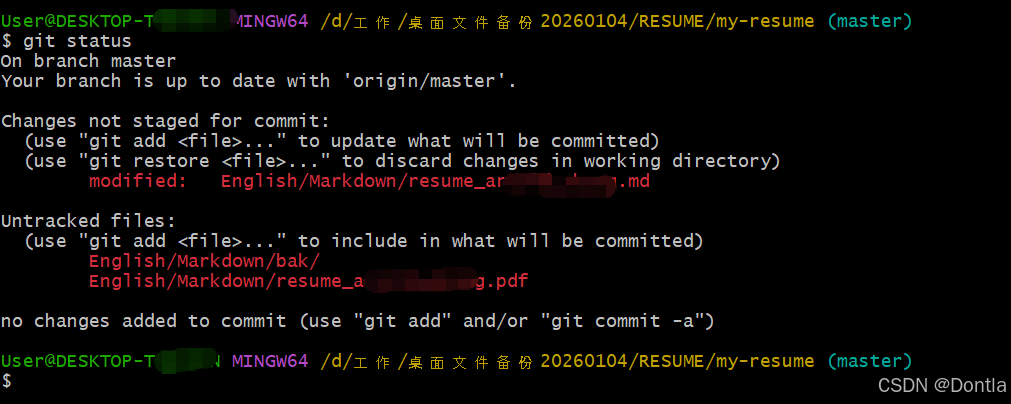
This should address the "dubious ownership" warning and allow you to proceed with Git operations in that repository.