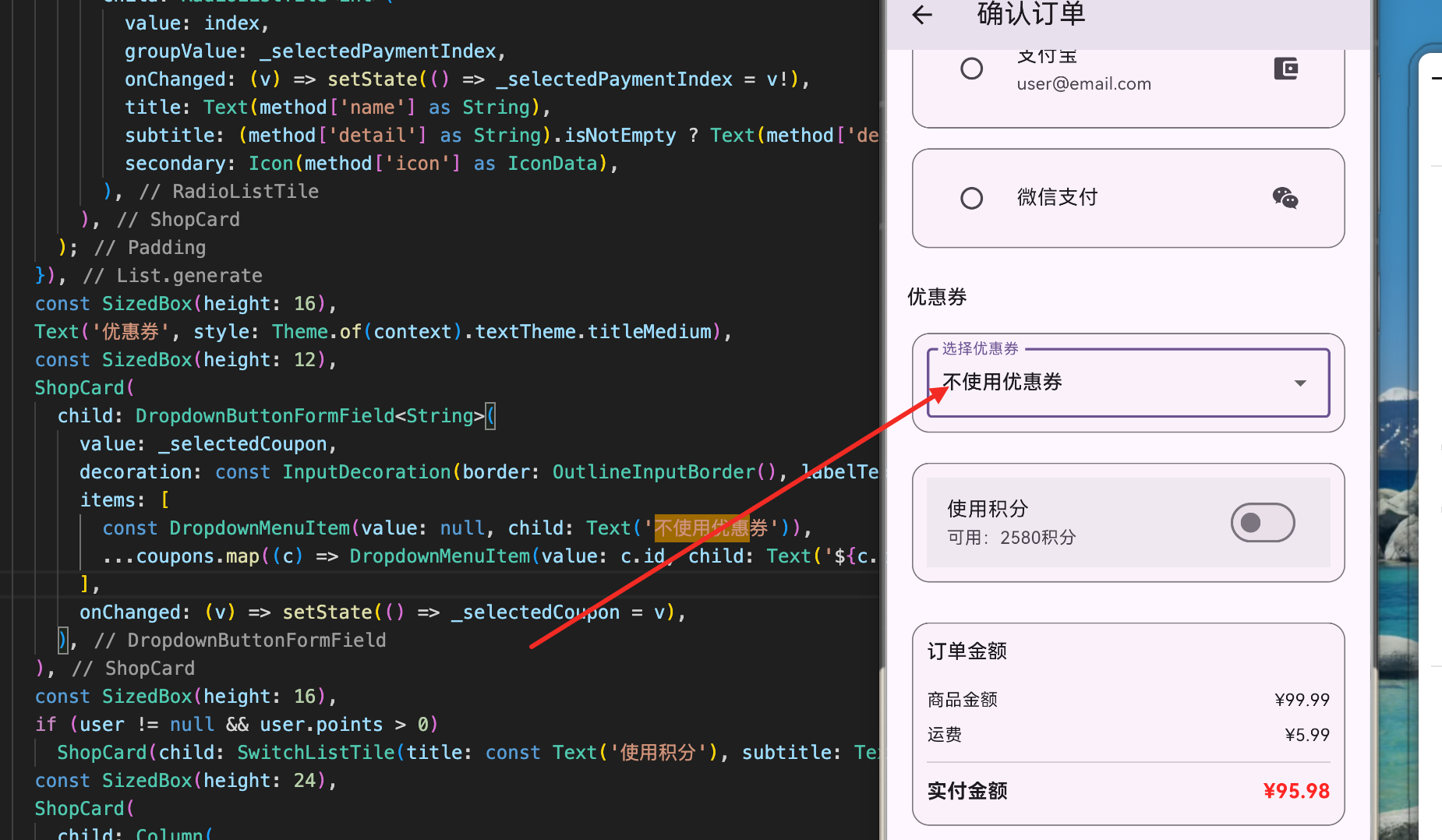
优惠券是电商应用中重要的营销工具。用户可以获取、查看、使用优惠券来享受购物优惠。一个完整的优惠券系统需要支持多种优惠券类型、有效期管理、使用状态追踪等功能。本文将详细讲解如何在 Flutter for OpenHarmony 项目中实现一个功能完整的优惠券管理系统,包括优惠券展示、分类管理、有效期提示和使用操作等功能。
优惠券类型定义
优惠券支持多种类型,包括折扣、满减和包邮。
dart
enum CouponType {
  percentage,    // 折扣券
  fixed,         // 满减券
  freeShipping,  // 包邮券
}
这个枚举定义了三种优惠券类型:
优惠券类型:
- percentage:折扣券,如9折、8折
- fixed:满减券,如满100减20
- freeShipping:包邮券,满足条件包邮
用途:
- 区分不同的优惠方式
- 支持不同的优惠计算逻辑
- 便于UI展示和用户理解
优惠券数据模型
优惠券模型包含优惠信息和有效期管理。
dart
class Coupon {
  const Coupon({
    required this.id,
    required this.code,
    required this.type,
    required this.value,
    required this.minOrderAmount,
    required this.expiresAt,
    this.isUsed = false,
    this.description,
  });

  final String id;
  final String code;
  final CouponType type;
  final double value;
  final double minOrderAmount;
  final DateTime expiresAt;
  final bool isUsed;
  final String? description;
}
这个优惠券模型包含了所有必要的优惠信息:
基本信息:
- id:优惠券唯一标识
- code:优惠券代码,如"WELCOME10"
- type:优惠券类型
- value:优惠值(折扣百分比或减少金额)
使用条件:
- minOrderAmount:最低订单金额
- expiresAt:过期时间
- isUsed:是否已使用
- description:优惠券描述
优惠券显示值
根据优惠券类型生成显示文本。
dart
String get displayValue {
  switch (type) {
    case CouponType.percentage:
      return '${value.toInt()}折';
    case CouponType.fixed:
      return '减¥${value.toStringAsFixed(0)}';
    case CouponType.freeShipping:
      return '包邮';
  }
}
这个方法根据优惠券类型生成用户友好的显示文本:
显示格式:
- 折扣券:显示为"9折"、"8折"等
- 满减券:显示为"减¥20"、"减¥50"等
- 包邮券:显示为"包邮"
用途:
- 在优惠券卡片上显示
- 帮助用户快速理解优惠内容
- 统一的格式展示
优惠券有效期判断
判断优惠券是否过期和是否有效。
dart
bool get isExpired => DateTime.now().isAfter(expiresAt);

bool get isValid => !isUsed && !isExpired;
这两个属性用于判断优惠券的状态:
过期判断:
- isExpired:当前时间是否在过期时间之后
- 用于判断优惠券是否已过期
有效判断:
- isValid:优惠券是否可用
- 需要同时满足:未使用且未过期
- 用于筛选可用优惠券
应用场景:
- 显示优惠券状态
- 筛选可用优惠券
- 禁用已过期或已使用的优惠券
优惠券列表页面
优惠券列表页面使用Tab分类显示不同状态的优惠券。
dart
class CouponsPage extends StatelessWidget {
  const CouponsPage({super.key});

  @override
  Widget build(BuildContext context) {
    final appState = AppStateScope.of(context);

    return DefaultTabController(
      length: 3,
      child: Scaffold(
        appBar: AppBar(
          title: const Text('我的优惠券'),
          bottom: const TabBar(
            tabs: [
              Tab(text: '可用'),
              Tab(text: '已用'),
              Tab(text: '已过期'),
            ],
          ),
        ),
        body: AnimatedBuilder(
          animation: appState,
          builder: (context, _) {
            final coupons = appState.coupons;
            final available = coupons.where((c) => c.isValid).toList();
            final used = coupons.where((c) => c.isUsed).toList();
            final expired = coupons.where((c) => c.isExpired && !c.isUsed).toList();

            return TabBarView(
              children: [
                _CouponList(coupons: available, emptyMessage: '暂无可用优惠券'),
                _CouponList(coupons: used, emptyMessage: '暂无已用优惠券'),
                _CouponList(coupons: expired, emptyMessage: '暂无过期优惠券'),
              ],
            );
          },
        ),
      ),
    );
  }
}
这个优惠券列表页面使用Tab分类管理:
页面结构:
- AppBar:显示标题"我的优惠券"
- TabBar:三个Tab分别显示可用、已用、已过期
- TabBarView:对应的优惠券列表
优惠券分类:
- 可用:未使用且未过期的优惠券
- 已用:已使用的优惠券
- 已过期:已过期且未使用的优惠券
状态管理:
- 使用
AnimatedBuilder监听状态变化 - 自动过滤优惠券列表
- 实时更新Tab内容
优惠券列表组件
优惠券列表组件显示优惠券列表或空状态。
dart
class _CouponList extends StatelessWidget {
  const _CouponList({
    required this.coupons,
    required this.emptyMessage,
  });

  final List<Coupon> coupons;
  final String emptyMessage;

  @override
  Widget build(BuildContext context) {
    if (coupons.isEmpty) {
      return Center(
        child: Column(
          mainAxisSize: MainAxisSize.min,
          children: [
            Icon(
              Icons.card_giftcard,
              size: 80,
              color: Colors.grey.shade400,
            ),
            const SizedBox(height: 16),
            Text(emptyMessage),
          ],
        ),
      );
    }

    return ListView.builder(
      padding: const EdgeInsets.all(16),
      itemCount: coupons.length,
      itemBuilder: (context, index) {
        final coupon = coupons[index];
        return Padding(
          padding: const EdgeInsets.only(bottom: 12),
          child: _CouponCard(coupon: coupon),
        );
      },
    );
  }
}
这个列表组件处理优惠券的显示和空状态:
功能特性:
- 显示优惠券列表
- 处理空状态显示
- 使用
ListView.builder高效渲染
空状态显示:
- 礼物卡图标表示优惠券
- 自定义空状态提示文本
- 居中显示提高视觉效果
列表显示:
- 每个优惠券占用一行
- 底部间距12像素
- 整体内边距16像素
优惠券卡片左侧
显示优惠券的优惠值。
dart
Container(
  width: 80,
  height: 80,
  decoration: BoxDecoration(
    color: isValid
        ? Theme.of(context).colorScheme.primaryContainer
        : Colors.grey.shade200,
    borderRadius: BorderRadius.circular(8),
  ),
  child: Center(
    child: Text(
      coupon.displayValue,
      textAlign: TextAlign.center,
      style: TextStyle(
        fontWeight: FontWeight.bold,
        color: isValid
            ? Theme.of(context).colorScheme.primary
            : Colors.grey,
      ),
    ),
  ),
)
这个卡片左侧显示优惠券的优惠值:
设计特点:
- 固定尺寸:80x80像素的正方形
- 圆角:8像素圆角边框
- 背景色:有效优惠券使用主题色,已过期使用灰色
内容显示:
- 显示
displayValue(如"9折"、"减¥20") - 粗体显示便于识别
- 文本居中对齐
状态区分:
- 有效优惠券:彩色背景和文字
- 已过期优惠券:灰色背景和文字
- 视觉上清晰区分
优惠券卡片右侧信息
显示优惠券的详细信息。
dart
Expanded(
  child: Column(
    crossAxisAlignment: CrossAxisAlignment.start,
    children: [
      Text(
        coupon.code,
        style: const TextStyle(fontWeight: FontWeight.bold),
      ),
      if (coupon.description != null) ...[
        const SizedBox(height: 4),
        Text(
          coupon.description!,
          style: Theme.of(context).textTheme.bodySmall,
        ),
      ],
      const SizedBox(height: 4),
      Text(
        '满¥${coupon.minOrderAmount.toStringAsFixed(0)}可用',
        style: Theme.of(context).textTheme.bodySmall,
      ),
      const SizedBox(height: 4),
      Text(
        '有效期至:${coupon.expiresAt.year}/${coupon.expiresAt.month}/${coupon.expiresAt.day}',
        style: TextStyle(
          fontSize: 12,
          color: coupon.isExpired ? Colors.red : Colors.grey,
        ),
      ),
    ],
  ),
)
这个卡片右侧显示优惠券的详细信息:
显示内容:
- 优惠券代码:如"WELCOME10",粗体显示
- 描述:如"新用户专享折扣"(可选)
- 使用条件:最低订单金额
- 有效期:过期时间
信息排列:
- 从上到下依次显示
- 使用
SizedBox控制间距 - 灵活的列宽度
状态提示:
- 过期优惠券的有效期显示为红色
- 未过期优惠券的有效期显示为灰色
- 清晰的视觉区分
优惠券卡片使用按钮
显示优惠券的使用按钮。
dart
if (isValid)
  ShopButton(
    label: '使用',
    isPrimary: false,
    onPressed: () =>
        Navigator.of(context).pushNamed(AppRoutes.shop),
  )
这个按钮用于使用优惠券:
按钮特性:
- 条件显示:只在优惠券有效时显示
- 标签:显示"使用"
- 样式:非主要按钮样式(次要按钮)
操作流程:
- 点击"使用"按钮
- 跳转到商店页面
- 在结算时应用优惠券
状态处理:
- 已使用或已过期的优惠券不显示按钮
- 通过
isValid判断是否显示 - 提高用户体验
优惠券卡片完整实现
优惠券卡片的完整实现包括所有元素。
dart
class _CouponCard extends StatelessWidget {
  const _CouponCard({required this.coupon});
  final Coupon coupon;

  @override
  Widget build(BuildContext context) {
    final isValid = coupon.isValid;

    return Opacity(
      opacity: isValid ? 1.0 : 0.5,
      child: ShopCard(
        child: Row(
          children: [
            // 左侧优惠值
            Container(
              width: 80,
              height: 80,
              decoration: BoxDecoration(
                color: isValid
                    ? Theme.of(context).colorScheme.primaryContainer
                    : Colors.grey.shade200,
                borderRadius: BorderRadius.circular(8),
              ),
              child: Center(
                child: Text(
                  coupon.displayValue,
                  textAlign: TextAlign.center,
                  style: TextStyle(
                    fontWeight: FontWeight.bold,
                    color: isValid
                        ? Theme.of(context).colorScheme.primary
                        : Colors.grey,
                  ),
                ),
              ),
            ),
            const SizedBox(width: 12),
            // 右侧信息
            Expanded(
              child: Column(
                crossAxisAlignment: CrossAxisAlignment.start,
                children: [
                  Text(
                    coupon.code,
                    style: const TextStyle(fontWeight: FontWeight.bold),
                  ),
                  if (coupon.description != null) ...[
                    const SizedBox(height: 4),
                    Text(
                      coupon.description!,
                      style: Theme.of(context).textTheme.bodySmall,
                    ),
                  ],
                  const SizedBox(height: 4),
                  Text(
                    '满¥${coupon.minOrderAmount.toStringAsFixed(0)}可用',
                    style: Theme.of(context).textTheme.bodySmall,
                  ),
                  const SizedBox(height: 4),
                  Text(
                    '有效期至:${coupon.expiresAt.year}/${coupon.expiresAt.month}/${coupon.expiresAt.day}',
                    style: TextStyle(
                      fontSize: 12,
                      color: coupon.isExpired ? Colors.red : Colors.grey,
                    ),
                  ),
                ],
              ),
            ),
            // 使用按钮
            if (isValid)
              ShopButton(
                label: '使用',
                isPrimary: false,
                onPressed: () =>
                    Navigator.of(context).pushNamed(AppRoutes.shop),
              ),
          ],
        ),
      ),
    );
  }
}
这个完整的优惠券卡片整合了所有功能:
卡片结构:
- 外层 :
Opacity控制透明度 - 中层 :
ShopCard提供卡片样式 - 内层 :
Row水平排列三个部分
三个部分:
- 左侧:优惠值显示(80x80)
- 中间:优惠券详细信息
- 右侧:使用按钮(仅有效时显示)
状态管理:
- 已过期或已使用的优惠券透明度为0.5
- 有效优惠券透明度为1.0
- 清晰的视觉区分
优惠券状态管理
应用状态管理优惠券的获取和使用。
dart
final List<Coupon> _coupons = [];
List<Coupon> get coupons => List.unmodifiable(_coupons);

List<Coupon> get validCoupons =>
    _coupons.where((c) => c.isValid).toList();
这个状态管理提供了优惠券的访问接口:
优惠券列表:
- _coupons:内部优惠券列表
- coupons:返回不可修改的优惠券列表
- 防止外部直接修改
有效优惠券:
- validCoupons:获取所有有效优惠券
- 自动过滤已使用和已过期的
- 便于结算时选择优惠券
数据保护:
- 使用
List.unmodifiable()保护数据 - 防止意外修改
- 确保数据一致性
优惠券初始化
应用启动时初始化优惠券数据。
dart
_coupons.addAll([
  Coupon(
    id: 'coupon_001',
    code: 'WELCOME10',
    type: CouponType.percentage,
    value: 10,
    minOrderAmount: 50,
    expiresAt: DateTime.now().add(const Duration(days: 30)),
    description: '新用户专享折扣',
  ),
  Coupon(
    id: 'coupon_002',
    code: 'SAVE20',
    type: CouponType.fixed,
    value: 20,
    minOrderAmount: 100,
    expiresAt: DateTime.now().add(const Duration(days: 7)),
    description: '满100减20',
  ),
  Coupon(
    id: 'coupon_003',
    code: 'FREESHIP',
    type: CouponType.freeShipping,
    value: 0,
    minOrderAmount: 30,
    expiresAt: DateTime.now().add(const Duration(days: 14)),
    description: '满30包邮',
  ),
]);
这个初始化代码创建了三个示例优惠券:
优惠券示例:
- WELCOME10:10折折扣,满50可用,30天有效
- SAVE20:满减20元,满100可用,7天有效
- FREESHIP:包邮,满30可用,14天有效
初始化特点:
- 使用
addAll()批量添加 - 设置不同的过期时间
- 模拟真实的优惠券数据
数据来源:
- 实际应用中应从服务器获取
- 这里使用本地模拟数据
- 便于开发和测试
优惠券过滤和查询
提供灵活的优惠券查询功能。
dart
// 按类型过滤优惠券
List<Coupon> getCouponsByType(CouponType type) {
  return _coupons.where((c) => c.type == type).toList();
}

// 获取即将过期的优惠券
List<Coupon> getExpiringCoupons(int days) {
  final cutoffDate = DateTime.now().add(Duration(days: days));
  return _coupons.where((c) {
    return c.isValid && c.expiresAt.isBefore(cutoffDate);
  }).toList();
}

// 按最低金额过滤
List<Coupon> getCouponsByMinAmount(double amount) {
  return validCoupons
      .where((c) => c.minOrderAmount <= amount)
      .toList();
}
这些查询方法提供了灵活的优惠券检索:
按类型查询:
- 获取特定类型的优惠券
- 如只获取折扣券或满减券
即将过期查询:
- 获取即将过期的优惠券
- 提醒用户及时使用
- 参数为天数
按金额查询:
- 获取适用于特定金额的优惠券
- 结算时自动推荐
- 提高用户体验
应用场景:
- 结算页面推荐优惠券
- 优惠券列表筛选
- 用户提醒功能
优惠券使用操作
处理优惠券的使用和标记。
dart
// 使用优惠券
Future<bool> useCoupon(String couponId) async {
  try {
    final index = _coupons.indexWhere((c) => c.id == couponId);
    if (index >= 0 && _coupons[index].isValid) {
      // 模拟API调用
      await Future.delayed(const Duration(milliseconds: 500));

      // 创建新的优惠券对象,标记为已使用
      _coupons[index] = Coupon(
        id: _coupons[index].id,
        code: _coupons[index].code,
        type: _coupons[index].type,
        value: _coupons[index].value,
        minOrderAmount: _coupons[index].minOrderAmount,
        expiresAt: _coupons[index].expiresAt,
        isUsed: true,
        description: _coupons[index].description,
      );

      notifyListeners();
      return true;
    }
    return false;
  } catch (e) {
    return false;
  }
}
这个方法处理优惠券的使用:
使用流程:
- 查找要使用的优惠券
- 检查优惠券是否有效
- 模拟API调用
- 标记为已使用
数据更新:
- 创建新的优惠券对象
- 设置
isUsed为true - 通知所有监听者
错误处理:
- 检查优惠券是否存在
- 检查优惠券是否有效
- 返回操作结果
应用场景:
- 结算时应用优惠券
- 用户点击"使用"按钮
- 订单创建后标记优惠券
优惠券计算工具
计算优惠券的优惠金额。
dart
class CouponCalculator {
  // 计算优惠金额
  static double calculateDiscount(
    Coupon coupon,
    double orderAmount,
  ) {
    if (!coupon.isValid || orderAmount < coupon.minOrderAmount) {
      return 0;
    }

    switch (coupon.type) {
      case CouponType.percentage:
        // 折扣券:计算折扣金额
        return orderAmount * (coupon.value / 100);
      case CouponType.fixed:
        // 满减券:直接返回减少金额
        return coupon.value;
      case CouponType.freeShipping:
        // 包邮券:返回运费(这里假设为10元)
        return 10;
    }
  }

  // 计算最终价格
  static double calculateFinalPrice(
    double orderAmount,
    Coupon coupon,
  ) {
    final discount = calculateDiscount(coupon, orderAmount);
    return (orderAmount - discount).clamp(0, double.infinity);
  }
}
这个计算工具处理优惠券的优惠计算:
优惠计算:
- 折扣券:按百分比计算,如10折则优惠10%
- 满减券:直接减少固定金额
- 包邮券:优惠运费(假设10元)
验证条件:
- 检查优惠券是否有效
- 检查订单金额是否满足最低要求
- 不满足条件返回0
最终价格:
- 订单金额减去优惠金额
- 使用
clamp()确保不为负数 - 返回最终支付金额
应用场景:
- 结算页面显示优惠金额
- 计算最终支付价格
- 订单确认前验证
总结
优惠券系统的实现涉及多个重要的技术点。首先是优惠券数据模型的设计,支持多种优惠券类型和有效期管理。其次是优惠券列表页面的实现,使用Tab分类显示不同状态的优惠券。再次是优惠券卡片的设计,清晰展示优惠信息和使用状态。最后是优惠券的状态管理和计算工具,支持优惠券的查询、使用和优惠计算。
这种设计确保了优惠券系统的功能完整性和用户体验的流畅性。用户可以轻松查看优惠券、了解优惠内容、及时使用优惠券,整个优惠券管理流程自然而直观。
欢迎加入开源鸿蒙跨平台社区:https://openharmonycrossplatform.csdn.net