【高心星出品】
文章目录
V2装饰器@ObservedV2和@Trace的使用
概念
@ObservedV2装饰器与@Trace装饰器是HarmonyOS状态管理V2中用于深度观测类属性变化的核心工具。它们主要解决嵌套类对象属性变化的观测难题,以下是关键特性和使用要点:
- @ObservedV2装饰器与@Trace装饰器需要配合使用,单独使用@ObservedV2装饰器或@Trace装饰器没有任何作用。
- 被@Trace装饰器装饰的属性property变化时,仅会通知property关联的组件进行刷新。
- 在嵌套类中,嵌套类中的属性property被@Trace装饰且嵌套类被@ObservedV2装饰时,才具有触发UI刷新的能力。
- 在继承类中,父类或子类中的属性property被@Trace装饰且该property所在类被@ObservedV2装饰时,才具有触发UI刷新的能力。
- 未被@Trace装饰的属性用在UI中无法感知到变化,也无法触发UI刷新。
- @ObservedV2的类实例目前不支持使用JSON.stringify进行序列化。
- 使用@ObservedV2与@Trace装饰器的类,需通过new操作符实例化后,才具备被观测变化的能力。
一、核心机制
-
协同工作原则:
- 必须同时使用@ObservedV2(类级装饰器)和@Trace(属性级装饰器)
- 单独使用任一装饰器均无效
- 示例结构:
typescript@ObservedV2 class User { @Trace name: string; @Trace address: Address; } -
深度观测能力:
- 支持嵌套类结构(如类A包含类B实例,B又包含类C实例)
- 支持继承关系(父类/子类属性变化均能被观测)
- 仅被@Trace装饰的属性变化触发UI刷新
二、与V1版本的对比
| 特性 | 状态管理V1 | 状态管理V2 |
|---|---|---|
| 嵌套属性观测 | 需自定义组件+@ObjectLink | 直接观测嵌套属性 |
| 代码复杂度 | 层级越深代码越复杂 | 减少50%以上代码量 |
| 更新粒度 | 对象级观测 | 属性级精确更新 |
| 继承结构支持 | 有限支持 | 完整支持父类/子类属性观测 |
三、关键限制条件
- 序列化限制:被@ObservedV2装饰的类实例不支持JSON.stringify
- 实例化要求 :必须通过
new操作符创建实例 - 兼容性限制:
- 禁止与V1装饰器(如@State、@Observed)混用
- 继承自@ObservedV2的类不可与V1装饰器共用
- 数组处理:仅支持基础类型数组的标准API操作(如push/splice)
案例
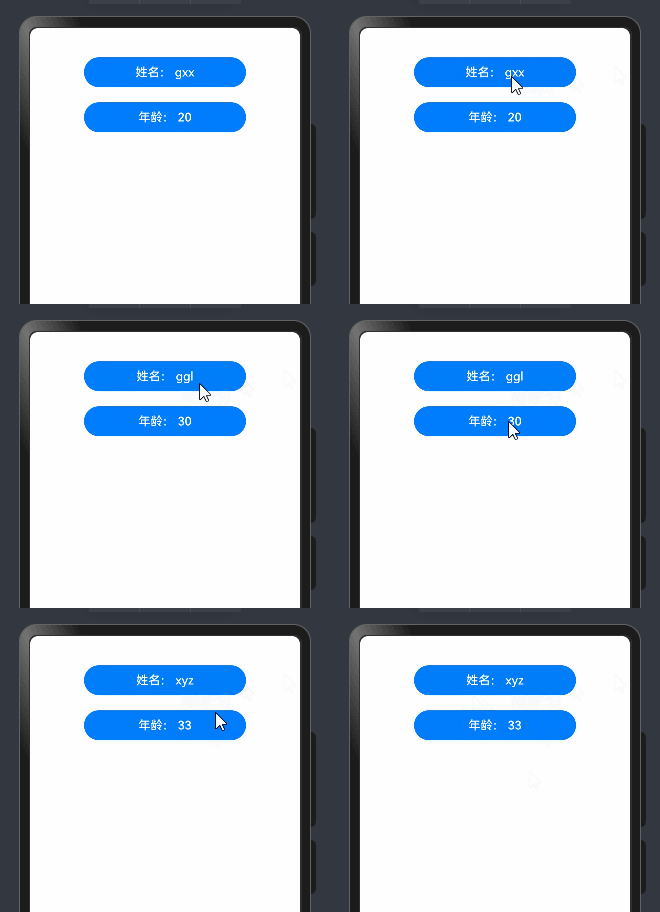
没有使用@observedv2和@trace装饰器的时候,如果想更新UI,需要@local配合新创建对象。
下面案例两个按钮点击的时候重新new了student对象,才引起了UI刷新,如果单独修改属性则不会引起刷新。
typescript
class Student{
 name:string
  age:number

  constructor(name: string, age: number) {
    this.name = name;
    this.age = age;
  }

}

@Entry
@ComponentV2
struct Observerpage {
  // @local装饰只会观察到对象引用的变化
  @Local student:Student=new Student('gxx',20)

  build() {
    Column({space:20}){
      Button('姓名: '+this.student.name)
        .width('60%')
        .onClick(()=>{
          // 更新对象可以引起UI刷新
          this.student=new Student('ggl',30)
          // 不会引起UI刷新,@local观察不到属性的变化
          this.student.name='ggl'
        })
      Button('年龄: '+this.student.age)
        .width('60%')
        .onClick(()=>{
          // 更新对象可以引起UI刷新
          this.student=new Student('xyz',33)
        })
    }
    .height('100%')
    .width('100%')
  }
}
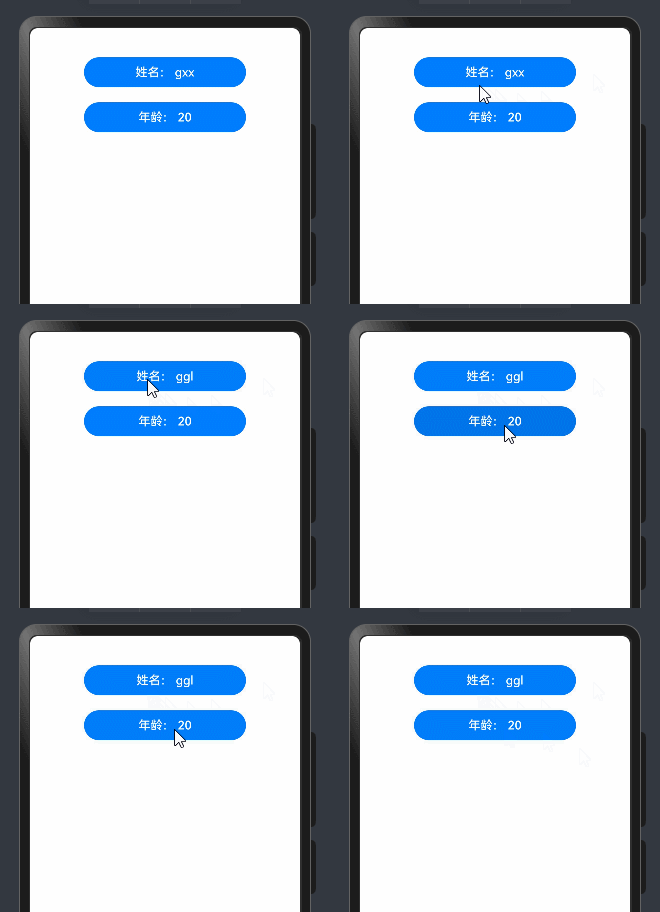
有使用@observedv2和@trace装饰器的时候,如果想更新UI,不需要@local装饰器,可以直接更新属性即可。
下面案例中name被@Trace装饰,age没有被@Trace装饰,student没有被@local装饰,所以更新对象的时候不会引起刷新,name更新的时候会刷新,age更新则不会刷新。
typescript
@ObservedV2
class Student{
@Trace name:string
  age:number

  constructor(name: string, age: number) {
    this.name = name;
    this.age = age;
  }

}

@Entry
@ComponentV2
struct Observerpage1 {
  // 不需要@local 都可以观察到属性的变化 但是无法观察对象的变化
  student:Student=new Student('gxx',20)

  build() {
    Column({space:20}){
      Button('姓名: '+this.student.name)
        .width('60%')
        .onClick(()=>{
          // 更新对象无法可以引起UI刷新 因为没有@local装饰
          // this.student=new Student('ggl',30)
          // 会引起UI刷新,属性被@Trace装饰
          this.student.name='ggl'
        })
      Button('年龄: '+this.student.age)
        .width('60%')
        .onClick(()=>{
         //  不会引起UI刷新 没有被@Trace装饰
         this.student.age+=10
        })
    }
    .height('100%')
    .width('100%')
  }
}
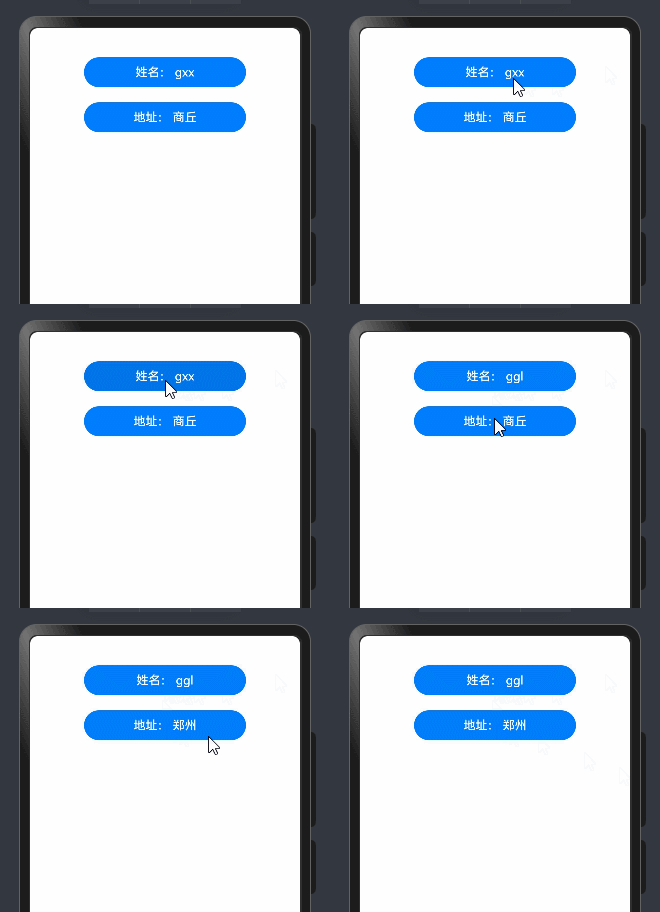
嵌套类的情况:
下面案例里面user嵌套了address,我们需要给两个类都加@observedv2装饰器,user里面的name需要加@trace而address嵌套类里面已经有@trace装饰,则本身不用@trace装饰了。
typescript
@ObservedV2
class Address {
  @Trace city: string;

  constructor(city: string) {
    this.city = city;
  }

}

@ObservedV2
class User {
  @Trace name: string;
    address: Address; //这里即使不加@Trace也会被观察到 嵌套类属性变化可触发UI刷新
  constructor(name: string, address: Address) {
    this.name = name;
    this.address = address;
  }

}

@Entry
@ComponentV2
struct Observerpage2 {
  // 不需要@local 都可以观察到属性的变化 但是无法观察对象的变化
  addr:Address=new Address('商丘')
  u:User=new User('gxx',this.addr)
  build() {
    Column({space:20}){
      Button('姓名: '+this.u.name)
        .width('60%')
        .onClick(()=>{
          // 会引起UI刷新,属性被@Trace装饰
          this.u.name='ggl'
        })
      Button('地址: '+this.u.address.city)
        .width('60%')
        .onClick(()=>{
        //  会引起UI刷新
        this.u.address.city='郑州'
        })
    }
    .height('100%')
    .width('100%')
  }
}
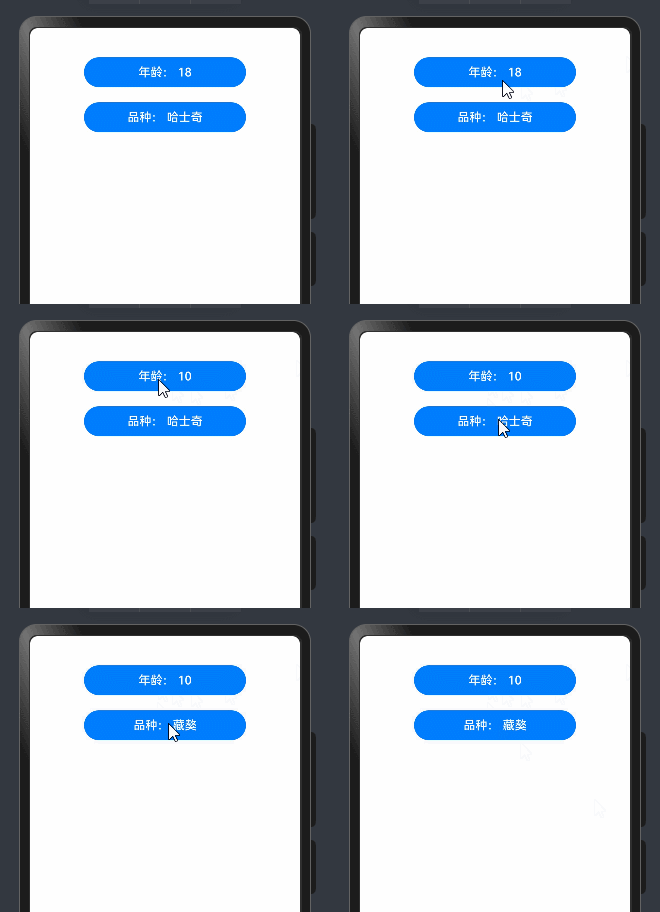
类继承的情况:
下面案例里面dog类继承了animal,dog类里面的属性就有了animal中的属性,并且都由@Trace装饰,所以属性更新会引起UI更新。
typescript
@ObservedV2
class Animal {
  @Trace age: number;

  constructor(age: number) {
    this.age = age;
  }
}
@ObservedV2
class Dog extends Animal {
  @Trace breed: string; // 继承类属性变化可触发UI刷新

  constructor(age: number, breed: string) {
    super(age);
    this.breed = breed;
  }
}

@Entry
@ComponentV2
struct Observerpage3 {
  // 不需要@local 都可以观察到属性的变化 但是无法观察对象的变化
  dog:Dog=new Dog(18,'哈士奇')
  build() {
    Column({space:20}){
      Button('年龄: '+this.dog.age)
        .width('60%')
        .onClick(()=>{
          // 会引起UI刷新,继承过来的
          this.dog.age=10
        })
      Button('品种: '+this.dog.breed)
        .width('60%')
        .onClick(()=>{
        //  会引起UI刷新 属性被@Trace装饰
        this.dog.breed='藏獒'
        })
    }
    .height('100%')
    .width('100%')
  }
}