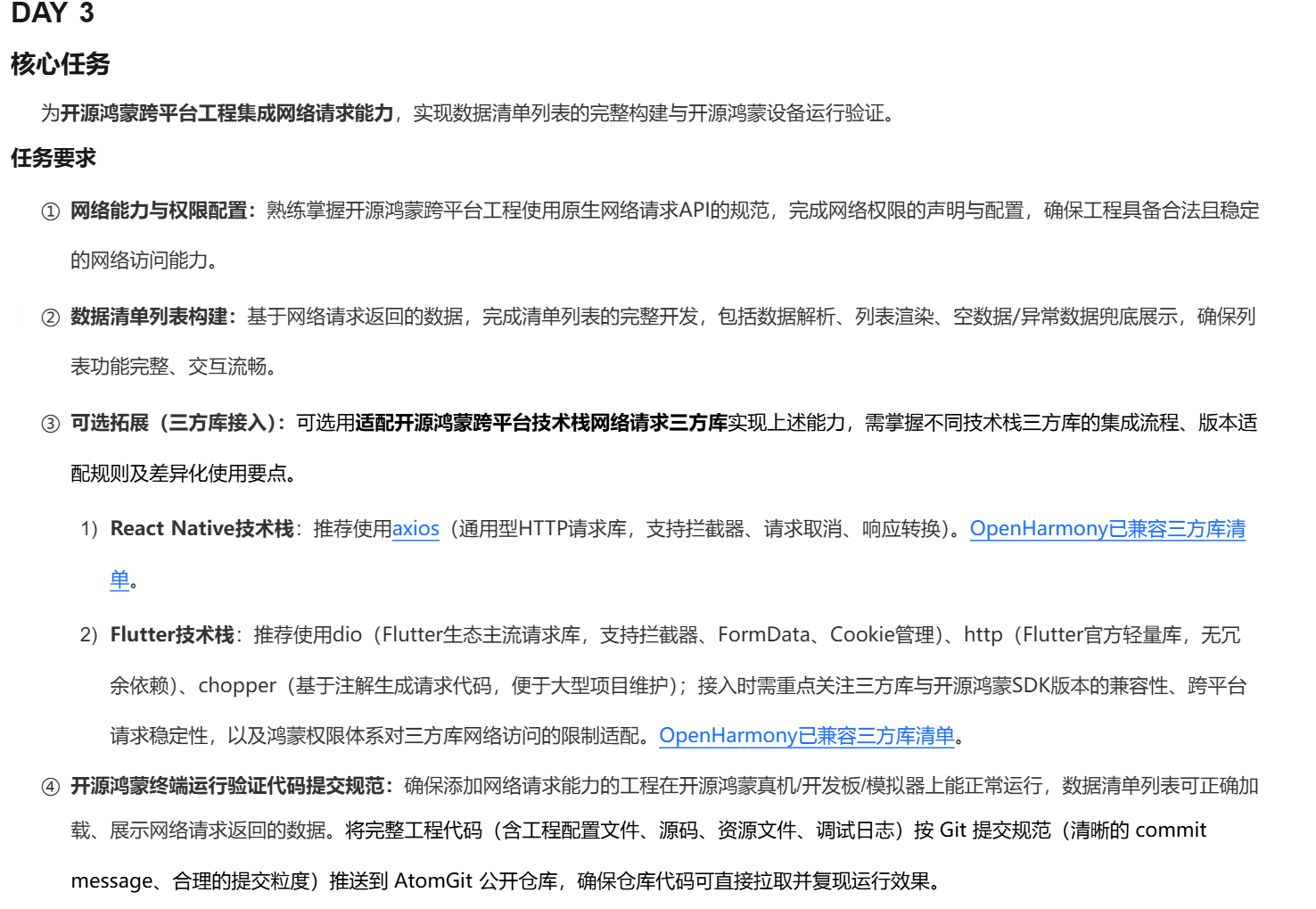
前提:Day2完成
任务Day3
1 查看
2搜索网页"dio"
找到dio官方网页 进行英文或者先逐句英文熟悉再翻译中文辅助理解。
//haotema复杂,英文读起来头疼.
2.1
过程中遇到不理解举例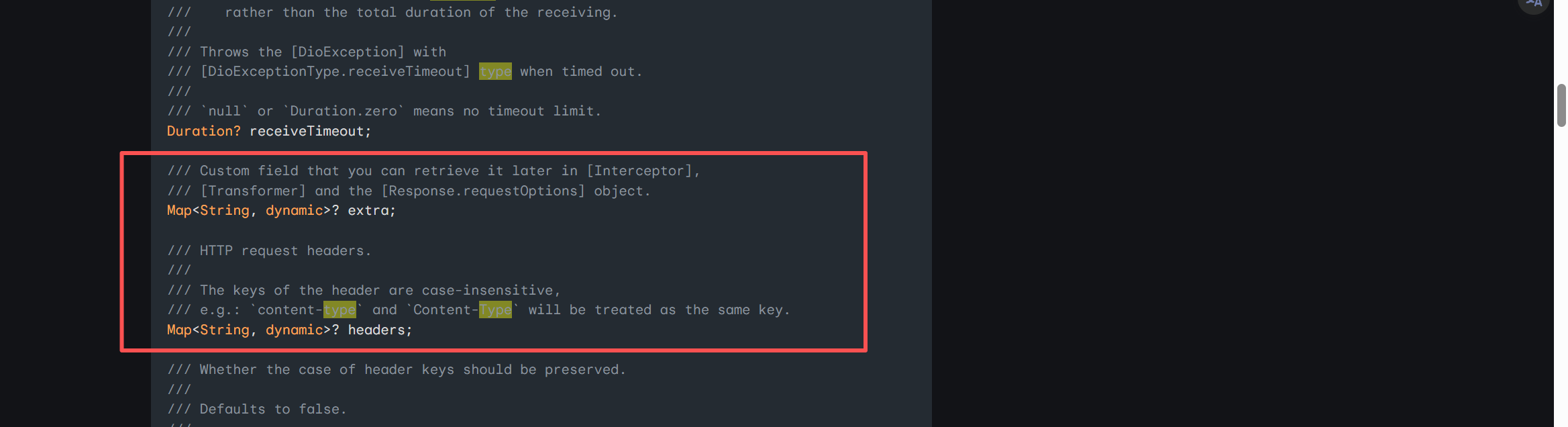
可以查询ai辅助理解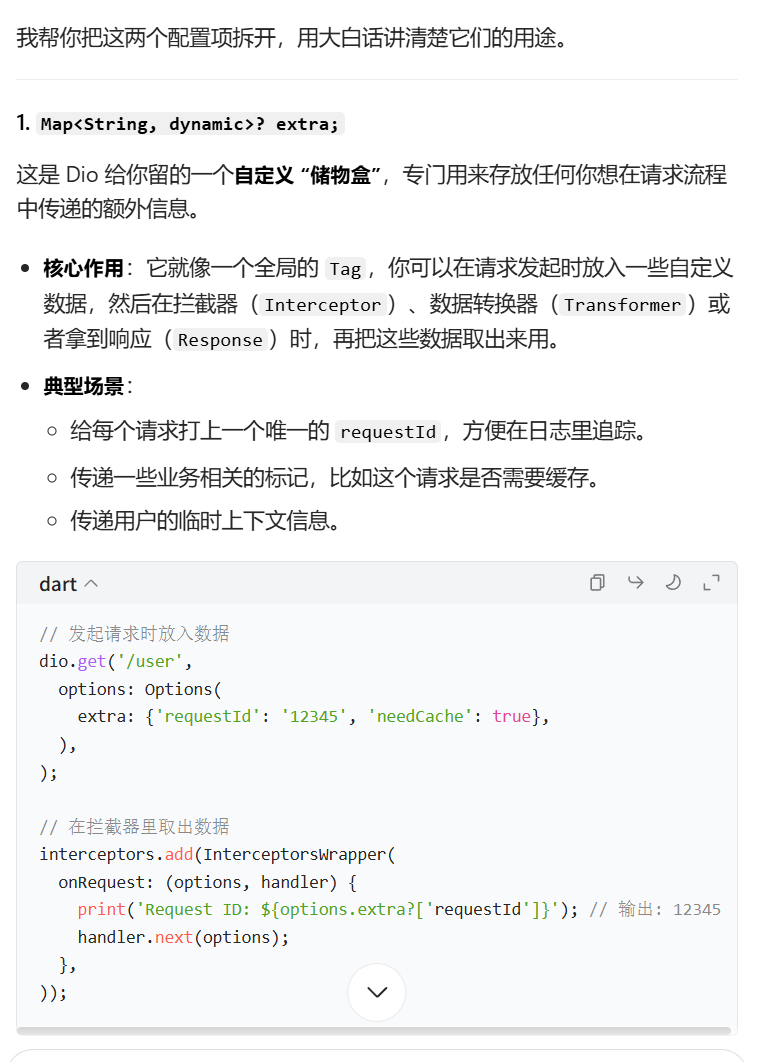
2.2
按照比较好的同学照着写即可【Harmonyos】开源鸿蒙跨平台训练营DAY3:为开源鸿蒙跨平台工程集成网络请求能力,实现数据清单列表的完整构建与开源鸿蒙设备运行验证(及常见问题与方法)
2.3 补充:win快捷键3个一起按:ctrl, shift, -(减号),
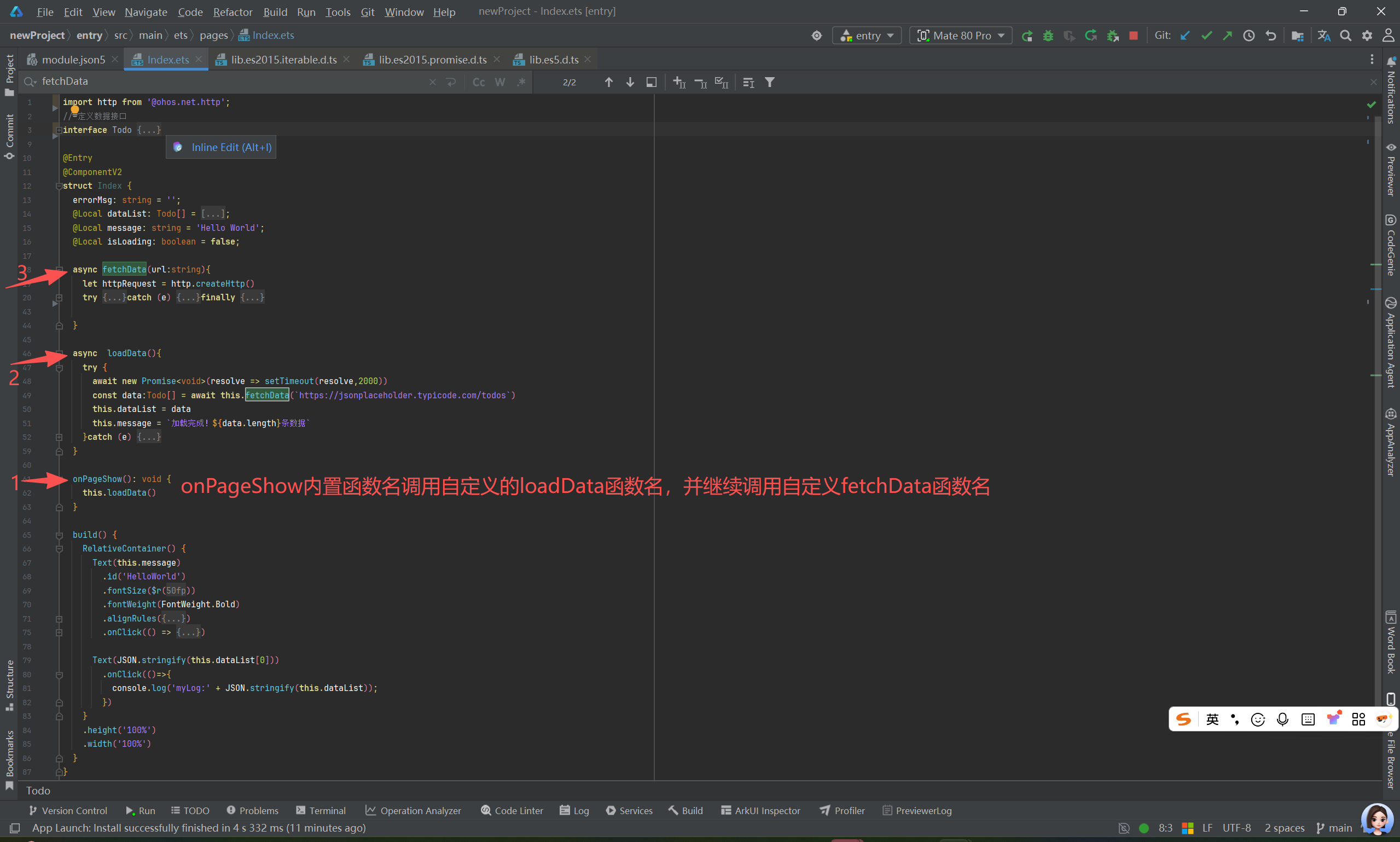
上面截图总体概览运行结果截图: 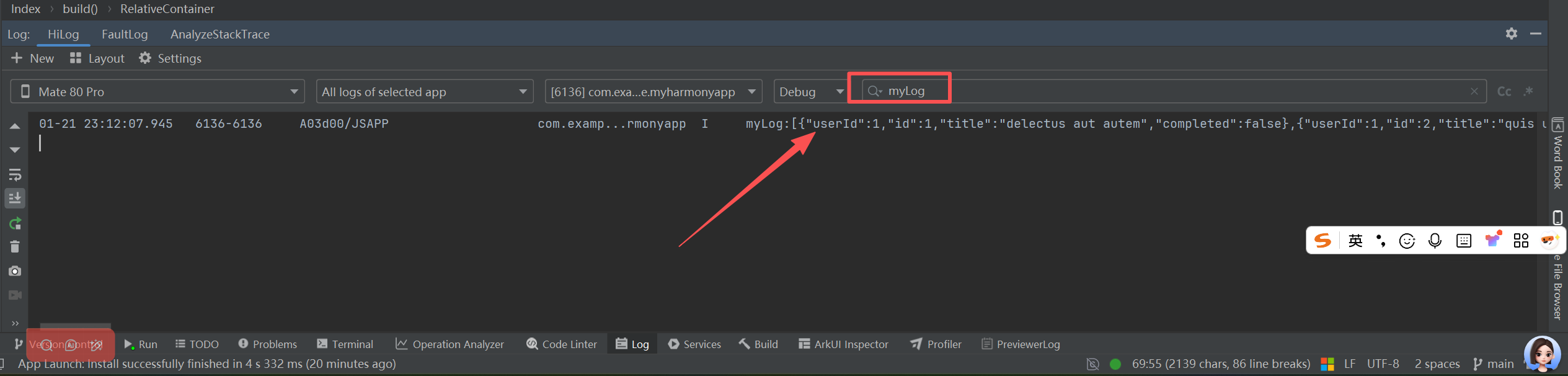
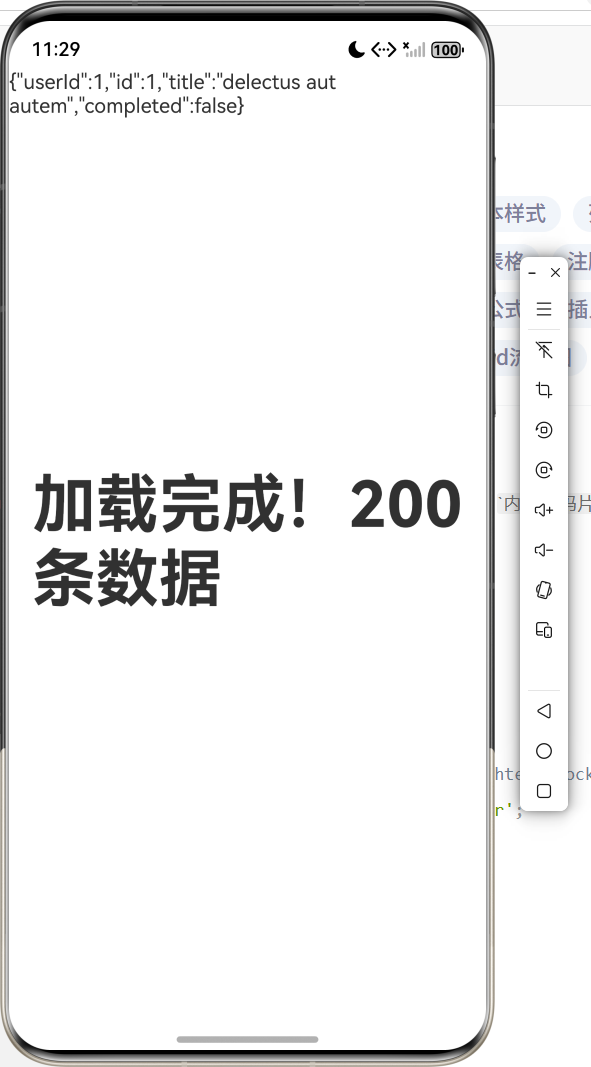
日志运行截图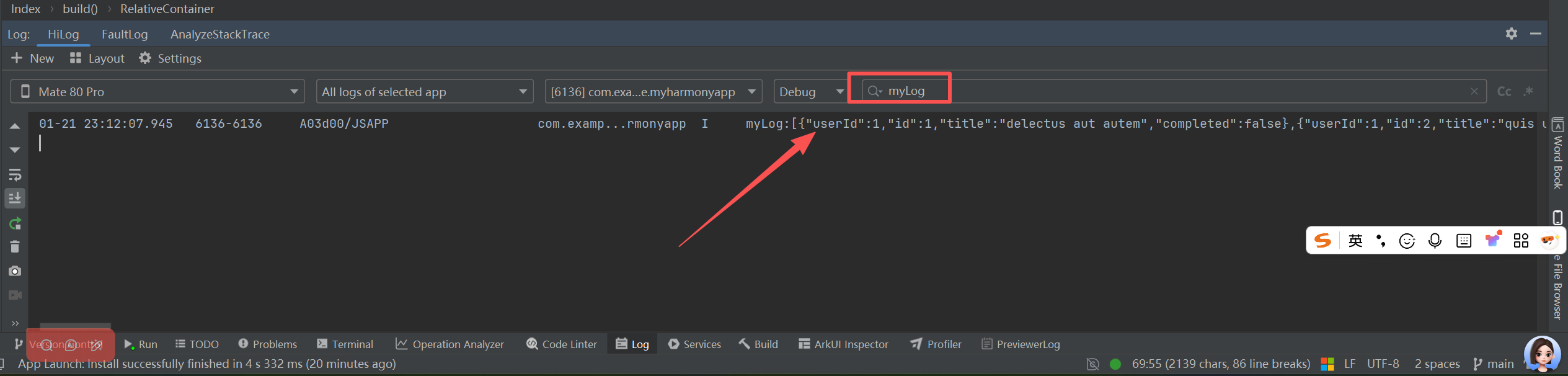
2.4 代码如下
import http from '@ohos.net.http';
// 定义数据接口
interface Todo {
  userId: number;
  id: number;
  title: string;
  completed: boolean;
}

@Entry
@ComponentV2
struct Index {
  errorMsg: string = '';
  @Local dataList: Todo[] = [];
  @Local message: string = 'Hello World';
  @Local isLoading: boolean = false;

  async fetchData(url:string){
    let httpRequest = http.createHttp()
    try {
      let response = await httpRequest.request(url,{
        method:http.RequestMethod.GET,
        connectTimeout:10000,
        readTimeout:10000
      })
      if (response.responseCode === 200) {
        // 3 解析式断言为明确的Todo[] 数据类型
        return JSON.parse(response.result.toString()) as  Todo[]
      }else { // 抛出标准的Error类 对象
        throw new Error(`请求失败,状态码:${response.responseCode}`)
      }
    }catch (e) {
      console.log('网络请求异常:' + JSON.stringify(e))
      // 确保抛出的是 Error的类型
      if (e instanceof Error) {
        throw e
      }else {
        throw new Error(String(e))
      }
    }finally {
      httpRequest.destroy()
    }

  }

  async  loadData(){
    try {
      await new Promise<void>(resolve => setTimeout(resolve,2000))
      const data:Todo[] = await this.fetchData(`https://jsonplaceholder.typicode.com/todos`)
      this.dataList = data
      this.message = `加载完成!${data.length}条数据`
    }catch (e) {
      if (e instanceof Error) {
        this.errorMsg = '网络请求失败,请点击重试'
      }else {
        this.message = '数据加载失败'
      }
    }
  }

  onPageShow(): void {
    this.loadData()
  }

  build() {
    RelativeContainer() {
      Text(this.message)
        .id('HelloWorld')
        .fontSize($r('app.float.page_text_font_size'))
        .fontWeight(FontWeight.Bold)
        .alignRules({
          center: { anchor: '__container__', align: VerticalAlign.Center },
          middle: { anchor: '__container__', align: HorizontalAlign.Center }
        })
        .onClick(() => {
          this.message = 'Welcome';
        })

      Text(JSON.stringify(this.dataList[0]))
        .onClick(()=>{
          console.log('myLog:' + JSON.stringify(this.dataList));
        })
    }
    .height('100%')
    .width('100%')
  }
}
⚠️ 【避坑指南】新手常踩的5个"坑"
❌ 忘开权限:网络请求直接被系统"拦截"
❌ HTTP没配置:App连不上非HTTPS接口
❌ 三方库不兼容:先查"鸿蒙SDK版本+库版本"是否匹配
❌ 没做异常处理:断网时App直接崩溃
❌ 长列表用错组件:滑动卡顿(必须用builder类组件)
🎯 【收尾】今日学习总结+延伸建议
📚 必回顾:权限→请求→解析→渲染→验证的全流程
🚀 进阶方向:封装网络请求工具类、列表性能优化