这个问题是换行符差异 导致的,通常是 CRLF(\r\n) 和 LF(\n) 在 Windows 和 Unix/Linux 系统之间的差异。
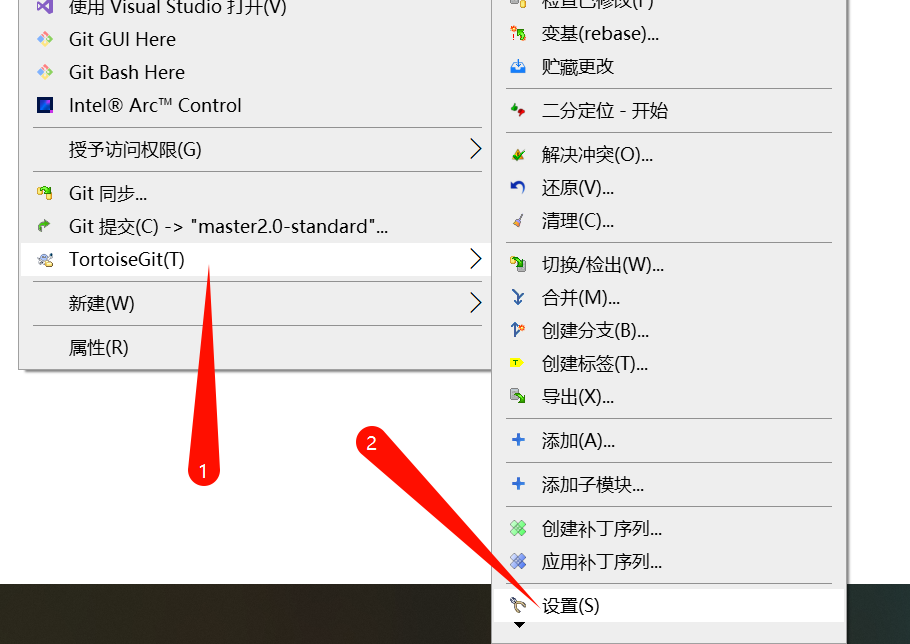
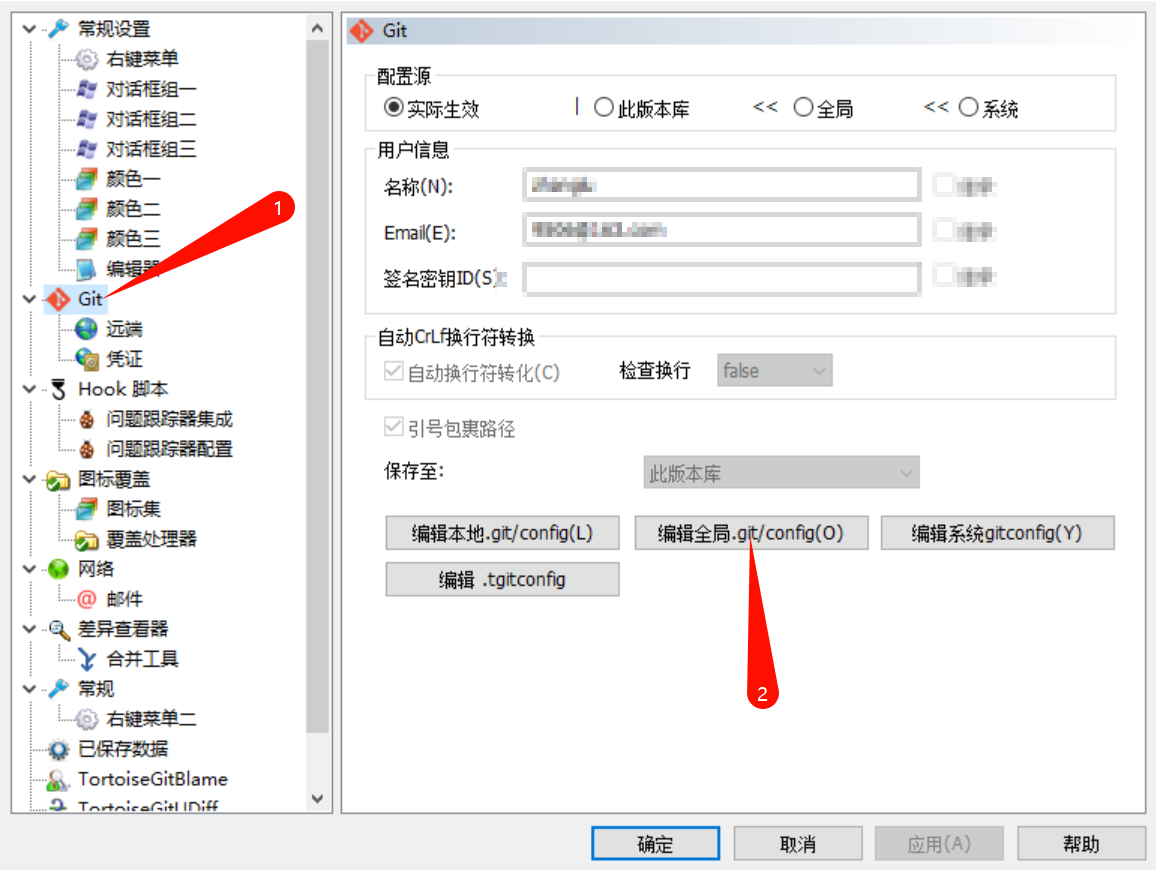
如果你使用的是小乌龟,通过修改小乌龟的设置即可解决问题,亲测有效。
常见解决方案:
1. 核心设置(推荐)
在 Git Bash 或命令行中执行:
bash
# 提交时自动将 CRLF 转换为 LF
git config --global core.autocrlf true

# 或者更严格的设置(Windows推荐)
git config --global core.autocrlf input

# 检查当前设置
git config --global core.autocrlf
2. 更彻底的解决方案
bash
# 1. 设置 git 不检测换行符变化
git config --global core.safecrlf false

# 2. 设置 git 不自动转换换行符
git config --global core.autocrlf false

# 3. 设置 git 的 diff 忽略换行符差异
git config --global core.whitespace cr-at-eol
3. 使用 .gitattributes 文件(项目级解决方案)
在项目根目录创建 .gitattributes 文件,内容:
# 对所有文件设置
* text=auto eol=lf

# 或者指定特定文件类型
*.html text eol=lf
*.css text eol=lf
*.js text eol=lf
*.json text eol=lf
*.md text eol=lf
4. 如果你已经提交了有问题的文件
bash
# 重置工作区
git rm --cached -r .
git reset --hard

# 或者只重置特定文件
git checkout -- <file>
5. 针对 TortoiseGit(小乌龟)的额外设置
- 右键 → TortoiseGit → Settings
- 在 "Git" 标签页下:
-
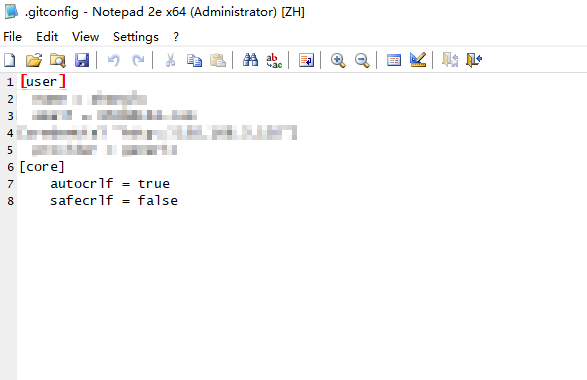
修改 "Global" 配置
-
添加或修改:
[core]
    autocrlf = true
    safecrlf = false
-
推荐配置组合:
对于 Windows 用户:
bash
git config --global core.autocrlf true
git config --global core.safecrlf false
对于跨平台团队:
bash
git config --global core.autocrlf input验证设置:
bash
# 查看所有相关配置
git config --global --list | grep -E "(core|autocrlf|safecrlf)"注意:这些设置主要影响新提交的文件。对于已有文件,可能需要先统一换行符格式再重新提交。