git设置命令缩写

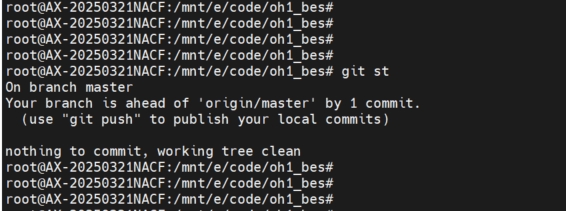
git命令频繁使用时,可以设置缩写,使用更方便

编辑~/.gitconfig,添加如下项

cpp 复制代码
#缩写
[alias]
        lg = log --color --graph --pretty=format:'%Cred%h%Creset -%C(yellow)%d%Creset %s %Cgreen(%cr) %C(bold blue)<%an>%Creset' --abbrev-commit
        st = status
        co = checkout
        br = branch
        mg = merge
        ci = commit
        line = log --oneline
        continue = cherry-pick --continue
        amend = commit --amend --no-edit
相关推荐
vibecoding日记6 小时前
为什么我就想要「线性历史 + Signed Commits」,GitHub 却把我当猴耍 🤬🎙️
git·编程工具
程序员小崔日记16 小时前
如何将代码轻松上传到 Gitee?Git 使用全攻略!
git·gitee·上传
Bigger2 天前
为什么你的 Git 提交需要签名?—— Git Commit Signing 完全指南
git·开源·github
DianSan_ERP2 天前
电商API接口全链路监控:构建坚不可摧的线上运维防线
大数据·运维·网络·人工智能·git·servlet
红豆子不相思3 天前
Tomcat 环境搭建与集群实战
服务器·git·tomcat
杰哥技术分享3 天前
Git 仓库迁移技术文档:从 CODING.net 迁移至腾讯云 CNB
git
梅孔立3 天前
Ansible 100 台服务器一键管控实战 进阶版
服务器·git·ansible
qq_426003963 天前
git切换当前分支到远程分支
git
ON10N3 天前
100% 纯 Vibe Coding,我是怎么用 AI 撸出一个 VS Code 插件的
git·ai编程·visual studio code