Html语法
for
<!DOCTYPE html>
<html lang="en">
<head>
    <meta charset="UTF-8">
    <meta name="viewport" content="width=device-width, initial-scale=1.0">
    <title>Document</title>
</head>
<body>
    <p>普通文本</p>
    <h1>一级标题</h1>
     <h2>二级标题</h2>
     <h3>三级标题</h3>
     <h4>四级标题</h4>
     <h5>五级标题</h5>
     <h6>六级标题</h6>
     <p>更改文本样式:<b>加粗文本</b></p>
     <p>更改文本样式:<i>斜体文本</i></p>
     <p>更改文本样式:<u>下划线文本</u></p>
     <p>更改文本样式:<mark>标记文本</mark></p>
     <p>更改文本样式:<del>删除线文本</del></p>
     <ul>
        <li>无须列表项1</li>
        <li>无须列表项2</li>
        <li>无须列表项3</li>
     </ul>
     <ol>
        <li>有序列表项1</li>
        <li>有序列表项2</li>
        <li>有序列表项3</li>
     </ol>
     <table border="1">//添加边框
        <tr>
            <th>表头1</th>
            <th>表头2</th>
        </tr>
        <tr>
            <td>单元格1</td>
            <td>单元格2</td>
        </tr>
        <tr>
            <td>单元格3</td>
            <td>单元格4</td>
     </table>
</body>
</html>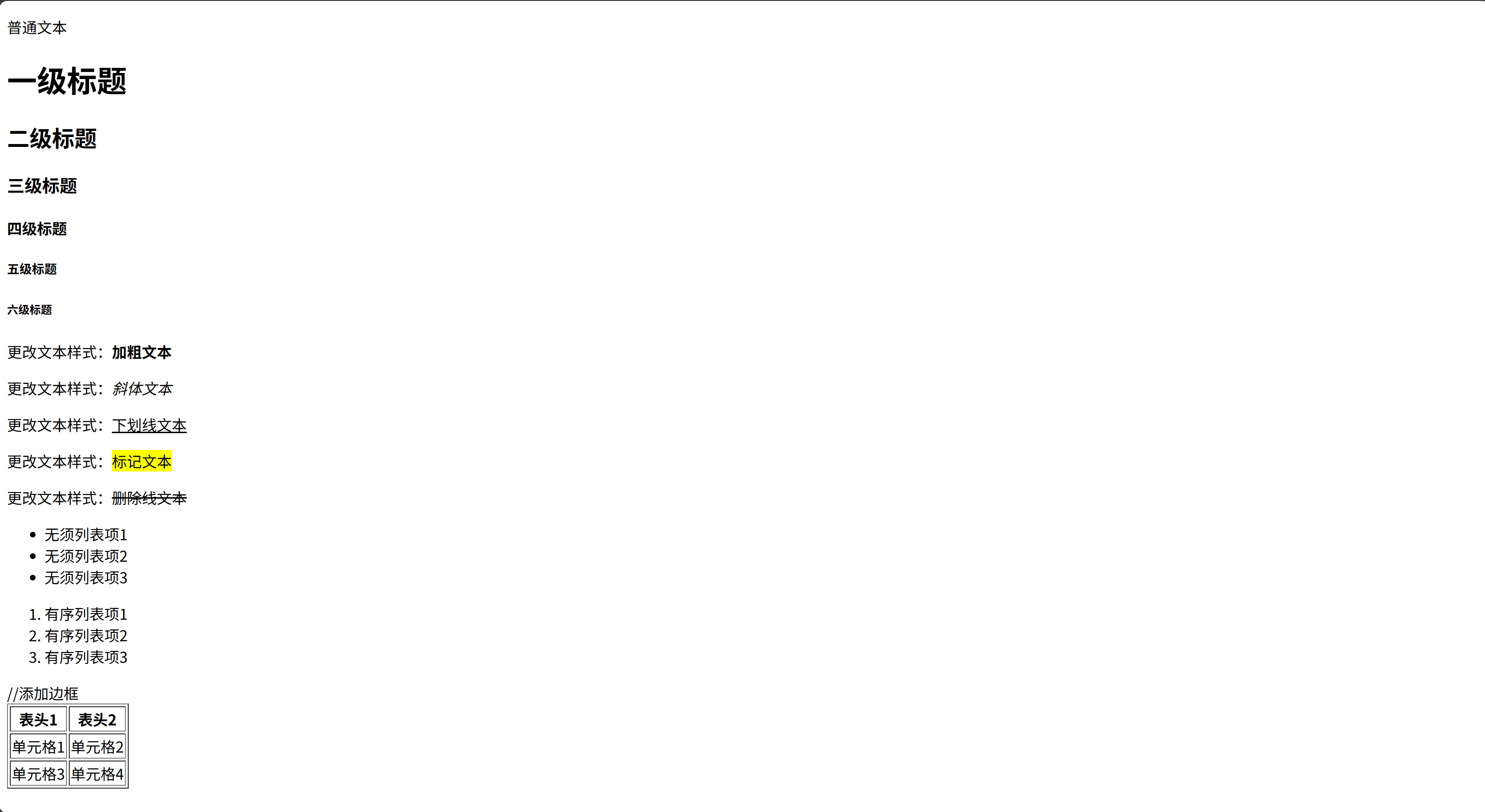
for
<!DOCTYPE html>
<html lang="en">
<head>
    <meta charset="UTF-8">
    <meta name="viewport" content="width=device-width, initial-scale=1.0">
    <title>Document</title>
</head>
<body>
    <a href="https://www.baidu.com">跳转至百度</a>
    <hr><!-- 水平线 -->
    <a href="https://www.baidu.com" target="_blank">跳转至淘宝</a><!-- 新标签页打开 -->
    <br><!-- 换行 -->
    <a href="https://www.baidu.com" target="_self">跳转至自身</a><!-- 当前标签页打开 -->
     <a href="https://www.baidu.com" target="_parent">跳转至父级</a><!-- 父级标签页打开 -->
     <a href="https://www.baidu.com" target="_top">跳转至顶部</a><!-- 顶部标签页打开 -->
    <img src="img/logo.png" alt="图像的替换文本"> <!-- 图片 -->
    <img src="img/logo.png" alt="图像的替换文本" width="200" height="100"> <!-- 设置图片宽高 -->
    <div class = "nav">
        <a href="#">链接1</a>
        <a href="#">链接2</a>
        <a href="#">链接3</a>
        <a href="#">链接4</a>
    </div>
    <div class = "content">
        <h1>文章标题</h1>
        <p>文章内容</p>
    </div>
    <span>这是一个span元素</span>
    <br>
    <span>链接点击这里<a href="#">这里</a></span>

    <form >
        <label for="username">用户名:</label>
        <input type="text" id="username" placeholder="想在文本框中显示的内容">
        <!-- for就是关联label和input,点击label也可以触发输入框 -->
         <!-- type="text"表示文本框 -->
         <br>
        <label for="password">密码:</label>
        <input type="password" id="password">
        <!-- 密码框输入的内容会被隐藏,因为type是password -->
        <br>
        <label>性别:</label>
        <input type="radio" name="gender">男
        <input type="radio" name="gender">女
        <input type="radio" name="gender">保密
        <!-- 加上name就是单选框 -->
        <br>
        <label for="hobby">爱好:</label>
        <input type="checkbox" id="hobby">a
        <input type="checkbox" id="hobby">b
        <input type="checkbox" id="hobby">c
        <!-- 注意查看type是checkbox -->
         <br>
         <input type="submit" value="提交表单">
         <!-- 提交按钮 -->
    </form>
    <!-- form里面的action就是点击submit的时候,提交到后端给我们的api地址 -->
</body>
</html>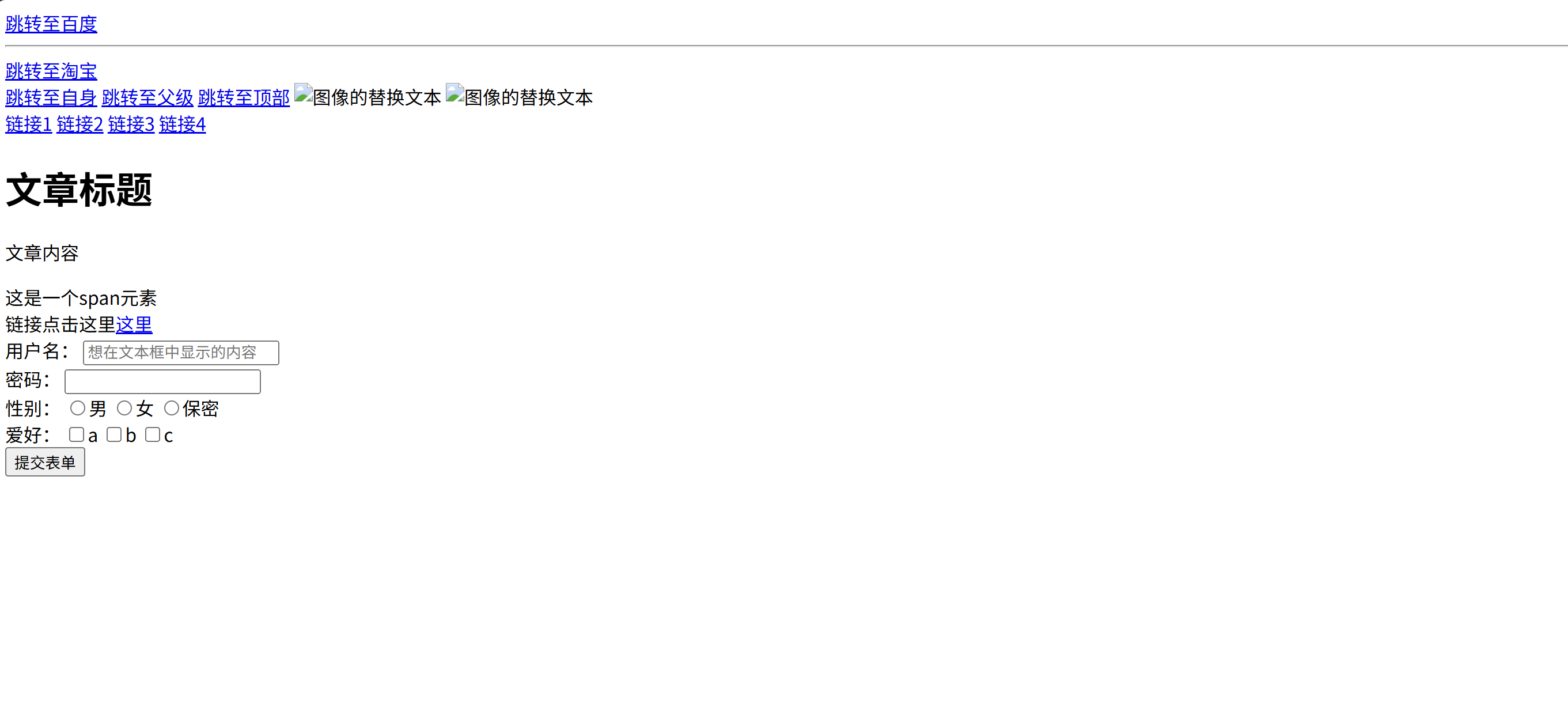
for
<!DOCTYPE html>
<html lang="en">
<head>
    <meta charset="UTF-8">
    <meta name="viewport" content="width=
    , initial-scale=1.0">
    <title>Document</title>
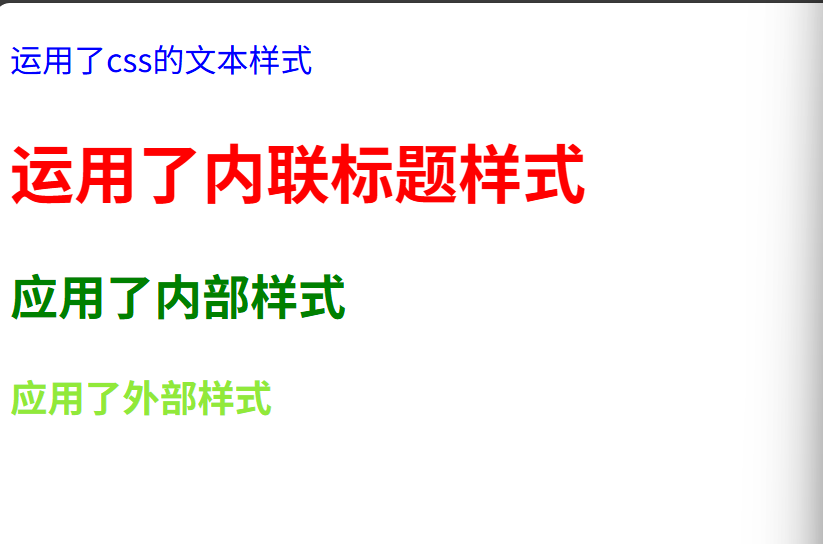
    <link rel="stylesheet" href="css/style.css">
    <style>
        p{
            color:blue;
            font-size:16px;
        }
        h2{
            color:green;
        }
    </style>
</head>
<body>
    <p>运用了css的文本样式</p>
    <h1 style="color:red;">运用了内联标题样式</h1>
    <h2>应用了内部样式</h2>
    <h3>应用了外部样式</h3>
    <!-- 内联样式>内部样式>外部样式 -->
</body>
</html>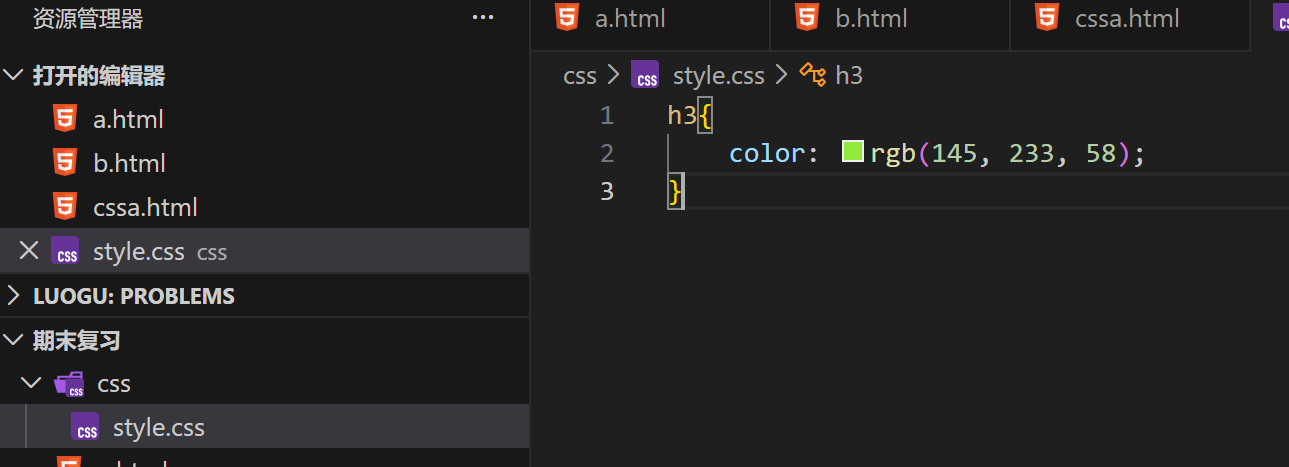
for
<!DOCTYPE html>
<html lang="en">
<head>
    <meta charset="UTF-8">
    <meta name="viewport" content="width=device-width, initial-scale=1.0">
    <title>Document</title>
    <style>
        h2{
            color:aqua;
        }
        .highlight{
            background-color:orange;
        }
        #header{
            font-size:35px;
        }
        *{
            font-family: '宋体';
            font-weight: 300;
        }
        /* 注意子元素,儿子是用>隔开的,这里因为优先级的考虑所以要这么写 */
        .father>.son{
            background-color: blue;
        }
        /* 注意后代元素,孙子是用空格隔开的 */
        .father p{
            background-color: rgb(216, 10, 58);
        }
        /* 注意相邻元素,是指这个元素下面的一个 */
        h3+p{
            background-color: yellow;
        }
        /* 伪类选择器, hover是鼠标悬停时候会出现的效果*/
        #element:hover{
            background-color: rgb(10, 216, 58);
        }
    </style>
</head>
<body>
    <h1>不同类型的css选择器</h1>
    <h2>这是一个元素选择器示例</h2>
    <h3 class = "highlight">这是一个类选择器示例</h3>
    <h3>对比上面的</h3>

    <h4 id="header">这是一个id选择器示例</h4>

    <div class = "father">
        <p class = "son">这是一个子元素选择器示例</p>
        <div>
        <p class = "grandson">这是一个后代选择器示例</p>
        <!-- 因为只有儿子可以继承父的标签,这是孙子,不是儿子 -->
        </div>
    </div>

    <p>一个普通p标签</p>
    <h3>这是一个相邻元素选择器示例</h3>
    <p>另一个普通p标签</p>

    <h3 id="element">这是一个伪类选择器示例</h3>
</body>
</html>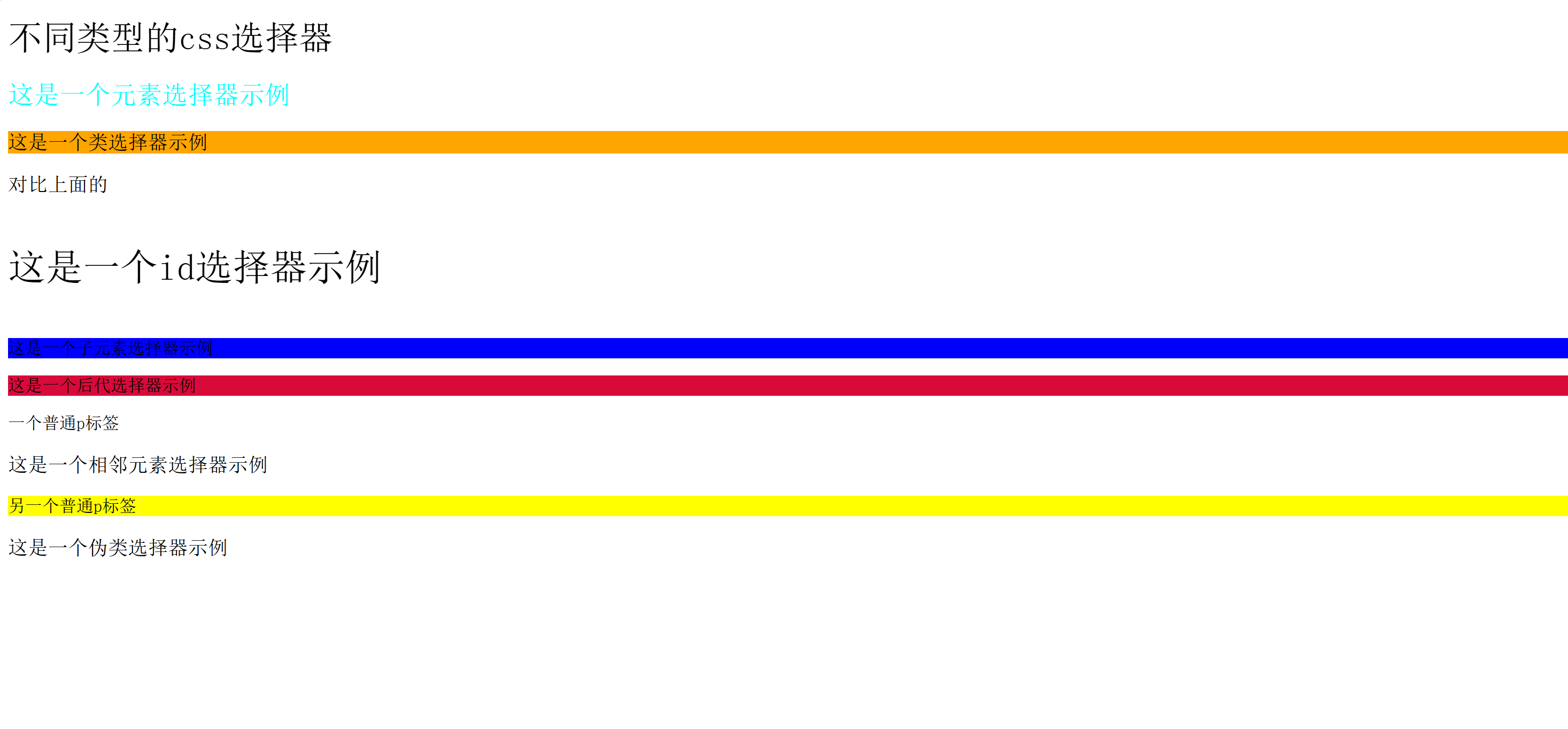
for
<!DOCTYPE html>
<html lang="en">
<head>
    <meta charset="UTF-8">
    <meta name="viewport" content="width=device-width, initial-scale=1.0">
    <title>Document</title>
    <style>
        .block{
            background-color: aquamarine;
            width: 150px;
            height: 100px;
        }
        /* 块级可以自己设置宽度和高度 */
        .inline-block{
            width:100px;
        }
        /* 行内元素不能设置宽度和高度 */
        .inline{
            background-color: rgb(255, 230, 0);
        }

    </style>
</head>
<body>
    <h1 style="font:bolder 50px 'KaiTi';">这是一个font复合属性</h1>
    <p style="line-height:40px">这是一段长文本这是一段长文本这是一段长文本这是一段长文本这是一段长文本这是一段长文本这是一段长文本这是一段长文本这是一段长文本这是一段长文本这是一段长文本这是一段长文本这是一段长文本这是一段长文本这是一段长文本这是一段长文本这是一段长文本这是一段长文本这是一段长文本</p>
    <!-- 行高 -->

    <div class = "block">这是一个块级元素</div>
    <span class ="inline">这是一个行内元素</span>
    <img src = "./logo.png" alt="这是一个图片" class="inline-block">
    <p>display</p>
    <div style="display:inline;">这是一个转换为行内元素的div标签</div>
    <!-- /* 他们之间可以互相转化 */ -->
</body>
</html>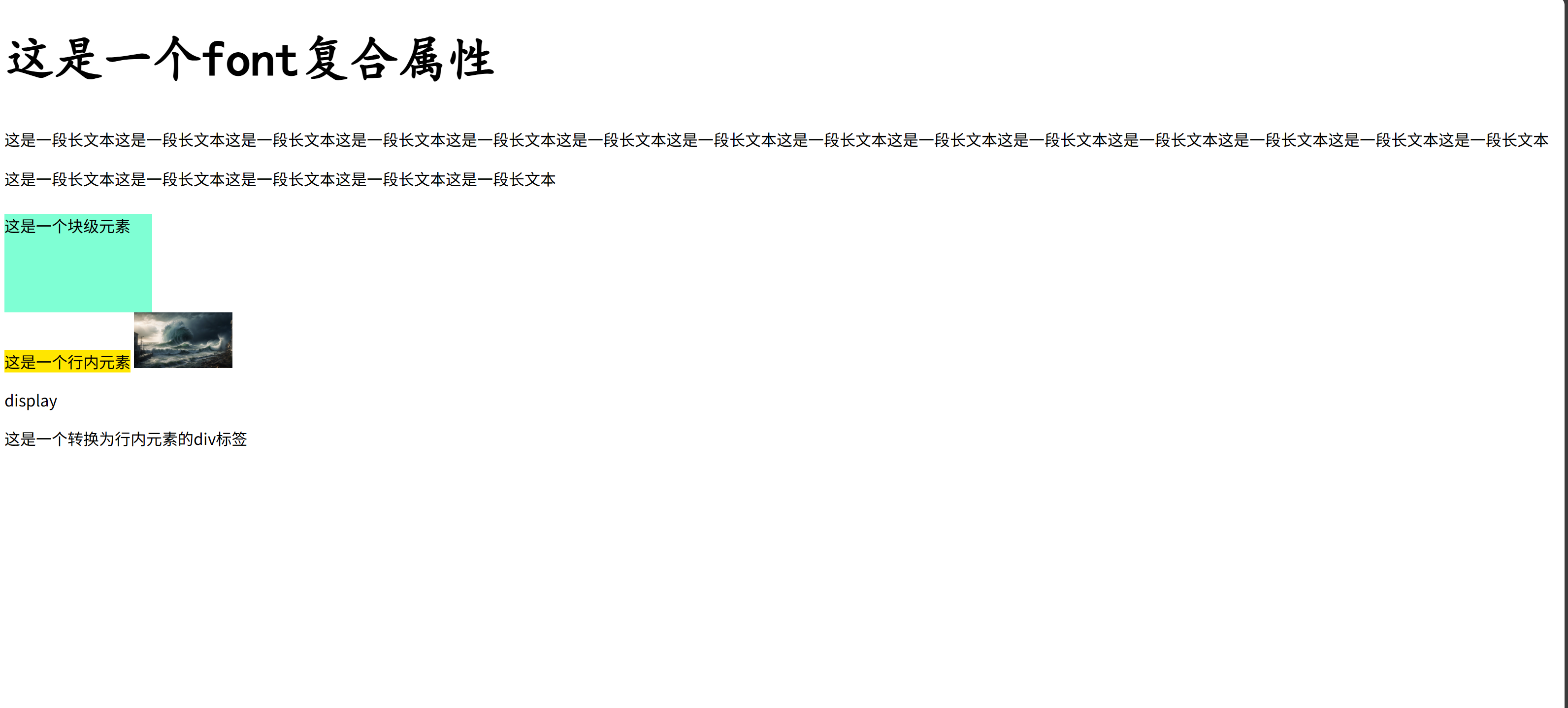
for
<!DOCTYPE html>
<html lang="en">
<head>
    <meta charset="UTF-8">
    <meta name="viewport" content="width=device-width, initial-scale=1.0">
    <title>Document</title>
    <style>
        .demo{
            background-color: aqua;
            display: inline-block;
            border:5px solid red;
             padding: 20px; /* 和文本间距 */
             margin: 20px; /* 和其他元素间距 */
        }
        .border-demo{
            background-color:yellow;
            width:300px;
            height:200px;
            border-style:solid dashed dotted double;
            border-width:10px 20px 30px 40px;
            border-color:red green blue orange;
        }
    </style>
</head>
<body>
    <div class = "demo">一个示例</div>
    <div class="border-demo">这是一个边框示例</div>
</body>
</html>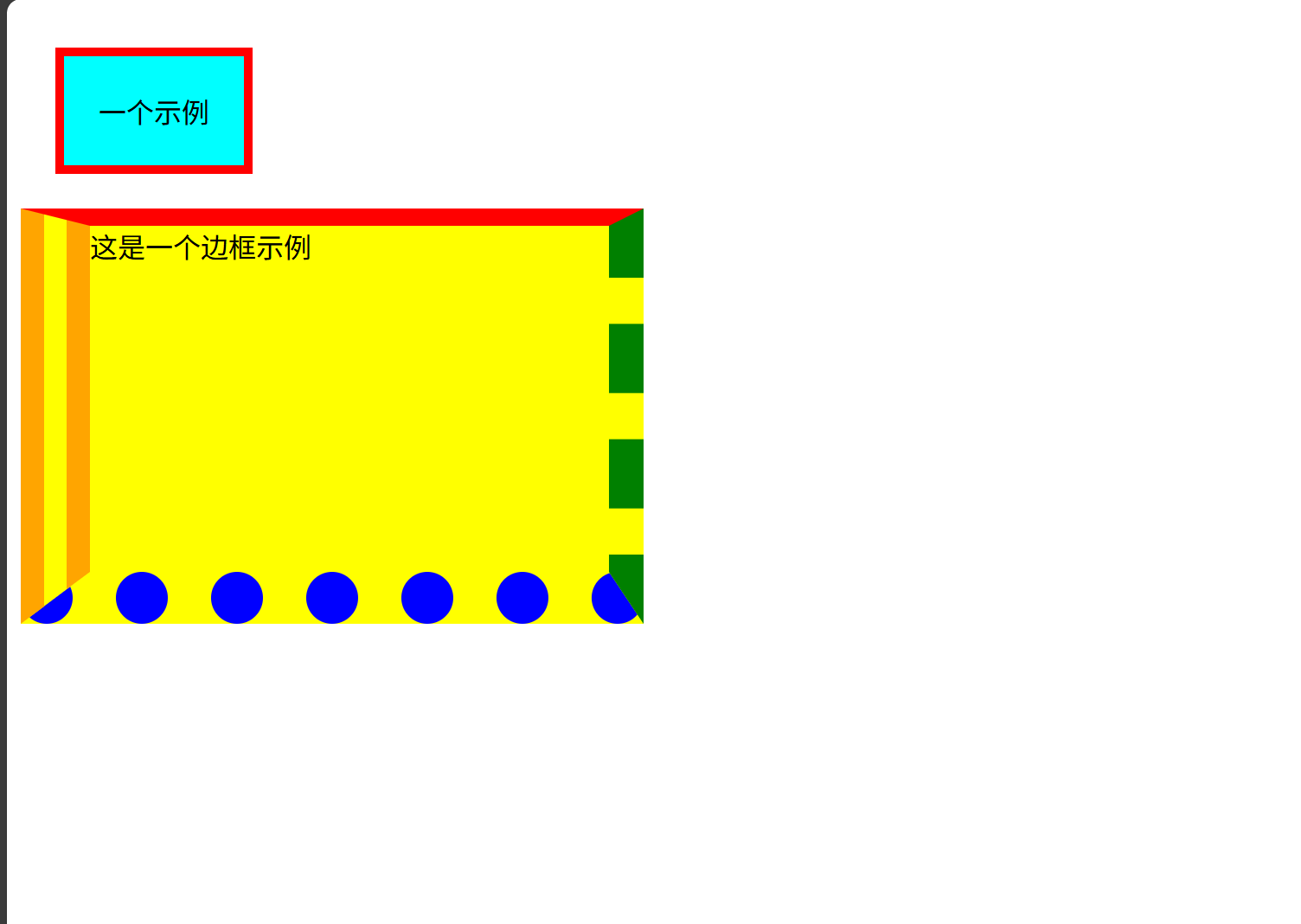
for
<!DOCTYPE html>
<html lang="en">
<head>
    <meta charset="UTF-8">
    <meta name="viewport" content="width=device-width, initial-scale=1.0">
    <title>Document</title>
    <style>
        .box1{
            height:350px;
            background-color: aquamarine;
        }
        .box-normal{
            width:100px;
            height:100px;
            background-color: purple;;
        }
        .box-relative{
            width: 100px;
            height: 100px;
            background-color: coral;
            position:relative;/*相对定位*/
            left:120px;/*方向相反···*/
            top:40px;
        }
        .box2{
            height:350px;
            background-color: lightgreen;
            margin-bottom:400px;
        }
        .box-absolute{
            width: 100px;
            height: 100px;
            background-color: rgb(4, 3, 4);
            position:absolute;/*绝对定位*/
            left:120px;
        }
        .box-fixed{
            width: 100px;
            height: 100px;
            background-color: rgb(196, 209, 209);
            position:fixed;/*固定定位*/
            right:0px;
            top:300px;
        }

    </style>
</head>
<body>
    <h1>相对定位</h1>
    <div class="box1">
        <div class="box-normal"></div>
        <div class="box-relative"></div>
        <div class="box-normal"></div>
    </div>
    <h1>绝对定位</h1>
    <div class="box2">
        <div class="box-normal"></div>
        <div class="box-absolute"></div>
        <div class="box-normal"></div>
    </div>
    <h1>固定定位</h1>
        <div class="box-fixed"></div>
</body>
</html>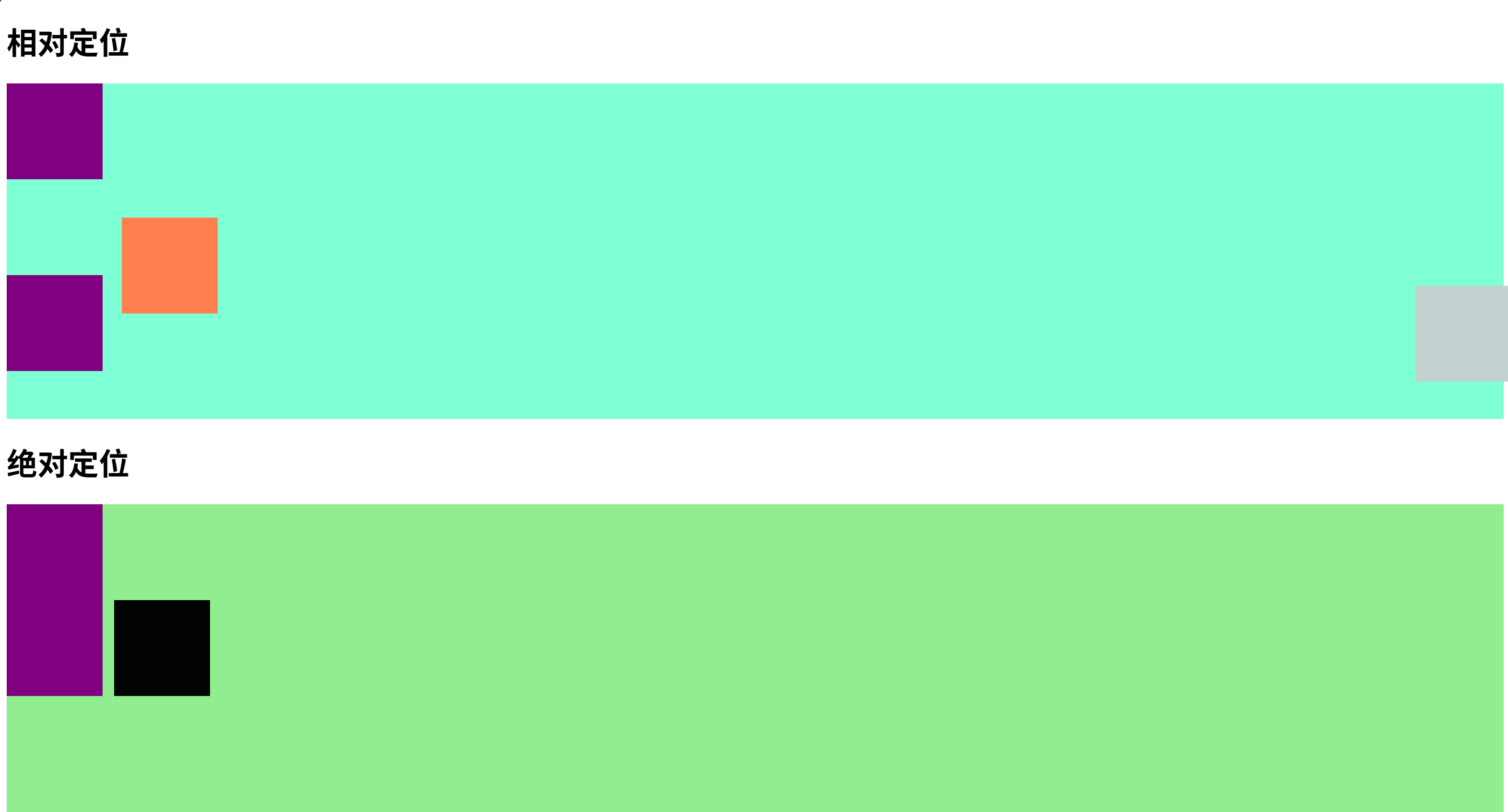
for
<!DOCTYPE html>
<html lang="en">
<head>
    <meta charset="UTF-8">
    <meta name="viewport" content="width=device-width, initial-scale=1.0">
    <title>Document</title>
</head>
<body>
    <button onclick="click_event()">这是一个点击事件按纽</button>
    <input type ="text" onfocus="focus_event()" onblur="blur_event()">
    <div id="box1">这是一个id选择器标签</div>
    <div class="box2">这是一个类选择器标签</div>
    <div>普通的div标签</div>
    <script>
        var x;/*undefined*/
        let y =null;/*null表示被明确声明是空值*/
        const z =10;
        console.log(x,y,z);
        alert(x);/*出现弹窗*/
        function test(){
            console.log("函数测试");
        }
        test();/*调用函数*/
        function hello_with_return(){
            return "hello return";
        }
        let a = hello_with_return();
        console.log(a);
        function click_event(){
            alert("按钮被点击了");
        }
        //聚焦事件
        function focus_event(){
            console.log("输入框被聚焦了");
        }
        //失去焦点事件
        function blur_event(){
            console.log("输入框失去了焦点");
        }
        var element_id= document.getElementById("box1");
        console.log(element_id);
        var element_class= document.getElementsByClassName("box2")[0];
        console.log(element_class);
        var element_tag= document.getElementsByTagName("div")[2];
        console.log(element_tag);
        element_id.innerHTML='<a href="#">id选择器内容被修改了</a>';
        element_class.innerText='<a href="#">类选择器内容被修改了</a>';
        element_tag.style.color='red';/*修改标签文字颜色*/

    </script>
</body>
</html>