vxe-table 表格 vue 单元格渲染上传附件,显示图片列表,适配上传附件样式的用法,在系统中渲染复制表格时,经常会涉及到附件和图片等上传问题,比如在列表单元格中需要支持上传附件,由于单元格太小,一般的组件根本无法正常显示适配,这时候就可以使用上传附件紧凑模式,通过配置更多按钮来实现。
附件上传
可以在单元格中放指定数量的附件,多余的在更多按钮中显示
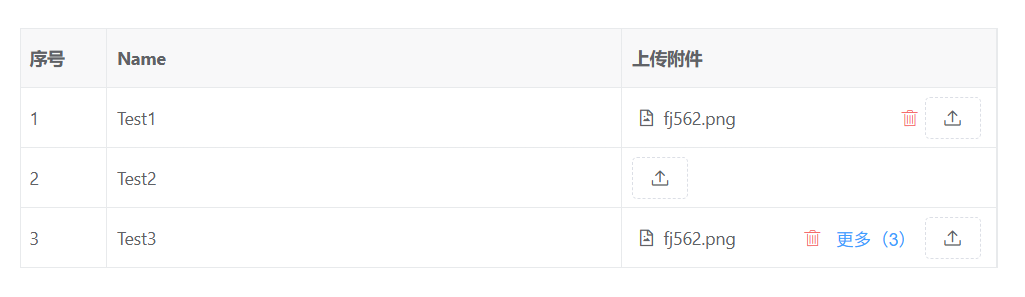
点击后显示更多,以及全功能的上传模式,拖拽上传等
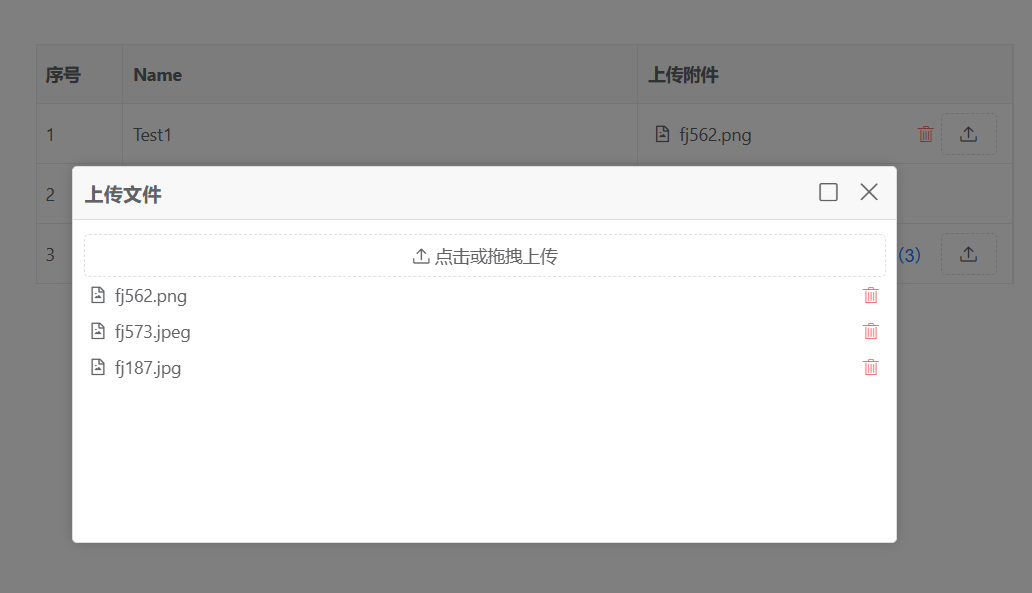
html
<template>
  <div>
    <vxe-grid v-bind="gridOptions"></vxe-grid>
  </div>
</template>

<script setup>
import { reactive } from 'vue'
import axios from 'axios'

const fileList2CellRender = reactive({
  name: 'VxeUpload',
  props: {
    multiple: true,
    showButtonText: false,
    dragSort: true,
    progressText: '{percent}%',
    moreConfig: {
      maxCount: 1,
      layout: 'horizontal'
    },
    uploadMethod ({ file }) {
      const formData = new FormData()
      formData.append('file', file)
      return axios.post('/api/pub/upload/single', formData).then((res) => {
        // { url: ''}
        return {
          ...res.data
        }
      })
    }
  }
})

const gridOptions = reactive({
  border: true,
  showOverflow: true,
  columns: [
    { type: 'seq', width: 70 },
    { field: 'name', title: 'Name', minWidth: 180 },
    { field: 'fileList2', title: '上传附件', width: 300, cellRender: fileList2CellRender }
  ],
  data: [
    {
      id: 10001,
      name: 'Test1',
      fileList2: [
        { name: 'fj562.png', url: 'https://vxeui.com/resource/img/fj562.png' }
      ]
    },
    {
      id: 10002,
      name: 'Test2',
      fileList2: []
    },
    {
      id: 10003,
      name: 'Test3',
      fileList2: [
        { name: 'fj562.png', url: 'https://vxeui.com/resource/img/fj562.png' },
        { name: 'fj573.jpeg', url: 'https://vxeui.com/resource/img/fj573.jpeg' },
        { name: 'fj187.jpg', url: 'https://vxeui.com/resource/img/fj187.jpg' }
      ]
    }
  ]
})
</script>
附件上传 - 简化显示
简化模式和上面一样,区别就是不会 显示任何附件,只会显示数量,点击后依然可以上传
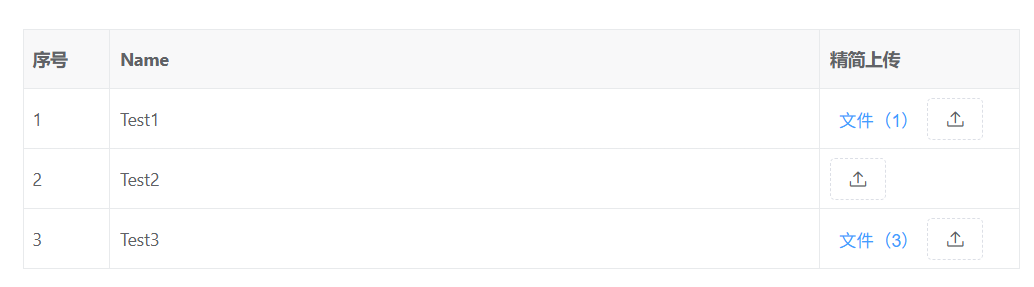
html
<template>
  <div>
    <vxe-grid v-bind="gridOptions"></vxe-grid>
  </div>
</template>

<script setup>
import { reactive } from 'vue'
import axios from 'axios'

const fileList4CellRender = reactive({
  name: 'VxeUpload',
  props: {
    multiple: true,
    showButtonText: false,
    dragSort: true,
    progressText: '{percent}%',
    moreConfig: {
      maxCount: 0,
      layout: 'horizontal'
    },
    uploadMethod ({ file }) {
      const formData = new FormData()
      formData.append('file', file)
      return axios.post('/api/pub/upload/single', formData).then((res) => {
        // { url: ''}
        return {
          ...res.data
        }
      })
    }
  }
})

const gridOptions = reactive({
  border: true,
  showOverflow: true,
  columns: [
    { type: 'seq', width: 70 },
    { field: 'name', title: 'Name', minWidth: 180 },
    { field: 'fileList4', title: '精简上传', width: 160, cellRender: fileList4CellRender }
  ],
  data: [
    {
      id: 10001,
      name: 'Test1',
      fileList4: [
        { name: 'fj562.png', url: 'https://vxeui.com/resource/img/fj562.png' }
      ]
    },
    {
      id: 10002,
      name: 'Test2',
      fileList4: []
    },
    {
      id: 10003,
      name: 'Test3',
      fileList4: [
        { name: 'fj562.png', url: 'https://vxeui.com/resource/img/fj562.png' },
        { name: 'fj573.jpeg', url: 'https://vxeui.com/resource/img/fj573.jpeg' },
        { name: 'fj187.jpg', url: 'https://vxeui.com/resource/img/fj187.jpg' }
      ]
    }
  ]
})
</script>
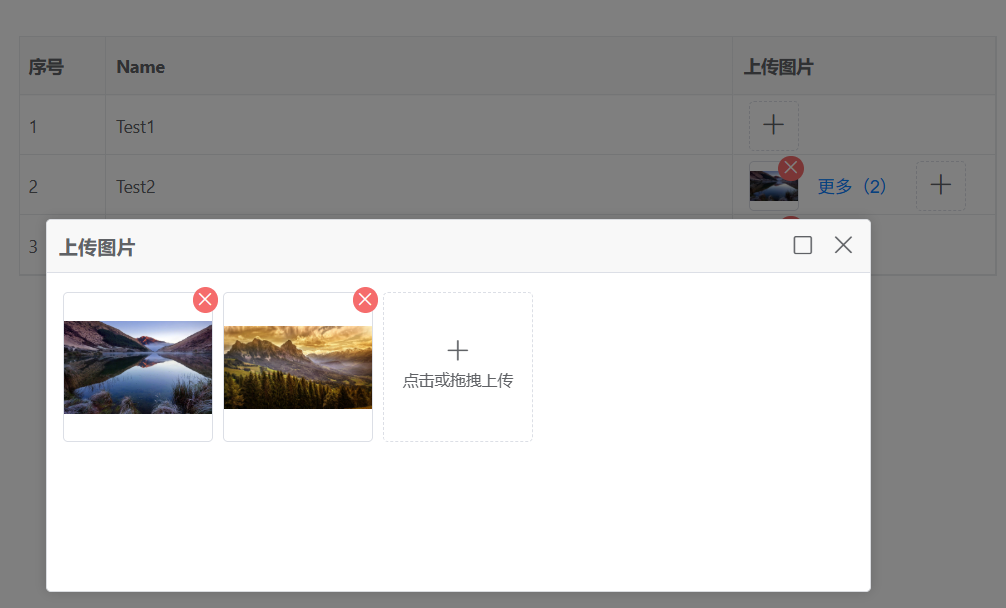
图表上传
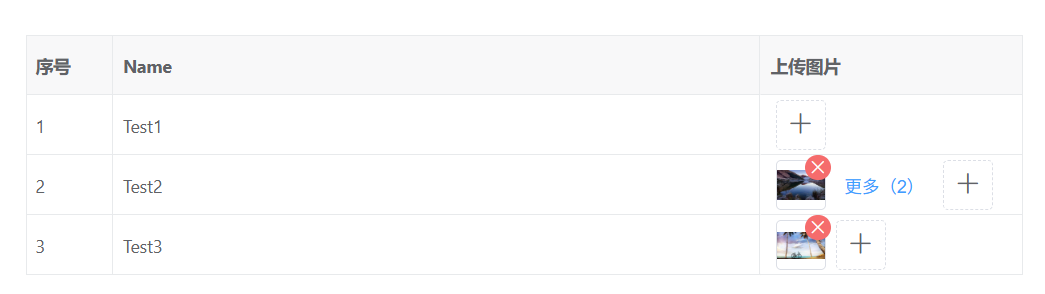
点击后显示更多,以及全功能的上传模式,拖拽上传等
html
<template>
  <div>
    <vxe-grid v-bind="gridOptions"></vxe-grid>
  </div>
</template>

<script setup>
import { reactive } from 'vue'
import axios from 'axios'

const imgList2CellRender = reactive({
  name: 'VxeUpload',
  props: {
    mode: 'image',
    multiple: true,
    showButtonText: false,
    dragSort: true,
    progressText: '{percent}%',
    moreConfig: {
      maxCount: 1
    },
    imageConfig: {
      width: 40,
      height: 40
    },
    uploadMethod ({ file }) {
      const formData = new FormData()
      formData.append('file', file)
      return axios.post('/api/pub/upload/single', formData).then((res) => {
        // { url: ''}
        return {
          ...res.data
        }
      })
    }
  }
})

const gridOptions = reactive({
  border: true,
  showOverflow: true,
  columns: [
    { type: 'seq', width: 70 },
    { field: 'name', title: 'Name', minWidth: 180 },
    { field: 'imgList2', title: '上传图片', width: 210, cellRender: imgList2CellRender }
  ],
  data: [
    {
      id: 10001,
      name: 'Test1',
      imgList2: []
    },
    {
      id: 10002,
      name: 'Test2',
      imgList2: [
        { name: 'fj562.png', url: 'https://vxeui.com/resource/img/fj562.png' },
        { name: 'fj573.jpeg', url: 'https://vxeui.com/resource/img/fj573.jpeg' }
      ]
    },
    {
      id: 10003,
      name: 'Test3',
      imgList2: [
        { name: 'fj577.jpg', url: 'https://vxeui.com/resource/img/fj577.jpg' }
      ]
    }
  ]
})
</script>
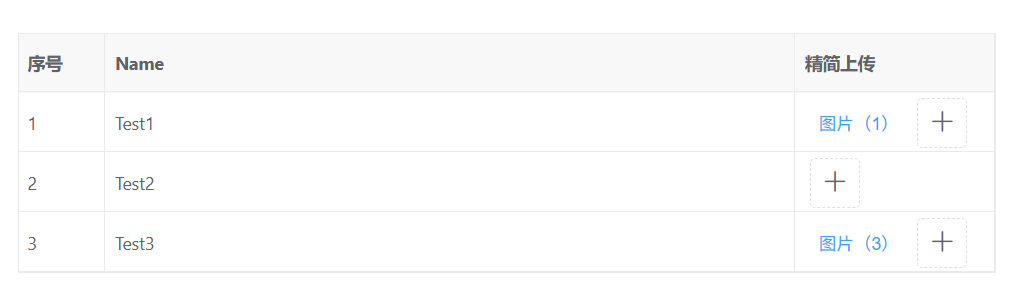
图表上传 - 简化显示
html
<template>
  <div>
    <vxe-grid v-bind="gridOptions"></vxe-grid>
  </div>
</template>

<script setup>
import { reactive } from 'vue'
import axios from 'axios'

const imgList4CellRender = reactive({
  name: 'VxeUpload',
  props: {
    mode: 'image',
    multiple: true,
    showButtonText: false,
    dragSort: true,
    progressText: '{percent}%',
    moreConfig: {
      maxCount: 0
    },
    imageConfig: {
      width: 40,
      height: 40
    },
    uploadMethod ({ file }) {
      const formData = new FormData()
      formData.append('file', file)
      return axios.post('/api/pub/upload/single', formData).then((res) => {
        // { url: ''}
        return {
          ...res.data
        }
      })
    }
  }
})

const gridOptions = reactive({
  border: true,
  showOverflow: true,
  columns: [
    { type: 'seq', width: 70 },
    { field: 'name', title: 'Name', minWidth: 180 },
    { field: 'fileList4', title: '精简上传', width: 160, cellRender: imgList4CellRender }
  ],
  data: [
    {
      id: 10001,
      name: 'Test1',
      imgList4: []
    },
    {
      id: 10002,
      name: 'Test2',
      imgList4: [
        { name: 'fj562.png', url: 'https://vxeui.com/resource/img/fj562.png' },
        { name: 'fj573.jpeg', url: 'https://vxeui.com/resource/img/fj573.jpeg' }
      ]
    },
    {
      id: 10003,
      name: 'Test3',
      imgList4: [
        { name: 'fj577.jpg', url: 'https://vxeui.com/resource/img/fj577.jpg' }
      ]
    }
  ]
})
</script>