前文介绍了连接GizmoSQL数据库服务器的几种方法,其中最简单的就是用客户端二进制文件,但是这个客户端有诸多限制不太好用,所幸,GizmoData还给出了GizmoSQL UI组件,用它可以用web页面笔记本方式访问。
试用步骤
-
下载GizmoSQL服务端和客户端二进制文件。解压缩到gzm目录。
wget https://github.com/gizmodata/gizmosql/releases/download/v1.16.0/gizmosql_cli_linux_amd64.zip
-
下载GizmoSQL UI组件二进制文件。解压缩到gzmui目录。
wget https://github.com/gizmodata/gizmosql-ui/releases/download/v2.2.1/gizmosql-ui-linux-x64
-
启动服务端
ls
gizmosql_client gizmosql_server
GIZMOSQL_PASSWORD="gizmosql_password" ./gizmosql_server --database-filename ./data.db --print-queries
2026-01-29T10:05:36.921Z INFO pid=1344 tid=140088588014528 component=gizmosql_server - GizmoSQL - Copyright © 2026 GizmoData LLC
Licensed under the Apache License, Version 2.0
https://www.apache.org/licenses/LICENSE-2.0
2026-01-29T10:05:36.928Z INFO pid=1344 tid=140088588014528 component=gizmosql_server - ----------------------------------------------
2026-01-29T10:05:36.928Z INFO pid=1344 tid=140088588014528 component=gizmosql_server - Apache Arrow version: 21.0.0
2026-01-29T10:05:36.945Z INFO pid=1344 tid=140088588014528 component=gizmosql_server - WARNING - TLS is disabled for the GizmoSQL server - this is NOT secure.
2026-01-29T10:05:36.946Z INFO pid=1344 tid=140088588014528 component=gizmosql_server - Access logging disabled
2026-01-29T10:05:36.959Z INFO pid=1344 tid=140088588014528 component=gizmosql_server - DuckDB version: v1.4.0
2026-01-29T10:05:37.606Z INFO pid=1344 tid=140088588014528 component=gizmosql_server - Running Init SQL command:
SET autoinstall_known_extensions = true;
2026-01-29T10:05:37.610Z INFO pid=1344 tid=140088588014528 component=gizmosql_server - Running Init SQL command:
SET autoload_known_extensions = true;
2026-01-29T10:05:37.611Z INFO pid=1344 tid=140088588014528 component=gizmosql_server - Using database file: "/mnt/c/d/gzm/./data.db"
2026-01-29T10:05:37.611Z INFO pid=1344 tid=140088588014528 component=gizmosql_server - Print Queries option is set to: true
2026-01-29T10:05:37.707Z INFO pid=1344 tid=140088588014528 component=gizmosql_server - GizmoSQL server version: v1.11.0 - with engine: DuckDB - will listen on grpc+tcp://0.0.0.0:31337
2026-01-29T10:05:37.707Z INFO pid=1344 tid=140088588014528 component=gizmosql_server - GizmoSQL server - started
可以用客户端验证,服务端正常
./gizmosql_client   --command Execute   --host "localhost"   --port 31337   --username "gizmosql_username"   --password "gizmosql_password"   --query "SELECT version()"      --tls-skip-verify
Results from endpoint 1 of 1
Schema:
"version"(): string

Results:
"version"():   [
    "v1.4.0"
  ]

Total: 1-
启动GizmoSQL UI后台服务
cd gzmui
root@DESKTOP-59T6U68:/mnt/c/d/gzmui# chmod +x g*
root@DESKTOP-59T6U68:/mnt/c/d/gzmui# ./gizmosql-ui-linux-x64╔══════════════════════════════════════════════════════════════════════════╗
║ ║
║ ██████╗ ██╗███████╗███╗ ███╗ ██████╗ ███████╗ ██████╗ ██╗ ║
║ ██╔════╝ ██║╚══███╔╝████╗ ████║██╔═══██╗██╔════╝██╔═══██╗██║ ║
║ ██║ ███╗██║ ███╔╝ ██╔████╔██║██║ ██║███████╗██║ ██║██║ ║
║ ██║ ██║██║ ███╔╝ ██║╚██╔╝██║██║ ██║╚════██║██║▄▄ ██║██║ ║
║ ╚██████╔╝██║███████╗██║ ╚═╝ ██║╚██████╔╝███████║╚██████╔╝███████╗ ║
║ ╚═════╝ ╚═╝╚══════╝╚═╝ ╚═╝ ╚═════╝ ╚══════╝ ╚══▀▀═╝ ╚══════╝ ║
║ ║
║ GizmoSQL UI v2.2.0 ║
║ ║
╚══════════════════════════════════════════════════════════════════════════╝Server running at: http://localhost:3000
Opening browser...
▲ Next.js 14.2.35
- Local: http://localhost:3000
- Network: http://0.0.0.0:3000
✓ Starting...
✓ Ready in 150ms
Could not open browser automatically.
Please open http://localhost:3000 in your browser.
E Connection to dns:localhost:31337 at 127.0.0.1:31337 rejected by server because of excess pings. Increasing ping interval to 60000 ms
4.用浏览器访问GizmoSQL UI页面
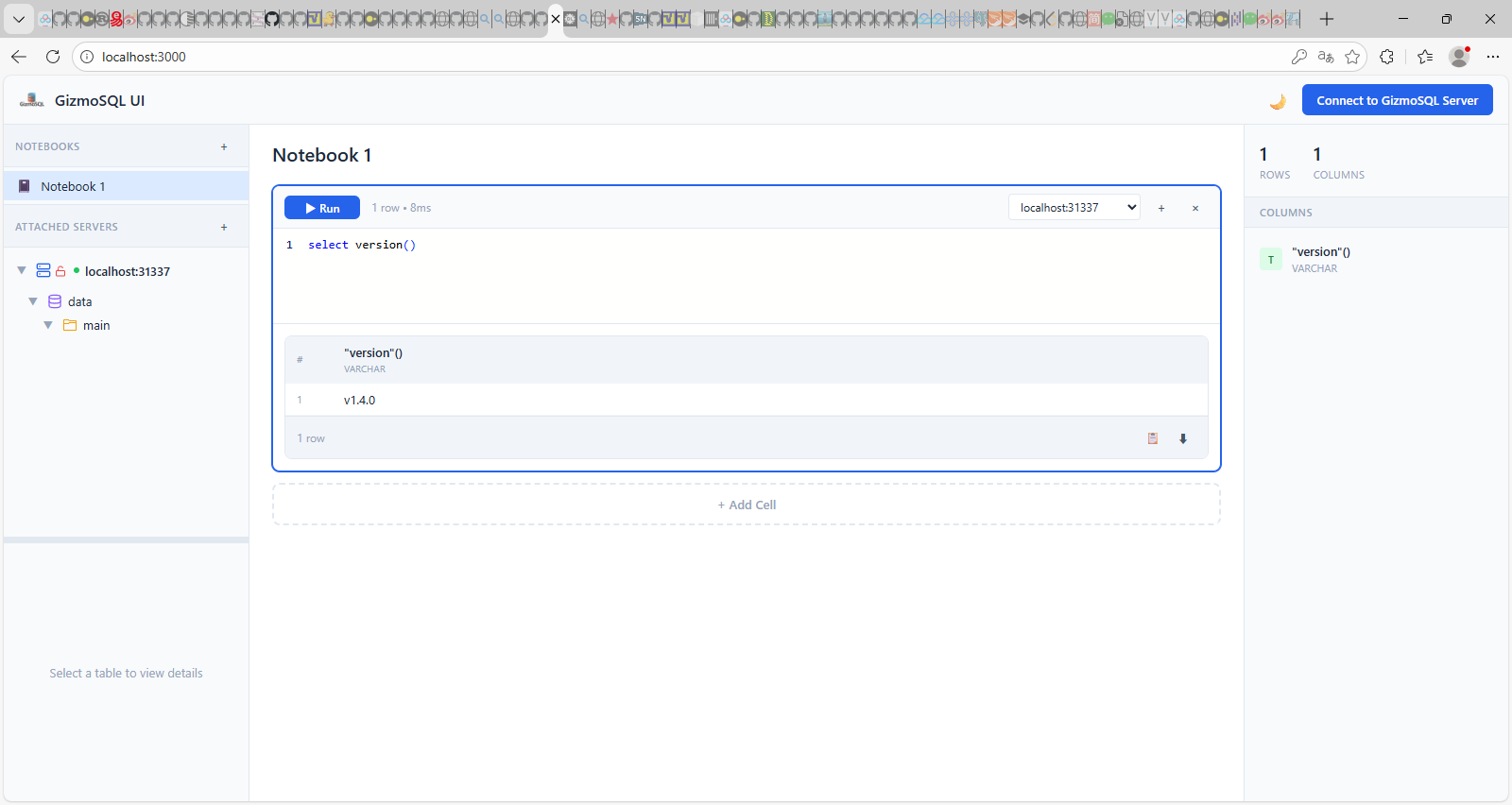
在地址栏输入http://localhost:3000, 然后点击Connect to GizmoSQL Server按钮,输入用户名和口令。就在左侧生成了目录树,在NoteBook1中选NoteBook1,就可以在笔记本中输入SQL语句。
如下面图片所示。
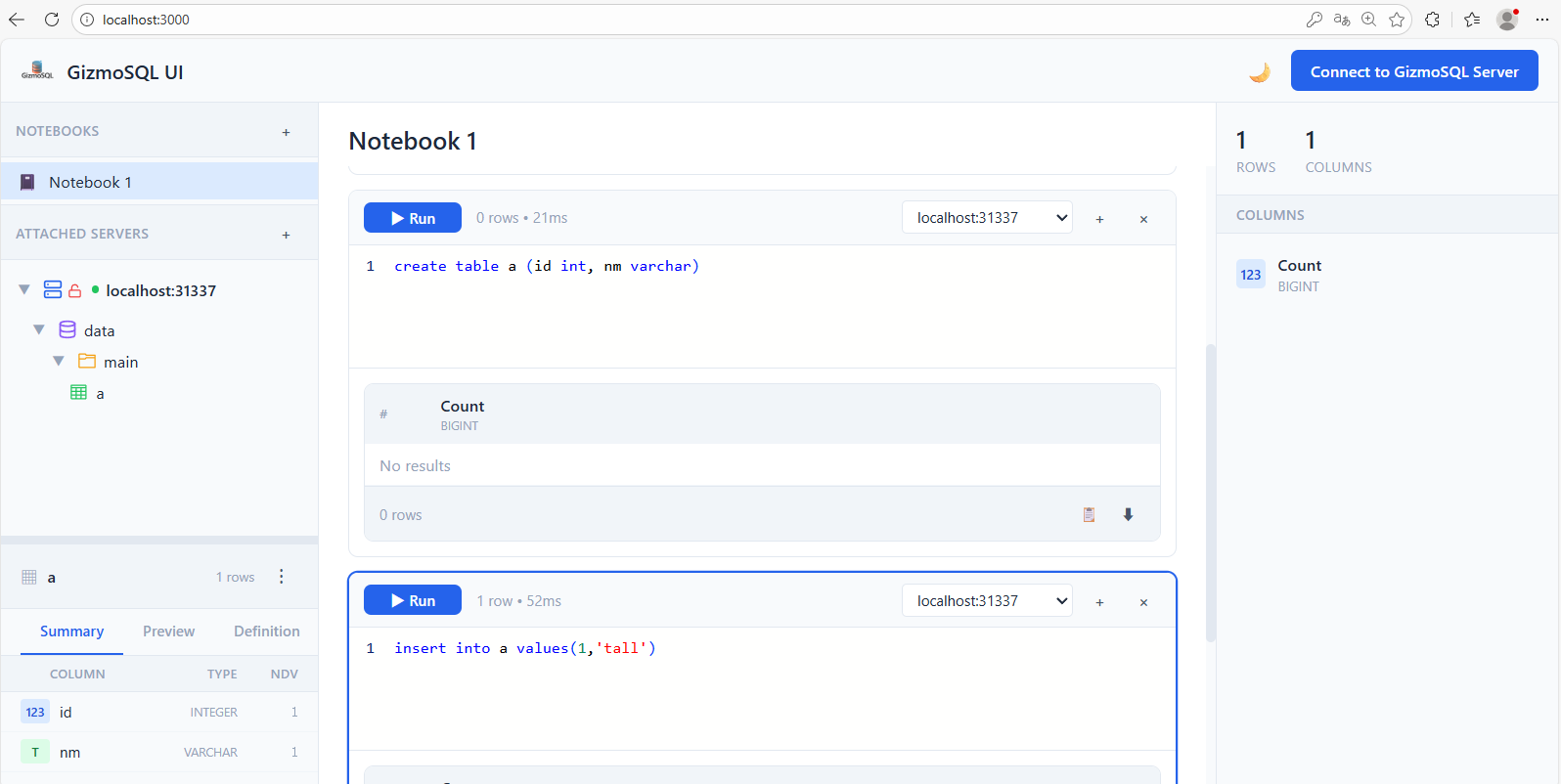
在目录树上选择要浏览的表,当表中插入数据后,左下角浏览窗口自动显示表中的数据。