背景:git commit 时出现【Husky + ESLint + Prettier 】依赖缺失/配置不一致等【代码规范问题】报错
原因 :【husky 的代码规范问题】 ESLint 配置里 extends: ['prettier'],但项目中没有正确安装 eslint-config-prettier,或版本被 pnpm 隔离导致 ESLint 找不到。
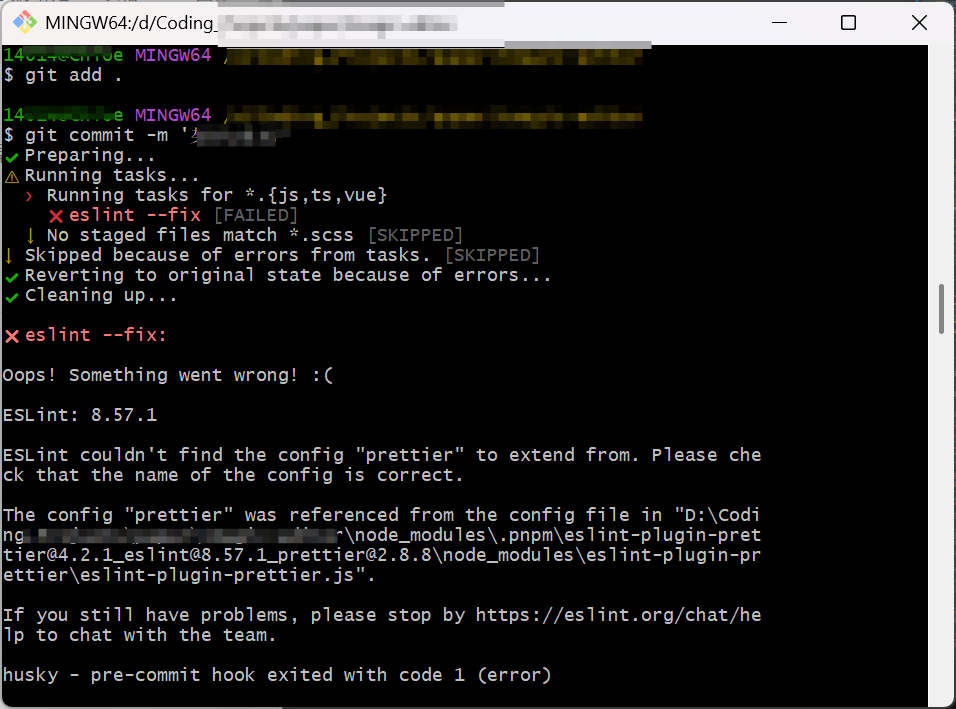
导致:husky 的 pre-commit → eslint --fix → 直接失败 → commit 被回滚。
解决方案:
一、长期、稳定(推荐):
①安装缺失的依赖;
pnpm add -D eslint-config-prettier
②检查 ESLint 配置文件
.eslintrc.js
.eslintrc.cjs
.eslintrc.json确保 extends
至少包含:
extends: [
  'eslint:recommended',
  'plugin:vue/vue3-recommended',
  'plugin:@typescript-eslint/recommended',
  'prettier'
]
⚠️ 注意顺序
'prettier'必须放在最后(官方要求)③重新提交 (git comit )
二、立即提交,不被拦(临时方案)
法一:跳过 husky
git commit -m "xxx" --no-verify
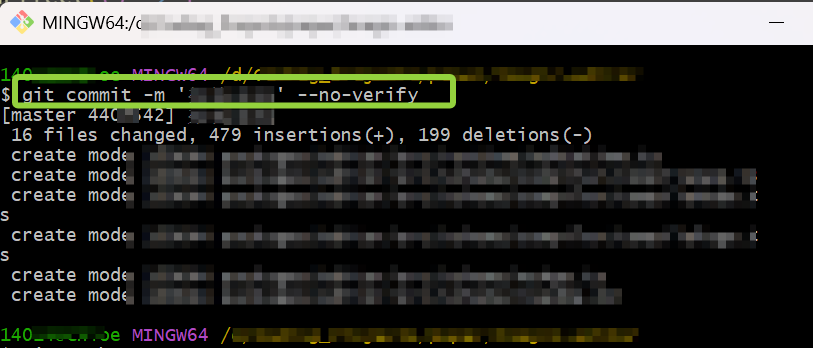
适用场景
正在大规模架构重构
代码还不稳定
不想被 lint / prettier 打断思路
tips:会跳过 husky
但 ESLint 问题依然存在,下次还会炸
法二:临时禁用 pre-commit 钩子)
方法 A:单次禁用(推荐)
HUSKY=0 git commit -m "架构重构"
和
--no-verify等价但更"工程化",有些团队更推荐这个
方法 B:暂时移走 hook(不推荐长期)
mv .husky/pre-commit .husky/pre-commit.bak git commit -m "架构重构"
提交完成后再恢复:
mv .husky/pre-commit.bak .husky/pre-commit
法三(只对你本地生效,长期重构期可用)
如果你接下来一段时间都不想被 lint 卡住:
git config core.hooksPath .git/hooks-disabled
提交:git commit -m "架构重构"
恢复:git config --unset core.hooksPath
工作流建议:1. 重构完成 ;2. 结构稳定后 ,修 ESLint/Prettier,打开 husky;3. 最终提交: pnpm lint 和pnpm format
具体报错:
bash
git commit -m 'xx'
✔ Preparing...
⚠ Running tasks...
  ❯ Running tasks for *.{js,ts,vue}
    ✖ eslint --fix [FAILED]
  ↓ No staged files match *.scss [SKIPPED]
↓ Skipped because of errors from tasks. [SKIPPED]
✔ Reverting to original state because of errors...
✔ Cleaning up...

✖ eslint --fix:

Oops! Something went wrong! :(

ESLint: 8.57.1

ESLint couldn't find the config "prettier" to extend from. Please check that the name of the config is correct.

The config "prettier" was referenced from the config file in "D:\xxx\node_modules\.pnpm\eslint-plugin-prettier@4.2.1_eslint@8.57.1_prettier@2.8.8\node_modules\eslint-plugin-prettier\eslint-plugin-prettier.js".

If you still have problems, please stop by https://eslint.org/chat/help to chat with the team.

husky - pre-commit hook exited with code 1 (error)参考:【已解决】使用 husky、commitlint 后 git commit 报错:No staged files match any configured task.-CSDN博客git commit前检测husky与pre-commit - 知乎