https://blog.csdn.net/weixin_46001736/article/details/157732220?spm=1011.2415.3001.5331
一、修改主页面
1、tab修改
只保留设计页与打印页面
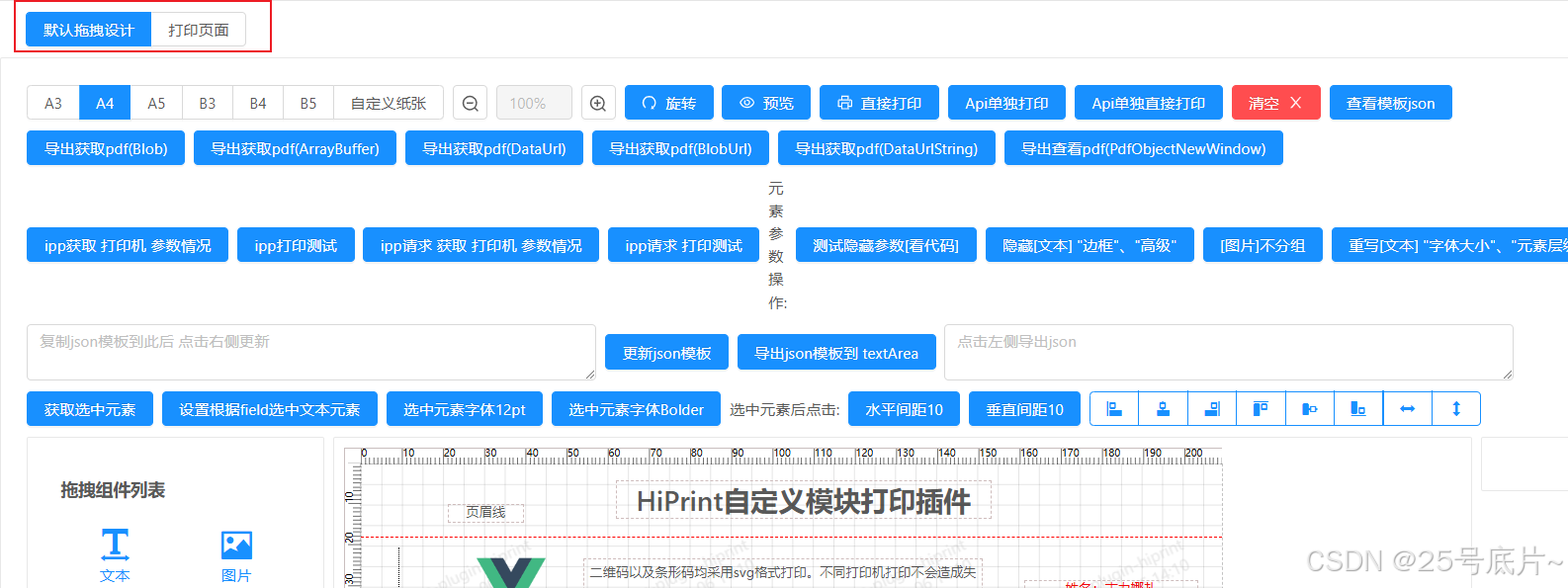
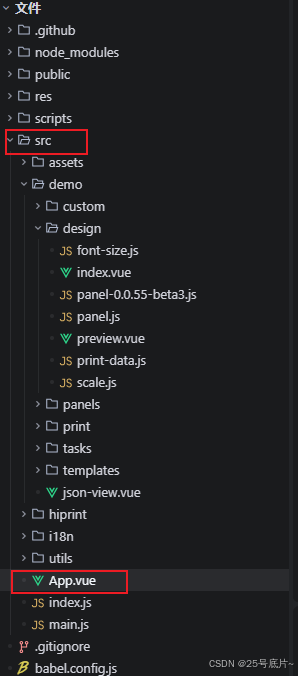
修改代码路径
src/App.vue
修改代码
html
<template>
  <div id="app">
    <a-row type="flex" class="menus">
      <a-button-group>
        <template v-for="demo in demoList">
          <a-button :type="demo.name === curDemo ? 'primary' : 'info'" @click="curDemo = demo.name" :key="demo.name">
            {{ demo.title }}
          </a-button>
        </template>
      </a-button-group>
    </a-row>
    <keep-alive>
      <component :is="curDemo" />
    </keep-alive>
  </div>
</template>

<script>
import printDesign from "@/demo/design/designindex";
import print from "@/demo/print/index";
import { decodeVer } from "@/utils";

export default {
  name: "App",
  components: {
    printDesign,
    print,
  },
  data() {
    return {
      curDemo: "printDesign",
      demoList: [
        { name: "printDesign", title: "默认拖拽设计" },
        { name: "print", title: "打印页面" },
      ],
      // npm 信息
      npmInfo: {},
      versions: [],
      lang: "cn",
      // 选择版本
      version: undefined,
    };
  },
  computed: {
    i18nSupport() {
      return (
        this.version == "development" ||
        (this.version && decodeVer(this.version).verVal >= 55.8)
      );
    },
  },
  created() {
    this.version = sessionStorage.getItem("version") || "development";
    this.lang = sessionStorage.getItem("lang") || "cn";
    this.getVersion();
  },
  methods: {
    /**
     * @description: 通过 jsdelivr 获取所有 npm 信息
     * @return {*}
     */
    getVersion() {
      const xhr = new XMLHttpRequest();
      xhr.open("GET", "https://registry.npmmirror.com/vue-plugin-hiprint");
      xhr.onload = () => {
        if (xhr.status === 200) {
          this.npmInfo = JSON.parse(xhr.responseText);
          this.versions = Object.keys(this.npmInfo.versions)
            .map((version) => ({
              label: version,
              value: version,
            }))
            .reverse();
          if (process.env.NODE_ENV === "development") {
            this.versions.unshift({
              label: "development",
              value: "development",
            });
          }
          this.version ??= this.versions[0].value;
        }
      };
      xhr.send();
    },
  },
};
</script>

<style lang="less">
.menus {
  padding: 10px 24px;
}
</style>
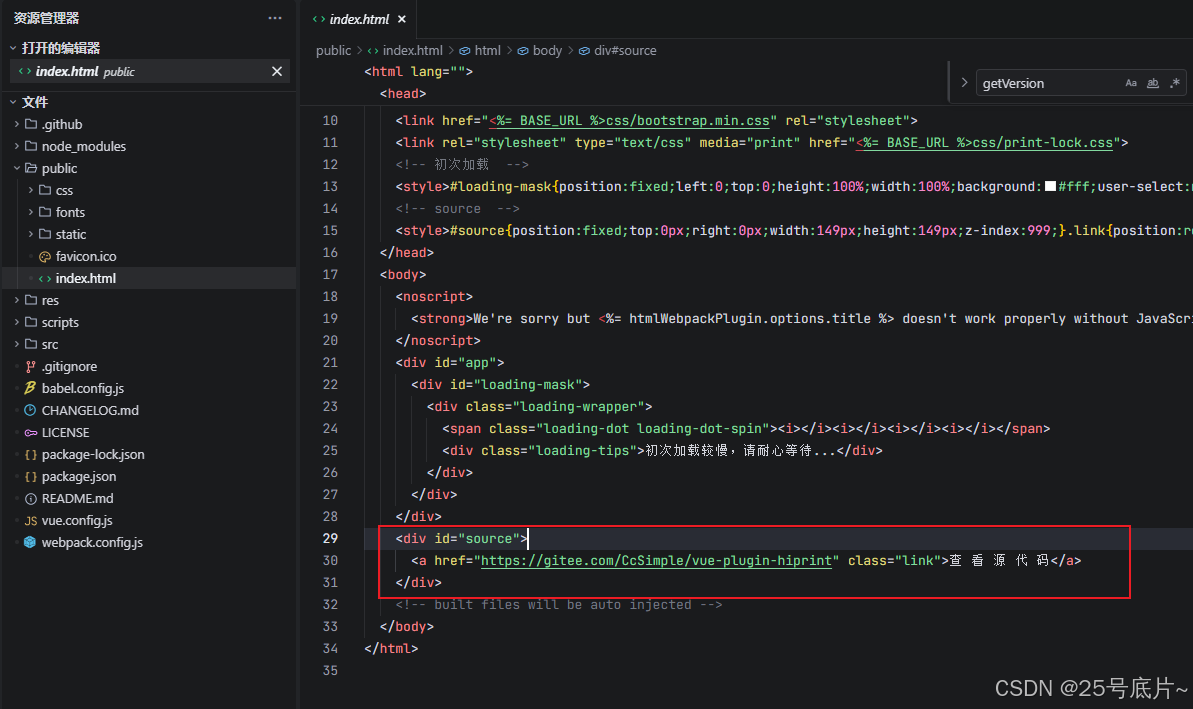
2、去掉右侧的查看源码标签

代码路径:public/index.html
直接去掉标记部分代码
3、新增页面
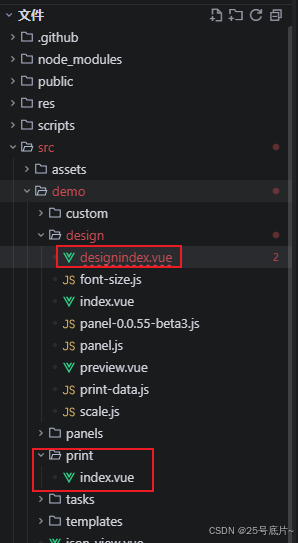
新增设计页面src/demo/design/designindex.vue
新增打印页面src/demo/print/index.vue
二、设计页面
路径:src/demo/design/designindex.vue
1、复制粘贴默认拖拽设计页面
路径:src/demo/design/index.vue
2、去掉页面不需要的代码
去掉组件即可,其余js,css要去掉也行
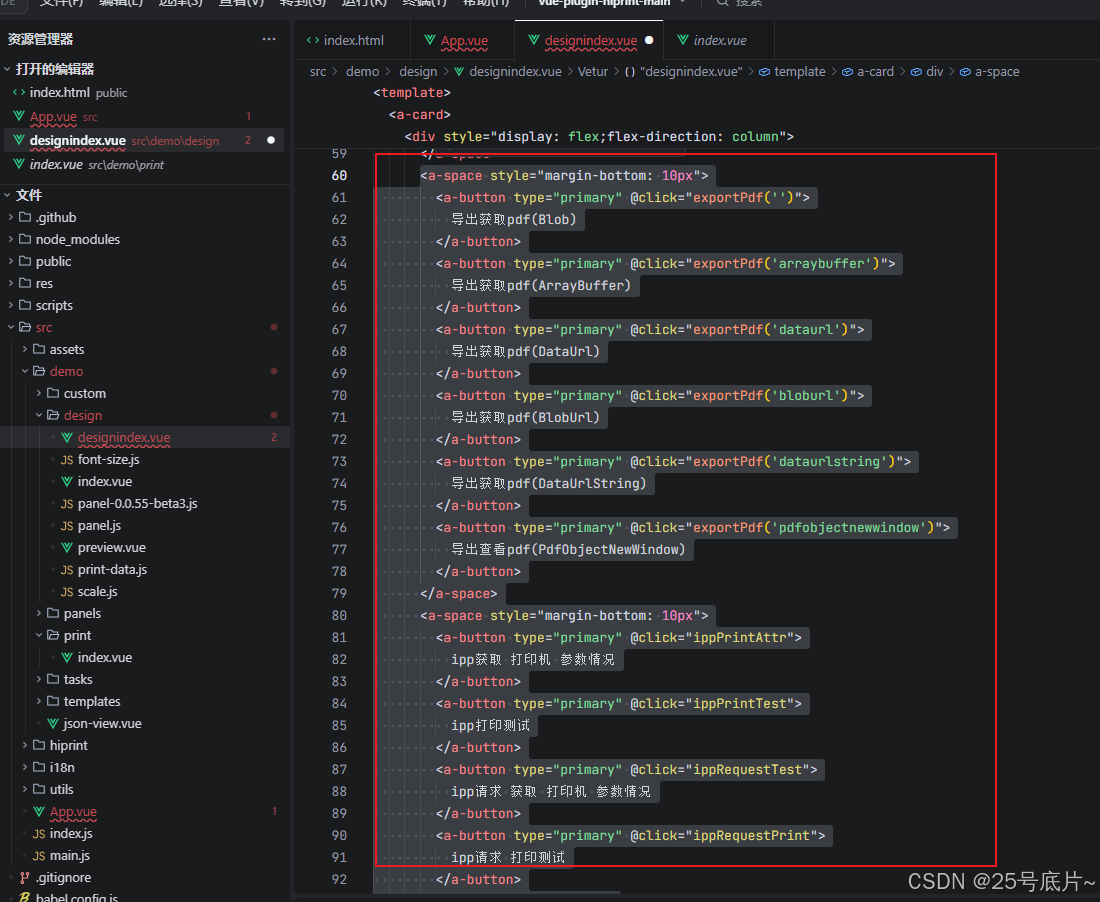
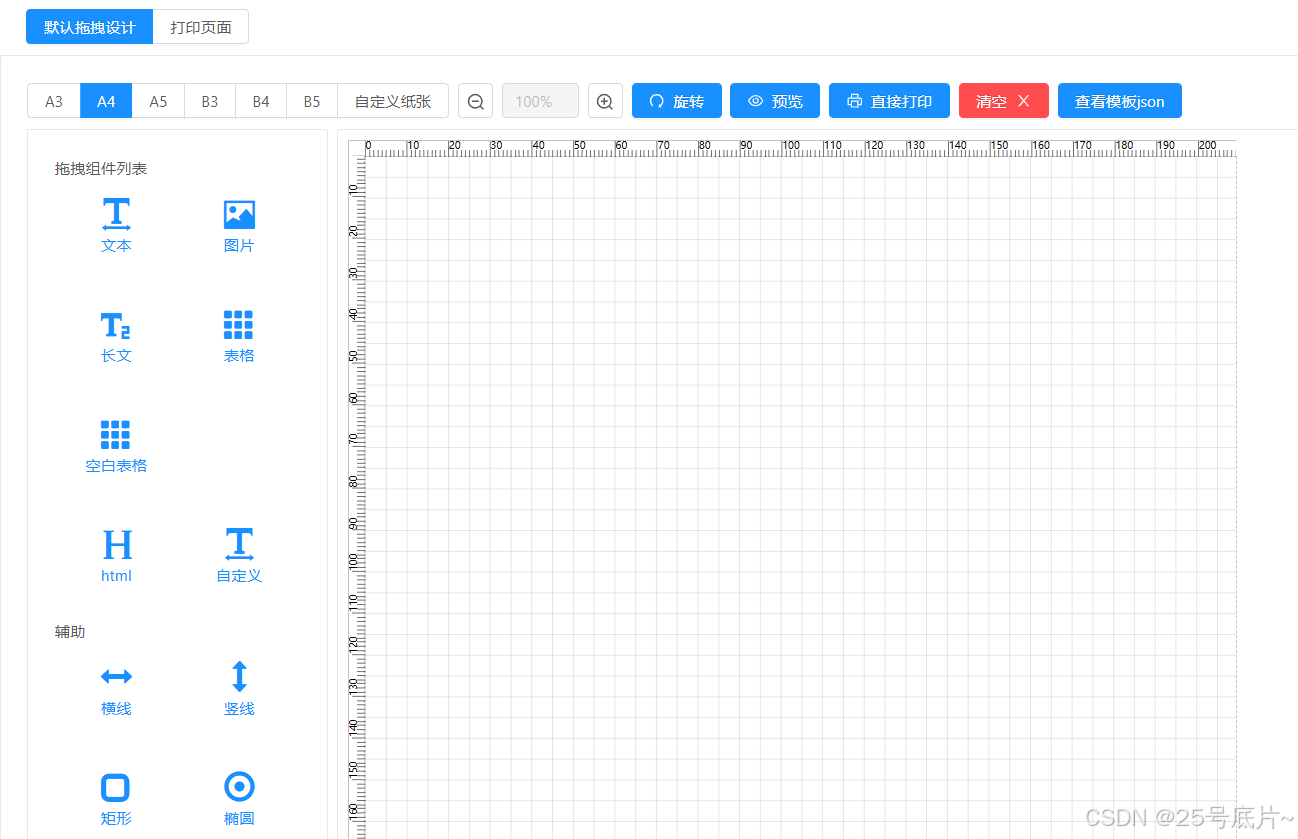
得到效果

3、清空模板
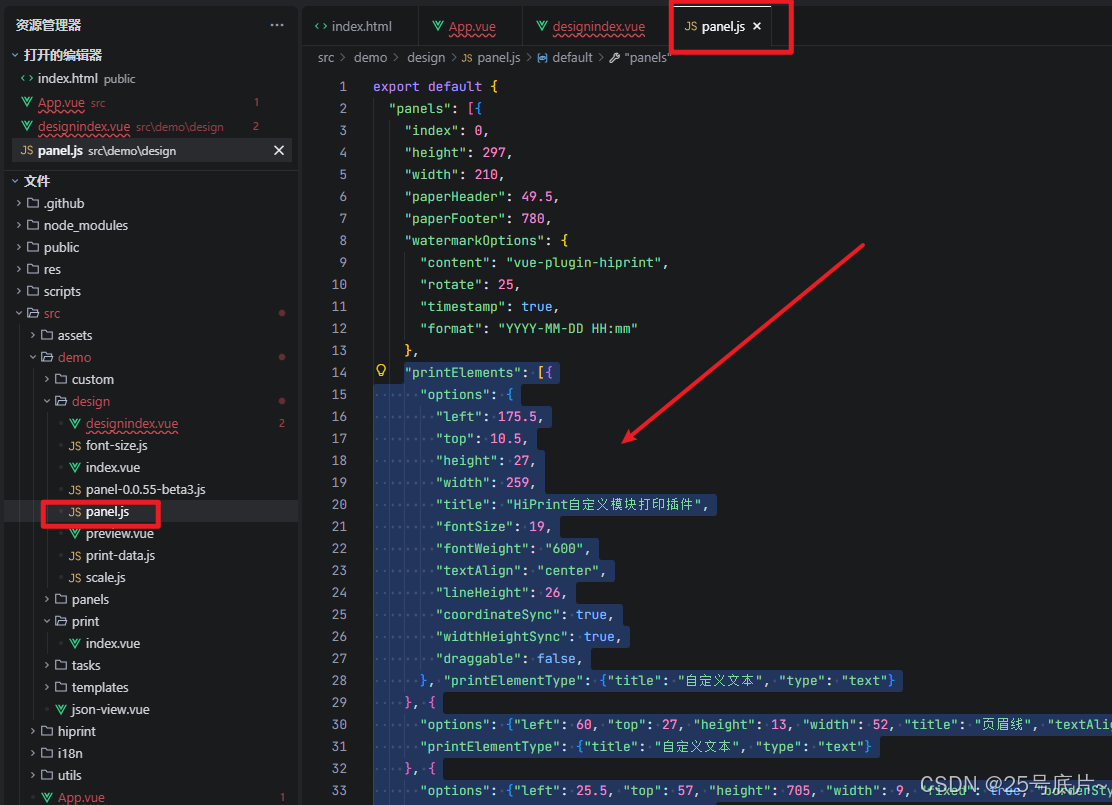
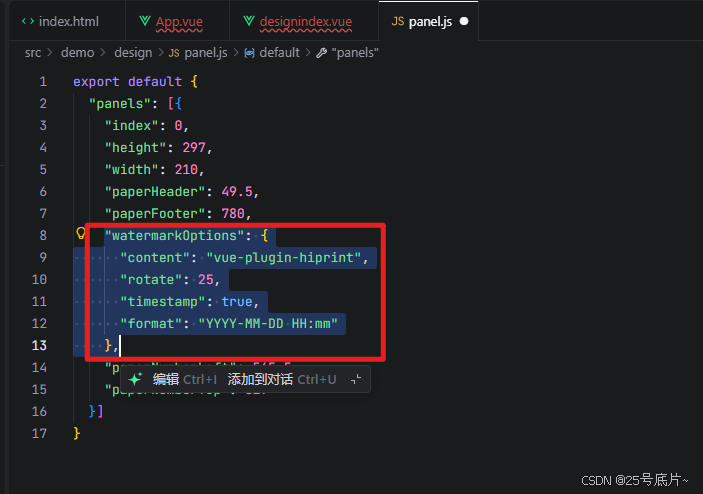
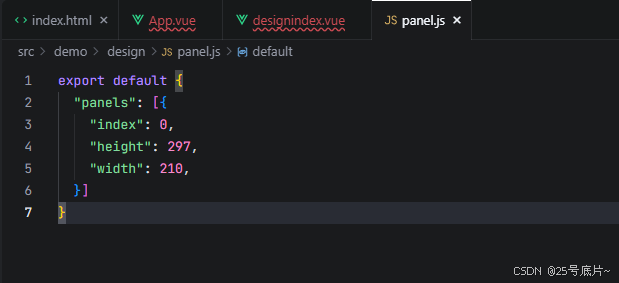
方法一:修改panel.js的代码
路径:src/demo/design/panel.js
去掉页面中的printElements
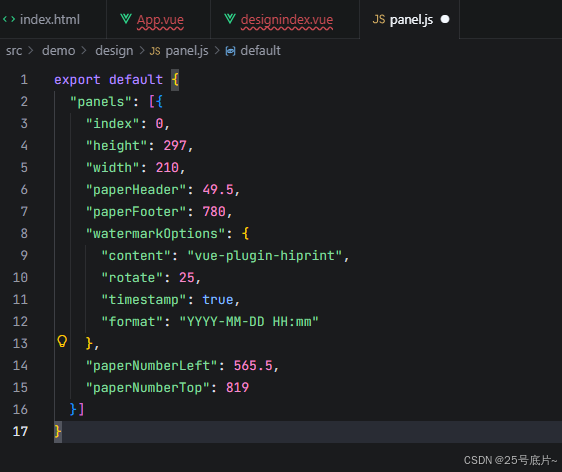
水印去掉
只展示宽高的效果
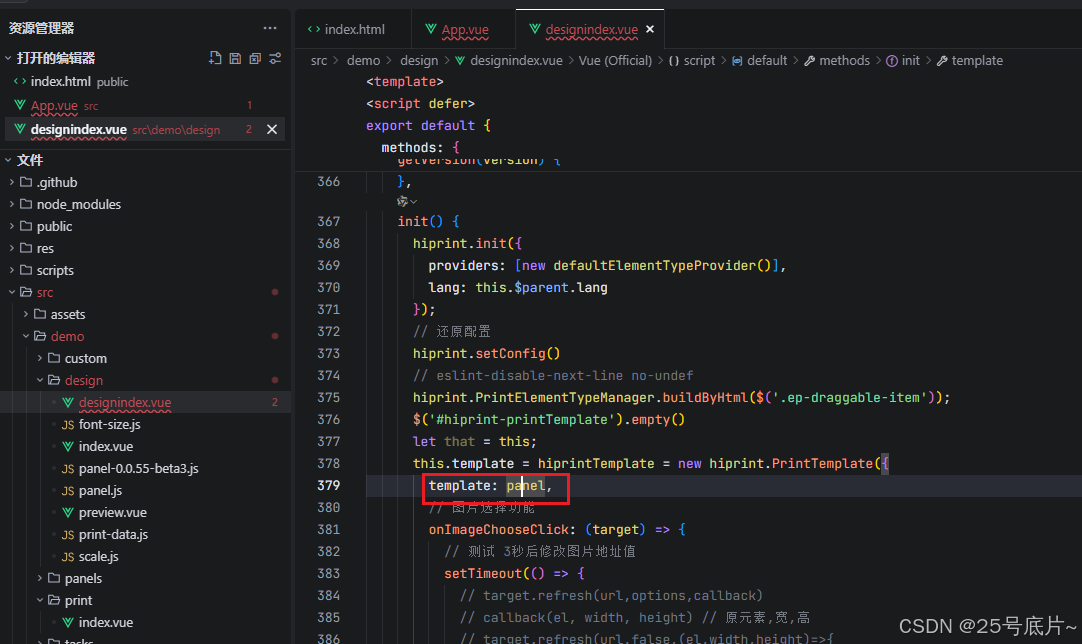
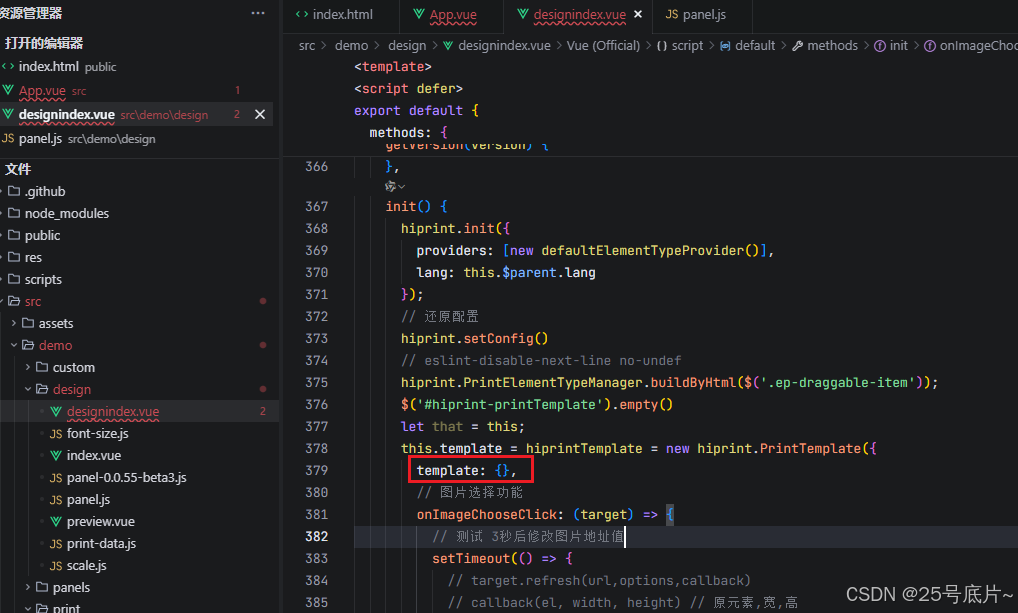
方法二:修改当前页面代码
直接在设计页面,直接将引入钼靶部分设置为空{}
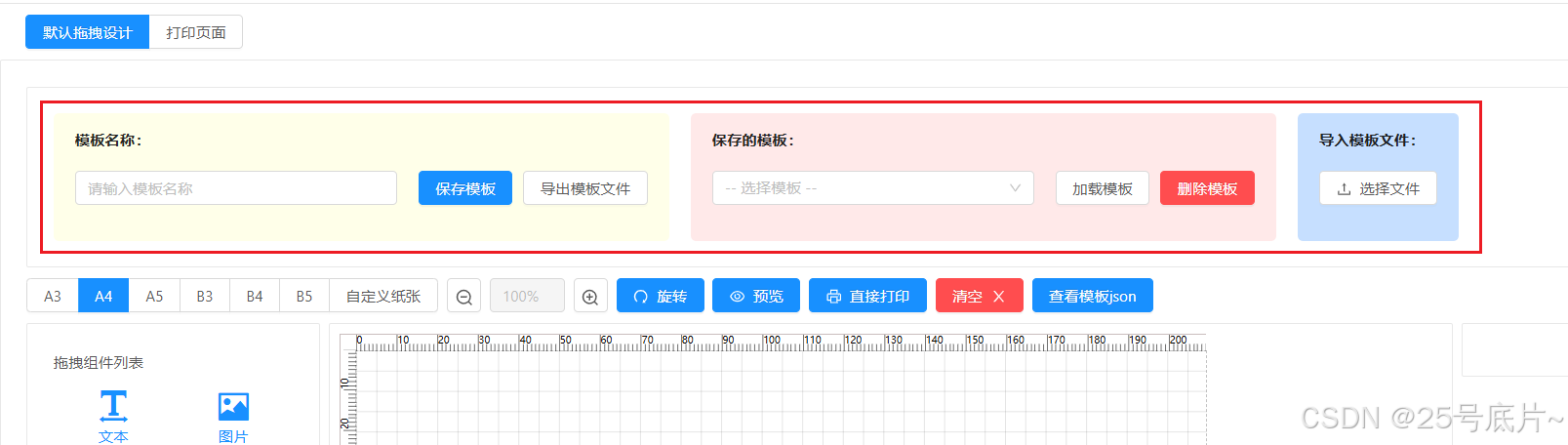
4、增加模板的导入,导出,缓存加载
增加组件
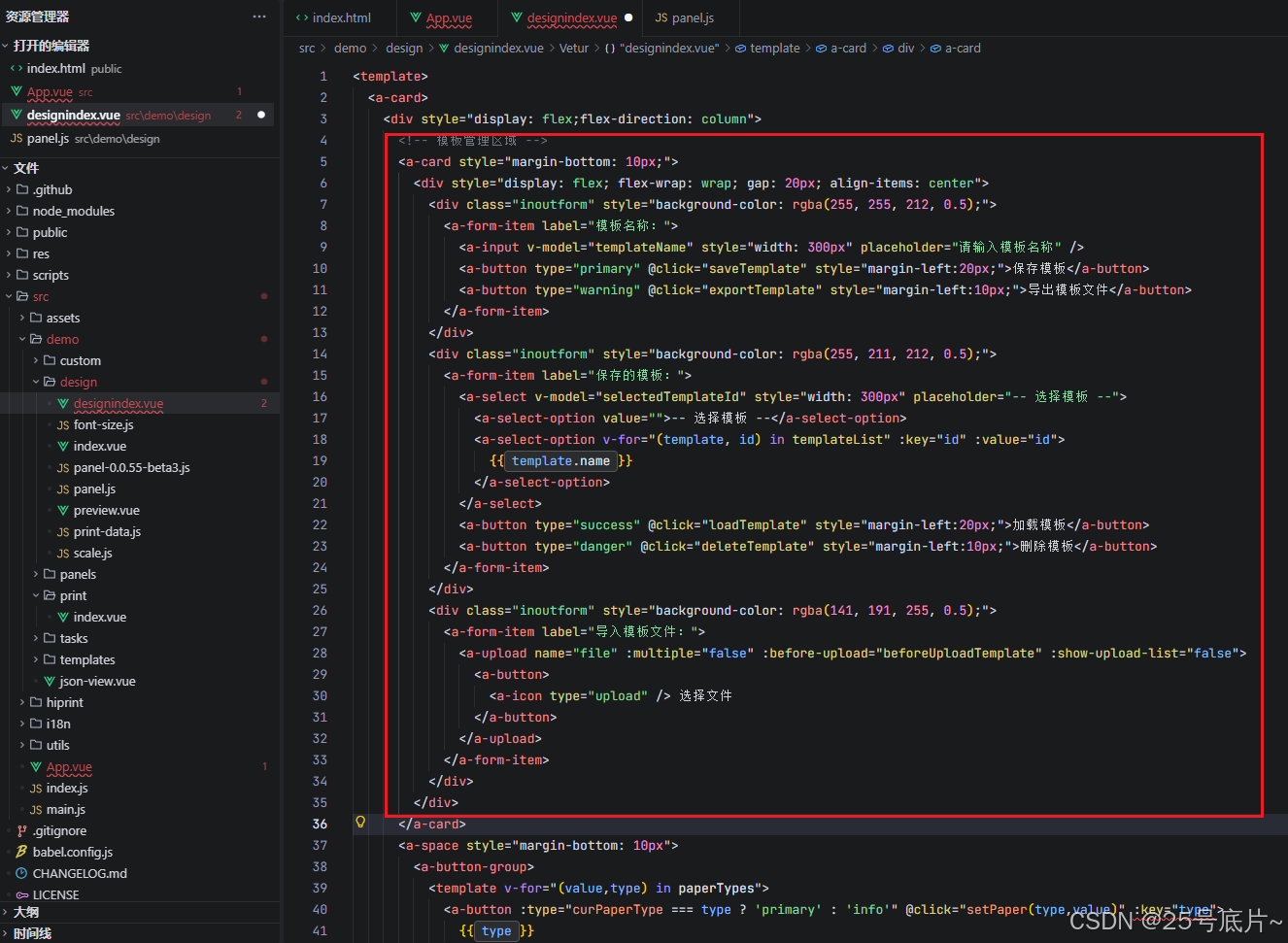
代码
html
<!-- 模板管理区域 -->
<a-card style="margin-bottom: 10px;">
  <div style="display: flex; flex-wrap: wrap; gap: 20px; align-items: center">
    <div class="inoutform" style="background-color: rgba(255, 255, 212, 0.5);">
      <a-form-item label="模板名称:">
        <a-input v-model="templateName" style="width: 300px" placeholder="请输入模板名称" />
        <a-button type="primary" @click="saveTemplate" style="margin-left:20px;">保存模板</a-button>
        <a-button type="warning" @click="exportTemplate" style="margin-left:10px;">导出模板文件</a-button>
      </a-form-item>
    </div>
    <div class="inoutform" style="background-color: rgba(255, 211, 212, 0.5);">
      <a-form-item label="保存的模板:">
        <a-select v-model="selectedTemplateId" style="width: 300px" placeholder="-- 选择模板 --">
          <a-select-option value="">-- 选择模板 --</a-select-option>
          <a-select-option v-for="(template, id) in templateList" :key="id" :value="id">
            {{ template.name }}
          </a-select-option>
        </a-select>
        <a-button type="success" @click="loadTemplate" style="margin-left:20px;">加载模板</a-button>
        <a-button type="danger" @click="deleteTemplate" style="margin-left:10px;">删除模板</a-button>
      </a-form-item>
    </div>
    <div class="inoutform" style="background-color: rgba(141, 191, 255, 0.5);">
      <a-form-item label="导入模板文件:">
        <a-upload name="file" :multiple="false" :before-upload="beforeUploadTemplate" :show-upload-list="false">
          <a-button>
            <a-icon type="upload" /> 选择文件
          </a-button>
        </a-upload>
      </a-form-item>
    </div>
  </div>
</a-card>
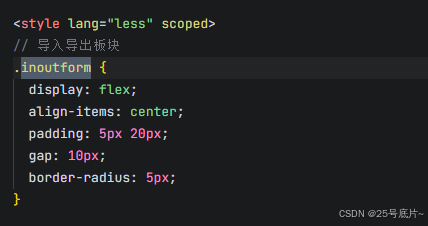
增加样式
主要的页面均写在组件中,这里展示一个公共的样式
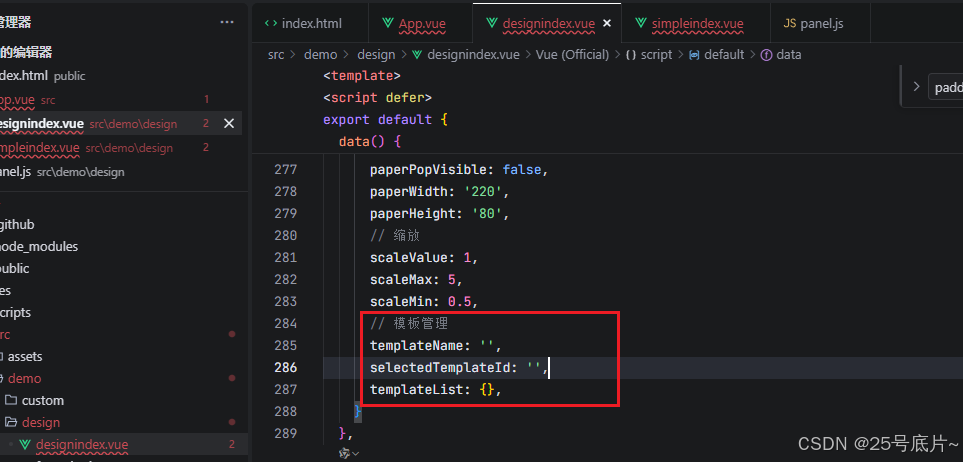
增加逻辑
增加data变量
增加组件创建时加载模板方法
javascript
created() {
  // 组件创建时加载模板列表
  this.loadTemplateList()
},
模板使用方法
javascript
//-----------------------------------管理模块-----------------------------------
// 模板管理相关方法
loadTemplateList() {
  const templates = localStorage.getItem('hiprintTemplates');
  this.templateList = templates ? JSON.parse(templates) : {};
},

// 保存模板
saveTemplate() {
  const templateName = this.templateName.trim();

  if (!templateName) {
    this.$message.error('请输入模板名称');
    return;
  }

  // 检查是否有重复的模板名称
  const templates = this.templateList;
  let isDuplicate = false;
  for (const id in templates) {
    if (templates[id].name === templateName) {
      isDuplicate = true;
      break;
    }
  }

  if (isDuplicate) {
    // 使用正确的方式处理确认对话框
    this.$confirm({
      title: '已存在同名模板,是否覆盖?',
      content: '覆盖后原模板将被替换',
      okText: '确定',
      cancelText: '取消',
      type: 'warning',
      onOk: () => {
        this.doSaveTemplate(templateName);
      },
      onCancel: () => {
        // 取消操作
      }
    });
  } else {
    this.doSaveTemplate(templateName);
  }
},
//确认保存模板
doSaveTemplate(templateName) {
  try {
    // 检查hiprintTemplate是否存在
    if (!hiprintTemplate) {
      this.$message.error('模板对象未初始化');
      return;
    }

    // 获取当前模板
    const currentTemplate = hiprintTemplate.getJson();
    const templateData = {
      name: templateName,
      template: currentTemplate,
      timestamp: new Date().getTime()
    };

    // 保存到localStorage
    const templates = { ...this.templateList }; // 深拷贝模板列表
    let templateId = null;

    // 检查是否存在同名模板,如果存在则使用原有的ID进行覆盖
    for (const id in templates) {
      if (templates[id].name === templateName) {
        templateId = id;
        break;
      }
    }

    // 如果不存在同名模板,则生成新的ID
    if (!templateId) {
      templateId = 'template_' + templateData.timestamp;
    }

    templates[templateId] = templateData;
    localStorage.setItem('hiprintTemplates', JSON.stringify(templates));

    this.$message.success('模板保存成功');
    this.templateList = templates; // 直接更新模板列表
    this.selectedTemplateId = templateId;
  } catch (error) {
    this.$message.error(`模板保存失败: ${error.message}`);
  }
},

//导出模板文件
exportTemplate() {
  const templateName = this.templateName.trim();

  if (!templateName) {
    this.$message.error('请输入模板名称');
    return;
  }

  try {
    // 获取当前模板
    const currentTemplate = hiprintTemplate.getJson();
    const templateData = {
      name: templateName,
      template: currentTemplate,
      timestamp: new Date().getTime(),
      exportDate: new Date().toISOString()
    };

    // 创建JSON字符串
    const jsonStr = JSON.stringify(templateData, null, 2);

    // 创建Blob对象
    const blob = new Blob([jsonStr], { type: 'application/json' });

    // 创建下载链接
    const url = URL.createObjectURL(blob);
    const a = document.createElement('a');
    a.href = url;
    a.download = templateName + '.json';
    document.body.appendChild(a);
    a.click();
    document.body.removeChild(a);
    URL.revokeObjectURL(url);

    this.$message.success('模板导出成功');
  } catch (error) {
    this.$message.error(`模板导出失败: ${error.message}`);
  }
},
//加载模板
loadTemplate() {
  const templateId = this.selectedTemplateId;

  if (!templateId) {
    this.$message.error('请选择要加载的模板');
    return;
  }

  try {
    const templates = this.templateList;
    const templateData = templates[templateId];

    if (templateData) {
      // 清空设计区域
      $('#hiprint-printTemplate').empty();

      // 重新创建模板对象
      hiprintTemplate = new hiprint.PrintTemplate({
        template: templateData.template,
        settingContainer: '#PrintElementOptionSetting',
        paginationContainer: '.hiprint-printPagination'
      });
      // 重新设计
      hiprintTemplate.design('#hiprint-printTemplate');

      // 隐藏页码
      setTimeout(() => {
        $('.hiprint-paperNumber').hide();
      }, 100);

      // 更新模板名称输入框
      this.templateName = templateData.name;

      this.$message.success('模板加载成功');
    } else {
      this.$message.error('模板加载失败');
    }
  } catch (error) {
    this.$message.error(`模板加载失败: ${error.message}`);
  }
},
//删除模板
deleteTemplate() {
  const templateId = this.selectedTemplateId;

  if (!templateId) {
    this.$message.error('请选择要删除的模板');
    return;
  }

  // 使用正确的方式处理确认对话框
  this.$confirm({
    title: '确定要删除选中的模板吗?',
    content: '删除后将无法恢复',
    okText: '确定',
    cancelText: '取消',
    type: 'danger',
    onOk: () => {
      try {
        const templates = { ...this.templateList }; // 深拷贝模板列表
        delete templates[templateId];
        localStorage.setItem('hiprintTemplates', JSON.stringify(templates));

        this.templateList = templates; // 直接更新模板列表
        this.selectedTemplateId = '';
        this.$message.success('模板删除成功');
      } catch (error) {
        this.$message.error(`模板删除失败: ${error.message}`);
      }
    },
    onCancel: () => {
      // 取消操作
    }
  });
},
//上传模板文件
beforeUploadTemplate(file) {
  const reader = new FileReader();
  reader.onload = (e) => {
    try {
      const templateData = JSON.parse(e.target.result);

      if (templateData && templateData.template) {
        // 从文件名中移除.json后缀作为模板名称
        const fileName = file.name;
        const templateName = fileName ? fileName.replace('.json', '') : '';
        templateData.name = templateName || '导入的模板_' + new Date().getTime();
        // 总是生成新的timestamp,避免覆盖原有模板
        templateData.timestamp = new Date().getTime();

        // 检查是否有重复的模板名称
        const templates = this.templateList;
        let isDuplicate = false;
        for (const id in templates) {
          if (templates[id].name === templateData.name) {
            isDuplicate = true;
            break;
          }
        }

        if (isDuplicate) {
          // 使用正确的方式处理确认对话框
          this.$confirm({
            title: '已存在同名模板,是否覆盖?',
            content: '覆盖后原模板将被替换',
            okText: '确定',
            cancelText: '取消',
            type: 'warning',
            onOk: () => {
              this.doImportTemplate(templateData);
            },
            onCancel: () => {
              // 取消操作
            }
          });
        } else {
          this.doImportTemplate(templateData);
        }
      } else {
        this.$message.error('无效的模板文件');
      }
    } catch (error) {
      this.$message.error(`模板文件解析失败: ${error.message}`);
    }
  };
  reader.readAsText(file);
  return false; // 阻止默认上传
},
//确认导入模板-覆盖原模板
doImportTemplate(templateData) {
  try {
    const templates = this.templateList;
    let templateId = null;

    // 检查是否存在同名模板,如果存在则使用原有的ID进行覆盖
    for (const id in templates) {
      if (templates[id].name === templateData.name) {
        templateId = id;
        break;
      }
    }

    // 如果不存在同名模板,则生成新的ID
    if (!templateId) {
      templateId = 'template_' + templateData.timestamp;
    }

    templates[templateId] = templateData;
    localStorage.setItem('hiprintTemplates', JSON.stringify(templates));

    this.loadTemplateList(); // 刷新模板列表
    this.selectedTemplateId = templateId;
    this.$message.success('模板导入成功,已添加到模板列表中');
  } catch (error) {
    this.$message.error(`模板导入失败: ${error.message}`);
  }
},
//-----------------------------------管理模块-----------------------------------
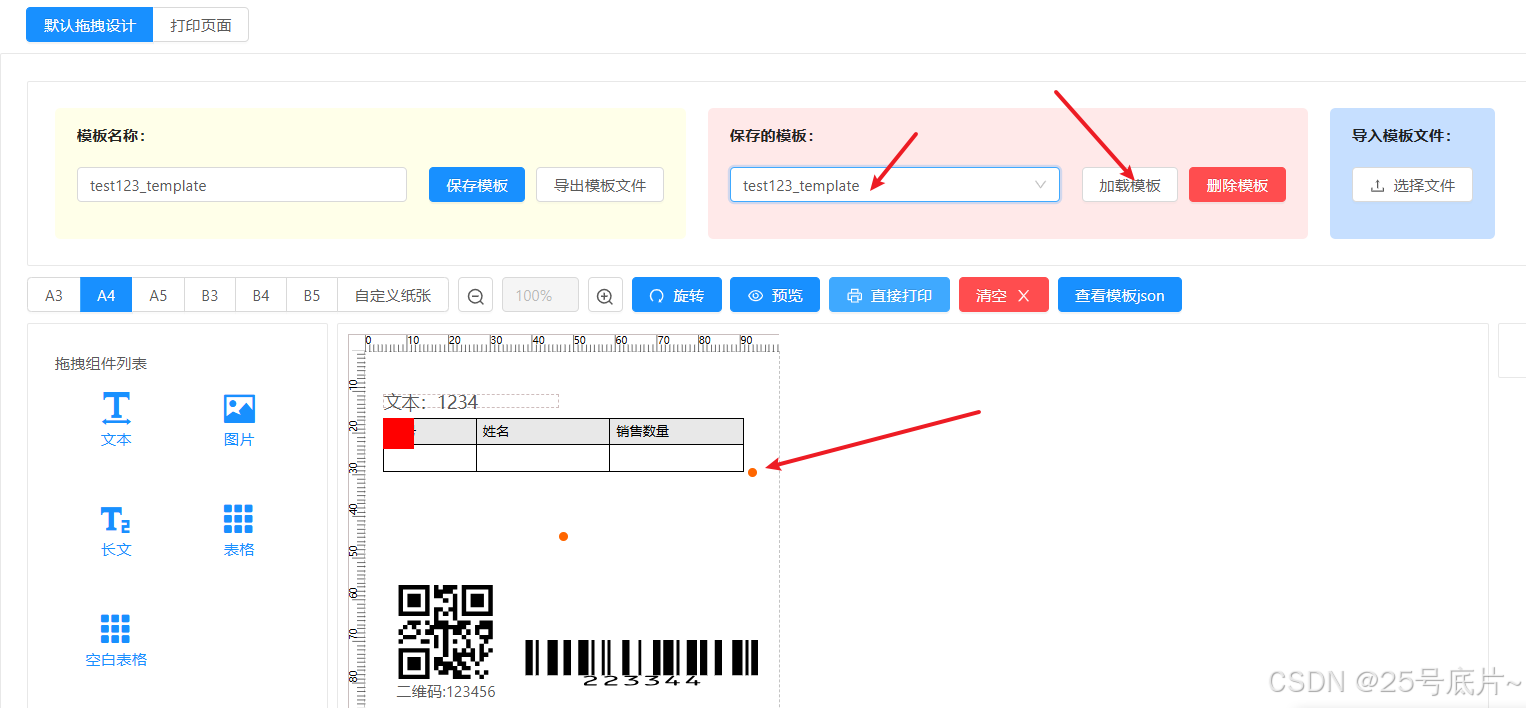
实现效果
保存、加载、删除模板:针对的时缓存存储,可以根据现有的模板直接将模板信息载入下方模板
导入模板、导出模板:都是外部文件,格式都是json格式
三、模板打印页面
1、搭建模板打印页面代码
html
<template>
  <div id="simpleprint">
    <div class="container">
      <div style="margin-bottom: 20px;">
        <a-button style="width:100px;height:50px;border-radius: 0;" type="primary" @click="print">预览打印</a-button>
        <a-button style="width:100px;height:50px;border-radius: 0; margin-left: 10px;" type="success"
          @click="print2">直接打印</a-button>
      </div>
      <!-- 预览 -->
      <div class="template-container">
        <div id="printTemplate"></div>
      </div>
    </div>
  </div>
</template>

<script>
import * as vuePluginHiprint from '../../index'
import templateData from '../model/test123_template.json'

var hiprint, defaultElementTypeProvider

export default {
  name: "simpleprint",
  data() {
    return {
      datatest: [
        {
          "test": "测试文本",
          "code1": "123456",
          "code2": "223344",
          "table": [
            {
              "id": "1",
              "name": "测试产品1",
              "count": "10"
            },
            {
              "id": "2",
              "name": "测试产品2",
              "count": "20"
            }
          ]
        },
        {
          "test": "测试文本2",
          "code1": "654321",
          "code2": "443322",
          "table": [
            {
              "id": "1",
              "name": "测试产品A",
              "count": "5"
            },
            {
              "id": "2",
              "name": "测试产品B",
              "count": "15"
            },
            {
              "id": "3",
              "name": "测试产品C",
              "count": "25"
            }
          ]
        }
      ],
      templates: [] // 存储模板实例
    }
  },
  mounted() {
    this.init();
  },
  methods: {
    init() {
      hiprint = vuePluginHiprint.hiprint
      defaultElementTypeProvider = vuePluginHiprint.defaultElementTypeProvider
      // 初始化hiprint
      hiprint.init({
        providers: [new defaultElementTypeProvider()],
        lang: 'zh-CN'
      })

      // 清空容器
      $('#printTemplate').empty()

      // 清空模板实例数组
      this.templates = []
      if (this.datatest && Array.isArray(this.datatest)) {
        // 如果datatest是数组,预览所有标签的数据
        this.datatest.forEach((data, index) => {
          try {
            // 为每个标签创建容器
            const tagContainer = $(`
          <div class="tag-preview" id="tag-preview-${index}">
            <div class="tag-header">
              <h3>标签 ${index + 1}</h3>
            </div>
            <div class="tag-content" id="tag-content-${index}"></div>
          </div>
        `)

            // 为每个数据创建一个新的PrintTemplate实例
            const template = new hiprint.PrintTemplate({
              template: templateData.template
            })

            // 存储模板实例
            this.templates.push(template)

            // 获取 HTML 内容
            const htmlContent = template.getHtml(data)

            // 将内容添加到对应的容器中
            tagContainer.find(`.tag-content`).append(htmlContent)

            // 将容器添加到主容器中
            $('#printTemplate').append(tagContainer)
          } catch (error) {
            console.error(`生成标签 ${index + 1} 预览失败:`, error)
            $('#printTemplate').append(`
          <div class="tag-preview">
            <h3>标签 ${index + 1}</h3>
            <p style="color: red;">预览生成失败: ${error.message}</p>
          </div>
        `)
          }
        })
      } else if (this.datatest) {
        // 如果datatest不是数组,直接使用
        try {
          const template = new hiprint.PrintTemplate({
            template: templateData.template
          })
          const htmlContent = template.getHtml(this.datatest)
          $('#printTemplate').append(htmlContent)
        } catch (error) {
          console.error('生成预览失败:', error)
          $('#printTemplate').html('<p style="color: red;">预览生成失败</p>')
        }
      } else {
        try {
          const template = new hiprint.PrintTemplate({
            template: templateData.template
          })
          const htmlContent = template.getHtml()
          $('#printTemplate').append(htmlContent)
        } catch (error) {
          console.error('生成预览失败:', error)
          $('#printTemplate').html('<p style="color: red;">预览生成失败</p>')
        }
      }

      // 添加边框效果
      setTimeout(() => {
        this.addBorderRulers()
      }, 500)
    },

    print() {
      if (this.templates[0]) {
        // 直接传递整个数据数组给print()方法,实现一次性打印所有标签
        this.templates[0].print(this.datatest)
      }
    },

    print2() {
      if (this.templates[0]) {
        try {
          // 检查客户端连接状态
          if (this.templates[0].clientIsOpened()) {
            // 直接传递整个数据数组给print2()方法,实现一次性打印所有标签
            this.templates[0].print2(this.datatest, {
              printer: '', // 默认打印机
              title: '直接打印测试'
            })
          } else {
            alert('请先打开 hiprint 客户端')
          }
        } catch (error) {
          console.error('直接打印失败:', error)
          alert('直接打印失败: ' + error.message)
        }
      }
    },

    fallbackPrint() {
      // 回退到单标签打印
      if (Array.isArray(this.datatest)) {
        this.datatest.forEach((data, index) => {
          setTimeout(() => {
            console.log(`回退打印第 ${index + 1} 个标签`)
            const template = new hiprint.PrintTemplate({
              template: templateData.template
            })
            template.print(data)
          }, index * 1000)
        })
      }
    },

    addBorderRulers() {
      const templateContainer = $('#printTemplate')
      const printPapers = templateContainer.find('.hiprint-printPaper')

      if (printPapers.length > 0) {
        printPapers.each(function () {
          // 添加边框和阴影
          $(this).css({
            'border': '1px solid #e0e0e0',
            'position': 'relative',
            'box-shadow': '0 2px 8px rgba(0,0,0,0.1)',
            'background': 'white',
            'margin-bottom':'60px'
          })
        })
        console.log(`已为 ${printPapers.length} 个标签预览添加边框效果`)
      }
    }
  }
}
</script>

<style scoped>
body {
  font-family: Arial, sans-serif;
  margin: 20px;
  background-color: #f5f5f5;
}

#simpleprint {
  width: 100%;
  min-height: 100%;
}

.container {
  width: 100%;
  margin: 0 auto;
  display: flex;
  flex-direction: column;
  justify-content: center;
  align-items: center;
}

.template-container {
  border: 1px solid #e0e0e0;
  padding: 20px;
  background-color: #fafafa;
  display: inline-block;
}

.hiprint-printTemplate {
  margin-top: 0 !important;
}

/* 多个标签预览的样式 */
.tag-preview {
  margin-bottom: 40px;
  padding: 15px;
  border: 1px solid #e8e8e8;
  background-color: white;
  border-radius: 4px;
  position: relative;
}

.tag-header {
  display: flex;
  justify-content: space-between;
  align-items: center;
  margin-bottom: 5px;
}

.tag-header h3 {
  margin-top: 0;
  margin-bottom: 0;
  font-size: 16px;
  font-weight: bold;
  color: #333;
}

.ruler-controls {
  font-size: 12px;
  color: #666;
}

.dimension-info {
  background: #f0f2f5;
  padding: 2px 8px;
  border-radius: 3px;
  border: 1px solid #d9d9d9;
}

/* 每个标签预览中的打印纸张样式 */
.tag-preview .tag-content {
  overflow: auto;
  max-width: 100%;
}

/* 尺量样式增强 */
.paper-ruler {
  z-index: 100;
  font-family: 'Courier New', monospace;
}

/* 响应式调整 */
@media print {

  .paper-ruler,
  .tag-header,
  .ruler-controls {
    display: none !important;
  }

  .tag-preview {
    border: none !important;
    padding: 0 !important;
    margin-bottom: 20px !important;
  }
}
</style>
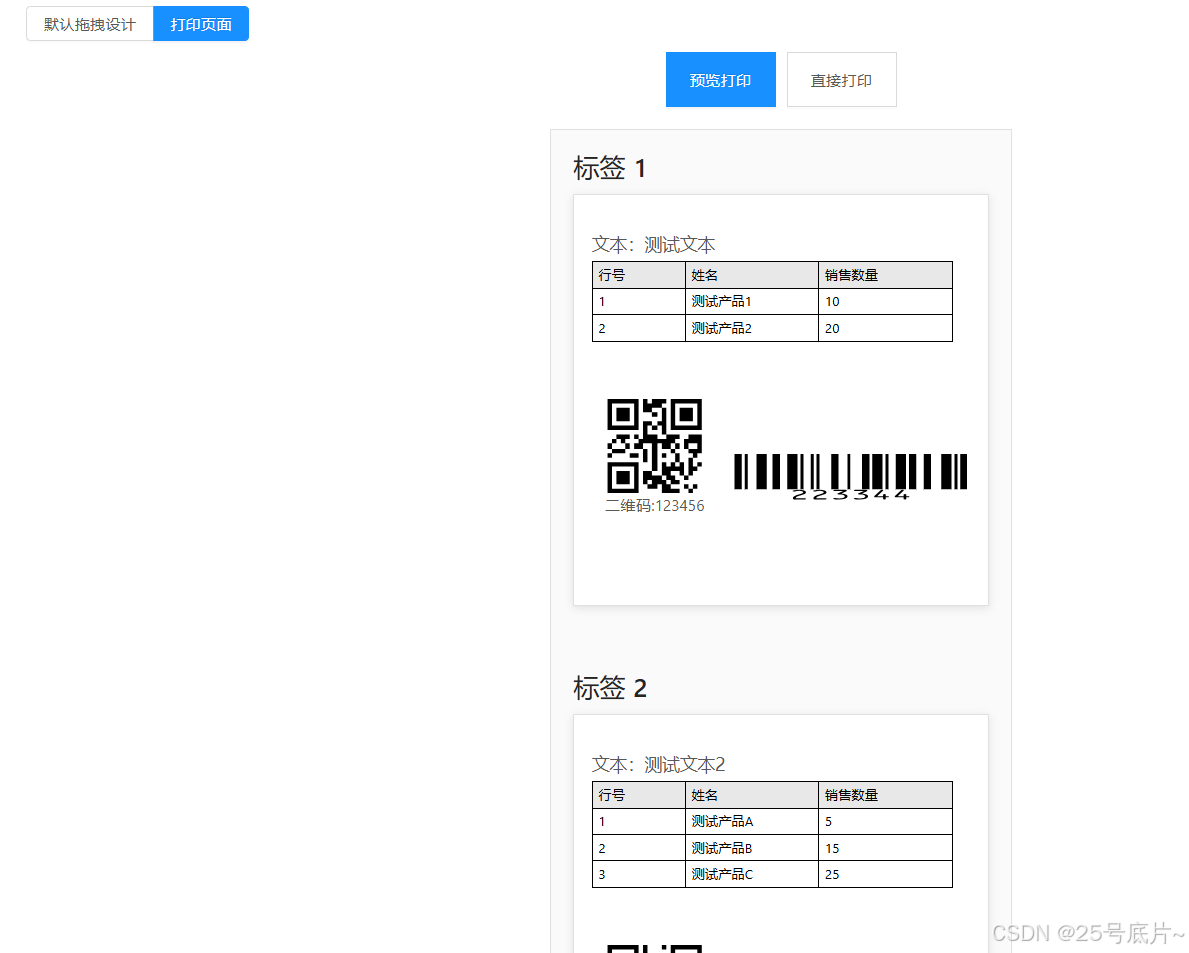
2、实现效果
- 这里数据使用静态数据(这里可使用axios去请求),模板使用import引入
- 页面可以直接导入模板,并且展示需要打印的数据
- 预览打印:浏览器自带的打印工具;直接打印:hiprint客户端直接打印