总结两句话:
1、这玩意名字变的太快了,找新版本的文档
2、一条命令安装,一条命令启动
-
npm install -g openclaw@latest --ignore-scripts
-
openclaw onboard --install-daemon
以下是试验过程
-
确保本地node版本 >= 22
-
(我本来在conda环境里,使用安装nvm管理 npm 失败,后退出conda环境)
-
curl -o- https://raw.githubusercontent.com/nvm-sh/nvm/v0.39.0/install.sh | bash
-
nvm install 22
-
cat ~/.bashrc
-
source ~/.bashrc
-
nvm install 22
-
nvm use 22
-
nvm alias default 22
-
-
-
开始安装 openclow (踩坑之路)
1997 clawbot init
1998 source ~/.bashrc
-
https://clawbot.ai/getting-started-with-clawbot.html 刚开始使用cloawbot 搜索出来第一个 感觉是官方的网站(可能是老旧了,文档命令已经过时了)
-
npm install -g clawbot@latest
-
报错:github上 clawbot项目已经改名了 openclaw
- npm err! 404 not found - get https://registry.npmjs.org/clawbot - not found npm err! 404 npm err! 404 'clawbot@latest' is not in the npm registry. npm err! 404 you should bug the author to publish it (or use the name yourself!) npm err! 404 npm err! 404 note that you can also install from a npm err! 404 tarball, folder, http url, or git url. npm err! a complete log of this run can be found in:
-
-
-
后面了解到这个网站:https://docs.openclaw.ai/start/getting-started
-
curl -fsSL https://openclaw.ai/install.sh | bash
-
命令没有问题,只是一直会卡主,会报错超时
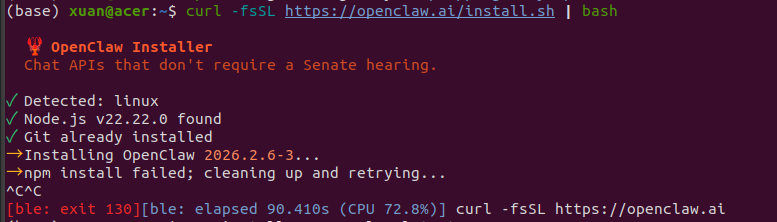 → Installing OpenClaw 2026.2.6-3...
→ npm install failed; cleaning up and retrying..
-
-
npm install -g openclaw@latest 手动安装
-
报错:安装 llama.cpp 失败
-

- 对应命令执行后,重试安装,继续失败
-

- 选择跳过 脚本安装
-
-
-
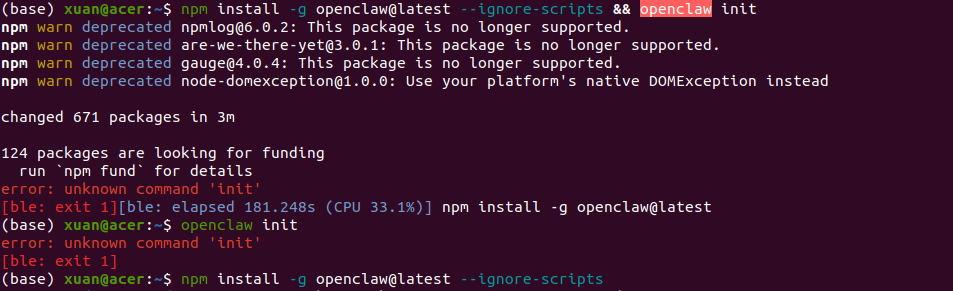
npm install -g openclaw@latest --ignore-scripts && openclaw init
-
好,openclaw安装成功了,init命令执行失败
-
init 命令以及被新版本移除了
-
-
-
回看 网站教程 https://docs.openclaw.ai/start/getting-started
-
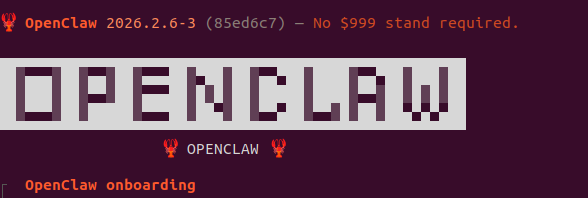
openclaw onboard --install-daemon(配置引导)
-
-
中途配置看不懂的 可以参考(配置阶段),【有点长就不一一截屏记录了】 https://www.runoob.com/ai-agent/openclaw-clawdbot-tutorial.html。
- 其中模型选择,我选的 qwen,网页登录后就通过了
-
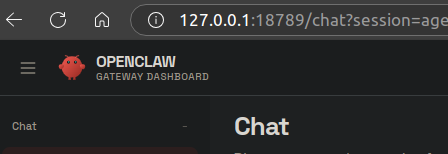
配置后 启动完成
-
-
-
-
中途可能用到的其他命令
-
npm install -g openclaw@latest 时很慢 github链接原因
-
配置一下 git 代理
-
git config --global url."https://ghproxy.com/https://github.com/".insteadOf "https://github.com/"
-
-
-