一、换源
Ubuntu 24.04不再使用传统的 /etc/apt/sources.list 文件,而是采用新的 .sources 格式文件,默认路径为/etc/apt/sources.list.d/ubuntu.sources
1、先备份一下原来的文件
bash
sudo cp /etc/apt/sources.list.d/ubuntu.sources /etc/apt/sources.list.d/ubuntu.sources.bak2、修改配置文件
bash
sudo vim /etc/apt/sources.list.d/ubuntu.sources3、替换源(可以用清华源等)
bash
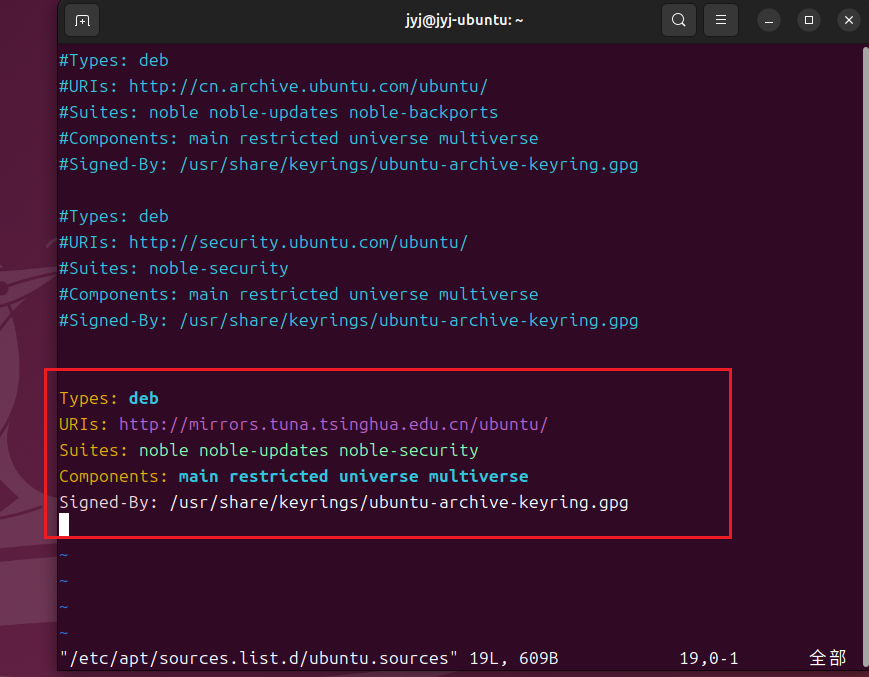
Types: deb
URIs: http://mirrors.tuna.tsinghua.edu.cn/ubuntu/
Suites: noble noble-updates noble-security
Components: main restricted universe multiverse
Signed-By: /usr/share/keyrings/ubuntu-archive-keyring.gpg
如图:
4、保存之后更新一下包
bash
sudo apt update
sudo apt upgrade -y
5、源地址
5.1中科大
bash
Types: deb
URIs: http://mirrors.ustc.edu.cn/ubuntu/
Suites: noble noble-updates noble-security
Components: main restricted universe multiverse
Signed-By: /usr/share/keyrings/ubuntu-archive-keyring.gpg
5.2阿里云
bash
Types: deb
URIs: http://mirrors.aliyun.com/ubuntu/
Suites: noble noble-updates noble-security
Components: main restricted universe multiverse
Signed-By: /usr/share/keyrings/ubuntu-archive-keyring.gpg
二、解决物理机无法复制粘贴到虚拟机
1、安装vm-tools
bash
sudo apt update
sudo apt install -y open-vm-tools-desktop
2、设置客户机隔离
打开虚拟机设置--》选项--》客户机隔离,允许复制粘贴
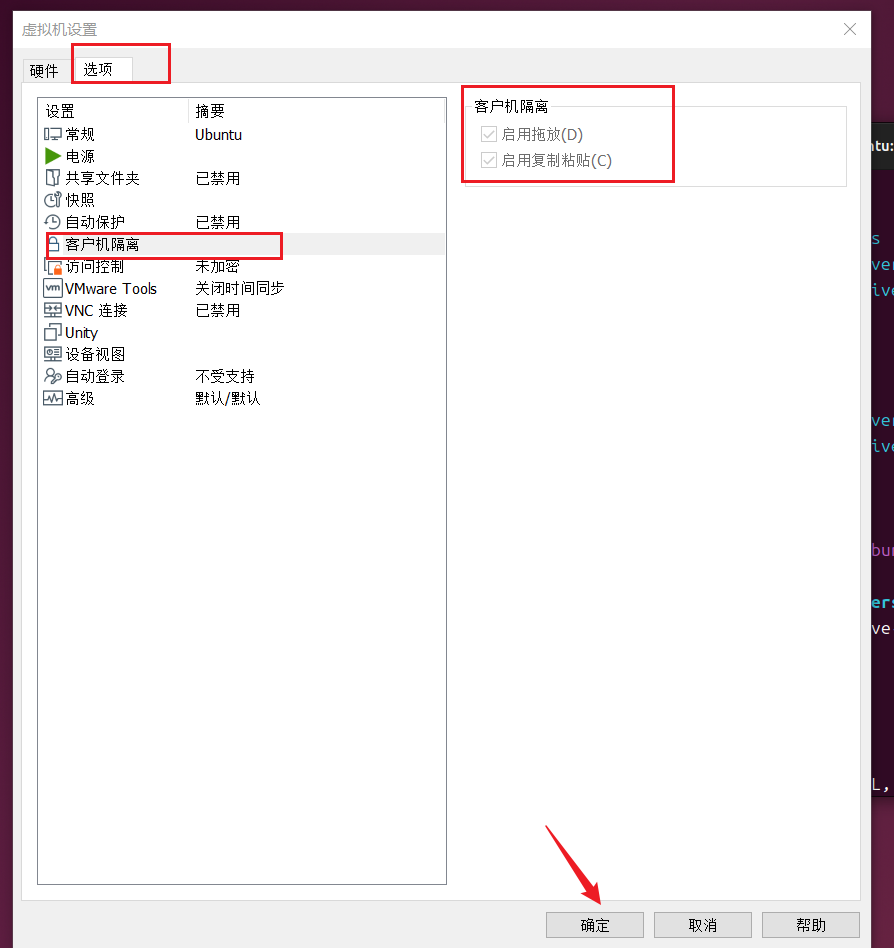
保存之后重启虚拟机就行了