【HarmonyOS】实战项目+智慧家居控制面板全解
欢迎加入开源鸿蒙跨平台社区:https://openharmonycrossplatform.csdn.net
摘要
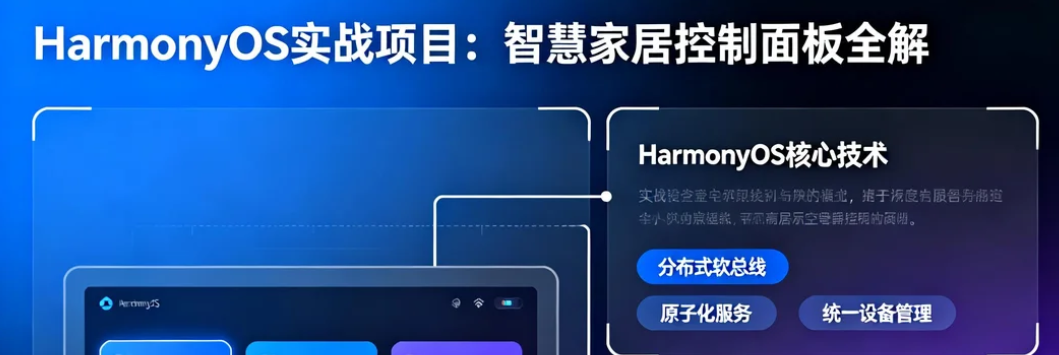
本文详细介绍如何使用ArkTS在DevEco Studio中构建完整的智慧家居控制面板应用。通过华为IoT Kit或自定义网络请求连接智能设备,利用ArkUI的Grid、Swiper和状态管理实现动态设备卡片,支持点击开关灯、调节空调温度。借助鸿蒙分布式软总线,实现在手机控制、智慧屏同步显示,并将常用设备快捷操作封装为原子化服务卡片,一键添加到桌面。
技术栈:ArkTS 4.0.0 | DevEco Studio 6.0.0 | HarmonyOS API 12 | Huawei IoT Kit 1.0.0
一、项目架构设计
1.1 整体架构图
┌─────────────────────────────────────────────────────────────────────┐
│              智慧家居控制面板应用架构                                │
├─────────────────────────────────────────────────────────────────────┤
│                                                                         │
│  ┌─────────────────────────────────────────────────────────────┐   │
│  │                    UI层 (ArkUI)                         │   │
│  │                                                             │   │
│  │  ┌──────────┐  ┌──────────┐  ┌──────────┐  ┌──────────┐  │   │
│  │  │  设备卡片  │  │  场景模式  │  │  │  │  │   │
│  │  │  Grid布局  │  │  Swiper   │  │房间筛选 │  │ 设置   │  │   │
│  │  └──────────┘  └──────────┘  └──────────┘  └──────────┘  │   │
│  └─────────────────────────────────────────────────────────────┘   │
│                              │                                       │
│                              ▼                                       │
│  ┌─────────────────────────────────────────────────────────────┐   │
│  │                  业务逻辑层 (ViewModel)                    │   │
│  │                                                             │   │
│  │  ┌──────────┐  ┌──────────┐  ┌──────────┐  ┌──────────┐  │   │
│  │  │DeviceVM  │  │  SceneVM  │  │  RoomVM  │  │  ConfigVM│  │   │
│  │  └──────────┘  └──────────┘  └──────────┘  └──────────┘  │   │
│  └─────────────────────────────────────────────────────────────┘   │
│                              │                                       │
│                              ▼                                       │
│  ┌─────────────────────────────────────────────────────────────┐   │
│  │                  模型层 (Model)                           │   │
│  │                                                             │   │
│  │  ┌──────────┐  ┌──────────┐  ┌──────────┐  ┌──────────┐  │   │
│  │  │Device   │  │  Scene   │  │  Room    │  │  Control │  │   │
│  │  │设备模型   │  │  场景    │  │  房间    │  │  控制    │  │   │
│  │  └──────────┘  └──────────┘  └──────────┘  └──────────┘  │   │
│  └─────────────────────────────────────────────────────────────┘   │
│                              │                                       │
│                              ▼                                       │
│  ┌─────────────────────────────────────────────────────────────┐   │
│  │                  服务层 (Service)                          │   │
│  │                                                             │   │
│  │  ┌──────────┐  ┌──────────┐  ┌──────────┐  ┌──────────┐  │   │
│  │  │IoTService│  │NetService│  │DistService│  │FormService│  │   │
│  │  │设备连接   │  │网络请求  │  │分布式    │  │表单    │  │   │
│  │  └──────────┘  └──────────┘  └──────────┘  └──────────┘  │   │
│  └─────────────────────────────────────────────────────────────┘   │
│                              │                                       │
│                              ▼                                       │
│  ┌─────────────────────────────────────────────────────────────┐   │
│  │               HarmonyOS 原生能力层                          │   │
│  │                                                             │   │
│  │  ┌──────────┐  ┌──────────┐  ┌──────────┐  ┌──────────┐  │   │
│  │  │ IoT Kit   │  │分布式    │  │ 桌面    │  │ 通知   │  │   │
│  │  │设备控制   │  │数据总线   │  │快捷方式  │  │推送    │  │   │
│  │  └──────────┘  └──────────┘  └──────────┘  └──────────┘  │   │
│  └─────────────────────────────────────────────────────────────┘   │
│                              │                                       │
│                              ▼                                       │
│  ┌─────────────────────────────────────────────────────────────┐   │
│  │                    智能设备层                              │   │
│  │                                                             │   │
│  │  ┌──────────┐  ┌──────────┐  ┌──────────┐  ┌──────────┐  │   │
│  │  │  灯控设备  │  │ 照明设备  │  │ 空调设备  │  │ 传感器  │  │   │
│  │  └──────────┘  └──────────┘  └──────────┘  └──────────┘  │   │
│  └─────────────────────────────────────────────────────────────┘   │
└─────────────────────────────────────────────────────────────────────┘
1.2 核心功能模块
| 功能模块 | 说明 | 技术实现 |
|---|---|---|
| 设备管理 | 添加/删除设备,设备状态实时显示 | IoT Kit + 长连接 |
| 房间控制 | 按房间分组显示和控制设备 | 动态房间管理 |
| 场景模式 | 一键切换场景(回家、离家、睡眠) | 预设场景 + 原子化服务 |
| 设备卡片 | 动态卡片展示,支持开关、调光、调温 | Grid + Swiper + 自定义组件 |
| 分布式控制 | 手机控制,智慧屏同步显示 | 分布式数据总线 |
| 桌面快捷方式 | 原子化服务卡片,一键添加到桌面 | Form Ability + 桌面服务 |
| 定时任务 | 设备定时开关,场景自动执行 | 后台任务调度 |
二、项目结构设计
2.1 完整目录结构
SmartHomePanel/
├── entry/src/main/
│   ├── ets/
│   │   ├── entryability/
│   │   │   └── EntryAbility.ets           # 应用入口Ability
│   │   ├── pages/                             # 页面目录
│   │   │   ├── HomePage.ets              # 主页(设备面板)
│   │   │   ├── RoomPage.ets               # 房间控制页
│   │   │   ├── ScenePage.ets              # 场景模式页
│   │   │   ├── AddDevicePage.ets         # 添加设备页
│   │   │   └── SettingsPage.ets          # 设置页
│   │   ├── widgets/                            # 自定义组件
│   │   │   ├── device/                   # 设备相关组件
│   │   │   │   ├── DeviceCard.ets           # 设备卡片
│   │   │   │   ├── LightControl.ets         # 灯控开关
│   │   │   │   ├── ACControl.ets            # 空调控制
│   │   │   │   ├── CurtainControl.ets      # 窗帘控制
│   │   │   │   └── TempSlider.ets          # 温度滑块
│   │   │   ├── scene/                    # 场景相关组件
│   │   │   │   ├── SceneCard.ets            # 场景卡片
│   │   │   │   └── SceneQuickPanel.ets    # 场景快捷面板
│   │   │   └── common/                   # 通用组件
│   │   │       ├── LoadingDialog.ets       # 加载对话框
│   │   │       ├── ConfirmDialog.ets        # 确认对话框
│   │   │       └── StatusToast.ets         # 状态提示
│   │   ├── viewmodel/                         # 视图模型
│   │   │   ├── HomeViewModel.ets          # 主页ViewModel
│   │   │   ├── DeviceViewModel.ets         # 设备ViewModel
│   │   │   ├── SceneViewModel.ets          # 场景ViewModel
│   │   │   └── SettingsViewModel.ets       # 设置ViewModel
│   │   ├── model/                             # 数据模型
│   │   │   ├── DeviceInfo.ets               # 设备信息模型
│   │   │   ├── SceneInfo.ets               # 场景信息模型
│   │   │   ├── RoomInfo.ets                # 房间信息模型
│   │   │   └── ControlState.ets            # 控制状态模型
│   │   ├── service/                            # 服务层
│   │   │   ├── IotDeviceService.ets        # IoT设备服务
│   │   │   ├── NetworkService.ets          # 网络请求服务
│   │   │   ├── StorageService.ets          # 本地存储服务
│   │   │   ├── DistributedService.ets       # 分布式服务
│   │   │   └── FormService.ets           # 桌面快捷方式服务
│   │   ├── constants/                          # 常量定义
│   │   │   ├── AppConstants.ets           # 应用常量
│   │   │   ├── StyleConstants.ets          # 样式常量
│   │   │   └── DeviceConstants.ets        # 设备常量
│   │   └── utils/                              # 工具类
│   │       ├── Logger.ets                  # 日志工具
│   │       └── TimeUtils.ets               # 时间工具
├── entry/src/main/resources/              # 资源文件
│   ├── base/                             # 基础资源
│   │   ├── element/                         # 元素资源
│   │   │   └── string.json              # 字符串资源
│   │   ├── media/                            # 媒体资源
│   │   │   └── app_icon.png               # 应用图标
│   └── rawfile/                           # 原始文件
├── AppScope/                             # 全局模块
│   └── build-profile.json5                   # 构建配置
├── hvigor/                               # 编译配置
│   └── hvigor-config.json5
└── oh-package.json5                       # 依赖配置
三、UI层实现:动态设备卡片
3.1 设备卡片组件
typescript
// entry/src/main/ets/widgets/device/DeviceCard.ets

/**
 * 设备卡片组件
 * 支持不同类型设备的控制界面
 */
@Component
export struct DeviceCard {
  @Prop deviceInfo: DeviceInfo;
  @Prop onToggle: (deviceId: string, state: boolean) => void = () => {};
  @Prop onValueChange: (deviceId: string, value: number | string) => void = () => {};
  @Prop onLongPress?: (device: DeviceInfo) => void;

  build() {
    if (this.deviceInfo.type === DeviceType.LIGHT) {
      this._buildLightCard();
    } else if (this.deviceInfo.type === DeviceType.AC) {
      this._buildACCard();
    } else if (this.deviceInfo.type === DeviceType.CURTAIN) {
      this._buildCurtainCard();
    } else if (this.deviceInfo.type === DeviceType.SWITCH) {
      this._buildSwitchCard();
    } else {
      this._buildDefaultCard();
    }
  }

  /**
   * 构建灯具控制卡片
   */
  @Builder
  private _buildLightCard() {
    Column() {
      // 卡片头部
      Row() {
        // 设备图标
        Image(DeviceCard._getDeviceIcon(this.deviceInfo.type))
          .width(48)
          .height(48)
          .margin({ right: 12 })
          .objectFit(ImageFit.Contain)

        // 设备名称和状态
        Column() {
          Text(this.deviceInfo.name)
            .fontSize(18)
            .fontWeight(FontWeight.Medium)
            .fontColor($r('#182431'))

          Text(this._getDeviceStatusText())
            .fontSize(14)
            .fontColor($r('#999999'))
            .margin({ top: 4 })
        }
        Blank()
      }
      .width('100%')
      .height(16)

      // 亮度控制
      Column() {
        Text(`亮度: ${Math.round(this.deviceInfo.brightness * 100)}%`)
          .fontSize(14)
          .fontColor($r('#666666'))
          .width('100%')
          .margin({ bottom: 8 })

        Slider({
          value: this.deviceInfo.brightness,
          min: 0,
          max: 100,
          step: 1,
          style: SliderStyle.OutSet
        })
          .blockColor($r('#e0e0e0'))
          .trackColor($r('#f0f0f0'))
          .selectedColor($r('#FF6B00'))
          .showSteps(false)
          .onChange((value: number) => {
            this.onValueChange(this.deviceInfo.id, value);
          })

        // 快捷亮度按钮
        Row() {
          ForEach(['20%', '50%', '80%', '100%'], (percent: string) => {
            Button(`🌟 ${percent}`)
              .type(ButtonType.Capsule)
              .backgroundColor(Color.Transparent)
              .fontColor($r('#999999'))
              .fontSize(12)
              .margin({ right: 8 })
              .onClick(() => {
                this.onValueChange(this.deviceInfo.id, parseFloat(percent) / 100);
              })
          })
        }
      }
      .width('100%')
      .margin({ top: 12 })
    }
    .width('100%')
    .padding(16)
    .backgroundColor(Color.White)
    .borderRadius(16)
    .shadow({
      radius: 12,
      color: '#1f000000',
      offsetX: 0,
      offsetY: 2,
      opacity: 0.08
    })
  }

  /**
   * 构建空调控制卡片
   */
  @Builder
  private _buildACCard() {
    Column() {
      // 卡片头部
      Row() {
        Image(DeviceCard._getDeviceIcon(this.deviceInfo.type))
          .width(48)
          .height(48)
          .margin({ right: 12 })

        Column() {
          Text(this.deviceInfo.name)
            .fontSize(18)
            .fontWeight(FontWeight.Medium)
            .fontColor($r('#182431'))

          Row() {
            Text(`当前: ${this.deviceInfo.currentTemp}°C`)
              .fontSize(14)
              .fontColor($r('#52C41A'))
              .margin({ right: 16 })

            Text(`湿度: ${this.deviceInfo.humidity}%`)
              .fontSize(14)
              .fontColor($r('#999999'))
          }
          .margin({ top: 4 })
        }
        Blank()
      }
      .width('100%')
      .height(16)

      // 模式选择
      Row() {
        ForEach(DeviceCard._acModes, (mode: ACMode, index: number) => {
          Button(mode.name)
            .type(ButtonType.Capsule)
            .backgroundColor(this._isACModeActive(mode.mode) ? $r('#FF6B00') : $r('#F0F0F0'))
            .fontColor(this._isACModeActive(mode.mode) ? Color.White : $r('#333333'))
            .fontSize(14)
            .margin({ right: 8 })
            .onClick(() => {
              this._onACModeChange(mode.mode);
            })
        })
      }

      // 温度控制
      Column() {
        Text(`设置温度: ${this.deviceInfo.targetTemp}°C`)
          .fontSize(14)
          .fontColor($r('#666666'))
          .width('100%')
          .margin({ top: 16, bottom: 12 })

        // 温度滑块
        Row() {
          Button('❄️')
            .fontSize(24)
            .backgroundColor(Color.Transparent)
            .onClick(() => {
              this._onTempChange(this.deviceInfo.targetTemp - 1);
            })

          Slider({
            value: this.deviceInfo.targetTemp,
            min: 16,
            max: 30,
            step: 1,
            style: SliderStyle.OutSet
          })
            .blockColor($r('#e0e0e0'))
            .trackColor($r('#f0f0f0'))
            .trackThickness(8)
            .selectedColor($r('#FF6B00'))
            .showSteps(false)
            .onChange((value: number) => {
              this.onValueChange(this.deviceInfo.id, value);
            })

          Button('➕️')
            .fontSize(24)
            .backgroundColor(Color.Transparent)
            .onClick(() => {
              this._onTempChange(this.deviceInfo.targetTemp + 1);
            })
        }
        .width('100%')
      }

      // 快捷温度按钮
      Row() {
        ForEach(['16°', '24°', '26°'], (temp: string) => {
          Button(temp)
            .type(ButtonType.Capsule)
            .fontSize(14)
            .margin({ right: 8 })
            .onClick(() => {
              this.onValueChange(this.deviceInfo.id, parseFloat(temp));
            })
        })
      }
      .width('100%')
      .margin({ top: 16 })
    }
    .width('100%')
    .padding(16)
    .backgroundColor(Color.White)
    .borderRadius(16)
    .shadow({
      radius: 12,
      color: '#1f000000',
      offsetX: 0,
      offsetY: 2,
      opacity: 0.08
    })
  }

  /**
   * 构建窗帘控制卡片
   */
  @Builder
  private _buildCurtainCard() {
    Column() {
      // 卡片头部
      Row() {
        Image(DeviceCard._getDeviceIcon(this.deviceInfo.type))
          .width(48)
          .height(48)
          .margin({ right: 12 })

        Column() {
          Text(this.deviceInfo.name)
            .fontSize(18)
            .fontWeight(FontWeight.Medium)
            .fontColor($r('#182431'))

          Text(this._getDeviceStatusText())
            .fontSize(14)
            .fontColor($r('#999999'))
            .margin({ top: 4 })
        }
        Blank()
      }
      .width('100%')
      .height(16)

      // 窗帘位置滑块
      Column() {
        Text(`窗帘位置: ${this.deviceInfo.curtainPosition}%`)
          .fontSize(14)
          .fontColor($r('#666666'))
          .width('100%')
          .margin({ bottom: 12 })

        Slider({
          value: this.deviceInfo.curtainPosition,
          min: 0,
          max: 100,
          step: 1,
          style: SliderStyle.OutSet
        })
          .blockColor($r('#e0e0e0'))
          .trackColor($r('#f0f0f0'))
          .selectedColor($r('#FF6B00'))
          .showSteps(false)
          .onChange((value: number) => {
            this.onValueChange(this.deviceInfo.id, value);
          })

        // 快捷位置按钮
        Row() {
          Button('🔽 全开')
            .fontSize(14)
            .backgroundColor($r('#52C41A'))
            .fontColor(Color.White)
            .margin({ right: 12 })
            .onClick(() => {
              this.onValueChange(this.deviceInfo.id, 100);
            })

          Button('◀️ 关闭')
            .fontSize(14)
            .backgroundColor($r('#999999'))
            .fontColor(Color.White)
            .onClick(() => {
              this.onValueChange(this.deviceInfo.id, 0);
            })

          Button('▶️ 暂停')
            .fontSize(14)
            .backgroundColor($r('#FFA500'))
            .fontColor(Color.White)
            .onClick(() => {
              this.onValueChange(this.deviceInfo.id, 50);
            })
        }
        .width('100%')
        .margin({ top: 12 })
      }
    }
    .width('100%')
    .padding(16)
    .backgroundColor(Color.White)
    .borderRadius(16)
    .shadow({
      radius: 12,
      color: '#1f000000',
      offsetX: 0,
      offsetY: 2,
      opacity: 0.08
    })
  }

  /**
   * 构建开关控制卡片
   */
  @Builder
  private _buildSwitchCard() {
    Column() {
      // 卡片头部
      Row() {
        Image(DeviceCard._getDeviceIcon(this.deviceInfo.type))
          .width(48)
          .height(48)
          .margin({ right: 12 })

        Column() {
          Text(this.deviceInfo.name)
            .fontSize(18)
            .fontWeight(FontWeight.Medium)
            .r({
              width: '100%',
              height: '100%',
              alignItems: ItemAlign.Center
            })
        }
        Blank()

        Toggle({ type: ToggleType.Switch, isOn: this.deviceInfo.isOn })
          .selectedColor($r('#52C41A'))
          .onChange((isOn: boolean) => {
            this.onToggle(this.deviceInfo.id, isOn);
          })
      }
      .width('100%')
      .height(16)

      // 设备描述
      if (this.deviceInfo.description) {
        Text(this.deviceInfo.description)
          .fontSize(14)
          .fontColor($r('#999999'))
          .width('100%')
          .margin({ top: 8, bottom: 12 })
      }
    }
    .width('100%')
    .padding(16)
    .backgroundColor(Color.White)
    .borderRadius(16)
    .shadow({
      radius: 12,
      color: '#1f000000',
      offsetX: 0,
      offsetY: 2,
      opacity: 0.08
    })
    .gesture(
      LongPressGesture({ repeat: false })
        .onAction(() => {
          if (this.onLongPress) {
            this.onLongPress(this.deviceInfo);
          }
        })
    )
  }

  /**
   * 构建默认卡片
   */
  @Builder
  private _buildDefaultCard() {
    Column() {
      // 卡片头部
      Row() {
        Image(DeviceCard._getDeviceIcon(this.deviceInfo.type))
          .width(48)
          .height(48)
          .margin({ right: 12 })

        Column() {
          Text(this.deviceInfo.name)
            .fontSize(18)
            .fontWeight(FontWeight.Medium)
            .fontColor($r('#182431'))

          Text(this._getDeviceStatusText())
            .fontSize(14)
            .fontColor($r('#999999'))
            .margin({ top: 4 })
        }
        Blank()
        Text('离线')
          .fontSize(14)
          .fontColor($r('#999999'))
      }
      .width('100%')
      .height(16)

      // 控制按钮
      Row() {
        Button('控制')
          .type(ButtonType.Normal)
          .backgroundColor($r('#1890FF'))
          .fontColor(Color.White)
          .borderRadius(8)
          .onClick(() => {
            // 打开设备控制详情页
          })
      }
      .width('100%')
    }
    .width('100%')
    .padding(16)
    .backgroundColor(Color.White)
    .borderRadius(16)
    .shadow({
      radius: 12,
      color: '#1f000000',
      offsetX: 0,
      offsetY: 2,
      opacity: 0.08
    })
  }

  // 辅助方法:获取设备状态文本
  private _getDeviceStatusText(): string {
    if (!this.deviceInfo.isOnline) {
      return '离线';
    }

    switch (this.deviceInfo.type) {
      case DeviceType.LIGHT:
        return this.deviceInfo.isOn ? '已开启' : '已关闭';
      case DeviceType.AC:
      case DeviceType.SWITCH:
      case DeviceType.CURTAIN:
        return this.deviceInfo.isOn ? '运行中' : '已关闭';
      default:
        return '正常';
    }
  }

  // 辅助方法:判断空调模式是否激活
  private _isACModeActive(mode: string): boolean {
    return this.deviceInfo.acMode === mode;
  }

  // 辅助方法:处理模式切换
  private _onACModeChange(mode: string): void {
    // 触发模式切换回调
    this.onValueChange(this.deviceInfo.id, mode);
  }

  // 辅助方法:处理温度变化
  private _onTempChange(temp: number): void {
    this.onValueChange(this.deviceInfo.id, temp);
  }

  // 辅助方法:获取设备图标
  private static _getDeviceIcon(type: DeviceType): Resource {
    switch (type) {
      case DeviceType.LIGHT:
        return $r('app.media.icon_light');
      case DeviceType.AC:
        return $r('app.media.icon_ac');
      case DeviceType.CURTAIN:
        return $r('app.media.icon_curtain');
      case DeviceType.SWITCH:
        return $r('app.media.icon_switch');
      case DeviceType.SENSOR:
        return $r('app.media.icon_sensor');
      default:
        return $r('app.media.icon_device_default');
    }
  }

  // 空调模式数据
  private static _acModes: ACMode[] = [
    { mode: 'cool', name: '制冷' },
    { mode: 'heat', name: '制热' },
    { mode: 'dry', name: '除湿' },
    { mode: 'auto', name: '自动' }
  ];
}

/**
 * 设备信息模型
 */
export class DeviceInfo {
  id: string = '';                      // 设备ID
  name: string = '';                     // 设备名称
  type: DeviceType = DeviceType.SENSOR;  // 设备类型
  isOnline: boolean = false;              // 是否在线
  isOn: boolean = false;                 // 开关状态(仅开关类设备)
  brightness: number = 100;              // 亮度(0-100)
  currentTemp: number = 25;             // 当前温度(空调)
  targetTemp: number = 26;               // 目标温度
  humidity: number = 50;                 // 湿度(空调)
  acMode: string = 'auto';              // 空调模式
  curtainPosition: number = 0;          // 窗帘位置(0-100)
  description?: string;                   // 设备描述
  roomId?: string;                     // 所属房间ID
}

/**
 * 设备类型枚举
 */
export enum DeviceType {
  LIGHT = 'light',           // 灯具
  AC = 'ac',                 // 空调
  CURTAIN = 'curtain',     // 窗帘
  SWITCH = 'switch',         // 开关
  SENSOR = 'sensor',         // 传感器
  OTHER = 'other'            // 其他
}

/**
 * 空调模式
 */
interface ACMode {
  mode: string;
  name: string;
}
3.2 主页Grid布局实现
typescript
// entry/src/main/ets/pages/HomePage.ets

/**
 * 主页 - 设备控制面板
 */
@Entry({ routeName: 'HomePage' })
@Component
struct HomePage {
  @State currentPage: number = 0;           // 当前房间索引
  @State devices: DeviceInfo[] = [];       // 设备列表
  @State rooms: RoomInfo[] = [];           // 房间列表
  @State scenes: SceneInfo[] = [];          // 场景列表

  @Provide deviceViewModel: DeviceViewModel = new DeviceViewModel();
  @Provide roomViewModel: RoomViewModel = new RoomViewModel();
  @Provide sceneViewModel: SceneViewModel = new SceneViewModel();

  aboutToAppear() {
    this._loadData();
  }

  /**
   * 加载数据
   */
  private async _loadData(): Promise<void> {
    // 并行加载设备、房间和场景数据
    const results = await Promise.all([
      this.deviceViewModel.loadDevices(),
      this.roomViewModel.loadRooms(),
      this.sceneViewModel.loadScenes()
    ]);

    this.devices = results[0];
    this.rooms = results[1];
    this.scenes = results[2];
  }

  build() {
    Column() {
      // 顶部状态栏
      this._buildStatusBar()

      // 房间Tab栏
      this._buildRoomTabs()

      // 内容区域
      Tabs({ index: this.currentPage }) {
        TabContent() {
          this._buildDeviceContent()
        }
        .tabBar(this._buildRoomBar())
      }
      .width('100%')
      .height('100%')
      .backgroundColor($r('#F5F5F5'))
    }
  }

  /**
   * 构建顶部状态栏
   */
  @Builder
  private _buildStatusBar() {
    Row() {
      // 时间
      Text(this._getCurrentTime())
        .fontSize(16)
        .fontColor($r('#182431'))
        .margin({ left: 16 })

      Blank()

      // 系统状态图标
      Row({ space: 12 }) {
        Image($r('app.media.icon_wifi'))
          .width(20)
          .height(20)
        Image($r('app.media.icon_battery'))
          .width(20)
          .height(20)
      }
      .padding({ right: 16, top: 8 })
    }
    .width('100%')
    .height(56)
    .padding({ top: DeviceUtil.getStatusBarHeight() })
    .backgroundColor(Color.White)
    .shadow({
      radius: { bottom: 0 },
      color: '#1f000000',
      offsetX: 0,
      offsetY: 1,
      opacity: 0.1
    })
  }

  /**
   * 构建房间Tab栏
   */
  @Builder
  private _buildRoomTabs() {
    Scroll() {
      Row() {
        List({ space: 12 }) {
          // 全部设备Tab
          Text('全部')
            .fontSize(16)
            .fontColor(this.currentPage === 0 ? $r('#FF6B00') : $r('#999999'))
            .fontWeight(this.currentPage === 0 ? FontWeight.Bold : FontWeight.Normal)
            .padding({ top: 12, bottom: 8 })
            .onClick(() => {
              this.currentPage = 0;
            })

          ForEach(this.rooms, (room: RoomInfo, index: number) => {
            Column() {
              Image(room.icon)
                .width(24)
                .height(24)
              Text(room.name)
                .fontSize(14)
                .fontColor(this.currentPage === index + 1 ? $r('#FF6B00') : $r('#999999'))
                .fontWeight(this.currentPage === index + 1 ? FontWeight.Bold : FontWeight.Normal)
                .padding({ top: 12, bottom: 8 })
                .onClick(() => {
                  this.currentPage = index + 1;
                })
            }
            .alignItems(VerticalAlign.Center)
          })
        }
        .width('100%')
        .scrollable(ScrollDirection.Horizontal)
        .margin({ left: 16, right: 16 })
      }
    }
    .width('100%')
    .height(64)
    .backgroundColor(Color.White)
  }

  /**
   * 构建设备内容
   */
  @Builder
  private _buildDeviceContent() {
    Column() {
      // 场景快捷模式
      if (this.scenes.length > 0) {
        this._buildSceneQuickPanel()
      }

      // 设备网格
      this._buildDeviceGrid()

      // 空白占位(无设备时显示)
      if (this._getCurrentDevices().length === 0) {
        this._buildEmptyState()
      }
    }
    .width('100%')
    .layoutWeight(1)
    .padding({ bottom: 80 })
  }

  /**
   * 构建场景快捷面板
   */
  @Builder
  private _buildSceneQuickPanel() {
    Column() {
      Row() {
        Text('场景模式')
          .fontSize(18)
          .fontWeight(FontWeight.Medium)
          .fontColor($r('#182431'))
          .margin({ left: 16, bottom: 12 })

        Blank()
        Text('更多 →')
          .fontSize(14)
          .fontColor($r('#999999'))
          .onClick(() => {
            // 跳转到场景页面
            router.pushUrl({ url: 'pages/ScenePage' });
          })
      }
      .width('100%')
      .padding({ left: 16, right: 16, bottom: 8 })

      Scroll() {
        Row({ space: 12 }) {
          ForEach(this.scenes, (scene: SceneInfo) => {
            Column() {
              Button(scene.name)
                .type(ButtonType.Normal)
                .backgroundColor(scene.backgroundColor)
                .borderRadius(12)
                .height(100)
                .width(100)
                .onClick(() => {
                  this._executeScene(scene);
                })

              Text(scene.description)
                .fontSize(12)
                .fontColor($r('#666666'))
                .margin({ top: 8 })
                .textAlign(TextAlign.Center)
            }
            .width(80)
          })
        }
        .width('100%')
        .scrollable(ScrollDirection.Horizontal)
      }
    }
    .width('100%')
    .padding({ bottom: 16 })
  }

  /**
   * 构建设备网格
   */
  @Builder
  private _buildDeviceGrid() {
    const currentDevices = this._getCurrentDevices();

    Grid() {
      columnsTemplate('1fr 1fr')
      rowsGap(12)
      columnsGap(12)
      width('100%')
      padding({ left: 16, right: 16 })

      ForEach(currentDevices, (device: DeviceInfo) => {
        GridItem() {
          DeviceCard({
            deviceInfo: device,
            onToggle: (deviceId: string, state: boolean) => {
              this.deviceViewModel.toggleDevice(deviceId, state);
              // 同步更新UI
              this._updateDeviceState(deviceId, { isOn: state });
            },
            onValueChange: (deviceId: string, value: number | string) => {
              this.deviceViewModel.updateDeviceValue(deviceId, value);
              // 同步更新UI
              this._updateDeviceState(deviceId, { currentTemp: value as number });
            },
            onLongPress: (device: DeviceInfo) => {
              // 显示设备详情弹窗
              this._showDeviceDetailDialog(device);
            }
          })
        }
      })
    }
  }

  /**
   * 构建Tab栏
   */
  @Builder
  private _buildRoomBar(): TabBar {
    TabBar() {
      TabContent() {
        ForEach(this.rooms, (room: RoomInfo, index: number) => {
          Tab({ text: room.name })
            .width('100%')
            .flexShrink(true)
        })
      }
      }
      .width('100%')
      .backgroundColor(Color.White)
      .height(56)
      .barMode(BarMode.Fixed)
      .scrollable(false)
      .indicator(new TabIndicator({ color: $r('#FF6B00') }))
      .backgroundColor(0xF1F3F5)
      .onChange((index: number) => {
        this.currentPage = index;
      })
    }
  }

  /**
   * 构建空状态
   */
  @Builder
  private _buildEmptyState() {
    Column() {
      Image($r('app.media.icon_empty_devices'))
        .width(200)
        .height(200)
        .margin({ top: 60 })

      Text('还没有添加设备')
        .fontSize(18)
        .fontColor($r('#999999'))
        .margin({ top: 24 })

      Button('添加设备')
        .type(ButtonType.Capsule)
        .backgroundColor($r('#FF6B00'))
        .fontColor(Color.White)
        .onClick(() => {
          router.pushUrl({ url: 'pages/AddDevicePage' });
        })
    }
    .width('100%')
    .layoutWeight(1)
    .justifyContent(FlexAlign.Center)
  }

  /**
   * 获取当前房间设备
   */
  private _getCurrentDevices(): DeviceInfo[] {
    if (this.currentPage === 0) {
      // 全部设备
      return this.devices;
    } else {
      // 按房间过滤
      const room = this.rooms[this.currentPage - 1];
      return this.devices.filter(d => d.roomId === room.id);
    }
  }

  /**
   * 执行场景
   */
  private async _executeScene(scene: SceneInfo): Promise<void> {
    try {
      await this.sceneViewModel.executeScene(scene);
      // 显示执行成功提示
      Toast.show(`已执行${scene.name}`)
    } catch (error) {
      Logger.error('ExecuteScene', `执行场景失败: ${error}`);
      Toast.show('执行场景失败')
    }
  }

  /**
   * 显示设备详情弹窗
   */
  private _showDeviceDetailDialog(device: DeviceInfo): void {
    // TODO: 实现设备详情弹窗
    AlertDialog.show({
      message: `设备详情: ${device.name}`,
      buttons: [
        {
          text: '编辑',
          action: () => {
            // 跳转到设备编辑页
          }
        },
        {
          text: '删除',
          action: () => {
            this._confirmDeleteDevice(device);
          }
        },
        {
          text: '取消',
          action: () => {}
        }
      ]
    })
  }

  /**
   * 确认删除设备
   */
  private _confirmDeleteDevice(device: DeviceInfo): void {
    AlertDialog.show({
      message: `确定要删除${device.name}吗?`,
      buttons: [
        {
          text: '确定',
          action: async () => {
            await this.deviceViewModel.deleteDevice(device.id);
            this._loadData();
          }
        },
        {
          text: '取消',
          action: () => {}
        }
      ]
    })
  }

  /**
   * 更新设备状态
   */
  private _updateDeviceState(deviceId: string, updates: Partial<DeviceInfo>): void {
    const index = this.devices.findIndex(d => d.id === deviceId);
    if (index !== -1) {
      this.devices[index] = { ...this.devices[index], ...updates };
    }
  }

  /**
   * 获取当前时间
   */
  private _getCurrentTime(): string {
    const now = new Date();
    return `${now.getHours().toString().padStart(2, '0')}:${now.getMinutes().toString().padStart(2, '0')}`;
  }
}

/**
 * 房间信息模型
 */
class RoomInfo {
  id: string = '';
  name: string = '';
  icon: Resource = $r('app.media.icon_room_default');
  deviceCount: number = 0;
}
3.3 设备ViewModel实现
typescript
// entry/src/main/ets/viewmodel/DeviceViewModel.ets

/**
 * 设备视图模型
 * 管理设备状态和控制逻辑
 */
@Observed
export class DeviceViewModel extends BaseViewModel {
  @Track devices: DeviceInfo[] = [];
  @Track isRefreshing: boolean = false;
  @Track errorMessage: string = '';

  private deviceService: IotDeviceService = new IotDeviceServiceImpl();
  private distributedService: DistributedService = new DistributedServiceImpl();

  /**
   * 加载设备列表
   */
  async loadDevices(): Promise<DeviceInfo[]> {
    this.isRefreshing = true;
    this.errorMessage = '';

    try {
      // 从本地存储加载设备
      const localDevices = await this.deviceService.getLocalDevices();

      // 从云端同步设备
      const cloudDevices = await this.deviceService.getCloudDevices();

      // 合并设备列表,以云端为准
      const devices = this._mergeDevices(localDevices, cloudDevices);

      this.devices = devices;

      // 订阅设备状态变化
      this._subscribeToDeviceUpdates();

      return devices;
    } catch (error) {
      Logger.error('DeviceViewModel', `加载设备失败: ${error}`);
      this.errorMessage = '加载设备失败';
      throw error;
    } finally {
      this.isRefreshing = false;
    }
  }

  /**
   * 切换设备开关
   */
  async toggleDevice(deviceId: string, state: boolean): Promise<void> {
    const device = this.devices.find(d => d.id === deviceId);
    if (!device) {
      throw new Error('设备不存在');
    }

    try {
      // 更新本地状态
      this._updateDevice(deviceId, { isOn: state });

      // 发送控制指令
      await this.deviceService.sendCommand({
        deviceId: deviceId,
        action: 'toggle',
        params: { state }
      });

      // 同步到分布式数据总线
      await this._syncToDeviceDistributedData(device);

      Toast.show(`${device.name}已${state ? '开启' : '关闭'}`);
    } catch (error) {
      Logger.error('DeviceViewModel', `切换设备失败: ${error}`);

      // 恢复状态
      this._updateDevice(deviceId, { isOn: !state });
      throw error;
    }
  }

  /**
   * 更新设备数值
   */
  async updateDeviceValue(deviceId: string, value: number | string): Promise<void> {
    const device = this.devices.find(d => d.id === deviceId);
    if (!device) {
      throw new Error('设备不存在');
    }

    try {
      // 根据设备类型处理
      if (typeof value === 'number') {
        if (device.type === DeviceType.LIGHT) {
          this._updateDevice(deviceId, { brightness: value });
        } else if (device.type === DeviceType.CURTAIN) {
          this._updateDevice(deviceId, { curtainPosition: value });
        }
      } else if (typeof value === 'string') {
        if (device.type === DeviceType.AC) {
          this._updateDevice(deviceId, { acMode: value });
        }
      }

      // 发送控制指令
      await this.deviceService.sendCommand({
        deviceId: deviceId,
        action: 'setValue',
        params: { value }
      });

      // 同步到分布式数据总线
      const updatedDevice = this.devices.find(d => d.id === deviceId)!;
      await this._syncToDeviceDistributedData(updatedDevice);

    } catch (error) {
      Logger.error('DeviceViewModel', `更新设备值失败: ${error}`);
      throw error;
    }
  }

  /**
   * 删除设备
   */
  async deleteDevice(deviceId: string): Promise<void> {
    try {
      // 从云端删除
      await this.deviceService.deleteDevice(deviceId);

      // 从本地列表中移除
      this.devices = this.devices.filter(d => d.id !== deviceId);

      Toast.show('设备已删除');
    } catch (error) {
      Logger.error('DeviceViewModel', `删除设备失败: ${error}`);
      throw error;
    }
  }

  /**
   * 订阅设备状态更新
   */
  private _subscribeToDeviceUpdates(): void {
    this.deviceService.onDeviceStateChange((deviceId: string, state: DeviceState) => {
      this._updateDevice(deviceId, state);
    });
  }

  /**
   * 同步设备状态到分布式数据总线
   */
  private async _syncToDeviceDistributedData(device: DeviceInfo): Promise<void> {
    await this.distributedService.syncDevice({
      deviceId: device.id,
      deviceName: device.name,
      deviceState: this._mapDeviceState(device)
    });
  }

  /**
   * 合并本地和云端设备列表
   */
  private _mergeDevices(
    localDevices: DeviceInfo[],
    cloudDevices: DeviceInfo[]
  ): DeviceInfo[] {
    const deviceMap = new Map<string, DeviceInfo>();

    // 添加本地设备
    localDevices.forEach(device => {
      deviceMap.set(device.id, device);
    });

    // 云端设备覆盖本地设备
    cloudDevices.forEach(device => {
      deviceMap.set(device.id, device);
    });

    return Array.from(deviceMap.values());
  }

  /**
   * 更新设备状态(本地)
   */
  private _updateDevice(deviceId: string, updates: Partial<DeviceInfo>): void {
    const index = this.devices.findIndex(d => d.id === deviceId);
    if (index !== -1) {
      this.devices[index] = { ...this.devices[index], ...updates };
    }
  }

  /**
   * 映射设备状态用于分布式同步
   */
  private _mapDeviceState(device: DeviceInfo): DistributedDeviceState {
    return {
      deviceId: device.id,
      deviceName: device.name,
      isOnline: device.isOnline,
      isOn: device.isOn,
      properties: {
        brightness: device.brightness,
        currentTemp: device.currentTemp,
        targetTemp: device.targetTemp,
        humidity: device.humidity,
        acMode: device.acMode,
        curtainPosition: device.curtainPosition
      }
    } as DistributedDeviceState;
  }
}

/**
 * 设备状态枚举
 */
enum DeviceState {
  ONLINE = 'online',
  OFFLINE = 'offline',
  BRIGHTNESS_CHANGED = 'brightness_changed',
  COLOR_CHANGED = 'color_changed',
  TEMP_CHANGED = 'temp_changed'
}
四、IoT设备连接实现
4.1 IoT服务接口定义
typescript
// entry/src/main/ets/service/IotDeviceService.ets

/**
 * IoT设备服务接口
 * 定义设备操作的标准接口
 */
export interface IotDeviceService {
  /**
   * 加载本地存储的设备列表
   */
  loadLocalDevices(): Promise<DeviceInfo[]>;

  /**
   * 从云端同步设备列表
   */
  getCloudDevices(): Promise<DeviceInfo[]>;

  /**
   * 发送控制指令到设备
   */
  sendCommand(command: DeviceCommand): Promise<void>;

  /**
   * 删除设备
   */
  deleteDevice(deviceId: string): Promise<void>;

  /**
   * 订阅设备状态变化
   */
  onDeviceStateChange(callback: (deviceId: string, state: DeviceState) => void): void;
}

/**
 * 设备控制指令
 */
export interface DeviceCommand {
  deviceId: string;
  action: 'toggle' | 'setValue' | 'getInfo' | 'sync';
  params?: Record<string, Object>;
}

/**
 * 分布式设备状态
 */
export interface DistributedDeviceState {
  deviceId: string;
  deviceName: string;
  isOnline: boolean;
  isOn: boolean;
  properties: DeviceProperties;
}

/**
 * 设备属性
 */
export interface DeviceProperties {
  brightness?: number;
  currentTemp?: number;
  targetTemp?: number;
  humidity?: number;
  acMode?: string;
  curtainPosition?: number;
  color?: string;
}
4.2 华为IoT Kit集成实现
typescript
// entry/src/main/ets/service/IotDeviceServiceImpl.ets

import iot from '@ohos.iot.service';
import { IotDeviceService, DeviceCommand, DeviceInfo } from './IotDeviceService';
import { DeviceState } from '../model/DeviceInfo';
import { Logger } from '../utils/Logger';

/**
 * 华为IoT Kit设备服务实现
 * 支持华为HiLink设备和其他自定义协议设备
 */
@Observed
export class IotDeviceServiceImpl implements IotDeviceService {
  private static readonly TAG = 'IotDeviceServiceImpl';

  private deviceMap: Map<string, DeviceInfo> = new Map();
  private stateCallbackMap: Map<string, (deviceId: string, state: DeviceState) => void> = new Map();

  /**
   * 加载本地设备
   */
  async loadLocalDevices(): Promise<DeviceInfo[]> {
    try {
      const devicesJson = await Preferences.get('local_devices', '[]');
      const devices: DeviceInfo[] = JSON.parse(devicesJson);

      // 恢复设备Map
      this.deviceMap.clear();
      devices.forEach(device => {
        this.deviceMap.set(device.id, device);
      });

      Logger.info(IotDeviceServiceImpl.TAG, `加载本地设备: ${devices.length}个`);
      return devices;
    } catch (error) {
      Logger.error(IotDeviceServiceImpl.TAG, `加载本地设备失败: ${error}`);
      return [];
    }
  }

  /**
   * 从云端同步设备
   */
  async getCloudDevices(): Promise<DeviceInfo[]> {
    try {
      // TODO: 实现从云端同步设备列表
      // 这里可以调用自己的后端API

      // 模拟网络请求延迟
      await this._simulateNetworkDelay(1000);

      // 暂时返回空数组,等待后端API实现
      return [];
    } catch (error) {
      Logger.error(IotDeviceServiceImpl.TAG, `同步云端设备失败: ${error}`);
      return [];
    }
  }

  /**
   * 发送控制指令
   */
  async sendCommand(command: DeviceCommand): Promise<void> {
    const device = this.deviceMap.get(command.deviceId);
    if (!device) {
      throw new Error(`设备不存在: ${command.deviceId}`);
    }

    try {
      Logger.info(IotDeviceServiceImpl.TAG,
        `发送指令: ${JSON.stringify(command)}`);

      if (this._isHuaweiDevice(device)) {
        // 华为HiLink设备,使用IoT Kit发送指令
        await this._sendHuaweiCommand(device, command.action, command.params);
      } else {
        // 自定义协议设备,使用自定义网络发送
        await this._sendCustomCommand(device, command.action, command.params);
      }
    } catch (error) {
      Logger.error(IotDeviceServiceImpl.TAG, `发送指令失败: ${error}`);
      throw error;
    }
  }

  /**
   * 删除设备
   */
  async deleteDevice(deviceId: string): Promise<void> {
    try {
      const device = this.deviceMap.get(deviceId);
      if (!device) {
        throw new Error(`设备不存在: ${deviceId}`);
      }

      // 先断开设备连接
      if (this._isHuaweiDevice(device)) {
        await this._disconnectHuaweiDevice(device);
      }

      // 从本地存储移除
      const devices = Array.from(this.deviceMap.values()).filter(d => d.id !== deviceId);
      await Preferences.put('local_devices', JSON.stringify(devices));

      this.deviceMap.delete(deviceId);

      Logger.info(IotDeviceServiceImpl.TAG, `删除设备: ${device.name}`);
    } catch (error) {
      Logger.error(IotDeviceServiceImpl.TAG, `删除设备失败: ${error}`);
      throw error;
    }
  }

  /**
   * 订阅设备状态
   */
  onDeviceStateChange(callback: (deviceId: string, state: DeviceState) => void): void {
    this.stateCallbackMap.set(deviceId, callback);

    // 这里需要实现设备状态监听
    // 对于华为设备,通过IoT Kit注册监听
    // 对于自定义设备,通过MQTT/WebSocket监听

    Logger.info(IotDeviceServiceImpl.TAG, `注册设备状态监听: ${deviceId}`);
  }

  /**
   * 判断是否华为设备
   */
  private _isHuaweiDevice(device: DeviceInfo): boolean {
    return device.protocol === 'hilink' ||
           device.protocol === 'harmony';
  }

  /**
   * 发送华为设备指令
   */
  private async _sendHuaweiDevice(
    device: DeviceInfo,
    action: string,
    params?: Record<string, Object>
  ): Promise<void> {
    try {
      // 通过IoT Kit发送指令
      const connection = await this._getDeviceConnection(device);

      switch (action) {
        case 'toggle':
          await connection.sendCommand({
            cmd: 'switch',
            params: { state: params?.state ? 1 : 0 }
          });
          break;

        case 'setValue':
          if (device.type === DeviceType.LIGHT) {
            await connection.sendCommand({
              cmd: 'brightness',
              params: { value: params?.value }
            });
          } else if (device.type === DeviceType.AC) {
            if (params?.value === 'cool') {
              await connection.sendCommand({
                cmd: 'mode',
                params: { mode: 'cool' }
              });
            } else if (params?.value === 'heat') {
              await connection.sendCommand({
                cmd: 'mode',
                params: { mode: 'heat' }
              });
            } else if (params?.value === 'dry') {
              await connection.sendCommand({
                cmd: 'mode',
                params: { mode: 'dry' }
              });
            } else if (params?.value === 'auto') {
              await connection.sendCommand({
                cmd: 'mode',
                params: { mode: 'auto' }
              });
            } else if (typeof params?.value === 'number') {
              await connection.sendCommand({
                cmd: 'temperature',
                params: { value: params.value }
              });
            }
          }
          break;

        case 'sync':
          await connection.syncDeviceState();
          break;

        default:
          throw new Error(`不支持的操作: ${action}`);
      }

      Logger.info(IotDeviceServiceImpl.TAG, `发送华为指令成功: ${action}`);
    } catch (error) {
      Logger.error(IotDeviceServiceImpl.TAG, `发送华为指令失败: ${error}`);
      throw error;
    }
  }

  /**
   * 发送自定义设备指令
   */
  private async _sendCustomCommand(
    device: DeviceInfo,
    action: string,
    params?: Record<string, Object>
  ): Promise<void> {
    try {
      const connection = await this._getDeviceConnection(device);

      // 构建自定义协议数据包
      const packet = this._buildCustomPacket(action, params);

      // 通过TCP/UDP/MQTT发送
      await connection.send(packet);

      Logger.info(IotDeviceServiceImpl.TAG, `发送自定义指令成功`);
    } catch (error) {
      Logger.error(IotDeviceServiceImpl.TAG, `发送自定义指令失败: ${error}`);
      throw error;
    }
  }

  /**
   * 获取设备连接
   */
  private async _getDeviceConnection(device: DeviceInfo): Promise<DeviceConnection> {
    // TODO: 实现设备连接池管理
    // 返回已建立的连接或创建新连接
    throw new Error('设备连接未实现');
  }

  /**
   * 断开华为设备
   */
  private async _disconnectHuaweiDevice(device: DeviceInfo): Promise<void> {
    try {
      // 通过IoT Kit断开设备连接
      const iotDevice = await iot.getDevice(device.deviceId);

      if (iotDevice) {
        await iotDevice.disconnect();
      }

      Logger.info(IotDeviceServiceImpl.TAG, `断开华为设备: ${device.name}`);
    } catch (error) {
      Logger.error(IotDeviceServiceImpl.TAG, `断开华为设备失败: ${error}`);
    }
  }

  /**
   * 构建自定义协议数据包
   */
  private _buildCustomPacket(action: string, params?: Record<string, Object>): Uint8Array {
    // 根据设备协议构建数据包
    const packet = {
      header: {
        version: '1.0',
        sequence: Date.now(),
        action: action
      },
      body: params || {}
    };

    const jsonStr = JSON.stringify(packet);
    return new TextEncoder().encodeInto(jsonStr);
  }

  /**
   * 模拟网络延迟
   */
  private async _simulateNetworkDelay(ms: number): Promise<void> {
    return new Promise(resolve => {
      setTimeout(resolve, ms);
    });
  }
}
五、鸿蒙分布式能力实现
5.1 分布式服务接口
typescript
// entry/src/main/ets/service/DistributedService.ets

import distributedData from '@ohos.data.distributedData';
import { DistributedDataStore } from './DistributedDataStore';
import { Logger } from '../utils/Logger';

/**
 * 分布式服务接口
 * 实现多设备间的数据同步和控制
 */
export interface DistributedService {
  /**
   * 初始化分布式数据服务
   */
  initialize(): Promise<boolean>;

  /**
   * 同步设备状态到数据总线
   */
  syncDevice(state: DistributedDeviceState): Promise<boolean>;

  /**
   * 监听分布式数据变化
   */
  onDeviceStateChanged(callback: (state: DistributedDeviceState) => void): void;

  /**
   * 创建设备快捷方式
   */
  createShortcut(state: DistributedDeviceState): Promise<boolean>;

  /**
   * 删除设备快捷方式
   */
  removeShortcut(deviceId: string): Promise<boolean>;

  /**
   * 同步场景到分布式数据总线
   */
  syncScene(scene: SceneInfo): Promise<boolean>;
}

/**
 * 分布式设备状态
 */
export interface DistributedDeviceState {
  deviceId: string;
  deviceName: string;
  isOnline: boolean;
  isOn: boolean;
  properties: DeviceProperties;
}

/**
 * 场景信息
 */
export interface SceneInfo {
  id: string;
  name: string;
  icon: Resource;
  actions: SceneAction[];
  description: string;
  backgroundColor: string;
}

export interface SceneAction {
  deviceId: string;
  action: 'toggle' | 'setValue';
  params: Record<string, Object>;
}

/**
 * 设备属性
 */
export interface DeviceProperties {
  brightness?: number;
  currentTemp?: number;
  targetTemp?: number;
  humidity?: number;
  acMode?: string;
  curtainPosition?: number;
  color?: string;
}
5.2 分布式数据存储实现
typescript
// entry/src/main/ets/service/DistributedDataStore.ets

import distributedData from '@ohos.data.distributedData';
import { Logger } from '../utils/Logger';

/**
 * 分布式数据存储
 * 管理多设备间的数据同步
 */
@Observed
export class DistributedDataStore {
  private static readonly STORE_NAME = 'smart_home_store';

  private kvManager: distributedData.KVManager = null;
  private kvStore: distributedData.SingleKVStore | null = null;
  private dataChangeListener: distributedData.SubscribeInfo | null = null;

  /**
   * 初始化分布式数据存储
   */
  async initialize(): Promise<boolean> {
    try {
      // 创建KVManager
      const config: distributedData.KVManagerConfig = {
        context: getContext(this),
        bundleName: 'com.smarthome.panel',
      };

      this.kvManager = await distributedData.createKVManager(config);

      // 创建KVStore
      const options: distributedData.Options = {
        createIfMissing: true,
        // 启用分布式功能
        distributed: true,
        // 设置数据加密
        securityLevel: distributedData.SecurityLevel.S1
      };

      this.kvStore = await this.kvManager.getKVStore(
        DistributedDataStore.STORE_NAME,
        options
      );

      // 注册数据变化监听
      this._registerDataListener();

      Logger.info('DistributedDataStore', '分布式数据存储初始化成功');
      return true;
    } catch (error) {
      Logger.error('DistributedDataStore', `初始化失败: ${error}`);
      return false;
    }
  }

  /**
   * 保存设备状态
   */
  async saveDeviceState(state: DistributedDeviceState): Promise<boolean> {
    try {
      const key = `device_${state.deviceId}`;
      const value = JSON.stringify(state);

      await this.kvStore!.put(key, value);

      Logger.info('DistributedDataStore', `保存设备状态: ${state.deviceName}`);
      return true;
    } catch (error) {
      Logger.error('DistributedDataStore', `保存设备状态失败: ${error}`);
      return false;
    }
  }

  /**
   * 获取设备状态
   */
  async getDeviceState(deviceId: string): Promise<DistributedDeviceState | null> {
    try {
      const key = `device_${deviceId}`;
      const value = await this.kvStore!.get(key);

      if (value) {
        return JSON.parse(value) as DistributedDeviceState;
      }

      return null;
    } catch (error) {
      Logger.error('DistributedDataStore', `获取设备状态失败: ${error}`);
      return null;
    }
  }

  /**
   * 获取所有设备状态
   */
  async getAllDeviceStates(): Promise<Map<string, DistributedDeviceState>> {
    try {
      const allKeys = await this.kvStore!.keys();
      const deviceStates = new Map<string, DistributedDeviceState>();

      for (const key of allKeys) {
        if (key.startsWith('device_')) {
          const value = await this.kvStore!.get(key);
          if (value) {
            const state = JSON.parse(value as string) as DistributedDeviceState;
            deviceStates.set(state.deviceId, state);
          }
        }
      }

      return deviceStates;
    } catch (error) {
      Logger.error('DistributedDataStore', `获取所有设备状态失败: ${error}`);
      return new Map();
    }
  }

  /**
   * 删除设备状态
   */
  async removeDeviceState(deviceId: string): Promise<boolean> {
    try {
      const key = `device_${deviceId}`;
      await this.kvStore!.delete(key);

      Logger.info('DistributedDataStore', `删除设备状态: ${deviceId}`);
      return true;
    } catch (error) {
      Logger.error('DistributedDataStore', `删除设备状态失败: ${error}`);
      return false;
    }
  }

  /**
   * 注册数据变化监听
   */
  private _registerDataListener(): void {
    this.dataChangeListener = distributedData.on('dataChange', (data) => {
      Logger.info('DistributedDataStore', `接收到分布式数据变化: ${JSON.stringify(data)}`);

      // 通知观察者
      this.notifyDeviceStateChange(data);
    });
  }

  /**
   * 同步设备状态
   */
  async syncToTrustedDevices(key: string): Promise<void> {
    try {
      // 获取在线的信任设备
      const trustedDevices = await this._getTrustedDevices();

      // 同步数据到信任设备
      for (const deviceId of trustedDevices) {
        await this.kvStore!.sync(deviceId, distributedData.SyncMode.PUSH_ONLY);
      }
    } catch (error) {
      Logger.error('DistributedDataStore', `同步到信任设备失败: ${error}`);
    }
  }

  /**
   * 获取信任设备列表
   */
  private async _getTrustedDevices(): Promise<string[]> {
    try {
      const trustedKey = 'trusted_devices';
      const value = await this.kvStore!.get(trustedKey);

      return value ? JSON.parse(value as string) : [];
    } catch (error) {
      Logger.error('DistributedDataStore', `获取信任设备失败: ${error}`);
      return [];
    }
  }

  /**
   * 设备状态变化通知(发布)
   */
  private notifyDeviceStateChange(data: distributedData.DataChange): void {
    // TODO: 实现观察者模式,通知订阅的组件
    // 可以通过EventCenter或状态管理实现
  }
}
5.3 分布式服务实现
typescript
// entry/src/main/ets/service/DistributedServiceImpl.ets

import { DistributedService, DistributedDeviceState, SceneInfo } from './DistributedService';
import { DistributedDataStore } from './DistributedDataStore';
import { Logger } from '../utils/Logger';

/**
 * 分布式服务实现
 * 支持多设备间的数据同步和控制协同
 */
@Observed
export class DistributedServiceImpl implements DistributedService {
  private static readonly TAG = 'DistributedServiceImpl';

  private dataStore: DistributedDataStore = new DistributedDataStore();
  private stateChangeCallbacks: Array<(state: DistributedDeviceState) => void> = [];

  async initialize(): Promise<boolean> {
    return await this.dataStore.initialize();
  }

  async syncDevice(state: DistributedDeviceState): Promise<boolean> {
    try {
      // 保存到分布式数据总线
      const success = await this.dataStore.saveDeviceState(state);

      if (success) {
        // 同步到信任设备
        await this.dataStore.syncToTrustedDevices(`device_${state.deviceId}`);
      }

      return success;
    } catch (error) {
      Logger.error(DistributedServiceImpl.TAG, `同步设备状态失败: ${error}`);
      return false;
    }
  }

  onDeviceStateChanged(callback: (state: DistributedDeviceState) => void): void {
    this.stateChangeCallbacks.push(callback);
  }

  async createShortcut(state: DistributedDeviceState): Promise<boolean> {
    try {
      // 创建分布式快捷方式
      const shortcutData = {
        id: `shortcut_${state.deviceId}`,
        label: state.deviceName,
        icon: this._getShortcutIcon(state),
        targetBundle: 'com.smarthome.panel',
        targetAbility: 'EntryAbility',
        targetPage: 'pages/DeviceDetailPage',
        params: {
          deviceId: state.deviceId
        }
      };

      // 保存到分布式存储
      await this.dataStore.kvStore!.put(
        `shortcut_${state.deviceId}`,
        JSON.stringify(shortcutData)
      );

      Logger.info(DistributedServiceImpl.TAG, `创建快捷方式: ${state.deviceName}`);
      return true;
    } catch (error) {
      Logger.error(DistributedServiceImpl.TAG, `创建快捷方式失败: ${error}`);
      return false;
    }
  }

  async removeShortcut(deviceId: string): Promise<boolean> {
    try {
      await this.dataStore.kvStore!.delete(`shortcut_${deviceId}`);

      Logger.info(DistributedServiceImpl.TAG, `删除快捷方式: ${deviceId}`);
      return true;
    } catch (error) {
      Logger.error(DistributedServiceImpl.TAG, `删除快捷方式失败: ${error}`);
      return false;
    }
  }

  async syncScene(scene: SceneInfo): Promise<boolean> {
    try {
      // 保存场景到分布式存储
      const sceneData = {
        id: scene.id,
        name: scene.name,
        actions: scene.actions,
        description: scene.description,
        icon: this._getSceneIcon(scene),
        backgroundColor: scene.backgroundColor
      };

      await this.dataStore.kvStore!.put(`scene_${scene.id}`, JSON.stringify(sceneData));

      Logger.info(DistributedServiceImpl.TAG, `同步场景: ${scene.name}`);
      return true;
    } catch (error) {
      Logger.error(DistributedServiceImpl.TAG, `同步场景失败: ${error}`);
      return false;
    }
  }

  private _getShortcutIcon(state: DistributedDeviceState): string {
    // 根据设备类型返回快捷方式图标
    return 'app.media.icon_device_shortcut';
  }

  private _getSceneIcon(scene: SceneInfo): Resource {
    return scene.icon;
  }
}
六、原子化服务卡片与桌面快捷方式
6.1 Form Ability服务实现
typescript
// entry/src/main/ets/service/FormService.ets

import formInfo from '@ohos.app.form.formInfo';
import formBindingData from '@ohos.app.form.formBindingData';
import { FormBindingData } from '@ohos.app.form.FormBindingData';
import { Logger } from '../utils/Logger';

/**
 * 桌面快捷方式服务
 * 创建原子化服务卡片,支持一键添加到桌面
 */
@Observed
export class FormService {
  private static readonly TAG = 'FormService';

  /**
   * 创建设备控制快捷方式
   */
  async createDeviceShortcut(deviceInfo: DistributedDeviceState): Promise<boolean> {
    try {
      // 创建FormBindingData
      const bindingData: FormBindingData = {
        deviceId: deviceInfo.deviceId,
        deviceName: deviceInfo.deviceName,
        action: this._getDeviceAction(deviceInfo),
        iconId: this._getDeviceIconId(deviceInfo),
        abilities: ['com.smarthome.panel.EntryAbility']
      };

      // 创建formInfo
      const formInfo: formInfo.FormInfo = {
        name: deviceInfo.deviceName,
        icon: this._getFormIcon(deviceInfo),
        bindingData: bindingData,
        data: this._getFormData(deviceInfo)
      };

      // 创建快捷方式
      const result = await formInfo.createForm(formInfo);

      if (result) {
        Logger.info(FormService.TAG, `创建设备快捷方式成功: ${deviceInfo.deviceName}`);
        return true;
      }

      return false;
    } catch (error) {
      Logger.error(FormService.TAG, `创建设备快捷方式失败: ${error}`);
      return false;
    }
  }

  /**
   * 创建场景快捷方式
   */
  async createSceneShortcut(sceneInfo: SceneInfo): Promise<boolean> {
    try {
      const bindingData: FormBindingData = {
        sceneId: sceneInfo.id,
        sceneName: sceneInfo.name,
        actions: sceneInfo.actions,
        iconId: this._getSceneIconId(sceneInfo)
      };

      const formInfo: formInfo.FormInfo = {
        name: sceneInfo.name,
        icon: this._getSceneFormIcon(sceneInfo),
        bindingData: bindingData,
        data: this._getSceneFormData(sceneInfo)
      };

      const result = await formInfo.createForm(formInfo);

      if (result) {
        Logger.info(FormService.TAG, `创建场景快捷方式成功: ${sceneInfo.name}`);
        return true;
      }

      return false;
    } catch (error) {
      Logger.error(FormService.TAG, `创建场景快捷方式失败: ${error}`);
      return false;
    }
  }

  /**
   * 删除快捷方式
   */
  async removeShortcut(shortcutId: string): Promise<boolean> {
    try {
      const result = await formInfo.deleteForm(shortcutId);

      if (result) {
        Logger.info(FormService.TAG, `删除快捷方式成功: ${shortCutId}`);
        return true;
      }

      return false;
    } catch (error) {
      Logger.error(FormService.TAG, `删除快捷方式失败: ${error}`);
      return false;
    }
  }

  /**
   * 获取所有快捷方式
   */
  async getAllShortcuts(): Promise<FormInfo.FormInfo[]> {
    try {
      const result = await formInfo.getForms();
      return result || [];
    } catch (error) {
      Logger.error(FormService.TAG, `获取快捷方式失败: ${error}`);
      return [];
    }
  }

  /**
   * 获取设备动作的FormBindingData
   */
  private _getDeviceAction(deviceInfo: DistributedDeviceState): FormBindingData {
    const action = {
      action: 'device_control',
      uri: `smartpanel://device/${deviceInfo.deviceId}`,
      parameters: {
        deviceId: deviceInfo.deviceId,
        action: 'toggle',
        params: {
          state: deviceInfo.isOn
        }
      }
    };

    return {
      ...this._createBaseBindingData(deviceInfo),
      action: JSON.stringify(action)
    } as FormBindingData;
  }

  /**
   * 获取场景动作的FormBindingData
   */
  private _getSceneActionsBindingData(actions: SceneAction[]): FormBindingData {
    return {
      ...actions.map((action, index) => ({
        action: `scene_action_${index}`,
        uri: `smartpanel://scene/${action.deviceId}`,
        parameters: action.params
      }))
    } as FormBindingData;
  }

  /**
   * 创建基础BindingData
   */
  private _createBaseBindingData(deviceInfo: DistributedDeviceState): FormBindingData {
    return {
      deviceId: deviceInfo.deviceId,
      deviceName: deviceInfo.deviceName,
      uri: `smartpanel://device/${deviceInfo.deviceId}`,
      type: 'device',
      parameters: {
        deviceId: deviceInfo.deviceId,
        deviceType: deviceInfo.properties
      }
    } as FormBindingData;
  }

  /**
   * 获取设备图标ID
   */
  private _getDeviceIconId(deviceInfo: DistributedDeviceState): string {
    return `device_${deviceInfo.deviceId}`;
  }

  /**
   * 获取场景图标ID
   */
  private _getSceneIconId(sceneInfo: SceneInfo): string {
    return `scene_${sceneInfo.id}`;
  }

  /**
   * 获取设备Form图标
   */
  private _getFormIcon(deviceInfo: DistributedDeviceState): string {
    return $r('app.media.icon_device_form');
  }

  /**
   * 获取场景Form图标
   */
  private _getSceneFormIcon(sceneInfo: SceneInfo): Resource {
    return sceneInfo.icon;
  }

  /**
   * 获取设备表单数据
   */
  private _getFormData(deviceInfo: DistributedDeviceState): Record<string, Object> {
    return {
      deviceId: deviceInfo.deviceId,
      deviceName: deviceInfo.deviceName,
      type: 'control',
      properties: deviceInfo.properties
    };
  }

  /**
   * 获取场景表单数据
   */
  private _getSceneFormData(sceneInfo: SceneInfo): Record<string, Object> {
    return {
      sceneId: sceneInfo.id,
      sceneName: sceneInfo.name,
      actions: sceneInfo.actions,
      icon: this._getSceneIconId(sceneInfo)
    };
  }
}
七、应用打包与发布
7.1 module.json5完整配置
json5
// entry/src/main/module.json5
{
  "module": {
    "name": "entry",
    "type": "entry",
    "description": "$string:module_desc",
    "mainElement": "EntryAbility.ets",
    "deviceTypes": [
      "default",
      "tablet"
    ],
    "deliveryWithInstall": true,
    "installationFree": false,
    "pages": "$profile:main_pages",
    "abilities": [
      {
        "name": "EntryAbility",
        "srcEntry": "./ets/entryability/EntryAbility.ets",
        "description": "$string:EntryAbility_desc",
        "icon": "$media:app_icon",
        "label": "$string:EntryAbility_label",
        "startWindowIcon": "$media:app_icon",
        "startWindowBackground": "$color:start_window_background",
        "exported": true,
        "skills": [
          {
            "entities": ["entity.system.home"],
            "actions": ["action.system.home"]
          },
          {
            "entities": ["entity.system.homedir"],
            "actions": ["action.system.homedir"]
          }
        ],
        "backgroundModes": [
          "dataTransfer",
          "audioPlayback",
          "audioRecording",
          "location",
          "bluetoothScan",
          "multiWindow",
          "wifiStream"
        ]
      },
      {
        "name": "DeviceControlAbility",
        "srcEntry": "./ets/ability/DeviceControlAbility.ets",
        "description": "$string:DeviceControlAbility_desc",
        "icon": "$media:device_icon",
        "label": "$string:DeviceControlAbility_label",
        "exported": false,
        "skills": [
          {
            "entities": ["entity.device.light", "entity.device.switch"],
            "actions": ["action.device.control"]
          },
          {
            "entities": ["entity.device.ac", "entity.device.curtain"],
            "actions": ["action.device.control"]
          }
        ],
        "backgroundModes": [
          "dataTransfer"
        ]
      },
      {
        "name": "ShortcutAbility",
        "srcEntry": "./ets/ability/ShortcutAbility.ets",
        "description": "$string:ShortcutAbility_desc",
        "icon": "$media:shortcut_icon",
        "label": "$string:ShortcutAbility_label",
        "launchType": "form",
        "exported": true
      }
    ],
    "requestPermissions": [
      {
        "name": "ohos.permission.INTERNET",
        "reason": "$string:internet_reason",
        "usedScene": {
          "abilities": [
            "EntryAbility",
            "DeviceControlAbility"
          ],
          "when": "always"
        }
      },
      {
        "name": "ohos.permission.LOCATION",
        "reason": "$string:location_reason",
        "usedScene": {
          "abilities": ["EntryAbility"],
          "when": "inuse"
        }
      },
      {
        "name": "ohos.permission.GET_WIFI_INFO",
        "reason": "$string:wifi_reason",
        "usedScene": {
          "abilities": ["EntryAbility"],
          "when": "inuse"
        }
      },
      {
        "name": "ohos.permission.ACCESS_WIFI",
        "reason": "$string:wifi_access_reason",
        "usedScene": {
          "abilities": ["EntryAbility"],
          "when": "inuse"
        }
      },
      {
        "name": "ohos.permission.NOTIFICATION_CONTROLLER",
        "reason": "$string:notification_reason",
        "usedScene": {
          "abilities": ["EntryAbility"],
          "when": "always"
        }
      },
      {
        "name": "ohos.permission.CALENDAR",
        "reason": "$string:calendar_reason",
        "usedScene": {
          "abilities": ["EntryAbility"],
          "when": "inuse"
        }
      }
    ]
  }
}
7.2 构建配置
json5
{
  "hvigorVersion": "5.0.0",
  "apiType": "stage-ohos-ets",
  "buildOption": {
    "string": "ohos",
    "sourceOptions": {
      "srcPath": "",
      "noDts": false
    },
    "targets": [
      {
        "name": "default",
        "runtimeOS": "HarmonyOS"
      }
    ]
  },
  "loop": [
    {
      "name": "default",
      "targetName": "default",
      "compileSdkVersion": "12",
      "compatibleSdkVersion": "12",
      "optimizeFor": "performance",
      "products": [
        {
          "productName": "default",
          "runtimeOS": "HarmonyOS",
          "buildMode": "debug"
        },
        {
          "productName": "default",
          "runtimeOS": "HarmonyOS",
          "buildMode": "release"
        }
      ],
      "processor": {
        "name": "default",
        "path": "hvigor-w-compiler-v2"
      }
    }
  ],
  "parallelTask": true,
  "global": {
    "crossStream": true,
    "enableProjectSnapshot": true
  }
}
7.3 上架必备材料清单
| 材料名称 | 要求 | 示例 |
|---|---|---|
| 应用图标 | 512x512 PNG,透明背景 | app_icon.png |
| 应用截图 | 至少3张,最多5张 | screenshot_1.png |
| 应用描述 | 70字内 | 一站式智慧家居控制面板... |
| 详细描述 | 2000字内 | 支持主流智能家居设备控制... |
| 应用分类 | 选择正确分类 | 智能家居/生活服务 |
| 软件著作权 | 有效的著作权登记号 | 软著登字第XXXXX号 |
| 隐私政策 | 必须提供隐私政策链接 | https://yourdomain.com/privacy |
| 用户协议 | 必须提供用户协议链接 | https://yourdomain.com/agreement |
| 版本说明 | 详细描述版本更新内容 | 1. 修复已知问题... |
7.4 合规检查清单
┌─────────────────────────────────────────────────────────────┐
│              上架前合规检查清单                        │
├─────────────────────────────────────────────────────────────┤
│                                                            │
│ 功能合规                                               │
│ ☑ 无违规内容(色情、暴力、政治等)                       │
│ ☑ 无虚假宣传、夸大宣传                                   │
│ ☑ 无侵权内容                                           │
│ ☑ 无恶意代码                                             │
│                                                            │
│ 安全合规                                               │
│ ☑ 无安全漏洞                                             │
│ ☑ 无过度权限申请                                         │
│ ☑ 敏感数据加密传输                                       │
│ ☑ 无硬编码密钥                                           │
│                                                            │
│ 性能合规                                               │
│ ☑ 应用稳定性良好                                         │
│ ☑ 无内存泄漏                                             │
│ ☑ 无ANR问题                                            │
│ ☑ 启动速度快                                           │
│ ☑ 流畅度良好                                           │
│                                                            │
│ 用户体验                                               │
│ ☑ 遵循鸿蒙设计规范                                    │
│ ☑ 支持深色模式                                           │
│ ☑ 支持不同屏幕尺寸                                       │
│ ☑ 无卡顿、延迟                                             │
│                                                            │
│ 第三方服务合规                                           │
│ ☑ 华为服务使用合规                                     │
│ ☑ 广告展示合规                                         │
│ ☑ 用户数据收集合规                                       │
│ ☑ 开源许可证合规                                         │
└─────────────────────────────────────────────────────────────┘
八、最佳实践与性能优化
8.1 设备连接优化
typescript
// 连接池管理
class DeviceConnectionPool {
  private maxConnections: number = 5;
  private connections: Map<string, DeviceConnection> = new Map();

  async getConnection(device: DeviceInfo): Promise<DeviceConnection> {
    // 检查是否有可用连接
    const existingConnection = this.connections.get(device.ipAddress);
    if (existingConnection && existingConnection.isAlive()) {
      return existingConnection;
    }

    // 如果连接池已满,移除最旧的连接
    if (this.connections.size >= this.maxConnections) {
      const oldest = this._findOldestConnection();
      await oldest.disconnect();
      this.connections.delete(oldest.id);
    }

    // 创建新连接
    const connection = await DeviceConnection.create(device);
    this.connections.set(device.ipAddress, connection);

    return connection;
  }

  /**
   * 查找最旧的连接
   */
  private _findOldestConnection(): DeviceConnection {
    let oldest: DeviceConnection | null = null;
    let oldestTime = Date.now();

    this.connections.forEach((connection, id) => {
      if (connection.createdTime < oldestTime) {
        oldest = connection;
        oldestTime = connection.createdTime;
      }
    });

    return oldest!;
  }
}
8.2 分布式同步优化
typescript
// 优化的分布式同步策略
class OptimizedDistributedSync {
  // 批量同步间隔(毫秒)
  private static readonly SYNC_INTERVAL = 5000;

  // 优先级队列
  private highPriorityQueue: DistributedDeviceState[] = [];
  private lowPriorityQueue: DistributedDeviceState[] = [];

  /**
   * 添加同步任务
   */
  addSyncTask(state: DistributedDeviceState, priority: 'high' | 'low' = 'low'): void {
    if (priority === 'high') {
      this.highPriorityQueue.push(state);
      this.highPriorityQueue.sort((a, b) => b.priority - a.priority);
    } else {
      this.lowPriorityQueue.push(state);
    }
  }

  /**
   * 执行批量同步
   */
  async executeSync(): Promise<void> {
    const tasks = [
      ...this.highPriorityQueue,
      ...this.lowPriorityQueue.slice(0, 3)  // 每次最多同步3个低优先级任务
    ];

    if (tasks.length === 0) return;

    // 批量保存到分布式存储
    const success = await this._batchSaveDevices(tasks);

    // 清空已执行的任务
    this.highPriorityQueue = [];
    this.lowPriorityQueue.splice(0, 3);

    Logger.info('OptimizedDistributedSync',
      `批量同步 ${success.length}/${tasks.length} 个设备状态`);
  }

  /**
   * 批量保存设备
   */
  private async _batchSaveDevices(
    states: DistributedDeviceState[]
  ): Promise<number> {
    const savePromises = states.map(state => {
      return this.dataStore.kvStore!.put(
        `device_${state.deviceId}`,
        JSON.stringify(state)
      );
    });

    const results = await Promise.all(savePromises);
    return results.filter(r => r === true).length;
  }
}
九、总结
本文详细介绍了使用ArkTS在DevEco Studio中构建智慧家居控制面板应用的完整方案。涵盖的核心内容包括:
核心技术点:
- ArkUI Grid + Swiper动态布局实现
- 华为IoT Kit + 自定义网络混合设备连接
- 设备卡片组件化设计
- 鸿蒙分布式数据总线实现多设备同步
- Form Ability原子化服务卡片快捷方式
- 完整的项目架构和代码实现
开发者收益:
- 掌握HarmonyOS原生开发技能
- 理解鸿蒙分布式能力
- 学会IoT设备集成方案
- 获得可复用的代码模板
技术展望:
- 探索AI场景自动识别
- 支持语音控制集成
- 集成HarmonyOS AI能力
- 扩展到车机等多终端