QuickUp v4 新功能一览
引言
项目地址:Smart-Space/QuickUp: 一个Windows快捷应用组启动器、QuickUp: QuickUp Gitee。
视频简介:QuickUp 4.0 前瞻
以下为文本介绍,具体实现见源码仓库。
尝试调整任务窗口排布
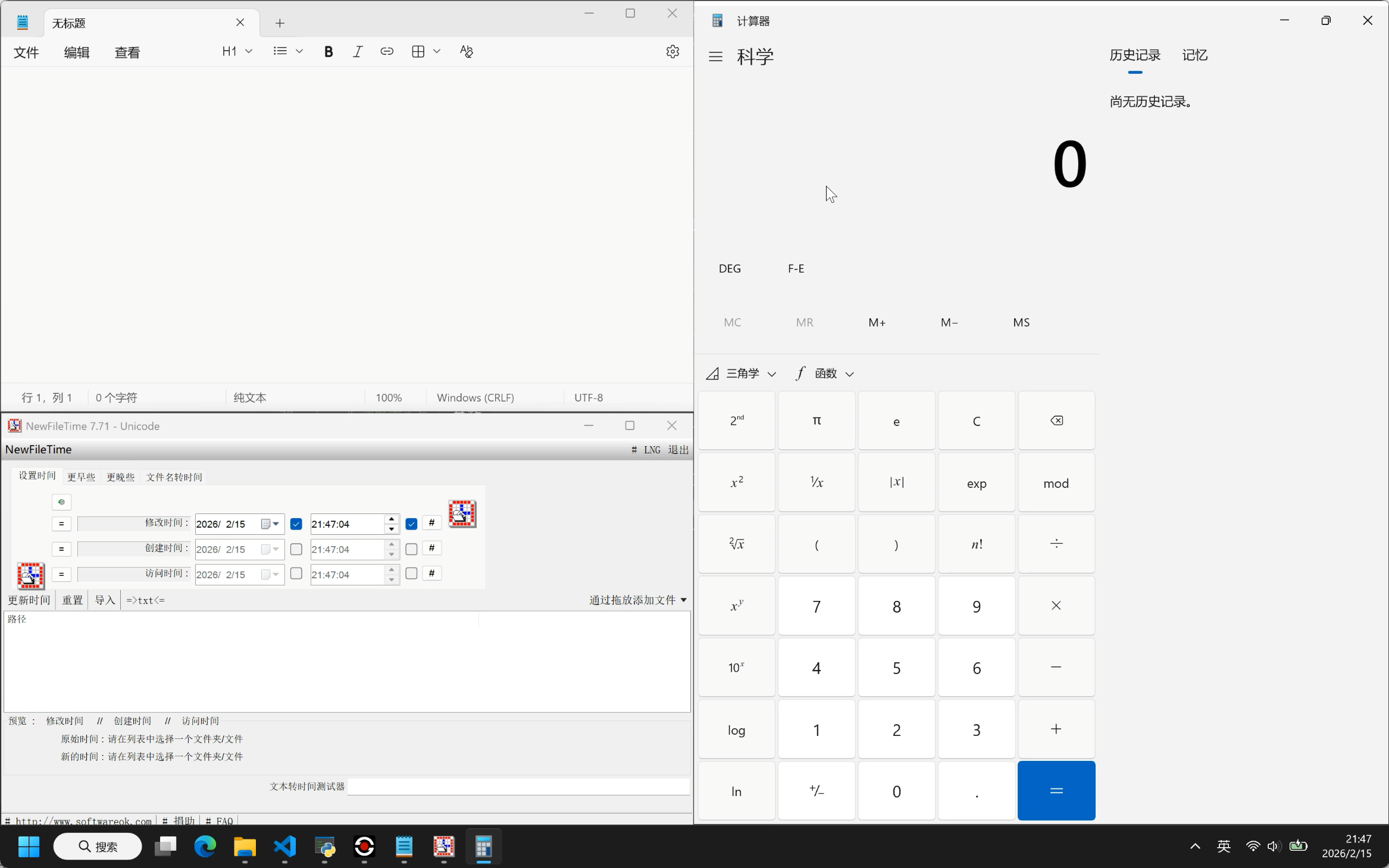
通过监听窗口创建、进程任务名匹配方式尽可能获得准确的窗口句柄:
cpp
namespace WindowMonitor {
    // 带有时间戳的窗口记录
    struct WindowRecord {
        HWND hwnd;
        std::chrono::steady_clock::time_point showTime;

        bool operator==(const HWND& other) const {
            return hwnd == other;
        }
    };

    std::vector<WindowRecord> recentWindows;
    std::mutex rwMutex;

    std::thread monitorThread;
    std::atomic<bool> isListening{false};
    DWORD threadId = 0;
    HWINEVENTHOOK hEventHook = nullptr;

    const size_t MAX_RECENT_WINDOWS = 30;

    // WinEvent 回调函数
    void CALLBACK WinEventProc(
        HWINEVENTHOOK hWinEventHook,
        DWORD event,
        HWND hwnd,
        LONG idObject,
        LONG idChild,
        DWORD dwEventThread,
        DWORD dwmsEventTime
    ) {
        // 只关心顶层窗口本身的事件
        if (idObject != OBJID_WINDOW || idChild != CHILDID_SELF || hwnd == nullptr) {
            return;
        }

        // 过滤掉非顶层窗口
        if (GetParent(hwnd) != NULL) {
            return;
        }

        // 过滤掉明显的非主窗口 (例如没有所有者的弹出窗口)
        if (GetWindow(hwnd, GW_OWNER) != NULL) {
            return;
        }

        // 跳过不含标题栏的某些阴影或辅助窗口
        long style = GetWindowLong(hwnd, GWL_STYLE);
        if (!(style & WS_CAPTION)) {
            return;
        }

        auto now = std::chrono::steady_clock::now();

        std::lock_guard<std::mutex> lock(rwMutex);

        // 避免重复添加相同的 HWND
        std::erase_if(recentWindows, [hwnd](const WindowRecord& r) {
            return r.hwnd == hwnd;
        });

        // 最新的在最后
        recentWindows.push_back({hwnd, now});

        // 维持 vector 大小
        if (recentWindows.size() > MAX_RECENT_WINDOWS) {
            recentWindows.erase(recentWindows.begin());
        }
    }

    // 线程执行的监听循环
    void MessageLoop() {
        // 记录当前线程ID
        threadId = GetCurrentThreadId();

        hEventHook = SetWinEventHook(
            EVENT_OBJECT_SHOW, EVENT_OBJECT_SHOW,
            NULL,
            WinEventProc,
            0, 0, // 监听所有进程和线程
            WINEVENT_OUTOFCONTEXT | WINEVENT_SKIPOWNPROCESS // 进程外回调,跳过自己
        );

        if (!hEventHook) {
            // std::wcerr << L"Failed to set WinEventHook!" << std::endl;
            return;
        }

        MSG msg;
        while (GetMessage(&msg, NULL, 0, 0)) {
            TranslateMessage(&msg);
            DispatchMessage(&msg);
        }

        // 退出前清理
        if (hEventHook) {
            UnhookWinEvent(hEventHook);
            hEventHook = nullptr;
        }
    }

    //==========外部的接口==========

    void Start() {
        if (isListening) return;
        isListening = true;

        {
            std::lock_guard<std::mutex> lock(rwMutex);
            recentWindows.clear();
            recentWindows.reserve(MAX_RECENT_WINDOWS+1);// 预留一个位置
        }

        monitorThread = std::thread(MessageLoop);
    }

    void Stop() {
        if (!isListening) return;
        isListening = false;

        // 向子线程发送 WM_QUIT 消息
        if (threadId != 0) {
            PostThreadMessage(threadId, WM_QUIT, 0, 0);
        }

        if (monitorThread.joinable()) {
            monitorThread.join();
        }

        {
            std::lock_guard<std::mutex> lock(rwMutex);
            recentWindows.clear();
        }
        threadId = 0;
    }

    // 获取最近窗口的一份拷贝,以便主线程慢慢处理而不长时间占用锁
    std::vector<WindowRecord> GetRecentWindowsReversed() {
        std::lock_guard<std::mutex> lock(rwMutex);
        std::vector<WindowRecord> copy = recentWindows;
        std::reverse(copy.begin(), copy.end()); // 翻转,最新的在最前面
        return copy;
    }
}
以上非完整代码,但已经足够展现框架和逻辑。
接下来通过SetWindowPos调整窗口位置和尺寸。需要注意,SetWindowPos实际上调整的是整体窗口,而非窗口可见区域。在Windows上,窗口可能包含渲染阴影、不可见边框等等,因此需要转换(该代码见源码zoneutils.h中的WindowMonitor::AdjustRectForSizeWindowToRect,极大参考了powertoys)。窗口移动代码如下:
cpp
void SmoothMoveWindow(HWND hwnd, int x, int y, int w, int h, bool zone_round) {
    if (IsIconic(hwnd)) {
        ShowWindow(hwnd, SW_RESTORE);
        std::this_thread::sleep_for(std::chrono::milliseconds(100));
    }

    // 是否保留圆角
    if (!zone_round) {
        WindowMonitor::DisableRoundCorners(hwnd);
    }

    RECT rect = { x, y, x + w, y + h };
    rect = WindowMonitor::AdjustRectForSizeWindowToRect(hwnd, rect);
    x = rect.left;
    y = rect.top;
    w = rect.right - x;
    h = rect.bottom - y;

    UINT flags = SWP_NOZORDER | SWP_NOACTIVATE | SWP_ASYNCWINDOWPOS;
    SetWindowPos(hwnd, NULL, x, y, w, h, flags);
}
显示任务进展
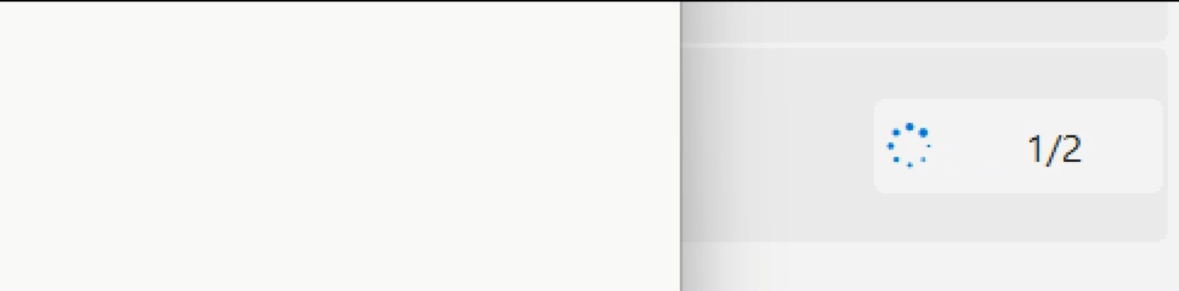
这是个UI提示元素,这是防止在任务运行期间多次点击运行、修改或删除,但这些仍然可以通过快捷键进行操作(运行和修改,删除不支持快捷键),顺便进行提示。
正式支持隐藏任务
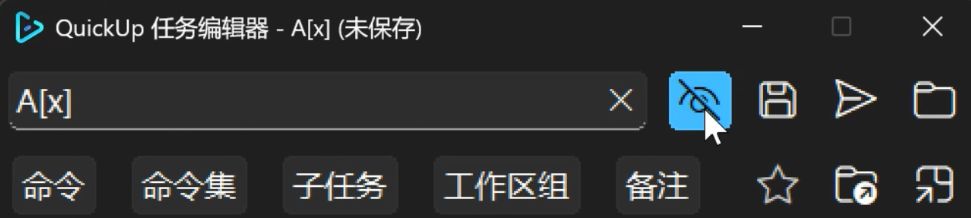
在之前,QuickUp会自动略过以[x]结尾的任务。在4.0版本中,QuickUp正式启用了对隐藏任务的全流程支持:
- 隐藏任务、普通任务的切换
- 任务名、任务可见性双向感知
- 支持显示隐藏任务
隐藏任务非常有用,当一个任务被多个其他任务调用,而自身并不常用;或者已经作为快捷方式被放到桌面、开始菜单或者其他什么地方时,就显得非常方便实用。
以第二个情景为例(创造需求中......😵)。众所周知,Windows下,git默认不走系统代理,如果代理应用只用系统代理且也不是一直使用的话,就需要:
- 打开代理
- 设置git proxy
- 关闭代理
- 还原proxy以正常使用
那在QuickUp就这样设置:
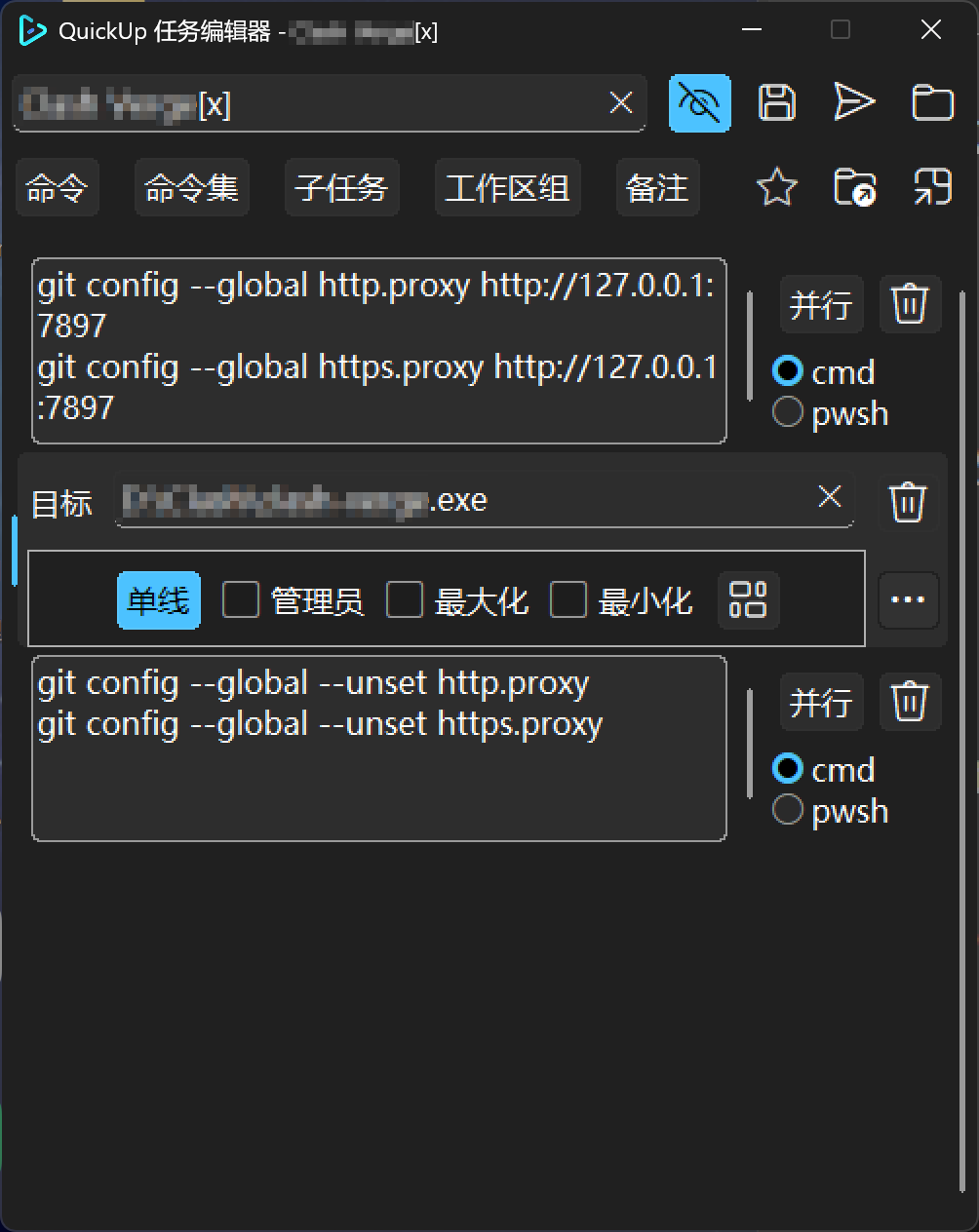
创建任务快捷方式、(可以)改名快捷方式并(随意)放上自己喜欢的图标、留在桌面或者移动到开始菜单文件夹以替换代理应用快捷方式、隐藏原任务。这样,点击快捷方式后,先设置proxy、再启用代理应用,等到代理应用关闭后,再还原proxy。同时,也不会QuickUp界面大眼瞪小眼占位置。