Rust 是一门非常重视正确性的语言,这门语言本身就提供了对编写软件测试的支持。
测试有三种风格:
Rust 也支持在测试中指定额外的依赖:
参见:
21.1 单元测试
测试(test)是这样一种 Rust 函数:它保证其他部分的代码按照所希望的行为正常运行。测试函数的函数体通常会进行一些配置,运行我们想要测试的代码,然后断言(assert)结果是不是我们所期望的。
大多数单元测试都会被放到一个叫 tests 的、带有 #[cfg(test)] 属性的模块中,测试函数要加上 #[test] 属性。
当测试函数中有什么东西 panic 了,测试就失败。有一些这方面的辅助宏:
-
assert!(expression)- 如果表达式的值是false则 panic。 -
assert_eq!(left, right)和assert_ne!(left, right)- 检验左右两边是否 相等/不等。// 21.1节 单元测试
pub fn add(a: i32, b: i32) -> i32 {
a + b
}// 这个加法函数写得很差,本例中我们会使它失败。
#[allow(dead_code)]
fn bad_add(a: i32, b: i32) -> i32 {
a - b
}#[cfg(test)]
mod tests {
// 注意这个惯用法:在 tests 模块中,从外部作用域导入所有名字。
use super::*;#[test] fn test_add() { assert_eq!(add(1, 2), 3); } #[test] fn test_bad_add() { // 这个断言会导致测试失败。注意私有的函数也可以被测试! assert_eq!(bad_add(1, 2), 3); }}
可以使用 cargo test 来运行测试。
PS F:\rustproject\rustbyexample\chapter21> cargo new example21_1 --lib
    Creating library `example21_1` package
note: see more `Cargo.toml` keys and their definitions at https://doc.rust-lang.org/cargo/reference/manifest.html
PS F:\rustproject\rustbyexample\chapter21> cd example21_1
PS F:\rustproject\rustbyexample\chapter21\example21_1> cargo test
   Compiling example21_1 v0.1.0 (F:\rustproject\rustbyexample\chapter21\example21_1)
    Finished `test` profile [unoptimized + debuginfo] target(s) in 0.27s
     Running unittests src\lib.rs (target\debug\deps\example21_1-c2a032be3053d7f4.exe)

running 2 tests
test tests::test_bad_add ... FAILED
test tests::test_add ... ok

failures:

---- tests::test_bad_add stdout ----

thread 'tests::test_bad_add' (3872) panicked at src\lib.rs:25:9:
assertion `left == right` failed
  left: -1
 right: 3
note: run with `RUST_BACKTRACE=1` environment variable to display a backtrace


failures:
    tests::test_bad_add

test result: FAILED. 1 passed; 1 failed; 0 ignored; 0 measured; 0 filtered out; finished in 0.00s

error: test failed, to rerun pass `--lib`
PS F:\rustproject\rustbyexample\chapter21\example21_1>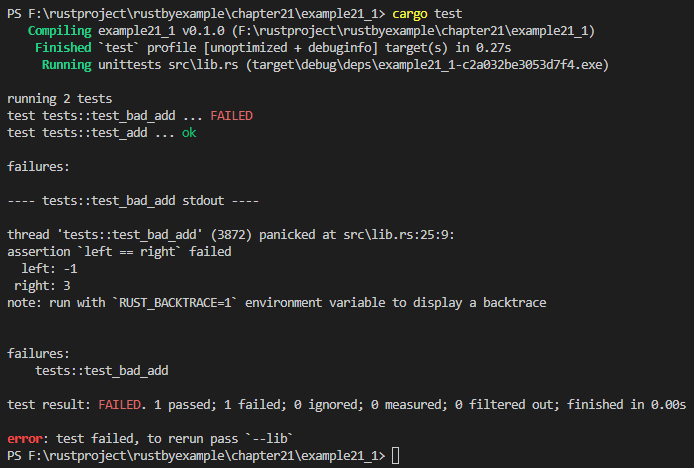
测试panic
一些函数应当在特定条件下 panic。为测试这种行为,请使用 #[should_panic] 属性。这个属性接受可选参数 expected = 以指定 panic 时的消息。如果你的函数能以多种方式 panic,这个属性就保证了你在测试的确实是所指定的 panic。
// 21.1节 单元测试 ------------ 测试 panic
pub fn divide_non_zero_result(a: u32, b: u32) -> u32 {
    if b == 0 {
        panic!("Divide-by-zero error");
    } else if a < b {
        panic!("Divide result is zero");
    }
    a / b
}

#[cfg(test)]
mod tests {
    use super::*;

    #[test]
    fn test_divide() {
        assert_eq!(divide_non_zero_result(10, 2), 5);
    }

    #[test]
    #[should_panic]
    fn test_any_panic() {
        divide_non_zero_result(1, 0);
    }

    #[test]
    #[should_panic(expected = "Divide result is zero")]
    fn test_specific_panic() {
        divide_non_zero_result(1, 10);
    }
}
运行这些测试会输出:
PS F:\rustproject\rustbyexample\chapter21> cargo new example21_2 --lib
    Creating library `example21_2` package
note: see more `Cargo.toml` keys and their definitions at https://doc.rust-lang.org/cargo/reference/manifest.html
PS F:\rustproject\rustbyexample\chapter21> cd example21_2
PS F:\rustproject\rustbyexample\chapter21\example21_2> cargo test
   Compiling example21_2 v0.1.0 (F:\rustproject\rustbyexample\chapter21\example21_2)
    Finished `test` profile [unoptimized + debuginfo] target(s) in 0.27s
     Running unittests src\lib.rs (target\debug\deps\example21_2-9f53d75d9121e700.exe)

running 3 tests
test tests::test_divide ... ok
test tests::test_any_panic - should panic ... ok
test tests::test_specific_panic - should panic ... ok

test result: ok. 3 passed; 0 failed; 0 ignored; 0 measured; 0 filtered out; finished in 0.00s

   Doc-tests example21_2

running 0 tests

test result: ok. 0 passed; 0 failed; 0 ignored; 0 measured; 0 filtered out; finished in 0.00s

PS F:\rustproject\rustbyexample\chapter21\example21_2>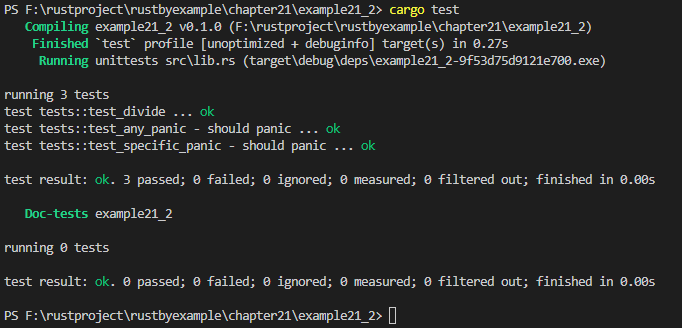
运行特定的测试
要运行特定的测试,只要把测试名称传给 cargo test 命令就可以了。
PS F:\rustproject\rustbyexample\chapter21\example21_2> cargo test test_any_panic
   Compiling example21_2 v0.1.0 (F:\rustproject\rustbyexample\chapter21\example21_2)
    Finished `test` profile [unoptimized + debuginfo] target(s) in 0.19s
     Running unittests src\lib.rs (target\debug\deps\example21_2-9f53d75d9121e700.exe)

running 1 test
test tests::test_any_panic - should panic ... ok

test result: ok. 1 passed; 0 failed; 0 ignored; 0 measured; 2 filtered out; finished in 0.00s

PS F:\rustproject\rustbyexample\chapter21\example21_2>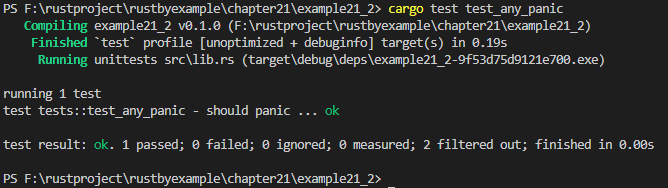
要运行多个测试,可以仅指定测试名称中的一部分,用它来匹配所有要运行的测试。
PS F:\rustproject\rustbyexample\chapter21\example21_2> cargo test panic
    Finished `test` profile [unoptimized + debuginfo] target(s) in 0.00s
     Running unittests src\lib.rs (target\debug\deps\example21_2-9f53d75d9121e700.exe)

running 2 tests
test tests::test_any_panic - should panic ... ok
test tests::test_specific_panic - should panic ... ok

test result: ok. 2 passed; 0 failed; 0 ignored; 0 measured; 1 filtered out; finished in 0.00s

PS F:\rustproject\rustbyexample\chapter21\example21_2>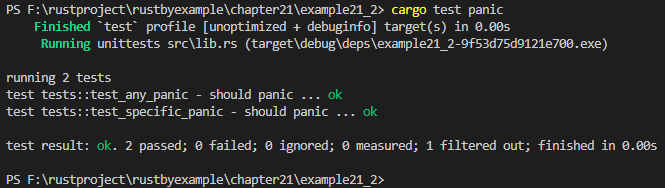
忽略测试
可以把属性 #[ignore] 赋予测试以排除某些测试,或者使用 cargo test -- --ignored 命令来运行它们。
// 21.1节 单元测试 ------------ 忽略测试
pub fn add(a: i32, b: i32) -> i32 {
    a + b
}

#[cfg(test)]
mod tests {
    use super::*;

    #[test]
    fn test_add() {
        assert_eq!(add(2, 2), 4);
    }

    #[test]
    fn test_add_hundred() {
        assert_eq!(add(100, 2), 102);
        assert_eq!(add(2, 100), 102);
    }

    #[test]
    #[ignore]
    fn ignored_test() {
        assert_eq!(add(0, 0), 0);
    }
}
执行测试:
PS F:\rustproject\rustbyexample\chapter21> cargo new example21_3 --lib
    Creating library `example21_3` package
note: see more `Cargo.toml` keys and their definitions at https://doc.rust-lang.org/cargo/reference/manifest.html
PS F:\rustproject\rustbyexample\chapter21> cd example21_3
PS F:\rustproject\rustbyexample\chapter21\example21_3> cargo test
   Compiling example21_3 v0.1.0 (F:\rustproject\rustbyexample\chapter21\example21_3)
    Finished `test` profile [unoptimized + debuginfo] target(s) in 0.26s
     Running unittests src\lib.rs (target\debug\deps\example21_3-c41704a63f025309.exe)

running 3 tests
test tests::ignored_test ... ignored
test tests::test_add ... ok
test tests::test_add_hundred ... ok
test result: ok. 2 passed; 0 failed; 1 ignored; 0 measured; 0 filtered out; finished in 0.00s

   Doc-tests example21_3

running 0 tests

test result: ok. 0 passed; 0 failed; 0 ignored; 0 measured; 0 filtered out; finished in 0.00s

PS F:\rustproject\rustbyexample\chapter21\example21_3>
PS F:\rustproject\rustbyexample\chapter21\example21_3> cargo test -- --ignored
    Finished `test` profile [unoptimized + debuginfo] target(s) in 0.00s
     Running unittests src\lib.rs (target\debug\deps\example21_3-c41704a63f025309.exe)

running 1 test
test tests::ignored_test ... ok

test result: ok. 1 passed; 0 failed; 0 ignored; 0 measured; 2 filtered out; finished in 0.00s

   Doc-tests example21_3

running 0 tests

test result: ok. 0 passed; 0 failed; 0 ignored; 0 measured; 0 filtered out; finished in 0.00s

PS F:\rustproject\rustbyexample\chapter21\example21_3>
PS F:\rustproject\rustbyexample\chapter21\example21_3>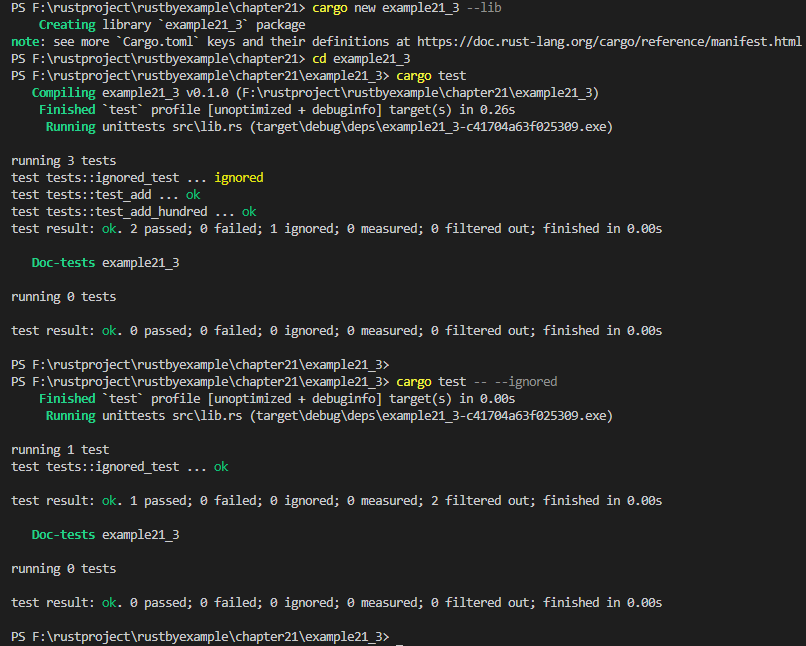
21.2 文档测试
为 Rust 工程编写文档的主要方式是在源代码中写注释。文档注释使用 markdown 语法书写,支持代码块。Rust 很注重正确性,这些注释中的代码块也会被编译并且用作测试。
// 21.2节 文档测试

/// 第一行是对函数的简短描述。
///
/// 接下来数行是详细文档。代码块用三个反引号开启,Rust 会隐式地在其中添加
/// `fn main()` 和 `extern crate <cratename>`。比如测试 `doccomments` crate:
///
/// ```
/// let result = doccomments::add(2, 3);
/// assert_eq!(result, 5);
/// ```
pub fn add(a: i32, b: i32) -> i32 {
    a + b
}

/// 文档注释通常可能带有 "Examples"、"Panics" 和 "Failures" 这些部分。
///
/// 下面的函数将两数相除。
///
/// # Examples
///
/// ```
/// let result = doccomments::div(10, 2);
/// assert_eq!(result, 5);
/// ```
///
/// # Panics
///
/// 如果第二个参数是 0,函数将会 panic。
///
/// ```rust,should_panic
/// // panics on division by zero
/// doccomments::div(10, 0);
/// ```
pub fn div(a: i32, b: i32) -> i32 {
    if b == 0 {
        panic!("Divide-by-zero error");
    }
    a / b
}
//Cargo.toml文件里的 name = "doccomments"
这些测试仍然可以通过 cargo test 执行:
PS F:\rustproject\rustbyexample\chapter21> cargo new example21_4 --lib
    Creating library `example21_4` package
note: see more `Cargo.toml` keys and their definitions at https://doc.rust-lang.org/cargo/reference/manifest.html
PS F:\rustproject\rustbyexample\chapter21> cd example21_4
PS F:\rustproject\rustbyexample\chapter21\example21_4> cargo test
   Compiling doccomments v0.1.0 (F:\rustproject\rustbyexample\chapter21\example21_4)
    Finished `test` profile [unoptimized + debuginfo] target(s) in 0.23s
     Running unittests src\lib.rs (target\debug\deps\doccomments-682139a88626379b.exe)

running 0 tests

test result: ok. 0 passed; 0 failed; 0 ignored; 0 measured; 0 filtered out; finished in 0.00s

   Doc-tests doccomments

running 3 tests
test src\lib.rs - add (line 8) ... ok
test src\lib.rs - div (line 22) ... ok
test src\lib.rs - div (line 31) - should panic ... ok

test result: ok. 3 passed; 0 failed; 0 ignored; 0 measured; 0 filtered out; finished in 0.01s

all doctests ran in 0.21s; merged doctests compilation took 0.18s
PS F:\rustproject\rustbyexample\chapter21\example21_4> 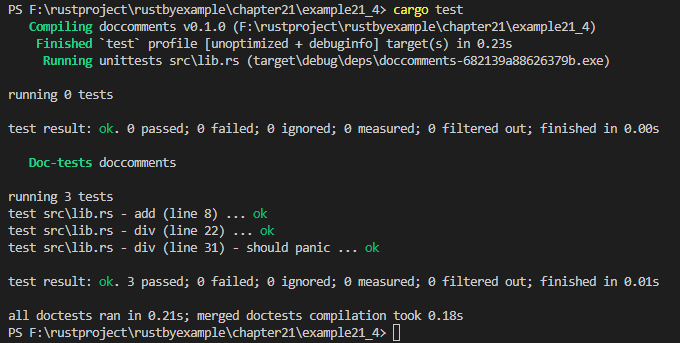
文档测试的目的
文档测试的主要目的是作为使用函数功能的例子,这是最重要的指导原则之一。文档测试应当可以作为完整的代码段被直接使用(很多用户会复制文档中的代码来用,所以例子要写得完善)。但使用 ? 符号会导致编译失败,因为 main 函数会返回 unit 类型。幸运的是,我们可以在文档中隐藏几行源代码:你可以写 fn try_main() -> Result<(), ErrorType> 这样的函数,把它隐藏起来,然后在隐藏的 main 中展开它。听起来很复杂?请看例子:
// 21.2节 文档测试的目的
/// 在文档测试中使用隐藏的 `try_main`。
///
/// ```
/// # // 被隐藏的行以 `#` 开始,但它们仍然会被编译!
/// # fn try_main() -> Result<(), String> { // 隐藏行包围了文档中显示的函数体
/// let res = example21_5::try_div(10, 2)?;
/// # Ok(()) // 从 try_main 返回
/// # }
/// # fn main() { // 开始主函数,其中将展开 `try_main` 函数
/// #    try_main().unwrap(); // 调用并展开 try_main,这样出错时测试会 panic
/// # }
pub fn try_div(a: i32, b: i32) -> Result<i32, String> {
    if b == 0 {
        Err(String::from("Divide-by-zero"))
    } else {
        Ok(a / b)
    }
}
//Cargo.toml文件里的 name = "example21_5"
执行测试:
PS F:\rustproject\rustbyexample\chapter21> cargo new example21_5 --lib
    Creating library `example21_5` package
note: see more `Cargo.toml` keys and their definitions at https://doc.rust-lang.org/cargo/reference/manifest.html
PS F:\rustproject\rustbyexample\chapter21> cd example21_5
PS F:\rustproject\rustbyexample\chapter21\example21_5> cargo test
   Compiling example21_5 v0.1.0 (F:\rustproject\rustbyexample\chapter21\example21_5)
    Finished `test` profile [unoptimized + debuginfo] target(s) in 0.20s
     Running unittests src\lib.rs (target\debug\deps\example21_5-92c8f46e30cddb52.exe)

running 0 tests

test result: ok. 0 passed; 0 failed; 0 ignored; 0 measured; 0 filtered out; finished in 0.00s

   Doc-tests example21_5

running 1 test
test src\lib.rs - try_div (line 4) ... ok

test result: ok. 1 passed; 0 failed; 0 ignored; 0 measured; 0 filtered out; finished in 0.01s

all doctests ran in 0.21s; merged doctests compilation took 0.19s
PS F:\rustproject\rustbyexample\chapter21\example21_5>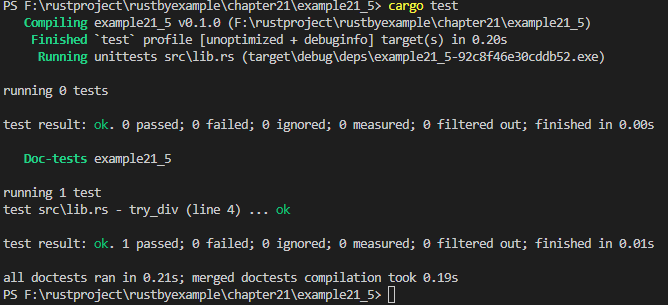
参见:
21.3 集成测试
单元测试一次仅能单独测试一个模块,这种测试是小规模的,并且能测试私有代码;集成测试是 crate 外部的测试,并且仅使用 crate 的公共接口,就像其他使用该 crate 的程序那样。集成测试的目的是检验你的库的各部分是否能够正确地协同工作。
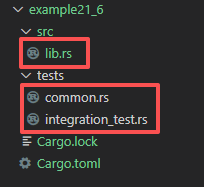
cargo 在与 src 同级别的 tests 目录寻找集成测试。
文件 src/lib.rs:
// 21.3节 集成测试
// 在一个叫做 'adder' 的 crate 中定义此函数。
pub fn add(a: i32, b: i32) -> i32 {
    a + b
}

// Cargo.toml文件里的 name = "adder"包含测试的文件:tests/integration_test.rs:
#[test]
fn test_add() {
    assert_eq!(adder::add(3, 2), 5);
}
使用 cargo test 命令:
PS F:\rustproject\rustbyexample\chapter21> cargo new example21_6 --lib
    Creating library `example21_6` package
note: see more `Cargo.toml` keys and their definitions at https://doc.rust-lang.org/cargo/reference/manifest.html
PS F:\rustproject\rustbyexample\chapter21> cd example21_6
PS F:\rustproject\rustbyexample\chapter21\example21_6> cargo test
   Compiling adder v0.1.0 (F:\rustproject\rustbyexample\chapter21\example21_6)
    Finished `test` profile [unoptimized + debuginfo] target(s) in 0.24s
     Running unittests src\lib.rs (target\debug\deps\adder-a46adcb92a888d31.exe)

running 0 tests

test result: ok. 0 passed; 0 failed; 0 ignored; 0 measured; 0 filtered out; finished in 0.00s

     Running tests\integration_test.rs (target\debug\deps\integration_test-d15e7b9df3cb7afc.exe)

running 1 test
test test_add ... ok

test result: ok. 1 passed; 0 failed; 0 ignored; 0 measured; 0 filtered out; finished in 0.00s

   Doc-tests adder

running 0 tests

test result: ok. 0 passed; 0 failed; 0 ignored; 0 measured; 0 filtered out; finished in 0.00s

PS F:\rustproject\rustbyexample\chapter21\example21_6>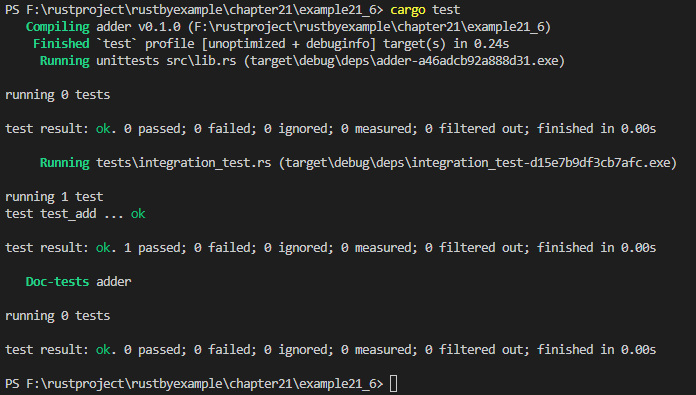
tests 目录中的每一个 Rust 源文件都被编译成一个单独的 crate。在集成测试中要想共享代码,一种方式是创建具有公用函数的模块,然后在测试中导入并使用它。
文件 tests/common.rs:
pub fn setup() {
    // 一些配置代码,比如创建文件/目录,开启服务器等等。
    println!("example21_6/tests/common.rs====================");
}包含测试的文件:tests/integration_test.rs
// 导入共用模块。
mod common;

#[test]
fn test_add() {
    // 使用共用模块。
    common::setup();
    assert_eq!(adder::add(3, 2), 5);
}带有共用代码的模块遵循和普通的模块一样的规则,所以完全可以把公共模块写在 tests/common/mod.rs 文件中。
项目结构:
测试时输出打印信息:cargo test -- --show-output
PS F:\rustproject\rustbyexample\chapter21\example21_6> cargo test -- --show-output
    Finished `test` profile [unoptimized + debuginfo] target(s) in 0.00s
     Running unittests src\lib.rs (target\debug\deps\adder-a46adcb92a888d31.exe)

running 0 tests

successes:

successes:

test result: ok. 0 passed; 0 failed; 0 ignored; 0 measured; 0 filtered out; finished in 0.00s

     Running tests\common.rs (target\debug\deps\common-a29c7ce6aa767bf9.exe)

running 0 tests

successes:

successes:

test result: ok. 0 passed; 0 failed; 0 ignored; 0 measured; 0 filtered out; finished in 0.00s

     Running tests\integration_test.rs (target\debug\deps\integration_test-d15e7b9df3cb7afc.exe)

running 1 test
test test_add ... ok

successes:

---- test_add stdout ----
example21_6/tests/common.rs====================


successes:
    test_add

test result: ok. 1 passed; 0 failed; 0 ignored; 0 measured; 0 filtered out; finished in 0.00s

   Doc-tests adder

running 0 tests

successes:

successes:

test result: ok. 0 passed; 0 failed; 0 ignored; 0 measured; 0 filtered out; finished in 0.00s

PS F:\rustproject\rustbyexample\chapter21\example21_6>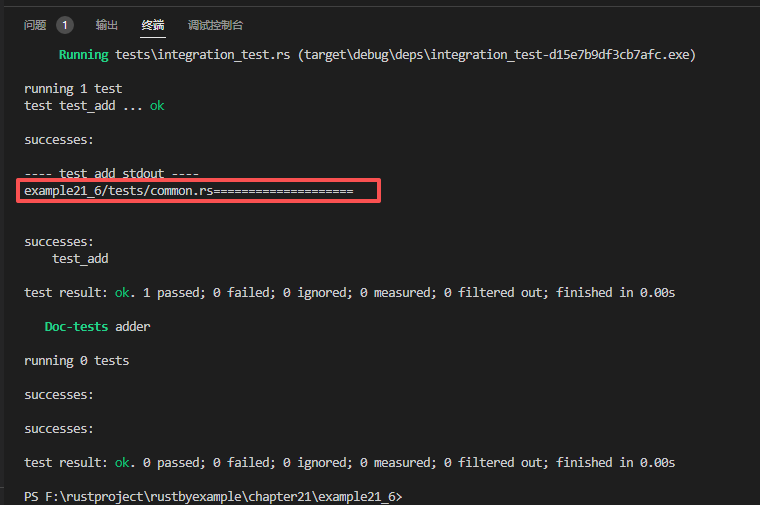
21.4 开发依赖
有时仅在测试中才需要一些依赖(比如基准测试相关的)。这种依赖要写在 Cargo.toml 的 [dev-dependencies] 部分。这些依赖不会传播给其他依赖于这个包的包。
比如说使用 pretty_assertions,这是扩展了标准的 assert! 宏的一个 crate。
文件 Cargo.toml:
[package]
name = "example21_7"
version = "0.1.0"
edition = "2024"

[dependencies]

[dev-dependencies]
pretty_assertions = "1"
文件 src/lib.rs:
// 21.4节 开发依赖
pub fn add(a: i32, b: i32) -> i32 {
    a + b
}

#[cfg(test)]
mod tests {
    use super::*;
    use pretty_assertions::assert_eq; //仅用于测试, 不能在非测试代码中使用

    #[test]
    fn test_add() {
        assert_eq!(add(2, 3), 5);
    }
}
// cargo test
执行测试:
PS F:\rustproject\rustbyexample\chapter21> cargo new example21_7 --lib
    Creating library `example21_7` package
note: see more `Cargo.toml` keys and their definitions at https://doc.rust-lang.org/cargo/reference/manifest.html
PS F:\rustproject\rustbyexample\chapter21> cd example21_7
PS F:\rustproject\rustbyexample\chapter21\example21_7> cargo test
   Compiling diff v0.1.13
   Compiling yansi v1.0.1
   Compiling example21_7 v0.1.0 (F:\rustproject\rustbyexample\chapter21\example21_7)
   Compiling pretty_assertions v1.4.1
    Finished `test` profile [unoptimized + debuginfo] target(s) in 0.59s
     Running unittests src\lib.rs (target\debug\deps\example21_7-0ed07c4a23b5d797.exe)

running 1 test
test tests::test_add ... ok

test result: ok. 1 passed; 0 failed; 0 ignored; 0 measured; 0 filtered out; finished in 0.00s

   Doc-tests example21_7

running 0 tests

test result: ok. 0 passed; 0 failed; 0 ignored; 0 measured; 0 filtered out; finished in 0.00s

PS F:\rustproject\rustbyexample\chapter21\example21_7>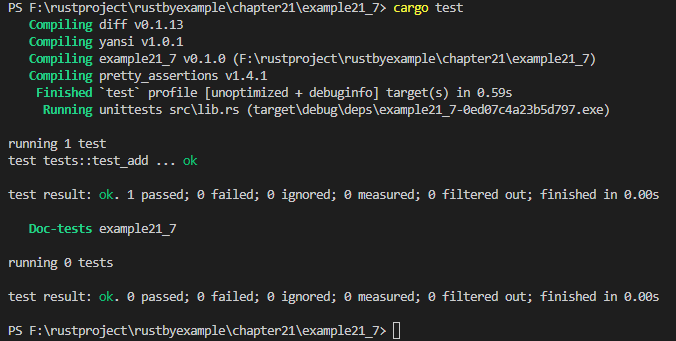
参见:
Cargo 文档中关于指定依赖的部分。