prochat 聊天组件库:
https://pro-chat.antdigital.dev/
安装报错:
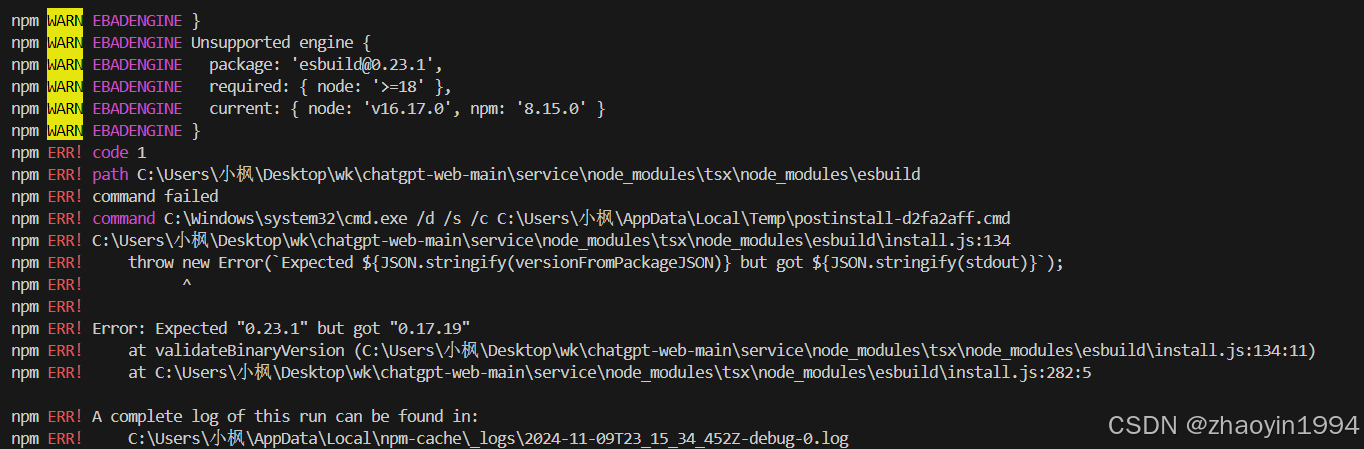 准备去升级Node包,但是下载n (node 的包管理工具失败,因为window32不支持n下载)
直接去升级node
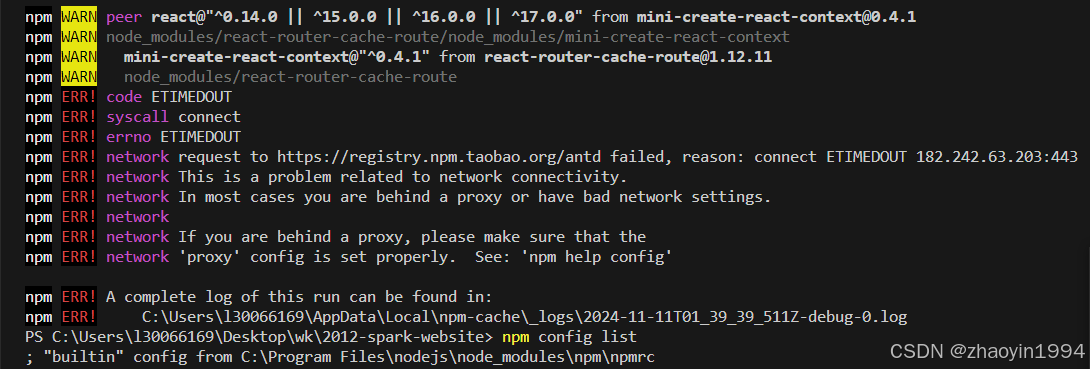
npm设置有问题,重新配置代码之后 解决
-
If you are behind a proxy, make sure you configure the proxy settings properly:
bash
npm config set proxy http://your-proxy-address:port npm config set https-proxy http://your-proxy-address:port
3. Clear npm Cache
Sometimes, clearing the npm cache can solve issues:
bash
npm cache clean --force
如何实现流式打字机效果
要实现流式打字机效果,可以使用多种编程语言和技术。下面是一个使用 JavaScript 和 HTML 实现的基本示例:
HTML
html
<!DOCTYPE html> <html lang="zh"> <head> <meta charset="UTF-8"> <meta name="viewport" content="width=device-width, initial-scale=1.0"> <title>打字机效果</title> <style> #typing { font-family: 'Courier New', Courier, monospace; white-space: nowrap; /* 保持文本在一行 */ overflow: hidden; /* 超出部分隐藏 */ } </style> </head> <body> <div id="typing"></div> <script src="script.js"></script> </body> </html>
JavaScript (script.js)
javascript
const text = "你好,欢迎使用流式打字机效果!"; // 你想展示的文本 const typingElement = document.getElementById('typing'); let index = 0; function type() { if (index < text.length) { typingElement.textContent += text.charAt(index); index++; setTimeout(type, 150); // 调整打字速度,这里是 150 毫秒 } } type();
说明:
- HTML 部分 :包含一个
div用于显示打字机效果的文本。 - CSS 部分:设置了字体和文本样式,确保文本不会换行。
- JavaScript 部分 :定义了一个
type函数,通过不断更新div的内容来模拟打字效果。可以调整setTimeout中的时间来控制打字速度。
将上述代码放入你的项目中,打开 HTML 文件即可看到效果。你可以根据需要更改文本内容和打字速度。
这个流失打印机效果是纯前端实现,一般方案应该是通过后端接口前后端实现流式打印机