【科研】ACM MM 论文 Latex 投稿模板修改(基于sample-sigconf-authordraft-v2.16)
文章目录
-
- [1、ACM MM 2026格式要求](#1、ACM MM 2026格式要求)
- 2、基于Arxiv原文进行改造
-
- [2.1 导入文章样式](#2.1 导入文章样式)
- [2.2 修改样式以后,修改对应的元数据](#2.2 修改样式以后,修改对应的元数据)
- [2.3 去掉两个模板引用](#2.3 去掉两个模板引用)
- 3、环境编译(TexLive/Overleaf/onlinelatex)
-
- [3.1 本地环境](#3.1 本地环境)
- [3.2 在线环境](#3.2 在线环境)
1、ACM MM 2026格式要求
- 主要看这两句
- Please use the template in traditional double-column format to prepare your submissions. For example, word users should use Word Interim Template, and LaTeX users should use sample-sigconf-authordraft template.
- When using sample-sigconf-authordraft Latex template, for submission and review of manuscript you could use the following documentclass command instead of the example provided in the template: \documentclasssigconf, screen, review, anonymous{acmart}
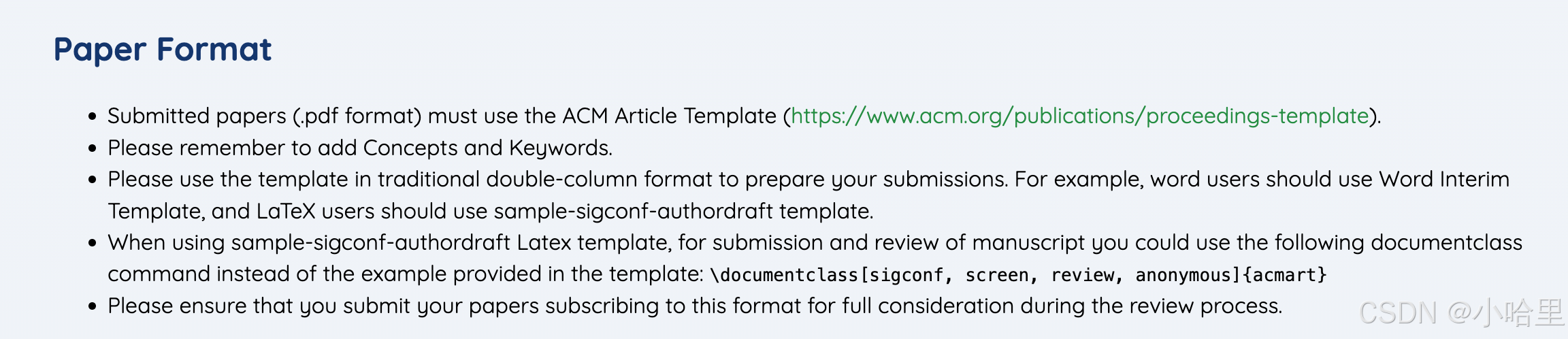
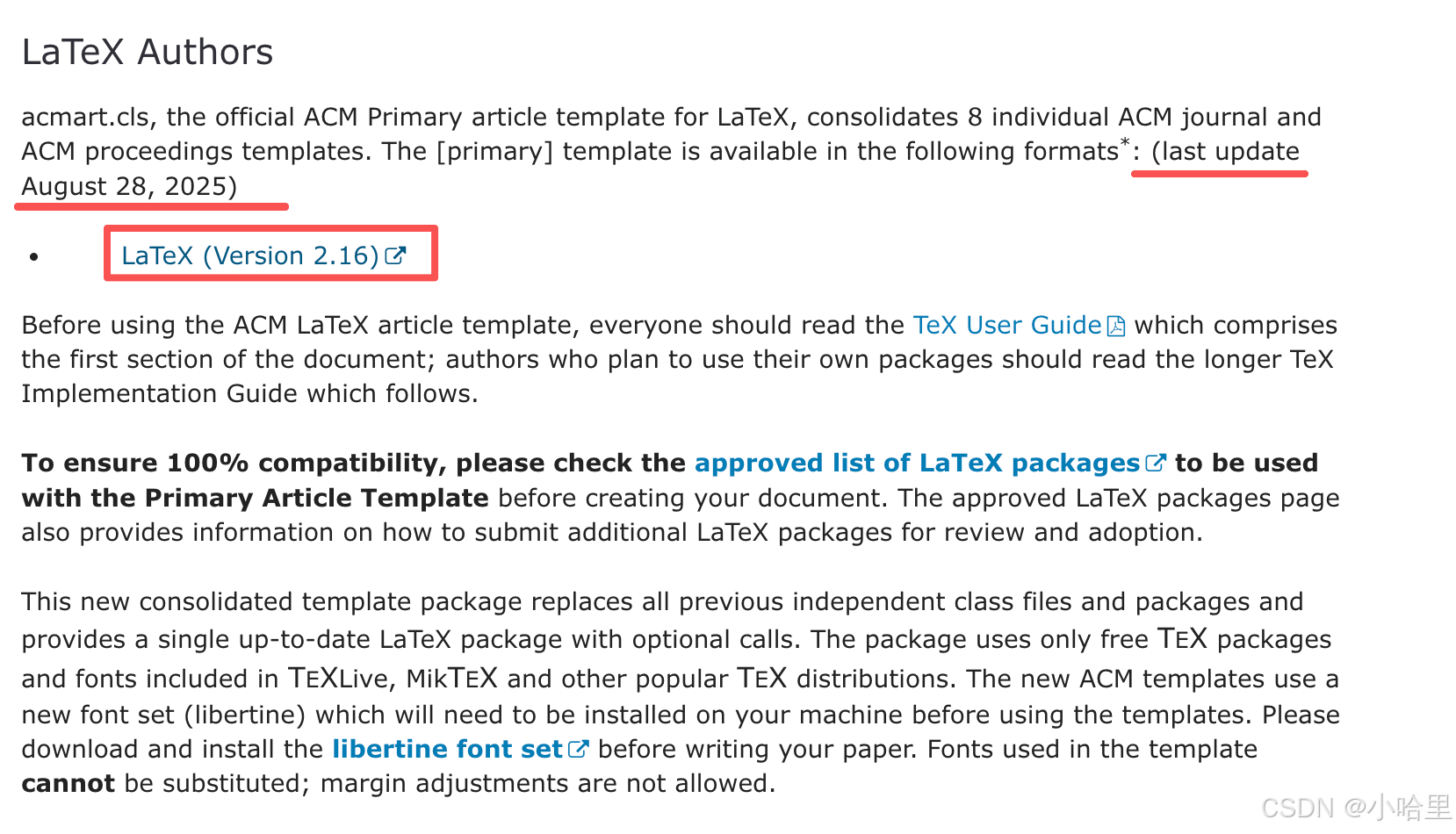
解压后找到sample文件夹里的以供参考
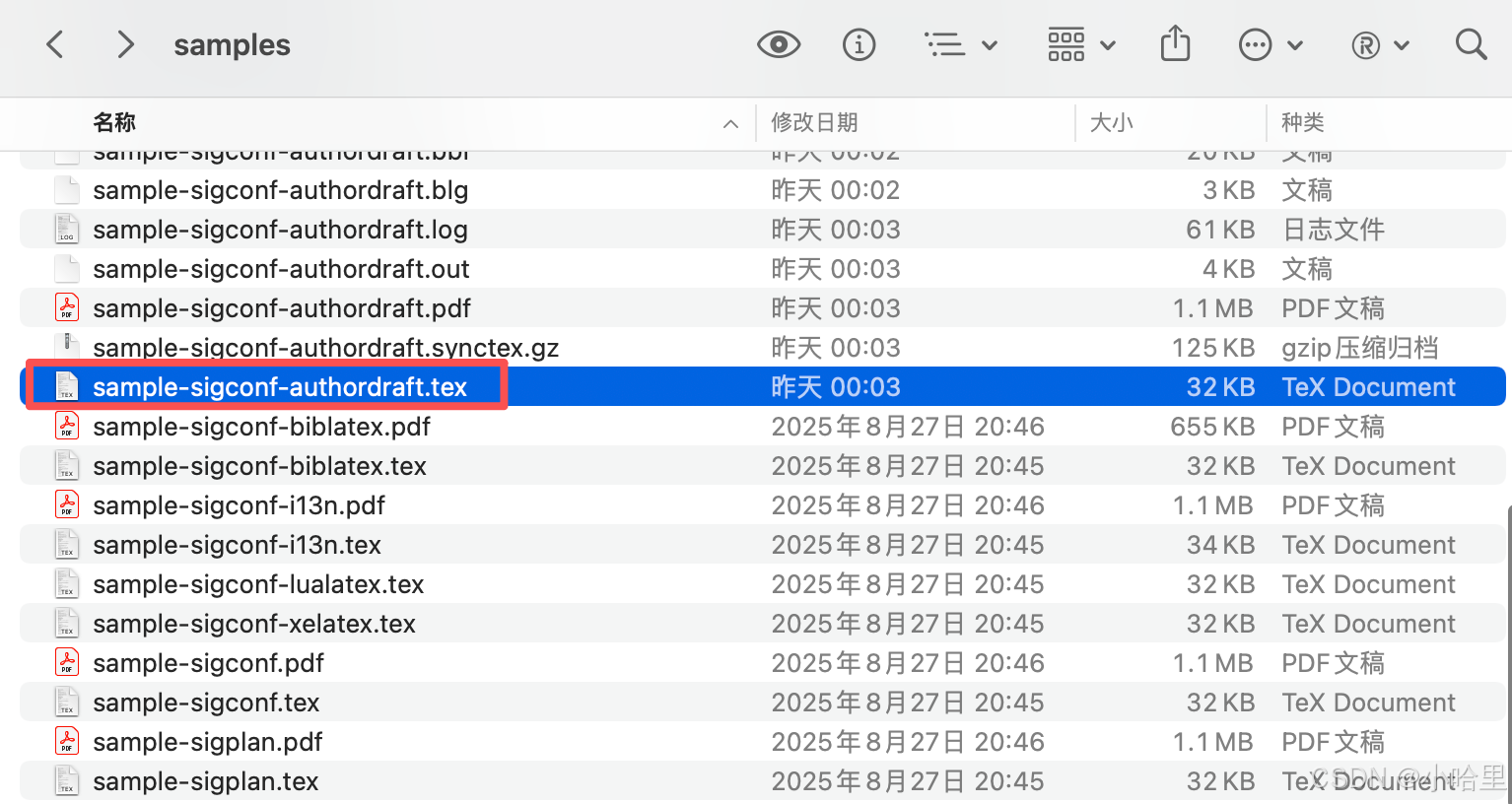
2、基于Arxiv原文进行改造
2.1 导入文章样式
- ACM-Reference-Format.bst,这个是bib的样式
- acmart.cls ,这个是文章的样式
- 所以一共只需要这三个文件,第一个sample-sigconf-authordraft.tex用于参考latex语法,后面两个则是投稿需要的样式。
tex
% 1、引用cls文章样式
% 基础模板
% \documentclass[sigconf,authordraft]{acmart}
% 投稿模板(匿名)
\documentclass[sigconf,review,anonymous]{acmart}

% 2、引用bst参考文献样式
\bibliographystyle{ACM-Reference-Format}
2.2 修改样式以后,修改对应的元数据
- 元数据可以参考sample-sigconf-authordraft.tex的实现,就是begin document之前的部分
tex
%%
%% This is file `sample-sigconf-authordraft.tex',
%% generated with the docstrip utility.
\documentclass[sigconf,authordraft]{acmart}
%%
%% \BibTeX command to typeset BibTeX logo in the docs
\AtBeginDocument{%
  \providecommand\BibTeX{{%
    Bib\TeX}}}

%% Rights management information.  This information is sent to you
%% when you complete the rights form.  These commands have SAMPLE
%% values in them; it is your responsibility as an author to replace
%% the commands and values with those provided to you when you
%% complete the rights form.
\setcopyright{acmlicensed}
\copyrightyear{2018}
\acmYear{2018}
\acmDOI{XXXXXXX.XXXXXXX}
%% These commands are for a PROCEEDINGS abstract or paper.
\acmConference[Conference acronym 'XX]{Make sure to enter the correct
  conference title from your rights confirmation email}{June 03--05,
  2018}{Woodstock, NY}
%%
%%  Uncomment \acmBooktitle if the title of the proceedings is different
%%  from ``Proceedings of ...''!
%%
%%\acmBooktitle{Woodstock '18: ACM Symposium on Neural Gaze Detection,
%%  June 03--05, 2018, Woodstock, NY}
\acmISBN{978-1-4503-XXXX-X/2018/06}


%%
%% Submission ID.
%% Use this when submitting an article to a sponsored event. You'll
%% receive a unique submission ID from the organizers
%% of the event, and this ID should be used as the parameter to this command.
%%\acmSubmissionID{123-A56-BU3}

%%
%% For managing citations, it is recommended to use bibliography
%% files in BibTeX format.
%%
%% You can then either use BibTeX with the ACM-Reference-Format style,
%% or BibLaTeX with the acmnumeric or acmauthoryear sytles, that include
%% support for advanced citation of software artefact from the
%% biblatex-software package, also separately available on CTAN.
%%
%% Look at the sample-*-biblatex.tex files for templates showcasing
%% the biblatex styles.
%%

%%
%% The majority of ACM publications use numbered citations and
%% references.  The command \citestyle{authoryear} switches to the
%% "author year" style.
%%
%% If you are preparing content for an event
%% sponsored by ACM SIGGRAPH, you must use the "author year" style of
%% citations and references.
%% Uncommenting
%% the next command will enable that style.
%%\citestyle{acmauthoryear}


%%
%% The "title" command has an optional parameter,
%% allowing the author to define a "short title" to be used in page headers.
\title{The Name of the Title Is Hope}

%%
%% The "author" command and its associated commands are used to define
%% the authors and their affiliations.
%% Of note is the shared affiliation of the first two authors, and the
%% "authornote" and "authornotemark" commands
%% used to denote shared contribution to the research.
\author{Ben Trovato}
\authornote{Both authors contributed equally to this research.}
\email{trovato@corporation.com}
\orcid{1234-5678-9012}
\author{G.K.M. Tobin}
\authornotemark[1]
\email{webmaster@marysville-ohio.com}
\affiliation{%
	\institution{Institute for Clarity in Documentation}
	\city{Dublin}
	\state{Ohio}
	\country{USA}
}

\author{Lars Th{\o}rv{\"a}ld}
\affiliation{%
	\institution{The Th{\o}rv{\"a}ld Group}
	\city{Hekla}
	\country{Iceland}}
\email{larst@affiliation.org}

\author{Valerie B\'eranger}
\affiliation{%
	\institution{Inria Paris-Rocquencourt}
	\city{Rocquencourt}
	\country{France}
}

\author{Aparna Patel}
\affiliation{%
	\institution{Rajiv Gandhi University}
	\city{Doimukh}
	\state{Arunachal Pradesh}
	\country{India}}

\author{Huifen Chan}
\affiliation{%
	\institution{Tsinghua University}
	\city{Haidian Qu}
	\state{Beijing Shi}
	\country{China}}

\author{Charles Palmer}
\affiliation{%
	\institution{Palmer Research Laboratories}
	\city{San Antonio}
	\state{Texas}
	\country{USA}}
\email{cpalmer@prl.com}

\author{John Smith}
\affiliation{%
	\institution{The Th{\o}rv{\"a}ld Group}
	\city{Hekla}
	\country{Iceland}}
\email{jsmith@affiliation.org}

\author{Julius P. Kumquat}
\affiliation{%
	\institution{The Kumquat Consortium}
	\city{New York}
	\country{USA}}
\email{jpkumquat@consortium.net}

%%
%% By default, the full list of authors will be used in the page
%% headers. Often, this list is too long, and will overlap
%% other information printed in the page headers. This command allows
%% the author to define a more concise list
%% of authors' names for this purpose.
\renewcommand{\shortauthors}{Trovato et al.}

%%
%% The abstract is a short summary of the work to be presented in the
%% article.
\begin{abstract}
	A clear and well-documented \LaTeX\ document is presented as an
	article formatted for publication by ACM in a conference proceedings
	or journal publication. Based on the ``acmart'' document class, this
	article presents and explains many of the common variations, as well
	as many of the formatting elements an author may use in the
	preparation of the documentation of their work.
\end{abstract}

%%
%% The code below is generated by the tool at http://dl.acm.org/ccs.cfm.
%% Please copy and paste the code instead of the example below.
%%
\begin{CCSXML}
	<ccs2012>
	<concept>
	<concept_id>00000000.0000000.0000000</concept_id>
	<concept_desc>Do Not Use This Code, Generate the Correct Terms for Your Paper</concept_desc>
	<concept_significance>500</concept_significance>
	</concept>
	<concept>
	<concept_id>00000000.00000000.00000000</concept_id>
	<concept_desc>Do Not Use This Code, Generate the Correct Terms for Your Paper</concept_desc>
	<concept_significance>300</concept_significance>
	</concept>
	<concept>
	<concept_id>00000000.00000000.00000000</concept_id>
	<concept_desc>Do Not Use This Code, Generate the Correct Terms for Your Paper</concept_desc>
	<concept_significance>100</concept_significance>
	</concept>
	<concept>
	<concept_id>00000000.00000000.00000000</concept_id>
	<concept_desc>Do Not Use This Code, Generate the Correct Terms for Your Paper</concept_desc>
	<concept_significance>100</concept_significance>
	</concept>
	</ccs2012>
\end{CCSXML}

\ccsdesc[500]{Do Not Use This Code~Generate the Correct Terms for Your Paper}
\ccsdesc[300]{Do Not Use This Code~Generate the Correct Terms for Your Paper}
\ccsdesc{Do Not Use This Code~Generate the Correct Terms for Your Paper}
\ccsdesc[100]{Do Not Use This Code~Generate the Correct Terms for Your Paper}

%%
%% Keywords. The author(s) should pick words that accurately describe
%% the work being presented. Separate the keywords with commas.
\keywords{Do, Not, Use, This, Code, Put, the, Correct, Terms, for,
	Your, Paper}
%% A "teaser" image appears between the author and affiliation
%% information and the body of the document, and typically spans the
%% page.
\begin{teaserfigure}
	\includegraphics[width=\textwidth]{sampleteaser}
	\caption{Seattle Mariners at Spring Training, 2010.}
	\Description{Enjoying the baseball game from the third-base
		seats. Ichiro Suzuki preparing to bat.}
	\label{fig:teaser}
\end{teaserfigure}

\received{20 February 2007}
\received[revised]{12 March 2009}
\received[accepted]{5 June 2009}

%%
%% end of the preamble, start of the body of the document source.
\begin{document}


%%
%% This command processes the author and affiliation and title
%% information and builds the first part of the formatted document.
\maketitle

\section{Introduction}
ACM's consolidated article template, introduced in 2017, provides a
consistent \LaTeX\ style for use across ACM publications, and
incorporates accessibility and metadata-extraction functionality
necessary for future Digital Library endeavors. Numerous ACM and
SIG-specific \LaTeX\ templates have been examined, and their unique
features incorporated into this single new template.

If you are new to publishing with ACM, this document is a valuable
guide to the process of preparing your work for publication. If you
have published with ACM before, this document provides insight and
instruction into more recent changes to the article template.

The ``\verb|acmart|'' document class can be used to prepare articles
for any ACM publication --- conference or journal, and for any stage
of publication, from review to final ``camera-ready'' copy, to the
author's own version, with {\itshape very} few changes to the source.- 其实都可以干掉,就留一个作者信息,按照对应格式改一下就可以。(最小模板如下)
tex
\documentclass[sigconf,review,anonymous,9pt]{acmart}

% ==================== 基础宏包(只保留必需)====================
\usepackage{amsmath}
\usepackage{amssymb}
\usepackage{graphicx}
\usepackage{booktabs}

% ==================== ACM 版权/投稿配置 ====================
\setcopyright{acmlicensed}
\copyrightyear{2026}
\acmYear{2026}
\acmDOI{10.1145/XXXXXX.XXXXXX} % 录用后再填
\acmISBN{978-1-4503-XXXX-X/26/06}
\acmSubmissionID{MM26-PXXXX}    % 替换成你的 Submission ID

% 隐藏 ACM 版权脚注(投稿常用)
\settopmatter{printacmref=false}
\renewcommand\footnotetextcopyrightpermission[1]{}

% 页眉短作者
\renewcommand{\shortauthors}{First Author et al.}

% ==================== CCS Concepts(去ACM官网生成)====================
\begin{CCSXML}
<ccs2012>
<concept id="CCS1" weight="500">
  <concept_desc>Information systems~Multimedia information systems</concept_desc>
</concept>
</ccs2012>
\end{CCSXML}

\ccsdesc[500]{Information systems~Multimedia information systems}
\keywords{Multimedia, ACM MM, Template} % 替换成你的关键词

% ==================== 标题 & 作者(双盲匿名版)====================
\title{Paper Title for ACM MM 2026}

% 匿名投稿:不要写真实作者/单位/基金
\author{Anonymous Author(s)}
\affiliation{
  \institution{Anonymous Institution}
  \city{Anonymous City}
  \country{Anonymous Country}
}

% ==================== 摘要 ====================
\begin{abstract}
  Put your abstract here.
\end{abstract}

% ==================== 正文开始 ====================
\begin{document}
\maketitle

\section{Introduction}
Your introduction text.

\section{Related Work}
Your related work.

\section{Method}
Your method.

\subsection{Subsection Example}
Your content.

\section{Experiment}
Your experiment.

\section{Conclusion}
Your conclusion.

% ==================== 参考文献 ====================
\bibliographystyle{ACM-Reference-Format}
\bibliography{ref} % 对应你的 ref.bib

\end{document}
2.3 去掉两个模板引用
看了下往年的文章,其实不去掉也可以 ,如ACM MM 2024
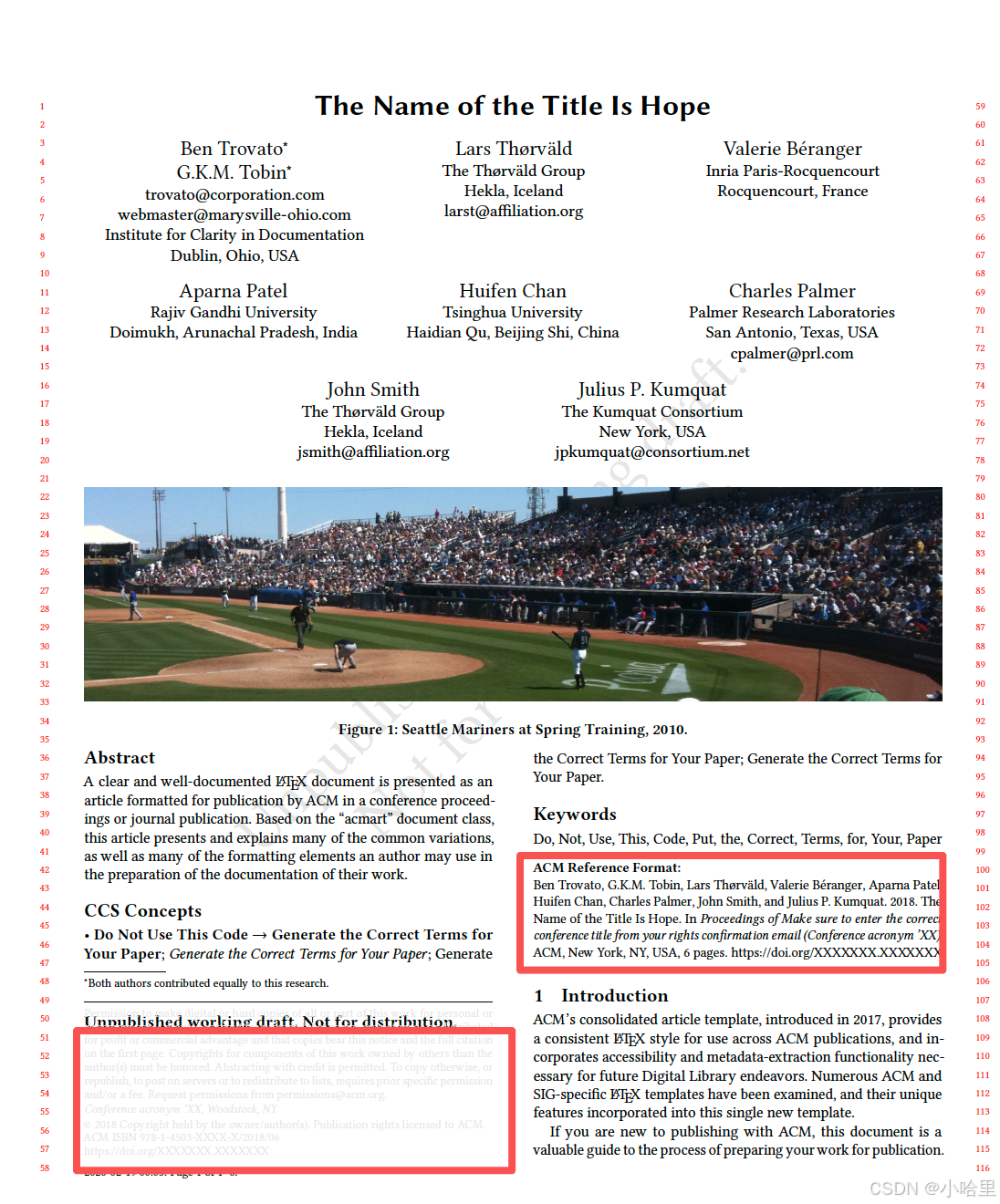
如果需要去掉的话,参考
tex
去掉1,添加如下:
\renewcommand\footnotetextcopyrightpermission[1]{}

去掉2,添加如下:
\settopmatter{printacmref=false} %remove ACM reference format
如果不去掉1的话,记得改对应的出版信息,改成你自己的
tex
\setcopyright{acmlicensed}
\copyrightyear{2026}
\acmYear{2026}
\acmDOI{10.1145/XXXXXX.XXXXXX} % DOI信息,摘要截止提交后,会邮件发给作者
\acmISBN{978-1-4503-XXXX-X/26/06}
\acmSubmissionID{MM26-PXXXX}    % 替换成你的 Submission ID
3、环境编译(TexLive/Overleaf/onlinelatex)
3.1 本地环境
重新装了下texlive2025, 2
直接download pkg无脑安装就行
可以在终端验证版本
txt
(base) ☁  ~  pdflatex --version
pdfTeX 3.141592653-2.6-1.40.27 (TeX Live 2025)
kpathsea version 6.4.1
Copyright 2025 Han The Thanh (pdfTeX) et al.
There is NO warranty.  Redistribution of this software is
covered by the terms of both the pdfTeX copyright and
the Lesser GNU General Public License.
For more information about these matters, see the file
named COPYING and the pdfTeX source.
Primary author of pdfTeX: Han The Thanh (pdfTeX) et al.
Compiled with libpng 1.6.46; using libpng 1.6.46
Compiled with zlib 1.3.1; using zlib 1.3.1
Compiled with xpdf version 4.04
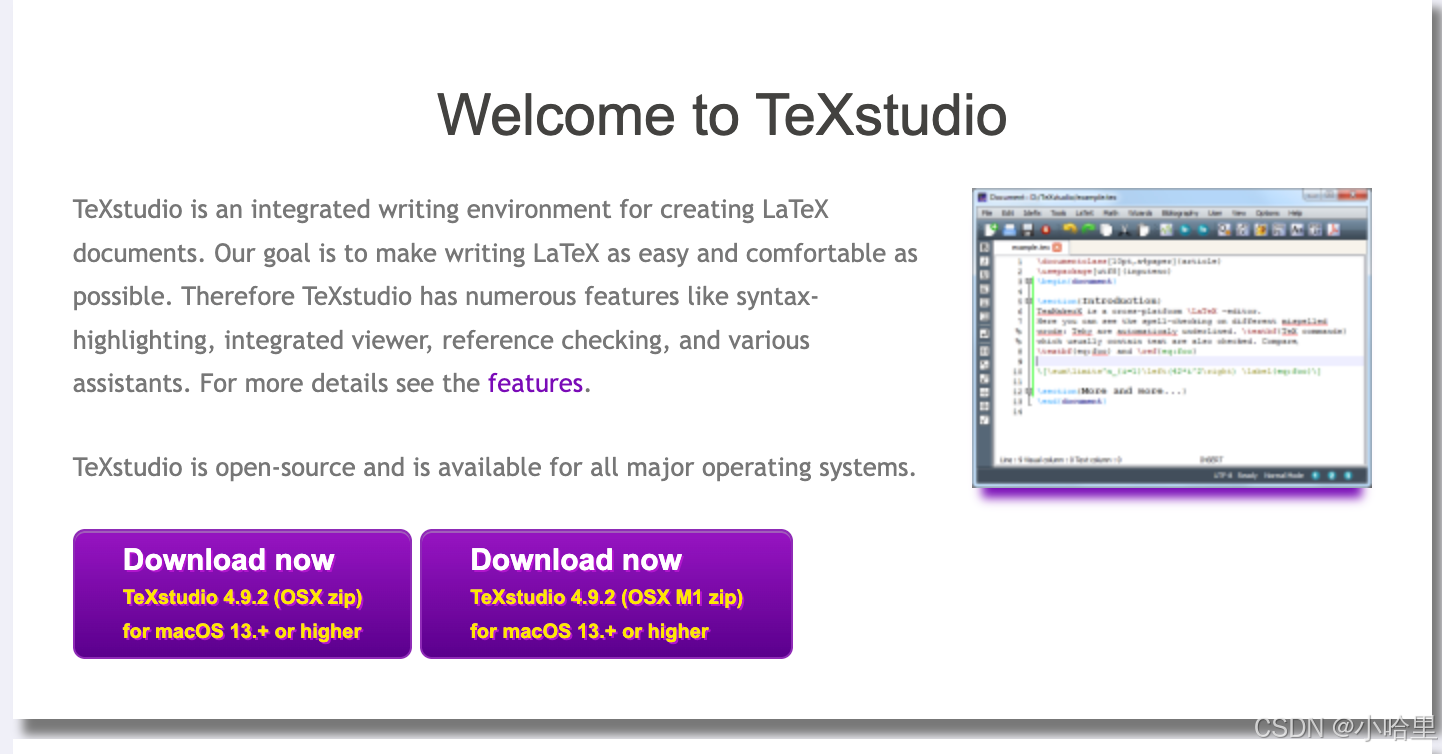
本地编译器mac推荐 texstudio
3.2 在线环境
Overleaf自然是不必多说,只要你氪了,那就一定是最好用的在线tex编译器。
不过教育邮箱用户可以试试onlinelatex,至少不会编译超时,也能用上最新的编译器。