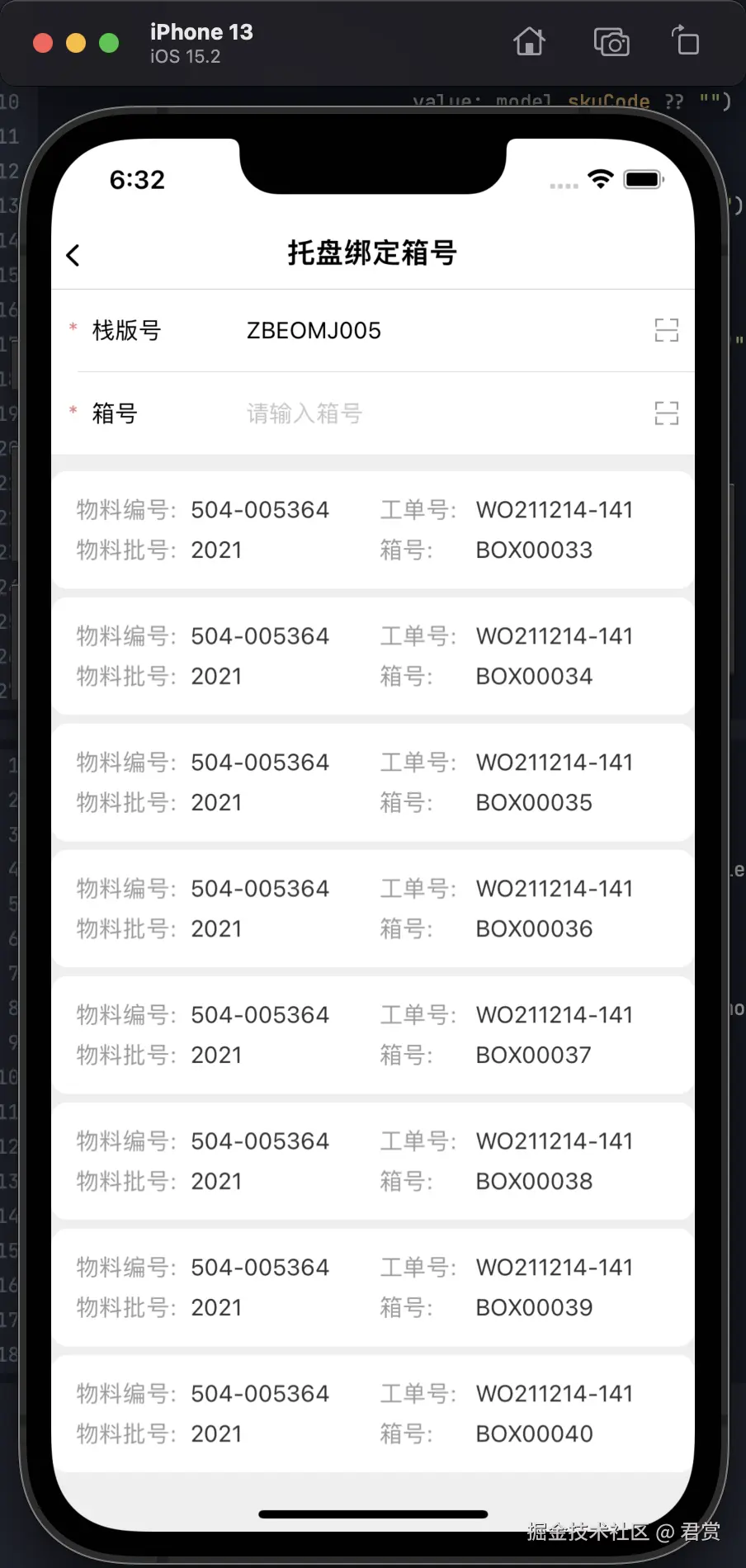
我们已经通过栈版号获取到了箱子列表数据,那么我们用List将数据展示出来。
BoxDetailModel 实现 Identifiable 协议
swift
extension BoxDetailModel: Identifiable {
    var id: String { boxCode ?? "" }
}
List + ForEach 实现列表
swift
struct PalletBindBoxNumberPage: View {
    ...
    var body: some View {
        ... {
            ... {
               ...
                List {
                    ForEach(viewModel.boxDetailModels) { model in
                        BoxDetailView()
                    }
                }
            }
        }
        ...
    }
}
List 构建的是否存在性能问题?
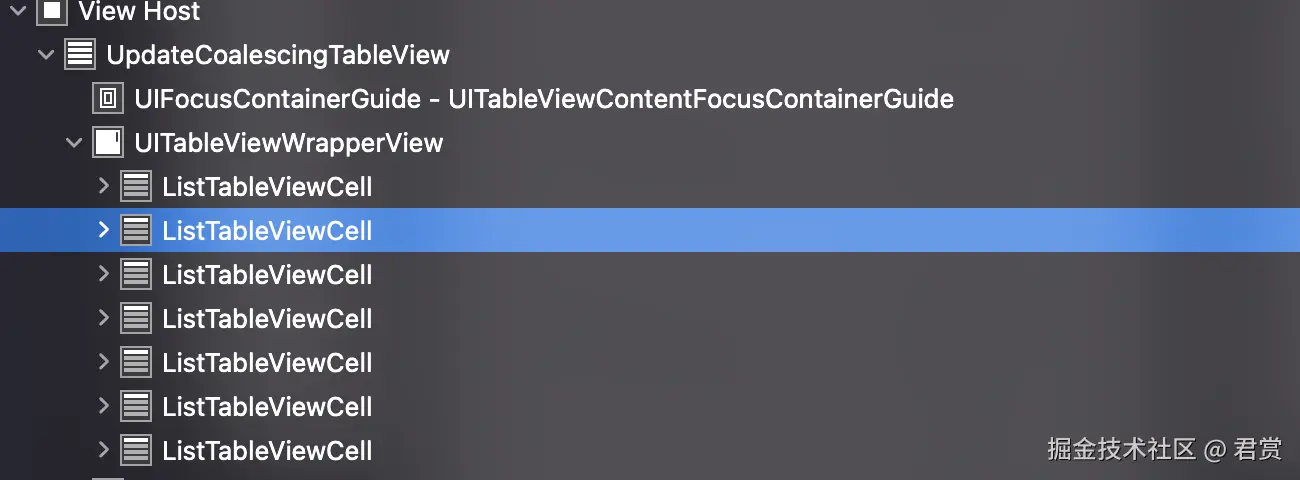
看了视图,核心还是利用UITableView重用的机制,所以使用List展示很多数据,是会走重用机制的。
设置 List 的 Style
swift
struct PalletBindBoxNumberPage: View {
    ...
    var body: some View {
        ... {
            ... {
                ... {
                List {
                	...
                }
                .listStyle(.plain)
            }
        }
        ...
    }
}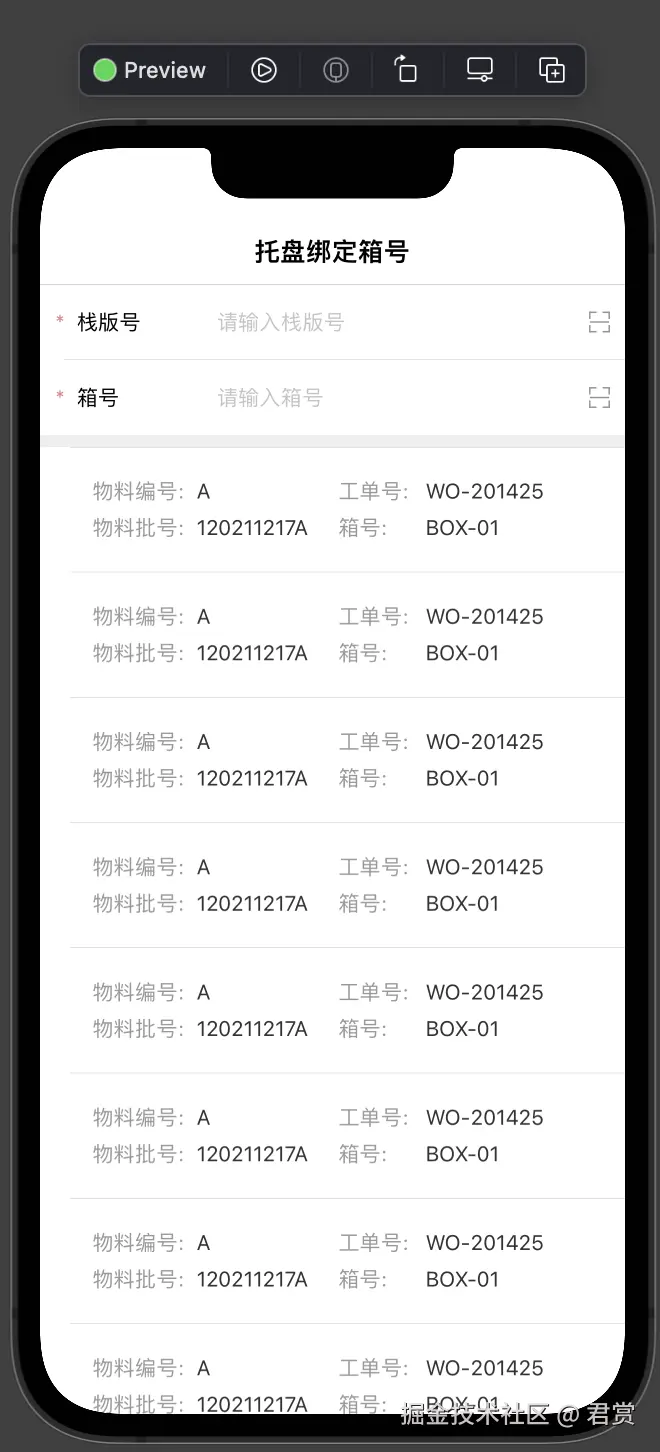
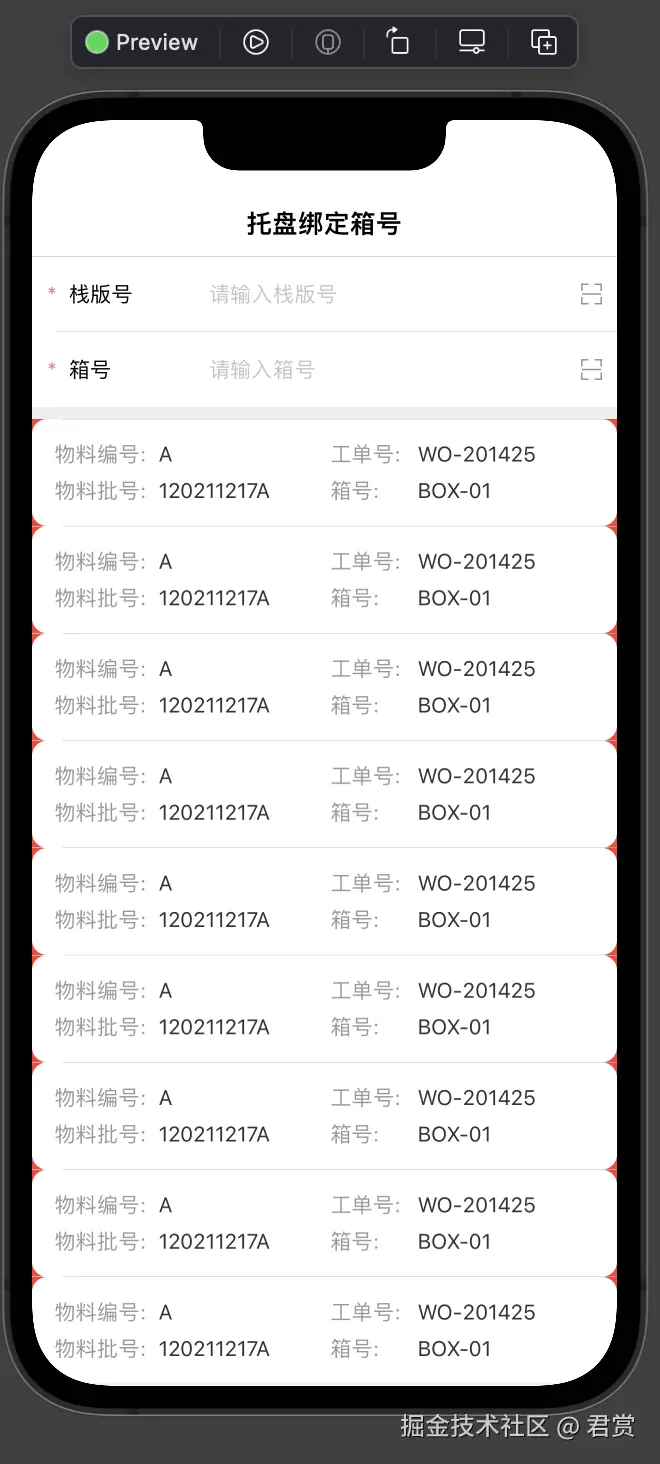
通过 listRowInsets 设置 Row 的间隙
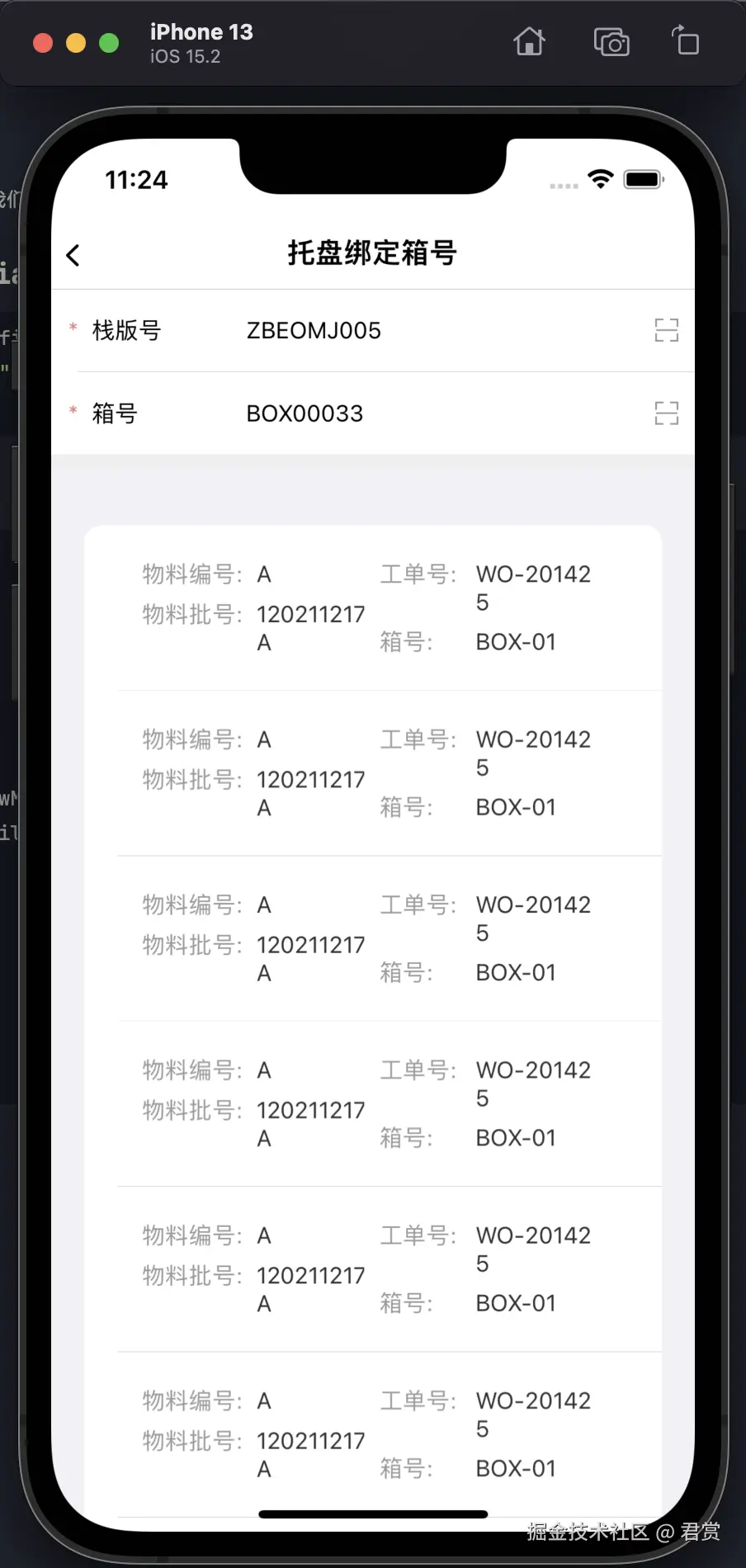
显示出来的间隙,明显和我们BoxDetailView的间隙大很多,为了看一下差距,我们给BoxDetailView设置一个红色背景色。
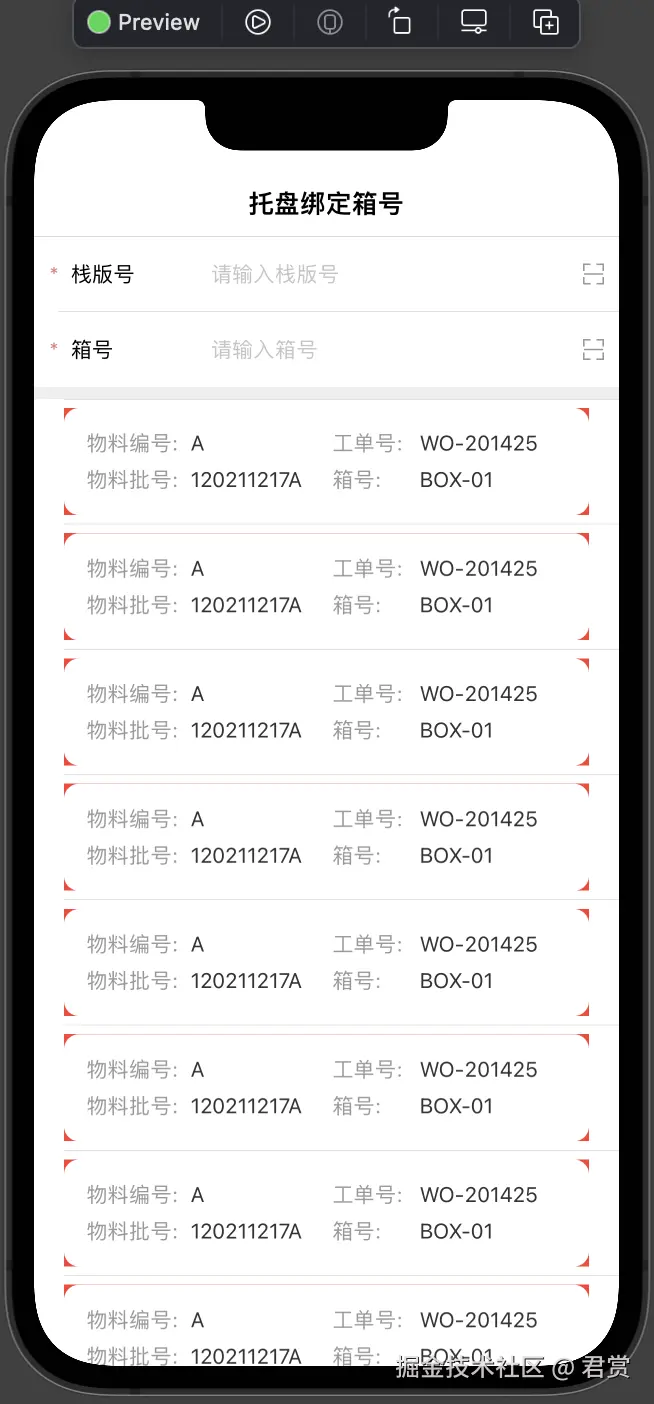
看起来左右留白多一些,上下留白很少。
swift
struct PalletBindBoxNumberPage: View {
    ...
    var body: some View {
        PageContentView(title: "托盘绑定箱号", viewModel: viewModel) {
            VStack(spacing:0) {
                ...
                List {
                    ForEach(0 ..< 10) { model in
                        BoxDetailView()
                            ...
                            .listRowInsets(EdgeInsets(top: 0, leading: 0, bottom: 0, trailing: 0))

                    }

                }
                ...
            }
        }
        ...
    }
}
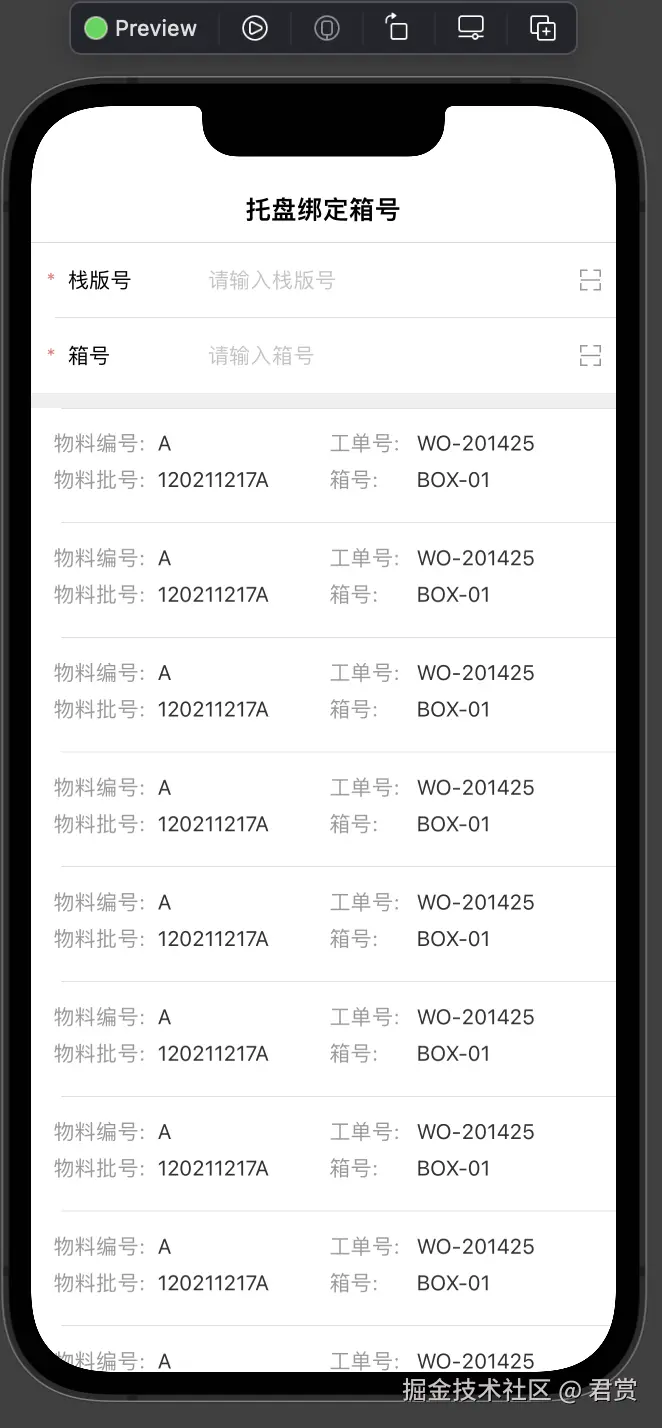
通过 listRowInsets 增加 Cell 之间的间隙
swift
struct PalletBindBoxNumberPage: View {
    ...
    var body: some View {
        PageContentView(title: "托盘绑定箱号", viewModel: viewModel) {
            VStack(spacing:0) {
                ...
                List {
                    ForEach(0 ..< 10) { model in
                        BoxDetailView()
                            .listRowInsets(EdgeInsets(top: 0, leading: 0, bottom: 5, trailing: 0))
                    }
                }
                ...
            }
        }
        ...
    }
}
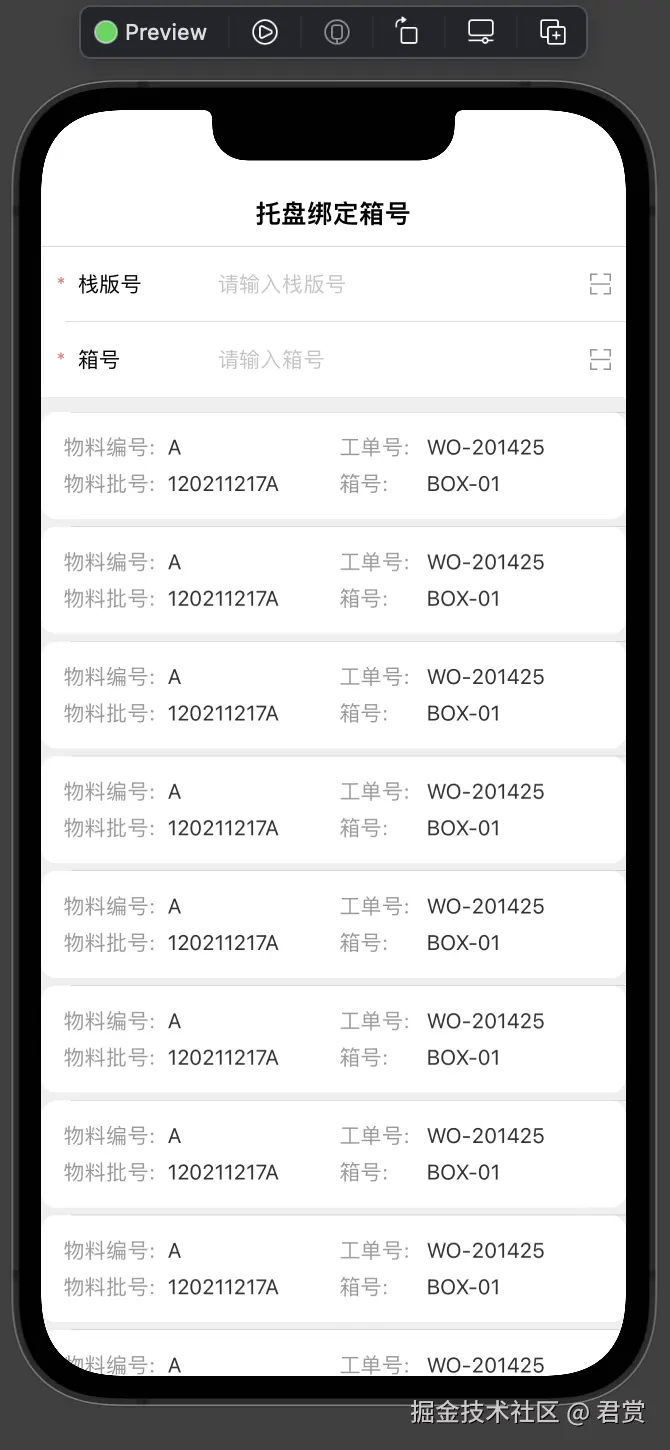
通过 listRowBackground 设置背景颜色
上图完全看不到Cell之间的坚决,我们可以通过listRowBackground进行设置颜色,来区分Cell。
swift
struct PalletBindBoxNumberPage: View {
    ...
    var body: some View {
        PageContentView(title: "托盘绑定箱号", viewModel: viewModel) {
            VStack(spacing:0) {
                ...
                List {
                    ForEach(0 ..< 10) { model in
                        BoxDetailView()
                            ...
                            .listRowBackground(Color.clear)
                    }
                }
                ...
            }
        }
        ...
    }
}
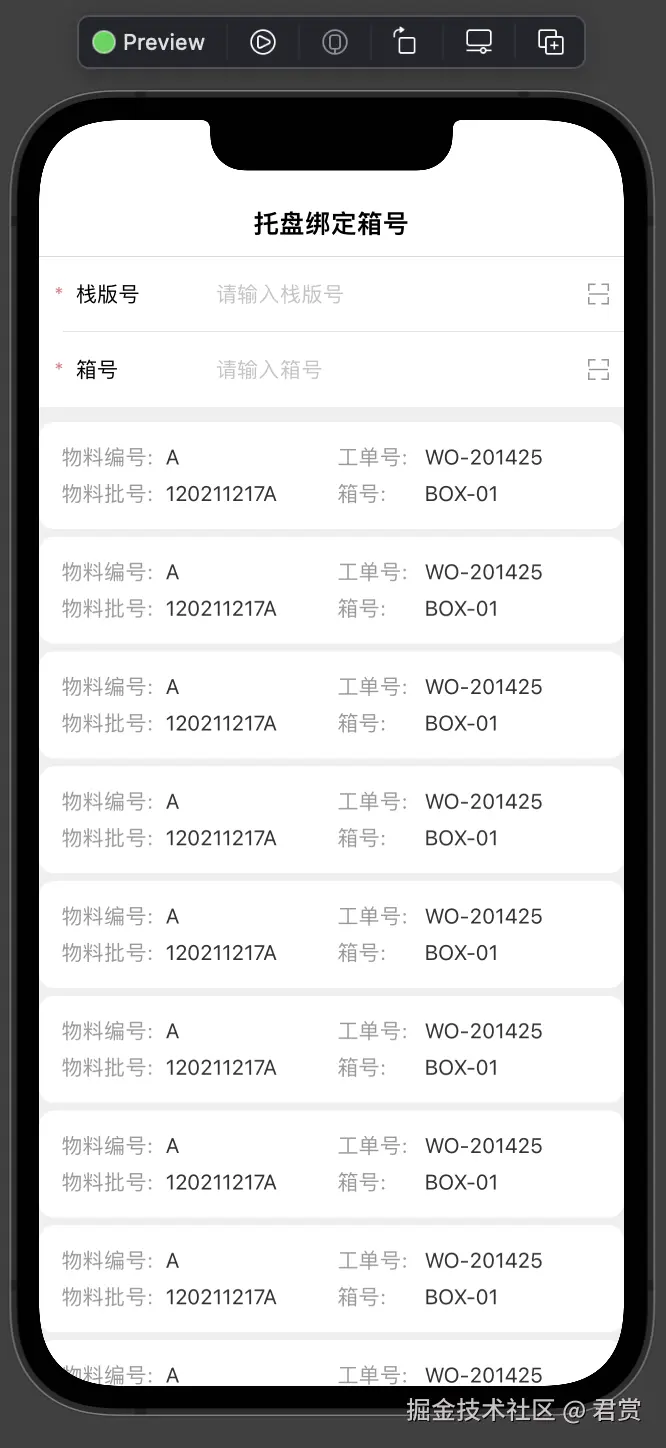
通过 listRowSeparator 隐藏 Cell 的 Separator
swift
struct PalletBindBoxNumberPage: View {
    ...
    var body: some View {
        PageContentView(title: "托盘绑定箱号", viewModel: viewModel) {
            VStack(spacing:0) {
                ...
                List {
                    ForEach(0 ..< 10) { model in
                        BoxDetailView()
                            ...
                            .listRowSeparator(.hidden)
                    }
                }
                ...
            }
        }
        ...
    }
}
传递 Model 到 BoxDetailView 赋值
swift
struct BoxDetailView: View {
    private let model:BoxDetailModel
    init(model:BoxDetailModel) {
        self.model = model
    }
    var body: some View {
        HStack {
            VStack {
                TitleValueView(...,
                               value: model.skuCode ?? "")
                ...
                TitleValueView(...,
                               value: model.skuBatch ?? "")
            }
            VStack {
                TitleValueView(...,
                               value: model.paperCode ?? "",
                               ...)
                ...
                TitleValueView(...,
                               value: model.boxCode ?? "",
                               ...)
            }
        }
        ...
    }
}
swift
struct PalletBindBoxNumberPage: View {
    ...
    var body: some View {
        PageContentView(title: "托盘绑定箱号", viewModel: viewModel) {
            VStack(spacing:0) {
                ...
                List {
                    ForEach(viewModel.boxDetailModels) { model in
                        BoxDetailView(model: model)
                            ...
                    }
                }
                ...
            }
        }
        ...
    }
}