本文已收录在Github,关注我,紧跟本系列专栏文章,咱们下篇再续!
- 🚀 魔都架构师 | 全网30W技术追随者
- 🔧 大厂分布式系统/数据中台实战专家
- 🏆 主导交易系统百万级流量调优 & 车联网平台架构
- 🧠 AIGC应用开发先行者 | 区块链落地实践者
- 🌍 以技术驱动创新,我们的征途是改变世界!
- 👉 实战干货:编程严选网
Claude Code 直连 Ollama / LM Studio:本地、云端开源模型都能跑
0 前言
从 Ollama v0.14.0 开始,系统已支持 Anthropic 的 Messages API,这意味着你可以使用类似 Claude Code 的工具与开源模型配合使用。
Claude Code 示例:
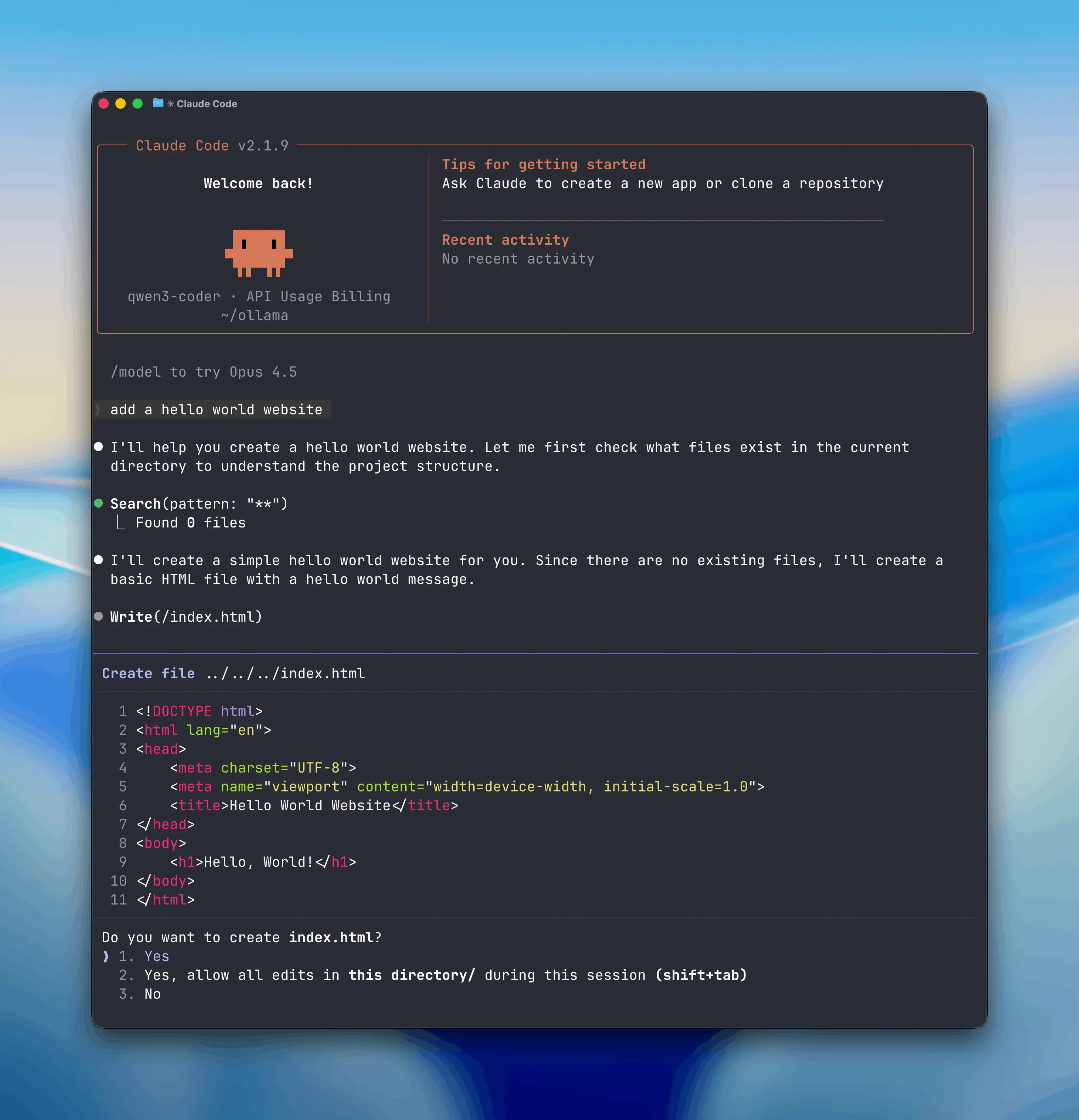
你可在本地运行 Claude Code,调用本机模型;也可以通过 ollama.com 连接云端模型。
1 在 Ollama 中用 Claude Code
Claude Code 是 Anthropic 推出的终端编程助手工具。随着 Ollama 对 Anthropic API 的支持,现可用任意 Ollama 模型运行 Claude Code。
1.1 安装 Claude Code
bash
curl -fsSL https://claude.ai/install.sh | bash1.2 连接 Ollama
配置环境变量以使用 Ollama:
bash
export ANTHROPIC_AUTH_TOKEN=ollama
export ANTHROPIC_BASE_URL=http://localhost:11434
使用 Ollama 本地模型运行 Claude Code:
ini
ANTHROPIC_AUTH_TOKEN=ollama ANTHROPIC_BASE_URL=http://localhost:11434 claude --model qwen3:0.6b同理,对于 lmstudio,配置如下:
bash
$ export ANTHROPIC_AUTH_TOKEN=lmstudio
$ export ANTHROPIC_BASE_URL=http://192.168.5.236:1234
$ claude --model gpt-oss:20b

╭─── Claude Code v2.1.62 ───────────────────────────────────────────────────────────────────────────────────────────────╮
│                                             │ Tips for getting started                                                │
│                Welcome back!                │ Run /init to create a CLAUDE.md file with instructions for Claude       │
│                                             │ ─────────────────────────────────────────────────────────────────       │
│                                             │ Recent activity                                                         │
│                   ▐▛███▜▌                   │ No recent activity                                                      │
│                  ▝▜█████▛▘                  │                                                                         │
│                    ▘▘ ▝▝                    │                                                                         │
│   openai/gpt-oss-120b · API Usage Billing   │                                                                         │
│    ~/soft/IDEAProjects/us-stock-monitor     │                                                                         │
╰───────────────────────────────────────────────────────────────────────────────────────────────────────────────────────╯

  /model to try Opus 4.6

❯ who are you

⏺ I'm Claude Code, Anthropic's CLI‑based coding assistant. I help you read, edit, and manage code, run commands, and
  answer programming‑related questions directly from your terminal. Let me know what you'd like to work on!
Ollama 云端模型
macOS的路径:~/.ollama/id_ed25519.pub
bash
$ ollama signin

$ cat ~/.ollama/id_ed25519.pub
ssh-ed25519 xxx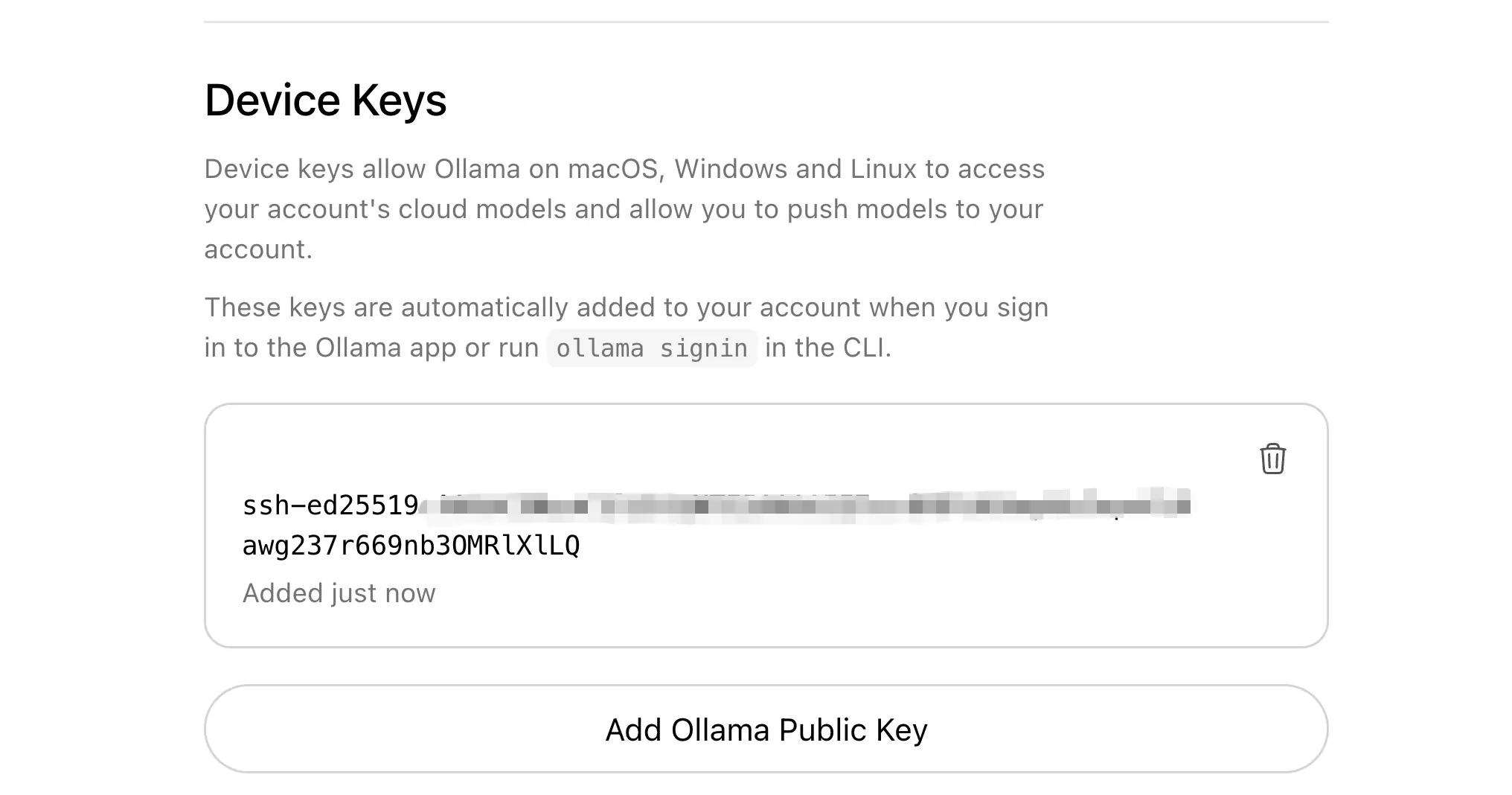
先去ollama.com/settings/ke... key,再设置环境变量启动:
ini
ANTHROPIC_API_KEY=api-key ANTHROPIC_BASE_URL=https://ollama.com claude --model glm-4.7:cloud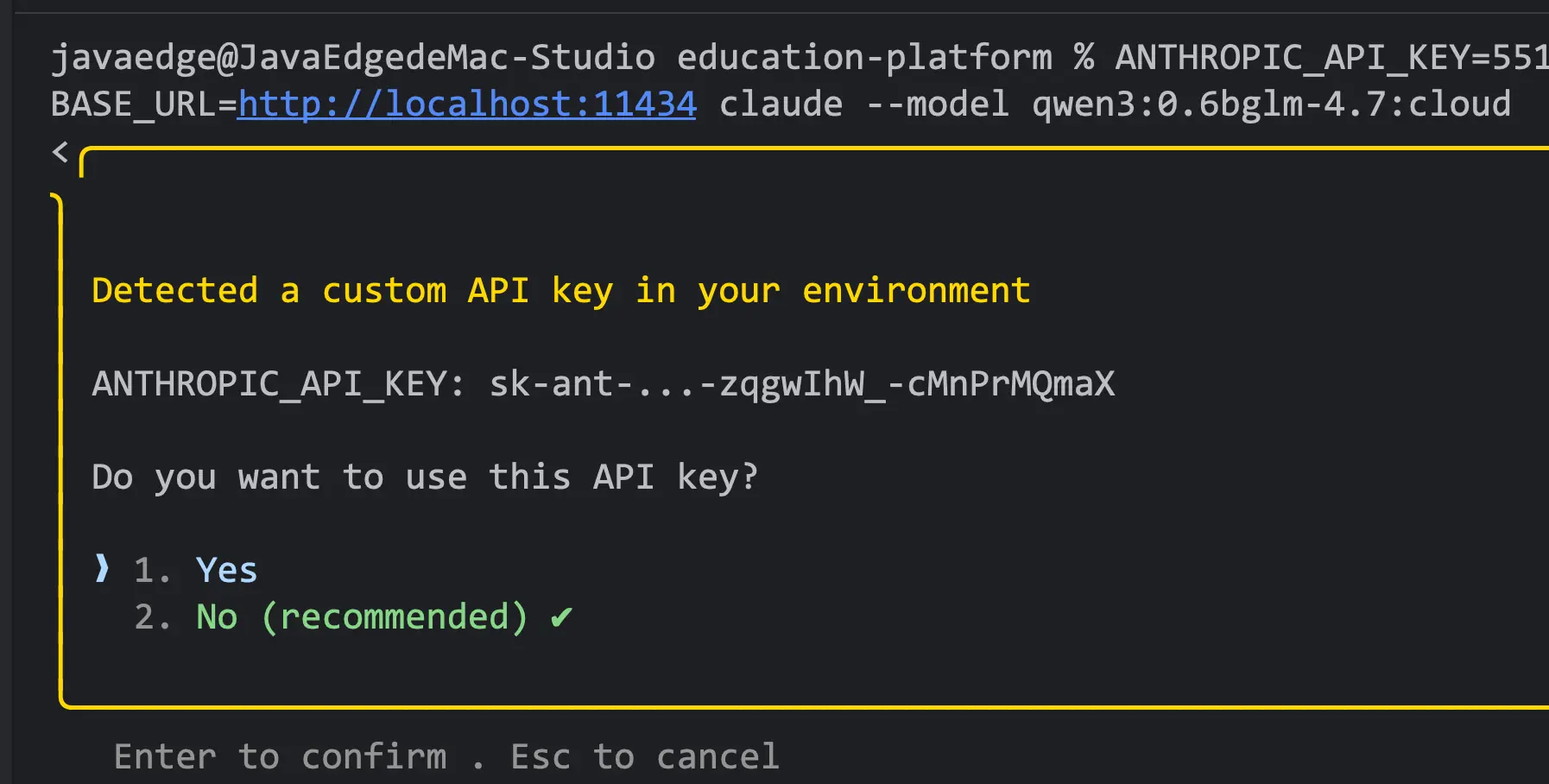
上下文长度设置
建议选择上下文长度(context length)不少于 32K tokens 的模型。
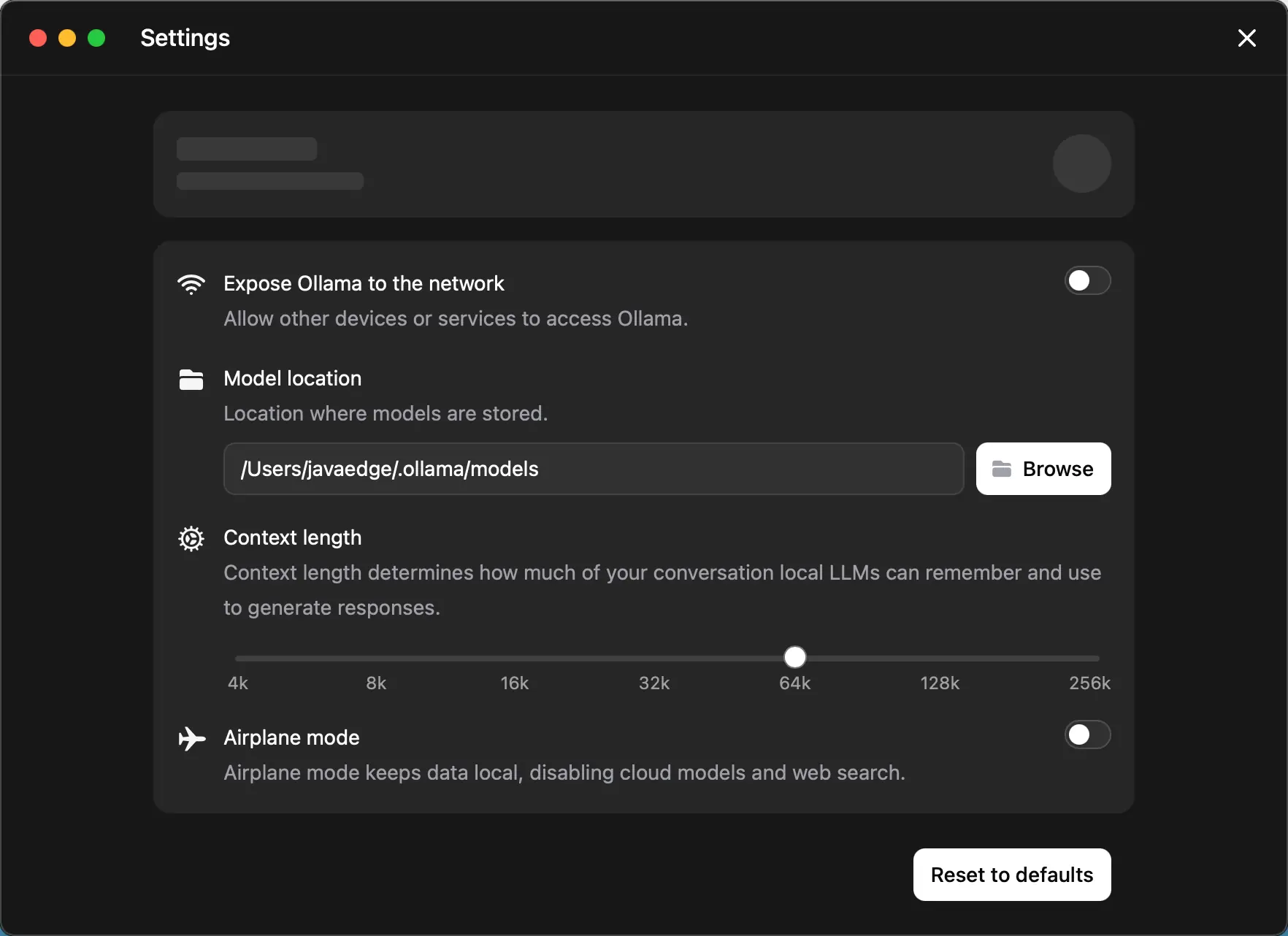
更多详情请参考 上下文长度文档 以了解如何调整设置。
Ollama 云端模型始终以最大上下文长度运行。
2 推荐模型
适合与 Claude Code 搭配进行编程的模型:
本地模型:
gpt-oss:20bqwen3-coder
云端模型:
glm-4.7:cloudminimax-m2.1:cloud
3 使用 Anthropic SDK
已有的基于 Anthropic SDK 的应用,只需修改基础 URL 即可连接到 Ollama。详细说明请参考 Anthropic 兼容性文档。
3.1 Python 示例
python
import anthropic

client = anthropic.Anthropic(
    base_url='http://localhost:11434',
    api_key='ollama',  # 必填,但可忽略
)

message = client.messages.create(
    model='qwen3:0.6b',
    messages=[
        {'role': 'user', 'content': '写一个判断数字是否为质数的函数'}
    ],
    max_tokens=1024
)
print(message.content[0])
bash
ThinkingBlock(signature=None, thinking='好的,xxx是否为质数。\n', type='thinking')3.2 js 示例
javascript
import Anthropic from '@anthropic-ai/sdk'

const anthropic = new Anthropic({
  baseURL: 'http://localhost:11434',
  apiKey: 'ollama',
})

const message = await anthropic.messages.create({
  model: 'qwen3-coder',
  messages: [{ role: 'user', content: '写一个判断数字是否为质数的函数' }],
})

console.log(message.content[0].text)
4 工具调用(Tool Calling)
模型可通过工具与外部系统交互:
python
import anthropic

client = anthropic.Anthropic(
    base_url='http://localhost:11434',
    api_key='ollama',
)

message = client.messages.create(
    model='qwen3-coder',
    tools=[
        {
            'name': 'get_weather',
            'description': '获取某地当前天气',
            'input_schema': {
                'type': 'object',
                'properties': {
                    'location': {
                        'type': 'string',
                        'description': '城市和州名,例如 San Francisco, CA'
                    }
                },
                'required': ['location']
            }
        }
    ],
    messages=[{'role': 'user', 'content': "旧金山的天气怎么样?"}]
)

for block in message.content:
    if block.type == 'tool_use':
        print(f'工具名称: {block.name}')
        print(f'输入参数: {block.input}')
5 支持的功能
- 多轮消息和对话
- 流式输出
- 系统提示词(system prompt)
- 工具调用 / 函数调用
- 扩展思考模式
- 视觉输入(图片识别)
完整功能列表请参考 Anthropic 兼容性文档。
参考:
- 更多安装和配置说明Claude Code 使用指南。