前置条件
windows10 + 32G内存 + 3060ti (笔者的环境)
使用管理员打开PowerShell。 修改Powersheel执行策略,解锁脚本执行权限。
powershell
Set-ExecutionPolicy -ExecutionPolicy RemoteSigned -Scope CurrentUser
# 输入 Y 确认
1. 安装node.js
node.js版本应该大于等于18.0.0。
powershell
node --version2. 安装ollama
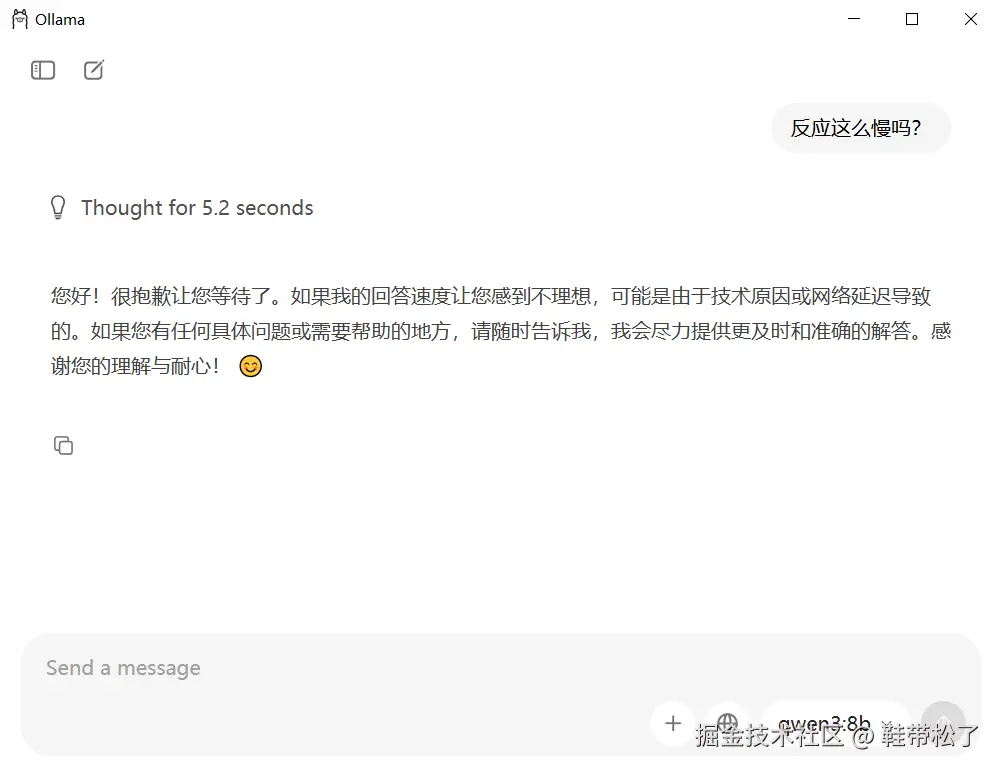
使用qwen3:8b模型,进行对话。(模型的选择请根据你的机器配置来选)
3. 安装部署OpenClaw
3.1 安装openclaw
powershell
npm install -g openclaw

#验证安装
openclaw --version
# 2026.2.25
如果 npm install -g openclaw 命令执行报错,报错内容如下:
error
PS D:\dmtcg\front_end> npm install -g openclaw
npm error code 128
npm error An unknown git error occurred
npm error command git --no-replace-objects ls-remote ssh://git@github.com/whiskeysockets/libsignal-node.git
npm error git@github.com: Permission denied (publickey).
npm error fatal: Could not read from remote repository.
npm error
npm error Please make sure you have the correct access rights
npm error and the repository exists.
npm error A complete log of this run can be found in: C:\Users\xxx\AppData\Local\npm-cache\_logs\2026-02-26T08_54_12_169Z-debug-0.log
PS D:\dmtcg\front_end>
表示npm尝试通过ssh协议去克隆库的时候,本地的GIt没有配置对应的权限。可以尝试临时切换为https。 在Powershell中执行以下命令(仅对当前终端窗口有效)
powershell
git config --global url."https://github.com/".insteadOf git@github.com:

# 然后再宠熊运行安装命令
npm install -g openclaw
3.2 向导配置
向导配置的内容如下:
- Model/auth provider : 选择
Custom Provider(通常需用方向键拉到列表最后) - API Base URL : 输入
http://127.0.0.1:11434/v1 - API Key : 可输入任意字符串,如
ollama(Ollama无实际鉴权,但不能留空) - Endpoint compatibility : 选择
OpenAI-compatible - Model ID : 输入我们刚刚创建的模型名
qwen3:8b - 之后的选项关于配置渠道、技能等,全部选择
Skip for now或No即可。
3.3 启用官网服务
安装gateway服务
powershell
openclaw gateway install启动网关服务
powershell
# 启动网关服务
openclaw gateway start
# 查看服务状态,确保为 "running"
openclaw gateway status
然后打开浏览器,访问 http://127.0.0.1:18789 或者 localhost:18789 笔者的环境是只能使用localhost的方式访问。否则会有问题。
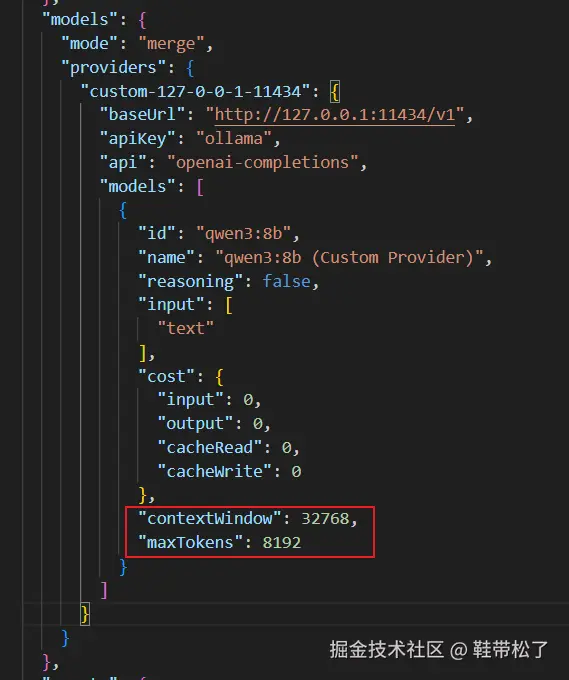
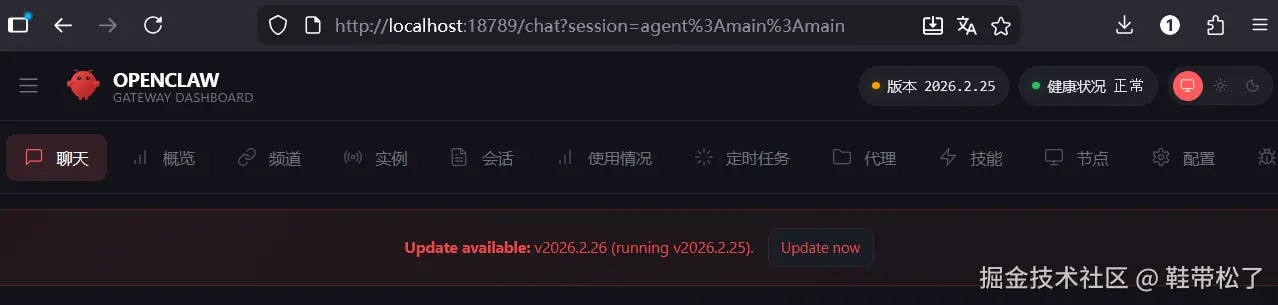 此时对话还存在问题。报错。需要修改默认生成的配置文件。改为如下的红框中的内容。因为openclaw最低要求的tokens数量为16000
4. 集成飞书
4.1 安装飞书插件
安装命令
powershell
openclaw plugins install @m1heng-clawd/feishu报错如下:
powershell
🦞 OpenClaw  2026.2.25 (4b5d4a4) --- Your inbox, your infra, your rules.


Downloading @openclaw/feishu...

[openclaw] Failed to start CLI: Error: spawn EINVAL

    at ChildProcess.spawn (node:internal/child_process:420:11)

    at spawn (node:child_process:787:9)

    at runCommandWithTimeout (file:///C:/Users/xxxxx/AppData/Roaming/npm/node_modules/openclaw/dist/exec-TIZD7ZZn.js:195:16)

    at packNpmSpecToArchive (file:///C:/Users/xxxxx/AppData/Roaming/npm/node_modules/openclaw/dist/npm-registry-spec-CK0OIe6A.js:92:20)

    at file:///C:/Users/xxxxx/AppData/Roaming/npm/node_modules/openclaw/dist/npm-registry-spec-CK0OIe6A.js:351:30

    at withTempDir (file:///C:/Users/xxxxx/AppData/Roaming/npm/node_modules/openclaw/dist/npm-registry-spec-CK0OIe6A.js:12:16)

    at async installFromNpmSpecArchive (file:///C:/Users/xxxxx/AppData/Roaming/npm/node_modules/openclaw/dist/npm-registry-spec-CK0OIe6A.js:350:9)

    at async installFromNpmSpecArchiveWithInstaller (file:///C:/Users/xxxxx/AppData/Roaming/npm/node_modules/openclaw/dist/npm-registry-spec-CK0OIe6A.js:323:9)

    at async installPluginFromNpmSpec (file:///C:/Users/xxxxx/AppData/Roaming/npm/node_modules/openclaw/dist/installs-DmTcnm0C.js:244:39)

    at async Command.<anonymous> (file:///C:/Users/xxxxx/AppData/Roaming/npm/node_modules/openclaw/dist/plugins-cli-YmcSL-3c.js:667:18)

    at async Command.parseAsync (C:\Users\xxxxx\AppData\Roaming\npm\node_modules\openclaw\node_modules\commander\lib\command.js:1122:5)

    at async runCli (file:///C:/Users/xxxxx/AppData/Roaming/npm/node_modules/openclaw/dist/run-main-TmPntmYV.js:423:2)

PS C:\Windows\system32>
找到名为 exec-TIZD7ZZn.js 的文件(错误堆栈指向了这个文件) 将如下代码片段中的false改为true
 然后重新运行安装命令
powershell
openclaw plugins install @openclaw/feishu升级命令
powershell
openclaw plugins update feishu最后npm install 时会失败.请到目标extents目录去npm install
powershell
cd C:\Users\wuxi\.openclaw\extensions\feishu
npm install --verbose
4.2 配置飞书开发平台
进入网址:open.feishu.cn/app?lang=zh...
选择  点击创建
点击创建
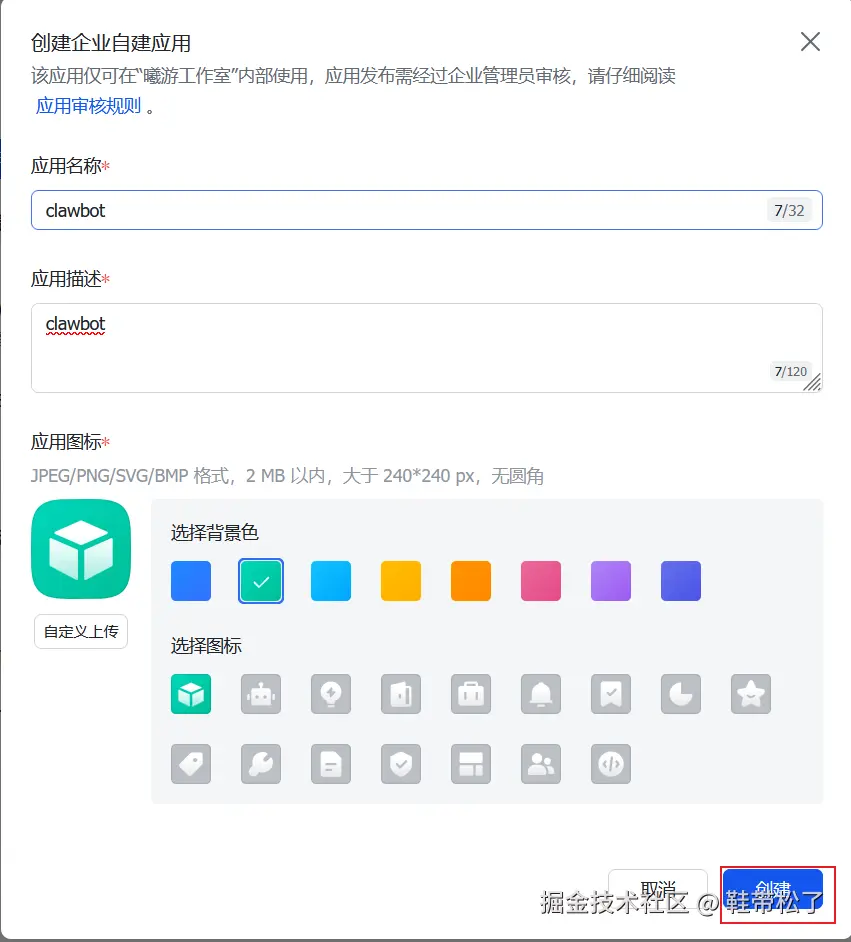 选择添加应用能力,选择添加机器人
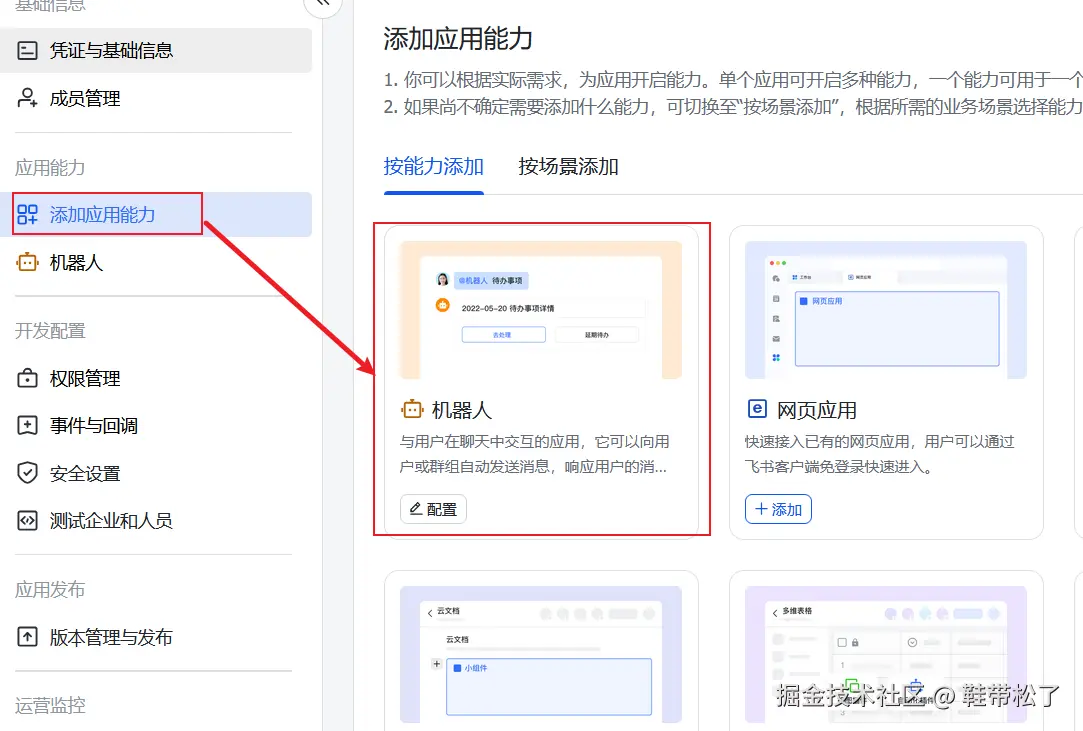 选择开通权限:
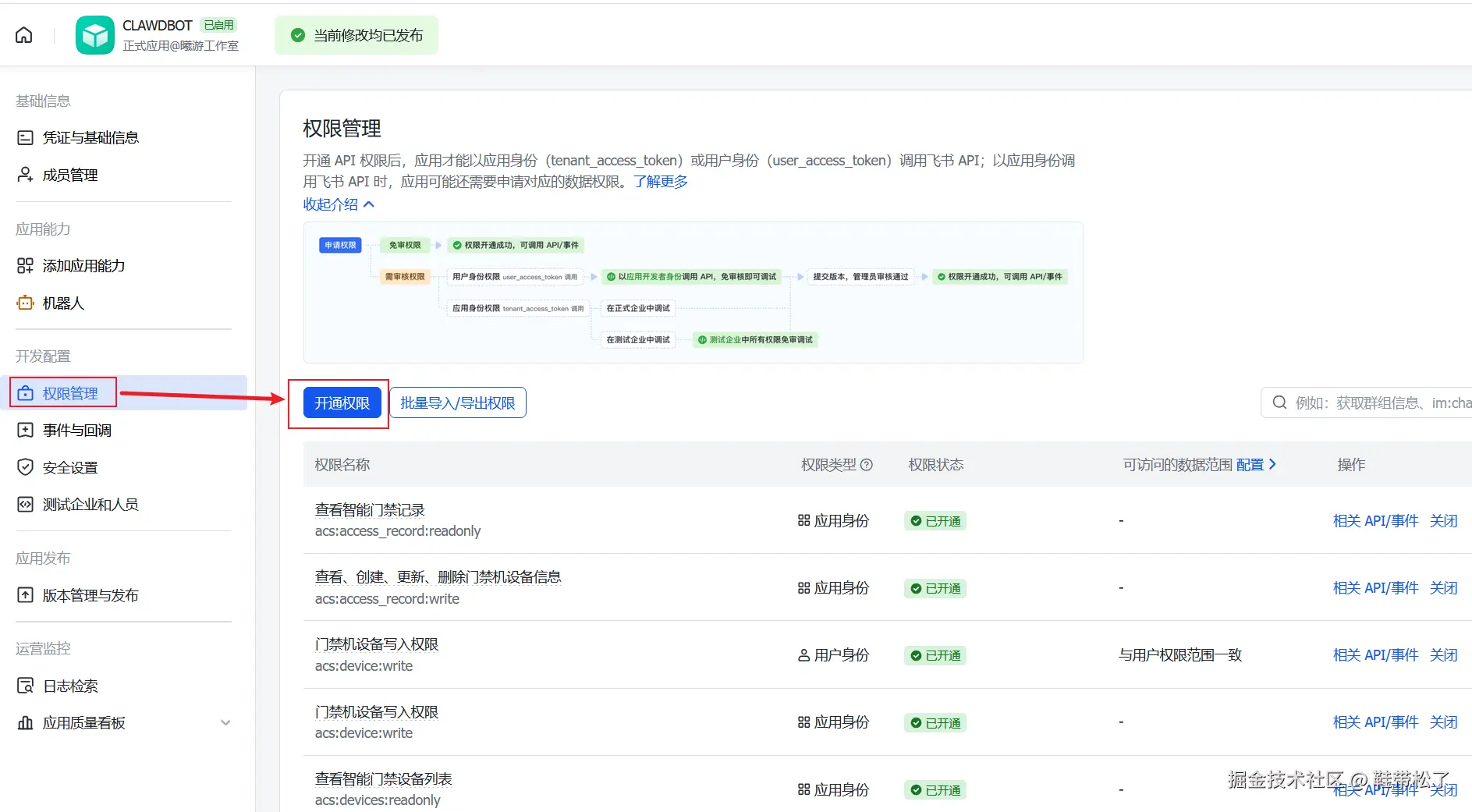 或者导入以下权限(所有权限)
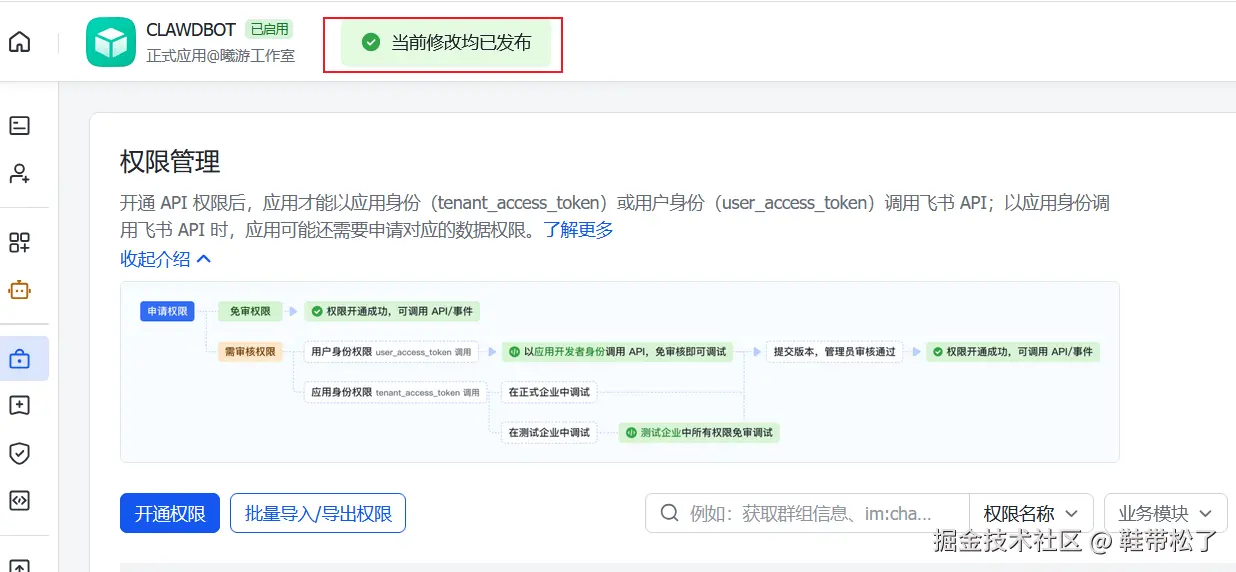
进行事件与回调的设置:
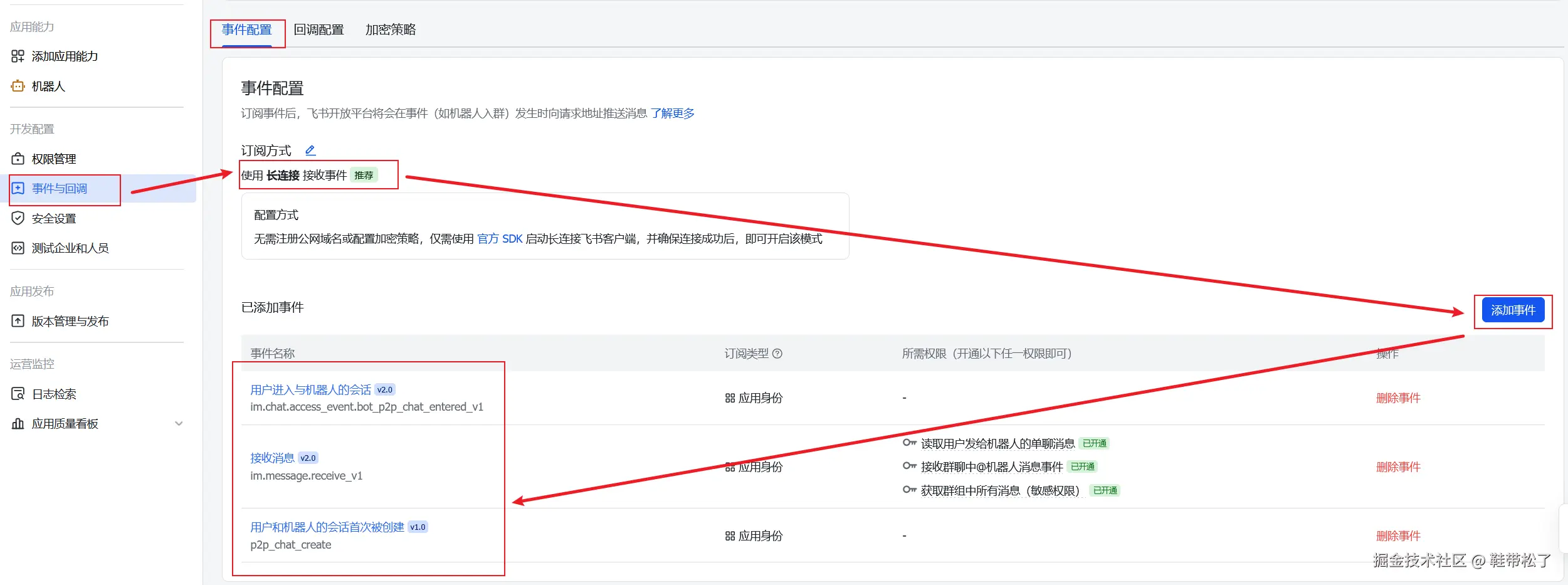
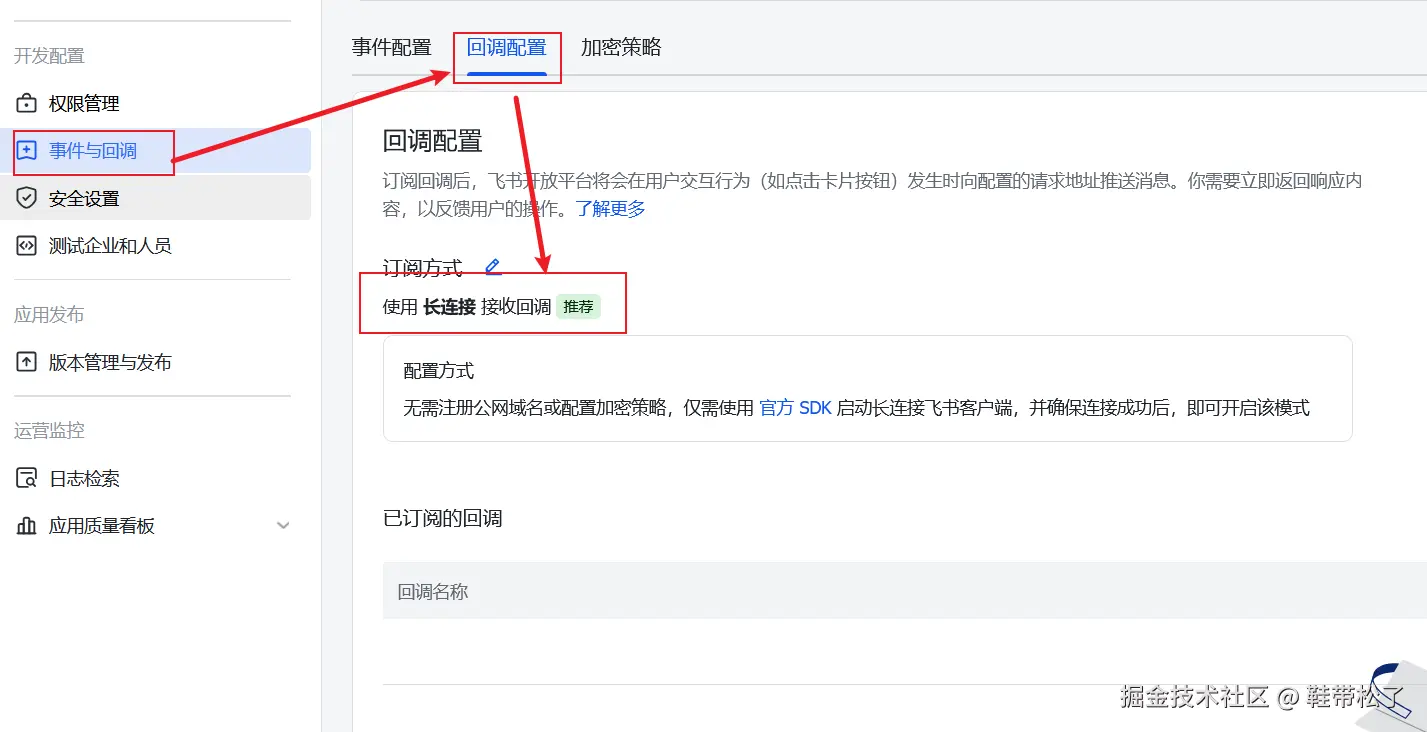
重要的是,修改后将版本发布出去,你的配置才会生效。
4.3 配置openclaw的feishu chanels
需要用到以下两个值

在powershell输入命令
powershell
openclaw configappId 和 appSecret需要和飞书平台的id和secret保持一致。
配置选项
powershell
channels:
  feishu:
    enabled: true
    appId: "cli_xxxxx"
    appSecret: "secret"
    # 域名: "feishu" (国内) 或 "lark" (国际)
    domain: "feishu"
    # 连接模式: "websocket" (推荐) 或 "webhook"
    connectionMode: "websocket"
    # 私聊策略: "pairing" | "open" | "allowlist"
    dmPolicy: "pairing"
    # 群聊策略: "open" | "allowlist" | "disabled"
    groupPolicy: "allowlist"
    # 群聊是否需要 @机器人
    requireMention: true
    # 媒体文件最大大小 (MB, 默认 30)
    mediaMaxMb: 30
    # 回复渲染模式: "auto" | "raw" | "card"
    renderMode: "auto"
启动网关即可
powershell
openclaw gateway5 使用飞书和openclaw进行交互
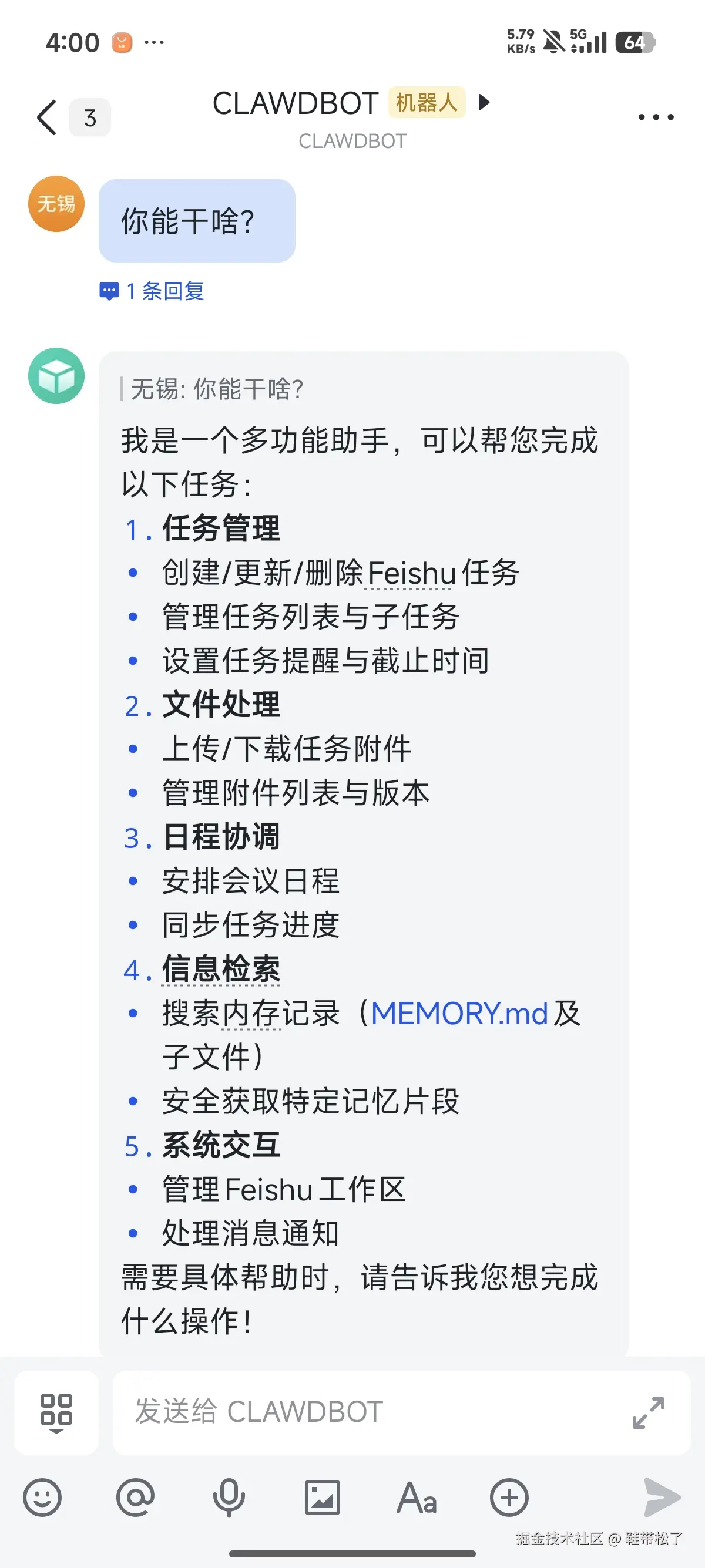
至此,本地部署完成。具体性能有待后续测试。说是openclaw很容易挂掉,需要搭配opencode使用,让openclaw逐渐变得好用。 目前仅尝个鲜。