前言
分享一个非常实用的Three.js3D场景相机视图插件
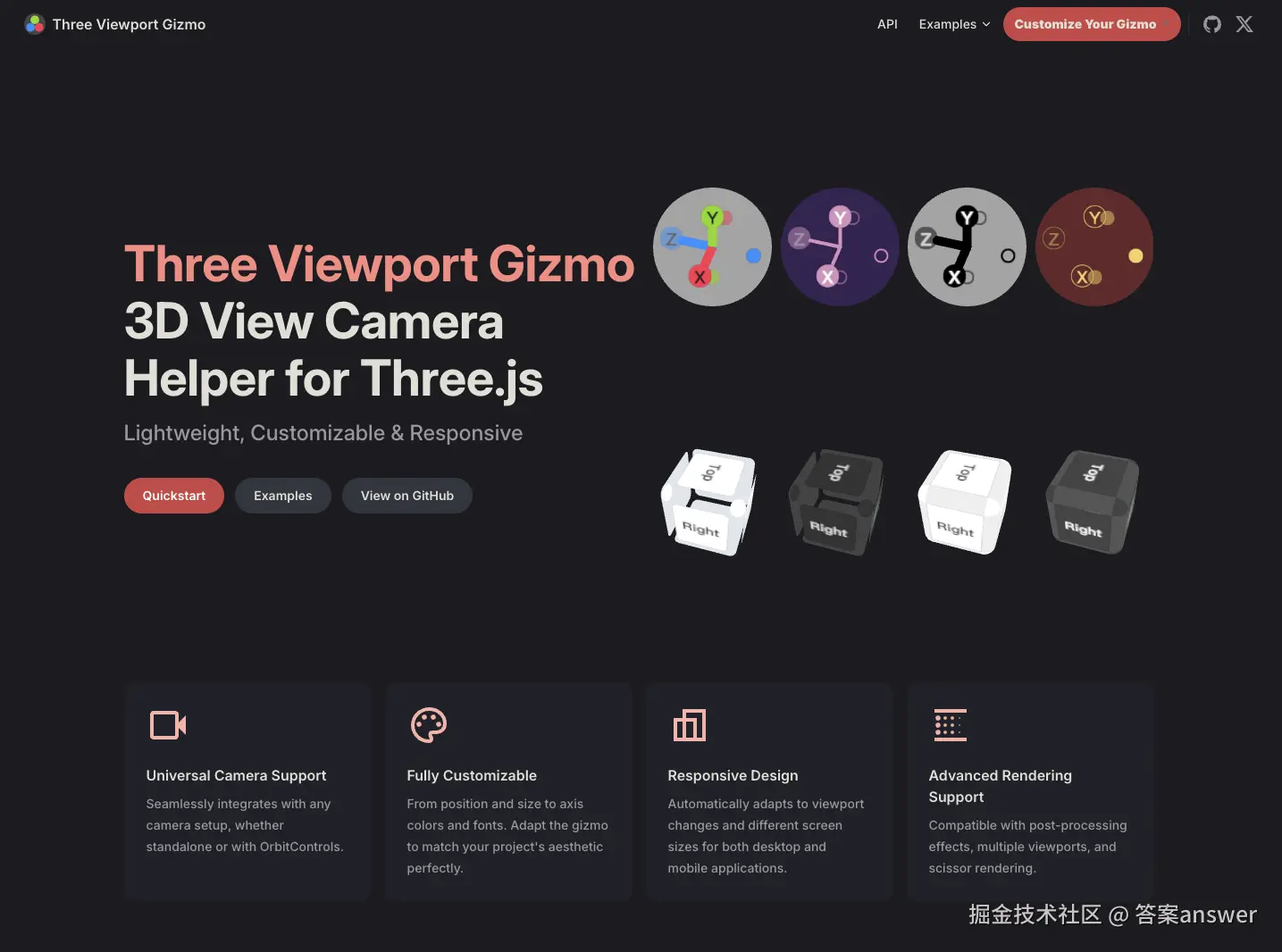
three-viewport-gizmo 一个专为 Three.js 打造的 UI 辅助组件。它在场景中生成一个交互式的"坐标轴操纵杆"(类似 Blender 或 Unity 右上角的控制器),用于指示空间方向并快速切换视角。
可以使你更加灵活轻松的控制Three.js场景相机的移动
安装
npm
js
npm install three-viewport-gizmo或者 cdn 引入
js
import * as THREE from "https://unpkg.com/three@0.173.0/build/three.module.js";使用
使用起来也是非常的简单,只需要引入ViewportGizmo 即可然后配合 OrbitControls 使用
js
import * as THREE from "three";
import { OrbitControls } from "three/addons/controls/OrbitControls.js";
import { ViewportGizmo } from "three-viewport-gizmo";
const controls = new OrbitControls(camera, renderer.domElement);

const gizmo = new ViewportGizmo(camera, renderer, { type: "cube" });
gizmo.attachControls(controls);

function animation(time) {
  gizmo.render();
}
参数
通过查看插件源码的ts类型可以发现该插件提供了非常多的可以传入参数项目,通过这些参数项配置可以实现不同的插件展示效果
js
type GizmoOptions = {
  container?: HTMLElement | string;
  type?: "sphere" | "cube" | "rounded-cube";
  size?: number;
  placement?:
    | "top-left"
    | "top-center"
    | "top-right"
    | "center-left"
    | "center-center"
    | "center-right"
    | "bottom-left"
    | "bottom-center"
    | "bottom-right";

  offset?: {
    left?: number;
    top?: number;
    right?: number;
    bottom?: number;
  };

  animated?: boolean;
  speed?: number;
  resolution?: number;
  lineWidth?: number;
  id?: string;
  className?: string;

  font?: {
    family?: string;
    weight?: string | number;
  };

  background?: {
    enabled?: boolean;
    color?: ColorRepresentation;
    opacity?: number;

    hover?: {
      color?: ColorRepresentation;
      opacity?: number;
    };
  };

  corners?: {
    enabled?: boolean;
    color?: ColorRepresentation;
    opacity?: number;
    scale?: number;
    radius?: number;
    smoothness?: number;
    hover?: {
      color?: ColorRepresentation;
      opacity?: number;
      scale?: number;
    };
  };

  edges?: {
    enabled?: boolean;
    color?: ColorRepresentation;
    opacity?: number;
    scale?: number;
    radius?: number;
    smoothness?: number;
    hover?: {
      color?: ColorRepresentation;
      opacity?: number;
      scale?: number;
    };
  };

  radius?: number;
  smoothness?: number;

  x?: GizmoAxisOptions;
  y?: GizmoAxisOptions;
  z?: GizmoAxisOptions;
  nx?: GizmoAxisOptions;
  ny?: GizmoAxisOptions;
  nz?: GizmoAxisOptions;

  right?: GizmoAxisOptions;
  top?: GizmoAxisOptions;
  front?: GizmoAxisOptions;
  left?: GizmoAxisOptions;
  bottom?: GizmoAxisOptions;
  back?: GizmoAxisOptions;
};

type GizmoAxisOptions = {
  enabled?: boolean;
  label?: string;
  opacity?: number;
  scale?: number;
  line?: boolean;
  color?: ColorRepresentation;
  labelColor?: ColorRepresentation;

  border?: {
    size: number;
    color: ColorRepresentation;
  };

  hover?: {
    color?: ColorRepresentation;
    labelColor?: ColorRepresentation;
    opacity?: number;
    scale?: number;
    border?: {
      size: number;
      color: ColorRepresentation;
    };
  };
};
参数
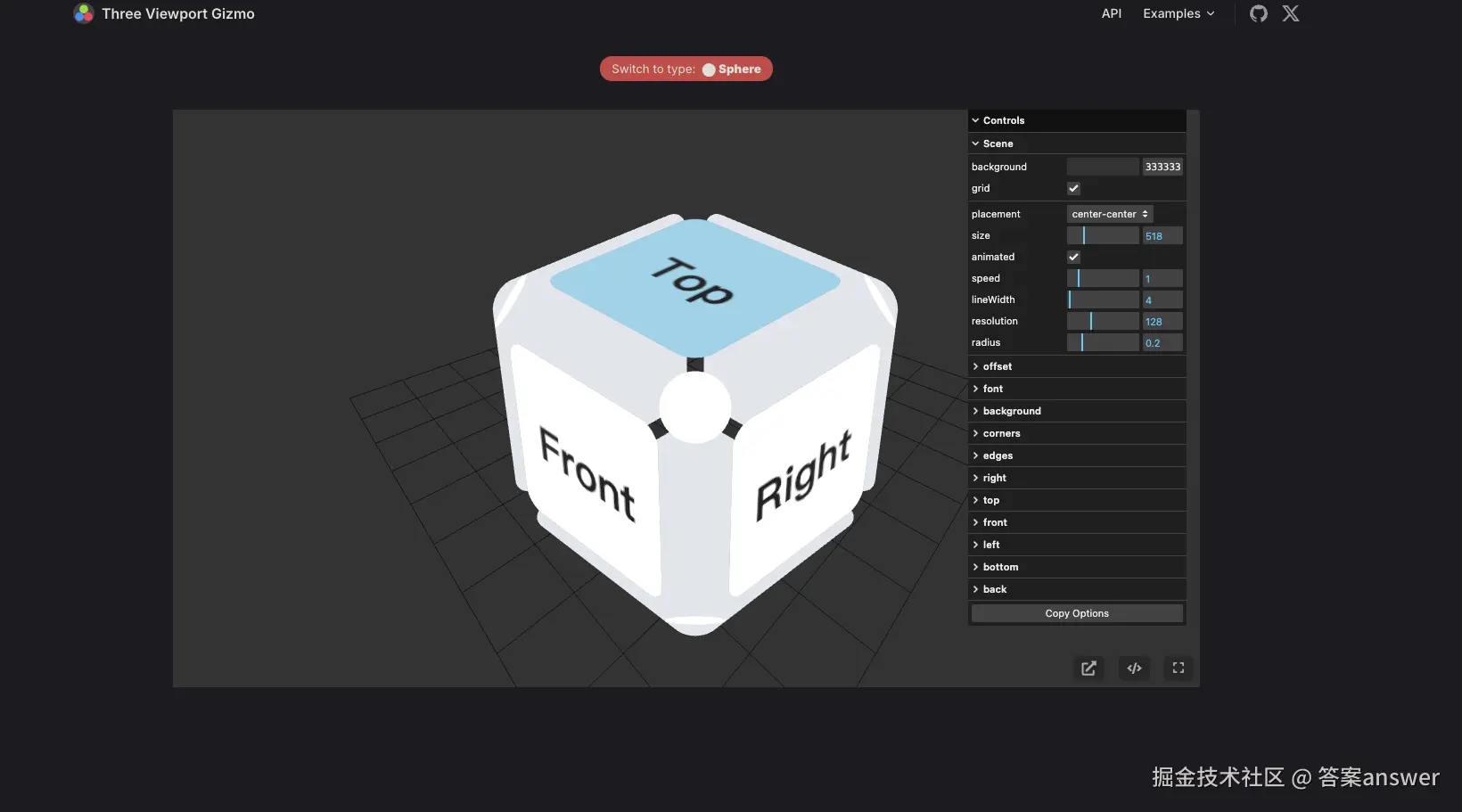
为了方便使用者调试项目官网还提供了一个专门的参数在线预览调试页面,并且可以将调试成功的参数进行复制
通过传入不同类型的 type 可以实现创建不同风格的控制器样式
插件目前提供了三种类型的样式 cube | sphere | rounded-cube
调试页面地址:fennec-hub.github.io/three-viewp...
项目地址
Github: github.com/fennec-hub/...
总结
在开发一些3D编辑器类型的项目时为了方便知道当前场景的方位和信息,往往都会需要这样一个小的相机视图窗口插件方便我们去操作。
而 three-viewport-gizmo 它能完美适配 OrbitControls、camera-controls 等Three.js主流相机控制器 ,而且在UI设计上也非常美观同时插件样式内容也高度自定义化。
如果该项目对于有帮助就去给这个项目留下个Star吧