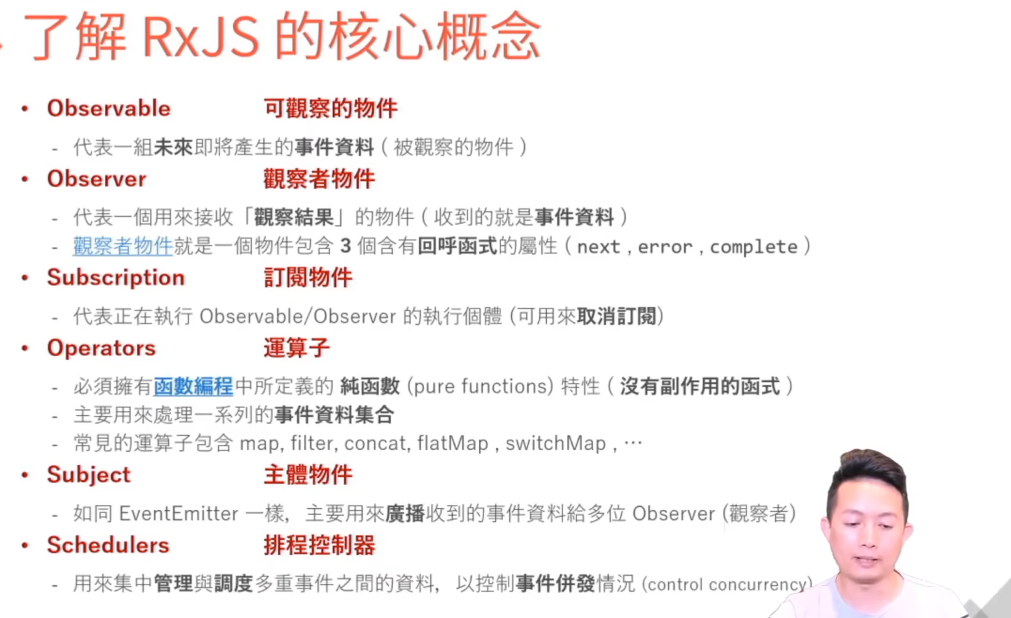
RxJS 核心概念
按钮组:
html
<button nz-button nzType="primary" style="cursor:pointer !important; margin-bottom: 4px;" (click)="throttleClick(flag1, 2000, btnFunc1)">btn1</button>

<button nz-button nzType="primary" style="cursor:pointer !important; margin-bottom: 4px;" (click)="throttleClick(flag2, 2000, btnFunc2)">btn2</button>
引用 rxjs :
javascript
import { Subject, forkJoin, Observable, of } from 'rxjs'; // 引入 forkJoin
import { throttleTime, takeUntil, catchError, tap, map } from 'rxjs/operators';
按钮触发事件:
javascript
// 点击 btn1 按钮触发的事件
btnFunc1(): Observable<any> {}

// 点击 btn2 按钮触发的事件
btnFunc1(): Observable<any> {}
设置节流:
-
takeUntil函数签名:
takeUntil(notifier: Observable): Observable发出值,直到提供的 observable 发出值,它便完成。
-
throttleTime函数签名:
throttleTime(duration: number, scheduler: Scheduler): Observable当指定的持续时间经过后发出最新值。
-
call()是函数的原生方法,作用是立即执行该函数 ,并强制绑定函数内部的this指向第一个参数,后续参数作为函数的入参传入。 -
bind()是 JavaScript 函数的原生方法,核心作用是创建一个新函数,这个新函数被调用时,其内部的this会永久绑定到 bind() 的第一个参数,同时可以预先传入部分参数(柯里化)
javascript
throttleClick(btnKey: string, delay: number, callback: () => void): void {
   // 若该按钮未创建 Subject,初始化并设置节流
   if (!this.buttonSubjects.has(btnKey)) {
   const subject$ = new Subject<void>();
   subject$
       .pipe(
       throttleTime(delay), // 节流核心
       takeUntil(this.destroy$) // 组件销毁时取消订阅
       )
       .subscribe(function() { callback.call(this)}.bind(this)); // 执行按钮回调
       this.buttonSubjects.set(btnKey, subject$);
   }

   // 发送点击信号
   this.buttonSubjects.get(btnKey) && this.buttonSubjects.get(btnKey).next();
}
完整 js 代码
javascript
import { Subject, forkJoin, Observable, of } from 'rxjs'; // 引入 forkJoin
import { throttleTime, takeUntil, catchError, tap, map } from 'rxjs/operators';

// 存储每个按钮的 Subject(key=按钮标识,value=对应 Subject)
private buttonSubjects = new Map<string, Subject<void>>();
// 组件销毁信号
private destroy$ = new Subject<void>();

throttleClick(btnKey: string, delay: number, callback: () => void): void {
   // 若该按钮未创建 Subject,初始化并设置节流
   if (!this.buttonSubjects.has(btnKey)) {
   const subject$ = new Subject<void>();
   subject$
       .pipe(
       throttleTime(delay), // 节流核心
       takeUntil(this.destroy$) // 组件销毁时取消订阅
       )
       .subscribe(function() { callback.call(this)}.bind(this)); // 执行按钮回调
       this.buttonSubjects.set(btnKey, subject$);
   }

   // 发送点击信号
   this.buttonSubjects.get(btnKey) && this.buttonSubjects.get(btnKey).next();
}

// 点击 btn1 按钮触发的事件
btnFunc1(): Observable<any> {}

// 点击 btn2 按钮触发的事件
btnFunc1(): Observable<any> {}


ngOnDestroy() {
    this.destroy$.next();
    this.destroy$.complete();
    // 遍历销毁所有按钮的 Subject
    this.buttonSubjects.forEach(subject$ => subject$.complete());
    this.buttonSubjects.clear();
}