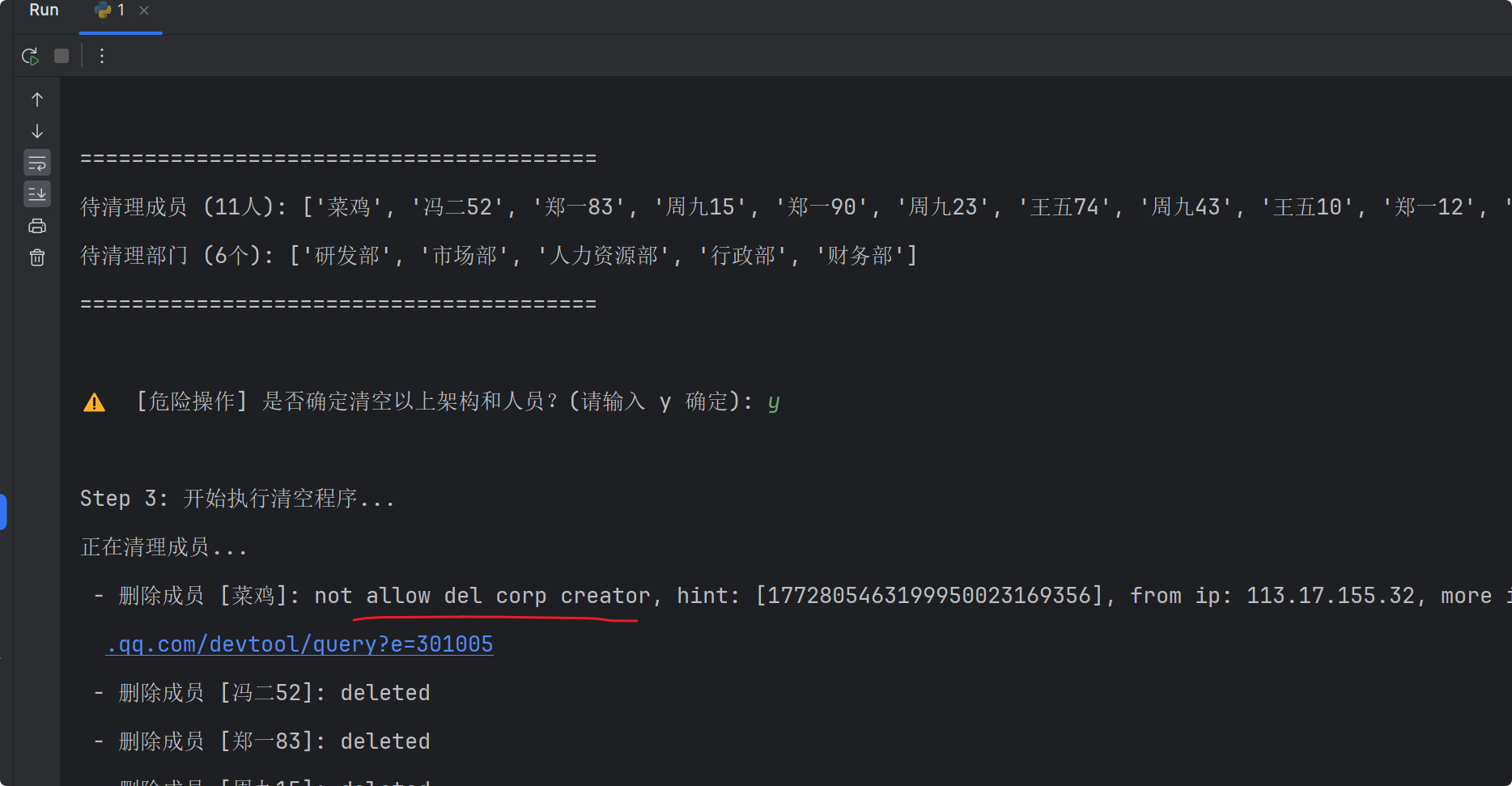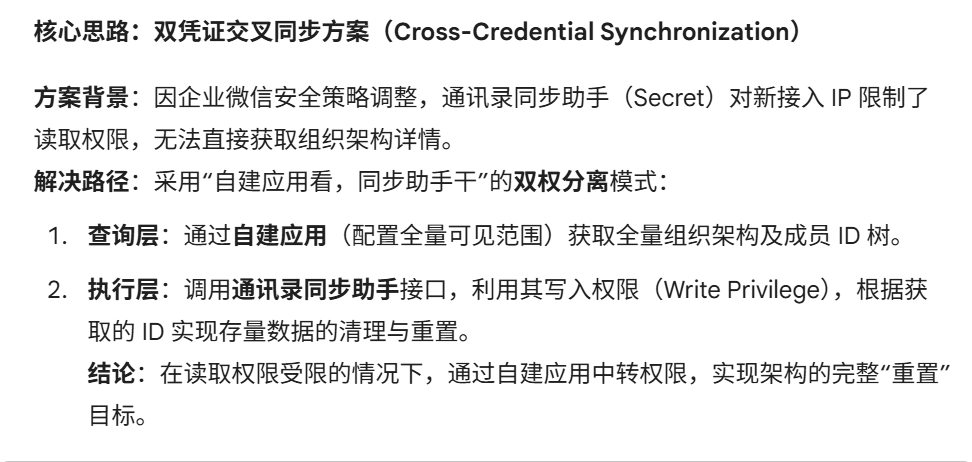
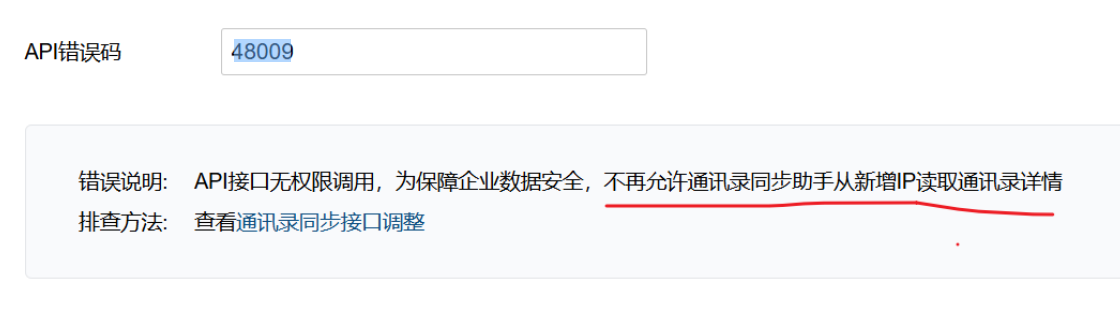
通讯录同步助手旧的ip ,2023年前的仍可继续读取架构 、但建议换新方案;新的ip均不可
企微接口状态码 48009
清空企微后台组织架构py脚本 (会自动跳过企业管理员)
bash
import requests

# ======================== 全局配置区 ========================
#  企业corpid
CORP_ID = "xxxxx9"

# 1. 自建应用 Secret (用于【查询】详情:获取名称、成员列表)
# 必须在后台设置该应用的"可见范围"包含全公司
APP_SECRET = "xxxxY"

# 2. 通讯录同步助手 Secret (用于【执行】清理:删除部门、成员)
# 必须在后台开启 API 接口的"编辑通讯录"权限
CONTACT_SYNC_SECRET = "xxxxxU"


# ==========================================================

class QyWxResetTool:
    def __init__(self, corpid):
        self.corpid = corpid

    def get_token(self, secret):
        url = f"https://qyapi.weixin.qq.com/cgi-bin/gettoken?corpid={self.corpid}&corpsecret={secret}"
        res = requests.get(url).json()
        return res.get("access_token")

    def fetch_data(self, token):
        """使用应用 Token 获取待删除清单"""
        # 获取部门
        d_url = f"https://qyapi.weixin.qq.com/cgi-bin/department/list?access_token={token}&id=1"
        depts = requests.get(d_url).json().get("department", [])

        # 获取人员
        u_url = f"https://qyapi.weixin.qq.com/cgi-bin/user/list?access_token={token}&department_id=1&fetch_child=1"
        users = requests.get(u_url).json().get("userlist", [])

        return depts, users

    def delete_user(self, token, userid):
        url = f"https://qyapi.weixin.qq.com/cgi-bin/user/delete?access_token={token}&userid={userid}"
        return requests.get(url).json()

    def delete_dept(self, token, dept_id):
        url = f"https://qyapi.weixin.qq.com/cgi-bin/department/delete?access_token={token}&id={dept_id}"
        return requests.get(url).json()


if __name__ == "__main__":
    tool = QyWxResetTool(CORP_ID)

    # 1. 获取双 Token
    print("Step 1: 正在初始化双 Token 权限...")
    query_token = tool.get_token(APP_SECRET)
    exec_token = tool.get_token(CONTACT_SYNC_SECRET)

    if not query_token or not exec_token:
        print("❌ Token 初始化失败,请检查 Secret 或 IP 白名单。")
        exit()

    # 2. 打印预览数据
    print("\nStep 2: 正在拉取现有架构预览...")
    depts, users = tool.fetch_data(query_token)

    print("\n" + "=" * 40)
    print(f"待清理成员 ({len(users)}人): {[u['name'] for u in users]}")
    print(f"待清理部门 ({len(depts)}个): {[d['name'] for d in depts if d['id'] != 1]}")
    print("=" * 40)

    if len(depts) <= 1 and len(users) == 0:
        print("ℹ️  当前架构已是清空状态,无需操作。")
        exit()

    # 3. 交互式确认
    confirm = input("\n⚠️  [危险操作] 是否确定清空以上架构和人员?(请输入 y 确定): ")

    if confirm.lower() == 'y':
        print("\nStep 3: 开始执行清空程序...")

        # A. 先删人
        print("正在清理成员...")
        for u in users:
            res = tool.delete_user(exec_token, u['userid'])
            print(f" - 删除成员 [{u['name']}]: {res.get('errmsg')}")

        # B. 再删部门 (倒序删除,先删子部门)
        print("\n正在清理部门...")
        # 按 ID 倒序排列,通常 ID 越大层级越深
        depts.sort(key=lambda x: x['id'], reverse=True)
        for d in depts:
            if d['id'] == 1: continue  # 跳过根部门
            res = tool.delete_dept(exec_token, d['id'])
            print(f" - 删除部门 [{d['name']}]: {res.get('errmsg')}")

        print("\n✅ 重置完成!")
    else:
        print("\n❌ 操作已取消。")