文章目录
- 一、环境安装
- 二、allure测试报告
-
- [2.1 生成测试报告](#2.1 生成测试报告)
- [2.2 allure报告插入截图](#2.2 allure报告插入截图)
一、环境安装
1、allure-2.13.0:完全独立的工具包,
官网下载地址: https://github.com/allure-framework/allure2/releases
备用网址:https://repo.maven.apache.org/maven2/io/qameta/allure/allure-commandline/ (windows下载.zip包)
bash
配置系统变量步骤:系统变量Path 添加 allure安装目录\bin

cmd输入:allure --version能查看到版本号即代表成功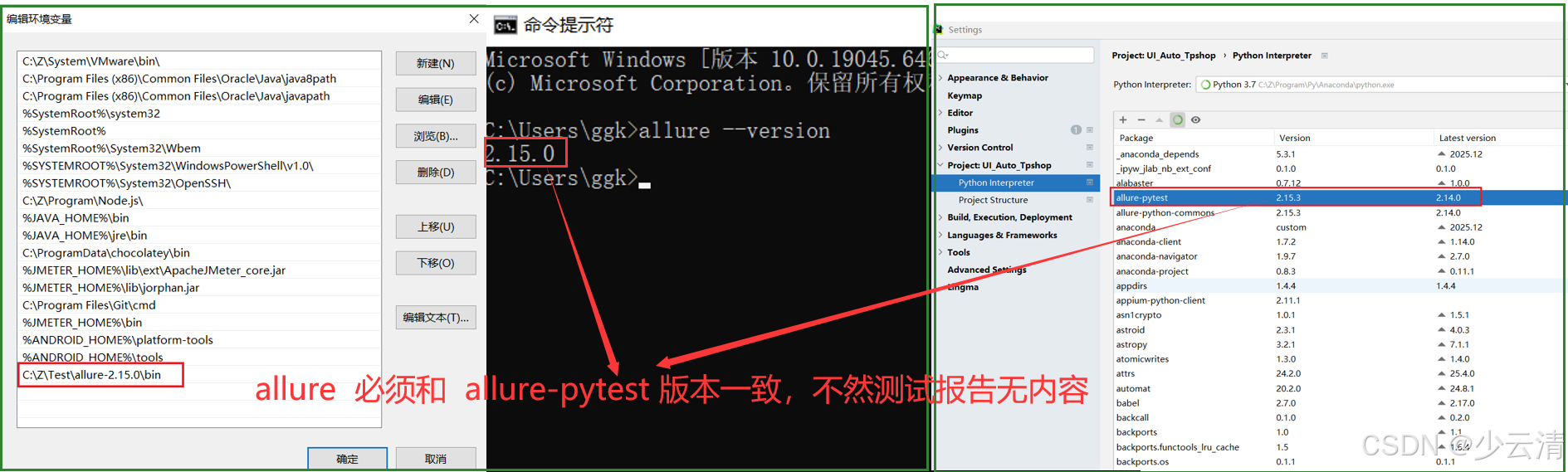
2、 allure-pytest第三方包安装
bash
pip install allure-pytest3、pytest.ini配置
ini
--alluredir=报告路径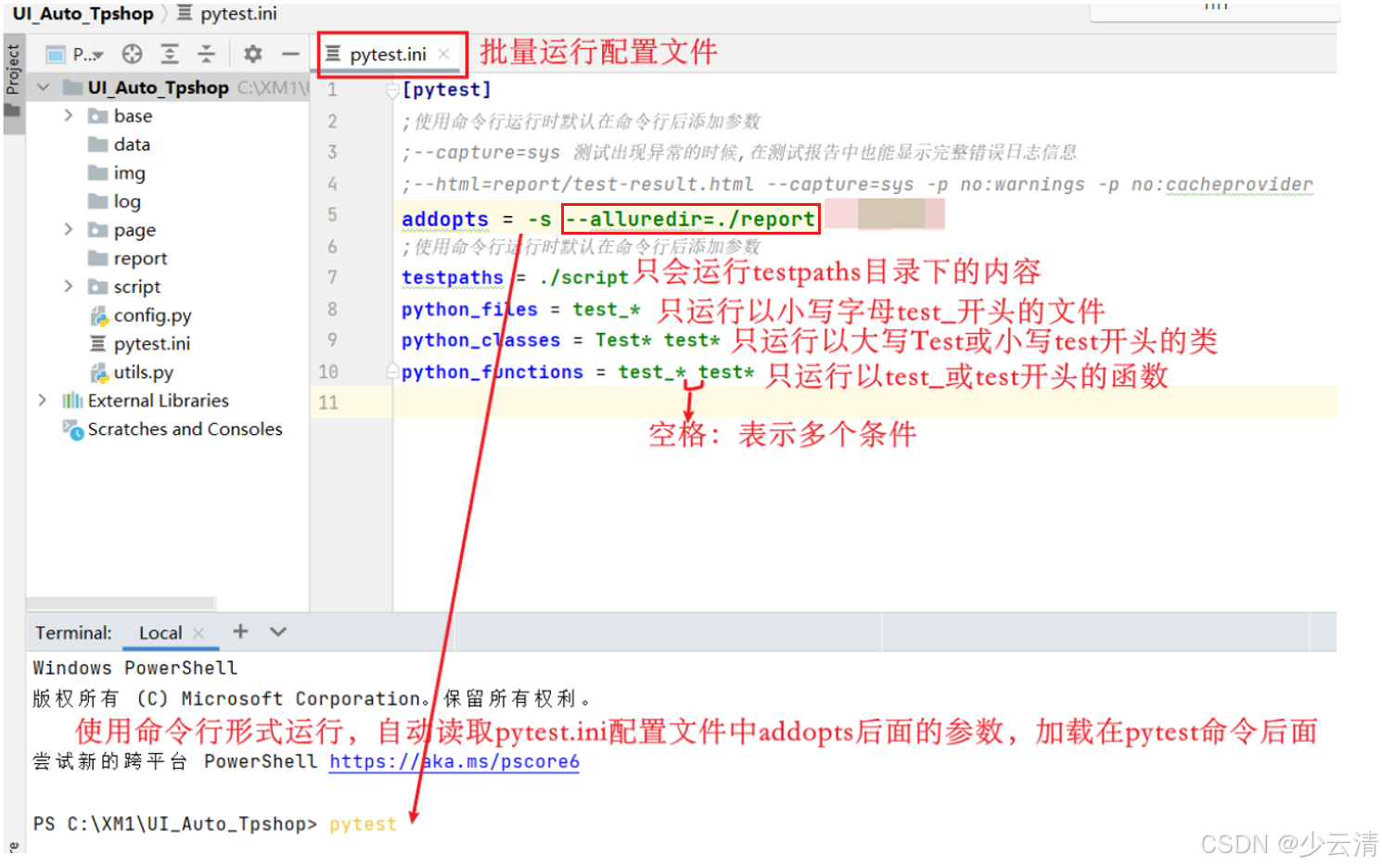
二、allure测试报告
2.1 生成测试报告
1、运行测试用例,会在指定的目录生成测试报告数据文件
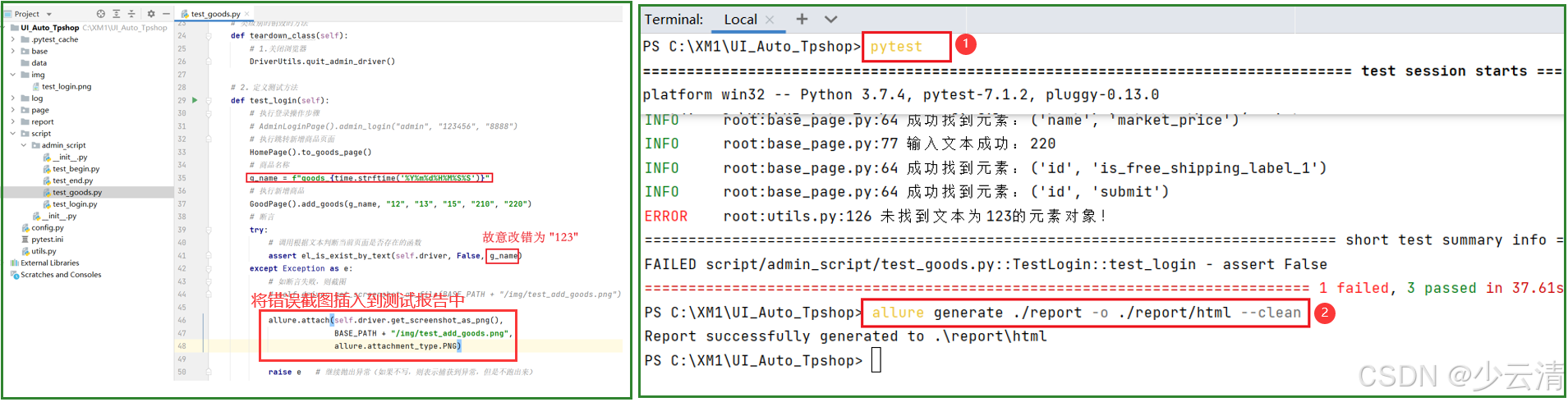
2、allure generate 结果文件目录 -o html报告目录 --clean
bash
①allure generate 把测试报告数据文件 转义 成html测试报告
②结果文件目录:数据文件目录
③-o:转义的意思
④html报告目录:新生成测试报告的目录
⑤--clean:清除缓存的意思,没有也可以
------------------------------------------------------------------------------------------------------------------------------------------------------------------------------------------------------------------
allure generate ./report -o ./report/html --clean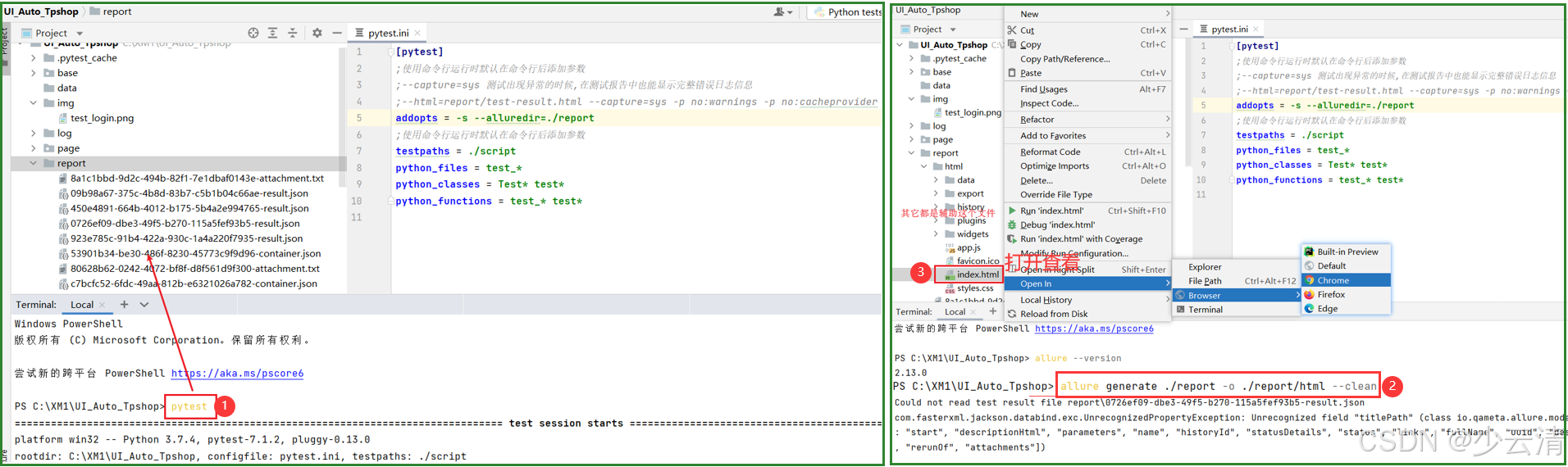
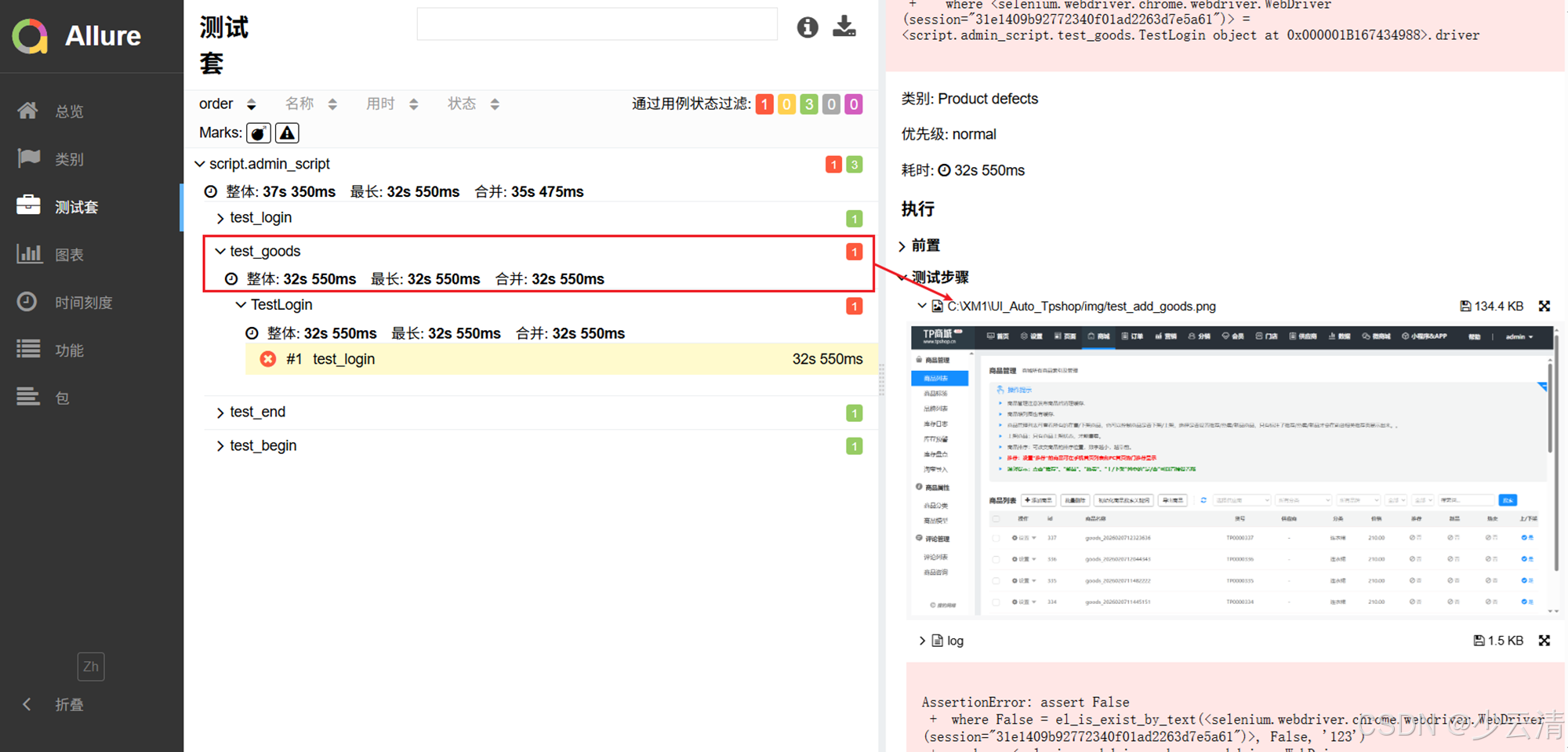
2.2 allure报告插入截图
python
# 有时,想把错误截图输入到测试报告中。
# allure.attachment_type.PNG 指定图片类型

allure.attach(driver.get_screenshot_as_png(),"图片名称",allure.attachment_type.PNG)