官方介绍如下,为什么火,懂得都懂。
Clears your inbox, sends emails, manages your calendar, checks you in for flights.
All from WhatsApp, Telegram, or any chat app you already use.
使用官方脚本进行Windows一键安装,具体教程可以查看快速开始。
修改策略
使用管理员 权限,打开Windows PowerShell。
先查看PowerShell执行策略,只要不是 AllSigned(所有脚本必须有签名) 就行,RemoteSigned(本地脚本不受签名限制,远程脚本必须有签名) 与 Restricted(受限)。
powershell
Get-ExecutionPolicy若需要修改策略,可以执行Set-ExecutionPolicy。
bash
Set-ExecutionPolicy Restricted输出如下:
bash
执行策略更改
执行策略可帮助你防止执行不信任的脚本。更改执行策略可能会产生安全风险,如 https:/go.microsoft.com/fwlink/?LinkID=135170
中的 about_Execution_Policies 帮助主题所述。是否要更改执行策略?
[Y] 是(Y)  [A] 全是(A)  [N] 否(N)  [L] 全否(L)  [S] 暂停(S)  [?] 帮助 (默认值为"N"): Y
环境依赖
准备环境。
Node.js 建议使用v22+。
bash
node --version当前版本号输出如下:
bash
v22.22.0Git 也需要安装。
bash
git --version当前版本号输出如下:
bash
git version 2.23.0.windows.1脚本安装
执行脚本。
powershell
iwr -useb https://openclaw.ai/install.ps1 | iex输出结果如下:
powershell
  OpenClaw Installer
[OK] Windows detected
[*] Existing OpenClaw installation detected
[OK] Node.js v22.22.0 found
[*] Installing OpenClaw (openclaw@latest)...
[OK] OpenClaw installed
[*] Running doctor to migrate settings...
🦞 OpenClaw 2026.3.8 (3caab92) --- I've seen your commit messages. We'll work on that together.
▄▄▄▄▄▄▄▄▄▄▄▄▄▄▄▄▄▄▄▄▄▄▄▄▄▄▄▄▄▄▄▄▄▄▄▄▄▄▄▄▄▄▄▄▄▄▄▄▄▄▄▄
██░▄▄▄░██░▄▄░██░▄▄▄██░▀██░██░▄▄▀██░████░▄▄▀██░███░██
██░███░██░▀▀░██░▄▄▄██░█░█░██░█████░████░▀▀░██░█░█░██
██░▀▀▀░██░█████░▀▀▀██░██▄░██░▀▀▄██░▀▀░█░██░██▄▀▄▀▄██
▀▀▀▀▀▀▀▀▀▀▀▀▀▀▀▀▀▀▀▀▀▀▀▀▀▀▀▀▀▀▀▀▀▀▀▀▀▀▀▀▀▀▀▀▀▀▀▀▀▀▀▀
                  🦞 OPENCLAW 🦞
T  OpenClaw doctor
|
o  Gateway ----------------------------------------------------------+
+--------------------------------------------------------------------+
|
o  Gateway auth -----------------------------------------------------+
+--------------------------------------------------------------------+
|
o  State integrity --------------------------------------------------+
+--------------------------------------------------------------------+
|
o  Security ---------------------------------+
+--------------------------------------------+
|
o  Skills status ------------+
+----------------------------+
|
o  Plugins ------+
+----------------+
|
o  Shell completion -------------------------------------------------+
+--------------------------------------------------------------------+
|
o  Shell completion -------------------------------------------------+
+--------------------------------------------------------------------+
o  Gateway --------------+
+------------------------+
|
o  Gateway connection ---------------------------+
|                                                |
|  Gateway target: ws://127.0.0.1:18789          |
|  Source: local loopback                        |
|  Config: C:\Users\xxx\.openclaw\openclaw.json  |
|  Bind: loopback                                |
|                                                |
+------------------------------------------------+
|
o  Gateway ------------------------+
|                                  |
|  Gateway service not installed.  |
|                                  |
+----------------------------------+
Run "openclaw doctor --fix" to apply changes.
---  Doctor complete.
[OK] Migration complete
OpenClaw installed successfully (OpenClaw 2026.3.8 (3caab92))!
验证命令
查看命令openclaw是否存在。
powershell
whereis openclaw输出类似如下则表明,基础环境已经安装。
powershell
openclaw: /xxx/v22.22.0/openclaw /xxx/v22.22.0/openclaw.cmd /xxx/v22.22.0/openclaw.ps1验证安装
管理员权限单开cmd 命令控制行窗口,使用doctor 再次验证是否安装成功。
bash
openclaw doctor生成网关gateway 对应的token。
bash
o  Generate and configure a gateway token now?
| Yes启用zsh脚本命令。
*  Enable zsh shell completion for openclaw?
|  Yes
服务自启
安装gateway 服务。
o  Install gateway service now?
|  Yes
配置服务运行时。
o  Gateway service runtime
|  Node (recommended)
Installed Scheduled Task: OpenClaw Gateway
Task script: C:\Users\llr\.openclaw\gateway.cmd
Updated ~\.openclaw\openclaw.json
|
---  Doctor complete.
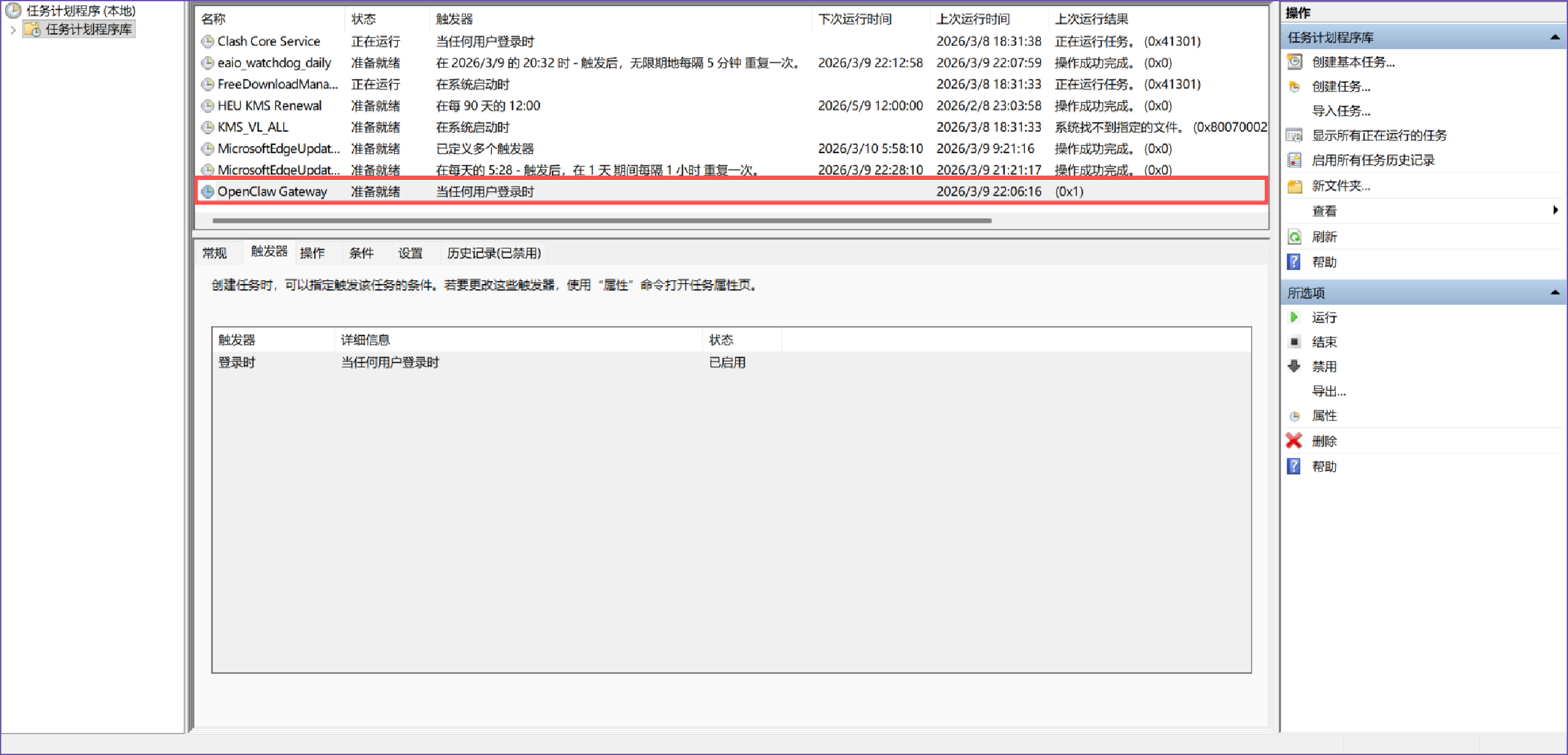
实际安装服务就是创建计划任务,用户登录时就可以启动,可以注销账户,再次登录系统即可运行,当前可以继续执行后续命令。
新手引导
执行控制面板配置引导。
bash
openclaw onboard --install-daemon为当前用户添加配置。
bash
I understand this is personal-by-default and shared/multi-user use requires lock-down. Continue?
| Yes引导面板模式快速开始。
o  Onboarding mode
|  QuickStart
|
o  Existing config detected ---------+
+------------------------------------+
配置处理,使用已经存在的值。
o  Config handling
|  Use existing values
|
o  QuickStart -----------------------------+
+------------------------------------------+
模型和验证模型供应商,选择跳过。
o  Model/auth provider
|  Skip for now
过滤模型提供商模型,选择所有模型。
o  Filter models by provider
|  All providers
默认模型,可以先展示使用手动输入,这个时候模型还无法正常使用,只是先用于在配置文件中占位,可以先配置默认。
o  Default model
|  Enter model manually
|
o  Default model
|  anthropic/claude-opus-4-6
|
o  Model check -----------------------------------+
|  No auth configured for provider "anthropic". The agent may fail until credentials are  |
|  added.
+---------------------------------------------+
配置频道,现在如果不确认,可以跳过,后续再替换。
o  Channel status ----------------------------+
+---------------------------------------------+
|
o  Select channel (QuickStart)
|  Skip for now
o  Web search ----------------------------------------+
+-----------------------------------------------------+
搜索提供器,可以考虑先跳过。
o  Search provider
|  Skip for now
o  Skills status -------------+
+-----------------------------+配置skills。
o  Configure skills now? (recommended)
|  Yes
|
o  Install missing skill dependencies
|  Skip for now
|
o  Set GOOGLE_PLACES_API_KEY for goplaces?
|  No
|
o  Set GEMINI_API_KEY for nano-banana-pro?
|  No
|
o  Set NOTION_API_KEY for notion?
|  No
|
o  Set ELEVENLABS_API_KEY for sag?
| No配置Hook 配置,空格键 表示选中和取消,+ 表示选中,可以都添加并回车提交。
o  Hooks ------------------------------------------------------------------+
+--------------------------------------------------------------------------+
|
o  Enable hooks?
|  🚀 boot-md, 📎 bootstrap-extra-files, 📝 command-logger, 💾 session-memory
|
o  Hooks Configured ------------------------------------------------------+
+-------------------------------------------------------------------------+可以选择重新启动gateway 服务,会弹出新的服务启动框。
o  Gateway service already installed
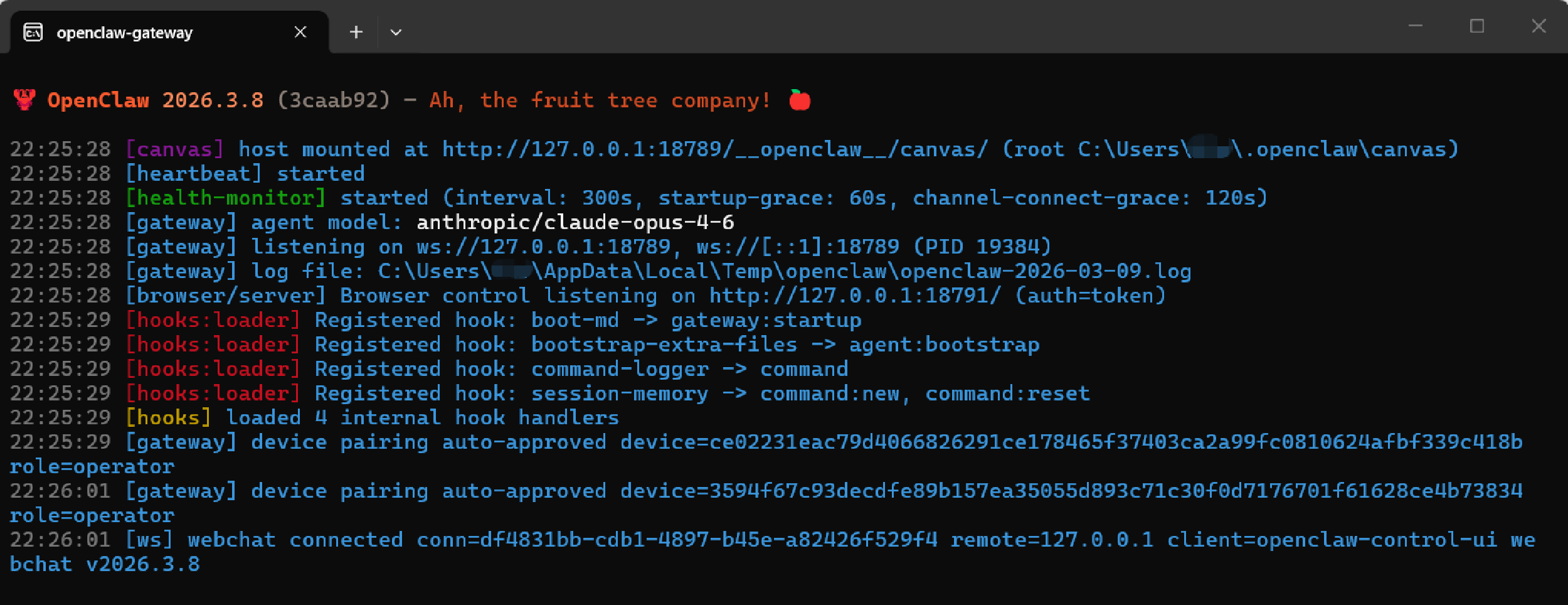
| Restart服务启动后,会有一个命令行窗口,此时为前台运行,这个窗口不能关闭,关闭后服务就退出了。
服务访问
选择打开Web UI,会自动打开本地默认浏览器。
o  Optional apps ------------------------+
+----------------------------------------+

o  How do you want to hatch your bot?
|  Open the Web UI
|
+----------------------------------------------------------------------+
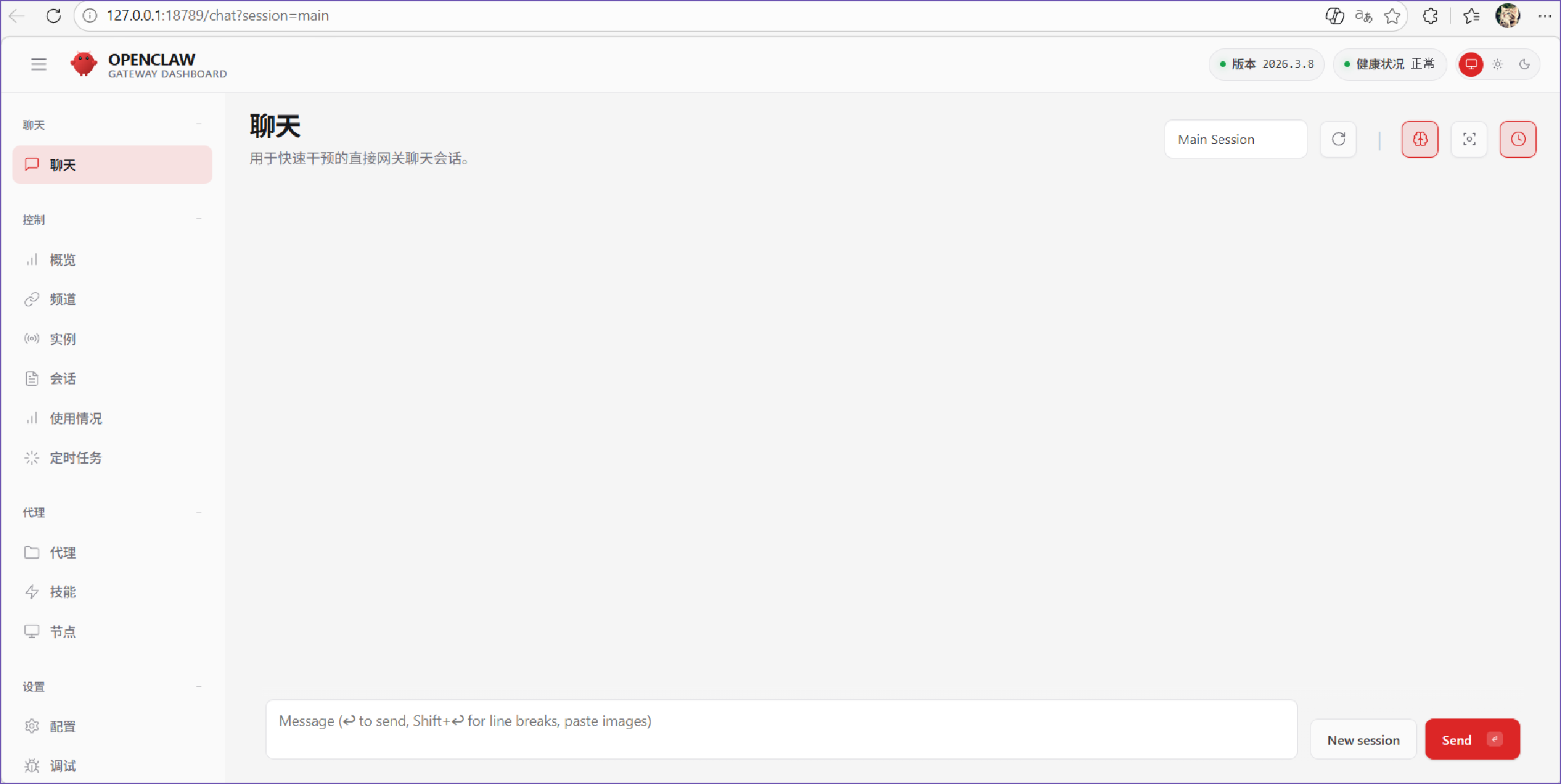
---  Onboarding complete. Dashboard opened; keep that tab to control OpenClaw.
页面展示如下:
环境变量
如果手抖关闭掉了,又不想注销账户,可以直接执行命令行。
bash
openclaw gateway --port 18789直接修改配置文件C:\Users\<User>\.openclaw\openclaw.json,修改自己的提供商和模型,详细可以参考链接。以deepseek 为例,DEEPSEEK_API_KEY 为环境变量。
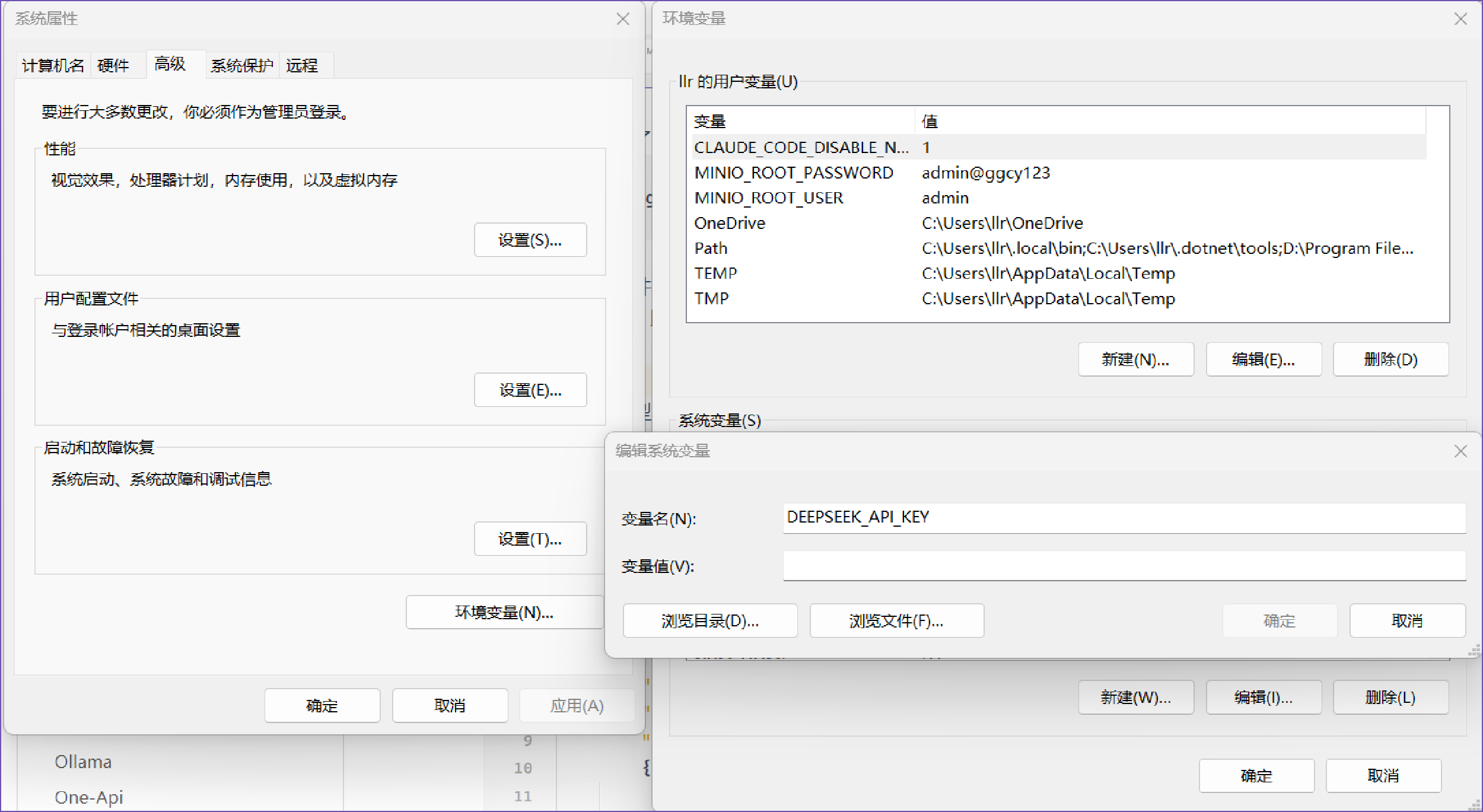
配置模型
配置自定义的模型服务提供商models 与 agents 平级。
json
{
 "models": {
   "mode":"merge",
   "providers": {
	  "deepseek": {
	    "baseUrl": "https://api.deepseek.com/v1",
	    "apiKey": "${DEEPSEEK_API_KEY}",
	    "api": "openai-completions",
	    "models": [
	    {
		  "id": "deepseek-chat",
		  "name": "Deepseek-Chat"
	    }]
	 },
    }
  },
  "agents": {
    "defaults": {
      "model": {
        "primary": "deepseek/deepseek-chat"
      },
      "workspace": "C:\\Users\\<User>\\.openclaw\\workspace",
      "compaction": {
        "mode": "safeguard"
      },
      "maxConcurrent": 4,
      "subagents": {
        "maxConcurrent": 8
      }
    }
  },
  "tools": {
    "profile": "coding"
  },
  "messages": {
    "ackReactionScope": "group-mentions"
  },
  "commands": {},
  "session": {},
  "hooks": {},
  "gateway": {}
}退出当前服务窗口,单开一个cmd 命令行窗口,执行命令重新启动服务。
bash
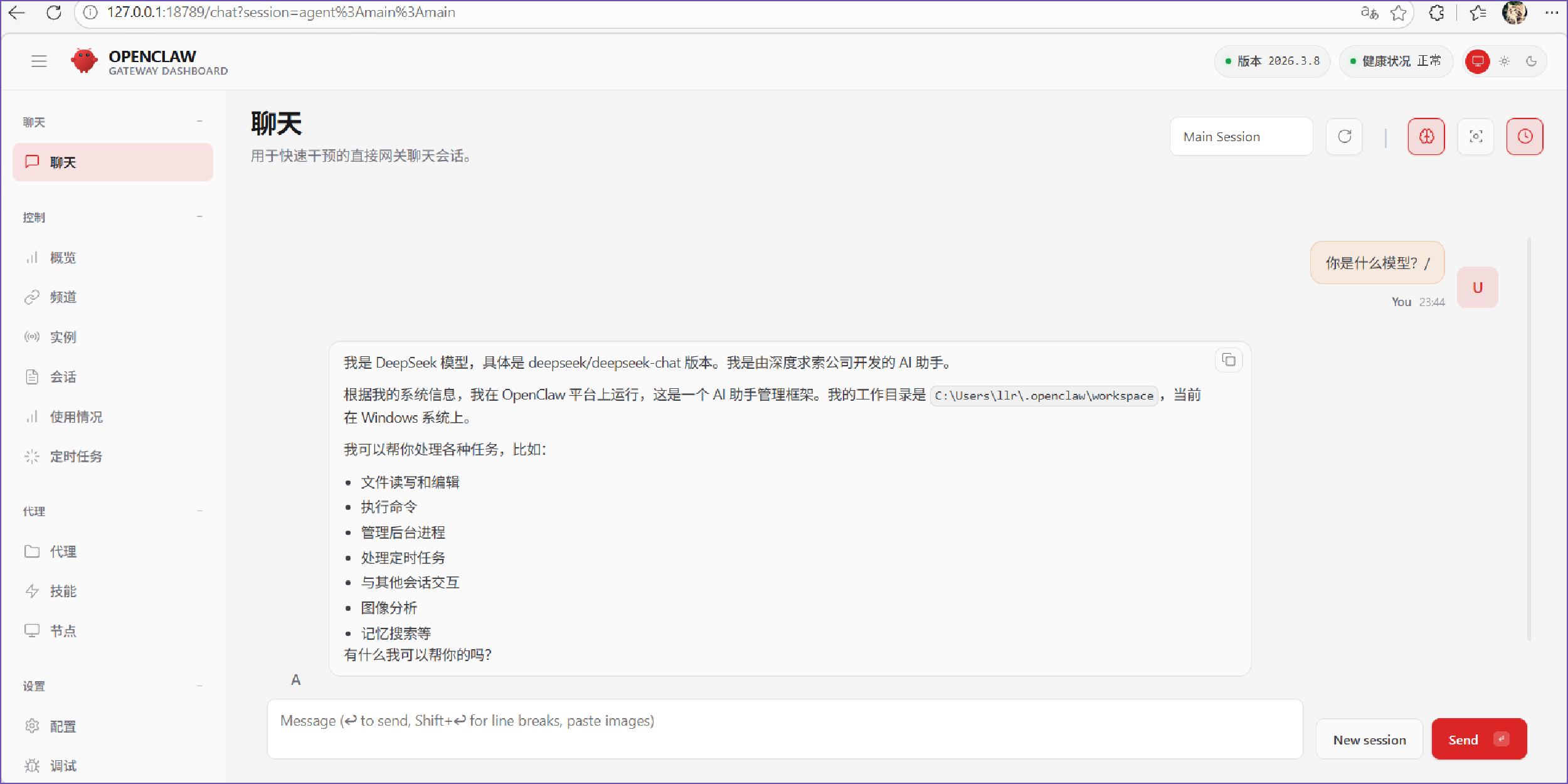
openclaw gateway --port 18789访问浏览器,http://127.0.0.1:18789/,尝试进行问答测试,本地环境则搭建成功。
如果要进行卸载,可以使用uninstall。
bash
openclaw uninstall