前言
在我们画出出色的效果之前,首先要做的就是创建一个OpenGL上下文(Context)和一个用于显示的窗口。然而,这些操作在每个系统上都是不一样的,OpenGL有意将这些操作抽象(Abstract)出去。这意味着我们不得不自己处理创建窗口,定义OpenGL上下文以及处理用户输入。
幸运的是,有一些库已经提供了我们所需的功能,其中一部分是特别针对OpenGL的。这些库节省了我们书写操作系统相关代码的时间,提供给我们一个窗口和一个OpenGL上下文用来渲染。最流行的几个库有GLUT,SDL,SFML和GLFW。在教程里我们将使用GLFW。你可以随意选用其他类似的库,大多数库的配置方法和GLFW差不多。
GLFW
GLFW是一个专门针对OpenGL的C语言库,它提供了一些渲染物体所需的最低限度的接口。它允许用户创建OpenGL上下文、定义窗口参数以及处理用户输入,对我们来说这就够了。
本节和下一节的目标是把GLFW环境配好能且能够跑起来,并保证它正确创建了OpenGL上下文并显示出一个简单的窗口来让我们随意使用。这篇教程会一步步教你如何获取、编译、链接GLFW库。我们使用的是Microsoft Visual Studio 2019 IDE(操作过程在更新的Visual Studio都是相同的)。如果你用的不是Visual Studio(或者用的是它的旧版本)请不要担心,大多数IDE上的操作都是类似的。
cpp
#include <glad/glad.h>
#include <GLFW/glfw3.h>

#include <iostream>

void framebuffer_size_callback(GLFWwindow* window, int width, int height);
void processInput(GLFWwindow *window);

// settings
const unsigned int SCR_WIDTH = 800;
const unsigned int SCR_HEIGHT = 600;

int main()
{
    // glfw: initialize and configure
    // ------------------------------
    glfwInit();
    glfwWindowHint(GLFW_CONTEXT_VERSION_MAJOR, 3);
    glfwWindowHint(GLFW_CONTEXT_VERSION_MINOR, 3);
    glfwWindowHint(GLFW_OPENGL_PROFILE, GLFW_OPENGL_CORE_PROFILE);

#ifdef __APPLE__
    glfwWindowHint(GLFW_OPENGL_FORWARD_COMPAT, GL_TRUE);
#endif

    // glfw window creation
    // --------------------
    GLFWwindow* window = glfwCreateWindow(SCR_WIDTH, SCR_HEIGHT, "LearnOpenGL", NULL, NULL);
    if (window == NULL)
    {
        std::cout << "Failed to create GLFW window" << std::endl;
        glfwTerminate();
        return -1;
    }
    glfwMakeContextCurrent(window);
    glfwSetFramebufferSizeCallback(window, framebuffer_size_callback);

    // glad: load all OpenGL function pointers
    // ---------------------------------------
    if (!gladLoadGLLoader((GLADloadproc)glfwGetProcAddress))
    {
        std::cout << "Failed to initialize GLAD" << std::endl;
        return -1;
    }

    // render loop
    // -----------
    while (!glfwWindowShouldClose(window))
    {
        // input
        // -----
        processInput(window);

        // glfw: swap buffers and poll IO events (keys pressed/released, mouse moved etc.)
        // -------------------------------------------------------------------------------
        glfwSwapBuffers(window);
        glfwPollEvents();
    }

    // glfw: terminate, clearing all previously allocated GLFW resources.
    // ------------------------------------------------------------------
    glfwTerminate();
    return 0;
}

// process all input: query GLFW whether relevant keys are pressed/released this frame and react accordingly
// ---------------------------------------------------------------------------------------------------------
void processInput(GLFWwindow *window)
{
    if(glfwGetKey(window, GLFW_KEY_ESCAPE) == GLFW_PRESS)
        glfwSetWindowShouldClose(window, true);
}

// glfw: whenever the window size changed (by OS or user resize) this callback function executes
// ---------------------------------------------------------------------------------------------
void framebuffer_size_callback(GLFWwindow* window, int width, int height)
{
    // make sure the viewport matches the new window dimensions; note that width and
    // height will be significantly larger than specified on retina displays.
    glViewport(0, 0, width, height);
}
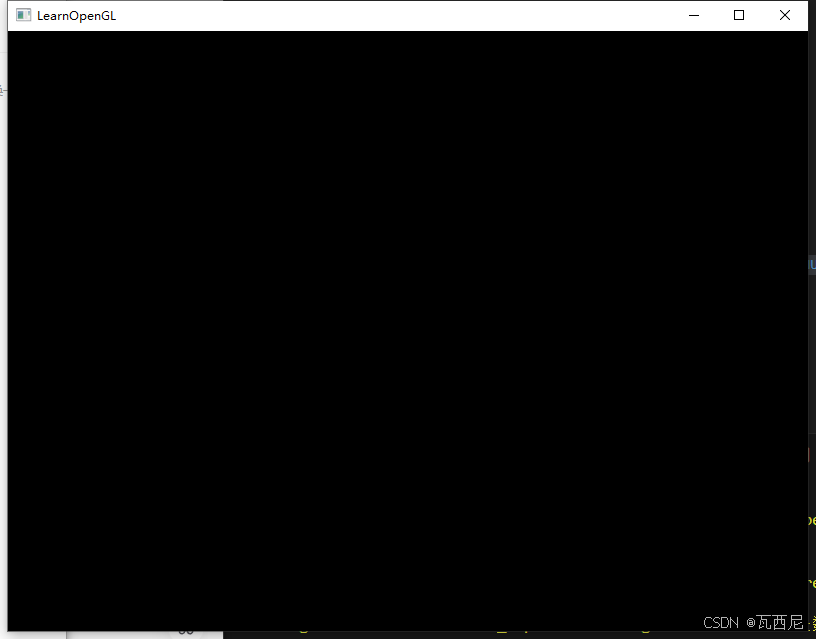
运行结果
参考
https://learnopengl-cn.github.io/01 Getting started/02 Creating a window/