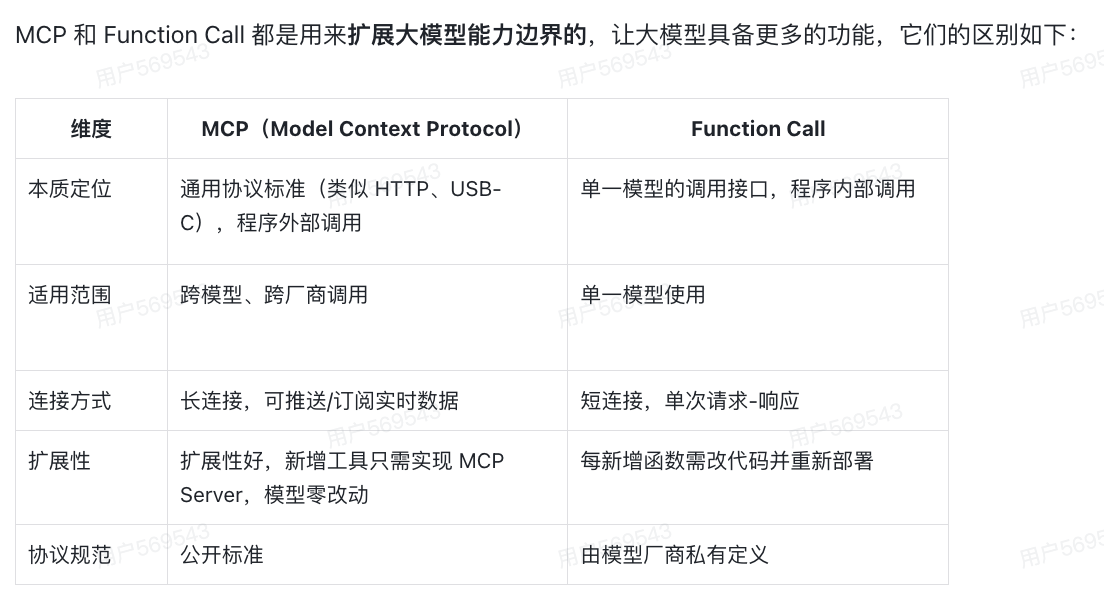
1. 聊聊你对MCP的理解?MCP解决了什么问题?
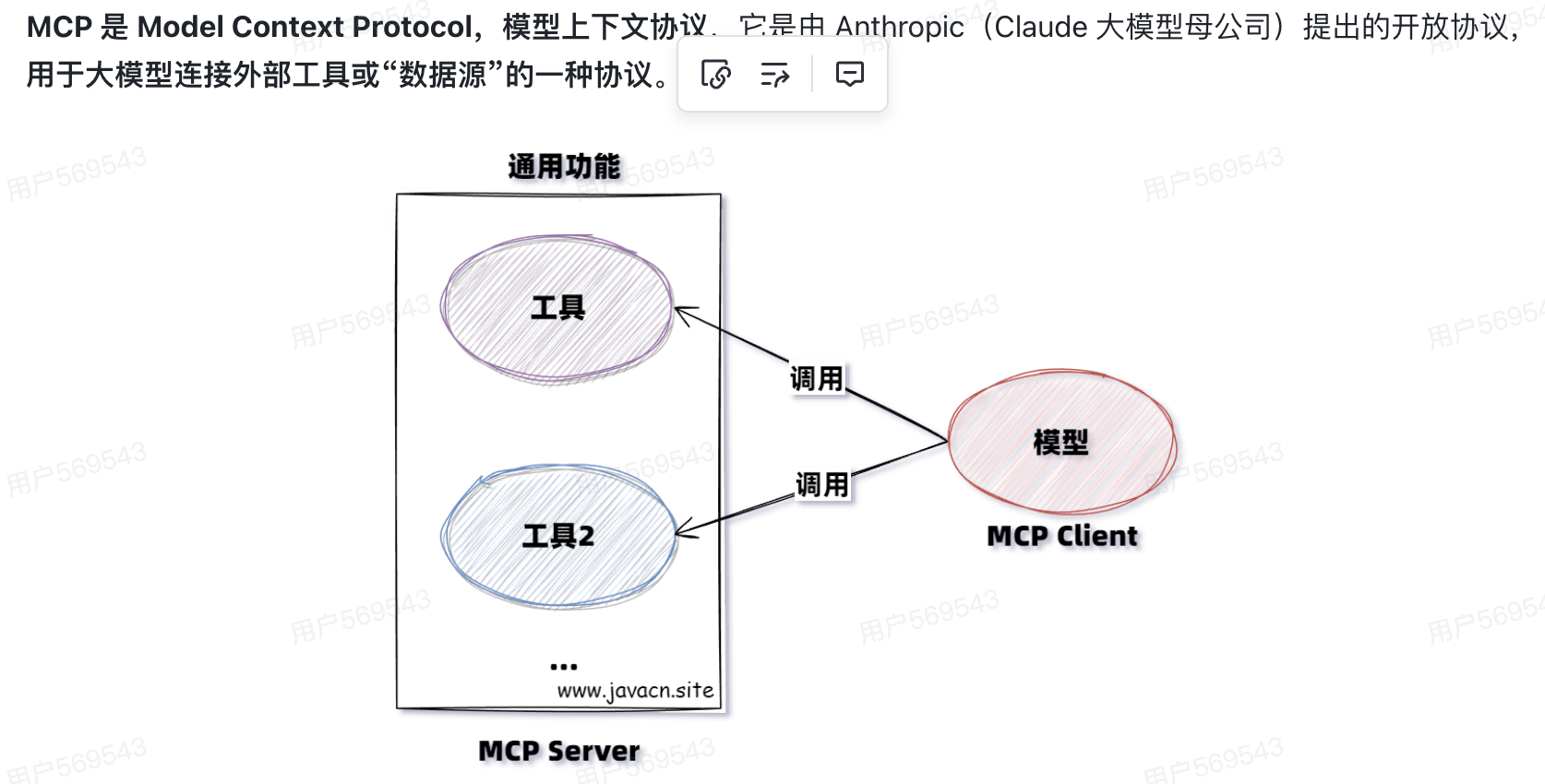
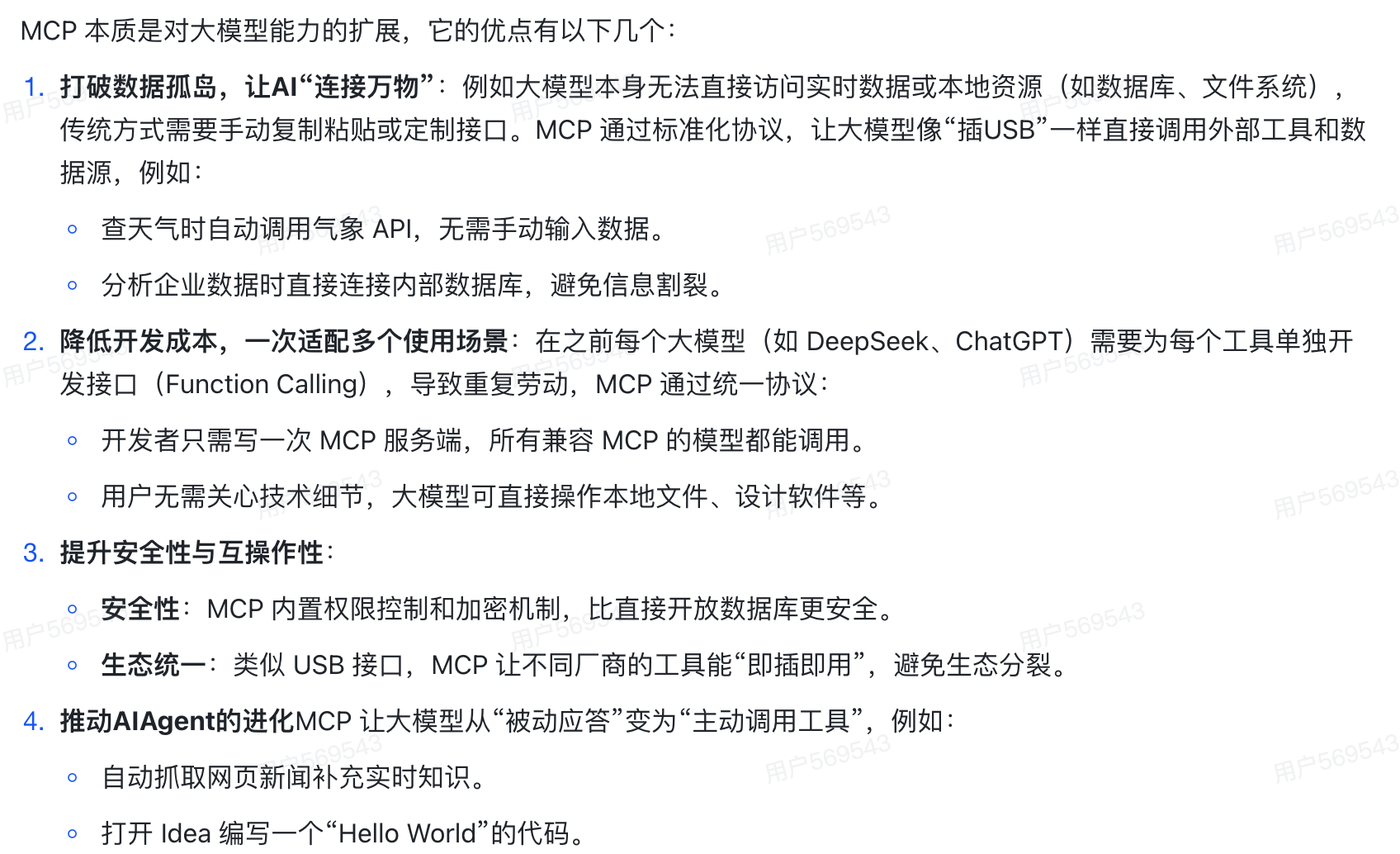
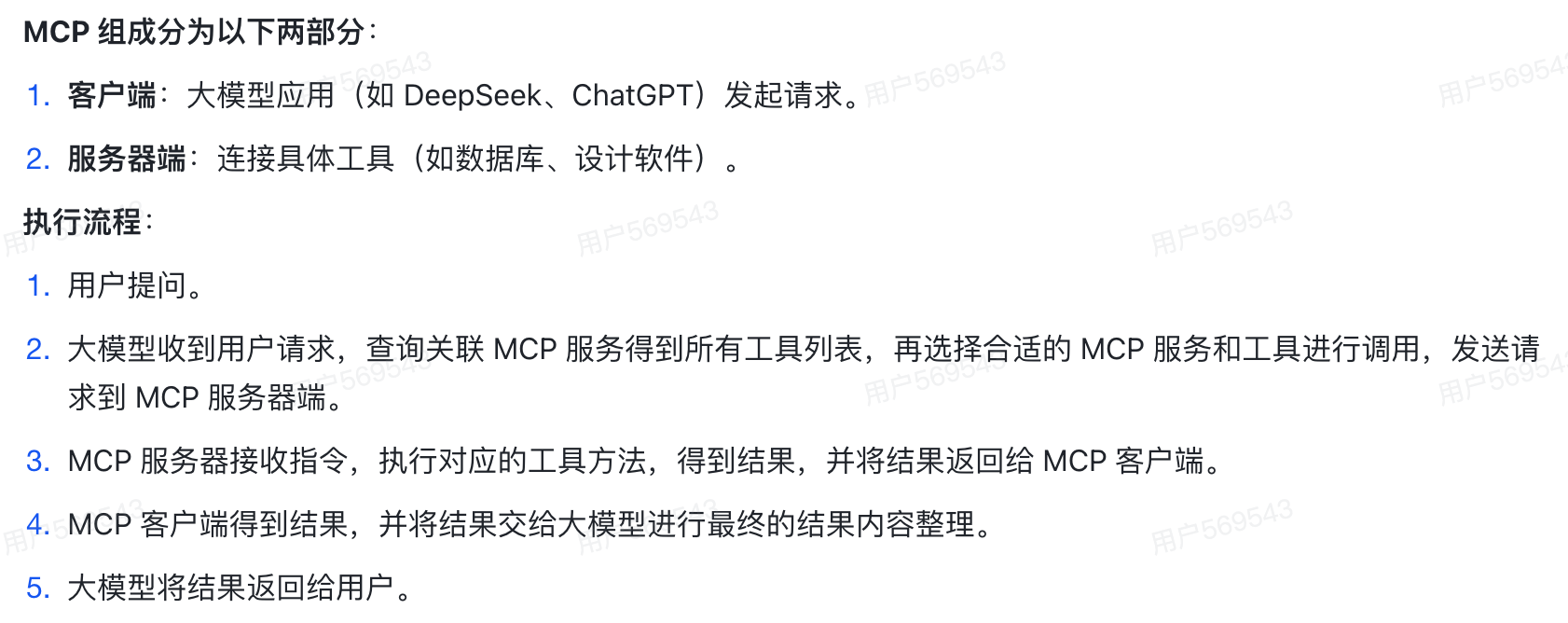
2. 聊聊MCP的组成和它的执行流程?
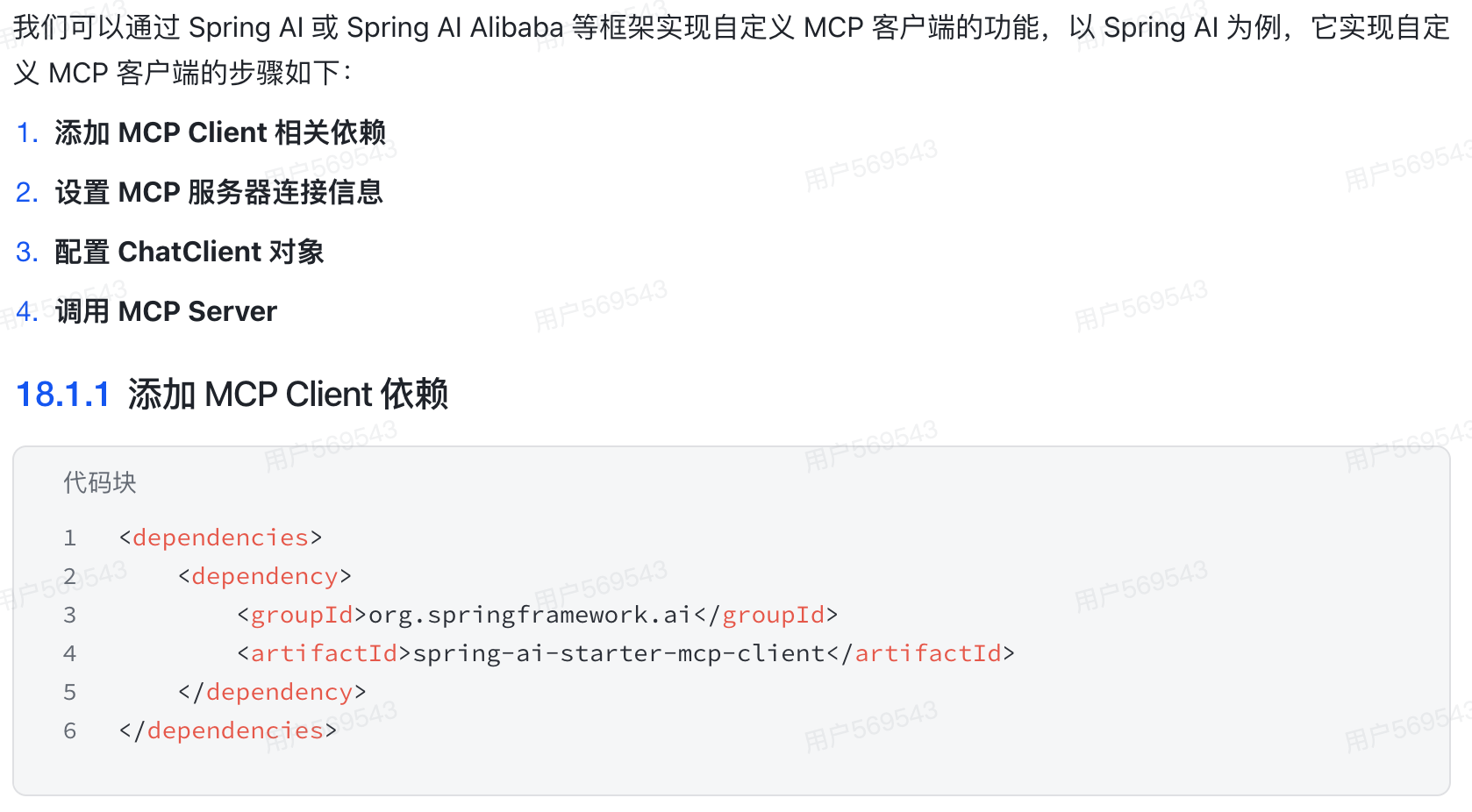
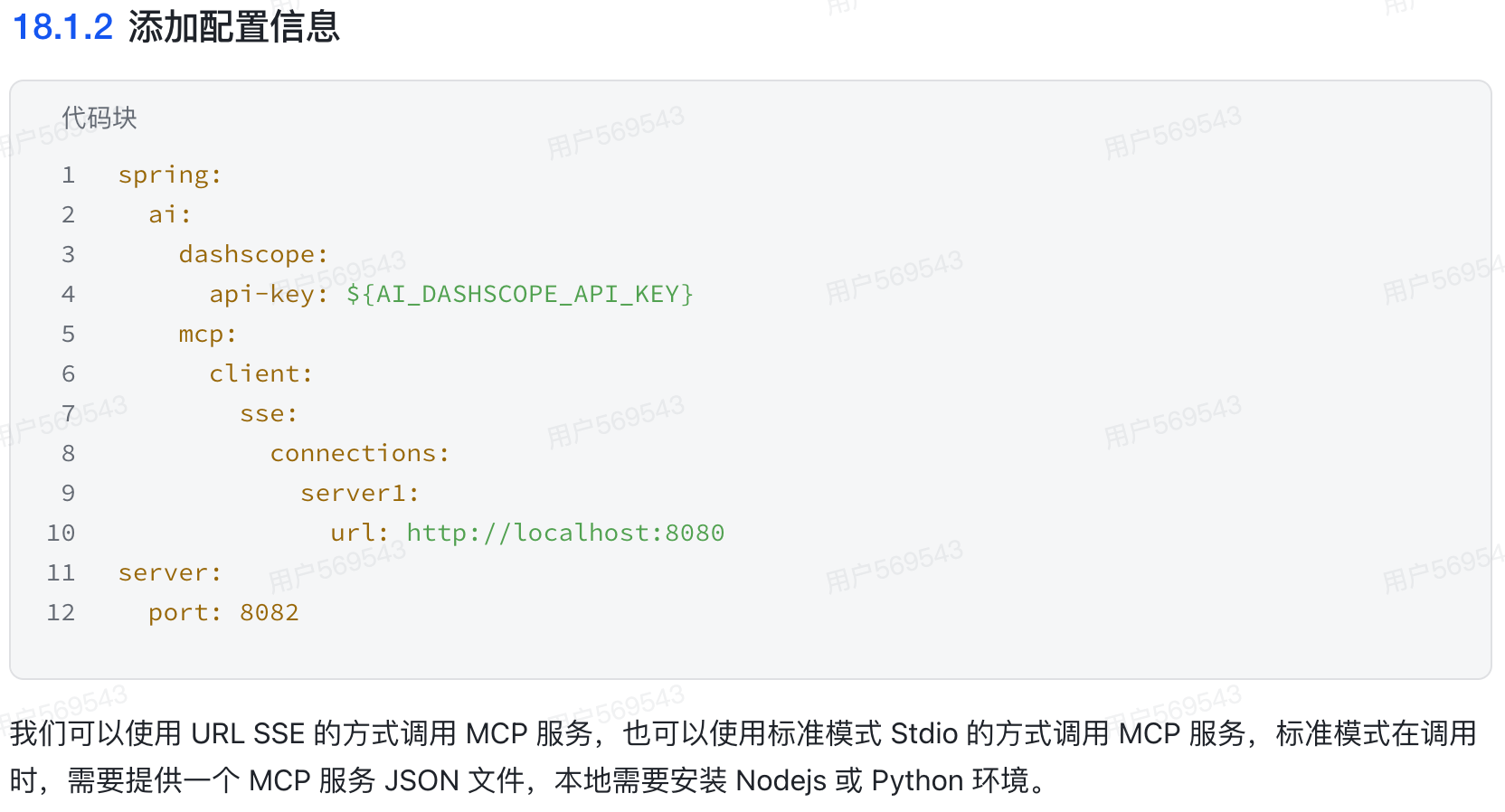
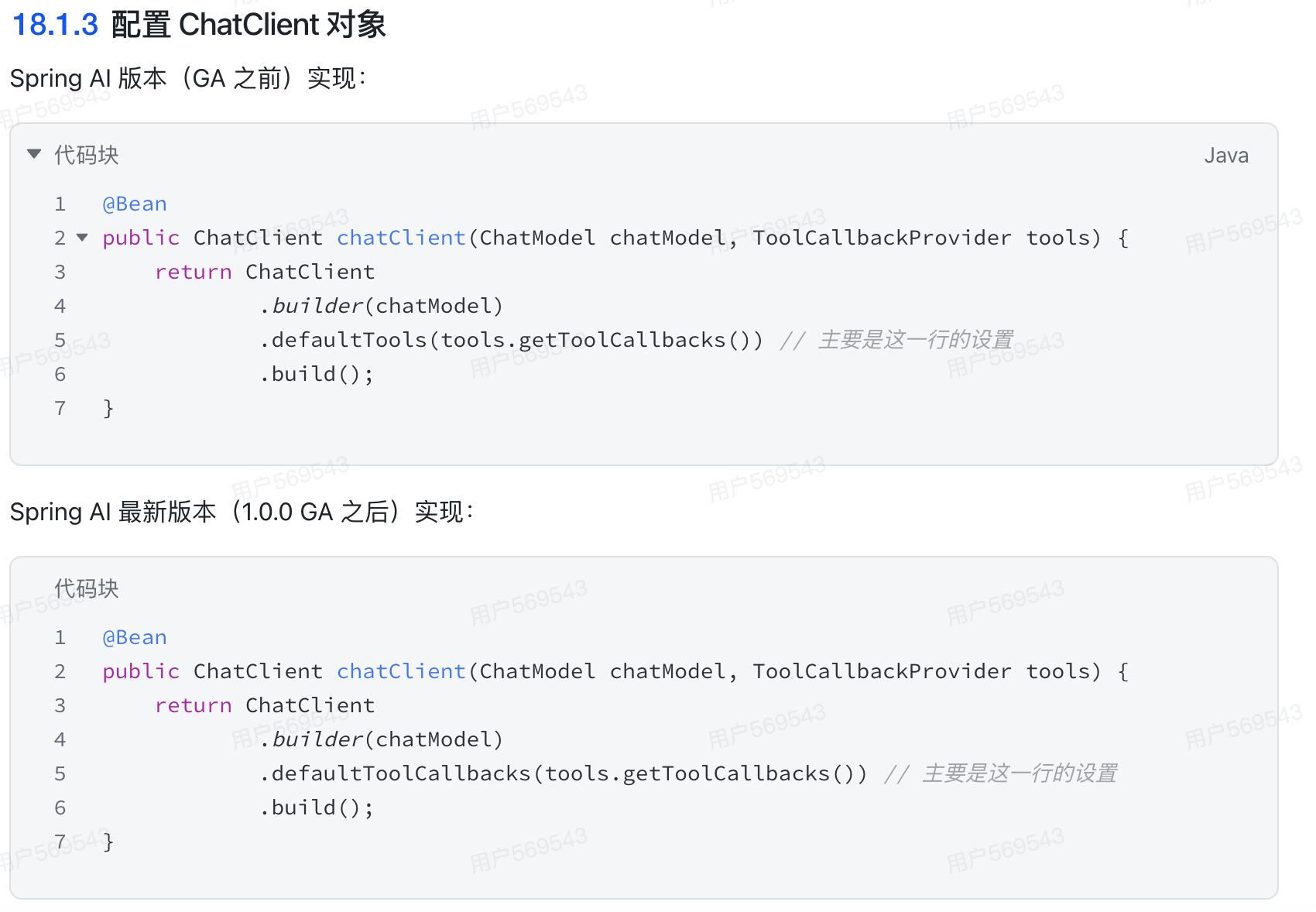
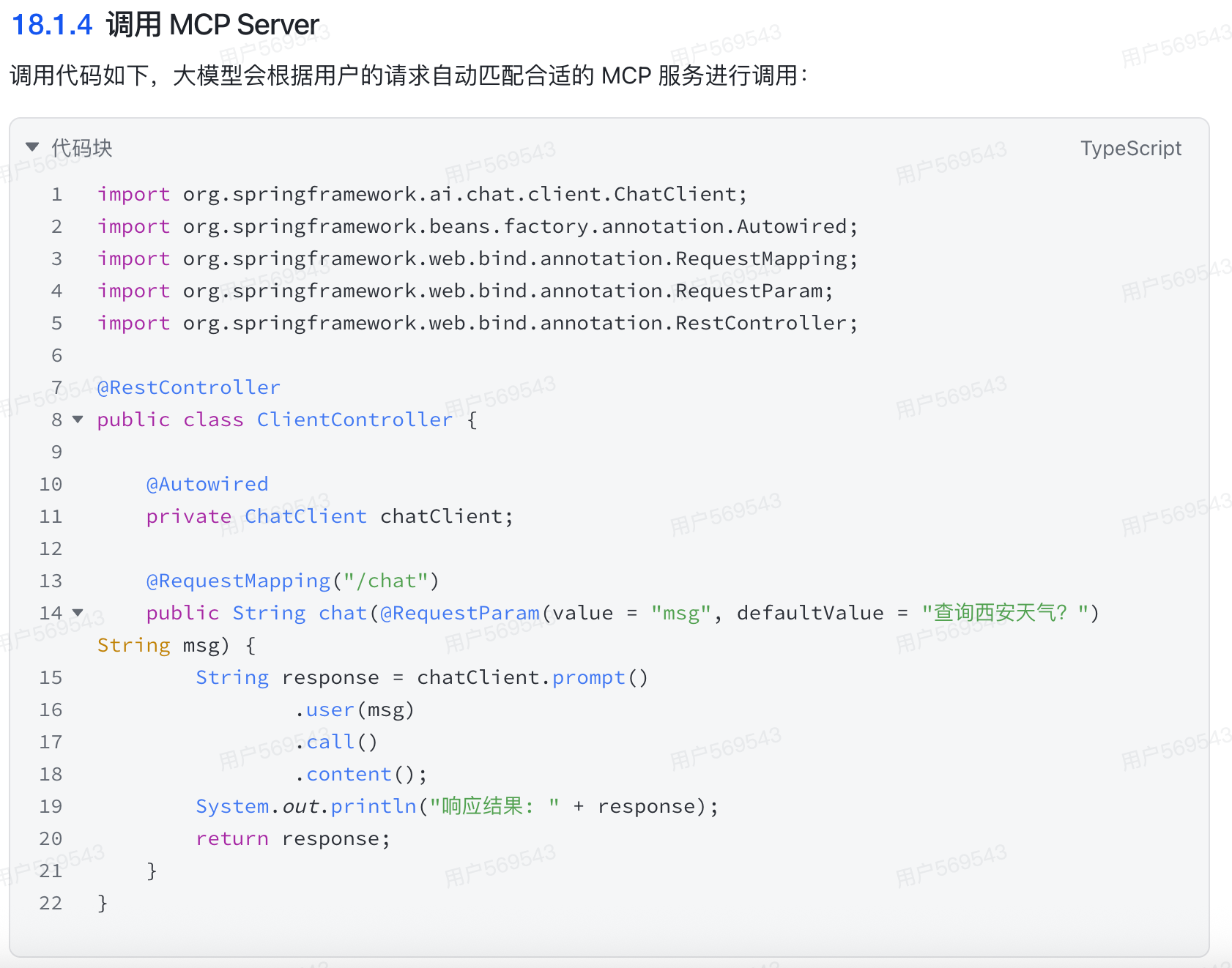
3. 如何实现自定义MCP客户端?
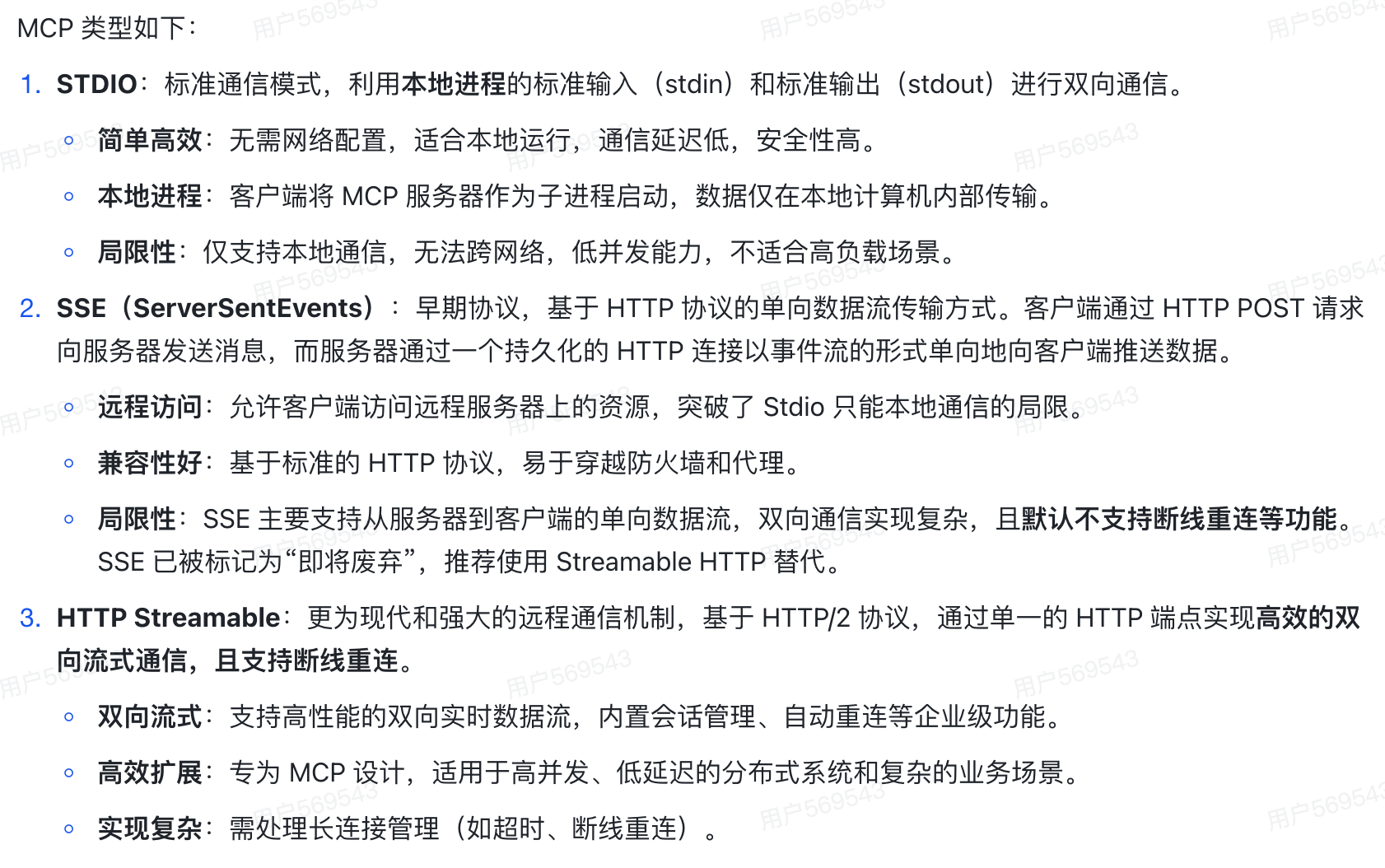
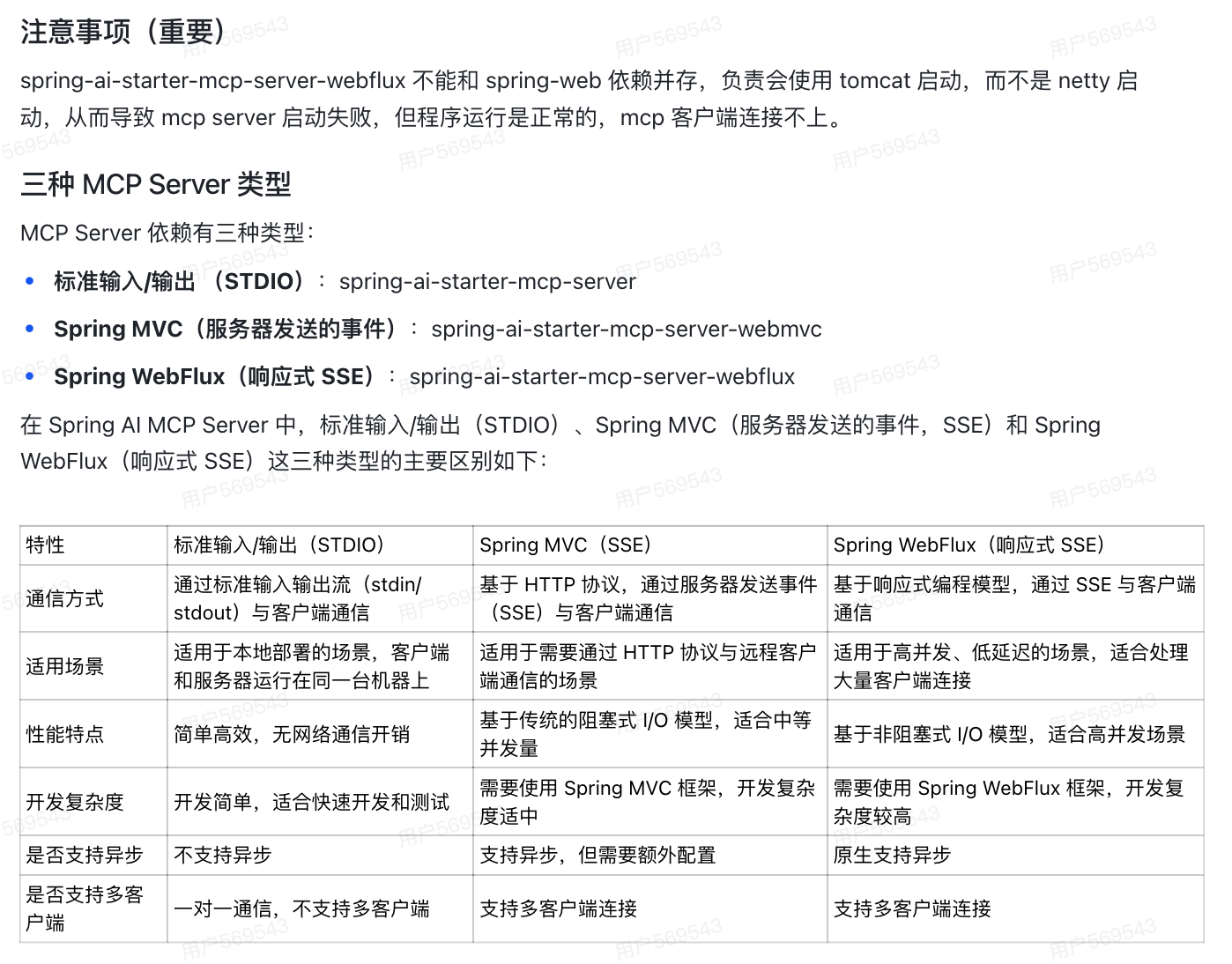
5. MCP有几种类型?它们有什么区别?
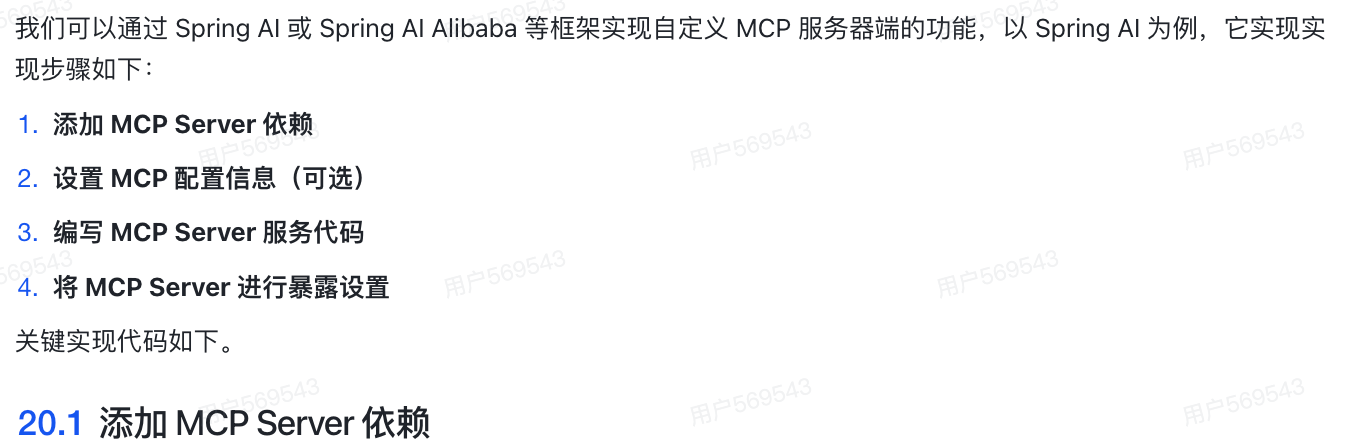
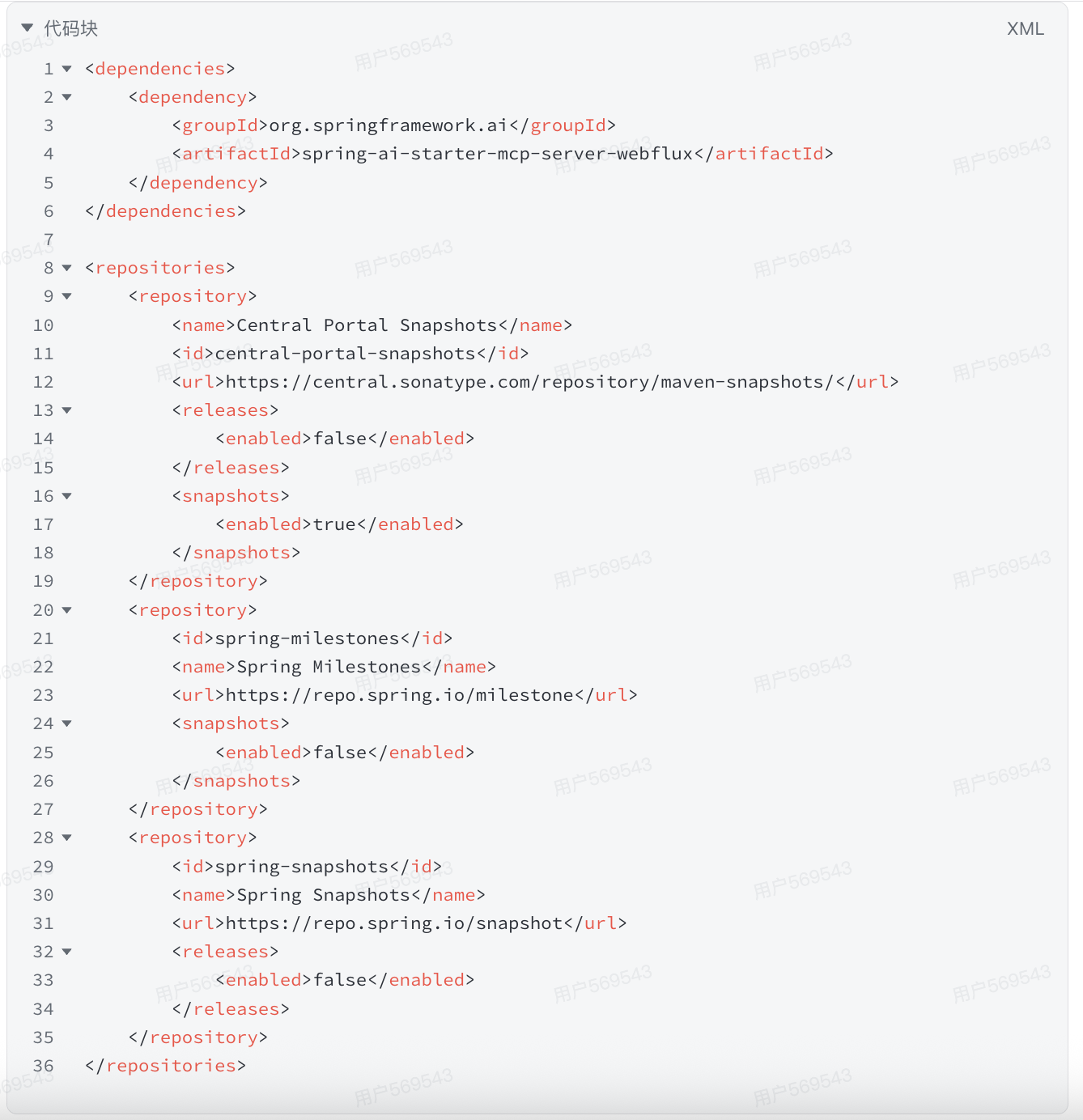
6. 如何自定义MCP服务器?
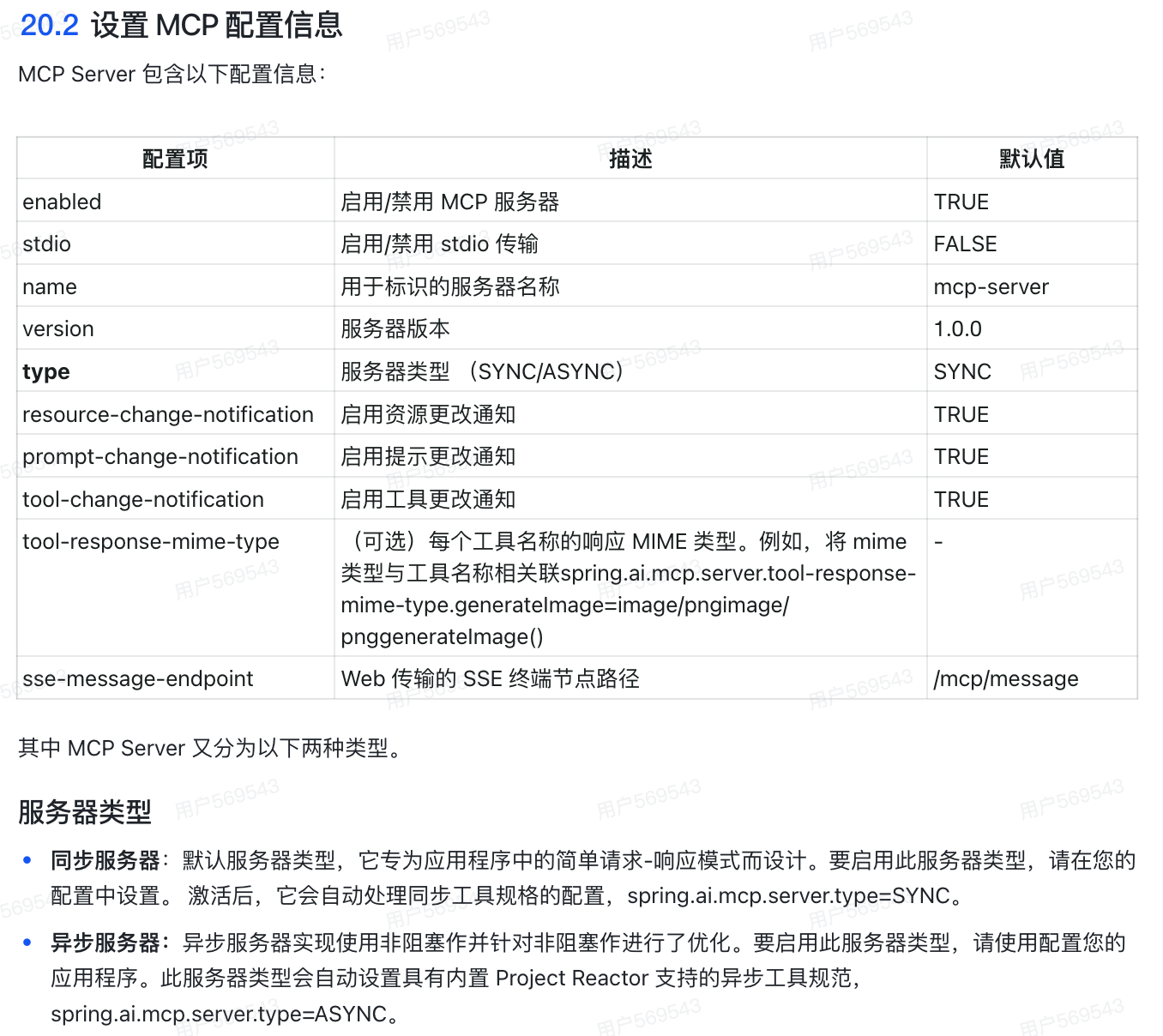
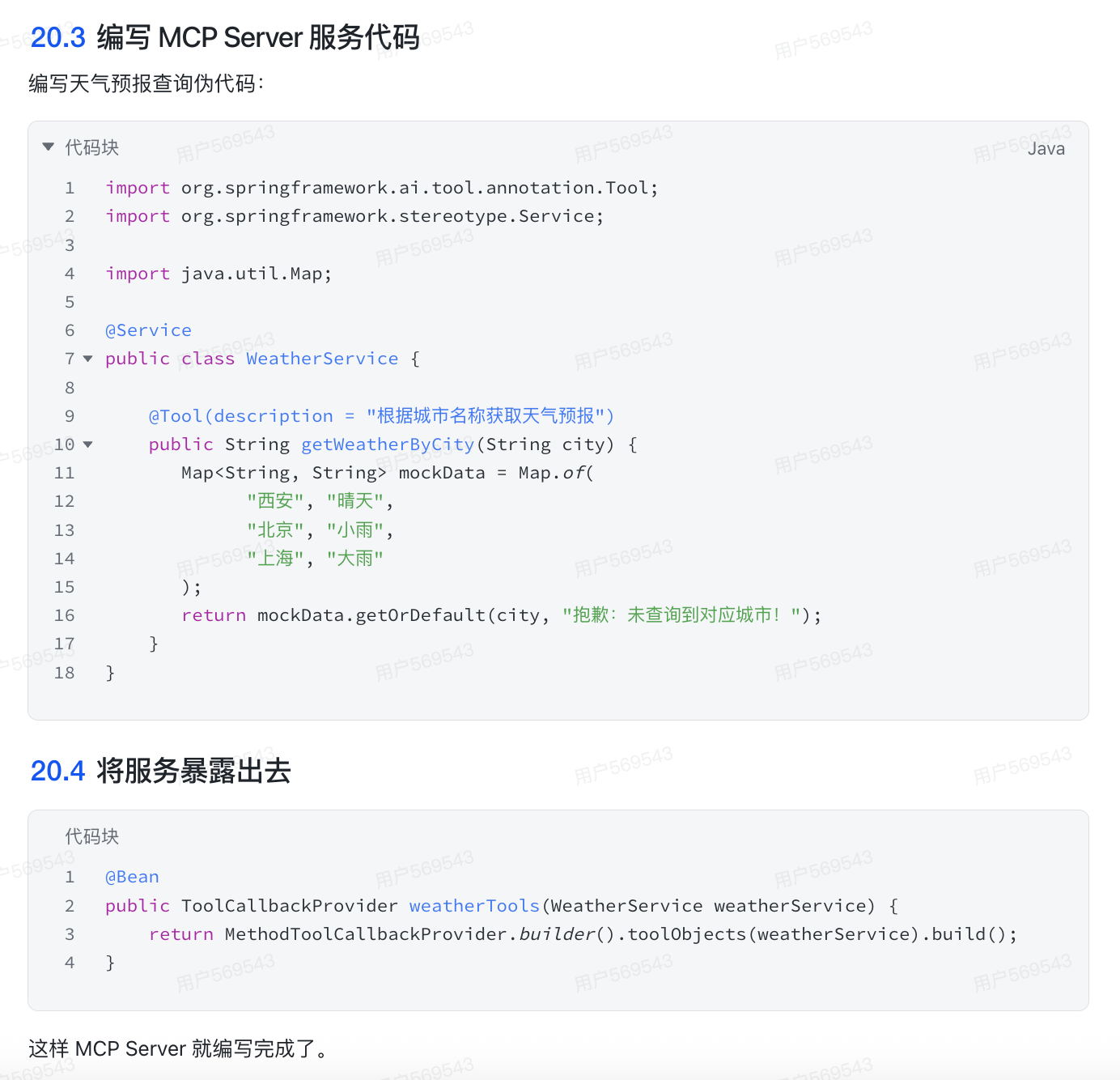
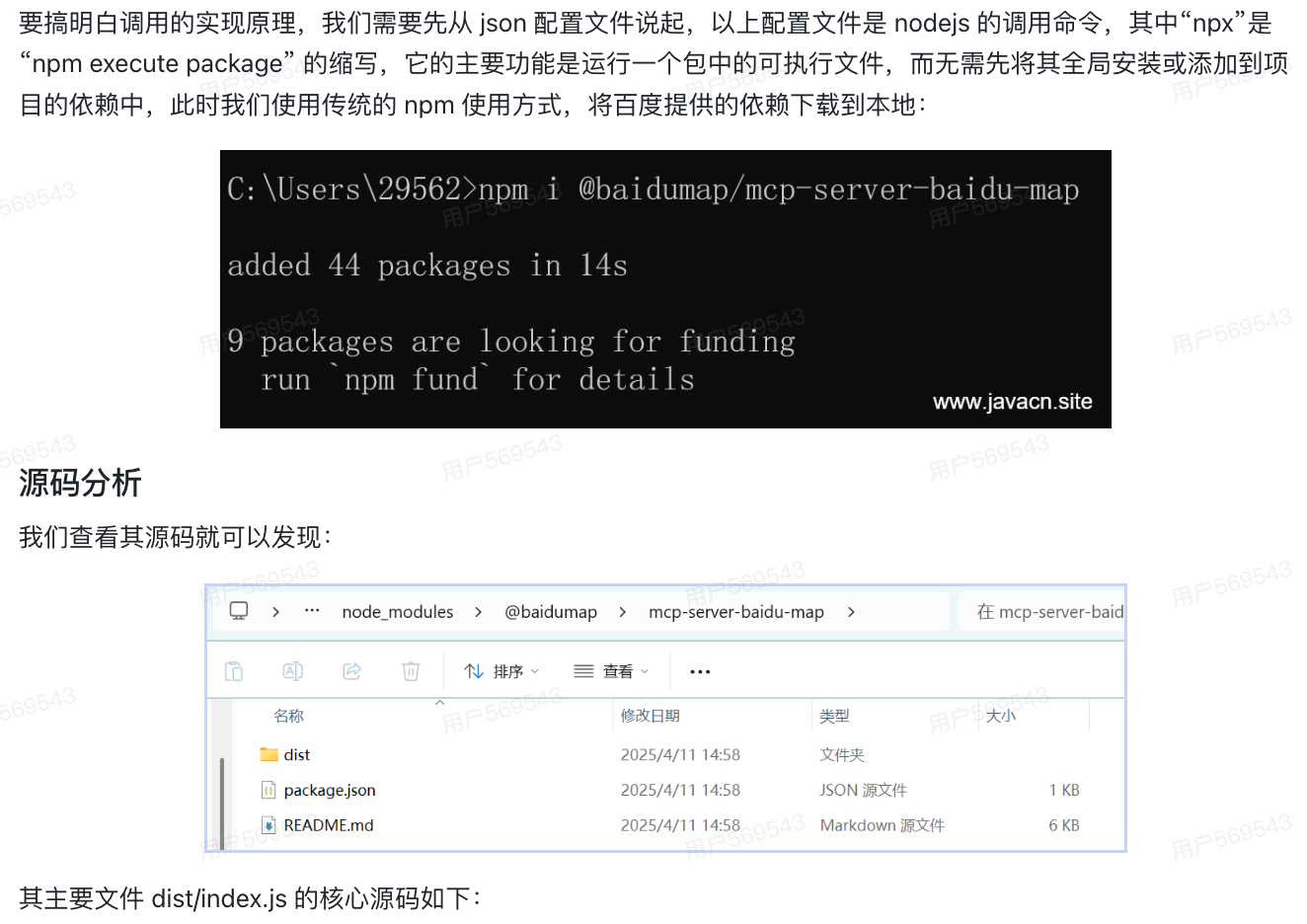
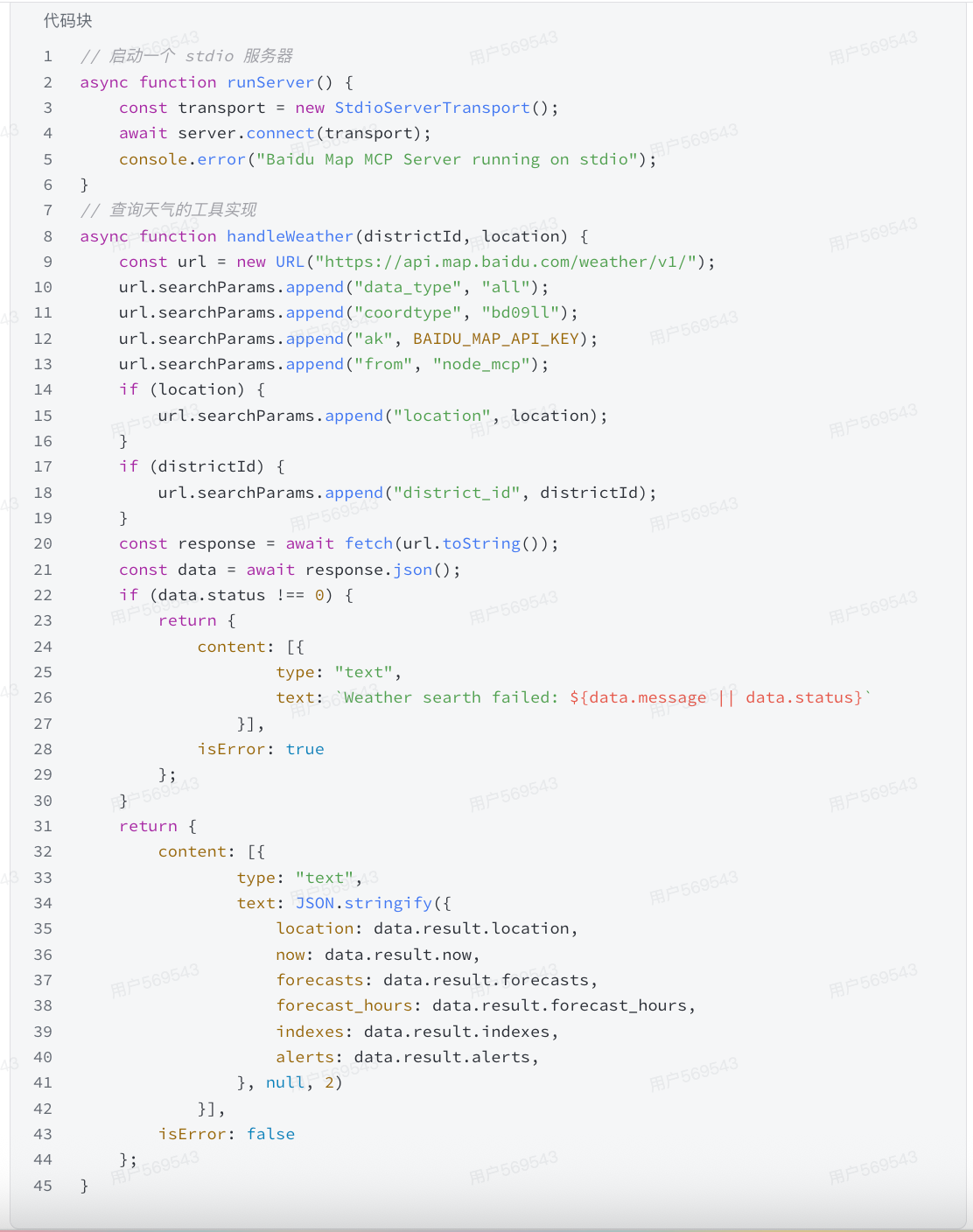
7. 聊聊MCP实现原理?
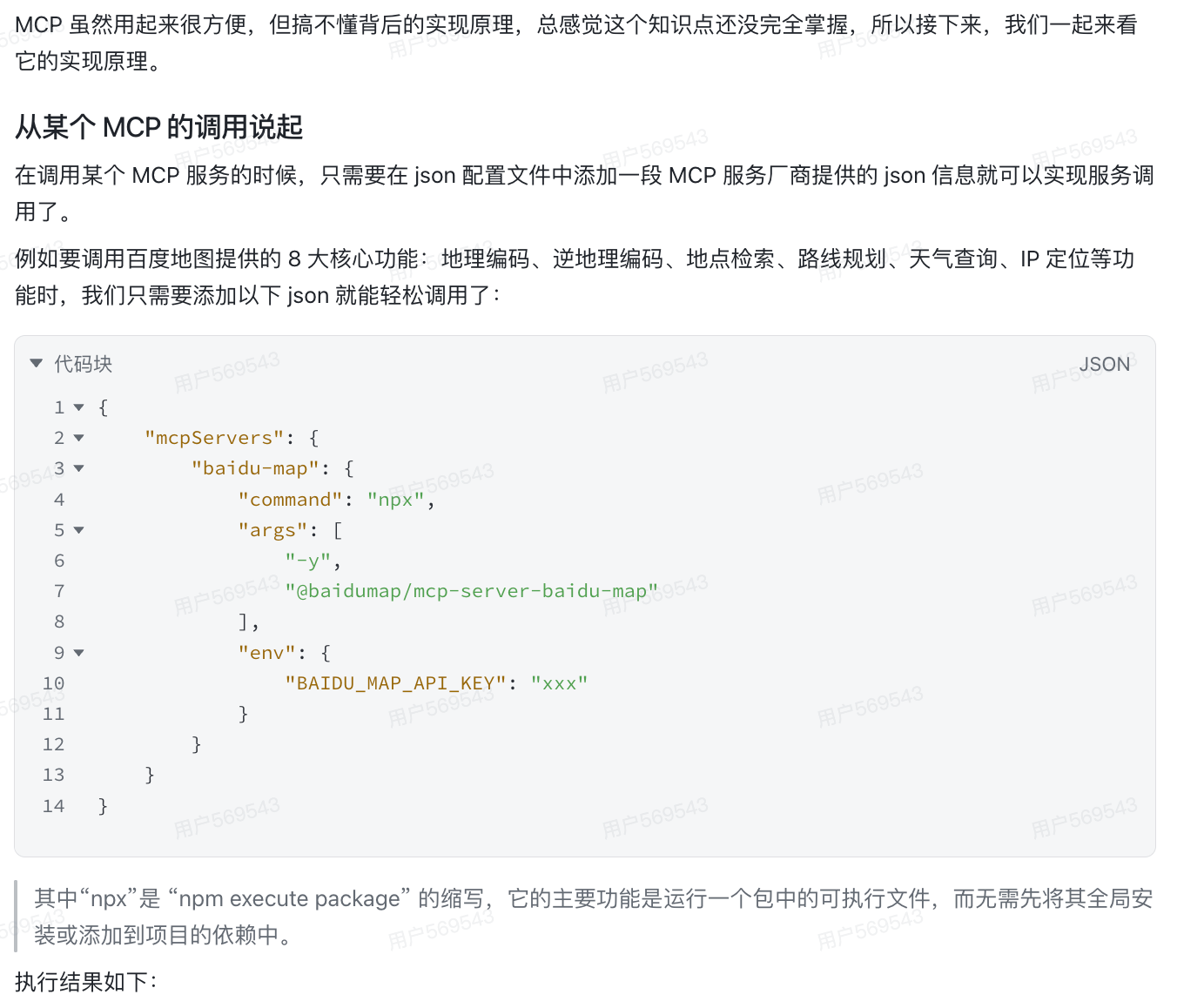
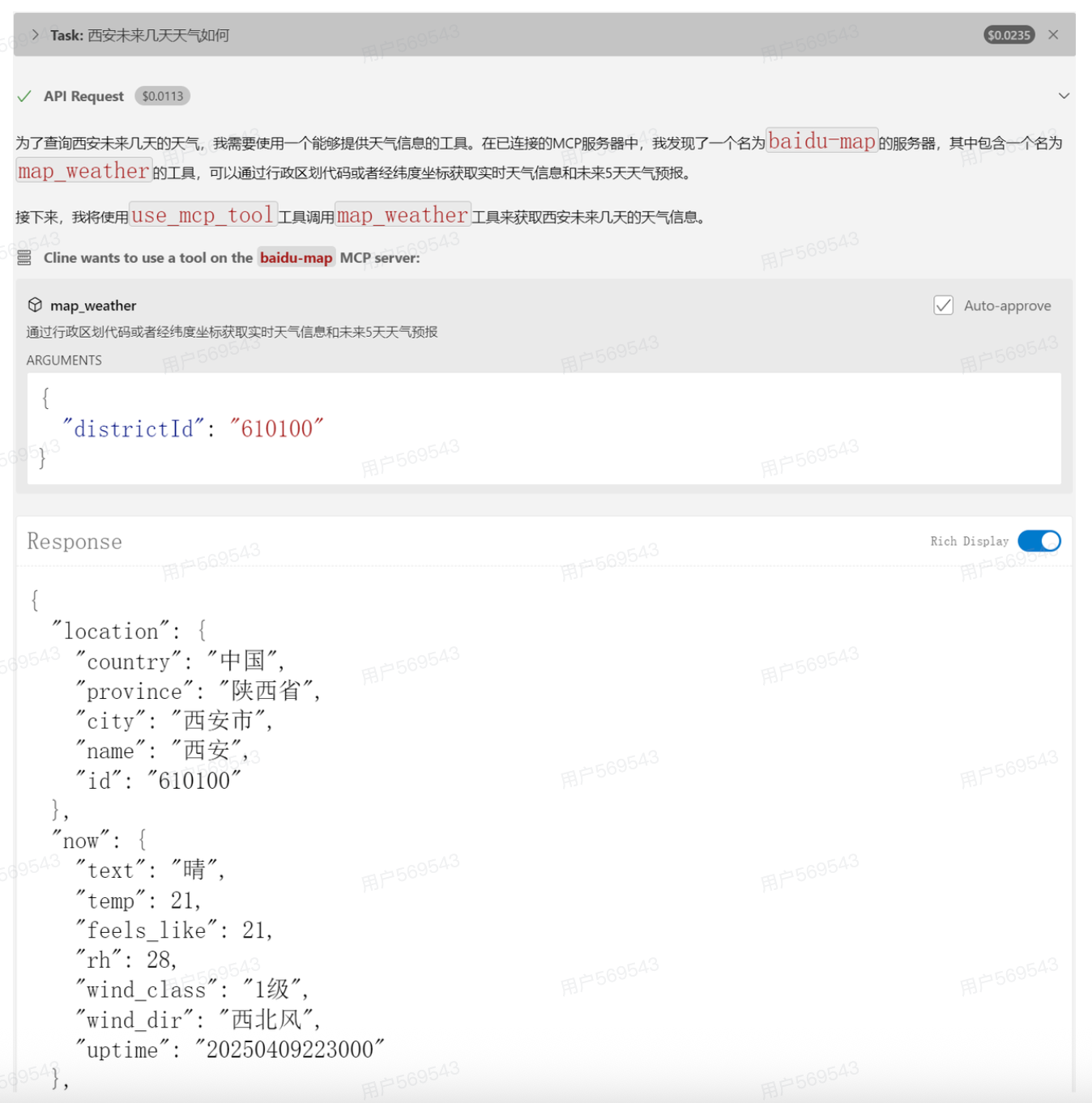
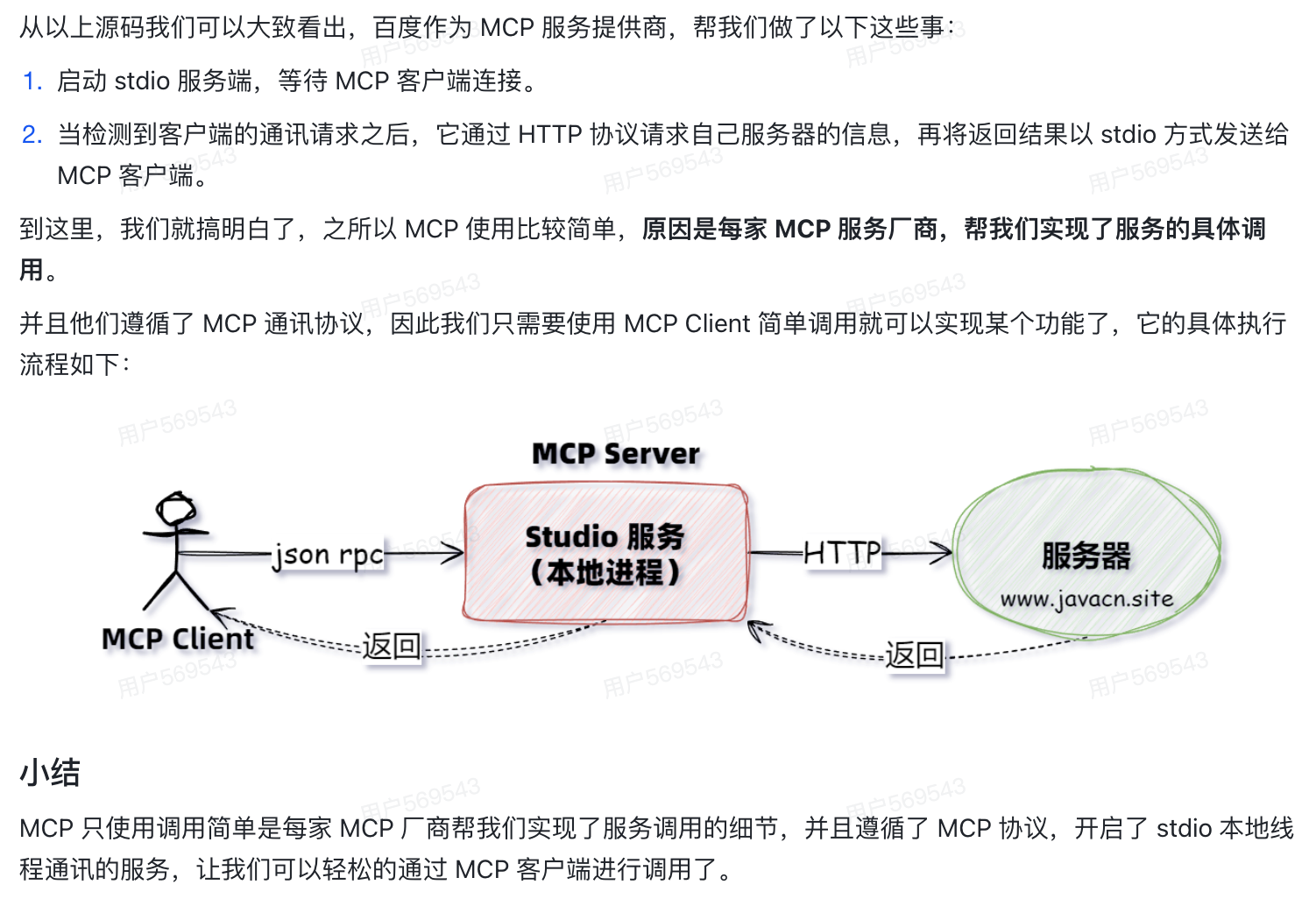
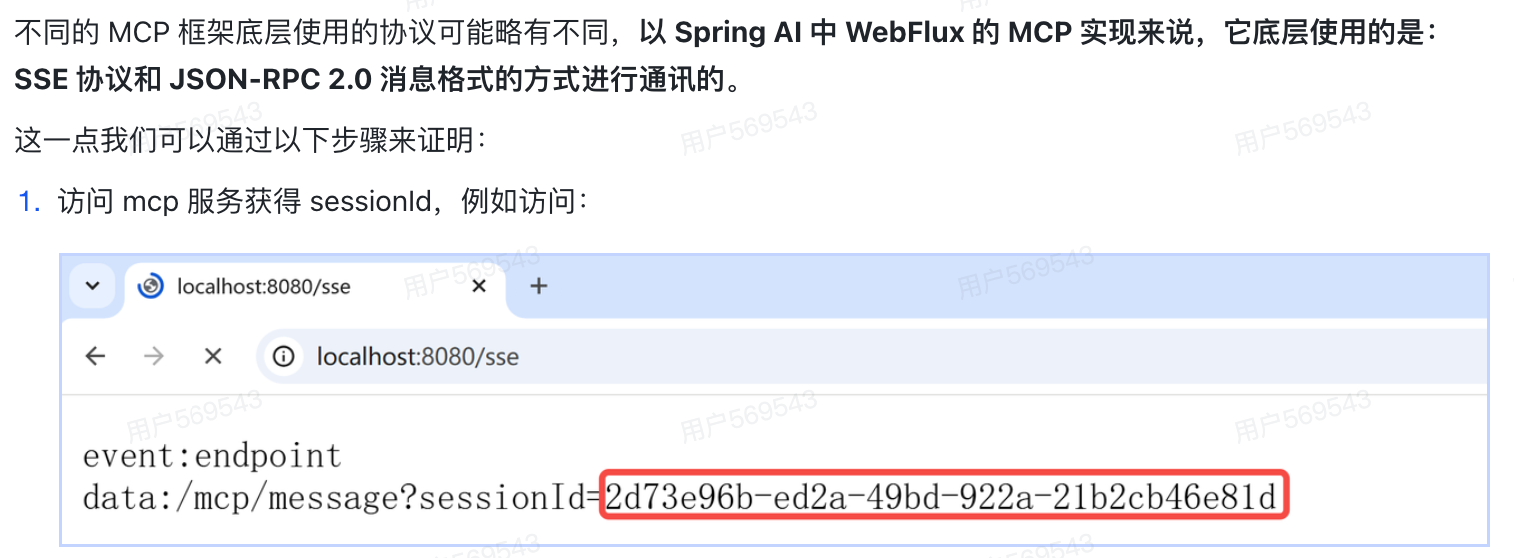
8. MCP底层使用的是什么协议?
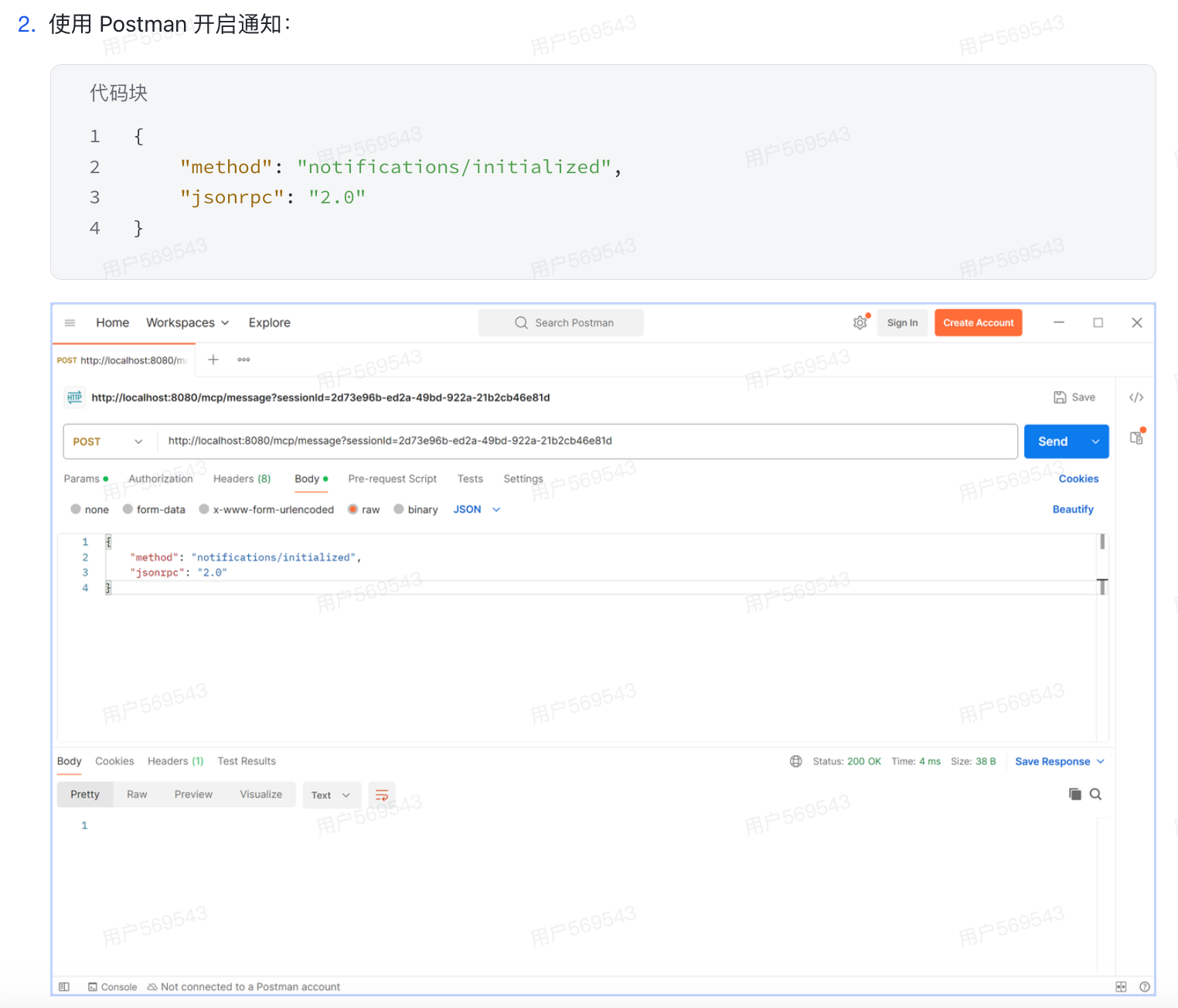
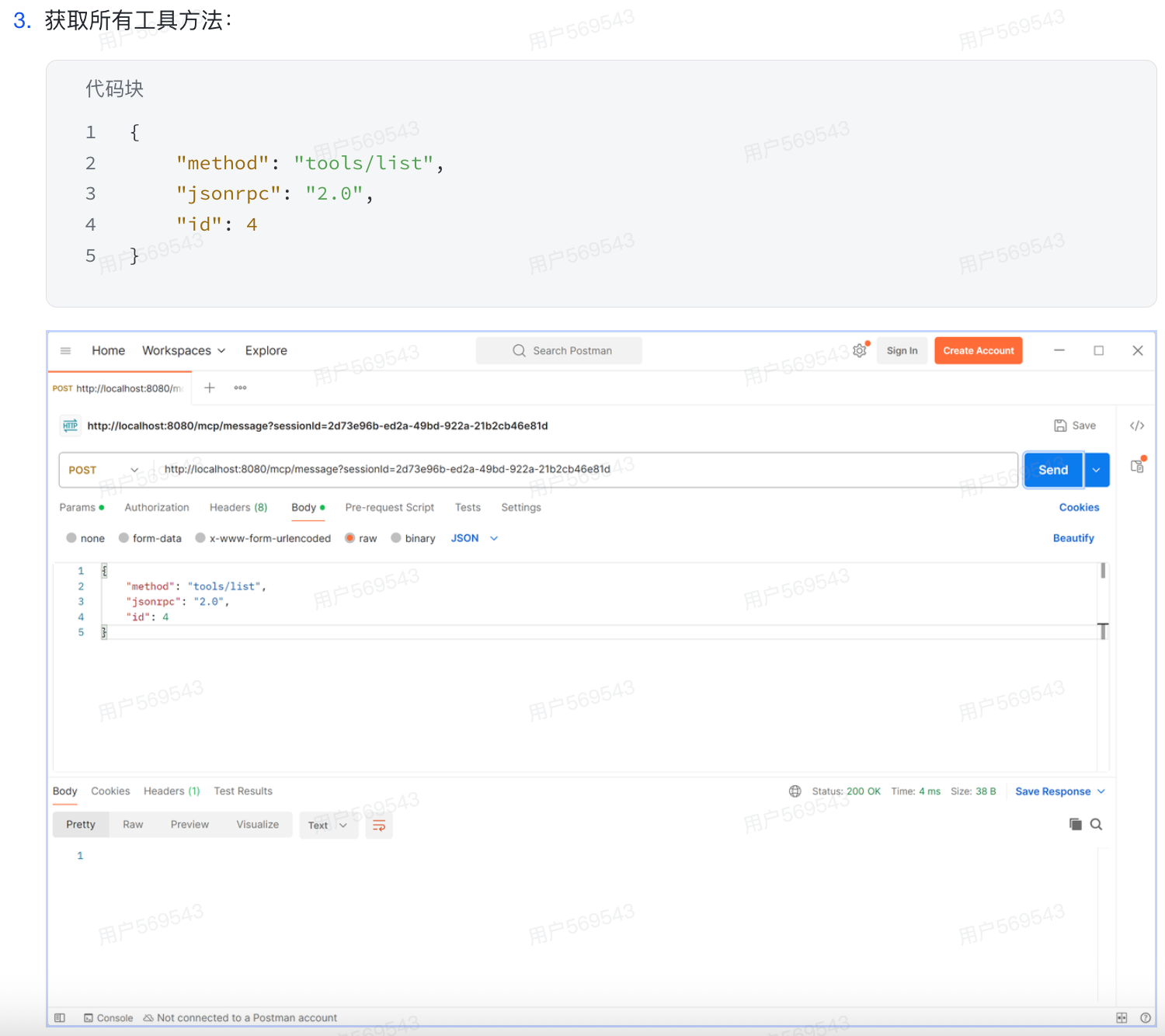
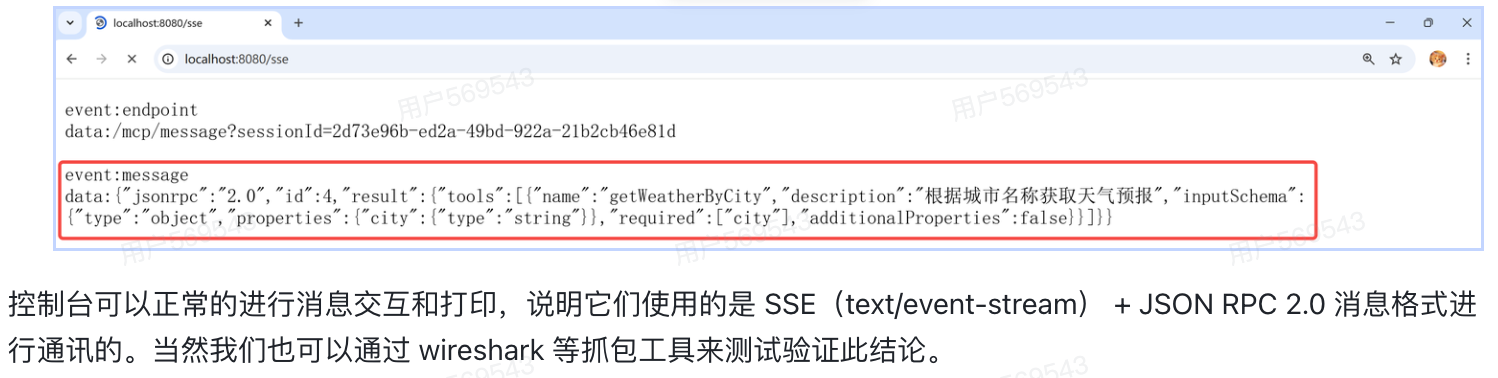
9. 场景题:使用MCP时有没有遇到让你印象深刻的问题?
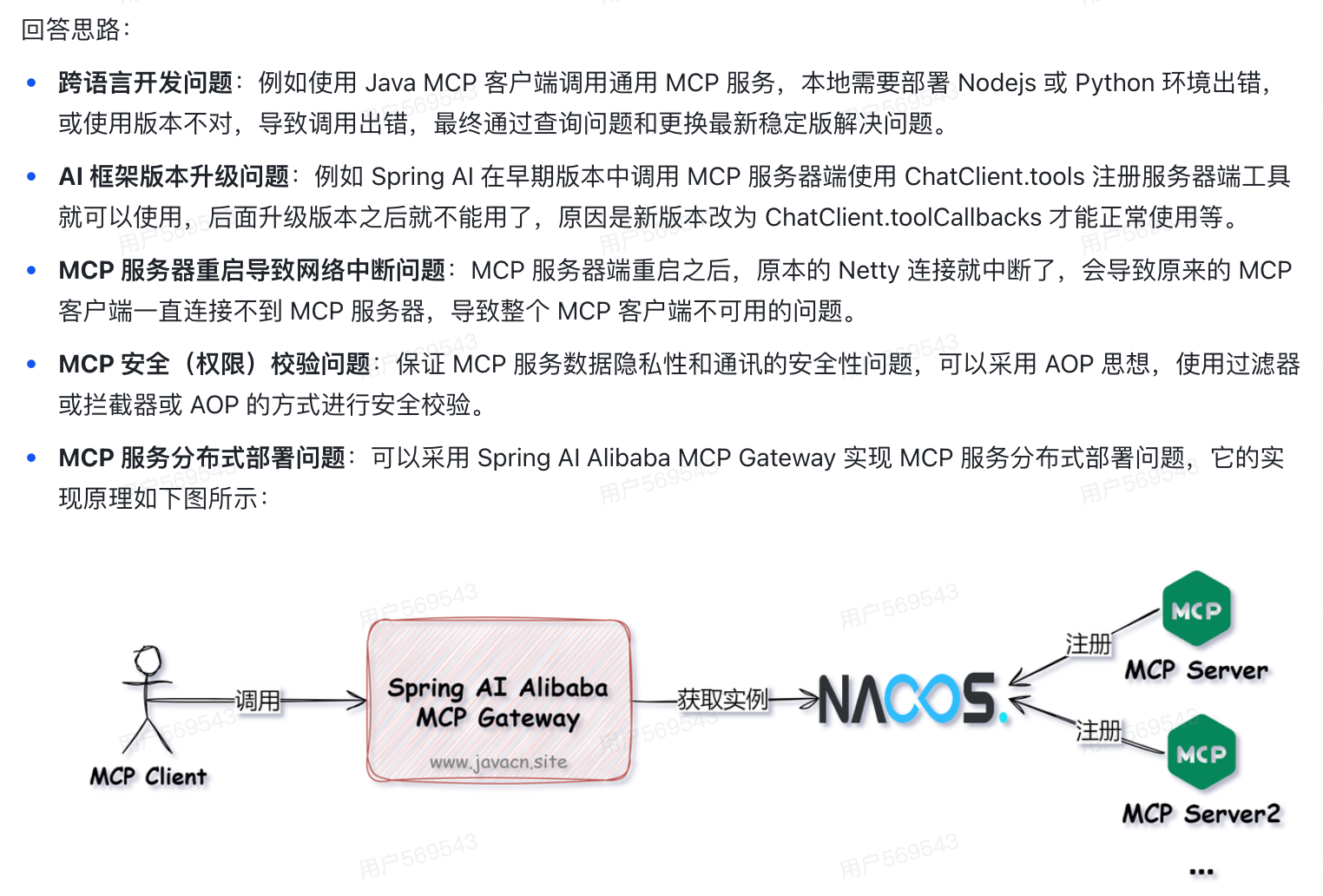
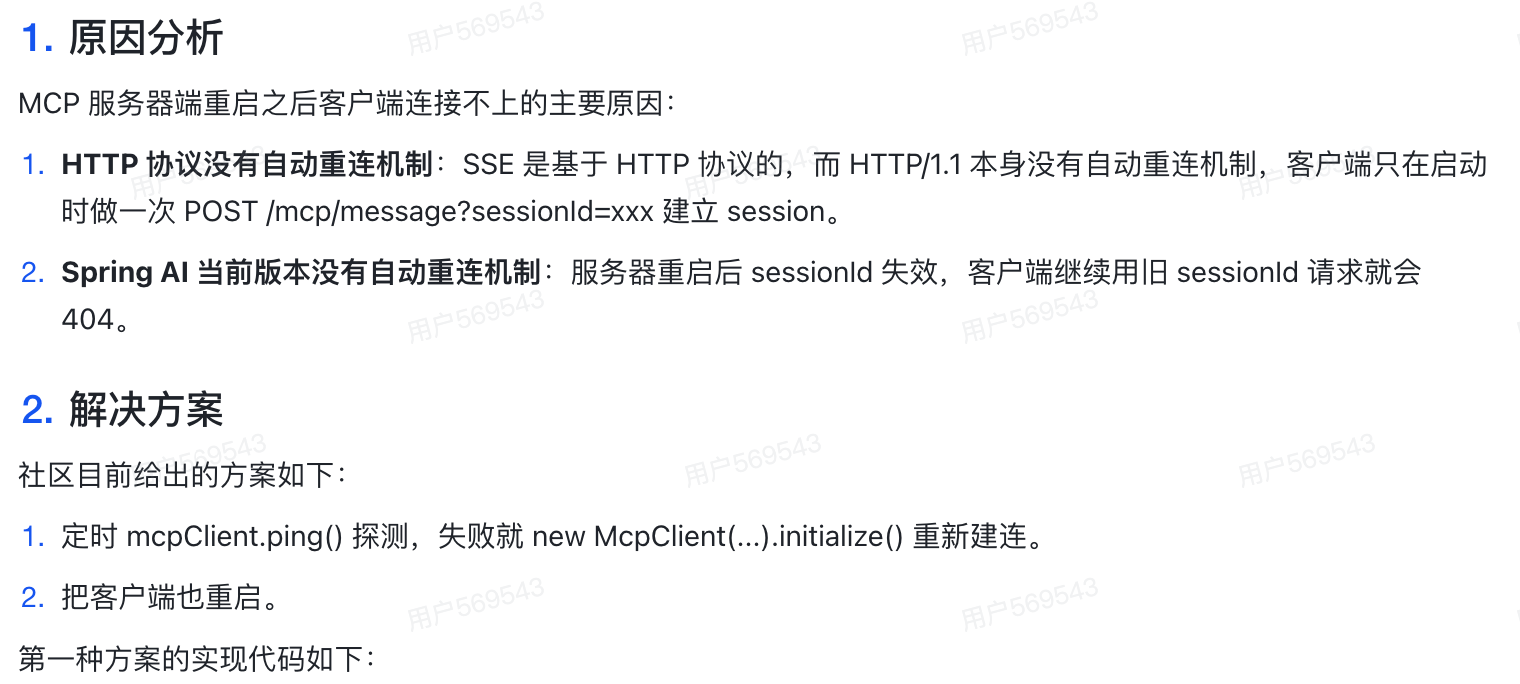
10. 场景题:MCP服务重启时,原来的MCP客户端连接会中断并报错,导致整个MCP客户端不可用,导致这个问题的原因是啥?如何解决这个问题?
java
package com.ai.mcpclient.config;
import java.util.ArrayList;
import java.util.Collections;
import java.util.HashMap;
import java.util.List;
import java.util.Map;
import java.util.stream.Collectors;

import com.fasterxml.jackson.core.JsonProcessingException;
import com.fasterxml.jackson.databind.objectMapper;
import groovy.util.logging.Slf4j;
import org.apache.commons.lang3.StringUtils;
import org.slf4j.Logger;
import org.slf4j.LoggerFactory;
import org.springframework.ai.chat.client.ChatClient;
import org.springframework.ai.chat.model.ChatModel;
import org.springframework.ai.mcp.SyncMcpToolCallbackProvider;
import org.springframework.ai.mcp.client.autoconfigure.properties.McpSseClientProperties;
import org.springframework.ai.mcp.client.autoconfigure.properties.McpSseclientProperties.SseParameters;
import org.springframework.ai.tool.ToolCallback;
import org.springframework.beans.factory.annotation.Autowired;
import org.springframework.boot.context.properties.EnableConfigurationProperties;
import org.springframework.context.annotation.Configuration;
import org.springframework.scheduling.annotation.EnableScheduling;
import org.springframework.scheduling.annotation.Scheduled;

import io.modelcontextprotocol.client.McpClient;
import io.modelcontextprotocol.client.McpSyncClient;
import io.modelcontextprotocol.client.transport.HttpClientSseClientTransport;
import io.modelcontextprotocol.spec.McpSchema;
import jakarta.annotation.Postconstruct;
import sun.tools.jinfo.JInfo;

@EnableScheduling
@Configuration
@EnableConfigurationProperties
@Slf4j
public class ChatClientConfig{
    private static final Logger log = LoggerFactory.getLogger(ChatClientConfig.class);
    /**
    * MCP客户端的配置属性,用于存储MCP客户端的相关配置信息
    * key :服务名称-版本号-服务器地址
    */
    private final Map<String, McpSyncClient> mcpSyncClientMap = new HashMap<>();
    private final Map<String, List<ToolCallback>> toolcallbacksMap = new HashMap<>();
    @Autowired
    private ObjectMapper objectMapper;
    @Autowired
    private McpSseClientProperties mcpSseclientProperties;
    @Autowired
    private ChatModel chatModel;
    private ChatClient chatClient;

    /** 创建或重建MCP客户端。该方法会关闭旧客户端实例(如果存在),并初始化新的MCP客户端及关联的工具会调;
        同步方法确保客户端创建过程的线程安全
     */
    private synchronized void pingAndcheckMcpClient() throws JsonProcessingException {
        log.info("<------->MCP server 状态检测开始");
        if (!this.mcpSyncClientMap.isEmpty()) {
            final List<String> disableServers = new ArrayList<>();
            this.mcpSyncClientMap.forEach((serverUrl, client) -> {
                try {
                    // 检查与服务端的连接状态
                    client.ping();
                } catch (Exception e) {
                    // 捕获连接异常,记录错误日志并重建客户端
                    log.info("<------> MCP server ping 异常");
                    boolean createResult = this.createclientByServerUrl(serverUrl);
                    if (!createResult) {
                        disableServers.add(serverUrl);
                    }
                }
            });
            if (!disableServers.isEmpty()) {
                disableServers.forEach(serverUrl -> {
                    if (!this.mcpSyncClientMap.isEmpty()) {
                        this.mcpSyncClientMap.remove(serverUrl);
                    }
                    if (!this.toolCallbacksMap.isEmpty()) {
                        this.toolcallbacksMap.remove(serverUrl);
                    }
                });
                log.info("<-------->MCP server 状态检测完成,当前存活{} 个MCP客户端,urls={}," +
                                "已失效{} 个MCP客户端,失效 urls={}",
                        this.mcpSyncClientMap.size(),
                        objectMapper.writeValueAsString(this.mcpSyncClientMap.keySet()),
                        disableServers.size(),
                        objectMapper.writeValueAsString(disableServers));
            }
            //找出 mcpSyncClientMap 中不存在,配置文件中存在的连接信息,并再次重建 CP 客户端
            Map<String, SseParameters> connections = this.mcpSseClientProperties.getConnections();
            if (connections.isEmpty()) {
                log.warn("<--------->MCP 没有配置连接信息,请检查配置文件");
                return;
            }
            connections.forEach((key, sseParameter) -> {
                String serverUrl = sseParameter.url();
                if (this.mcpSyncClientMap.containsKey(serverUrl) || disableServers.contains(serverUrl)) {
                    return;
                }
                //不在 mcpSyncClientMap 和 disableServers 中,则重建MCP 客户端
                this.createClientByServerUrl(serverUrl);
            });
        } else {
            this.initMcpclient();
        }
    }

    private boolean createclientByServerUrl(String serverUrl) {
        if (StringUtils.isBlank(serverUrl)) {
            log.warn("serverUrl is blank, please check the configuration file.");
            return false;
        }
        try {
            final HttpClientSseClientTransport transport = HttpClientSseClientTransport.builder(serverUrl).build();
            final McpSyncClient newClient = McpClient.sync(transport).build();
            // 初始化新客户端并记录结果
            final McpSchma.InitializeResult init = newClient.initialize();
            log.info("<-------->Sync MCP initialized 完成 :{}", init.serverInfo());
            final List<ToolCallback> curToolCallbacks = List.of(new SyncMcpToolCallbackProvider(newClient).getToolCallbacks());
            this.toolcallbacksMap.put(serverUrl, curToolCallbacks);
            this.mcpSyncClientMap.put(serverUrl, newClient);
            // 重新创建 ChatClient
            createChatClient();
        } catch (Exception ex) {
            log.error("<--------->createClientByServerUrl 链接 MCP 客户端失败 :{} , serverUrl = {}", ex.getLocalizedMessage(), serverUrl);
            return false;
        }
        return true;
    }

    private synchronized void initMcpClient() {
        Map<String, SseParameters> connectionsMap = mcpSseClientProperties.getConnections();
        if (connectionsMap.isEmpty()) {
            log.warn("initMcpClient <--------->MCP 没有配置连接信息,请检查配置文件");
            return;
        }
        connectionsMap.forEach((key, sseParameter) -> {
            String serverUrl = sseParameter.url();
            this.createClientByServerUrl(serverUrl);
        });
    }

    /**
     * 获取工具回调列表。该方法会确保MCP客户端处于有效连接状态,若连接异常则自动重建客户端
     * @return 已配置的工具回调列表
     */
    public List<ToolCallback> getToolCallbacks() {
        if(!this.toolcallbacksMap.isEmpty()) {
            return this.toolcallbacksMap.values().stream().flatMap(List::stream).collect(Collectors.toList());
        }
        return Collections.emptyList();
    }

    /**
     * 每秒检查一次MCP客户端的状态,并重建异常的客户端。
     */
    @Scheduled(cron = "* * * * *?")
    public void checkMcpClient () throws JsonProcessingException {
        this.pingAndCheckMcpClient();
    }

    /**
     * 在Bean初始化时创建MCP客户端
     */
    @PostConstruct
    public void init () throws JsonProcessingException {
        log.info("<------->MCP Initializing...");
        //在Bean初始化时强制执行
        initMcpClient();
        log.info("<------->MCP Initialized 完成,共初始化 {} 个MCP客户端,urls={}",
                this.mcpSyncClientMap.size(),
                objectMapper.writeValueAsString(this.mcpSyncClientMap.keySet()));
    }

    /**
     * 创建 ChatClient
     */
    private synchronized void createChatClient () {
        //仅在Mcp Server 重连之后需要重新创建 ChatClient
        List<ToolCallback> toolcallbacks = this.getoolcallback();
        this.chatClient = Chatclient.builder(chatModel).defaultTools(toolCallbacks).build();
    }

    /**
     * 获取 ChatClient
     */
    public synchronized ChatClient getchatclient () {
        if (this.chatClient == null) {
            this.createChatClient();
        }
        return this.chatClient;
    }
}
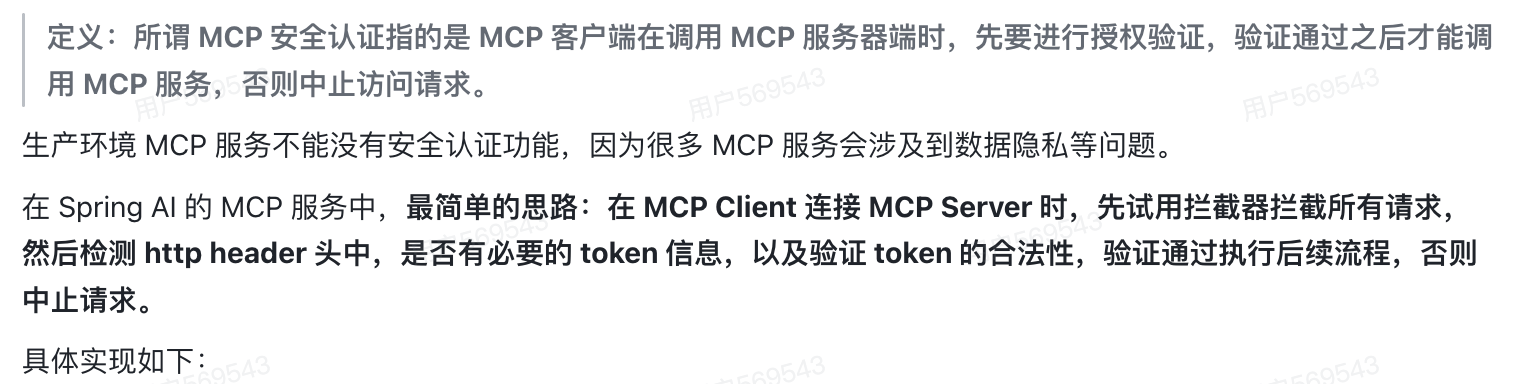
11. 如何实现MCP的安全认证?
java
import org.springframework.core.annotation.Order;
import org.springframework.http.HttpStatus;
import org.springframework.stereotype.Component;
import org.springframework.web.server.ServerWebExchange;
import org.springframework.web.server.WebFilter;
import org.springframework.web.server.WebFilterChain;
import reactor.core.publisher.Mono;
import java.util.List;

@Component
@Order(-1) // 设置过滤器执行顺序,数字越小优先级越高
public class TokenValidationFilter implements WebFilter {
    //排查验证的路径
    private static final List<String> EXCLUDE_PATHS = List.of("/api/login", "/api/public");
    private static final String AUTH_HEADER = "Authorization";
    private static final String VALID_TOKEN = "123";

    @Override
    public Mono<Void> filter(ServerWebExchange exchange, WebFilterchain chain) {
        // 获取请求路径
        String path = exchange.getRequest().getPath().toString();
        // 一、检查是否为排除路径
        if (EXCLUDE_PATHS.contains(path)) {
            return chain.filter(exchange);
        }
        // 二、其余验证逻辑
        // 1.获取请求头中的token
        String token = exchange.getRequest().getHeaders().getFirst(AUTH_HEADER);
        //2.验证token
        if (VALID_TOKEN.equals(token)) {
            return chain.filter(exchange);//token有效,放行请求
        } else {
            // token无效,返回401未授权状态
            exchange.getResponse().setStatusCode(HttpStatus.UNAUTHORIZED);
            return exchange.getResponse().setComplete();//中止请求
        }
    }
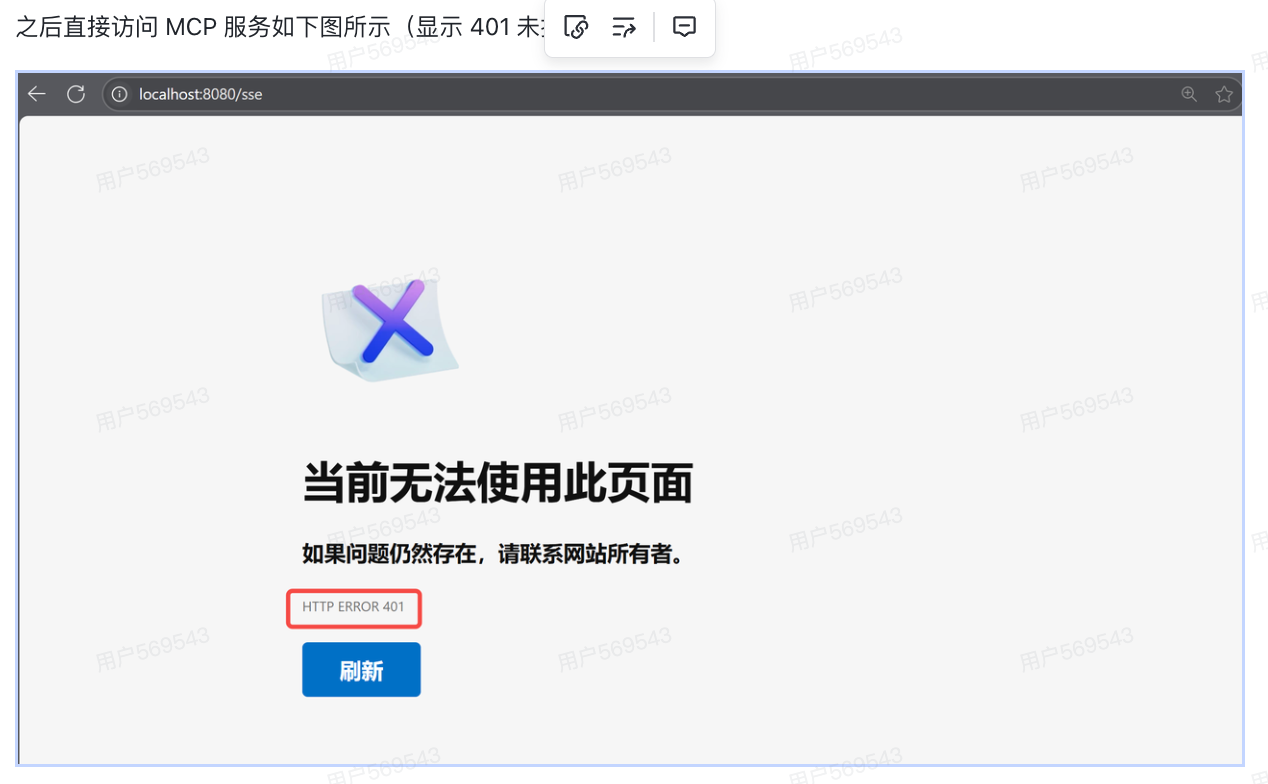
}
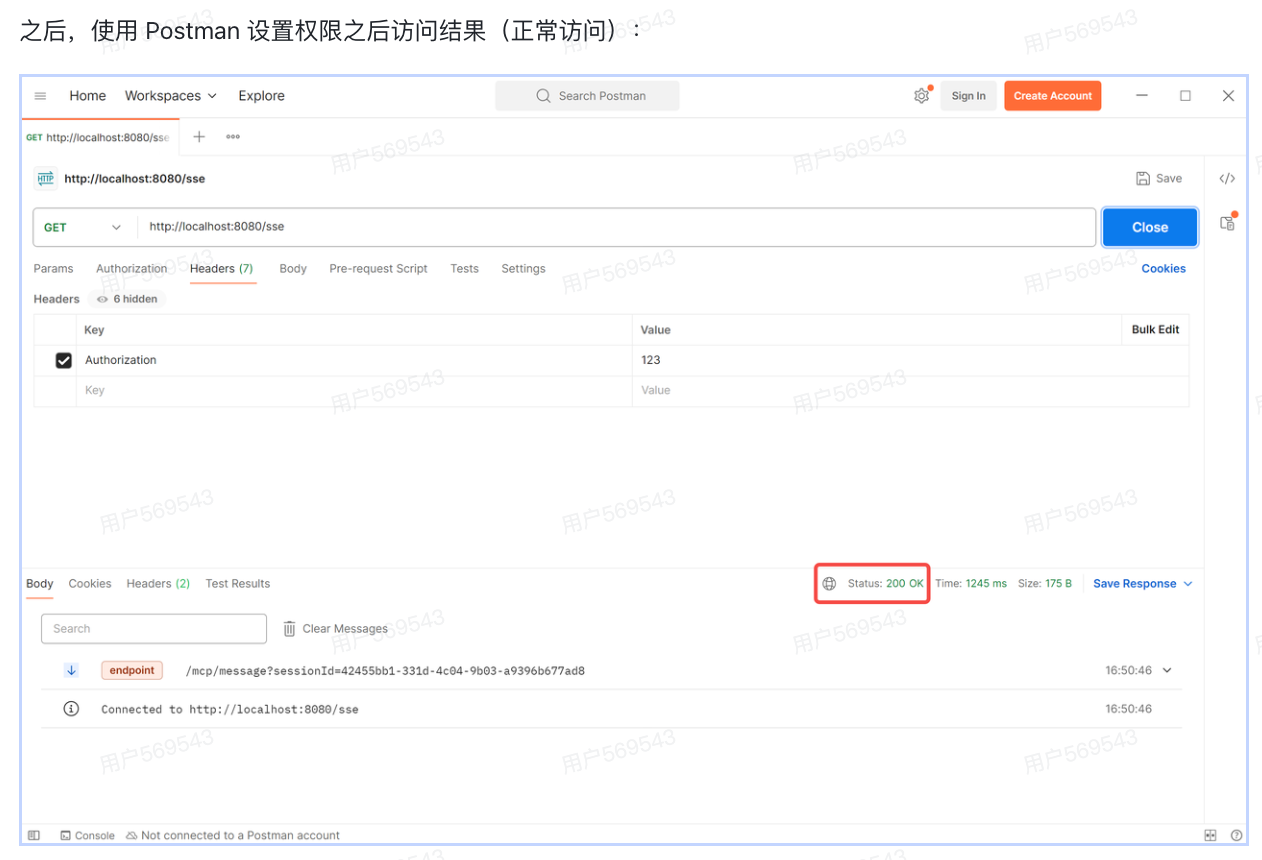
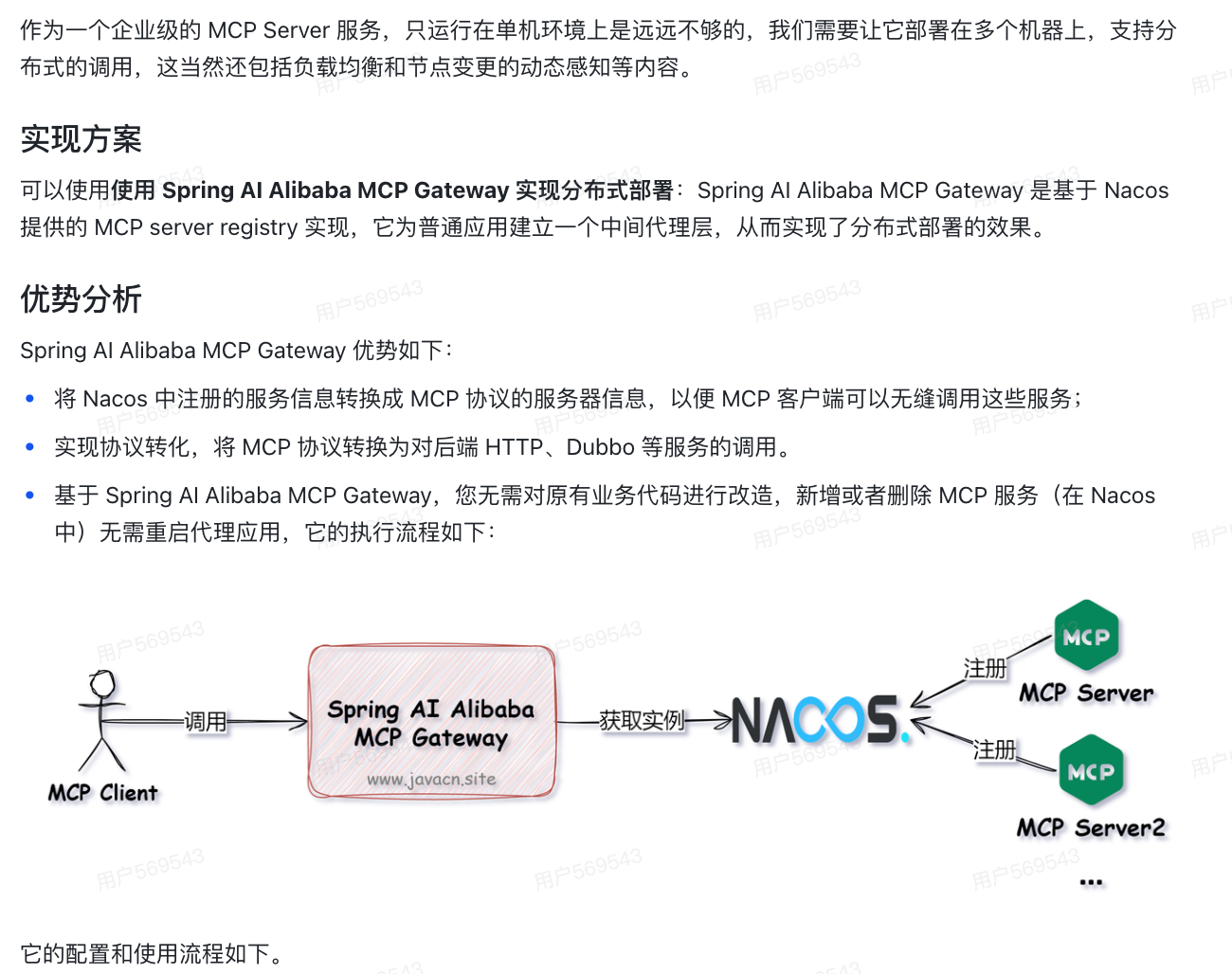
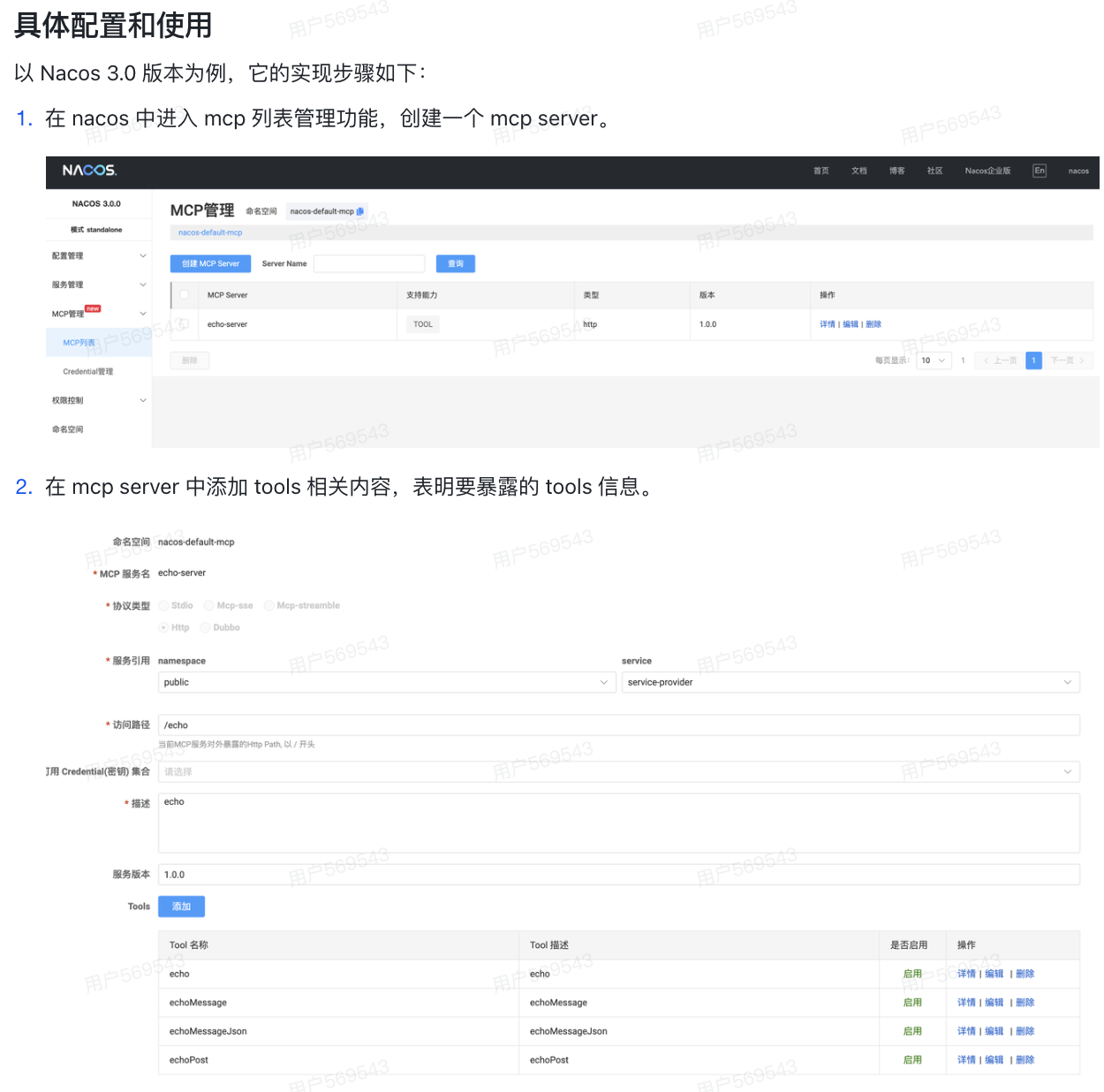
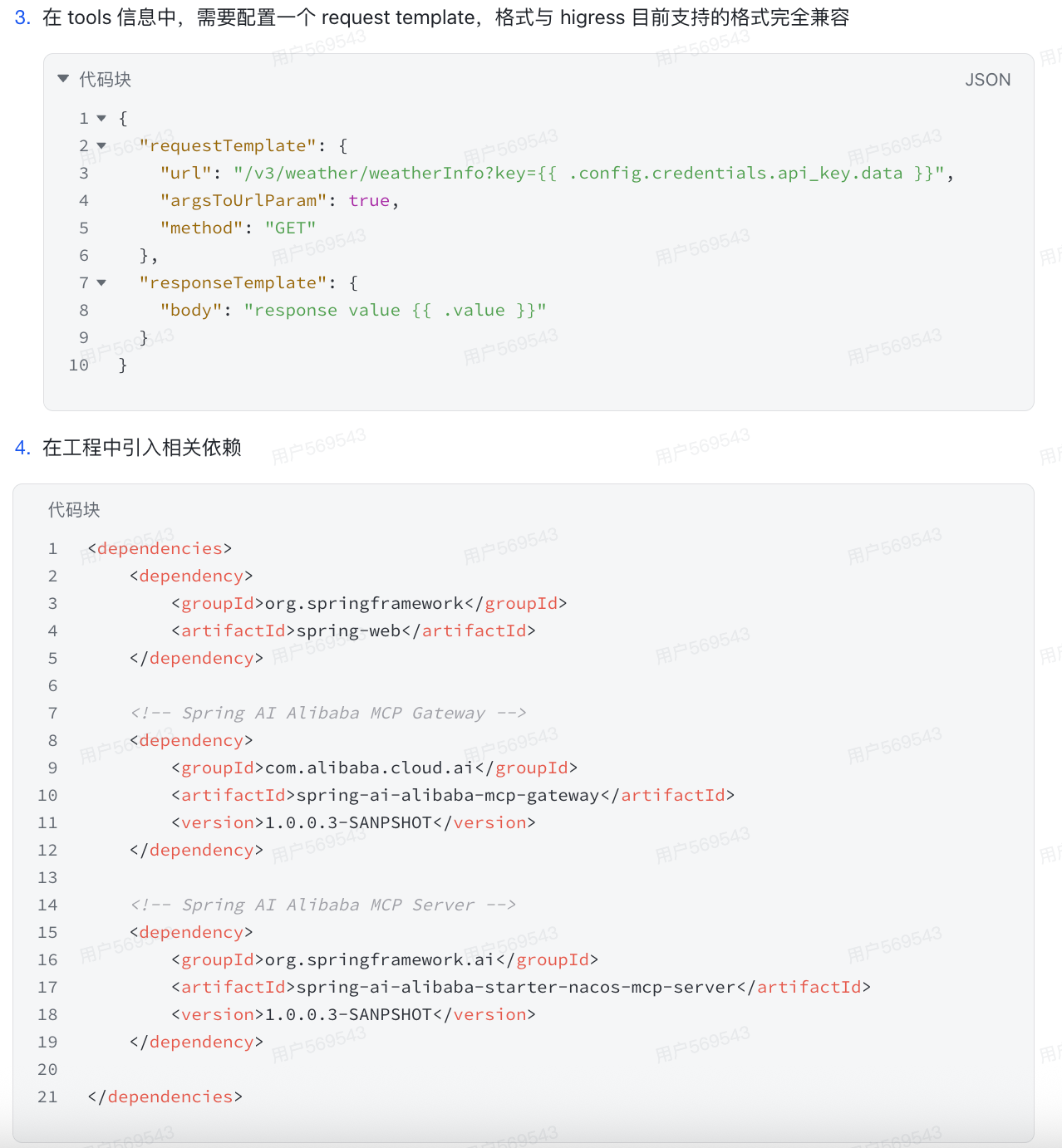
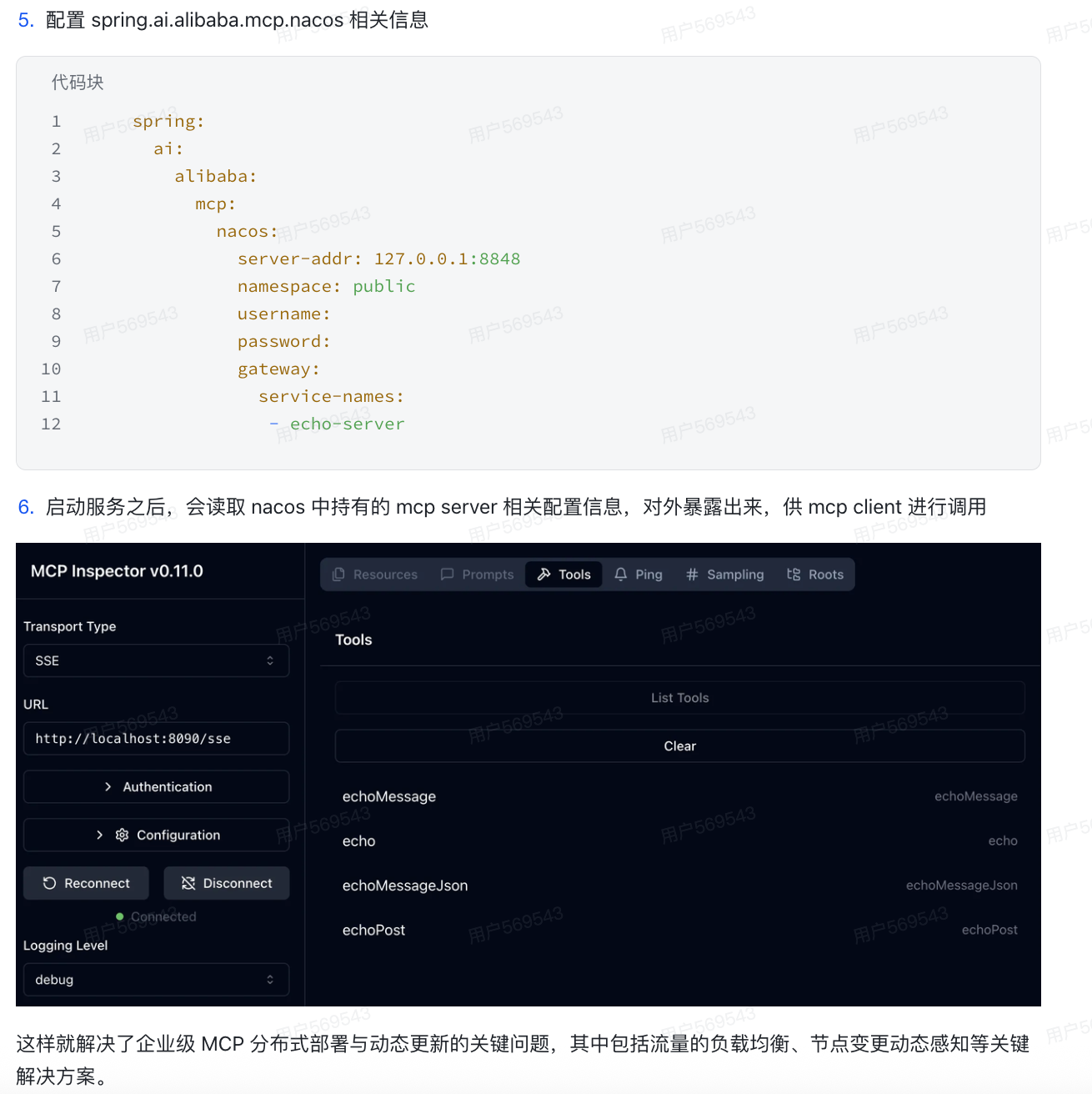
12. 如何实现企业级MCP服务分布式部署?
13. MCP和FunctionCall有什么区别?