手写 MyBatis(2):框架骨架与 XML 解析层实现
作者:武子康的个人博客
TL;DR
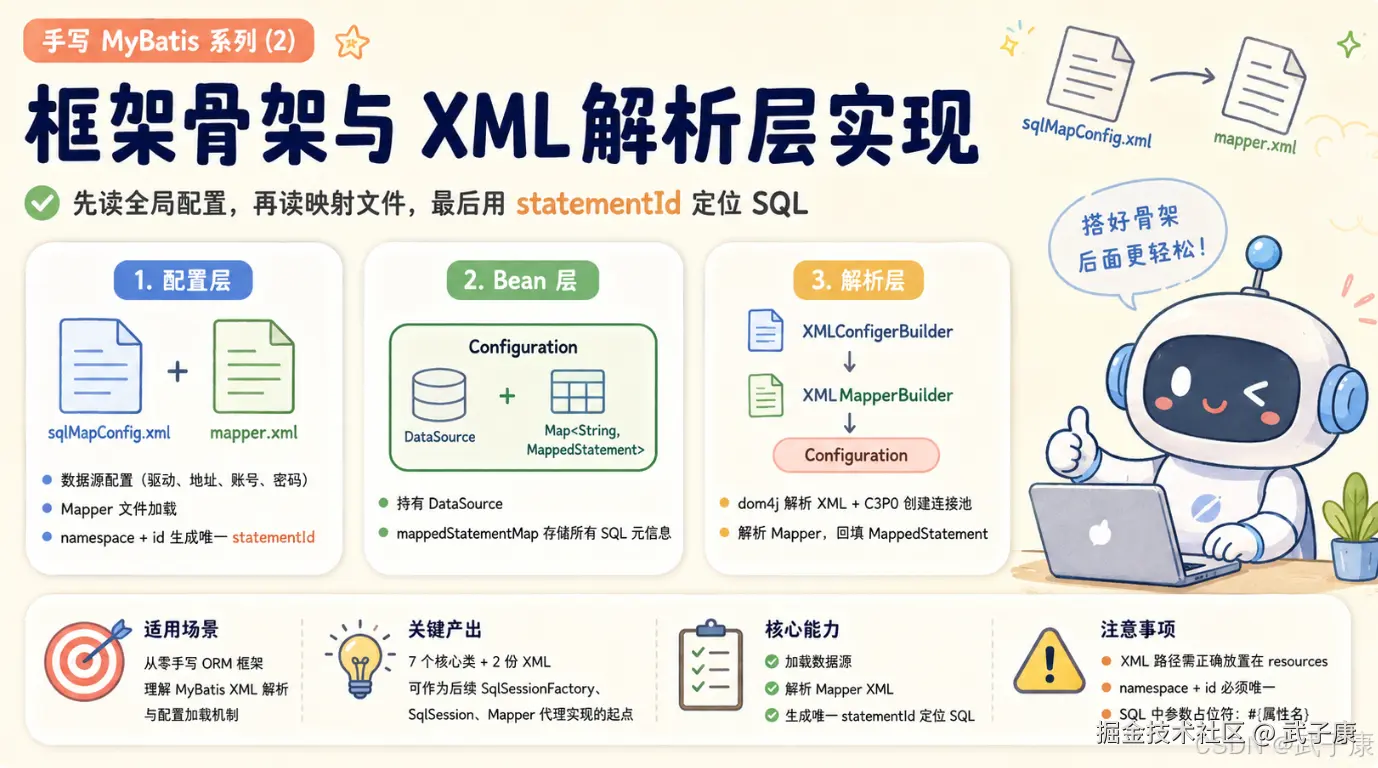
- 场景 :面向正在从零手写 ORM 框架、希望理解 MyBatis 底层 XML 解析与配置加载机制的 Java 后端开发者,在上一篇文章梳理了原始 JDBC 的 6 大问题之后,本篇正式进入框架实现阶段,落地
sqlMapConfig.xml+mapper.xml双配置文件结构,以及对应的Configuration、MappedStatement、Resources、XMLConfigerBuilder、XMLMapperBuilder五大核心类。 - 结论 :简化版 MyBatis 框架的"骨架层"职责清晰可拆为三层------配置层 (sqlMapConfig.xml 描述数据源 + mapper.xml 描述 SQL,通过
namespace + "." + id拼接唯一 statementId)、Bean 层 (Configuration 持有 DataSource 与Map<String, MappedStatement>,MappedStatement 描述单条 SQL 的元信息)、解析层(XMLConfigerBuilder 用 dom4j + C3P0 解析全局配置,XMLMapperBuilder 负责解析每个 Mapper 文件并回填到 Configuration 的 mappedStatementMap);这套结构完整复刻了 MyBatis 3 源码中"先读全局配置、再读映射文件、最后用 statementId 定位 SQL"的初始化链路。 - 产出 :
sqlMapConfig.xml+mapper.xml两份 XML 配置模板 +UserInfo实体类(Lombok@Data)+Configuration/MappedStatement/Resources三个核心 Bean +XMLConfigerBuilder/XMLMapperBuilder两个解析器,共 7 个源文件,可直接作为后续 SqlSessionFactory / SqlSession / Mapper 代理实现的起点。
框架实现
在当前项目的 resources 目录下新建两个 XML 配置文件:
sqlMapConfig.xmlmapper.xml
这两个文件分别对应框架的全局配置和 SQL 映射配置。前者负责数据库连接与 Mapper 文件加载,后者负责描述具体 SQL、参数类型和返回值类型。
sqlMapConfig.xml
xml
<?xml version="1.0" encoding="UTF-8"?>
<configuration>
    <property name="driverClass" value="com.mysql.cj.jdbc.Driver"></property>
    <property name="jdbcUrl" value="jdbc:mysql://127.0.0.1:3306/wzk_mybatis?characterEncoding=utf-8"></property>
    <property name="user" value="root"></property>
    <property name="password" value="your_password"></property>
    <mapper resource="mapper.xml"></mapper>
</configuration>
对应的截图如下所示:
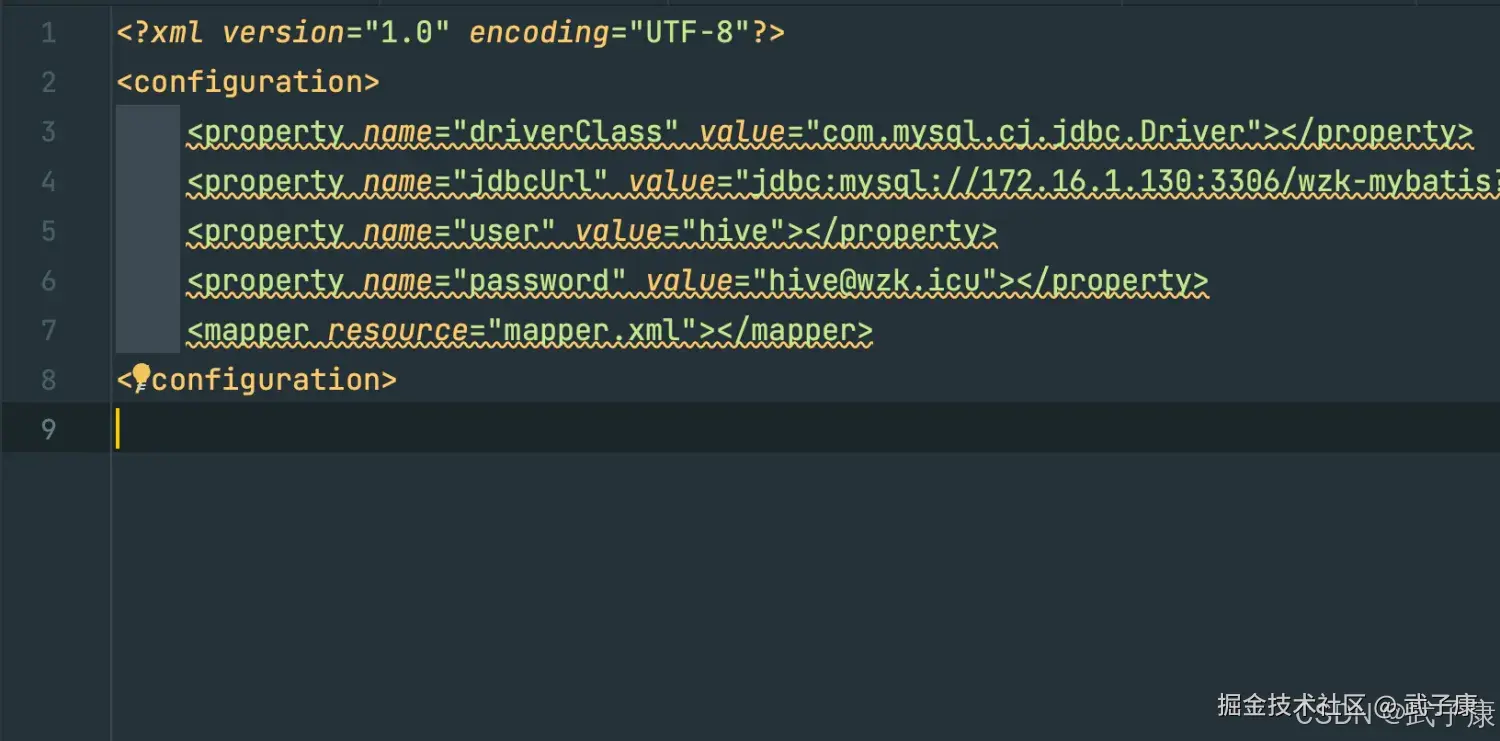
这份配置文件的作用类似 MyBatis 中的全局配置文件,主要包含两类信息:
- 数据库连接信息:包括驱动类、JDBC 地址、用户名和密码。
- Mapper 文件位置:通过
<mapper resource="mapper.xml">指定需要加载的 SQL 映射文件。
后续框架启动时,会先读取 sqlMapConfig.xml,解析其中的数据库配置,并继续加载 mapper.xml 中定义的 SQL 信息。
mapper.xml
这里先实现两个简单查询:一个单条查询,一个列表查询。
xml
<mapper namespace="icu.wzk.dao.UserInfoMapper">
    <select id="selectOne" parameterType="icu.wzk.model.UserInfo" resultType="icu.wzk.model.UserInfo">
        SELECT
            *
        FROM
            user_info
        WHERE
            username=#{username}
    </select>
    <select id="selectList" parameterType="icu.wzk.model.UserInfo" resultType="icu.wzk.model.UserInfo">
        SELECT
            *
        FROM
            user_info
    </select>
</mapper>
对应的截图如下所示:
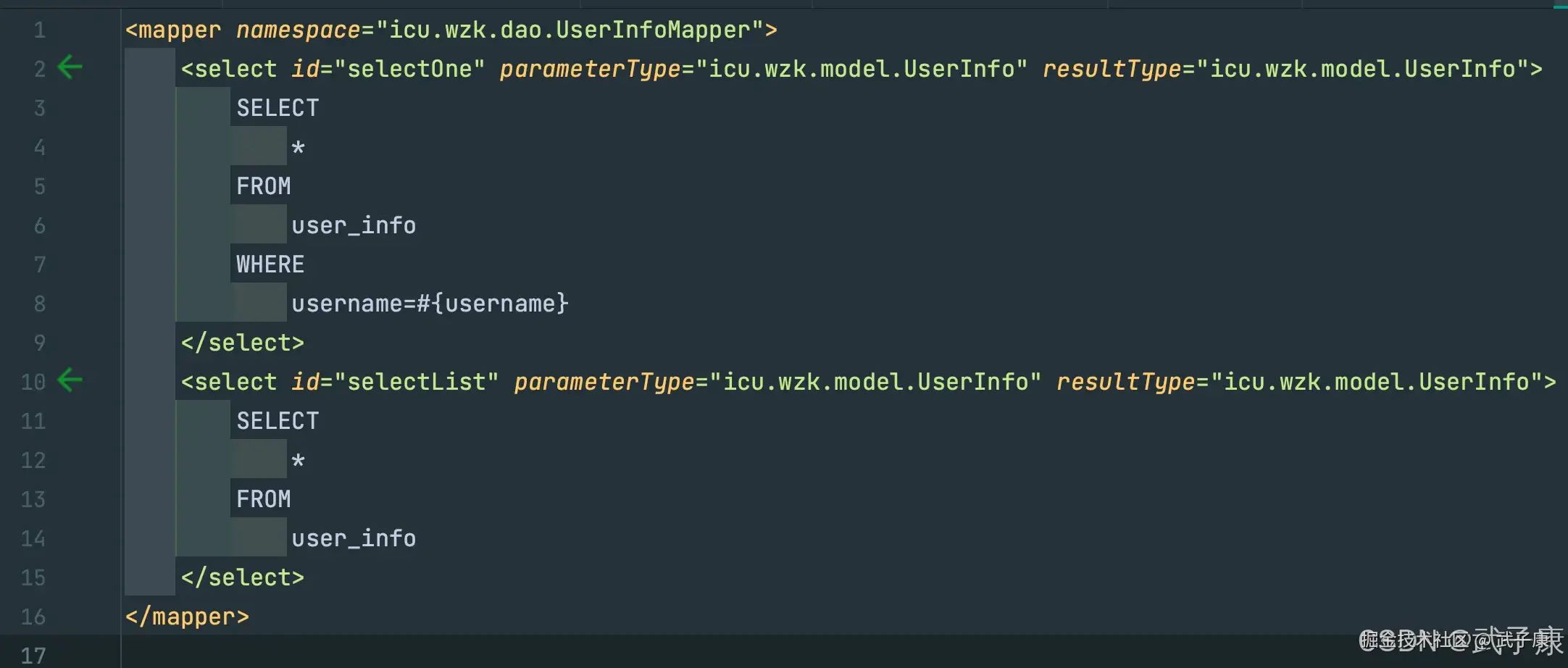
mapper.xml 的核心是把 Java 方法和 SQL 语句关联起来。
namespace="icu.wzk.dao.UserInfoMapper" 表示当前映射文件对应的 Mapper 接口。后续框架会通过 namespace + "." + id 生成唯一标识,例如:
text
icu.wzk.dao.UserInfoMapper.selectOneselectOne 标签表示一个查询语句:
id="selectOne":对应 Mapper 接口中的方法名。parameterType="icu.wzk.model.UserInfo":表示参数类型是UserInfo。resultType="icu.wzk.model.UserInfo":表示查询结果封装成UserInfo对象。
selectList 标签用于查询列表,它没有使用查询条件,所以会返回 user_info 表中的全部数据。
实体相关
model
新建实体类 UserInfo,用于和数据库中的 user_info 表进行映射。
java
package icu.wzk.model;


import lombok.Data;

@Data
public class UserInfo {

    private Long id;

    private String username;

    private String password;

    private Integer age;

}
这里使用了 Lombok 的 @Data 注解,它会自动生成 getter、setter、toString 等常用方法,减少样板代码。
资源相关
Configuration
java
package icu.wzk.bean;

import lombok.Data;

import javax.sql.DataSource;
import java.util.HashMap;
import java.util.Map;


@Data
public class Configuration {

    private DataSource dataSource;

    private Map<String, MappedStatement> mappedStatementMap = new HashMap<>();

}
Configuration 是框架中的核心配置对象,用来保存解析后的配置信息。
它主要包含两部分:
dataSource:保存数据库连接池对象。mappedStatementMap:保存所有 SQL 映射信息。
mappedStatementMap 的 key 通常是 namespace + "." + id,value 是对应的 MappedStatement 对象。这样后续执行 SQL 时,就可以根据接口方法定位到具体 SQL。
MappedStatement
java
package icu.wzk.bean;


import lombok.Data;


@Data
public class MappedStatement {

    private String id;

    private String sql;

    private String parameterType;

    private String resultType;

}
MappedStatement 用来描述一条 SQL 语句的元信息。
它包含:
id:SQL 标签的唯一标识。sql:真正要执行的 SQL 语句。parameterType:参数类型。resultType:返回值类型。
在真正执行 SQL 前,框架需要先根据方法找到对应的 MappedStatement,再从中取出 SQL 和类型信息。
Resources
java
package icu.wzk.bean;

import java.io.InputStream;

public class Resources {

    public static InputStream getResourceAsStream(String path) {
        return Resources.class.getClassLoader().getResourceAsStream(path);
    }

}
Resources 是一个简单的资源加载工具类。
它通过类加载器从 resources 目录中读取配置文件,并返回 InputStream。后续解析 XML 时,只需要传入文件路径即可,例如:
java
Resources.getResourceAsStream("sqlMapConfig.xml");解析相关
XMLConfigerBuilder
java
package icu.wzk.bean;

import com.mchange.v2.c3p0.ComboPooledDataSource;
import org.dom4j.Document;
import org.dom4j.DocumentException;
import org.dom4j.Element;
import org.dom4j.io.SAXReader;

import java.beans.PropertyVetoException;
import java.io.InputStream;
import java.util.List;
import java.util.Properties;

public class XMLConfigerBuilder {

    private Configuration configuration;

    public XMLConfigerBuilder(Configuration configuration) {
        this.configuration = configuration;
    }

    public Configuration parseConfiguration(InputStream inputStream) throws DocumentException, PropertyVetoException, ClassNotFoundException {
        Document document = new SAXReader().read(inputStream);
        Element rootElement = document.getRootElement();
        List<Element> propertyElements = rootElement.selectNodes("//property");
        Properties properties = new Properties();
        for (Element element : propertyElements) {
            String name = element.attributeValue("name");
            String value = element.attributeValue("value");
            properties.setProperty(name, value);
        }
        ComboPooledDataSource comboSource = new ComboPooledDataSource();
        comboSource.setDriverClass(properties.getProperty("driverClass"));
        comboSource.setJdbcUrl(properties.getProperty("jdbcUrl"));
        comboSource.setUser(properties.getProperty("user"));
        comboSource.setPassword(properties.getProperty("password"));
        configuration.setDataSource(comboSource);

        List<Element> mappedElements = rootElement.selectNodes("//mapper");
        XMLMapperBuilder xmlMapperBuilder = new XMLMapperBuilder(configuration);
        for (Element element : mappedElements) {
            String mapperPath = element.attributeValue("resource");
            InputStream resourceAsStream = Resources.getResourceAsStream(mapperPath);
            xmlMapperBuilder.parse(resourceAsStream);
        }
        return configuration;
    }

}
XMLConfigerBuilder 负责解析全局配置文件,也就是前面的 sqlMapConfig.xml。
它的主要流程如下。
首先使用 SAXReader 读取 XML 输入流,得到 Document 对象,并获取根节点:
java
Document document = new SAXReader().read(inputStream);
Element rootElement = document.getRootElement();
然后解析所有 <property> 标签,把数据库连接信息保存到 Properties 对象中:
java
List<Element> propertyElements = rootElement.selectNodes("//property");
Properties properties = new Properties();
接着创建 C3P0 数据库连接池,并设置驱动类、连接地址、用户名和密码:
java
ComboPooledDataSource comboSource = new ComboPooledDataSource();
comboSource.setDriverClass(properties.getProperty("driverClass"));
comboSource.setJdbcUrl(properties.getProperty("jdbcUrl"));
comboSource.setUser(properties.getProperty("user"));
comboSource.setPassword(properties.getProperty("password"));
初始化完成后,将数据源设置到 Configuration 中:
java
configuration.setDataSource(comboSource);最后解析 <mapper> 标签,找到对应的 Mapper XML 文件路径,并交给 XMLMapperBuilder 继续解析:
java
List<Element> mappedElements = rootElement.selectNodes("//mapper");
XMLMapperBuilder xmlMapperBuilder = new XMLMapperBuilder(configuration);因此,XMLConfigerBuilder 的职责可以概括为两点:
- 解析数据库连接配置,初始化
DataSource。 - 加载 Mapper 文件,并把 SQL 解析工作交给
XMLMapperBuilder。
XMLMapperBuilder
java
package icu.wzk.bean;

import org.dom4j.Document;
import org.dom4j.DocumentException;
import org.dom4j.Element;
import org.dom4j.io.SAXReader;

import java.io.InputStream;
import java.util.List;

public class XMLMapperBuilder {

    private Configuration configuration;

    public XMLMapperBuilder(Configuration configuration) {
        this.configuration = configuration;
    }

    public void parse(InputStream inputStream) throws DocumentException, ClassNotFoundException {
        Document document = new SAXReader().read(inputStream);
        Element rootElement = document.getRootElement();
        String namespace = rootElement.attributeValue("namespace");
        List<Element> selectList = rootElement.selectNodes("select");
        for (Element element : selectList) {
            String id = element.attributeValue("id");
            String parameterType = element.attributeValue("parameterType");
            String resultType = element.attributeValue("resultType");
            String key = namespace + "." + id;
            String textTrim = element.getTextTrim();

            MappedStatement mappedStatement = new MappedStatement();
            mappedStatement.setId(id);
            mappedStatement.setParameterType(parameterType);
            mappedStatement.setResultType(resultType);
            mappedStatement.setSql(textTrim);
            configuration.getMappedStatementMap().put(key, mappedStatement);
        }
    }

}
XMLMapperBuilder 负责解析具体的 Mapper XML 文件,也就是 mapper.xml。
它首先读取 XML 文档,并获取根节点上的 namespace:
java
String namespace = rootElement.attributeValue("namespace");然后读取当前 Mapper 文件中的所有 select 标签:
java
List<Element> selectList = rootElement.selectNodes("select");每一个 select 标签都会被解析成一个 MappedStatement 对象。解析过程中会取出以下信息:
id:SQL 标签的标识。parameterType:参数类型。resultType:返回值类型。sql:标签内部的 SQL 文本。
同时,框架会使用 namespace + "." + id 拼接出唯一 key:
java
String key = namespace + "." + id;例如:
text
icu.wzk.dao.UserInfoMapper.selectOne最后将 MappedStatement 放入 Configuration 的 mappedStatementMap 中:
java
configuration.getMappedStatementMap().put(key, mappedStatement);这样,整个 XML 解析流程就完成了。全局配置负责加载数据库和 Mapper 文件,Mapper 配置负责保存 SQL 信息。后续在执行 Mapper 方法时,只需要根据方法全路径找到对应的 MappedStatement,再结合 JDBC 完成 SQL 执行和结果封装即可。