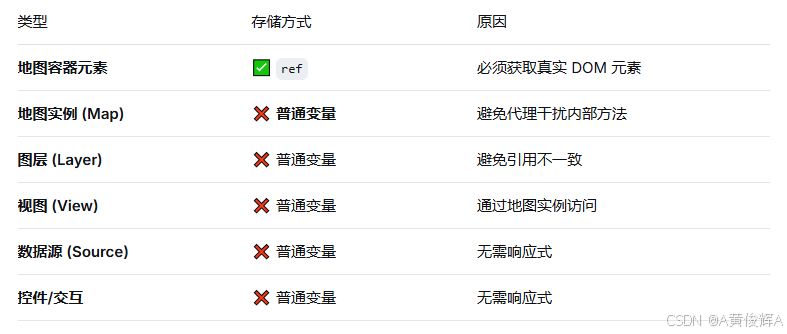
当我们使用 vue 开发 openplayers 的时候,总是会下意识的使用 ref 来代理openplays 中的 变量, 这种方法是不可取的, 很容易发生我们想不到的错误
下面看一段我最初写的,理论正确,但实际用不了的代码
javascript
<script setup>
import {onMounted, ref} from 'vue'
import Map from "ol/Map"
import TileLayer from "ol/layer/Tile.js";
import XYZ from "ol/source/XYZ.js";
import View from "ol/View.js";
import {fromLonLat} from 'ol/proj.js';

const map = ref(null);
const mapRef = ref(null)

const layer1 = ref(null);
const layer2 = ref(null);

onMounted(() => {

  layer1.value = new TileLayer({
    source: new XYZ({
      url: "https://webst01.is.autonavi.com/appmaptile?style=6&x={x}&y={y}&z={z}"
    })
  })

  layer2.value = new TileLayer({
    source: new XYZ({
      url: "https://webst01.is.autonavi.com/appmaptile?style=8&x={x}&y={y}&z={z}"
    })
  });
  map.value = new Map({
    target: mapRef.value,
    layers: [layer1.value, layer2.value],
    view: new View({
      center: fromLonLat([114.31, 30.52]),
      zoom: 10,
      projection: "EPSG:3857"
    })
  })

})


const removeBJ = () => {
  map.value.removeLayer(layer2.value);
}


</script>

<template>
  <div class="button">
    <!--    <button @click="gotoBJ">跳转到北京</button>-->
    <button @click="removeBJ">remove</button>
  </div>
  <div ref="mapRef" id="map"></div>
</template>

<style scoped>
#map {
  width: 100vw;
  height: 100vh;
}
</style>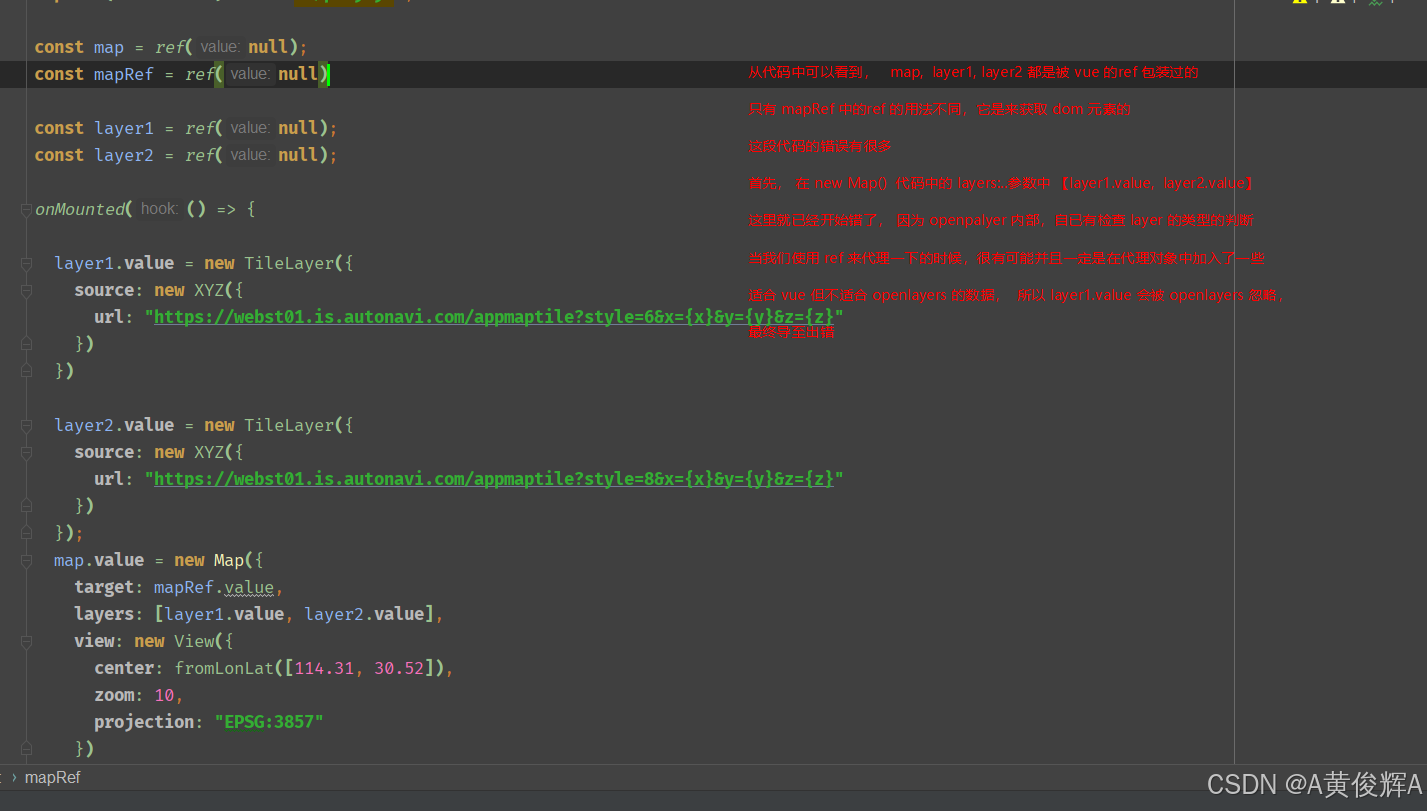
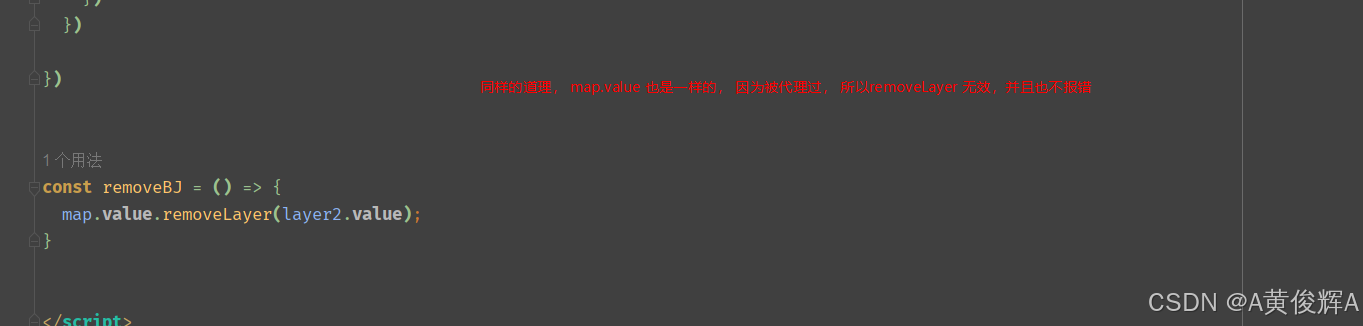
所以, 我们在使用 vue+openlayers 的时候,对openlayer 中的对象尽量不要去用 ref来定义