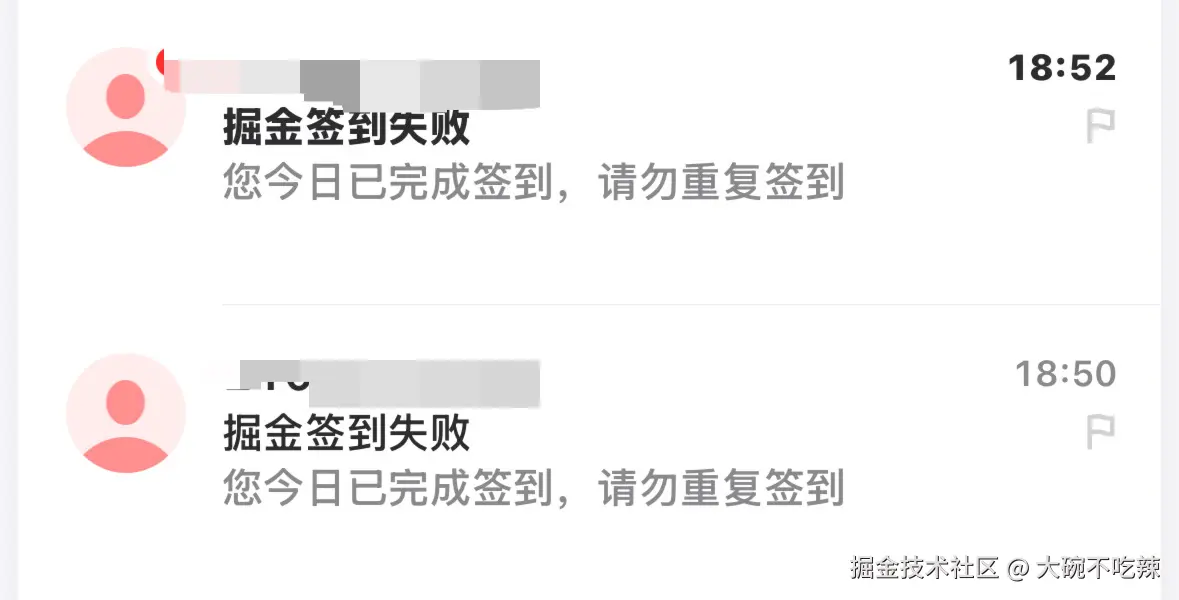
思路:
1、首先查看掘金签到的接口,获取其curl和cookie(curl+exec搭配就可以发送请求)
2、代码思路
js
const autoCheckIn = () => {
   try{
   // 发送请求
     const res = await fetchCheckIn()
     if(success){
       // 成功信息发送邮箱
     }else{
     // 失败也发送邮箱
     }
   }catch(err){
   // 失败发送邮箱
   }
}
// 定时发送信息-立即执行函数
(function scheduleLogic() {
  schedule.scheduleJob({ second: 0, minute: 0, hour: 7 }, () => {
    logic();
  });
})();
代码:
js
const { execSync } = require("child_process"); // 引入shell
const schedule = require("node-schedule"); // 定时任务
const nodemailer = require("nodemailer"); // 发送邮件

// Create a transporter using SMTP
const transporter = nodemailer.createTransport({
  service: "qq",  // qq邮箱固定
  port: 465, // qq邮箱固定
  secureConnection: true,
  auth: {
    user: "xxxxxxxxxx@qq.com",  // 写你自己的发送邮件号
    pass: "xxxxxxxxxxxxxxxx", // 写你自己的IMAP授权码(在qq邮箱官网可看)
  },
});

/** 写死cookie*/
const myCookie = "xxxxxxxxx"; // 根据curl中的-b提取出来你自己的cookie

/**
 * 进行签到
 * @returns
 */
const checkIn = () => {
  return `curl -s 'https://api.juejin.cn/growth_api/v1/check_in?aid=2608&uuid=752451xxxxxx6&spider=0&a_bogus=dXBmDcxxxxxxxxwy' \
  -H 'accept: */*' \
  -H 'accept-language: en,zh-CN;q=0.9,zh;q=0.8' \
  -H 'cache-control: no-cache' \
  -H 'content-type: application/json' \
  -b '${myCookie}' \
  -H 'origin: https://juejin.cn' \
  -H 'pragma: no-cache' \
  -H 'priority: u=1, i' \
  -H 'referer: https://juejin.cn/' \
  -H 'sec-ch-ua: "Not:A-Brand";v="99", "Google Chrome";v="145", "Chromium";v="145"' \
  -H 'sec-ch-ua-mobile: ?0' \
  -H 'sec-ch-ua-platform: "macOS"' \
  -H 'sec-fetch-dest: empty' \
  -H 'sec-fetch-mode: cors' \
  -H 'sec-fetch-site: same-site' \
  -H 'user-agent: Mozilla/5.0 (Macintosh; Intel Mac OS X 10_15_7) AppleWebKit/537.36 (KHTML, like Gecko) Chrome/145.0.0.0 Safari/537.36' \
  -H 'x-secsdk-csrf-token: DOWNGRADE' \
  --data '{}'`;
};

/** 签到函数 */
const logic = async () => {
  console.log("开始签到...");
  try {
    const res = JSON.parse(execSync(checkIn(), { silent: true }));
    console.log("。。。", res);
    if (res.err_no === 0) {
      console.log("签到成功...", res);
      // 签到成功
      await sendEmail({ subject: "掘金签到成功", text: "恭喜你,签到成功!" });
    } else {
      console.log("签到失败", res?.err_msg);
      await sendEmail({ subject: "掘金签到失败", text: res?.err_msg });
    }
  } catch (err) {
    console.log("签到失败");
    // 签到失败
    await sendEmail({ subject: "掘金签到失败", text: `签到失败!${err}` });
  }
};

/** 发送邮件*/
const sendEmail = async (text) => {
  // 先进行验证~
  await transporter.verify();
  console.log("Server is ready to take our messages");
  try {
    const info = await transporter.sendMail({
      from: "xxxxxxxxx@qq.com", // sender address
      to: "xxxxxxxxx@126.com", // list of recipients
      subject: text?.subject, // subject line
      text: text?.text, // plain text body
    });
    console.log("邮件发送成功", info.messageId);
  } catch (err) {
    console.error("邮件发送失败", err);
  }
};

// 定时执行签到-立即执行函数
(function scheduleLogic() {
  schedule.scheduleJob({ second: 0, minute: 0, hour: 7 }, () => {
    logic();
  });
})();
// 测试用*/
// logic();
示例: