> **学习时间**: 2026 年 3 月 14 日
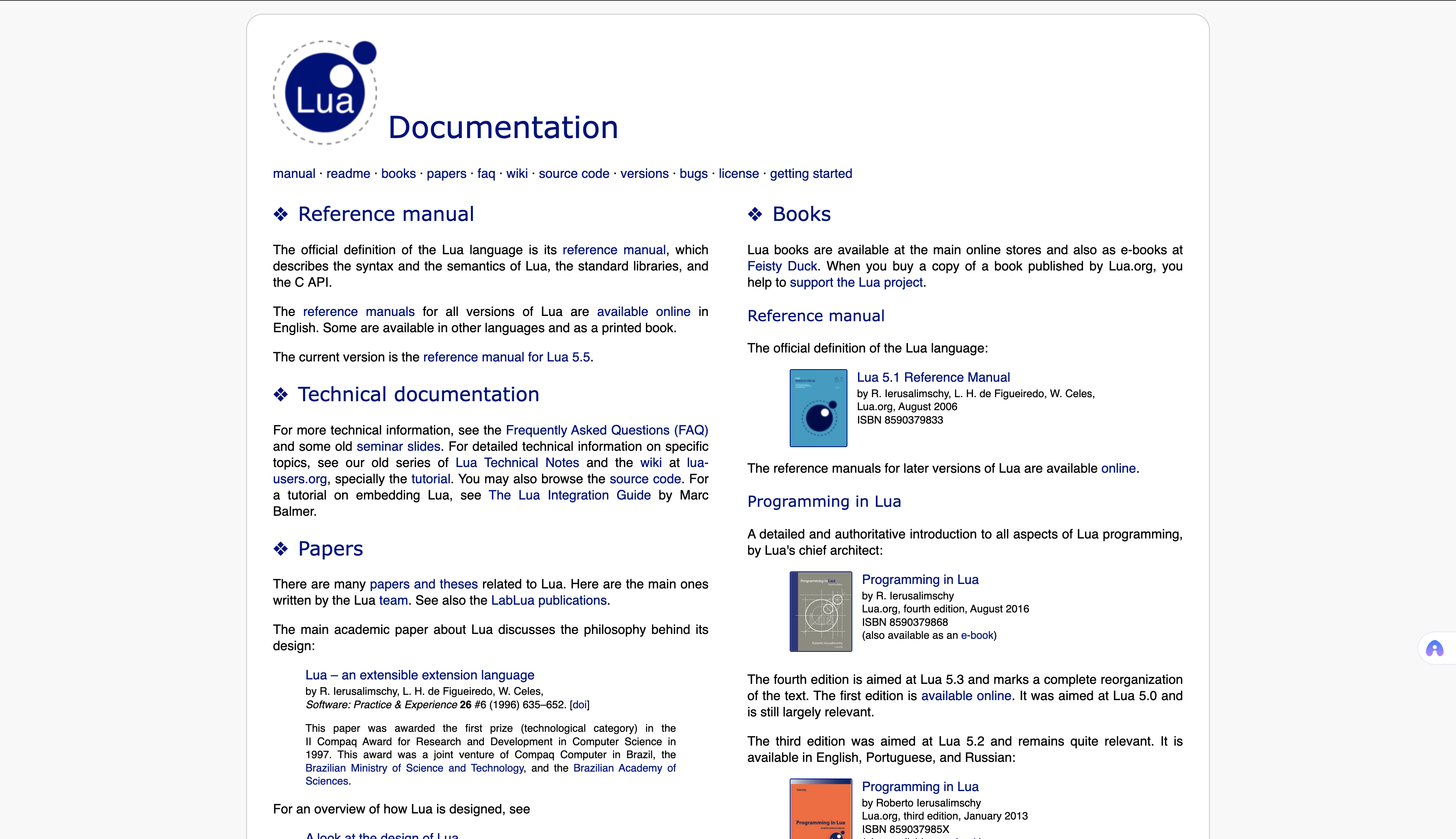
> **文档来源**: https://lua.org/docs.html
> **参考版本**: Lua 5.4
> **参考书籍**: 《Programming in Lua》(第一版) - Roberto Ierusalimschy
一、Lua 概述
1.1 什么是 Lua
Lua 是一种**轻量、可嵌入、多范式**的脚本语言,具有以下特点:
| 特性 | 说明 |
|------|------|
| **轻量级** | 核心库非常小,易于嵌入到应用程序中 |
| **可嵌入** | 提供完整的 C API,方便与 C/C++ 集成 |
| **多范式** | 支持过程式、函数式、面向对象编程 |
| **动态类型** | 运行时类型检查,灵活但需注意类型安全 |
| **即时编译** | 通过 LuaJIT 可获得 JIT 编译支持 |
| **协程支持** | 内置协程,支持协作式多任务 |
1.2 设计目标
-
**简洁**: 语言核心小巧,易于学习和实现
-
**高效**: 针对性能优化,适合嵌入式和游戏开发
-
**可扩展**: 通过 C API 轻松扩展功能
-
**可移植**: 纯 C 实现,可在几乎所有平台上运行
二、数据类型
Lua 有 **8 种基本数据类型**:
2.1 nil (空值)
```lua
local a = nil
print(a == nil) -- true
print(type(a)) -- nil
```
-
`nil` 类型只有一个值:`nil`
-
全局变量默认值为 `nil`
-
将变量设为 `nil` 可删除该变量
2.2 boolean (布尔值)
```lua
local a = true
local b = false
-- 假值:nil 和 false
-- 真值:所有其他值(包括 0 和空字符串)
if 0 then print("0 is true") end -- 会执行
if "" then print("empty string is true") end -- 会执行
```
2.3 number (数字)
```lua
local a = 10 -- 整数
local b = 3.14 -- 浮点数
local c = 0x1F -- 十六进制
local d = 3.0e8 -- 科学计数法
-- Lua 5.3+ 支持整数和浮点数两种内部表示
print(type(10)) -- number
print(math.type(10)) -- integer
print(math.type(3.14)) -- float
```
2.4 string (字符串)
```lua
local s1 = "Hello"
local s2 = 'World'
local s3 = [[多行
字符串]]
local s4 = "\u{41}" -- Unicode (Lua 5.3+)
-- 字符串是不可变的
-- 字符串索引从 1 开始
print(string.sub("Hello", 1, 3)) -- "Hel"
print("Hello"1) -- 错误!需要用 string.sub
```
2.5 function (函数)
```lua
-- 普通函数
function add(a, b)
return a + b
end
-- 匿名函数
local multiply = function(a, b)
return a * b
end
-- 作为参数传递
table.sort({3,1,2}, function(a,b) return a>b end)
```
2.6 userdata (用户数据)
```lua
-- 用于存储 C 数据结构
-- 由 C API 创建和管理
local file = io.open("test.txt") -- file 是 userdata
```
-
用于在 Lua 中存储 C 数据
-
没有预定义操作,需通过元表定义行为
2.7 thread (线程/协程)
```lua
local co = coroutine.create(function()
print("协程运行")
coroutine.yield(1)
print("协程继续")
end)
print(type(co)) -- thread
```
-
用于实现协程
-
不是操作系统线程,是协作式多任务
2.8 table (表)
```lua
-- Lua 中最重要的数据结构
local t1 = {} -- 空表
local t2 = {1, 2, 3} -- 数组
local t3 = {key = "value"} -- 字典/对象
local t4 = {
name = "Lua",
version = 5.4,
{1, 2, 3} -- 嵌套表
}
-- 表是引用类型
local a = {1, 2}
local b = a -- b 引用同一个表
```
**表的特点**:
-
既是数组又是字典(关联数组)
-
索引默认从 1 开始
-
键可以是任何非 nil 值
-
是 Lua 中唯一的复合数据结构
三、变量与作用域
3.1 变量类型
```lua
-- 全局变量(默认)
globalVar = 10
-- 局部变量
local localVar = 20
-- 多变量赋值
local x, y, z = 1, 2, 3
-- 交换值
x, y = y, x
```
3.2 作用域规则
```lua
-- 全局作用域
globalVar = 10
function test()
-- 函数内未声明 local 的变量是全局的
globalVar = 20 -- 修改全局变量
-- 局部变量
local localVar = 30 -- 只在函数内有效
-- 代码块作用域
do
local blockVar = 40 -- 只在代码块内有效
print(blockVar) -- 40
end
-- print(blockVar) -- 错误!超出作用域
end
```
3.3 _G 全局环境表
```lua
-- 访问全局变量
print(_G"globalVar") -- 10
-- 动态创建全局变量
_G"dynamicVar" = 100
print(dynamicVar) -- 100
```
四、表达式与运算符
4.1 算术运算符
```lua
local a, b = 10, 3
print(a + b) -- 13 加法
print(a - b) -- 7 减法
print(a * b) -- 30 乘法
print(a / b) -- 3.333... 除法
print(a % b) -- 1 取模
print(a ^ b) -- 1000 幂运算
print(-a) -- -10 负号
print(a // b) -- 3 整除 (Lua 5.3+)
```
4.2 关系运算符
```lua
local a, b = 10, 3
print(a == b) -- false 等于
print(a ~= b) -- true 不等于
print(a > b) -- true 大于
print(a < b) -- false 小于
print(a >= b) -- true 大于等于
print(a <= b) -- false 小于等于
-- 注意:== 比较表时比较的是引用
local t1 = {}
local t2 = {}
print(t1 == t2) -- false (不同引用)
local t3 = t1
print(t1 == t3) -- true (相同引用)
```
4.3 逻辑运算符
```lua
-- and: 如果第一个操作数为假,返回第一个操作数;否则返回第二个
print(false and "A" or "B") -- "B"
print(true and "A" or "B") -- "A"
-- or: 如果第一个操作数为真,返回第一个操作数;否则返回第二个
print(nil or "default") -- "default"
print(false or 0) -- 0
-- not: 逻辑非
print(not nil) -- true
print(not false) -- true
print(not 0) -- false (0 是真值)
-- 三元运算符技巧
local x = condition and trueValue or falseValue
```
4.4 连接运算符
```lua
local s1 = "Hello"
local s2 = "World"
local s3 = s1 .. " " .. s2 -- "Hello World"
-- 数字需要转换
local n = 10
print("Value: " .. tostring(n)) -- "Value: 10"
```
4.5 长度运算符
```lua
local s = "Hello"
print(#s) -- 5
local t = {1, 2, 3}
print(#t) -- 3
-- 注意:# 对哈希表(非连续键)行为未定义
```
4.6 优先级(从高到低)
```
^
not # - +
* / // %
..
< > <= >= ~= ==
and
or
```
五、控制结构
5.1 if then else
```lua
local age = 18
if age < 13 then
print("儿童")
elseif age < 20 then
print("青少年")
elseif age < 60 then
print("成年人")
else
print("老年人")
end
-- 单行 if
if condition then doSomething() end
```
5.2 while 循环
```lua
local i = 1
while i <= 5 do
print(i)
i = i + 1
end
```
5.3 repeat until
```lua
-- 至少执行一次
local i = 1
repeat
print(i)
i = i + 1
until i > 5
```
5.4 数值 for 循环
```lua
-- 递增
for i = 1, 5 do
print(i)
end
-- 指定步长
for i = 10, 1, -2 do
print(i) -- 10, 8, 6, 4, 2
end
-- 嵌套循环
for i = 1, 3 do
for j = 1, 3 do
print(i, j)
end
end
```
5.5 通用 for 循环
```lua
-- 遍历数组
local t = {1, 2, 3, 4, 5}
for i, v in ipairs(t) do
print(i, v)
end
-- 遍历字典
local d = {name = "Lua", version = 5.4}
for k, v in pairs(d) do
print(k, v)
end
-- 遍历字符串
for c in string.gmatch("Hello", ".") do
print(c)
end
```
5.6 break 和 return
```lua
-- break 跳出循环
for i = 1, 10 do
if i == 5 then
break
end
print(i)
end
-- return 返回值并结束函数
function divide(a, b)
if b == 0 then
return nil, "除数不能为零"
end
return a / b
end
local result, err = divide(10, 0)
if err then print(err) end
```
六、函数深入
6.1 多返回值
```lua
function getMinMax(t)
local min, max = t1, t1
for i = 2, #t do
if ti < min then min = ti end
if ti > max then max = ti end
end
return min, max
end
local t = {3, 1, 4, 1, 5, 9}
local min, max = getMinMax(t)
print(min, max) -- 1, 9
-- 捕获多个返回值
local a, b, c = getMinMax(t) -- c 为 nil(函数只返回两个值)
```
6.2 可变参数
```lua
-- 可变参数函数
function sum(...)
local total = 0
local args = {...} -- 将参数收集到表中
for i, v in ipairs(args) do
total = total + v
end
return total
end
print(sum(1, 2, 3, 4, 5)) -- 15
-- 固定参数 + 可变参数
function printf(format, ...)
print(string.format(format, ...))
end
printf("Hello, %s! You are %d years old.", "Alice", 25)
```
6.3 命名参数(模拟)
```lua
-- Lua 不直接支持命名参数,但可以用表模拟
function createWindow(options)
local title = options.title or "Untitled"
local width = options.width or 800
local height = options.height or 600
local x = options.x or 0
local y = options.y or 0
print(title, width, height, x, y)
end
-- 调用
createWindow{
title = "My Window",
width = 1024,
height = 768
}
```
七、闭包与上值
7.1 闭包概念
**闭包**是函数与其引用环境的组合。闭包可以访问其定义时所在作用域的变量,即使该作用域已经结束。
```lua
function createCounter()
local count = 0 -- 局部变量
return function() -- 闭包
count = count + 1
return count
end
end
local counter1 = createCounter()
local counter2 = createCounter()
print(counter1()) -- 1
print(counter1()) -- 2
print(counter2()) -- 1 (独立的计数器)
```
7.2 上值 (Upvalues)
**上值**是闭包捕获的外部局部变量。
```lua
function makeAdder(n)
return function(x)
return x + n -- n 是上值
end
end
local add5 = makeAdder(5)
local add10 = makeAdder(10)
print(add5(3)) -- 8
print(add10(3)) -- 13
```
7.3 共享上值
```lua
-- 多个闭包共享同一个上值
function makeAccount(initialBalance)
local balance = initialBalance
function deposit(amount)
balance = balance + amount
end
function withdraw(amount)
if amount <= balance then
balance = balance - amount
return true
end
return false
end
function getBalance()
return balance
end
return {
deposit = deposit,
withdraw = withdraw,
getBalance = getBalance
}
end
local account = makeAccount(100)
account.deposit(50)
account.withdraw(30)
print(account.getBalance()) -- 120
```
7.4 迭代器闭包
```lua
-- 创建自定义迭代器
function listIterator(list)
local i = 0
local n = #list
return function()
i = i + 1
if i <= n then
return listi
end
end
end
local list = {1, 2, 3, 4, 5}
for element in listIterator(list) do
print(element)
end
```
八、协程
8.1 协程基础
协程是**协作式多任务**,一次只有一个协程在运行,只有显式请求时才会暂停。
```lua
-- 创建协程
local co = coroutine.create(function(a, b)
print("协程开始", a, b)
local c = coroutine.yield(a + b)
print("协程继续", c)
return a * b
end)
-- 恢复协程
print(coroutine.resume(co, 2, 3)) -- true, 5
print(coroutine.resume(co, 10)) -- true, 6
print(coroutine.resume(co)) -- false, cannot resume dead coroutine
```
8.2 协程状态
```lua
local co = coroutine.create(function() end)
print(coroutine.status(co)) -- suspended
coroutine.resume(co)
print(coroutine.status(co)) -- dead
-- 状态类型:
-- suspended: 已让出或尚未开始
-- running: 正在执行
-- normal: 已启动但当前未执行
-- dead: 已执行完毕或出错
```
8.3 协程作为生成器
```lua
-- 生成 1 到 5 的循环生成器
function numberGenerator()
local co = coroutine.create(function()
while true do
for i = 1, 5 do
coroutine.yield(i)
end
end
end)
return function()
local _, value = coroutine.resume(co)
return value
end
end
local nextNumber = numberGenerator()
for i = 1, 10 do
print(nextNumber())
end
-- 输出: 1,2,3,4,5,1,2,3,4,5
```
8.4 协程包装器
```lua
-- coroutine.wrap 返回一个函数,调用即恢复协程
local co = coroutine.wrap(function()
for i = 1, 5 do
coroutine.yield(i)
end
end)
for i = 1, 5 do
print(co())
end
```
九、元表与元方法
9.1 元表概念
**元表 **是改变表行为的表,通过**元方法**定义。
```lua
local t = {1, 2, 3}
local mt = {
__index = function(table, key)
return "默认值:" .. key
end
}
setmetatable(t, mt)
print(t1) -- 1 (存在)
print(t4) -- 默认值:4 (不存在,触发 __index)
```
9.2 完整元方法列表
| 元方法 | 运算符/操作 | 说明 |
|--------|------------|------|
| `__index` | `tablekey` | 键不存在时的查找 |
| `__newindex` | `tablekey = value` | 键不存在时的赋值 |
| `__add` | `+` | 加法 |
| `__sub` | `-` | 减法 |
| `__mul` | `*` | 乘法 |
| `__div` | `/` | 除法 |
| `__mod` | `%` | 取模 |
| `__unm` | `-` | 负号 |
| `__idiv` | `//` | 整除 |
| `__pow` | `^` | 幂运算 |
| `__concat` | `..` | 连接 |
| `__eq` | `==` | 等于 |
| `__lt` | `<` | 小于 |
| `__le` | `<=` | 小于等于 |
| `__call` | `()` | 调用 |
| `__tostring` | `tostring()` | 字符串表示 |
| `__len` | `#` | 长度 |
| `__pairs` | `pairs()` | pairs 迭代 |
| `__gc` | - | 垃圾回收回调 |
9.3 `__index` 元方法
```lua
-- 方式一:使用函数
local t = {key1 = "value1"}
local mt = {
__index = function(table, key)
if key == "key2" then
return "metatablevalue"
end
return nil
end
}
setmetatable(t, mt)
print(t.key1, t.key2) -- value1, metatablevalue
-- 方式二:使用表(简化)
local t = {key1 = "value1"}
setmetatable(t, {__index = {key2 = "metatablevalue"}})
print(t.key1, t.key2) -- value1, metatablevalue
```
9.4 `__newindex` 元方法
```lua
-- 将新键值存储到元表中
local mymetatable = {}
local mytable = setmetatable({key1 = "value1"}, {
__newindex = mymetatable
})
mytable.newkey = "new value"
print(mytable.newkey, mymetatable.newkey) -- nil, new value
-- 使用 rawset 直接设置
local t = setmetatable({}, {
__newindex = function(table, key, value)
rawset(table, key, "\""..value.."\"")
end
})
t.key = "value"
print(t.key) -- "value"
```
9.5 运算符重载
```lua
-- 向量加法
local Vector = {}
Vector.__index = Vector
function Vector.new(x, y)
return setmetatable({x = x, y = y}, Vector)
end
function Vector.__add(a, b)
return Vector.new(a.x + b.x, a.y + b.y)
end
function Vector.__tostring(v)
return "(" .. v.x .. ", " .. v.y .. ")"
end
local v1 = Vector.new(1, 2)
local v2 = Vector.new(3, 4)
local v3 = v1 + v2
print(v3) -- (4, 6)
```
9.6 可调用表
```lua
local t = setmetatable({10, 20, 30}, {
__call = function(table, newtable)
local sum = 0
for i, v in ipairs(table) do
sum = sum + v
end
for i, v in ipairs(newtable) do
sum = sum + v
end
return sum
end
})
print(t({10, 20, 30})) -- 120
```
9.7 自定义字符串表示
```lua
local t = setmetatable({10, 20, 30}, {
__tostring = function(table)
local sum = 0
for k, v in pairs(table) do
sum = sum + v
end
return "The sum is " .. sum
end
})
print(t) -- The sum is 60
```
十、标准库
10.1 字符串库 (string)
```lua
-- 基本操作
string.len("Hello") -- 5
string.lower("HELLO") -- "hello"
string.upper("hello") -- "HELLO"
string.rep("ab", 3) -- "ababab"
string.reverse("abc") -- "cba"
string.sub("Hello", 2, 4) -- "ell"
-- 查找与匹配
string.find("Hello Lua", "Lua") -- 7, 9
string.match("I have 2 questions", "%d+ %a+") -- "2 questions"
-- 替换
string.gsub("banana", "a", "A", 2) -- "bAnAna", 2
-- 迭代
for word in string.gmatch("Hello Lua user", "%a+") do
print(word)
end
-- 格式化
string.format("%s %q", "Hello", "Lua") -- Hello "Lua"
string.format("%d, %.2f", 10, 3.14159) -- "10, 3.14"
```
10.2 模式匹配
| 模式 | 含义 |
|------|------|
| `.` | 任意字符 |
| `%a` | 字母 |
| `%d` | 数字 |
| `%s` | 空白字符 |
| `%w` | 字母和数字 |
| `%A`, `%D`, `%S`, `%W` | 取反 |
| `+` | 1 次或多次 |
| `*` | 0 次或多次 |
| `-` | 0 次或多次(非贪婪) |
| `?` | 0 次或 1 次 |
| `^` | 字符串开头 |
| `$` | 字符串结尾 |
| `%b()` | 平衡括号 |
```lua
-- 示例
string.match("hello123", "%a+") -- "hello"
string.match("hello123", "%d+") -- "123"
string.gsub("a(b(c)d)e", "%b()", "") -- "ae"
```
10.3 表库 (table)
```lua
-- 插入
table.insert(t, value) -- 末尾插入
table.insert(t, pos, value) -- 指定位置插入
-- 移除
table.remove(t) -- 移除末尾
table.remove(t, pos) -- 移除指定位置
-- 连接
table.concat({1,2,3}, "-") -- "1-2-3"
-- 排序
table.sort({3,1,2}) -- {1,2,3}
table.sort({3,1,2}, function(a,b) return a>b end) -- 降序
-- 移动 (Lua 5.3+)
table.move(src, first, last, offset, dest)
```
10.4 数学库 (math)
```lua
math.pi -- 3.14159...
math.huge -- 无穷大
math.abs(-10) -- 10
math.ceil(3.14) -- 4
math.floor(3.14) -- 3
math.max(1,2,3) -- 3
math.min(1,2,3) -- 1
math.pow(2, 10) -- 1024
math.sqrt(16) -- 4
math.random() -- [0,1) 随机数
math.random(1, 100) -- 1,100 随机整数
math.type(10) -- "integer" 或 "float"
```
10.5 I/O 库 (io)
```lua
-- 简单 I/O
io.write("Hello")
local line = io.read("l") -- 读取一行
local content = io.read("*a") -- 读取全部
-- 文件操作
local file = io.open("test.txt", "r")
if file then
local content = file:read("*a")
file:close()
end
-- 写入文件
local file = io.open("output.txt", "w")
file:write("Hello, World!\n")
file:close()
-- 自动关闭
for line in io.lines("test.txt") do
print(line)
end
```
10.6 操作系统库 (os)
```lua
os.time() -- 当前时间戳
os.time{year=2024, month=1, day=1} -- 指定时间
os.date() -- 当前日期字符串
os.date("%Y-%m-%d") -- "2024-01-14"
os.date("*t") -- 时间表格
os.clock() -- CPU 时间
os.getenv("PATH") -- 环境变量
os.execute("ls -l") -- 执行命令
os.remove("file.txt") -- 删除文件
os.rename("old", "new") -- 重命名
```
10.7 调试库 (debug)
```lua
-- 内省
debug.getinfo(func) -- 获取函数信息
debug.getlocal(func, i) -- 获取局部变量
debug.getupvalue(func, i) -- 获取上值
-- 钩子
debug.sethook(func, mask, count)
-- 其他
debug.traceback() -- 回溯信息
debug.getmetatable(t) -- 获取元表
debug.setmetatable(t, mt) -- 设置元表
```
10.8 模块系统
```lua
-- 创建模块 (mymodule.lua)
local M = {}
function M.hello()
print("Hello from module")
end
M.VERSION = "1.0"
return M
-- 使用模块
local mymodule = require("mymodule")
mymodule.hello()
print(mymodule.VERSION)
-- package.path 和 package.cpath
print(package.path) -- Lua 模块搜索路径
print(package.cpath) -- C 模块搜索路径
```
十一、面向对象编程
11.1 类与对象
```lua
-- 定义类
local Animal = {}
Animal.__index = Animal
function Animal:new(name, age)
local obj = setmetatable({}, self)
obj.name = name
obj.age = age
return obj
end
function Animal:speak()
print(self.name .. " makes a sound")
end
-- 创建对象
local dog = Animal:new("Dog", 3)
dog:speak() -- Dog makes a sound
```
11.2 继承
```lua
local Dog = setmetatable({}, {__index = Animal})
Dog.__index = Dog
function Dog:new(name, age, breed)
local obj = Animal.new(self, name, age)
obj.breed = breed
return obj
end
function Dog:speak()
print(self.name .. " barks")
end
local myDog = Dog:new("Buddy", 2, "Golden")
myDog:speak() -- Buddy barks
```
11.3 多重继承
```lua
function searchInTable(table, key)
local value = tablekey
if value ~= nil then return value end
end
function createClass(...)
local c = {}
local parents = {...}
setmetatable(c, {__index = function(t, k)
for i, parent in ipairs(parents) do
local v = searchInTable(parent, k)
if v then return v end
end
end})
c.__index = c
return c
end
```
11.4 隐私保护
```lua
-- 使用闭包实现私有成员
function createAccount(initialBalance)
local balance = initialBalance -- 私有变量
return {
deposit = function(amount)
balance = balance + amount
end,
withdraw = function(amount)
if amount <= balance then
balance = balance - amount
return true
end
return false
end,
getBalance = function()
return balance
end
}
end
local account = createAccount(100)
-- account.balance 无法直接访问
```
十二、最佳实践
12.1 性能优化
```lua
-- 1. 使用局部变量
local print = print -- 缓存全局函数
for i = 1, 1000 do
print(i) -- 比访问 _G.print 快
end
-- 2. 字符串连接使用 table.concat
local t = {}
for i = 1, 1000 do
ti = "item" .. i
end
local s = table.concat(t, ",") -- 比 .. 高效
-- 3. 预分配表大小
local t = {}
for i = 1, 1000 do
ti = i -- Lua 会自动优化
end
-- 4. 避免不必要的表创建
function sum(a, b, c)
return a + b + c -- 不要返回表
end
```
12.2 错误处理
```lua
-- 使用 pcall
local status, result = pcall(function()
error("Something went wrong")
end)
if not status then
print("Error:", result)
end
-- 使用 xpcall(带回溯)
local status, result = xpcall(function()
error("Error")
end, debug.traceback)
-- 自定义错误处理
function myHandler(err)
print("Error:", err)
return "handled"
end
xpcall(function()
error("test")
end, myHandler)
```
12.3 内存管理
```lua
-- 1. 及时释放不需要的引用
local largeTable = {}
-- ... 使用 ...
largeTable = nil -- 允许 GC 回收
-- 2. 使用弱表
local cache = setmetatable({}, {__mode = "v"}) -- 弱值
local weakKeys = setmetatable({}, {__mode = "k"}) -- 弱键
-- 3. 避免循环引用
-- 循环引用会阻止 GC 回收
```
12.4 代码组织
```lua
-- 1. 使用模块组织代码
-- mymodule.lua
local M = {}
-- 私有函数
local function privateFunc()
-- ...
end
-- 公共 API
function M.publicFunc()
privateFunc()
end
return M
-- 2. 使用局部变量限制作用域
do
local helper = function() end
-- 只在代码块内有效
end
-- 3. 使用注释文档
--- 计算两个数的和
-- @param a number 第一个数
-- @param b number 第二个数
-- @return number 和
function add(a, b)
return a + b
end
```
十三、与 Cocos2d-x 集成
13.1 Cocos2d-x Lua 绑定
```lua
-- 创建精灵
local sprite = cc.Sprite:create("player.png")
self:addChild(sprite)
-- 动作
local moveTo = cc.MoveTo:create(2, cc.p(100, 100))
sprite:runAction(moveTo)
-- 事件监听
local listener = cc.EventListenerTouchOneByOne:create()
listener:registerScriptHandler(function(touch, event)
print("Touch began")
return true
end, cc.Handler.EVENT_TOUCH_BEGAN)
```
13.2 热更新
```lua
-- 使用 require 加载模块
local gameModule = require("game.module")
-- 热更新时重新加载
package.loaded"game.module" = nil
local gameModule = require("game.module")
```
13.3 与 C++ 交互
```lua
-- 调用 C++ 函数(通过绑定)
local result = cppModule.cppFunction(arg1, arg2)
-- 传递表到 C++
local data = {
name = "player",
score = 100
}
cppModule.processData(data)
```
十四、总结
14.1 Lua 核心特性
| 特性 | 说明 |
|------|------|
| **简洁** | 语言核心小,易于学习 |
| **高效** | 针对性能优化 |
| **可扩展** | 完整的 C API |
| **可嵌入** | 轻松集成到应用程序 |
| **跨平台** | 纯 C 实现 |
| **协程** | 内置协作式多任务 |
| **元表** | 强大的元编程能力 |
| **垃圾回收** | 自动内存管理 |
14.2 学习资源
| 资源 | 链接 |
|------|------|
| **官方网站** | https://lua.org |
| **参考手册** | https://www.lua.org/manual/5.4/ |
| **Programming in Lua** | https://www.lua.org/pil/ |
| **Lua 用户维基** | https://lua-users.org/wiki/ |
| **Cocos2d-x Lua 文档** | https://docs.cocos.com/ |
> **学习完成时间**: 2026 年 3 月 14 日
> **参考版本**: Lua 5.4
> **下一步**: 将 Lua 知识应用到 Cocos2d-x 游戏开发中
*报告生成完毕* ✅