扫码方式:使用jssdk方式
1.需要使用微信公众号,在微信开发者平台配置 API IP白名单以及js接口安全域名
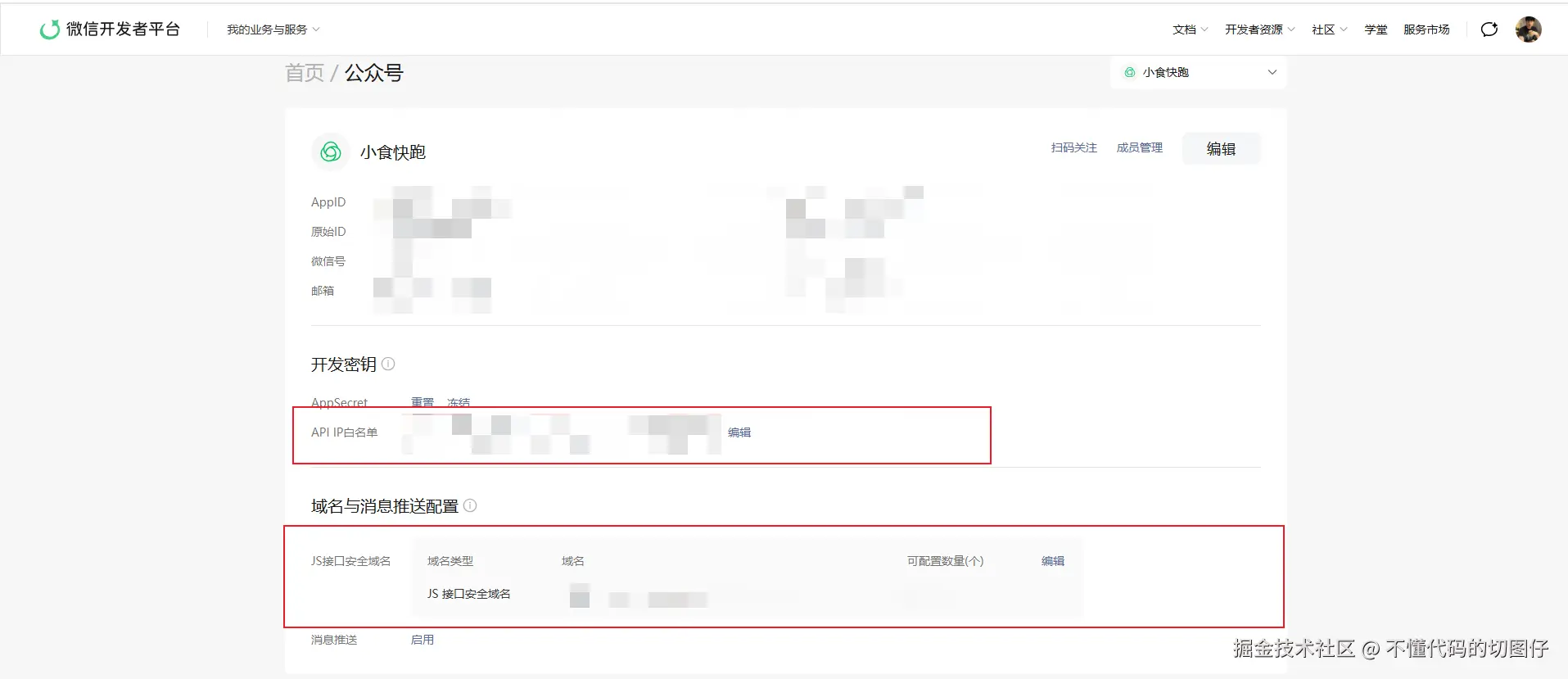
2.需要给后端提供 AppId、AppSecret生成jssdk的config参数(appId、timestamp、nonceStr、signature)
3.引入jssdk
js
	<script src="http://res.wx.qq.com/open/js/jweixin-1.6.0.js"/>
        <script>
            window.jWeixin=window.wx;
            delete window.wx;
        </script>
4.请求后端获取配置接口(参数需要传递当前页面url,不包括hash值)
encodeURIComponent(location.href.split("#")[0])
5.点击按钮扫码
js
 wxScan() {
      jWeixin.config({
        debug: false, // 调试模式:true会弹出调试信息,上线改为false
        appId: this.wxConfig.appId, // 公众号appId
        timestamp: this.wxConfig.timestamp, // 时间戳
        nonceStr: this.wxConfig.nonceStr, // 随机字符串
        signature: this.wxConfig.signature, // 签名
        jsApiList: ["scanQRCode"], // 需使用的API列表(扫码)
      });

      // 配置 ready 回调,确保配置成功后再调用
      jWeixin.ready(() => {
        jWeixin.scanQRCode({
          needResult: 1, // 1=直接返回结果
          scanType: ["qrCode", "barCode"],
          success: (res) => {
            const scanResult = res.resultStr; // 扫码结果
          },
          fail: (err) => {
          },
        });
      });
      // 处理配置失败情况
      jWeixin.error((res) => {
        console.error("JS-SDK 配置失败", res);
        uni.showToast({
          title: "扫码功能初始化失败",
          icon: "none",
        });
      });
    },