用 selenium 做过自动化的都知道,由于谷歌游览器经常自动更新导致 selenium 驱动失效需要重新下载解压替换(当然,我们也可以禁用浏览器的自动更新),但这个替换动作手动去做的话又十分麻烦。所以最好是在谷歌浏览器和 chromedriver 版本不匹配时自动下载匹配的 chromedriver.exe 就好了。
谷歌浏览器版本获取
selenium
我们可以先随意找一个 chromedriver,然后基于这个 chromedriver 使用 selenium 去尝试初始化 driver,如果版本不匹配的话,会有如下报错提示,然后我们就可以获取到当前谷歌浏览器的版本信息了。
python
from selenium import webdriver

try:
    driver = webdriver.Chrome(executable_path="./driver/chromedriver.exe")
except Exception as e:
    print(str(e))
python
Message: session not created: This version of ChromeDriver only supports Chrome version 140
Current browser version is 120.0.6099.130 with binary path C:\Program Files\Google\Chrome\Application\chrome.exe
chrome_version
上面的方法很直接,唯一的缺点是我必须要先有一个 chromedriver,假如我还没有现成的 chromedriver 但又想获取浏览器版本就不方便了。不过我们可以直接使用 chrome-version 来获取谷歌浏览器版本。
python
pip install chrome-version使用时直接调用 get_chrome_version() 函数即可。
python
import chrome_version

version = chrome_version.get_chrome_version()
print(version)  # 120.0.6099.130
其源码也很简单,针对 Windows 系统,它从浏览器安装后的注册表中获取 DisplayVersion 版本并正则提取。
python
HKEY_LOCAL_MACHINE\SOFTWARE\Wow6432Node\Microsoft\Windows\CurrentVersion\Uninstall\Google Chrome
    DisplayName    REG_SZ    Google Chrome
    UninstallString    REG_SZ    "C:\Program Files\Google\Chrome\Application\120.0.6099.130\Installer\setup.exe" --uninstall --channel=stable --system-level --verbose-logging
    InstallLocation    REG_SZ    C:\Program Files\Google\Chrome\Application
    DisplayIcon    REG_SZ    C:\Program Files\Google\Chrome\Application\chrome.exe,0
    NoModify    REG_DWORD    0x1
    NoRepair    REG_DWORD    0x1
    Publisher    REG_SZ    Google LLC
    Version    REG_SZ    120.0.6099.130
    DisplayVersion    REG_SZ    120.0.6099.130
    InstallDate    REG_SZ    20231222
    VersionMajor    REG_DWORD    0x17d3
    VersionMinor    REG_DWORD    0x82
playwright
playwright 也可以在不使用 chromedriver 的情况下获取浏览器的版本信息。
python
from playwright.sync_api import sync_playwright

with sync_playwright() as p:
    browser = p.chromium.launch(executable_path='C:\Program Files\Google\Chrome\Application\chrome.exe')
    print(browser.version)  # 120.0.6099.130
DrissionPage
DrissionPage 也可以在不使用 chromedriver 的情况下获取到浏览器的版本信息。
python
from DrissionPage import ChromiumPage, ChromiumOptions

co = ChromiumOptions()
co.headless()
page = ChromiumPage(co)
print(page.browser_version)  # Chrome/120.0.6099.130
匹配版本最接近的 chromedriver
一般来说,谷歌浏览器的版本和 chromedriver 的版本并不完全是一对一的关系。浏览器先发布,后续才更新的 chromedriver 版本,一个版本的 chromedriver 可能支持多个浏览器版本。比如我浏览器版本是 120.0.6099.130,但是并没有这个版本的 chromedriver。
所以查找时,我们可以查找主版本与其一致,但子版本与之最接近的版本作为对应的 chromedriver 的版本。
python
import re
import itertools
import requests
import chrome_version


def get_chromedriver_version(browser_version):
    res = requests.get("https://registry.npmmirror.com/-/binary/chrome-for-testing/")
    results = res.json()
    # 筛选满足要求的 version
    versions = [obj["name"][:-1] for obj in results if re.match("\d+", obj["name"]) and obj["name"].count(".") == 3]
    # 先排序,将相邻版本的数据放在一块
    versions = sorted(versions)
    versions = {key: list(versions_split) for key, versions_split in itertools.groupby(versions, key=lambda x: x[:x.rfind(".")])}
    # 取前3个版本作为必须匹配的主版本
    main_version = browser_version[:browser_version.rfind(".")]
    sub_version = browser_version[browser_version.rfind(".") + 1:]
    for version, version_list in versions.items():
        if main_version == version:
            # 在主版本完全匹配的情况下,匹配最接近的子版本并返回
            diff_dict = {abs(int(sub_version) - int(v[v.rfind(".") + 1:])): v for v in version_list}
            # print(diff_dict)
            min_diff = min(diff_dict.keys())
            return diff_dict[min_diff]
    return ''


if __name__ == '__main__':
    # browser_version = "120.0.6099.130"
    browser_version = chrome_version.get_chrome_version()
    print(f"browser_version: {browser_version}")
    chromedriver_version = get_chromedriver_version(browser_version)
    print(f"chromedriver_version: {chromedriver_version}")
python
browser_version: 120.0.6099.130
chromedriver_version: 120.0.6099.109
下载对应版本的 chromedriver
查到对应的版本后,我们就可以从镜像地址 https://registry.npmmirror.com/binary.html?path=chrome-for-testing 下载 chromedriver 了。
由于下载的文件是 zip 形式的压缩包,所以还需要我们提取到指定的目录。
python
import os
import re
import itertools
import zipfile
import shutil
import requests
import chrome_version


def get_chromedriver_version(browser_version):
    res = requests.get("https://registry.npmmirror.com/-/binary/chrome-for-testing/")
    results = res.json()
    # 筛选满足要求的 version
    versions = [obj["name"][:-1] for obj in results if re.match("\d+", obj["name"]) and obj["name"].count(".") == 3]
    # 先排序,将相邻版本的数据放在一块
    versions = sorted(versions)
    versions = {key: list(versions_split) for key, versions_split in itertools.groupby(versions, key=lambda x: x[:x.rfind(".")])}
    # 取前3个版本作为必须匹配的主版本
    main_version = browser_version[:browser_version.rfind(".")]
    sub_version = browser_version[browser_version.rfind(".") + 1:]
    for version, version_list in versions.items():
        if main_version == version:
            # 在主版本完全匹配的情况下,匹配最接近的子版本并返回
            diff_dict = {abs(int(sub_version) - int(v[v.rfind(".") + 1:])): v for v in version_list}
            # print(diff_dict)
            min_diff = min(diff_dict.keys())
            return diff_dict[min_diff]
    return ''


def download_chromedriver(chromedriver_version, output_dir):
    try:
        os.makedirs(output_dir, exist_ok=True)
        if os.path.exists(os.path.join(output_dir, "chromedriver.exe")):
            os.remove(os.path.join(output_dir, "chromedriver.exe"))
        file = f"chromedriver-win64.zip"
        url = f"https://cdn.npmmirror.com/binaries/chrome-for-testing/{chromedriver_version}/win64/{file}"
        res = requests.get(url)
        with open(file, 'wb') as f:
            f.write(res.content)
        with zipfile.ZipFile(file, 'r') as zipf:
            zipf.extract("chromedriver-win64/chromedriver.exe", output_dir)
        shutil.move(os.path.join(output_dir, "chromedriver-win64/chromedriver.exe"), output_dir)
        shutil.rmtree(os.path.join(output_dir, "chromedriver-win64"))
        return True
    except Exception as e:
        print(f"文件下载和提取失败:{str(e)}")
        return False


if __name__ == '__main__':
    # browser_version = "120.0.6099.130"
    browser_version = chrome_version.get_chrome_version()
    print(f"browser_version: {browser_version}")
    chromedriver_version = get_chromedriver_version(browser_version)
    print(f"chromedriver_version: {chromedriver_version}")
    output_dir = "./driver"
    download_chromedriver(chromedriver_version, output_dir)
校验下载的 chromedriver
我们可以尝试使用新更新的 chromedriver.exe 来打开浏览器并访问网页,看是否还会报错。
python
import time

from selenium import webdriver

driver = webdriver.Chrome(executable_path="./driver/chromedriver.exe")
try:
    driver.get("https://www.baidu.com/")
    time.sleep(10)
except Exception as e:
    print(str(e))
finally:
    driver.quit()
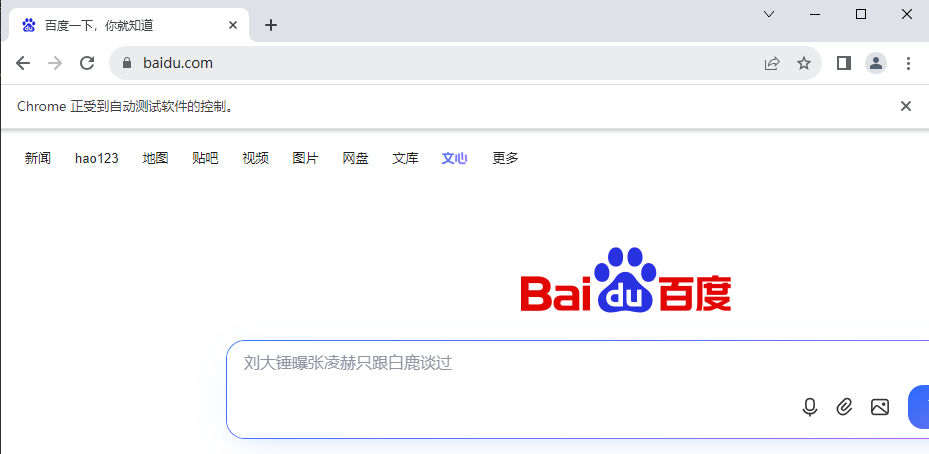
发现能正常打开百度页面,说明当前的 chromedriver 版本是和浏览器匹配的。
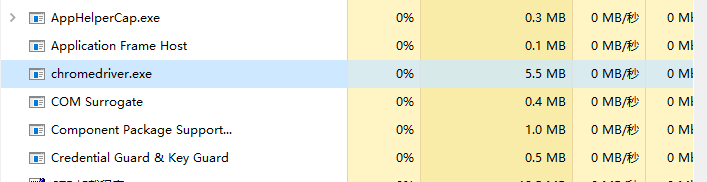
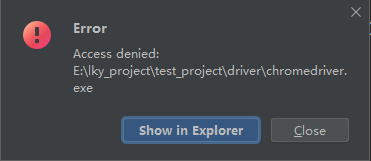
注意: 校验结束后记得一定要 driver.quit() 退出 chromedriver,否则可能会出现进程残留导致后续无法删除和替换 chromedriver.exe 文件。
python
文件下载和提取失败:[WinError 5] 拒绝访问。: './driver\\chromedriver.exe'